Hi, How Can We Help You?
  • 203-504 Cottonwood Ave, Coquitlam
  • service@moerepair.ca
  • +1 (778) 951-4872

Author Archives: moe

Laptop screen replacement Coquitlam: fast, local LCD and glass repair

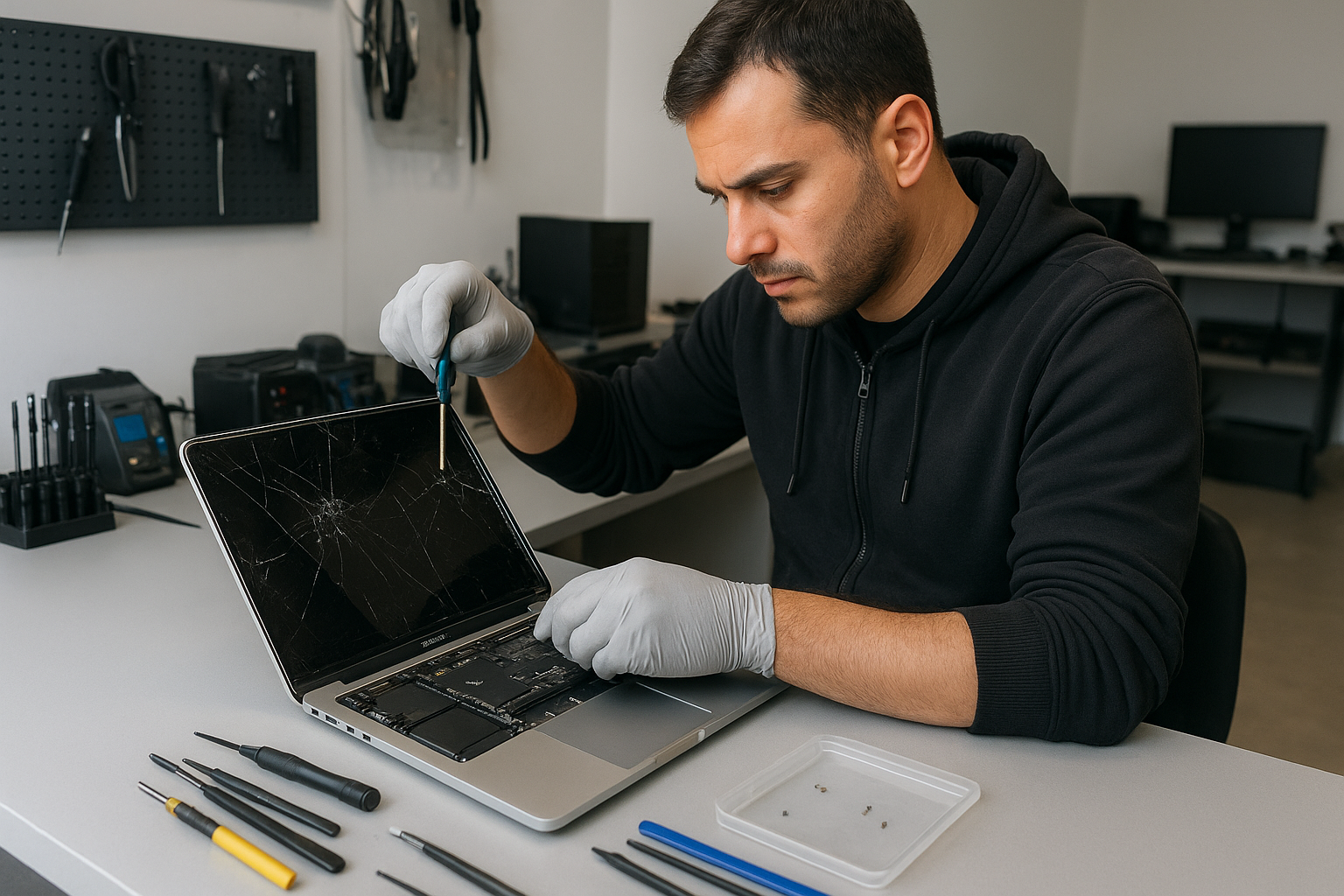
If you have a cracked panel or a flickering display, Laptop screen replacement Coquitlam is a common service we perform every week at Moe Repair. I’m a senior technician with more than 15 years of hands-on experience, and I’ll walk you through symptoms, diagnosis, and what to expect from a screen swap in Coquitlam.

Why choose Moe Repair for Laptop screen replacement Coquitlam

We combine fast turnaround with careful diagnostics. I test the display, inverter or backlight, cable, and GPU outputs before ordering parts. If you need laptop repair in Coquitlam beyond the screen we’ll identify it up front. We keep OEM and high-quality aftermarket panels for brands like Dell, HP, Lenovo, ASUS, Acer, Microsoft Surface, and Apple MacBook models.

Common laptop screen problems we see in Coquitlam

Typical symptoms include cracking, vertical or horizontal lines, black screens with power on, dead pixels, dim or flickering backlight, and touch digitizer failure on 2-in-1s. Liquid damage often causes staining or ghosting on the panel and sometimes shorting the display connector. Local students, small businesses, and home users from Port Moody and Port Coquitlam bring machines with these exact issues.

How we diagnose a broken screen

Diagnosis starts with three quick checks: external monitor test, brightness/backlight test, and ribbon cable inspection. I connect the laptop to an external display to determine if the GPU and motherboard are outputting a signal. If the external image is fine, the problem is isolated to the panel, cable, or inverter. I then open the bezel, inspect the display cable and connector for corrosion or damage, and test the panel with a known-good connector when available.

Tools and tests used

  • External HDMI/DisplayPort test
  • Multimeter for power rails and backlight inverter
  • Visual inspection for cracked glass and bezel damage
  • Temporary panel swap when compatible parts are on hand

Laptop screen replacement process

Once diagnosis confirms the panel is at fault, I recommend a replacement plan. Steps include ordering the correct part, removing the battery, disassembling the bezel and hinges, disconnecting the ribbon, installing the new panel, and testing under load. I follow anti-static procedures and torque specs for hinge screws. For MacBook models I use factory-compatible retina or non-retina assemblies depending on model year.

Parts and quality

We stock OEM and premium-grade replacement panels. Where possible I match resolution, refresh rate, and touch capability. For gaming laptops (Alienware, ROG, Predator) I check refresh rate compatibility. If a hinge or cable is damaged, we replace those too to avoid repeating work.

Real repair example from Coquitlam

A recent customer from Coquitlam brought an ASUS VivoBook with a shattered screen from a bag drop. The laptop powered on and produced image on an external monitor, so I focused on the panel and its connector. After removing the bezel I found the display cable pin bent. I ordered an OEM panel and a replacement cable, replaced both, and tested for 48 hours under load to confirm stability. The display returned to full brightness and we calibrated colors before handing it back. I documented the process and gave the customer tips to protect the screen and check hinge tension.

Common follow-up repairs and services

During a screen replacement I often encounter additional needs: computer repair in Coquitlam such as thermal paste replacement, fan cleaning, SSD upgrades, or battery replacement. If data is at risk from impact or liquid, I recommend prompt data recovery in Coquitlam before proceeding with invasive repairs.

How long a replacement takes and what it costs

Turnaround varies by model and parts availability. For common Windows laptops we often complete the job the same day if the part is in stock. MacBook assemblies and rare panels can take 1-3 business days. Costs depend on panel type; matte vs glossy, touch vs non-touch, and OEM grade. I provide an itemized quote and explain options before any work begins. We never begin without your approval.

What you can do before you arrive

Back up your data if possible, bring the original charger, and note any recent drops or liquid exposure. Turn the laptop on briefly to confirm symptoms. If the screen is shattered, avoid pressing the glass and carry the laptop in a protective bag. For customers worried about warranty, check with the manufacturer first; we can often work alongside warranty service if you prefer.

Contact Moe Repair Today

Moe Repair offers a free consultation to evaluate your laptop and recommend the correct screen replacement. Call Moe Repair at 778-951-4872 or email service@moerepair.ca to describe the symptom, your laptop model, and where you are in Coquitlam, Port Moody, or Port Coquitlam. We can arrange drop-off, mail-in service, or on-site pickup for businesses in Burnaby and New Westminster. Expect clear pricing, honest diagnostics, and a technician who communicates every step.

Frequently asked questions

Below are common questions about Laptop screen replacement Coquitlam. If your question is not listed, please contact Moe Repair.

Contact information: Moe Repair — Phone: 778-951-4872 — Email: service@moerepair.ca

More repairs we perform

While replacing a screen I regularly handle keyboard replacement, trackpad repair, motherboard repair, liquid damage repair, virus removal, Windows installation, and blue screen repair. If you need a full tune-up or SSD upgrade we can bundle services to save time and cost.
Console dust removal Vancouver

Professional Console Repair and Maintenance

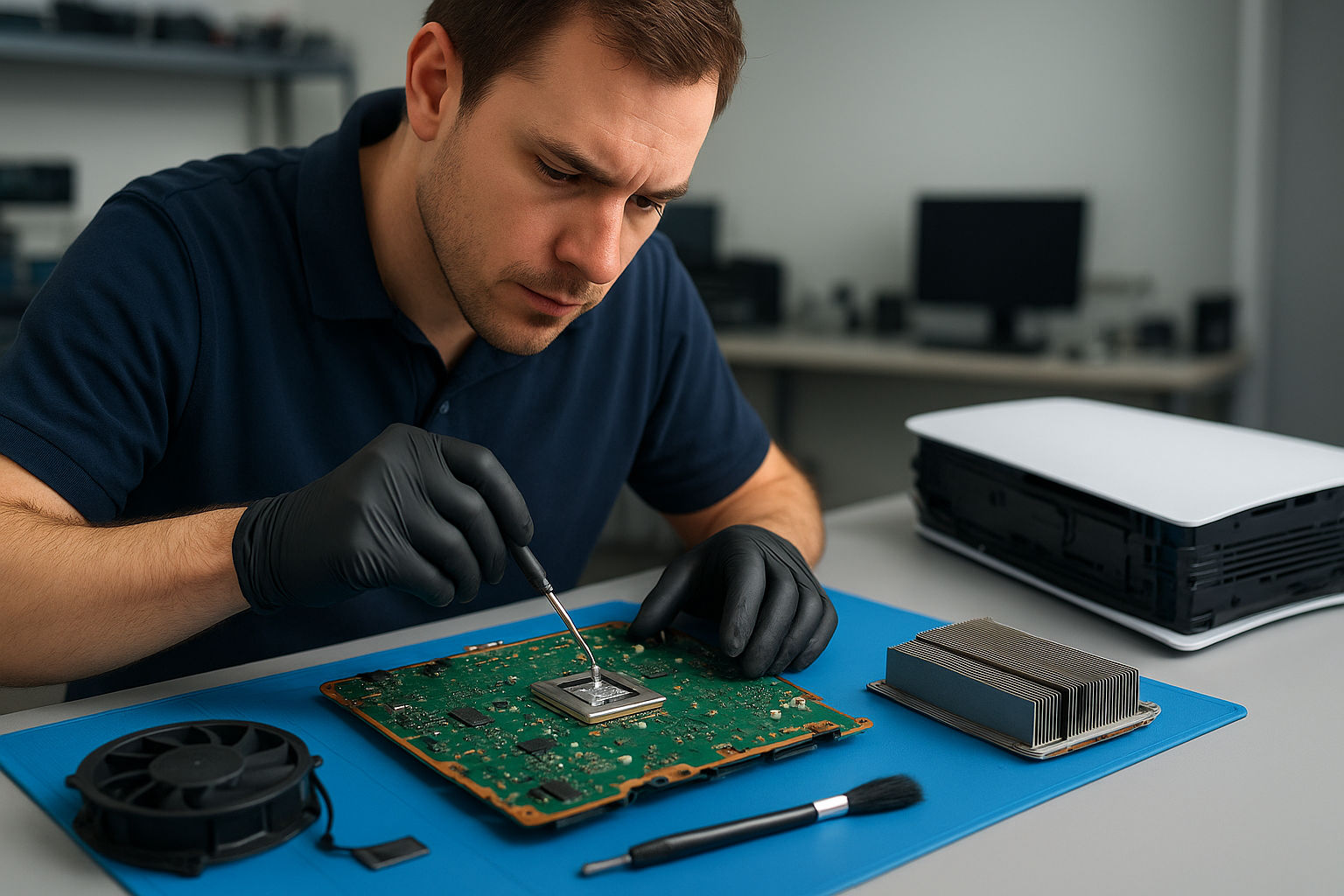
At Moe Repair in Coquitlam we specialize in professional console dust removal Vancouver gamers can trust. With over 15 years of hands-on experience repairing and maintaining gaming hardware, our technicians understand how dust buildup, clogged fans, degraded thermal compounds and failing cooling systems can lead to loud fan noise, overheating, random shutdowns and reduced performance. Whether you own a PS5, PS5 Slim, PS5 Pro, Xbox Series X or Xbox Series S we provide thorough cleaning, diagnostic testing and long-term thermal management solutions to keep your console running cool and quiet.

PS5 Liquid Metal Replacement

One of the advanced services we offer is PS5 liquid metal replacement. Many standard PS5 units benefit from replacing aged or poorly applied thermal interface materials with high-quality liquid metal to improve heat transfer between the system-on-chip and the heatsink. This is particularly important for PS5 Pro and PS5 Slim variants where tighter enclosures can amplify heat issues. Our technicians follow strict safety and grounding protocols, protect surrounding components, and ensure proper application and curing. We also inspect the vapour chamber and heat spreaders to ensure that liquid metal is the right solution for your console and that warranty considerations are discussed with you before any irreversible work.

Console Cleaning and Dust Removal

Console dust removal Vancouver requires careful disassembly, targeted cleaning and reassembly with attention to airflow paths. Our PS5 cleaning service includes ultrasonic cleaning of removable fan modules when appropriate, vacuum and compressed air extraction of dust trapped in vents and heatsinks, and removal of hair, pet dander and lint that commonly accumulates in living room setups. For Xbox Series X units we carefully clean the vertical tower intake and the internal heat sink fins. Xbox Series S consoles receive the same careful inspection despite their smaller size. After cleaning we run thermal and stress tests to confirm improved temperatures and stable fan behavior.

Console Overheating Repair

Overheating repair goes beyond cleaning. We diagnose whether overheating is caused by dust buildup, failing fans, degraded thermal paste or deeper motherboard issues. Our repair process includes temperature logging under load, fan curve calibration, replacement of worn bearings or fans, and liquid metal or thermal paste reapplication where recommended. For consoles experiencing random shutdowns or thermal throttling, we isolate the problem by testing power delivery and running targeted diagnostics to ensure the underlying fault is fixed rather than treating the symptom.

Signs Your Console Needs Service

Look out for these common signs that indicate your gaming console needs professional dust removal and maintenance:

  • Loud or erratic fan noise during gameplay
  • High surface temperatures or strong heat coming from vents
  • Random shutdowns or restarts while gaming
  • Consistent performance drops or thermal throttling
  • Visible dust at vents or on external surfaces

If you live in Coquitlam, Burnaby, Port Moody, Port Coquitlam, New Westminster or Maple Ridge and notice any of these symptoms, bring your console to Moe Repair for a full inspection and targeted service.

Why Thermal Management Matters

Good thermal management is essential to maintain peak performance and longevity of gaming consoles. Dust buildup acts as insulation, trapping heat and forcing fans to run louder and harder. Over time, this increases wear on fan bearings and can accelerate degradation of thermal paste or pads. Effective thermal management includes routine dust removal, proper fan cleaning, ensuring intake and exhaust vents are unobstructed, and, when necessary, using higher-grade thermal interface materials such as liquid metal for improved conductivity. Our approach focuses on prevention and repair so that your PS5, PS5 Slim, PS5 Pro or Xbox console delivers consistent frame rates and a quiet gaming experience.

Gaming Consoles We Service

Moe Repair services the full range of current-generation consoles including:

  • PS5, PS5 Slim and PS5 Pro — fan cleaning, dust removal, liquid metal replacement, overheating repair
  • Xbox Series X and Xbox Series S — thermal cleaning, fan replacement, performance diagnostics
  • Older consoles — preventive maintenance and component repair as needed

We combine OEM knowledge with aftermarket experience to deliver balanced solutions that protect your investment while optimizing thermal performance.

Why Choose Moe Repair

Based in Coquitlam, Moe Repair offers local gamers reliable console dust removal Vancouver trusts. Our technicians have more than 15 years of professional repair experience, trained in thermal management, electronics safety and component-level diagnostics. We keep detailed service records, use high-quality replacement parts and thermal materials, and perform post-repair stress testing to confirm results. Local pickup and drop-off options are available for customers in Burnaby, Port Moody, Port Coquitlam, New Westminster and Maple Ridge. For other services, see our pages on computer repair in Coquitlam, laptop repair in Coquitlam and MacBook repair in Coquitlam. To book an appointment, contact Moe Repair.

Real Repair Example

Customer: PS5 experiencing loud fans, high temperatures and occasional shutdowns after 18 months of use.

Diagnostics: Initial inspection showed heavy dust buildup in the intake channels and a clogged heatsink. We ran an initial thermal log which revealed CPU junction temperatures exceeding safe operating ranges under a 30-minute stress test. Fan RPM profiles were erratic, indicating bearing wear. No visible board damage or capacitor bulging was found.

Repair process: The console was fully disassembled in our ESD-safe bench area. Fans were removed and tested; one fan showed increased mechanical noise and wobble on the bearing tests, so we replaced it with a high-quality OEM-equivalent part. The heatsink fins and vapour chamber were cleaned using a combination of compressed air, precision brushes and a gentle solvent when needed. We removed the old thermal paste and inspected the contact surface for flatness and residue. Because the unit had been subjected to sustained thermal stress, we recommended liquid metal replacement on the main SoC. After careful masking of surrounding components, we applied liquid metal and installed a thin protective shim to prevent pooling. Reassembly included re-torquing screws to spec and reapplying a small amount of preventative thermal pad where applicable.

Outcome: Post-repair thermal logs showed a CPU temperature reduction of 8–12°C under load and fan RPMs stabilized at lower averages for the same workload. The loud fan noise was eliminated and no further random shutdowns occurred during extended testing. The customer reported noticeably quieter operation and no performance drops during gameplay after pickup.

Frequently Asked Questions

How often should I get console dust removal?

For typical home environments we recommend a professional dust removal and inspection every 12–18 months. Homes with pets or heavy smoking may require more frequent service.

Is liquid metal replacement safe for PS5?

When applied by an experienced technician in a controlled environment, liquid metal replacement is safe and effective. It provides superior thermal transfer but requires careful application and adherence to safety protocols to protect surrounding components.

Can I clean my console at home?

You can do basic external cleaning: power down, use compressed air on vents and ensure the unit sits in a well-ventilated area. Avoid opening the console if you’re not trained—internal cleaning, fan removal and thermal reapplication should be done by professionals to avoid damage and preserve long-term cooling performance.

Do you service consoles from Burnaby, Port Moody and Maple Ridge?

Yes. We serve Coquitlam and the surrounding Tri‑Cities area including Burnaby, Port Moody, Port Coquitlam, New Westminster and Maple Ridge. Local pickup/drop-off options are available in many cases.

What if my console still has issues after dust removal?

If problems persist we perform deeper diagnostics including power supply testing, motherboard inspections and replacement of failing components. Our goal is to find and fix the root cause rather than only treating symptoms.

Contact Moe Repair Today

Moe Repair
778-951-4872
service@moerepair.ca

For fast, reliable console dust removal Vancouver gamers rely on, bring your PS5, PS5 Slim, PS5 Pro, Xbox Series X or Xbox Series S to Moe Repair in Coquitlam. If you need other services, see our computer repair in Coquitlam, laptop repair in Coquitlam and MacBook repair in Coquitlam pages or contact Moe Repair to schedule an appointment.

MacBook Pro screen replacement Coquitlam

If your MacBook Pro screen is cracked, flickering, or showing vertical lines, a dependable MacBook Pro screen replacement Coquitlam specialist can save your day. At Moe Repair I diagnose the issue, explain options, and perform repairs using compatible display assemblies and careful calibration. I work on 13″, 14″, 15″ and 16″ MacBook Pro models, including Retina and Touch Bar variants.

Why choose Moe Repair for MacBook Pro screen replacement Coquitlam

I have more than 15 years of hands-on repair experience. When you bring a MacBook Pro to Moe Repair in Coquitlam I run targeted diagnostics, source the correct display assembly, and replace the screen with minimal risk to your logic board, camera, and sensors. I also handle related concerns like battery replacement and SSD upgrades.

Common screen issues we see in Coquitlam

  • Cracked glass from drops or pressure.
  • Vertical or horizontal lines, black bars, or a blank backlight.
  • Flickering that changes with hinge position.
  • Touch Bar or camera not working after impact.
  • Discoloration or pressure spots on the LCD layer.

How we diagnose a MacBook Pro screen problem

Diagnosis starts with simple, proven tests. I connect the MacBook Pro to an external monitor to determine if the GPU and logic board are functioning. If the external monitor is fine, the issue is usually the display assembly or LVDS/eDP cable. I run an SMC and NVRAM reset, inspect the display cable at the hinge, and perform a backlight test to separate power issues from panel failure.

When corrosion or liquid damage is suspected, I open the bottom case, inspect for residue, and test power rails with a multimeter. If the camera or microphone fail after screen damage, I include those checks in the diagnostic report.

The replacement process and realistic timelines

Once we agree on repairs I order the correct display panel by model identifier (for example MacBookPro15,1). Replacement steps include safely removing the screen assembly, transferring the webcam and sensors if needed, installing the new panel, and testing camera, microphone, and Touch Bar functionality. Final steps are display calibration and a burn-in test to verify there are no dead pixels or backlight bleeding.

Typical turnaround for most MacBook Pro screen replacements in Coquitlam is same-day to 48 hours depending on part availability. I avoid generic parts when possible and discuss third-party versus OEM-compatible options so you understand the trade-offs.

Realistic repair example from a local customer

A customer from Port Moody brought in a 2018 MacBook Pro with a cracked display and intermittent backlight. After confirming the logic board worked on an external monitor and checking the display cable at the hinge, I found the panel itself had multiple hairline fractures. I ordered the correct Retina display assembly, replaced the panel, re-tested the camera and speakers, and performed a full calibration. The screen issue resolved and the laptop passed a 24-hour stress check. I explained data recovery options before starting because some customers worry about file access during repairs. The whole job was completed in 36 hours.

What we check after replacing your MacBook Pro screen

  • Backlight uniformity and color accuracy.
  • Camera, microphone, and ambient light sensor function.
  • Wi-Fi and Bluetooth operation.
  • Battery charging and thermal behavior under load.

Other services to consider at Moe Repair

While replacing the screen you might also benefit from a keyboard replacement, trackpad repair, or a fast SSD upgrade. We also offer computer repair in Coquitlam and specialized laptop repair in Coquitlam. If you have important files, ask about data recovery in Coquitlam before the repair starts.

Price factors and part options

Price depends on model year, whether the glass and LCD are fused, and the availability of parts. Newer MacBook Pro models often use fused Retina panels that require replacing the entire display assembly. I provide a transparent estimate and the option to use higher-quality aftermarket parts to reduce wait time when OEM is unavailable.

Frequently asked questions

Below are common questions I hear from Coquitlam customers. You can also book MacBook repair in Coquitlam or contact Moe Repair for a quote.

Contact Moe Repair Today

Moe Repair offers a free consultation for MacBook Pro screen replacement Coquitlam customers. Call Moe Repair at 778-951-4872 or email service@moerepair.ca to schedule drop-off or local pickup. We serve nearby areas including Burnaby and Port Moody and provide clear estimates before any work begins.

Moe Repair
Phone: 778-951-4872
Email: service@moerepair.ca

FAQ

How long does a MacBook Pro screen replacement take?

Most jobs complete in the same day to 48 hours depending on part availability and model. I give accurate timelines after checking your model identifier and parts stock.

Will replacing the screen affect my Touch ID or keyboard?

Screen replacement does not typically alter Touch ID. However, if the top case or Touch ID sensor needs replacement, Touch ID re-pairing may be restricted by Apple security and needs to be discussed prior to repair.

Can you recover my files if the Mac won’t boot?

Yes. Moe Repair offers data recovery and can clone drives or extract data before performing screen or other repairs. If recovery is required I include options and costs up front.

Do you use genuine Apple parts?

I use high-quality OEM-compatible panels and will discuss genuine parts when available. I always explain the trade-offs in warranty and longevity so you can choose.

MacBook Pro battery replacement Coquitlam: Fast, reliable service at Moe Repair

If your MacBook Pro battery is losing charge quickly, displaying a swollen case, or not charging at all, a MacBook Pro battery replacement Coquitlam specialist can help. At Moe Repair I perform precise diagnostics and safe battery swaps for MacBook Pro models including 13-inch and 16-inch machines, and I explain repair options in plain language.

Common symptoms that point to a battery problem

Watch for these realistic signs: rapid battery drain, not charging past a low percentage, sudden shutdowns at 30 to 40 percent, an inflated bottom case, loud fan behavior tied to power state, or the System Report showing a high cycle count. These symptoms often mean the battery has reduced capacity or a failing cell.

How I diagnose MacBook Pro battery issues

Diagnostics start with software and hardware checks. I check System Information for cycle count and battery condition, run a power nap and SMC reset, and test with a known-good charger. If the MacBook Pro still reports not charging, I measure DC voltage at the MagSafe or USB-C input and inspect the charging cable and adapter. For USB-C models I test each port and the charging brick to rule out cable or PD handshake faults.

Real repair procedures I use

When a battery replacement is required I follow Apple-safe procedures: I back up data, power down, remove the lower case using correct Pentalobe drivers, disconnect the battery before touching logic board components, and replace the battery with a genuine or OEM-equivalent cell that matches model specifications. After installation I calibrate the new battery, verify charge cycles, and run load tests to confirm stable voltage under CPU and GPU load.

MacBook Pro battery replacement Coquitlam: parts and options

I stock high-quality batteries compatible with MacBook Pro 13, MacBook Pro 15, and MacBook Pro 16 models. For customers who want original-equivalent performance I recommend high-grade cells that meet Apple voltage and capacity tolerances. If a customer prefers a quicker, lower-cost option I explain the trade-offs before proceeding.

Real repair example from Coquitlam

A recent customer from Coquitlam brought a 2017 MacBook Pro 13 that would not hold a charge and shut down at 20 percent. I inspected the laptop, checked System Information (499 cycles, condition “Replace Soon”), and tested with a spare charger. The charger and board power rail were fine. I replaced the swollen battery, reassembled the laptop, and ran a four-hour workload test. The MacBook now charges to 100 percent and holds charge through typical office tasks. The customer left with a verified battery health report and backup advice.

Diagnostic procedures I recommend before replacement

Before replacing a battery, try these steps: run Apple Diagnostics, reset SMC (or the equivalent for newer Macs), update macOS, and test with a different charger. If the problem persists, bring the machine in for a full hardware check. If data is critical, consider professional backup first. I offer data recovery services and can link to related fixes when needed.

Other related services at Moe Repair

Battery replacement is often paired with other repairs. I can replace screens, perform keyboard or trackpad repairs, upgrade to an SSD, or repair motherboard charging circuits when needed. If your MacBook fails to boot after a battery issue I can assist with data recovery in Coquitlam or operating system repair. For general needs, see our MacBook repair in Coquitlam and laptop repair in Coquitlam pages.

Safety and warranty considerations

Swollen batteries are a safety hazard and should not be punctured or charged. I dispose of old batteries through certified recycling. Replacement batteries come with a limited parts warranty and I document the battery serial and health status post-repair. I do not guarantee outcomes for devices with existing motherboard damage, but I will provide a clear estimate before any work.

How long the replacement takes and cost expectations

Most MacBook Pro battery replacements at my shop take one to three hours, depending on model and diagnostics. I provide upfront pricing and explain options like original-equivalent batteries versus economy alternatives. If additional repairs are required, I call you first with options and expected costs.

Preventing future battery issues

To extend battery life, avoid extreme temperatures, do not leave a laptop plugged in 24/7, update macOS regularly, and avoid deep discharges where possible. If you travel frequently through Vancouver or Burnaby, consider carrying a checklist of chargers and a small power bank and schedule periodic battery health checks.

FAQ

The section below answers common questions about MacBook Pro battery replacement Coquitlam and what you can expect when you bring your Mac to Moe Repair.

How long does a MacBook Pro battery replacement take?

Most replacements are completed within one to three hours in-shop, depending on model and whether additional diagnostics or repairs are necessary.

Can you replace a swollen battery safely?

Yes. I follow Apple-safe disassembly, disconnect the battery before working, and dispose of the old battery through certified recycling channels.

Will replacing the battery fix performance issues?

Replacing a degraded battery can resolve unexpected shutdowns and charging problems, but performance slowdowns may be caused by thermal paste, SSD issues, or motherboard faults. I diagnose all potential causes before recommending work.

Do you back up my data before battery replacement?

I recommend backing up before any repair. If you cannot, I offer backup services and can perform basic backups or link to my computer repair in Coquitlam services for more complex data preservation.

Contact Moe Repair Today

If you need MacBook Pro battery replacement Coquitlam services, call Moe Repair at 778-951-4872 or email service@moerepair.ca for a free consultation. I offer in-shop diagnostics and same-day battery swaps when parts are in stock. I serve Coquitlam and nearby areas including Port Moody, Port Coquitlam, Burnaby, and Vancouver. During the consult I will review diagnostic findings, explain part options, and provide a cost estimate before any work begins. Walk-ins are welcome but appointments are recommended to reduce wait time.

Moe Repair
Phone: 778-951-4872
Email: service@moerepair.ca

Next steps

Bring your MacBook Pro to the shop or contact us first for a remote consultation. If you are experiencing additional issues such as a cracked screen or slow storage performance, I can combine services like MacBook repair in Coquitlam or SSD upgrades to minimize downtime.

Alienware gaming PC repair Vancouver

If your Alienware gaming desktop is showing artifacts, unexpected shutdowns, or poor performance, you need reliable Alienware gaming PC repair Vancouver technicians who know Dell Aurora hardware. At Moe Repair I focus on practical diagnostics and repairs for Aurora towers and Alienware laptops like the m15 and m17. I explain what I find in plain terms and offer repair or upgrade options so you can make an informed decision.

Common symptoms that need Alienware repair in Vancouver

Typical symptoms I see include random restarts, system freezes under load, loud fan noise, thermal throttling, display corruption, or failure to POST. You may also notice slow SSD performance after a Windows update or boot loops after BIOS updates. These are signs to stop using the system for gaming and book diagnostics.

How I diagnose Alienware systems

My diagnostic workflow begins with a visual inspection and basic tests: check POST codes, confirm power rails with a multimeter, and run a controlled boot. I use temperature monitoring tools to observe CPU and GPU under load, and I run GPU stress tests and memtest86 for RAM faults. I check Windows event logs and run driver rollbacks when needed.

Real repair procedures I perform

Repair steps vary by fault. For thermal issues I clean dust, replace or repair case fans, replace the GPU blower on older Aurora models, and perform thermal paste replacement on CPU and GPU where accessible. For storage problems I verify SSD health, clone drives, and perform Windows installation when required. Motherboard repairs include replacing failing capacitors or MOSFETs when a component-level fix is necessary.

Parts, upgrades and when to replace components

I recommend SSD upgrades for long load times, larger cooling solutions when temps stay above safe thresholds, and PSU upgrades when voltage rails are unstable. For Alienware Aurora R-series, a higher quality SFX/ATX PSU can stop random shutdowns. If a GPU shows hardware artifacting despite cooling improvements, the long-term solution may be GPU replacement or RMA if under warranty.

Real-world repair example from Vancouver

A recent customer in Vancouver brought an Alienware Aurora R10 that crashed during long gaming sessions and showed horizontal lines on screen. I inspected the case, ran GPU stress tests and monitored thermal sensors. Temperatures spiked to 98C on the GPU, and one blower fan was not spinning freely. After disassembling the GPU shroud I found heavy dust buildup and a failing fan bearing.

I cleaned the heatsink, replaced the failed blower fan, reapplied high-quality thermal paste to the GPU die, and reseated the power connectors. After updating the GPU driver and running a two-hour stability test, temperatures dropped to a steady 68C under load and the artifacting disappeared. The customer returned for a follow-up and reported stable gaming sessions. I explained that while this repair resolved the symptoms, continued monitoring is recommended because long-term GPU degradation can still occur.

When I recommend data recovery or OS repair

If a failing drive contains game installs or personal files, I can perform non-destructive imaging and attempt data recovery in-lab. For Windows corruption or blue screen errors I run system file checks, repair the bootloader, and reinstall Windows with driver optimization. If you need data recovery, see our dedicated service for data recovery in Coquitlam for more on processes and pricing.

Other services that support Alienware repairs

I also handle SSD upgrades, motherboard repair, virus removal, thermal paste replacement, and Wi-Fi troubleshooting. For users who also have laptops, I offer laptop repair in Coquitlam and screen or battery replacements. For general system tune-ups or non-gaming desktops, see our computer repair in Coquitlam page for common procedures.

Maintenance tips to avoid future problems

Simple maintenance goes a long way. Keep vents clear, clean dust at least twice a year, monitor temperatures, and update firmware and GPU drivers from Dell’s site. Avoid overclocking until cooling is verified. If your Alienware lives in a dusty room, consider a positive case airflow setup and high-quality air filters.

Pricing and realistic expectations for repairs

I provide an honest quote after diagnostics. Some issues, like software conflicts or driver problems, are low cost. Component-level motherboard repairs or GPU replacements are pricier. I will always show diagnostics and discuss repair vs replacement. For warranty options, check Dell support before investing in out-of-warranty board-level work.

Contact Moe Repair Today

Moe Repair offers a free consultation and local pickup options for customers in Vancouver and nearby areas. Call Moe Repair at 778-951-4872 or email service@moerepair.ca to describe the symptoms. I serve Vancouver, Burnaby, Coquitlam and North Vancouver and can advise whether a visit is necessary or if a remote troubleshooting step can get you back online quickly. Use the contact Moe Repair form for appointment requests and estimates.

Frequently asked questions

Below are common questions I get from local gamers. If you do not see your issue, please reach out.

Can you repair my Alienware Aurora that won’t boot?

I start with power supply and POST checks, verify motherboard voltages, and test RAM and GPU in known-good configurations. If the PSU is failing I recommend replacement first; if the motherboard shows failed components I will quote board-level repair or replacement options.

How long does a typical repair take?

Simple repairs like fan replacement or thermal servicing can be same-day. Component-level motherboard work typically takes several days depending on parts. I aim for clear timelines after diagnostics.

Do you handle Alienware laptops like the m15 and m17?

Yes. I repair Alienware laptops for cooling issues, screen replacement, SSD upgrades, and liquid damage repair. See our laptop repair in Coquitlam page for common laptop services.

Will you recover my saved games and files?

When a drive is failing I image the drive to prevent further loss and attempt file recovery. For full details, check our data recovery in Coquitlam service page or contact us directly.

For Mac users, I also offer MacBook repair in Coquitlam for those who use cross-platform setups.

Moe Repair
Phone: 778-951-4872
Email: service@moerepair.ca

MacBook Pro screen replacement Coquitlam: Expert repairs at Moe Repair

If your MacBook Pro screen is cracked, flickering, or showing lines, a MacBook Pro screen replacement Coquitlam specialist can restore the display and usability quickly. At Moe Repair I focus on accurate diagnostics, careful part selection, and proven repair procedures so you get the best chance of a lasting repair.

Common symptoms that point to a screen issue

Typical symptoms I see every week in Coquitlam include cracked glass, vertical or horizontal lines, backlight failure, and intermittent blank screens when opening the lid. Symptoms can also look like a bad GPU or logic board, so I always run a clear diagnostic routine to separate display-only faults from motherboard problems.

How I diagnose MacBook Pro screen replacement Coquitlam jobs

Diagnosis starts with a visual inspection and simple functional tests. I check hinges, frame damage, and look for signs of liquid contact. Then I connect an external monitor to see if the GPU and motherboard output a proper signal. If the external display works, the fault is almost always the screen assembly, cable, or backlight. If the external display also fails, I proceed to logic board tests.

Tools and tests I use

  • External monitor via Thunderbolt or HDMI adapter to isolate GPU/board faults.
  • Multimeter checks on backlight rails and display power connectors.
  • Visual inspection under magnification for broken LCD glass or flex cable damage.
  • Temperature and POST testing to see if the board is failing under load.

What the MacBook Pro screen replacement Coquitlam process looks like

Once I identify the failed component I explain options: full display assembly replacement, glass-only replacement where appropriate, or testing and reseating the display cable. I order parts – OEM when available, or high-quality aftermarket options if requested. Repairs include replacing the display, testing camera and sensors, calibrating the display, and running stress tests before returning the MacBook to you.

Real-world repair example from nearby Port Moody

A customer from Port Moody brought in a 2017 MacBook Pro with a shattered top-left corner and vertical green lines across the screen after a drop. I performed an external monitor test which showed normal output, indicating a display assembly failure. After documenting the damage and confirming price, I ordered an OEM Retina display assembly. I removed the old assembly, cleaned adhesive residue, transferred the camera and sensor brackets, and installed the new assembly. Post-repair I calibrated the brightness levels, tested Wi-Fi and sleep-wake behavior, and ran a 24-hour burn-in. The display returned to full function and the customer picked up the laptop the next day. During pickup I also recommended a protective sleeve to reduce future drops.

Parts, pricing expectations, and timelines in Coquitlam

Replacement cost depends on model year and whether you choose OEM parts. MacBook Pro 13 and MacBook Pro 15 Retina assemblies from recent years are more expensive than older LCD models. Typical turnaround is 1 to 3 business days if parts are in stock. I always list the recommended part source and let you approve any third-party option. If you need data preserved I can coordinate data recovery in Coquitlam before repair.

When the screen problem hides deeper issues

Some screens fail after liquid damage or hinge stress that also affects the trackpad, keyboard, or logic board. In those cases I expand diagnostics to include the board and battery. For logic board or power rail repairs I refer to our computer repair in Coquitlam and motherboard repair workflows. I will always explain the options clearly before proceeding.

Preventive care and related services

To reduce future incidents I recommend a sturdy case, periodic hinge inspections, and timely battery replacement when swelling appears. While your MacBook is in shop I can also provide SSD upgrades, thermal paste replacement, or a full tune-up. For general laptop concerns check our laptop repair in Coquitlam page for common services.

Warranty and what to expect after repair

I test every repaired MacBook under real load and provide a limited parts and labor warranty on the replaced assembly. I do not guarantee survival of pre-existing board damage and I always disclose risk where liquid or impact damage is severe. If additional issues appear I handle follow-ups promptly and coordinate further diagnostics or data services if needed.

Contact Moe Repair Today

If you need a MacBook Pro screen replacement Coquitlam repair, contact Moe Repair for a free consultation. Call Moe Repair at 778-951-4872 or email service@moerepair.ca. I offer local drop-off at our Coquitlam shop and service for nearby areas including Port Moody, Port Coquitlam, Burnaby, and New Westminster. I will assess your MacBook, explain repair options and estimated costs, and begin work with your approval. We accept repairs for MacBook Pro models across multiple years and can advise on OEM vs aftermarket parts. Call or email to schedule your diagnostic today.

More ways I help local customers

Beyond screen replacement I handle battery replacement, trackpad repair, keyboard replacement, liquid damage repair, and SSD upgrades. If your data is at risk I can coordinate data recovery. For general MacBook health consider a computer tune-up or thermal paste replacement to keep performance steady.

Frequently asked questions

Find more answers below, or contact Moe Repair directly if you want a specific estimate or to book a drop-off.

Moe Repair
Phone: 778-951-4872
Email: service@moerepair.ca

Gaming Laptop screen replacement Coquitlam: Fast, local repairs you can trust

If your rig shows a cracked panel, streaks, blackouts, or a flickering backlight, a Gaming Laptop screen replacement Coquitlam specialist at Moe Repair can help. I am a senior technician with 15 years of hands-on experience replacing panels on Alienware, ASUS ROG, Lenovo Legion, Acer Predator and HP Omen machines. We focus on accurate diagnostics, OEM-quality parts, and clear repair options.

Common symptoms that need a screen replacement

Recognizing the problem speeds repairs. Watch for these signs:

  • Cracked glass, visible spidering or sharp edges.
  • Black screen with power lights on.
  • Vertical or horizontal lines across the display.
  • Backlight working but no image (faint dim picture visible under bright light).
  • Touchscreen not responding or registering phantom touches.

These symptoms often point to the panel, inverter (older models), or the display cable. For a full laptop service including power and operating system checks, ask about our computer repair in Coquitlam options.

How we diagnose Gaming Laptop screen replacement Coquitlam jobs

Diagnosis is step one. I start with basic checks: external monitor test, reseating the display cable, and inspecting the hinge and bezel for mechanical damage. Then I run the laptop under load to rule out GPU artifacts and motherboard faults. If an external monitor shows a normal image while the laptop screen stays blank, that isolates the issue to the panel or cable.

We also check the LVDS or eDP connector for bent pins, and measure backlight voltage where applicable. Firmware and driver checks come next. If needed, I use schematic references for motherboard power rails to confirm the screen receives proper power before recommending replacement.

Typical repair procedure we perform

A clear, safe procedure reduces risk to your laptop. Typical steps for a panel swap:

  • Power down, remove battery where possible, and discharge capacitors.
  • Remove bezel and hinges carefully to inspect cable routing.
  • Test the connector and harness for continuity and damage.
  • Order the correct panel: OEM or high-quality equivalent matched by model and part number.
  • Install new panel, secure connectors, and test before reassembly.
  • Calibrate display and test under load for 24-48 hours when required.

We also offer related services such as laptop repair in Coquitlam, battery replacement and SSD upgrades if you want performance improvements during the same visit.

Brands and models we commonly repair

Gaming laptops have varied designs. We regularly replace screens on:

  • Dell Alienware series and XPS
  • ASUS ROG and ZenBook gaming editions
  • Lenovo Legion and ThinkPad gaming models
  • HP Omen and Envy gaming laptops
  • Acer Nitro and Predator families

Each manufacturer uses different panels and connectors. I always verify part numbers before ordering to avoid compatibility issues. For MacBook displays or Apple devices, see our MacBook repair in Coquitlam services.

Realistic repair example from Coquitlam

A recent customer from Port Moody brought in an ASUS ROG with a cracked corner and a half-black screen. I ran an external monitor check which displayed fine, confirming the GPU was OK. After removing the bezel I found the eDP cable pin had light corrosion and the panel had a hairline crack. I sourced a matching 144Hz panel, replaced the cable and panel, then tested brightness steps and color uniformity. The laptop returned to the customer with restored 144Hz performance. The repair involved a panel and cable replacement and a 48-hour functional verification.

What influences cost and turnaround

Factors that affect price and time include panel availability, resolution and refresh rate (4K and 240Hz panels cost more), and whether the hinge damaged the cable. Locally stocked panels allow same-day repairs for many models. We will always present options: OEM, high-quality aftermarket, or used panels when appropriate.

For related services like data recovery in Coquitlam or motherboard repair, we can combine work to reduce downtime.

Practical advice for customers

Before you bring a unit in, back up your data if possible and bring the original charger. Avoid DIY screen swaps unless you are comfortable disassembling the hinge and removing delicate connectors. If you see glass fragments or exposed circuitry, keep the laptop powered off and boxed securely.

We also recommend considering an SSD upgrade or thermal paste replacement at the same time, which we can quote during the screen repair.

Warranty and parts

Moe Repair uses OEM or tested aftermarket panels. We provide a parts and labor warranty that we will explain before starting work. We do not guarantee parts availability for rare or very old models. For virus removal, operating system repair, or blue screen repair, ask about bundled services.

FAQ

The answers below cover common concerns. You can also contact Moe Repair for specifics about your machine.

Contact Moe Repair Today

Moe Repair offers a free consultation to assess your Gaming Laptop screen replacement Coquitlam needs and nearby service areas include Port Moody, Burnaby, and Vancouver. Call Moe Repair at 778-951-4872 or email service@moerepair.ca to describe the symptoms and book a drop-off or pickup. We will explain parts options, estimated costs, and turnaround time before starting work. If you need additional services like motherboard repair, SSD upgrades, or data recovery, mention them when you contact us.

Local service and follow-up

We repair many gaming rigs for players across Coquitlam and nearby cities like Burnaby and Vancouver. After repair we run stress tests and confirm display performance. If you experience any issues after a repair, bring the laptop back for follow-up diagnostics and support.

MacBook screen replacement Surrey: Fast, professional service

As a senior technician with more than 15 years of hands-on experience, I perform MacBook screen replacement Surrey customers trust. I see every symptom, from a cracked screen to backlight failure, and I follow proven diagnostic steps to fix your display quickly and safely.

Why choose Moe Repair for MacBook screen replacement Surrey

First, I inspect your MacBook visually and with software diagnostics. Then, I confirm the failure mode. I only use high quality LCD replacement panels or OEM-grade parts when available. In many cases, I replace the entire display assembly to ensure proper alignment, touch function, and backlight performance.

You will get fast turnaround. I offer clear pricing, and I explain repair cost factors such as retina display type, model year, and whether the glass and LCD are both damaged. Moreover, I provide extra services like battery replacement, SSD upgrades, and motherboard repair when required.

Common symptoms I diagnose

Customers bring MacBooks in for many reasons. Typical symptoms include cracked glass, black screen after a drop, lines or flicker across the display, dim backlight, dead pixels, and touch or trackpad issues after an impact. Sometimes the screen works but the image has color shift, which often points to a failing display cable or connector.

If you see any of these, shut down the machine and avoid flexing the lid. Back up your data if possible. Next, contact us so we can run a full diagnostic and advise the safest next steps.

How we diagnose display problems

We follow systematic diagnostics. First, we reproduce the issue and check external display output. If an external monitor shows an image, we know the GPU and logic board function. Then, we inspect the display connector, inverter or cable, and test backlight circuits. For retina models, we test the display assembly connectors and perform continuity checks.

When liquid damage is suspected, we open the case and look for corrosion on the display connector, trackpad cable, and logic board. I document findings and recommend repairs, such as liquid damage repair, motherboard repair, or a full screen replacement.

Realistic repair procedure

When I perform a replacement, I take these practical steps. First, I power down the MacBook and disconnect the battery. Safety matters. Then, I remove the pentalobe screws and separate the display assembly if needed. I detach the display data cable, carefully remove the old assembly, and install the new LCD or complete display.

I use ESD-safe tools and precision screwdrivers. Then, I reseat connectors, verify backlight operation, and run a color calibration test. Finally, I tighten screws to spec and perform a full boot and stress check. If the issue is related to hinge damage or chassis flex, I address that too, ensuring the new screen aligns properly and that the trackpad repair or keyboard replacement is clean.

What to expect for cost and time

Repair costs vary by MacBook model, part availability, and whether the glass and LCD both need replacement. Older models may require LCD replacement or an inverter, while newer retina display MacBooks usually need full display assembly replacement. We provide an estimate after diagnostics, and often complete screen replacements the same day or within 48 hours.

Also, we offer related services, such as data recovery if your MacBook will not boot, thermal paste replacement or laptop fan replacement if overheating occurred, and a computer tune-up after hardware work to ensure peak performance.

Preventive advice and practical tips

To prolong your display life, use a protective sleeve, avoid placing heavy items on top of the laptop, and keep liquids away. For transport, close the lid and use a padded bag. If liquid spills occur, power down immediately and bring the MacBook in. We provide liquid damage repair and quick cleaning to limit corrosion.

Do not attempt DIY separation of glued display layers on retina models. Specialized tools and adhesives keep alignment and prevent additional damage. Instead, let a trained technician handle the replacement to avoid further costs like motherboard repair or data loss.

Other services we provide

At Moe Repair we cover the full range of repairs. We do laptop repair, MacBook repair, screen replacement, battery replacement, data recovery, virus removal, Windows installation, SSD upgrades, motherboard repair, liquid damage repair, gaming PC repair, keyboard replacement, trackpad repair, laptop fan replacement, thermal paste replacement, and computer tune-up.

Consequently, whether you need a simple LCD replacement or advanced motherboard work after a liquid accident, we have the tools and experience to finish the job right. We serve customers across Coquitlam, Burnaby, Vancouver, Surrey, Richmond, New Westminster, Maple Ridge, Port Moody, Port Coquitlam, Pitt Meadows, Langley, Delta, North Vancouver, West Vancouver, White Rock, Abbotsford, Mission, and Chilliwack.

Why timely repair matters

Delaying screen repair can lead to larger problems. A cracked screen can allow dust or moisture to enter, worsening pixel damage or causing a short on the logic board. Likewise, pressure damage can spread. Thus, prompt MacBook screen replacement Surrey residents rely on prevents secondary failures and saves money over time.

If you require data recovery, we can often extract your files before any major repair. For performance upgrades, we also recommend SSD upgrades and a clean Windows installation or macOS tune-up where appropriate.

Contact Moe Repair

For fast, reliable MacBook screen replacement Surrey customers count on, contact Moe Repair today. Call 778-951-4872, or email [service@moerepair.ca](mailto:service@moerepair.ca). We will schedule diagnostics, explain repair options, and provide a clear estimate.

Moe Repair is ready to help with any screen crack, backlight issue, flicker, or display failure. Bring your MacBook to our shop, or ask about pickup options across the Lower Mainland. We guarantee professional workmanship and honest advice based on 15 plus years of experience.

MacBook screen replacement Burnaby: Fast, Expert Repairs at Moe Repair

If you need MacBook screen replacement Burnaby, you want a reliable technician who knows Apple hardware inside and out. I am a senior computer repair technician with more than 15 years of hands-on experience. I diagnose, repair, and restore MacBooks quickly, with clear communication and a practical warranty.

Why choose Moe Repair for MacBook screen replacement Burnaby

First, I perform a thorough inspection. Then, I explain the results and options. Many shops quote a price without diagnostic testing, however that risks missed damage, like LCD delamination or bent housings. At Moe Repair I include diagnostic testing that checks the display, graphics output, backlight, and hinge alignment.

Our workshop in Coquitlam handles repairs for customers across Burnaby, Vancouver, Surrey, Richmond, New Westminster, Maple Ridge, Port Moody, Port Coquitlam, Pitt Meadows, Langley, Delta, North Vancouver, West Vancouver, White Rock, Abbotsford, Mission, and Chilliwack. We offer screen replacement, battery replacement, SSD upgrades, motherboard repair, liquid damage repair, and data recovery.

Common symptoms that mean you need a screen replacement

  • Cracked glass or visible spiderweb fractures.
  • Black spots, colored blotches, or vertical and horizontal lines.
  • Backlight flicker, dim screen, or no image despite a running system.
  • Tactile issues where the glass no longer seats correctly near hinges.
  • Retina display showing ghosting, dead pixels, or unexpected artifacts.

When customers call about a cracked MacBook screen they often mention lines or no image. In many cases the LCD still works while only the glass is damaged, but sometimes the entire display assembly needs replacement. I always confirm whether the problem is glass only, LCD, or the lid assembly.

Realistic repair procedure I use

First, I power down the MacBook, disconnect the battery, and place the device on an ESD-safe mat. Next, I remove the lower case and disconnect the display data cable at the logic board. Then, I remove the hinge covers and the display bezel carefully to preserve clips. I separate the glass from the LCD using controlled heat and plastic tools, or I remove the complete display assembly for a faster, safer replacement. After installing the new LCD or glass, I reseat the display cable, reconnect the battery, and perform a full test for backlight uniformity, color accuracy, and hinge tension.

In complicated cases I check the GPU and logic board for damage. If there is liquid contamination or motherboard issues, I provide options for motherboard repair or data recovery. We also offer keyboard replacement, trackpad repair, laptop fan replacement, and thermal paste replacement when needed.

Diagnostic steps I perform for every MacBook

  1. Visual inspection for cracks, corrosion, and impact points.
  2. Boot to recovery or external display to determine whether the GPU is functional.
  3. Run Apple diagnostics or third-party stress tests for graphics artifacts.
  4. Test the backlight inverter circuitry and display brightness control.
  5. Confirm hinge and chassis alignment before reassembly.

These steps reduce surprises. For example, if a MacBook shows no image but an external monitor works, the problem is almost always the display assembly. Conversely, if both internal and external displays fail, the logic board may be at fault, and motherboard repair or Windows installation services are also available for other laptops.

Parts, warranties, and quality

I use high-quality LCD panels and OEM-equivalent glass. For older MacBooks I recommend SSD upgrades, battery replacement, and a full computer tune-up while the device is in the shop. Additionally, if you suspect malware or your Mac is slow, we provide data recovery, virus removal, and a performance tune-up to extend device life.

All screen replacements include functional testing and a short warranty. If the MacBook has liquid damage, I recommend liquid damage repair first as corrosion can spread and affect the motherboard. In such cases I offer motherboard repair and data recovery to protect your files.

Pricing and turnaround

Turnaround depends on parts availability. In many cases I complete screen replacement the same day, especially for common models. For Retina MacBooks I order factory-grade panels and keep you informed. I provide transparent quotes that cover labor, parts, and testing. For gaming laptops or custom machines we also perform thermal paste replacement and fan service to ensure cooling performance.

Practical advice for customers

If your MacBook screen is cracked, stop using the device in risky positions, and avoid pressing the glass. Back up your data before any repair. Meanwhile, photograph the damage and note any functional issues like chattering audio or unexpected shutdowns. This information helps my diagnostics. Also, consider pairing a screen replacement with an SSD upgrade or battery replacement to maximize value.

If you are outside Burnaby, we accept drop-offs from Coquitlam, Vancouver, Surrey, Richmond, New Westminster, and other nearby cities. We also repair gaming PCs, perform Windows installation, and handle keyboard replacement when keys stop responding.

Contact Moe Repair to schedule an appointment or to get a quote. Moe Repair
Phone: 778-951-4872
Email: [service@moerepair.ca](mailto:service@moerepair.ca)

Get started

Bring your MacBook to a certified technician with experience. I combine careful disassembly, tested parts, and diagnostic rigor to deliver reliable MacBook screen replacement Burnaby customers trust. Call 778-951-4872 or email service@moerepair.ca to book same-day diagnostics and repairs.

Data recovery Surrey: Proven methods to recover your files fast

Data recovery Surrey is a service I have performed for more than 15 years. I am a senior computer repair technician, and I know how stressful lost documents, photos, and business files can be. In this article I explain realistic diagnostic steps, common failure symptoms, and practical procedures we use at Moe Repair to recover data safely.

Data recovery Surrey, what to do first

If a drive shows signs of failure, stop using it immediately. Do not run multiple recovery apps, do not clone over the drive, and do not keep powering a failing laptop or external disk. For example, if your laptop crashes, a failing hard drive can worsen with every start. Instead, power it down, disconnect any external drives, and call Moe Repair at 778-951-4872 or email service@moerepair.ca.

Common failure symptoms I see

These are symptoms that usually indicate an issue requiring professional attention.

  • Strange clicking or grinding noises from a hard drive, a sign of mechanical failure.
  • Repeated system crashes, Blue Screen of Death, or corrupted file errors.
  • Files that vanish, folders read as empty, or file names garbled, typical of logical corruption.
  • SSD that shows zero capacity, or sudden unreadable partitions, often tied to controller failure or TRIM-related overwrites.
  • RAID arrays degraded, with missing volumes or rebuild failures, a complex scenario for data retrieval.
  • Liquid damage or power surges that cause motherboard or drive electronics failure.

How we diagnose drives at Moe Repair

First, we perform non-invasive checks. We inspect SMART data to examine reallocated sectors, pending sectors, and temperature history. Then, we use a write-blocker and create a forensic disk image. For mechanically noisy drives, we use controlled spin-up tools or a cleanroom swap of the head assembly when needed.

For SSD recovery, we analyze controller behavior, check firmware, and determine whether TRIM has erased data. For RAID, we capture each member drive as a disk image, analyze parity and stripe size, and rebuild the array in a lab environment, without writing to originals.

Real recovery procedures and tools I use

I use industry-grade tools and methods. That includes disk imaging with ddrescue, deep scanning with validated recovery suites, and physical repairs in our partner cleanroom for head swaps or PCB repairs. We document every step, and we maintain chain of custody for business clients.

When a drive has bad sectors, we read healthy areas first, then target failing sectors selectively. For logical corruption, we repair file system metadata, recover file tables, and reconstruct files. For MacBook repair or Windows installation issues tied to data loss, we image the drive first before reinstalling any operating system.

Practical customer advice

Do not try quick fixes that write to the failed disk. Avoid free software that asks you to install on the same drive. If you have a laptop with liquid damage, bring it in quickly, and turn it off, as corrosion can spread. If you suspect ransomware or virus activity, disconnect the machine from networks and call us, so we can isolate and recover data safely while removing malware.

Also, consider SSD upgrades and regular backups to prevent future loss. We offer backup solutions, computer tune-up, and cloud sync setup to protect important files.

Typical recovery timelines and outcomes

Simple logical recoveries take a few hours to a day. Mechanical recoveries that require cleanroom work may take several days. RAID and complex cases can take longer, depending on drive condition and complexity. We provide a free initial assessment, and then a clear quote with success likelihood based on diagnostics.

Related services we provide

We combine data recovery with laptop repair, MacBook repair, screen replacement, battery replacement, virus removal, SSD upgrades, motherboard repair, liquid damage repair, gaming PC repair, keyboard replacement, trackpad repair, laptop fan replacement, thermal paste replacement, and Windows installation. Many clients come to us for a damaged machine and also need data recovery or a full system rebuild.

Why choose Moe Repair in Surrey and the Lower Mainland

With over 15 years of hands-on experience, I personally handle diagnostics and recovery planning. We serve Surrey, Coquitlam, Burnaby, Vancouver, Richmond, New Westminster, Maple Ridge, Port Moody, Port Coquitlam, Pitt Meadows, Langley, Delta, North Vancouver, West Vancouver, White Rock, Abbotsford, Mission, and Chilliwack.

We maintain strict data privacy, transparent pricing, and documented procedures. Moreover, we provide repair options, such as SSD upgrades or motherboard repair, when recovery is complete and you want to improve system reliability.

What to expect when you bring a device in

We start with a diagnostic log, then create a safe image. We discuss the recovery strategy and expected costs. For physical repairs, we explain cleanroom steps. For logical issues, we outline the percentage chance of success. We never overwrite original media unless you authorize it.

If you need immediate help, contact Moe Repair right away. Phone 778-951-4872, or email service@moerepair.ca. We will advise the safest next steps and arrange secure drop-off or mail-in recovery.

Remember, the faster you act, the higher the chance to recover your files. Call us in Surrey, or any of our service areas, for dependable, professional data recovery services.