Hi, How Can We Help You?
  • 203-504 Cottonwood Ave, Coquitlam
  • service@moerepair.ca
  • +1 (778) 951-4872

Author Archives: moe

Dell Latitude battery replacement Coquitlam: Fast, professional service

If your Dell Latitude is showing short runtimes, won’t charge, or reports battery health errors, Moe Repair offers reliable Dell Latitude battery replacement Coquitlam residents trust. I’m a senior technician with over 15 years repairing laptops, and I’ll explain symptoms, diagnostics, repair steps, and what to expect when you bring your Latitude to our Coquitlam shop.

Common battery symptoms we see in Coquitlam

Typical signs that a Dell battery needs replacing include rapid capacity loss, Windows or BIOS battery warnings, the battery not charging past a certain percent, and the laptop shutting down abruptly even when the battery indicator shows remaining charge. You may also notice the laptop running hot or battery cycling through charge levels quickly.

Dell Latitude battery replacement Coquitlam: Diagnostic steps

When a customer brings a Latitude to our bench, I follow a structured diagnostic routine. First I run Dell built-in diagnostics and Windows battery report. Then I test the AC adapter with a multimeter and try a known-good Dell charger. I remove the battery (on removable models) or inspect the charging circuitry for non-removable models. Next I load-test the system to confirm whether the battery, charger, or motherboard power rail is at fault.

These steps help separate battery failure from problems like a damaged DC jack, failed charging circuit, or a faulty BIOS setting. If the issue looks like a motherboard problem, I outline repair options before proceeding.

Why choose Moe Repair for battery replacement in Coquitlam

At Moe Repair we use genuine Dell-spec batteries and follow safe ESD procedures during disassembly. Our technicians document battery health before and after replacement. We also offer related services such as laptop repair in Coquitlam, SSD upgrades, and motherboard repair so you get a complete assessment if other components show wear.

We keep customers informed: diagnostic findings, estimated costs, and time to complete the job. If you have important files, we can also recommend data recovery in Coquitlam prior to any extensive repair.

Battery replacement procedure I use

For removable Dell Latitude batteries I start by powering down, removing the battery, and testing it with a battery analyzer. For internal batteries I remove the bottom cover, disconnect the battery cable, then check the battery pack voltage and charger input. If the battery is confirmed bad, I replace it with a compatible Dell battery, update BIOS if needed, and run calibration cycles.

After replacement I run a mix of idle and load tests, verify charging behavior, and confirm BIOS recognizes the new battery. I also perform a short thermal check and ensure no unusual power draw that could reduce battery life prematurely.

Real repair example from a nearby customer

A customer from Port Moody brought a Dell Latitude 5490 that would not charge past 2 percent. I tested the AC adapter and found correct voltage, but the built-in Dell diagnostics flagged battery degradation and the system intermittently lost power when unplugged. I removed the internal battery, measured a low resting voltage, and inspected the charging connector and power rail on the motherboard. The charger and port tested fine, so I replaced the battery with a Dell-authorized pack, reassembled the laptop, and calibrated the battery in BIOS. After replacement the Latitude held charge and passed a two-hour load test. The customer picked it up the same day and reported normal runtimes the following week.

Practical advice before you book a replacement

  • Back up important files. If you have hesitation, ask about data recovery options before repair.
  • Bring your original charger. It helps isolate charger vs battery issues.
  • Know your model number. Dell Latitude models like 3000, 5000, and 7000 series use different battery part numbers.
  • If your laptop has liquid damage or motherboard faults, battery replacement might not fix the problem. We can test and advise further, including computer repair in Coquitlam services.

Other services related to battery problems

Sometimes battery symptoms coexist with other issues. We provide:

  • SSD upgrades and Windows installation to reduce disk activity and improve battery life.
  • Laptop fan replacement and thermal paste replacement to control heat that shortens battery life.
  • Motherboard repair when charging circuits fail.
  • Virus removal and operating system repair if software is causing excessive power draw.

Typical repair timeline and costs in Coquitlam

Diagnostics usually take 30 to 60 minutes. For stock batteries we aim for same-day replacement; special-order parts may take 1 to 3 business days. I provide a transparent estimate before any work. We do not guarantee results for unrelated motherboard failures, but we will explain all findings and options clearly.

FAQ

Below are common customer questions about Dell Latitude battery replacement Coquitlam.

Contact Moe Repair Today

Moe Repair offers a free consultation and clear, honest advice for Dell Latitude battery replacement Coquitlam and nearby areas including Port Moody, Port Coquitlam, Burnaby, and Vancouver. Call us at 778-951-4872 or email service@moerepair.ca to describe the issue and get an estimated turnaround time. We welcome drop-offs and can often provide same-day service for in-stock batteries. If you need related work like SSD upgrades, motherboard repair, or virus removal we can include that in our assessment and quote.

Local reach and follow-up

We serve customers across Coquitlam and nearby communities. After any Dell Latitude battery replacement, we test and document results and provide follow-up guidance on maximizing battery life, including power settings and software checks. If you need ongoing support we offer computer tune-up and Wi-Fi troubleshooting as well.

More ways to contact us

Moe Repair

Phone: 778-951-4872

Email: service@moerepair.ca

To book or ask a question use our contact Moe Repair page. Our team can also advise if your Latitude model may use a user-replaceable battery or requires internal service.

Frequently Asked Questions

Q: How long will a new Dell Latitude battery last after replacement?

A: Battery life depends on model, workload, and health of the charging circuit. A new genuine battery should restore expected runtimes but exact life varies. We advise testing under normal use and can run calibration cycles to help set accurate capacity reporting.

Q: Can you replace a non-removable battery on my Latitude?

A: Yes. For internal batteries we remove the bottom cover, disconnect the battery, and replace it with a compatible pack following ESD-safe procedures. If the unit has liquid damage or motherboard issues we will explain additional repair needs.

Q: Do you use third-party batteries?

A: We prioritize genuine Dell or Dell-spec OEM batteries. If a third-party option is acceptable, we will disclose that and explain warranty and cost differences.

Q: What if my laptop still won’t charge after replacing the battery?

A: If symptoms persist we test the AC adapter, DC jack, charging circuit, and motherboard power rails. Sometimes a failed MOSFET or damaged trace requires motherboard repair. We provide diagnostics and repair options before proceeding.
MacBook Pro display replacement Coquitlam

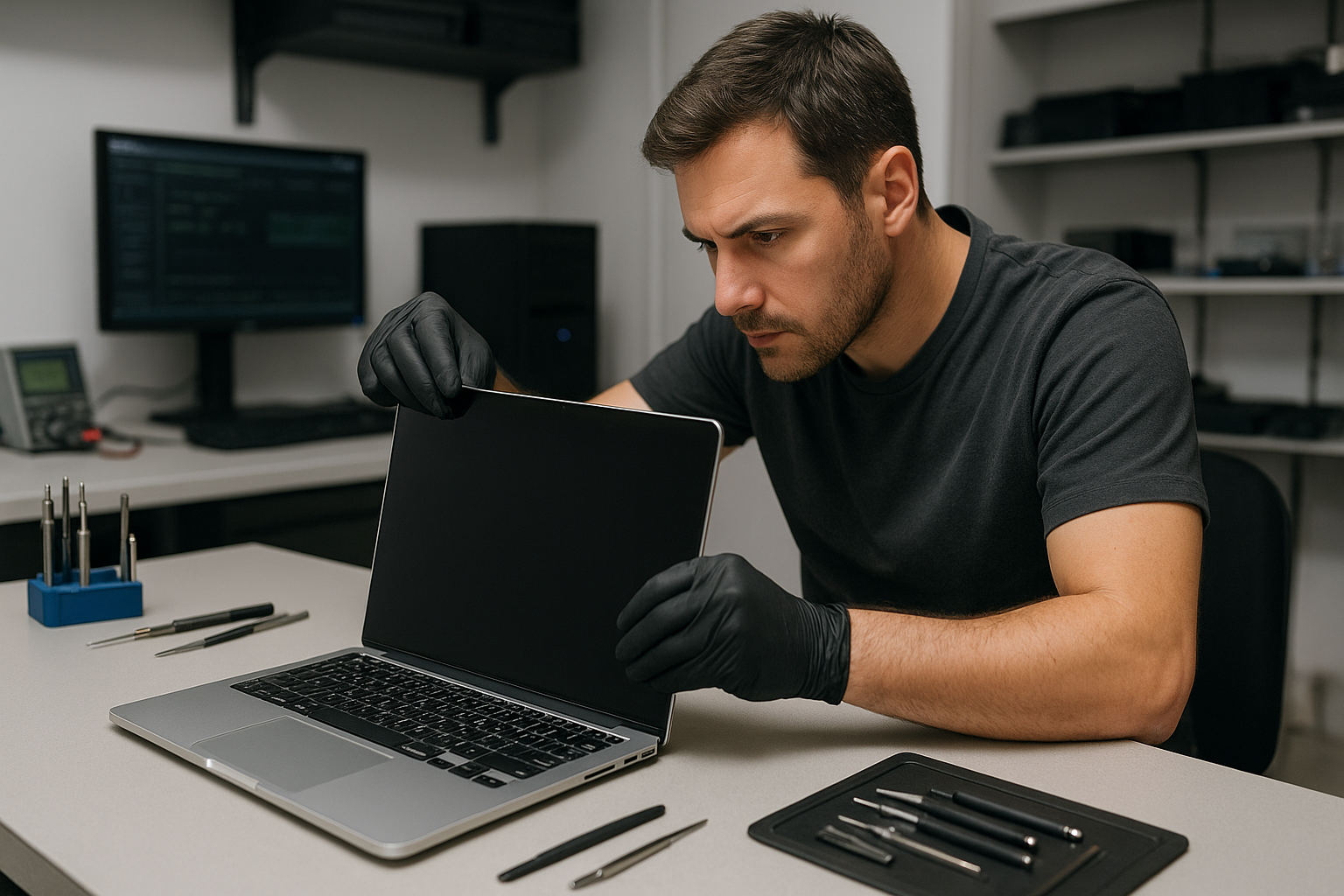
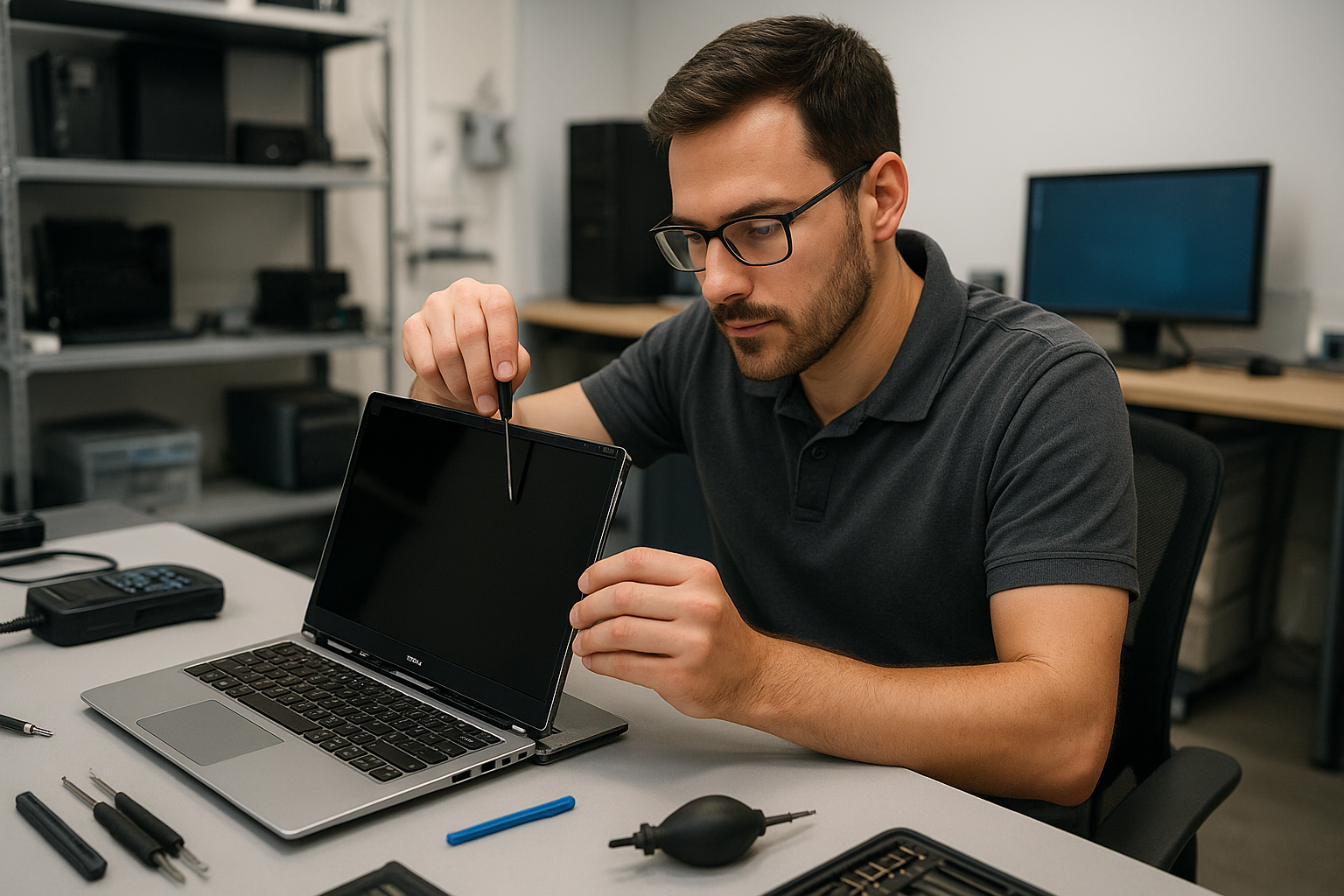
If your MacBook Pro screen is cracked, flickering, or shows vertical lines, a MacBook Pro display replacement Coquitlam specialist can help. At Moe Repair I inspect the machine immediately, confirm the cause, and explain repair options before any work begins. Phone: 778-951-4872. Email: service@moerepair.ca.

Common symptoms of a failing MacBook Pro display

Typical symptoms I see in Coquitlam include a hairline crack after a drop, black spots from pressure, backlight failure, horizontal or vertical lines, laptop LCD flicker, and unresponsive brightness controls. You may also see a white screen, partial image, or ghosting. These symptoms can mimic graphics or software issues, so I always run a methodical diagnostic.

MacBook Pro display replacement Coquitlam: What we inspect

When you bring a MacBook Pro to my shop I check the external display output to rule out GPU faults, inspect the display cable and hinge area for damage, and examine the LCD/digitizer assembly for visible cracks. I also test the backlight circuits, check the display connector for bent pins, and run a test pattern to assess color and pixel problems.

Diagnostic steps I perform

My diagnostic routine is hands-on and measurable. I:

  • Reset SMC and NVRAM and perform a safe boot to exclude firmware or driver problems.
  • Connect an external monitor to determine if the GPU and drivers are working.
  • Open the chassis, disconnect the battery, and inspect the LVDS/eDP cable and connector for continuity and shorts.
  • Measure voltage rails on the display connector and check the backlight fuse and related power circuits.
  • Run display test patterns and color calibration to detect stuck pixels, color shift, and backlight uniformity.

When the logic board is at fault

If the external monitor works but the internal screen does not, I probe the display power rails and gate driver circuits on the logic board. In some cases motherboard repair or component replacement is needed instead of a panel swap.

Repair procedures and parts

For MacBook Pro display replacement Coquitlam I use OEM or high-quality OEM-equivalent panels depending on availability and your budget. My repair procedure includes ordering the correct panel for your specific model, disconnecting the battery, removing the broken assembly, installing the new screen, and testing camera, microphone, and brightness controls before reassembly.

How long does a replacement take and what affects cost?

Turnaround depends on parts availability and your MacBook Pro model. Common in-stock replacements can be completed in a few hours; special-order panels may require 1-3 business days. When considering MacBook Pro display replacement Coquitlam prices, ask about part origin and warranty. I provide a clear written quote after diagnosis and explain options such as OEM panels versus tested aftermarket assemblies.

Real repair example from Port Moody

A recent customer from Port Moody brought in a 2017 MacBook Pro with shattered glass and intermittent flicker after a fall. I first connected an external display; the external output was stable, which pointed away from the GPU. Opening the machine revealed the LVDS cable had abrasion at the hinge and the digitizer glass was fractured. I advised replacing the entire display assembly to prevent future cable failure. After sourcing a tested panel, I completed the replacement, verified the camera and microphone, and ran extended stress tests. The customer left the same day with a fully functioning internal display.

Related services I offer

Along with screen replacement I handle laptop repair in Coquitlam, SSD upgrades, battery replacement, trackpad repair, thermal paste replacement, and motherboard repair. If a display failure coincides with data issues, I offer data recovery in Coquitlam and thorough diagnostics. For other system problems you can also explore our computer repair in Coquitlam services.

Preventing future screen damage

Use a padded sleeve or a hard case for travel. Avoid stacking heavy items on top of your laptop, and shut the lid gently. If liquid reaches the display, power off and bring the MacBook in quickly for liquid damage repair to reduce corrosion risk.

Contact Moe Repair Today

Moe Repair provides a free consultation and clear pricing for MacBook Pro display replacement Coquitlam and nearby areas like Port Coquitlam, Port Moody, Burnaby, and New Westminster. Call 778-951-4872 or email service@moerepair.ca to schedule a diagnostic or ask about parts and turnaround. We will explain repair options and any risks before work begins.

Frequently asked questions

See the FAQs below for common customer concerns about display replacement and repair.

How much will a MacBook Pro display replacement cost?

Cost depends on the model, screen type (Retina, Touch Bar), and whether you choose OEM or aftermarket parts. After a hands-on diagnosis I provide a written quote. Typical ranges vary by model; I will outline all options so you can make an informed choice.

Will I lose my files during a screen replacement?

Display replacement itself does not usually affect user data, but I recommend a backup before any repair. If you need data assistance, Moe Repair offers data recovery in Coquitlam and can advise on safe backups prior to work.

Do you use genuine Apple parts?

I use genuine panels when available and high-quality OEM-equivalent parts when appropriate. I will explain the differences, expected longevity, and warranty for each option before you decide.

How long is the warranty on the repair?

I provide a limited warranty on parts and labor. Warranty terms vary by part source; I include the specific coverage in your written estimate so you know what is covered after the repair.

Can only the glass be replaced or must the whole assembly be changed?

On many Retina and newer MacBook Pro models the glass and LCD are fused, so replacing only the glass is not recommended. I will inspect your model and recommend the most reliable and cost-effective approach.

Dell XPS screen replacement Vancouver: Expert OEM repairs at Moe Repair

If your laptop shows cracks, black bars, flicker, or the touchscreen no longer responds, our Dell XPS screen replacement Vancouver service restores displays reliably. I write from 15 years of hands-on repair experience at Moe Repair in Vancouver. We diagnose the exact failure, recommend repair options, and use OEM or high-quality compatible panels for a durable result.

Dell XPS screen replacement Vancouver: common symptoms

Typical symptoms customers bring in include: a spiderweb crack across the glass, vertical or horizontal lines, no backlight but external display works, intermittent flicker when the lid moves, or a dead touchscreen. Some XPS models show a bright spot or a halo where the backlight failed. Knowing the symptom helps narrow the fault between the glass digitizer, the LCD, the eDP cable, or the display controller on the motherboard.

How we diagnose XPS display problems

Diagnosis starts with a careful visual inspection and functional tests. We check whether an external monitor shows a clean image via HDMI or USB-C. If the external image is fine, the GPU and motherboard video output are likely OK and the problem is in the display assembly, the cable, or the panel itself. We test the cable by wiggling the hinge and observing flicker. We also run a pixel test, examine the bezel and hinge for physical damage, and check the touchscreen controller in Device Manager. For complete laptop service we often combine this with a battery test or thermal check.

Real repair steps we perform

Our repair process follows safe technician practice. We power the unit down, disconnect the battery, and ground ourselves. We remove the bezel, detach the webcam and wifi antenna ribbons if needed, and unscrew the display assembly. We inspect the eDP cable and hinge routing. If the panel is cracked or the digitizer is damaged, we replace the LCD and touchscreen assembly. On some XPS 13 and XPS 15 models we can replace only the glass digitizer when available. After installing the OEM panel, we reseat connectors, reassemble, and run a full test including touchscreen calibration, color profile check, and hinge torque verification.

Parts and warranty

We source OEM and high-quality panels for XPS lines including XPS 13, XPS 15, and XPS 17. Where an OEM part is unavailable, we use high-grade compatible panels and disclose this to you. All display replacements include a limited parts and labour warranty. We document the part serial and show test results before returning your laptop.

Pricing and turnaround

Turnaround varies by model and part availability. For many XPS models we offer same-day or next-day repairs when OEM stock is on hand. We provide a clear estimate after diagnostics, and you can choose OEM or compatible part options. If other issues are present, such as motherboard damage from liquid entry or hinge fractures, we explain repair priorities and costs up front.

What else we check while replacing a screen

While replacing the display we often perform a brief tune-up: check for driver updates, examine the SSD and offer an upgrade, scan for malware, and verify Wi-Fi and webcam. If your XPS needs battery replacement, keyboard replacement, or motherboard repair, we include those options in our diagnostic report. These combined services reduce repeat visits and return trips.

Real-world repair example

A recent customer from Burnaby brought an XPS 13 with a shattered touchscreen that also showed vertical green lines. I first connected an external monitor and confirmed a clean image, which told me the GPU and mainboard video output were fine. Next, I opened the lid and observed intermittent flicker when the display cable was flexed near the hinge. After removing the bezel, I found the digitizer shattered and the eDP cable slightly frayed. I ordered an OEM display assembly, installed it, routed the cable with new adhesive, and calibrated the touchscreen. The screen returned to factory brightness and the vertical lines disappeared. I explained the findings, provided the invoice showing part details, and recommended hinge reinforcement to prevent recurrence.

When repair may not be the best option

There are cases where repair cost approaches replacement value, especially with older XPS models or extensive motherboard damage. We assess whether a screen-only repair, display assembly replacement, or motherboard repair makes the most sense. For laptops beyond economical repair we can assist with data transfer or data recovery services to preserve your files before you retire the device. See our pages on data recovery in Coquitlam and computer repair in Coquitlam for related options.

Why choose Moe Repair in Vancouver

At Moe Repair we combine experienced technicians with transparent communication. We perform laptop repair in Coquitlam and service many customers across Vancouver, Burnaby, Richmond, New Westminster, and North Vancouver. We keep you informed during diagnostics and do not proceed without your approval. If you own an XPS, Inspiron, Latitude, or Precision machine, we have the tools and parts knowledge to handle the job carefully.

Contact Moe Repair Today

Need a fast, professional Dell XPS screen replacement Vancouver service? Contact Moe Repair for a free consultation. Call 778-951-4872 or email service@moerepair.ca. We will schedule a diagnostic appointment, outline repair choices and parts, and explain expected turnaround and warranty. We regularly serve customers in Vancouver and nearby cities including Burnaby and Richmond. If you prefer, drop by our shop with your XPS and we will run an immediate inspection.

We also handle related work such as battery replacement, SSD upgrades, motherboard repair, liquid damage repair, and Windows installation. Before you decide, check our detailed repair reports and customer feedback. For Mac users, see our services at MacBook repair in Coquitlam. When you are ready to book, use our contact Moe Repair page to send a message.

Frequently asked questions

Below are common questions customers ask about Dell XPS screen replacement Vancouver.

MacBook Pro screen replacement Coquitlam: Fast, local MacBook repair

If your MacBook Pro screen is cracked, flickering, or shows lines, a MacBook Pro screen replacement Coquitlam specialist can get you back to work quickly. I’m a senior technician at Moe Repair with more than 15 years of hands-on experience repairing MacBooks and laptops across Coquitlam and nearby cities like Burnaby and Port Moody. Read on for real diagnostic steps, repair procedures, and a recent repair example so you know what to expect.

Signs you need MacBook Pro screen replacement Coquitlam

Common symptoms include a shattered glass surface, vertical or horizontal lines, black or blank areas on the panel, backlight bleeding, and persistent flicker. Other signs are burned pixels, intermittent display after opening the lid, or a screen that works on an external monitor but not the laptop itself. If you see any of these, stop using the machine to avoid further damage.

How we diagnose MacBook Pro screen issues

At Moe Repair we follow a step-by-step diagnostic routine. First, we inspect the chassis, hinges, and connectors for physical damage. We connect an external monitor to isolate the GPU from the display. We run Apple Diagnostics and check SMC and NVRAM settings. We open the lower case using pentalobe drivers, disconnect the battery, and visually inspect the display cable and connector for corrosion or tears.

Technical checks I always do

  • External monitor test to verify GPU and logic board function.
  • Backlight check using a bright flashlight to see if the LCD is still creating an image when the LED driver fails.
  • Connector continuity and voltage measurements at the display board when appropriate.
  • Verification of part compatibility using the MacBook serial number.

Replacement options and parts for MacBook Pro displays

We offer full display assembly replacement and, in select models, LCD-only replacement. Full assemblies include glass, LCD, camera, and sensors. Choosing genuine Apple parts reduces the chance of compatibility problems, but aftermarket assemblies can be a lower-cost option for older machines. We explain the trade-offs and show customers real parts before starting any work. For other services like MacBook repair in Coquitlam or battery replacement we can combine repairs to save you time.

Real repair example: a cracked 2019 MacBook Pro from Port Moody

A customer from Port Moody brought a 2019 MacBook Pro with a fully shattered screen after a fall. Symptoms were a cracked glass surface, a faint image under bright light, and no backlight. My diagnostic steps were: visual inspection, external monitor test which returned perfect output, and an internal inspection that showed the display cable intact and the camera flex undamaged. That confirmed the LCD and glass were the issue.

I explained replacement options, had the customer approve an OEM-equivalent full display assembly, and backed up their data to an external SSD before disassembly. I removed the lower case, disconnected the battery, detached the display assembly at the hinge screws, transferred the webcam and sensor cables when needed, installed the new assembly, and ran a calibration and color profile. The result: restored brightness, clean image, and working camera. The customer left happy the same day.

What to expect during a screen replacement

Expect an initial diagnostic, a parts quote, and a repair estimate. Typical steps include backing up data, removing the lower case and battery isolation, detaching the display assembly, installing the new unit, and running post-repair tests. Repairs often take a few hours for common models, but times vary for Retina and Touch Bar units. We use ESD straps, proper torque for screws, and adhesive removal tools to avoid damage. If we encounter liquid damage or motherboard faults, we discuss options including data recovery in Coquitlam or motherboard repair.

Preventing future screen damage and related repairs

Use a padded sleeve, avoid placing heavy objects on top of your MacBook, and close the lid gently. If you carry your MacBook daily consider a hard-case or a screen protector. Address battery swelling quickly; an expanding battery can warp and crack the screen. If you need other services after a screen repair, we handle keyboard replacement, trackpad repair, SSD upgrades, thermal paste replacement, and full computer tune-up services. For Windows-based laptops see our laptop repair in Coquitlam page.

Costs, warranty, and parts choices

Costs depend on model year and whether you choose original or aftermarket parts. We provide transparent pricing and a limited warranty on labor. We do not guarantee availability of Apple’s factory parts for every model, and we never promise a perfect outcome if the logic board shows underlying faults. For broad system service including virus removal or Windows installation ask about bundle pricing during your visit. For general computer issues, also consider our computer repair in Coquitlam services.

Frequently Asked Questions

Below are common questions we hear. If your question is not listed, please contact Moe Repair.

How long does a MacBook Pro screen replacement take?

Most common models are repaired within the same day once we have parts, usually 2 to 6 hours. Older or Retina models may take longer to order parts. We give you a clear ETA at check-in.

Will I lose my data during a screen replacement?

Removing the display rarely affects data, but we recommend a backup before any repair. If the MacBook has signs of liquid damage or a failing drive we offer data recovery services.

Do you use genuine Apple parts?

We use OEM-equivalent parts and genuine parts when available. We will explain the difference and let you choose. We document serial numbers and warranty information for transparency.

Can a cracked screen be temporarily fixed without replacement?

Small surface cracks sometimes can be contained with a screen protector, but that does not repair internal LCD damage. Continued use risks glass cuts and further component damage. Permanent repair is the safest option.

Do you repair other MacBook components?

Yes. We handle battery replacement, trackpad repair, keyboard replacement, SSD upgrades, motherboard repair, and liquid damage repair. Ask about multi-service discounts at drop-off.

Contact Moe Repair Today

If you need a MacBook Pro screen replacement Coquitlam technician, call Moe Repair at 778-951-4872 or email service@moerepair.ca for a free consultation. We serve Coquitlam and nearby areas like Burnaby, Port Moody, and Port Coquitlam. Bring your MacBook in for an immediate diagnostic or book a drop-off. We will walk you through parts choices, timelines, and any additional services such as battery replacement or SSD upgrades so you can make an informed decision.

Moe Repair
Phone: 778-951-4872
Email: service@moerepair.ca

For appointments or to ask about other services, please contact Moe Repair or visit our MacBook repair in Coquitlam page.

Laptop screen replacement Coquitlam

If you are seeing lines, black spots, or a completely blank display, a prompt Laptop screen replacement Coquitlam can get your machine back in working order. I’m a senior technician at Moe Repair with 15 years repairing broken displays on everything from MacBook Pro panels to Dell XPS and Lenovo ThinkPad screens. Below I explain symptoms, diagnostics, repair steps, and what to expect when you bring your laptop to our Coquitlam shop.

Common symptoms that need a screen replacement

Look for these clear signs before scheduling a repair: persistent vertical or horizontal lines, sections of the screen that are dim or dark, a cracked glass surface, flickering backlight, or image but no backlight. You might also see artifacts after a drop, or the hinge area may show color distortion. These are typical reasons to request Laptop screen replacement Coquitlam service.

Initial diagnostics we perform

At Moe Repair we run a methodical diagnostic routine. First I back up data when possible and safe. Then I connect an external monitor to determine if the GPU and motherboard are functional. Next I inspect the display cable and hinge area for damage and test the inverter or backlight circuit on compatible models. If the external display works and internal cable or panel tests fail, the issue points to the screen assembly or display cable.

Typical repair procedures

After diagnosis we present repair options. Standard procedures include removing the bezel, disconnecting the panel, testing the LVDS/eDP cable, and fitting a matched replacement panel. For some models I source OEM or high-quality compatible panels. On MacBook Retina models I advise about adhesive removal and careful use of heat. For Surface devices we inspect digitizer attachment and test touch functionality before replacing the assembly.

Parts, turnaround time, and pricing factors

Turnaround depends on parts availability. Common brands like Dell Inspiron, XPS, HP Pavilion, Lenovo IdeaPad, and Apple MacBook Air/Pro often have parts in stock. If we order a specific LCD or digitizer the job can take 1-3 business days plus shipping. Price varies by model, panel type (LCD vs Retina vs touch), and whether the bezel or hinge needs work. We always list parts and labor before starting work.

Real repair example from Coquitlam

A client in Coquitlam brought a Lenovo ThinkPad with a cracked left corner and intermittent flicker. I started with an external monitor test which showed a stable image. Next I opened the lid, inspected the hinge and display cable, and found a frayed eDP cable where it passed through the hinge. I replaced the cable and installed a new IPS LCD panel to ensure uniform brightness. After reassembly I ran stress tests for two hours. The screen passed and the customer left satisfied. They also asked about battery replacement and an SSD upgrade; I quoted both while they picked up the laptop.

When a screen replacement might not fix it

If the external monitor shows the same issues, the problem could be the GPU or motherboard traces. In those cases we discuss computer repair in Coquitlam options, including motherboard repair or data recovery. Liquid damage near the display hinge can corrode connectors and complicate a simple screen swap, so expect a longer diagnostic when we see corrosion.

Quality assurance and testing

After any Laptop screen replacement Coquitlam job we perform dead-pixel checks, brightness and color calibration, and hinge cycle testing. I run each laptop under load to verify the power rail is stable. For MacBook repair requests we confirm trackpad and keyboard operation after reassembly. We also offer optional thermal paste replacement or fan cleaning while the chassis is open.

Other services that often accompany screen work

Many customers add services to a screen repair: laptop repair in Coquitlam items like SSD upgrades, battery replacement, or operating system repair. If data is at risk, we can offer data recovery in Coquitlam. MacBook owners often combine screen replacement with MacBook repair in Coquitlam tasks such as keyboard replacement or logic board inspection.

Practical tips for customers

  • Back up your files before bringing a laptop in when possible.
  • Describe how the damage happened and any liquid exposure.
  • Bring chargers and accessories for full testing.
  • Ask about warranty on parts and labor.

Contact Moe Repair Today

Moe Repair in Coquitlam makes Laptop screen replacement Coquitlam straightforward. Call 778-951-4872 or email service@moerepair.ca for a free consultation and same-day diagnostic when parts are available. We serve nearby areas including Burnaby, Port Moody, Port Coquitlam, and New Westminster and will advise whether a local drop-off or mail-in repair works best. Our team explains options, timelines, and costs before any work begins. Contact Moe Repair to schedule a diagnostic or ask about combining repairs like battery replacement or an SSD upgrade.

How to drop off or book a repair

Bring your laptop to our Coquitlam shop or call to arrange a pickup. We accept walk-ins for quick diagnostics but recommend an appointment if you need a guaranteed time. For complex jobs involving motherboard repair or liquid damage I provide a written estimate and keep you updated during any parts ordering.

FAQ

See our frequently asked questions below for common concerns about Laptop screen replacement Coquitlam.

Moe Repair
Phone: 778-951-4872
Email: service@moerepair.ca

MacBook Pro screen replacement Coquitlam: Fast Retina and Glass Repairs

If you spotted cracks, vertical lines, or no image at all, you need MacBook Pro screen replacement Coquitlam from a shop that can diagnose the root cause, not just swap parts. At Moe Repair I combine 15-plus years of hands-on Apple repair experience with clear diagnostics, realistic options, and practical advice for local customers across Coquitlam and nearby areas.

MacBook Pro screen replacement Coquitlam: Symptoms to watch for

Common symptoms that point to a screen issue include visible glass cracks, dead pixels, backlight flicker, vertical or horizontal lines on the display, a black screen while the laptop powers on, and touch bar or FaceTime camera faults after impact. Liquid exposure can add corrosion that first shows as intermittent lines or dim sections of a Retina display.

How we diagnose a damaged MacBook Pro screen

Diagnosis starts with a visual inspection and a battery of tests: external display connection to rule out GPU failure, running Apple Hardware Test where applicable, and inspecting the display cable and hinges. I check the inverter and backlight on older MacBook Pros and the display connector on modern Retina models. If the screen is cracked, I open the top case to confirm whether only the glass is damaged or the full display assembly needs replacement.

Tools and verification

I use ESD-safe tools, a calibrated voltmeter, and a spare known-good display assembly to verify whether the problem follows the screen or stays with the logic board. I always recommend a full backup before any teardown, and can help with data recovery in Coquitlam if the drive shows issues during the diagnosis.

Typical repair procedures and parts

Repairs vary by model. For Retina MacBook Pro models I often replace the entire display assembly because the glass and LCD are fused. On older unibody MacBook Pros a glass-only replacement or LCD replacement can be possible. The repair steps include:

  • Power down, disconnect battery, and remove adhesive and screws safely.
  • Inspect and test the display cable and camera ribbon for damage.
  • Install the replacement display assembly or glass, reseat the display connector, and torque screws to spec.
  • Test for backlight uniformity, color, and camera/microphone function.
  • Clean adhesive residues and verify hinge tension.

We also offer related services such as laptop repair in Coquitlam, battery replacement, trackpad repair, keyboard replacement, SSD upgrades, and thermal paste replacement if a fan or overheating issue is present.

Cost, turnaround, and warranty expectations

Turnaround depends on part availability and model. Many common MacBook Pro models can be completed same day or next business day when parts are in stock. I use OEM or high-quality equivalent display assemblies and test every unit for dead pixels and backlight bleed. I will not guarantee a specific outcome before inspection, but I offer a parts and labor warranty on installations where applicable.

Real repair example from Port Moody

A recent customer from Port Moody brought a 2018 MacBook Pro with a cracked Retina glass and intermittent black bands across the screen. Symptoms included a working external monitor and normal startup chimes, which suggested the GPU and logic board were fine. I backed up the drive, opened the top case, and verified that the display cable had no visible damage. I replaced the full display assembly, reseated the connector, and calibrated the display. After burn-in testing and hinge adjustment the MacBook showed full brightness, no lines, and the customer left with a working Touch Bar and camera. I also recommended an SSD upgrade they later accepted to improve load times.

What we check besides the screen

Replacing a screen is often the visible fix, but I also check for hidden damage: logic board damage from drops, corroded connectors from liquid spills, and hinge wear. If the MacBook needs MacBook repair in Coquitlam beyond the screen we provide an itemized estimate. We can also assist with operating system repair, virus removal, or a complete computer tune-up when the MacBook is back in service.

Frequently Asked Questions

How long does MacBook Pro screen replacement take?

Turnaround varies by model and parts stock. Many repairs finish same day, while rarer assemblies may take 24 to 72 hours. I confirm times after diagnostics.

Will data be safe during screen replacement?

Screen replacement does not normally affect data, but I always advise a backup. If you cannot back up, ask about our data recovery in Coquitlam options before repair.

Can you replace only the glass on my Retina MacBook Pro?

On most Retina models the glass and LCD are fused, so the full display assembly is replaced. Older non-Retina models sometimes allow glass-only repairs.

Do you use OEM parts?

I use OEM parts when available or high-quality equivalents. I test every replacement for brightness, color, and dead pixels before returning the MacBook.

Do you fix liquid damage affecting the display?

Yes. Liquid damage can corrode connectors and the logic board. I inspect for corrosion and recommend combined liquid damage repair and display replacement if needed.

Contact Moe Repair Today

Moe Repair offers a free consultation and written estimate for MacBook Pro screen replacement Coquitlam and surrounding areas. Call Moe Repair at 778-951-4872 or email service@moerepair.ca to book diagnostics. We serve nearby customers in Port Moody, Port Coquitlam, Burnaby, and New Westminster and can advise on battery replacement, SSD upgrades, motherboard repair, or data recovery if other issues appear.

Moe Repair Phone: 778-951-4872. For general computer needs see our computer repair in Coquitlam page and for laptop-specific services visit laptop repair in Coquitlam. If you prefer to schedule online, contact Moe Repair and we will reply within one business hour.

Apple MacBook Pro battery replacement Vancouver

If you searched for Apple MacBook Pro battery replacement Vancouver because your machine no longer holds a charge, shows rapid cycle count increases, or the trackpad feels warm while idle, you are in the right place. At Moe Repair we handle battery swelling, power faults, and battery-related kernel panics with professional diagnostics and genuine replacement cells.

Signs you need Apple MacBook Pro battery replacement Vancouver

Common symptoms we see at our Vancouver bench include: sudden shutdowns at 30% battery, charging that stops at 1% or 0%, battery percentage jumping, excessive battery cycle count, and physical swelling pushing the trackpad or keyboard up. Some customers also report very short runtime after a full charge or the MacBook running loud fans when unplugged.

How we diagnose MacBook Pro battery issues in Vancouver

Diagnostics begin with a visual inspection and then software checks. We check System Report > Power for cycle count and health, run coconutBattery or Apple Diagnostics, and check the SMC status. We test the USB-C charger or MagSafe adapter and measure the charging rail voltages on the logic board with a multimeter. If needed, we open the machine to inspect the battery connector, look for corrosion from liquid damage, and check the board for swollen capacitors.

Software and hardware checks

  • Verify cycle count and full charge capacity in System Information.
  • Reset SMC and NVRAM to rule out firmware related power issues.
  • Test charger and cable on a known-good MacBook or charger.
  • Measure board voltages and charging PMIC rails with a multimeter.

We use these steps to separate battery failure from charger faults, logic board charging circuit problems, or software issues. For customers who also need broader work we link diagnostics to related services like computer repair in Coquitlam and laptop repair in Coquitlam when appropriate.

Common repair procedures and parts

Once the battery is confirmed faulty, we source OEM-equivalent cells or high-quality replacements for MacBook Pro models including Retina and Touch Bar lines. Our repair steps include:

  • Power down and discharge the battery below service threshold.
  • Careful separation of adhesive using heated plates and pry tools to avoid puncture.
  • Connector inspection and replacement if pins are damaged.
  • Reassembly with new adhesive, testing under load, and battery calibration cycles.

We also offer additional services during the repair like MacBook repair in Coquitlam for screen replacement, trackpad repair, or thermal paste replacement if we spot related issues.

Real repair example from a Vancouver customer

A recent customer from Vancouver brought in a 2017 MacBook Pro that would not charge beyond 2% and reported a bulging trackpad. I inspected the machine, recorded a cycle count over 1200, and saw the battery pack physically swollen. I tested the USB-C PD charger and confirmed it provided the correct voltage. After opening the case I measured the battery connector voltage and found the pack not supplying expected voltage under load. I explained the risks and repair options, sourced a high-quality replacement pack, and performed the swap. After replacing the battery, I ran a 30-minute stress test, verified full charge capacity increase in System Information, and resealed the chassis. The customer left with improved runtime and a three-month replacement warranty on the battery.

Cost, turnaround time, and warranty for Vancouver repairs

Costs vary by MacBook Pro model and battery availability. Typically we complete Apple MacBook Pro battery replacement Vancouver repairs within 1 to 3 business days once parts arrive. Turnaround shortens for in-stock models. We provide a limited parts and labour warranty and we never guarantee outcome for machines with severe liquid damage or advanced logic board failure. For quote and timeframe, please call or contact Moe Repair.

What we check after replacing the battery

After the swap we verify battery health, run calibration cycles, and observe the MacBook under normal workload. We also check for related issues that could shorten the new battery life such as a faulty charging controller on the logic board, excessive thermal throttling, or background processes draining power. If we see a board-level issue we offer options including motherboard repair or SSD upgrade to improve overall system reliability.

Preventive tips to extend your MacBook Pro battery life

To slow degradation: avoid extreme temperatures, do not store fully discharged for long periods, update macOS, and manage intensive background apps. For portable performance consider an SSD upgrade or thermal paste replacement to reduce fan load and power draw. If you see swelling do not ignore it; swollen cells can press on internal components and increase risk of damage.

Contact Moe Repair Today

If you need Apple MacBook Pro battery replacement Vancouver, bring your MacBook Pro to Moe Repair or book a drop-off. We offer a free consultation to assess the battery, perform fast diagnostics, and recommend OEM-equivalent replacement options. Moe Repair has been repairing MacBooks across Vancouver and nearby areas like Burnaby and Richmond for over a decade. Call us at 778-951-4872 or email service@moerepair.ca to arrange same-week service. We also handle related work such as data recovery, screen replacement, and motherboard repair so you can get back to work quickly.

For additional local help see our pages on MacBook repair in Coquitlam and data recovery in Coquitlam when data safety is a concern. Moe Repair provides transparent estimates and documented diagnostics so you know what the repair includes.

Other services we offer

Alongside battery replacement we provide screen replacement, keyboard replacement, trackpad repair, liquid damage repair, SSD upgrades, virus removal, and operating system repair. If the battery fault points to the logic board, we perform motherboard repair and power rail checks. For gaming rigs or Windows laptops we also support Windows installation and thermal paste replacement.

Contact information for repairs and questions: Moe Repair, Phone: 778-951-4872, Email: service@moerepair.ca. We serve customers in Vancouver and nearby cities such as Burnaby, Richmond, and New Westminster.

Frequently asked questions

See the FAQ below for common customer concerns about Apple MacBook Pro battery replacement Vancouver.

MacBook Pro screen replacement Coquitlam

If you need MacBook Pro screen replacement Coquitlam, Moe Repair provides experienced diagnostics and repairs for Retina and non-Retina models. I’m a senior technician with 15+ years of hands-on work fixing displays, logic boards, and related components. Bring your MacBook Pro in or contact Moe Repair for an initial assessment.

Common screen problems we see in Coquitlam

Customers bring MacBook Pros with a variety of symptoms: completely black display with power LEDs on, vertical or horizontal lines, cracked glass, flickering backlight, spotty touch for touch-enabled models, or color/brightness inconsistencies. Some issues are just a loose display cable after a fall. Others are more complex, like a failed backlight or logic board GPU fault. We also see liquid damage and hinge wear that compromises the display cable.

How we diagnose a broken MacBook Pro screen

Diagnosis starts with a reproducible symptom. I check brightness settings and run Apple Diagnostics to rule out GPU faults. Next, I connect an external monitor to determine whether the GPU and logic board are outputting a normal signal. If the external monitor is fine, the fault is isolated to the display assembly or cable. I open the bottom case, disconnect the battery, and inspect the display cable and hinge area for corrosion or pinching. For Retina models I also inspect the backlight circuit and the display connector on the logic board.

Typical repair procedures and parts

For older MacBook Pro models we can replace just the glass digitizer if the LCD is intact. For Retina and Touch Bar models we usually replace the full display assembly to ensure structural integrity and correct color calibration. The repair steps include ordering the correct panel for your model (13″, 15″, 16″), disconnecting the battery, removing the display assembly, replacing or reinstalling the panel, and testing camera, Wi-Fi antenna routing, and the ambient light sensor. We finish with a burn-in test and calibration. If we find related issues such as a failing battery or trackpad during inspection, we discuss options like battery replacement or trackpad repair with you.

Realistic repair example from Coquitlam

A recent customer from Port Coquitlam brought a 2017 MacBook Pro with a cracked screen and intermittent image. After verifying the symptom and connecting an external monitor, I confirmed the logic board output was stable. Opening the case showed that the display cable was pinched near the hinge and the glass was shattered. I ordered a replacement Retina display assembly, disconnected the battery, removed the damaged assembly, and installed the new unit. After reassembly I calibrated the display and ran a two-hour stress test. The new screen displayed correct colors and the webcam and Wi-Fi worked as expected. The customer collected the laptop the next day and reported normal operation at home.

What to expect for timing and cost

Turnaround depends on parts availability. Most modern MacBook Pro screens for common model years are in stock and repairs complete in one to two business days. For rare or vintage models the wait may be longer. We provide an itemized quote after diagnosis that includes parts, labor, and testing. We never start work until you approve the estimate.

When a screen replacement might not fix the problem

Sometimes a dark or distorted display is caused by motherboard faults, GPU issues, or water damage that affects logic board traces. In those cases a display swap will not resolve the issue. That is why we run external-display tests and logic board inspections before recommending a screen replacement. If motherboard repair or data recovery is required we can handle that too; see our computer repair in Coquitlam and data recovery in Coquitlam services.

Practical tips before you bring your MacBook Pro in

  • Back up your data to Time Machine or an external drive when possible.
  • Note when the problem started and any recent drops, liquid exposure, or software updates.
  • Bring your power adapter so we can reproduce charging or power-related issues.
  • Expect a diagnostics fee that is applied to the repair if you proceed.

Other services you may need after a screen repair

After replacing a screen customers sometimes choose additional tune-ups: SSD upgrades, thermal paste replacement, laptop fan replacement, keyboard replacement, or an operating system refresh. We also handle virus removal and Windows installation for users who switch between macOS and Windows. If the laptop shows signs of liquid damage we recommend motherboard repair or board-level diagnostics.

Frequently Asked Questions

The section below answers common questions about MacBook Pro screen replacement Coquitlam. If you need more detail please contact Moe Repair.

Q: How long does a screen replacement take?

A: Most replacements take one to two business days once parts arrive. Same-day service is possible for common models when we have the part in stock.

Q: Do you use OEM parts?

A: We use OEM or high-quality equivalent panels depending on availability and customer preference. We explain trade-offs and warranty options before starting work.

Q: Will my keyboard or webcam be affected?

A: We test the keyboard, webcam, Wi-Fi, and sensors after reassembly. Proper installation should not affect these components, but we check and correct any issues before return.

Q: Can you fix a screen after liquid damage?

A: Possible, but success depends on the extent of corrosion and motherboard damage. We inspect and provide options, including data recovery if needed.

Contact Moe Repair Today

If your MacBook Pro screen is cracked, flickering, or black, call Moe Repair for a free consultation and straightforward advice. Moe Repair offers fast diagnostics, OEM and high-quality replacement screens, and experienced technicians serving Coquitlam and nearby areas like Port Moody, Port Coquitlam, Burnaby, and Vancouver. Call 778-951-4872 or email service@moerepair.ca to arrange drop-off or walk-in assessment. We will explain repair options, provide a written estimate, and schedule work when you approve. Our goal is clear: practical repairs and tested results with transparent pricing.

Moe Repair
Phone: 778-951-4872
Email: service@moerepair.ca

Laptop screen replacement Coquitlam: Fast LCD and touchscreen repair by Moe Repair

If your laptop display is cracked, black, flickering, or shows vertical lines, Moe Repair in Coquitlam offers Laptop screen replacement Coquitlam with clear diagnostics and honest pricing. I write from 15 years of bench experience repairing laptops from Dell Inspiron and XPS to HP Pavilion, Lenovo ThinkPad, MacBook Air and Pro, ASUS ZenBook, Acer Aspire and Microsoft Surface models.

Common symptoms we see

Typical symptoms that lead customers to request Laptop screen replacement Coquitlam include a shattered panel after a drop, intermittent backlight, colored lines, a white or black screen with sound working, or a touchscreen that no longer responds. You might also see a dim image that brightens with external light, or a visible crack in the glass layer while the LCD still shows an image.

What causes laptop screen failure

Screens fail from impact, pressure, flex fatigue at the hinge, liquid spills that track to the display connector, and sometimes motherboard video faults. Older laptops with CCFL backlights may have inverter failure while modern LED panels commonly suffer cracked glass or damaged digitizers.

How we diagnose the problem

At Moe Repair I start with a structured diagnostic: first I plug the laptop into an external monitor to check the GPU and motherboard video output. If the external image is fine, the issue is with the LCD, backlight, or cable. Next I test the display cable and connector at the hinge with a meter and wiggle test. If the image briefly returns during movement, that points to a damaged LVDS/eDP cable or connector. For touch failures I isolate the digitizer by removing the glass and testing the panel on the bench if possible.

Laptop screen replacement Coquitlam

When the panel is the culprit we source an OEM or high-quality replacement. I compare original part numbers — for example Dell XPS and Inspiron panels use specific Samsung or AUO part numbers, while MacBook Pro Retina screens require exact Apple-compatible assemblies. We offer both OEM and premium aftermarket panels depending on availability and budget. Replacement typically involves disassembling the bezel, removing the cracked glass or panel, installing the new screen, reseating the cable, and cycling the machine under load to confirm stability.

Real repair example from Coquitlam

A recent customer from Port Coquitlam brought a Lenovo IdeaPad with vertical green lines and a cracked corner after it was dropped. I started by connecting an external monitor. The external output was perfect, so I removed the top cover and inspected the eDP cable. The cable insulation showed fraying and the panel glass was fractured. I replaced the display assembly and tested for two hours with video playback and a touchscreen calibration routine. The result: full color, no lines, and the touchscreen calibrated correctly. The customer chose an OEM-grade panel and saved their data; I recommended a padded sleeve to reduce future impact damage.

Typical repair procedure

Our step-by-step replacement includes:

  • Backup recommendation and optional data recovery if the drive is at risk.
  • External monitor test to rule out GPU or motherboard faults.
  • Controlled disassembly to avoid damaging the hinge, webcam, and antennas.
  • Replacement with verified part number and secure cable routing.
  • Post-repair stress test, color calibration, and customer handoff with warranty details.

Parts, pricing and turnaround

Parts vary by model; standard laptop panels (Acer, ASUS, Dell, HP, Lenovo) are typically available within 24-48 hours. MacBook Pro and Surface assemblies can take a bit longer. We discuss OEM versus aftermarket options and show the part before we start. For related services we also handle laptop repair in Coquitlam such as keyboard replacement, trackpad repair, battery replacement, and data recovery in Coquitlam if your storage shows issues.

Preventive tips after a screen replacement

Use a padded sleeve, avoid stacking heavy items on the laptop, and replace failing hinges promptly to prevent cable chafing. If you have liquid damage, bring the laptop in immediately — prompt action improves the chance of avoiding motherboard damage.

Why local Coquitlam customers choose Moe Repair

We are a small Coquitlam shop with bench experience repairing motherboards, performing SSD upgrades, thermal paste replacement, virus removal, and operating system repair. Local customers from Burnaby and New Westminster appreciate our transparent quotes and the ability to discuss options with a technician rather than a call center. For MacBook work we link to our MacBook repair in Coquitlam page for model-specific guidance.

Frequently Asked Questions

How long does a screen replacement take?

Most standard laptop screen replacements take 1 to 2 business days, depending on part availability. MacBook and Surface parts may take longer if special assemblies are required.

Can a cracked screen be repaired or must it be replaced?

In most cases the glass and LCD/digitizer assembly are replaced. Small hairline scratches might be tolerated, but visible cracks or non-functioning pixels require full panel replacement.

Will replacing the screen affect my data?

Replacing the screen does not directly affect data on the internal drive. However, we recommend a backup before any repair. If the drive shows errors we can offer data recovery in Coquitlam.

Do you offer warranty on screen replacements?

We provide a limited warranty on parts and labor. Warranty terms vary by the part manufacturer and whether an OEM panel was chosen.

Contact Moe Repair Today

Moe Repair is ready to assess your laptop and provide a free consultation. Call us at 778-951-4872 or email service@moerepair.ca to describe the symptoms and schedule a same-day drop-off or local pickup. We serve Coquitlam and nearby areas including Port Moody, Port Coquitlam, Burnaby and New Westminster. Our consultations include a clear estimate, part options, and an explanation of the diagnostic steps we will take so you know what to expect before any work begins. Free consultation is available by phone or email.

If you prefer an in-depth hardware service we also handle motherboard repair, SSD upgrades, battery replacement, liquid damage repair, and Windows installation. For general questions or to arrange service use our contact page: contact Moe Repair.

Laptop screen replacement Coquitlam — Fast, local repairs by Moe Repair

If your laptop shows cracks, black spots, flicker, or vertical lines, Moe Repair offers professional Laptop screen replacement Coquitlam services. I inspect the damage, test the display hardware, and explain repair options in plain language. We aim to get you back to work quickly with clear pricing and genuine parts when possible.

Common screen damage and symptoms in Coquitlam

Customers bring in laptops with a range of visible and hidden screen issues. Typical symptoms include:

  • Cracked glass or spiderweb fractures
  • Vertical or horizontal lines across the panel
  • Backlight failure or dim display
  • Flickering, color distortion, or black bars
  • Touchscreen no longer responding

These problems can affect Dell XPS, Inspiron, Lenovo ThinkPad, HP Pavilion, MacBook Air, MacBook Pro, and Microsoft Surface models. If you also have battery issues or want an SSD upgrade at the same visit, we provide those services too; see our laptop repair in Coquitlam page for more.

How we diagnose a broken laptop screen

Diagnosis starts with a visual inspection and simple tests. I check the bezel for impact points, then attach the laptop to an external monitor to separate GPU problems from panel issues. Common diagnostic steps:

  • Connect to an external display to verify signal output.
  • Reseat display cable (LVDS or eDP) and check for bent pins.
  • Measure backlight inverter or LED driver voltages when safe.
  • Run software tests and safe-mode boot to rule out driver problems.
  • Inspect hinge and chassis for stress that may have damaged the screen assembly.

If the external monitor shows a perfect image, the fault is almost always the panel or digitizer. For MacBook models I follow Mac-specific diagnostics and refer to our MacBook repair in Coquitlam procedures when required.

Laptop screen replacement Coquitlam: Replacement process and repair procedures

Once we confirm the panel failure, I explain your options: replace the entire screen assembly, replace only the glass/digitizer, or fit an aftermarket part when OEM is unavailable. Typical repair steps I follow:

  • Backup data if the customer requests or if the laptop shows storage faults.
  • Power down, remove battery if possible, and discharge residual power.
  • Remove bezel and unscrew the display assembly carefully.
  • Disconnect cable connectors and replace the panel or digitizer assembly.
  • Reassemble, reinstall battery, and run a burn-in test for at least 30 minutes.
  • Calibrate the display and test touch input where relevant.

We document voltages, part numbers, and test results so you see exactly what was done. If your repair turns into a motherboard or data recovery issue we can handle that too; check our computer repair in Coquitlam and data recovery in Coquitlam pages for details.

Real repair example from Port Moody

A recent customer from Port Moody brought a Lenovo ThinkPad with a smashed display after a commuter fall. Symptoms were vertical green lines and a black area on the left half of the screen. I connected an external monitor which showed a normal image, confirming the GPU and motherboard were fine. I removed the bezel, confirmed a fractured LCD, and sourced an IPS replacement panel that matched the resolution and connector type.

After replacing the screen assembly and testing the LVDS cable, I ran a full display calibration and a 48-hour stress run. The laptop returned with a clean image and responsive trackpad. I documented costs and offered an optional hinge reinforcement to prevent recurrence. The customer accepted the repair and left satisfied with the estimate and service timeline.

How to choose parts: OEM vs aftermarket

Choosing the right part affects color accuracy, viewing angles, and longevity. OEM panels often match factory color and touch behavior. Quality aftermarket panels can be a cost-effective option for older models. I always recommend parts based on the device age, usage pattern, and budget. For gaming laptops we can fit higher-refresh panels or IPS upgrades for better color and performance.

Preventive tips and upgrade options

Simple habits extend screen life: use a padded laptop sleeve, avoid stacking heavy items on top of your laptop, and close lids gently. If your laptop shows slow performance alongside screen problems, consider an SSD upgrade or a thermal paste service at the same appointment. We also do keyboard replacement, trackpad repair, and laptop fan replacement when needed.

Warranty, turnaround time, and pricing

Turnaround depends on part availability. For common models we offer same-day or next-day service. Repairs include a parts and labor warranty; I’ll explain warranty terms before starting. If the motherboard or connectors are damaged we provide an itemized quote and alternative repair options including motherboard repair and operating system repair when necessary.

Contact Moe Repair Today

Moe Repair provides focused, honest Laptop screen replacement Coquitlam work and serves nearby cities including Burnaby and New Westminster. Call us at 778-951-4872 or email service@moerepair.ca for a free consultation. We will discuss symptoms, likely costs, and timing. If you prefer, drop by our shop or use the contact Moe Repair page to book an appointment. We also handle SSD upgrades, battery replacement, liquid damage repair, and virus removal so you can leave with a fully functional machine.

Other services and local support

Beyond screen replacement we offer full laptop repair services like motherboard repair, keyboard replacement, Blue screen repair, Wi-Fi troubleshooting, printer setup, and email setup. Local customers in Port Coquitlam and Burnaby rely on us for quick diagnostics and transparent pricing. For MacBook owners see our MacBook repair in Coquitlam page for Apple-specific guidance.

Follow-up and testing

After any screen replacement we run a 30- to 48-hour validation including color checks, brightness consistency, and touch calibration. If you experience anything odd after the repair, bring the laptop back and we’ll re-test at no additional labor cost within the warranty period.

Common questions answered

Many customers ask about data safety and whether a cracked screen means the laptop is dead. Often the data and motherboard are intact. If there is liquid or impact damage we test storage immediately and offer professional data recovery when required.

Moe Repair
Phone: 778-951-4872
Email: service@moerepair.ca

Frequently asked questions

Find more answers below or contact Moe Repair to discuss your specific laptop.