Hi, How Can We Help You?
  • 203-504 Cottonwood Ave, Coquitlam
  • service@moerepair.ca
  • +1 (778) 951-4872

Author Archives: moe

Laptop screen replacement Coquitlam: fast, affordable screen repair at Moe Repair

Laptop screen replacement Coquitlam is one of the most common repairs we see at Moe Repair. If your display is cracked, has vertical lines, backlight issues, or goes black intermittently, a professional diagnosis can identify whether you need a full screen replacement or a less invasive fix.

Common screen issues that lead to replacement

Signs you may need a replacement include a shattered panel, spiderweb cracks, persistent flicker, dead pixels across the panel, large discolored patches, or no image despite power. I also see laptops where the screen works at certain angles, which points to a damaged LCD cable or a failing panel. These symptoms often accompany other issues like hinges that crush cables or liquid damage that corrodes connectors.

Laptop screen replacement Coquitlam: our process

We start every repair with a clear diagnostic. First, we reproduce the symptom and test with an external monitor to isolate whether the problem is the LCD, inverter (for older CCFL screens), backlight, or the GPU. Next, we open the display assembly to inspect the cable, inverter area, and back of the panel for cracks or corrosion. After that we check the display connector on the motherboard for bent pins or burn marks.

How we diagnose broken laptop screens in Coquitlam

Diagnostics are methodical. I use a known-good spare screen or external display to confirm the fault. For intermittent failures I run stress tests and hinge-cycle the lid while monitoring for cable fatigue. If liquid is involved, I inspect for residue and test power rails on the board with a multimeter. When required, I photograph the damage and explain findings before any repair begins.

Typical laptop screen replacement procedure

After you approve the repair, I order the exact or OEM-equivalent panel, or a high-quality compatible IPS or LED unit when appropriate. Steps I follow include:

  • Power down and remove battery when possible to prevent short circuits.
  • Remove bezel and take photos to track screw locations and cable routing.
  • Disconnect the LVDS/eDP cable at both panel and board ends, and remove the damaged panel.
  • Install the new panel, secure it, and test before reassembly.
  • Run a display calibration and burn-in to confirm no dead pixels or backlight bleed.

We also offer related services such as computer repair in Coquitlam, SSD upgrades, battery replacement, and motherboard repair if diagnostics reveal additional faults.

Parts, models, and brands we service

I work on a wide range of laptops: Dell (XPS, Inspiron, Latitude, Alienware), HP (Pavilion, Envy, Omen), Lenovo (ThinkPad, Legion), ASUS (ZenBook, ROG), Acer (Aspire, Nitro), and Apple MacBook Air and MacBook Pro models. For MacBooks we follow Apple-specific disassembly and use compatible Retina or LED replacements when available. If you have a Surface device we can diagnose display issues but some models require specialized parts and longer turnaround.

When replacement is recommended

Replacement is usually best when the glass is broken, large areas of the LCD are dead, or the backlight fails. If the issue is only a loose cable or hinge, a repair might avoid replacing the panel.

Real repair example from a Coquitlam customer

A recent customer from Coquitlam brought a Lenovo Legion with a vertically striped screen after dropping it. I tested with an external monitor to confirm the GPU and motherboard were fine. Opening the lid showed the glass was split and the LCD panel had delamination near the edge. I proposed two options: a full OEM-equivalent panel replacement or a compatible IPS panel for a lower cost. The customer chose OEM-equivalent. I removed the damaged panel, installed the new panel, re-routed the display cable to prevent pinch at the hinge, and tested under load. The stripes were gone and the backlight was uniform. The machine passed a 24-hour burn-in before pickup.

Cost, turnaround time, and warranty

Costs vary by model and panel availability. Typical turnaround for stock parts is same-day to two business days. Rare or discontinued panels may take longer. We price parts and labor transparently and offer a warranty on the panel and our installation. We do not guarantee every repair will restore factory condition when there is underlying motherboard damage, but we will explain options clearly.

Practical tips for customers

If your screen cracks, power down immediately and disconnect power. Back up important files or ask about data recovery in Coquitlam if the laptop will not boot. Avoid applying pressure to a cracked display and bring the laptop in rather than attempting risky DIY fixes. If your issue is intermittent, note when it happens and the laptop orientation—we log those details during diagnostics.

Related services we provide

We can also handle keyboard replacement, trackpad repair, laptop fan replacement, thermal paste replacement, virus removal, Windows installation, operating system repair, and Wi-Fi troubleshooting. For MacBook issues, check our MacBook repair in Coquitlam page. If you need general laptop troubleshooting, our laptop repair in Coquitlam service covers diagnostics and repairs.

Contact Moe Repair Today

Moe Repair in Coquitlam offers a free consultation for display issues and clear pricing before any work starts. Call 778-951-4872 or email service@moerepair.ca to discuss your model and symptoms. We serve nearby areas including Burnaby, Port Coquitlam, Port Moody, and Vancouver, and we can often provide same-day screen replacement when parts are in stock. Bring your laptop to our shop or contact us to arrange a drop-off or pickup.

Moe Repair
Phone: 778-951-4872
Email: service@moerepair.ca

Frequently asked questions

Please see the FAQ below for quick answers to common concerns about laptop screens and repairs.
Dell XPS battery replacement Coquitlam: Fast, Reliable Service

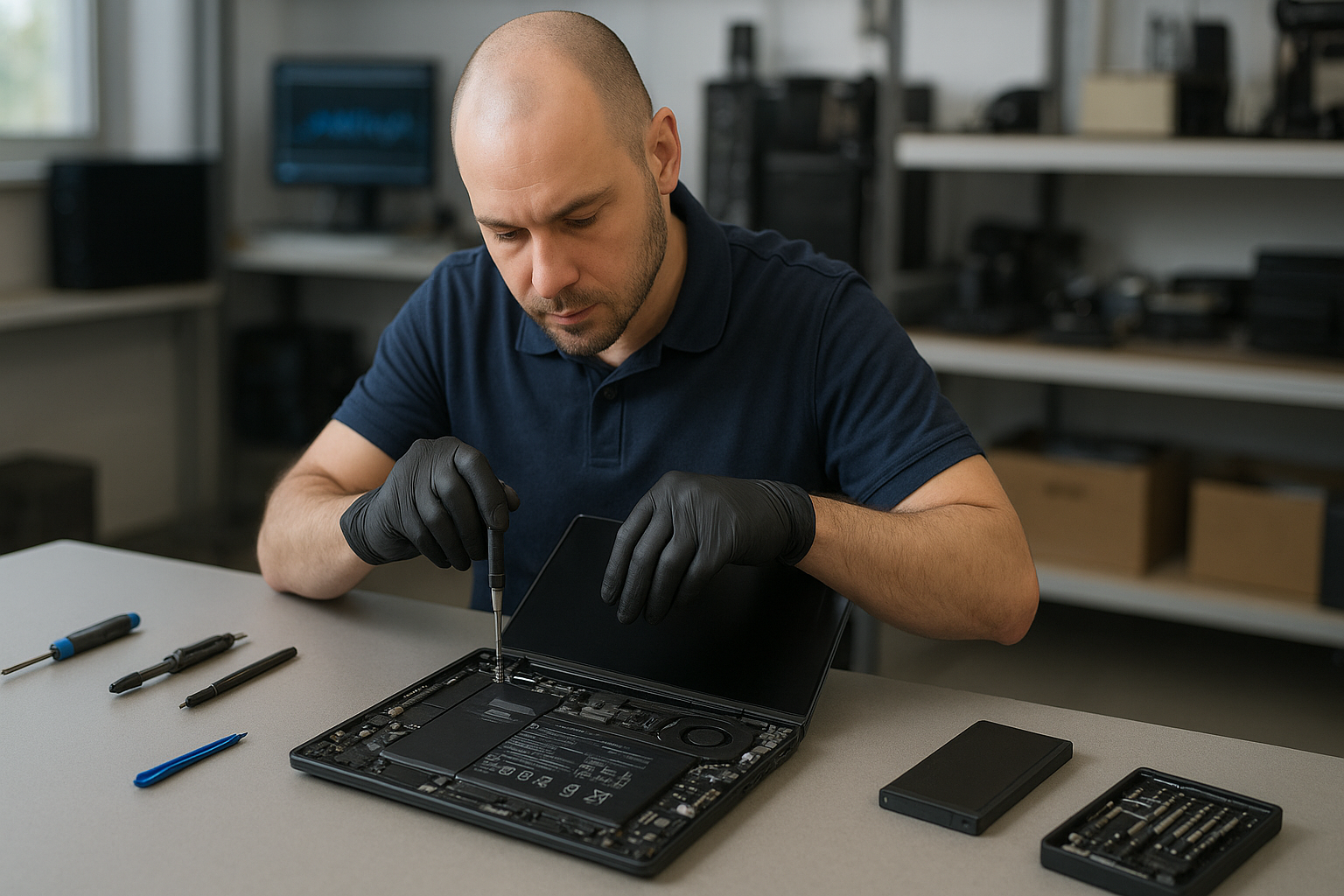
If your machine shows poor runtime, won’t charge, or the battery is swollen, Dell XPS battery replacement Coquitlam specialists at Moe Repair can help. I have 15 years testing and repairing laptops, and I focus on clear diagnostics, safe procedures, and realistic repair expectations. Bring your XPS to our Coquitlam shop and I will run a step-by-step check to find the real cause.

Why Dell XPS battery replacement Coquitlam matters

Dell XPS laptops use compact, high-density cells. When a battery fails, you can face sudden shutdowns, reduced capacity, or physical swelling that risks the chassis and keyboard. Replacing a failing cell restores reliable runtime and protects the motherboard. For other services like computer repair in Coquitlam or SSD upgrades, we often spot battery issues during routine tune-ups.

Common Dell XPS battery symptoms we see

Typical signs include quick discharge, the battery not recognized in BIOS, charging capped at a low percentage, or visible swelling. You may also see battery errors in Windows, or the laptop will only run with the charger attached. These symptoms often come with thermal or fan issues on older models like the XPS 13 and XPS 15.

How we diagnose XPS battery issues

We follow a consistent diagnostic procedure. First, we verify the charger and measure voltage with a multimeter. Next, we check BIOS/UEFI battery health reports and run Dell diagnostic tools. We test the charging port and adapter under load, inspect for swelling, and trace the power rail on the motherboard if needed. If the battery passes basic tests, we move to a controlled load test to confirm capacity under real-world conditions. For related laptop concerns, we may recommend services like laptop repair in Coquitlam or motherboard repair.

Replacement process and realistic repair procedures

When a replacement is needed, we source OEM or high-quality OEM-equivalent batteries. The repair steps include safe discharge, removal of the bottom panel, disconnecting the battery connector, replacing the pack, and performing a calibration and firmware check. I always clean connectors, check the charging circuit, and apply thermal paste or fan servicing when the laptop shows thermal history. We also offer related work like screen replacement and keyboard replacement if the chassis shows damage from swelling or drops.

Parts and safety

We use proper ESD precautions and follow disposal rules for lithium-ion cells. If we detect liquid damage or a failed charging circuit, we explain options before proceeding. For data concerns, we offer data recovery in Coquitlam if the drive needs special handling.

Real repair example from our Coquitlam shop

A recent customer from Port Moody brought a Dell XPS 13 that would not charge past 5 percent and reported intermittent shutdowns. I tested the AC adapter and confirmed proper output. BIOS showed the battery at 12 percent health and voltage sag under load. After opening the chassis I found moderate swelling and a weak cell group. I sourced a verified replacement pack, installed it, calibrated the battery following Dell procedures, and ran a two-hour load test to verify stability. The laptop held charge and the customer left satisfied with longer runtime. I also recommended an SSD upgrade and completed a quick system tune-up.

Typical costs and turnaround time

Costs vary by model and part availability. XPS 13 and XPS 15 batteries differ in price. We provide an upfront quote after diagnostics, and most replacements complete within one to two business days. If additional work is needed, such as motherboard repair or charging port replacement, we present options and timelines before starting.

Practical advice for Dell XPS owners in Coquitlam

  • Monitor battery health in BIOS or Windows power settings.
  • Avoid keeping the laptop at 100 percent charge all the time; occasional calibration helps.
  • If you see swelling, stop using the laptop and bring it in—don’t try to puncture the battery.
  • Keep your charger and ports clean and free of debris.
  • Consider SSD upgrades or thermal paste replacement while we have the laptop open.

For local customers in Burnaby or Vancouver we also handle gaming PC repair, virus removal, and operating system repair. If you need printer setup or email setup after a repair, we can help.

Frequently asked questions

Below are common questions we answer in the shop. You can also contact Moe Repair to book diagnostics.

Contact Moe Repair Today

Moe Repair offers a free consultation to discuss Dell XPS battery replacement Coquitlam and nearby service needs. Call Moe Repair at 778-951-4872 or email service@moerepair.ca to describe the symptoms and schedule a diagnostic appointment. We serve Coquitlam and nearby areas including Port Coquitlam and Port Moody, and we will explain repair options, parts, and turnaround time before any work begins. Walk-ins are welcome but appointments ensure faster service.

Other services we provide

We routinely combine battery work with screen replacement, trackpad repair, keyboard replacement, liquid damage repair, fan replacement, thermal paste replacement, SSD upgrades, and Windows installation. If a failing battery caused data loss or instability, we can discuss data recovery and backup strategies.

Local expertise and warranty

Our Coquitlam technicians have hands-on experience with Dell lines including XPS, Latitude, Inspiron, Precision, and Alienware. We offer limited labor warranty on battery replacements and test each laptop thoroughly before release. For broader computer issues, our computer repair in Coquitlam page explains additional services.

FAQs

See the FAQ below for quick answers. If your question is not listed, please contact Moe Repair.

Moe Repair
Phone: 778-951-4872
Email: service@moerepair.ca

Laptop screen replacement Coquitlam: Expert Repairs at Moe Repair

When your laptop display cracks, flickers, or goes completely black, you need a clear path to repair. I provide Laptop screen replacement Coquitlam with practical diagnostics and experienced repair work. I start by verifying the symptom, testing the video path, and explaining options so you can decide. Call 778-951-4872 or email service@moerepair.ca for a free consultation.

What causes laptop screen damage in Coquitlam

Displays fail for several reasons: impact or drop, hinge stress that tears the display cable, liquid spills, manufacturing defects, or backlight and inverter failures. You might see hairline cracks, flicker, vertical or horizontal lines, a dim display, or no picture at all. These are symptoms I see weekly on both Windows laptops and MacBooks.

Laptop screen replacement Coquitlam: diagnosis and testing

I follow a repeatable diagnostic routine before offering a quote. First I check the external display output to separate GPU or motherboard issues from the panel itself. Then I remove the bezel and inspect the LVDS/eDP cable and hinge area for wear. I measure voltages on the backlight rails when applicable, and I test the display with a known-good screen to confirm whether the fault is the panel or the cable.

Tools and tests I use

  • External monitor test to rule out graphics faults.
  • Multimeter for backlight and power rail checks.
  • Replacement panel swap when availability allows.
  • Microscope or magnifier to inspect connector pins and solder joints.

These steps reduce unnecessary parts replacement and often saves customers money compared to a blind screen swap. If the problem is not the display I can help with computer repair in Coquitlam services like motherboard repair or operating system repair.

Typical repair procedures we use

Once the diagnosis shows the panel is at fault I order the correct replacement part from reliable suppliers. For many consumer models I replace the entire screen assembly to avoid issues with adhesives and laminates. For older models with CCFL inverters I test the inverter and backlight and replace as needed. I always reseat and test cables, realign hinges, and check for hidden liquid damage that could affect the new screen.

Common repair steps:

  • Order an OEM or high-quality compatible LCD/LED panel matched by part number.
  • Remove the display bezel, detach the old panel, and inspect the cable and hinge mounts.
  • Install the new panel, reconnect the cable, and verify operation with stress tests.
  • Reassemble, run a dead-pixel test, and confirm brightness and color accuracy.

If your device is a MacBook I handle MacBook screen replacement and related tasks like trackpad repair and keyboard replacement. For general laptop repair work see our laptop repair in Coquitlam page.

Common models and parts we repair

I replace displays on a wide range of brands and models: Dell Inspiron, XPS, Alienware, HP Pavilion and Envy, Lenovo ThinkPad and Legion, ASUS ZenBook and ROG, Acer Aspire and Predator, Apple MacBook Air and Pro, and Microsoft Surface devices. Knowing the model family speeds part sourcing and reduces turnaround time.

Repair example from a local customer

A recent customer from Port Moody brought a Dell Inspiron with a shattered screen and intermittent white lines. I inspected the hinge area and found the display cable pin had been partially sheared where it routed through a cracked hinge mount. After confirming an external monitor showed the GPU was fine, I ordered the matching LED panel and a replacement hinge assembly. I replaced the screen assembly, re-routed the cable with new grommets, and tested 48 hours under load. The display returned to full brightness and the lines were gone. I explained the repair steps and gave a written invoice showing parts and labor.

Costs, turnaround time, and what to expect

Costs depend on the panel type, size, and whether you need an OEM part. LED and IPS panels for high-end models are pricier than standard TN panels. Typical turnaround for in-stock parts is same-day to two business days. If a part needs to be ordered it can take longer. I do not guarantee outcomes, but I run thorough tests before returning your laptop.

Signs you might only need a connector or inverter

If your screen flickers only when moving the lid, or goes black at certain angles, the issue is often a damaged hinge or cable rather than the panel. In those cases replacing the connector or the hinge can solve the problem at a lower cost. I can also address related issues like battery replacement, SSD upgrades, or a full tune-up if the laptop is running slow.

Other services that help after a screen repair

After a screen repair many customers ask for data protection and system checks. I offer data recovery in Coquitlam, virus removal, Windows installation, and motherboard repair if further faults show up. I also handle keyboard replacement and trackpad repair when the lower assembly needs attention.

Contact Moe Repair Today

Moe Repair offers a free consultation to evaluate your laptop display issue and recommend a cost-effective solution. Call 778-951-4872 or email service@moerepair.ca to describe the symptom and set an appointment. We serve Coquitlam and nearby communities like Burnaby, Port Moody, New Westminster, and Port Coquitlam. We provide clear written estimates before any work and keep you informed if we find additional faults such as liquid damage or motherboard issues.

Frequently Asked Questions

Below are common questions customers ask before booking a Laptop screen replacement Coquitlam service. If your question is not listed, please contact Moe Repair.

Q: How long does a laptop screen replacement take?

A: If the correct part is in stock most replacements finish in one to two business days. Some high-end panels or discontinued parts may take longer to source.

Q: Can cracked glass be repaired without replacing the whole screen?

A: In most modern laptop screens the glass is laminated to the display assembly, so I replace the entire panel for best results and reliability.

Q: Will replacing the screen fix vertical lines or flickering?

A: Vertical lines or flicker can be caused by the display, the cable, or the GPU. I perform an external monitor test and a panel swap where possible to identify the root cause before replacing parts.

Q: Do you offer a warranty on screen replacements?

A: I provide a workmanship warranty on installation and a parts warranty per the supplier terms. I will explain warranty coverage in the written estimate.

Moe Repair handles both common and complex repairs including liquid damage repair, motherboard repair, and blue screen repair. For Mac-specific issues visit our MacBook repair in Coquitlam page.

Contact details: Moe Repair, Phone: 778-951-4872, Email: service@moerepair.ca.

MacBook Pro screen replacement Coquitlam — Fast local repair by Moe Repair

If you need a MacBook Pro screen replacement Coquitlam, bring your MacBook to Moe Repair for a careful assessment and repair plan. I have 15 years of hands-on experience repairing MacBook Pro models, from classic unibody machines to Retina and Touch Bar systems. We diagnose the visible symptom, test underlying components, and explain options before any work begins.

Common symptoms that mean you need a screen replacement

Customers in Coquitlam bring MacBook Pros with many issues: cracked glass, vertical lines, flicker, black screen with power on, dead pixels, backlight failure, and delaminated glass. Sometimes the image appears but the touchscreen or camera is not recognized. I also see pressure spots, haloing around the edges, and intermittent display that works with an external monitor connected.

How we diagnose a MacBook Pro screen replacement Coquitlam

Diagnosis starts with documenting model and serial number, then backing up data if possible. I test with an external monitor to confirm if the GPU and logic board are outputting a signal. I inspect the display cable, hinge area, and connectors for corrosion or damage from drops or liquid. I run Apple Hardware Test or Apple Diagnostics, check NVRAM and SMC status, and examine the display with magnification for hairline cracks. If the backlight is out, I test for voltage at the backlight connector to differentiate between cable, inverter (older models), or panel failure.

Real repair procedures we perform

All repairs happen in an ESD-safe bench. Typical steps for a Retina MacBook Pro display replacement include removing the bottom case, disconnecting the battery, removing the display assembly screws, detaching the display flex cable from the board, and installing a matched replacement LCD + glass assembly. I use pentalobe and tri-wing drivers, genuine or high-quality OEM panels when available, and new adhesive where required. After assembly, I run calibration, test brightness range, camera, ambient light sensor, and Wi-Fi performance. If the logic board shows damage, I quote motherboard repair or data recovery options.

Parts, pricing, and turnaround in Coquitlam

We stock common MacBook Pro panels for faster turnaround and order OEM alternatives for newer Retina assemblies. Pricing depends on model year and whether the front glass and LCD are combined. We offer same-day or next-day service for many models. If you need additional services like a battery replacement, trackpad repair, or an SSD upgrade, we can bundle them while your machine is open. For broader system issues, see our computer repair in Coquitlam page or our MacBook repair details.

Repair example from a local customer

A recent customer from Port Moody brought a 2017 MacBook Pro with a shattered top-right corner and intermittent display. I documented the damage, backed up the drive using a target disk mode and verified the logic board was healthy by connecting to an external monitor. During disassembly I found the display cable frayed at the hinge. I replaced the entire Retina display assembly and the damaged cable, resealed the hinge area, reassembled the machine, and ran extended stress tests. The final result restored the full-resolution display and the camera worked normally. The customer accepted the repair after I explained the options and cost.

When a screen replacement might not fix everything

Screen replacement can fail to resolve problems when the logic board or GPU is damaged, when liquid corrosion has spread through the hinges, or when the backlight driver on the board is faulty. In those cases I explain repair choices: board repair, data recovery, or used logic board replacement. If you need data first, we provide data recovery in Coquitlam options before starting display work.

Why choose Moe Repair for MacBook Pro screen replacement Coquitlam

As a senior technician, I provide transparent diagnostics and documented steps. I test for related issues like heat-related damage and perform thermal paste replacement or fan replacement if necessary. We also handle keyboard replacement, trackpad repair, battery replacement, SSD upgrades, and liquid damage repair so you get a complete solution. Customers often pair a screen fix with a tune-up or OS reinstall to prevent future problems. Learn more about our laptop repair in Coquitlam.

Practical advice for Coquitlam MacBook owners

If your screen cracks, power down the MacBook, avoid pressing on the glass, and call for an evaluation. Bring any original charger and note the history of drops or liquids. If the machine still boots, back up to an external drive or iCloud. If the MacBook fails to boot, do not attempt board-level fixes yourself; bring it in for professional diagnostics to avoid data loss. We also handle virus removal, Windows installation on Boot Camp, and printer setup if you need multi-platform support.

Contact Moe Repair Today

Moe Repair offers clear estimates and a free consultation to discuss options and timing. Call us at 778-951-4872 or email service@moerepair.ca to schedule a drop-off. We serve Coquitlam and nearby areas and can often provide same-day display replacements with quality parts. Visit our contact Moe Repair page for directions and hours.

Frequently asked questions

Below are common questions customers ask about MacBook Pro screen replacement in Coquitlam. If you do not see your question, please contact Moe Repair.

Other services you may need

While replacing a screen we frequently recommend battery replacement, keyboard replacement, thermal paste renewal, and SSD upgrades. If you suspect broader system damage we can test for motherboard faults or provide a quote for motherboard repair. Moe Repair also handles Wi-Fi troubleshooting and email setup for business users in Coquitlam and nearby Burnaby and Port Coquitlam.

Next steps

Bring your MacBook Pro to our shop for a professional inspection. We will give a clear repair plan and price before any work begins. For fast answers call 778-951-4872 or email service@moerepair.ca. Moe Repair is a local technician-operated shop focused on honest diagnostics and proven repair techniques.

MacBook Pro battery replacement Coquitlam: Fast, Reliable Service by Moe Repair

MacBook Pro battery replacement Coquitlam is one of the most common repairs we handle at Moe Repair. If your MacBook only runs on charger, shows a swollen case, or reports high cycle count and low capacity, bring it in and we will run accurate diagnostics and recommend the best course of action.

Signs you need MacBook Pro battery replacement Coquitlam

Common symptoms include rapid battery drain, the MacBook shutting down unexpectedly, battery not charging past a low percent, excessive heat, or a visible battery bulge. You might also see System Report > Power showing high cycle count or “Service Recommended.” If you notice any of these, a prompt inspection avoids data loss and potential safety issues.

Why choose Moe Repair for MacBook Pro battery replacement

I have over 15 years of hands-on experience repairing laptops and Macs in Coquitlam, including MacBook Air and MacBook Pro models from 2012 to the latest M1 and M2 machines. We source high-quality batteries, inspect for related problems like swollen cells or damaged connectors, and test the machine extensively after repair. Many local customers prefer our friendly service and transparent quotes. For other needs, we also offer MacBook repair in Coquitlam and general computer repair in Coquitlam.

Common MacBook Pro battery symptoms we diagnose

When a MacBook arrives with battery issues we record the symptoms: does it charge intermittently, is the maximum capacity below 80 percent, or does the system report an unknown battery? We use macOS System Information, coconutBattery, and a multimeter where appropriate. Symptoms often point to either the battery itself, the charging circuitry on the logic board, or a faulty charger.

Local power and charging checks

We test the charger and MagSafe or USB-C cable first. Then we inspect the charging port and SMC state. If the charger tests good and the port is clean, we proceed to internal inspection and battery health testing.

Diagnostic process and tools we use

Diagnostics include visual inspection for swelling or corrosion, checking battery health in System Report, running Apple Diagnostics, and using coconutBattery to log voltage and cycle count. For Intel MacBook Pros we also check SMC and PRAM states and test under a controlled load. If we suspect motherboard involvement, we run voltage rails and traces to rule out a charging circuit fault.

Real repair example from a local customer

A recent customer from Port Moody brought a 2017 MacBook Pro that would not hold charge and showed a bulging bottom case. I started by confirming the charger and measuring battery voltage. System Report showed 980 cycles and 67 percent maximum capacity. After powering down, removing the Pentalobe screws and disconnecting the battery connector, I removed the swollen battery using adhesive remover and replaced it with a certified replacement. I reassembled, performed SMC reset, and tested the laptop under load for two hours. The MacBook now holds charge, reports 100 percent health for the new pack, and runs cooler. I explained options and risks before starting; the customer approved the replacement and left satisfied.

What to expect during a battery replacement

Typical steps we follow: backup recommendation, diagnostic check, parts quote, scheduled replacement, battery removal using safe tools, connector cleaning, installation of the new battery, and final tests. Replace jobs on 2016 to 2019 models sometimes require careful adhesive removal; newer M1 machines can need different disassembly steps but the procedure is similar. Expect most replacements to take between 1 and 3 hours depending on model and complications. We also offer laptop repair in Coquitlam for related issues like trackpad or keyboard service discovered during the repair.

Safety and DIY risks

Replacing a battery yourself carries risks: puncturing a swollen cell can cause fire, incorrect reassembly can damage the display or board, and using low-quality cells can reduce performance and safety. We recommend professional replacement to protect data and hardware. If your MacBook stores critical files, ask about our data recovery in Coquitlam options before any invasive work.

Other services often needed with battery replacement

While replacing a battery we commonly diagnose and can perform additional services: SSD upgrades, thermal paste replacement, laptop fan replacement, keyboard replacement, trackpad repair, motherboard repair if charging rails are faulty, and operating system repair after hardware changes. We also handle virus removal, Windows installation, and printer and email setup for hybrid environments.

Practical advice before you bring your MacBook in

  • Back up your data to Time Machine or an external drive if possible.
  • Bring your charger and any adapter you normally use.
  • Note the exact model or serial number from About This Mac.
  • If the battery is swollen, avoid pressing on the case and get it to a technician quickly.

Contact Moe Repair Today

Moe Repair offers a free consultation for MacBook Pro battery replacement Coquitlam. Call 778-951-4872 or email service@moerepair.ca to describe your symptoms and book a drop-off. We serve Coquitlam and nearby areas including Port Moody, Port Coquitlam, Burnaby, and Vancouver. Expect clear pricing, honest diagnostics, and tested replacements using quality batteries. If you need related services like screen replacement or data recovery we can bundle the work to save time and get your MacBook back in reliable condition. Use our online contact form at contact Moe Repair for faster scheduling.

For quality MacBook support in the Tri-Cities area, bring your MacBook to a shop with experience and a track record. Moe Repair repairs dozens of MacBooks every month and provides honest answers whether the best option is a battery replacement, logic board repair, or an upgrade. Call 778-951-4872 or email service@moerepair.ca to start.

Common questions we answer during drop-offs

Customers frequently ask about battery lifespan, genuine parts, turnaround times, and warranty. We explain battery cycle counts, capacity, and expected lifespan, and we provide a limited parts and labour warranty on replacements. If a charging issue points to the motherboard we outline repair options and costs before proceeding.

If your MacBook Pro displays unusual behavior after a repair, return to the shop so we can re-check connections, run stress tests, and verify battery calibration. We also offer tune-ups, thermal paste replacement, and SSD upgrades to extend the life of your MacBook.

Lenovo ThinkPad motherboard repair Coquitlam

Lenovo ThinkPad motherboard repair Coquitlam is a specialized service at Moe Repair. If your ThinkPad shows no power, random shutdowns, USB ports that do not work, or persistent BIOS errors, board-level work may be necessary. I am a senior technician with over 15 years of experience repairing motherboards on T series, X1 Carbon, and other ThinkPad models in Coquitlam and nearby cities.

Common symptoms that point to motherboard issues

Symptoms I see daily include a laptop that will not charge, intermittent boot loops, blank screens with power LED activity, BLUE SCREEN errors tied to hardware, and USB ports that fail under load. Liquid damage victims often present corrosion near power components. Before calling a shop, note when the problem started and any events such as drops or spills. That information speeds up diagnostics.

How we diagnose Lenovo ThinkPad motherboard repair Coquitlam jobs

Diagnostics start with a visual inspection under magnification for burnt components, lifted pads, or corrosion. I check the DC jack and charger with a multimeter and verify power rails on the board. Next I test capacitors and MOSFETs on the main power rails, confirm voltage at the CPU and VRM, and read BIOS debug codes when available. For complex failures I use a heat gun and thermal camera to find temperature anomalies, and I may connect a bench PSU for controlled testing.

Component-level repair procedures we use

At Moe Repair we perform capacitor replacements, MOSFET swaps, and BIOS chip reprogramming. Microsoldering and reballing BGA chips are available when needed. For charging circuit problems I trace the power path from DC jack to battery management IC, replace failed components, and stress-test under load. We always follow electrostatic discharge procedures and document voltages before and after work.

Real-world repair example from Coquitlam

A customer from Port Moody brought in a ThinkPad T480 that would not power on. I confirmed the charger output and tested the DC jack continuity. The charger and jack checked out, but the motherboard showed no standby voltage. Under microscope inspection I found a cracked solder joint on a power MOSFET and a shorted tantalum capacitor near the VRM. I replaced the capacitor and the MOSFET, reflowed nearby joints, and verified 3.3V and 1.05V rails. After reassembly the laptop reached BIOS and booted to Windows. I explained repair options and risks before starting. The machine passed a two-hour stress test. No repair outcome is guaranteed, but this is a typical successful board-level repair workflow.

Liquid damage and corrosion recovery

Liquid incidents require immediate action. If a ThinkPad got wet, power it off, remove the battery and charger if possible, and bring it in. At Moe Repair I clean the board with isopropyl alcohol, remove corrosion, and replace corroded components or connectors. In some cases the charging circuit or audio codec may be the only parts damaged. For severe corrosion, component-level replacements or a full motherboard swap may be discussed. We can also advise on data preservation and offer data recovery in Coquitlam if the storage device shows faults.

Typical turnaround times and cost factors

Turnaround depends on parts availability and repair complexity. Simple component swaps might be same-day or next-day. BGA rework can take several days. Estimates depend on diagnostics and the need for replacement parts. We give an itemized quote before work. If you need broader laptop services after a motherboard repair, we also perform laptop repair in Coquitlam including screen replacement, battery replacement, and thermal paste replacement.

Preventive tips to protect your ThinkPad

Keep vents clear and avoid soft surfaces that block airflow. Use a surge protector to reduce risk from power spikes. Back up important files and consider SSD upgrades to minimize downtime if a board-level failure occurs. For regular maintenance see our computer repair in Coquitlam services for tune-ups and virus removal.

Warranty, testing, and data safety

We test each repair under load and provide a limited warranty on parts and labor. When data integrity is a concern we recommend making a backup before repair or ask us to perform data recovery in Coquitlam if the drive behaves erratically. We do not guarantee data recovery in every case, but we will explain the likelihood and options.

Frequently Asked Questions

The FAQs below answer common customer concerns about Lenovo ThinkPad motherboard repair Coquitlam.

How much does a ThinkPad motherboard repair typically cost?

Costs vary by fault. Simple component swaps can be modest, while BGA rework or multiple component replacements add cost. We perform a no-obligation diagnostic and provide a written estimate.

How long will the repair take?

Minor repairs may complete within 24 to 48 hours. More complex board-level work or parts ordering can take several days. We communicate timelines before starting work.

Will I lose my data during motherboard repair?

Motherboard work does not require erasing storage. However, if the drive shows faults we recommend backing up or letting us attempt recovery. We offer data recovery services when needed.

Can liquid-damaged ThinkPads be fixed?

Many liquid-damaged boards are repairable if addressed quickly. Corrosion and component failures determine repairability. We clean and assess the board and explain realistic outcomes.

Do you offer warranty on motherboard repairs?

Yes. We provide a limited warranty on parts and labor depending on the repair type. Specific warranty terms are included in your repair estimate.

Contact Moe Repair Today

Moe Repair offers a free consultation for Lenovo ThinkPad motherboard repair Coquitlam and nearby areas including Port Moody, Port Coquitlam, Burnaby, and Vancouver. Call Moe Repair at 778-951-4872 or email service@moerepair.ca to describe your issue and schedule a diagnostic. We will explain repair options, expected costs, and turnaround time before any work begins. Walk-ins are welcome, and we also accept booked appointments via contact Moe Repair.

Moe Repair
Phone: 778-951-4872
Email: service@moerepair.ca

Laptop screen repair Coquitlam: Fast local replacements and diagnostics

Laptop screen repair Coquitlam starts here. If your display shows cracks, vertical lines, black spots, or a blank screen while the laptop powers on, bring it to a shop that performs accurate diagnostics and honest repairs. I run the bench at Moe Repair and I write from 15 years of hands-on experience fixing displays on everything from Dell XPS and Alienware to MacBook Pro and Surface devices.

Common screen symptoms we diagnose

Symptoms vary but the usual signs include flicker, color banding, partial image, backlight failure, and glass-only cracks. You might see a bright image underneath glass damage, which indicates the LCD is fine but the glass or digitizer is broken. Conversely, vertical or horizontal lines usually mean the LCD itself or the display cable is damaged.

Why choose Laptop screen repair Coquitlam at Moe Repair?

We repair screens for customers across Coquitlam and nearby cities. I personally test each panel, verify connector pins, and run extended stress tests before returning any laptop. We keep parts for common models like MacBook Air, MacBook Pro, Dell XPS, HP Pavilion, Lenovo ThinkPad, ASUS ZenBook, and Microsoft Surface. If the issue involves more than the display, we also offer computer repair in Coquitlam and motherboard work.

How we diagnose laptop screen issues

Diagnosis follows clear steps. First I rule out software by connecting an external monitor. If the external displays correctly, the GPU and OS are likely fine. Next I inspect the hinge area for cable pinching and test the LVDS/eDP cable continuity. I evaluate the inverter or backlight circuit on older CCFL panels. Finally I swap in a known-good panel when possible to confirm the LCD itself is faulty.

Testing the connector and graphics output

I use a multimeter to check pins and a bench power supply to test backlight voltage rails. For intermittent flicker I run a looped video and tilt test to reproduce the failure. Documenting the symptom with photos and video helps when ordering the correct replacement screen or digitizer.

Repair procedures and parts we use

Once diagnosed, repairs can be glass-only replacement, full LCD panel replacement, or cable/connector repair. Glass-only is common on many Windows laptops and is less costly. OLED and Retina displays usually require full panel swaps. We source OEM-grade panels and verified third-party options, and we replace adhesive, reapply thermal pads where hinge work disturbed them, and calibrate the display after installation.

Quality control and post-repair testing

After replacing a screen we run a pixel test, color calibration check, and burn-in for several hours to ensure no ghosting or flicker. If the repair impacts battery performance or temperature, we offer battery replacement and thermal paste replacement as needed. For MacBook screen replacements we also verify camera, ambient light sensor, and Touch ID behavior when applicable.

Typical repair times and costs in Coquitlam

Turnaround depends on part availability. Common models often get same-day or next-day service. Rare panels can take a few days to source. We give a clear estimate after diagnosis and explain repair options, including cost differences between OEM and aftermarket parts. If the repair uncovers additional faults such as motherboard or SSD issues we offer options for laptop repair in Coquitlam and data recovery in Coquitlam if drive access is affected.

Real-world repair example from a local customer

A recent customer in Port Moody dropped a Lenovo Legion while commuting. The screen showed a web of cracks and a bright white spot. I inspected the hinges and tested the LVDS cable, confirming the panel failure without additional board damage. After ordering a matching IPS panel I removed the damaged assembly, transferred the webcam and bezel, and installed the replacement. I ran a three-hour color and pixel test and then handed the laptop back with a full test report. The customer reported the touchscreen and webcam worked and he was able to resume gaming without display artifacts.

Preventive tips to avoid screen damage

Use a padded laptop sleeve, avoid stacking heavy items on your laptop, and keep liquids away from the keyboard. If you work in tight commute spaces consider a hard shell case and keep the hinge clean to prevent cable abrasion. If liquid does enter the keyboard, bring the laptop in immediately—our MacBook repair in Coquitlam and liquid damage repair services can limit permanent damage when addressed quickly.

Warranty, parts, and related services

We warranty labor and verify part quality. When a repair requires additional services such as SSD upgrades, virus removal, or Windows installation we provide a bundled quote. We also handle keyboard replacement, trackpad repair, fan replacement, thermal paste replacement, and operating system repair so your laptop returns in full working condition.

Contact Moe Repair Today

If you need a fast, local appointment for Laptop screen repair Coquitlam, call Moe Repair at 778-951-4872 or email service@moerepair.ca for a free consultation. We serve Coquitlam and nearby areas including Port Moody, Port Coquitlam, Burnaby, and Vancouver. We will schedule a diagnostic, provide a clear estimate, and discuss OEM versus aftermarket options. Walk-ins are welcome but appointments reduce wait time.

Frequently asked questions

How long does a typical screen replacement take?

Most common models take 1 to 2 business days, sometimes same-day if the part is in stock. Rare panels can take longer while we source a match.

Is my data at risk during a screen repair?

We avoid unnecessary access to your storage. If disassembly requires removing the drive we follow strict procedures and can offer data recovery in Coquitlam if the drive shows faults.

Can a cracked glass be fixed without replacing the LCD?

Often yes—glass-only or digitizer replacements are possible on many models. Retina or fused OLED panels usually need the full panel replaced.

Do you offer warranty on the replacement screen?

Yes. We warranty labor and provide a parts warranty period depending on the supplier. We discuss warranty terms before starting work.

Do you repair MacBook screens and Retina displays?

Yes. We handle MacBook Air and Pro Retina repairs and provide calibration and sensor checks after replacement. For Apple devices we also offer MacBook repair in Coquitlam.

For any other questions or to arrange a diagnostic call 778-951-4872 or contact Moe Repair online.

Moe Repair
Phone: 778-951-4872
Email: service@moerepair.ca

Laptop screen replacement Coquitlam: Fast Local Screen Repair

If you see visible cracks, vertical lines, or a black area on your display, Laptop screen replacement Coquitlam from Moe Repair is a practical option. I inspect symptoms, diagnose the root cause, and explain repair choices in straightforward language so you can decide with confidence.

Laptop screen replacement Coquitlam: Common signs

Typical symptoms we see in Coquitlam include: a cracked glass surface, flickering backlight, full or partial black screen, colored vertical stripes, unresponsive touch on touchscreens, and backlight bleed. Sometimes the screen image is intact but extremely dim, which points to backlight or inverter problems on older models.

What causes screen damage

Damage often comes from drops, pressure, hinge stress, or liquid spills. Manufacturing defects or panel connector issues can cause flicker or intermittent image loss. I work on many models here in Coquitlam, from MacBook Air and MacBook Pro to Dell XPS, Inspiron, Lenovo ThinkPad, HP Pavilion, and gaming laptops like ASUS ROG and Acer Predator.

Realistic diagnostic process

My diagnostic routine is methodical and focused. I start with a visual inspection of the bezel, hinges, and glass. Then I connect the laptop to an external monitor to confirm whether the GPU or motherboard outputs a valid signal. If the external image is good, the issue is limited to the screen assembly, LVDS/eDP cable, or backlight circuit.

For older models with inverters I measure backlight voltage and test the inverter. For modern LED panels I check the eDP cable for continuity and pin damage. I also test the display with a known-good panel when available to isolate the fault. Diagnostics are documented and shared before I start any work.

Repair procedures I use

Common repairs include panel replacement, glass/digitizer replacement on touchscreens, cable reseating or replacement, hinge repair, and backlight/inverter replacement for legacy models. I only use quality OEM or equivalent panels and test the new assembly under load. For MacBook models I follow Apple-recommended torque and adhesive procedures to preserve structural integrity.

  • Remove bezel and test cable connections
  • Replace cracked LCD or digitizer as needed
  • Repair or replace hinges and metal brackets
  • Reinstall and test for color accuracy, backlight uniformity, and touch function

Parts, pricing, and turnaround

Prices vary by model and whether you need a full assembly or just the LCD panel. Typical turnaround in Coquitlam is same-day to two business days for common models when parts are in stock. For MacBook Pro retina displays and some gaming laptops sourcing can take longer. I always give an upfront estimate and get your approval before ordering parts.

Practical customer advice

If the laptop still powers on, back up critical files before repair. If you cannot access the screen, we can perform data recovery in Coquitlam or attach the drive to another system. If you have display glitches after a drop, do not flex the lid or apply pressure. Bring your charger so I can test power rails and rule out battery or adapter issues.

For other problems discovered during service we often combine repairs, such as a screen replacement with a laptop repair in Coquitlam for hinge or keyboard issues, or an SSD upgrade at the same time to improve performance.

Real repair example

A recent customer from Port Moody brought in a Lenovo ThinkPad with a spiderweb crack across the left side of the screen and intermittent horizontal lines. I confirmed the GPU output with an external monitor, then removed the bezel and found the eDP cable lightly pinched at the hinge plus a cracked LCD. I discussed options, replaced the LCD panel and the damaged cable, tightened the hinge mounts, and tested color and touchscreen calibration. The laptop left the shop with stable video, intact touch response, and a properly aligned bezel. The customer was informed about possible hinge stress causes and options to prevent recurrence.

When screen replacement may not be the best option

If the motherboard is damaged, the cost of screen replacement alone might not make sense. After external monitor tests and power rail checks I can advise whether a full motherboard repair, replacement, or data recovery is the better route. We provide honest recommendations for computer repair in Coquitlam and can quote on related services like battery replacement, thermal paste replacement, or motherboard repair.

Related services we offer

We handle MacBook repair, liquid damage repair, keyboard replacement, trackpad repair, fan replacement, virus removal, Windows installation, SSD upgrades, and more. If you need help with connectivity or settings after a screen swap we also offer Wi-Fi troubleshooting and printer setup.

Contact Moe Repair Today

Moe Repair handles Laptop screen replacement Coquitlam and nearby areas with clear pricing and prompt service. For a free consultation call 778-951-4872 or email service@moerepair.ca. We serve Coquitlam, Burnaby, Port Moody, Port Coquitlam, and New Westminster. If you prefer, start with our online form at contact Moe Repair and I will follow up with a diagnostic plan and estimate. We accept walk-ins when possible and book same-day appointments for urgent screen failures.

FAQs

The most common questions are answered below, but you can always ask about MacBook repair in Coquitlam or call us for specifics.

Frequently Asked Questions

Q: How long does a screen replacement take?
A: Most common models are repaired same-day to two days depending on parts availability. Retina and rare gaming panels may take longer to source.

Q: Will my files be safe during a screen replacement?
A: Replacing a screen does not affect your drive, but I always recommend backing up important files before any repair. If you cannot access the screen, we offer data recovery in Coquitlam and secure transfer options.

Q: Do you use OEM parts?
A: We use OEM panels when available and high-quality equivalents when OEM is not obtainable. I test every panel before reassembly for color and backlight performance.

Q: How do I prevent future screen damage?
A: Use a padded sleeve, avoid carrying the laptop by the screen, and keep liquids away. If the hinge is loose address it promptly—hinge failure can cut display cables.

For more questions or to book an inspection call Moe Repair at 778-951-4872 or email service@moerepair.ca.

MacBook Pro screen replacement Coquitlam: Fast Local Repair at Moe Repair

If your display is cracked, showing vertical lines, or the backlight is dead, a MacBook Pro screen replacement Coquitlam technician at Moe Repair can diagnose and repair it quickly. I write from 15 years of hands-on experience repairing Apple laptops, and I will explain symptoms, diagnostics and realistic repair options so you understand what to expect.

MacBook Pro screen replacement Coquitlam: Signs and Symptoms

Common signs that you need a screen replacement include a visible crack, discolored patches, flickering, blackouts, or a dim display while the MacBook still runs. You may also see artifacts, lines, or a blank screen with sound playing. Liquid damage can cause corrosion that mimics screen failure. If you see any of these problems in Coquitlam, bring your machine in for a proper inspection.

Initial diagnostics we perform

When a MacBook Pro arrives, I follow a step-by-step diagnostic routine:

  • Visual inspection of the case, hinges and screen assembly for physical or liquid marks.
  • Connect an external monitor to isolate whether the GPU or display assembly is at fault.
  • Run Apple Diagnostics and system logs to check GPU errors and kernel messages.
  • Open the chassis to inspect LVDS/eDP connector, inverter or display cable for loose pins or corrosion.
  • Test the display with known-good cables or replacement panels if available.

This process avoids unnecessary part swaps and helps us recommend the most cost-effective solution. For other services, we also handle computer repair in Coquitlam and can check for OS-level problems that affect graphics.

Common repair procedures we use

For a confirmed display assembly failure, the repair steps typically are:

  • Order the correct OEM or high-quality compatible panel for the specific MacBook Pro model (Retina, 13-inch, 15-inch, Touch Bar, etc.).
  • Power down, remove the bottom case, and disconnect the battery to avoid shorts.
  • Remove the display assembly hinges, disconnect the display cable and carefully remove the damaged screen.
  • Install the new display assembly, reconnect and test before reassembly.
  • Calibrate color and test at different brightness levels to ensure backlight and ambient light sensor work.

We also offer related services like laptop repair in Coquitlam, battery replacement, SSD upgrades, and motherboard repair if the diagnostics point to deeper issues.

Realistic repair example from Port Moody

A customer from Port Moody brought in a 2017 MacBook Pro with a shattered lower-left corner and intermittent display lines. After confirming the machine booted and output worked on an external monitor, I removed the bottom cover, inspected the display connector and hinge area, and found the display cable had a bent pin and the LCD panel was cracked. I explained the options: replace the whole display assembly or attempt a cable-only repair. The customer chose full panel replacement. I fitted a compatible Retina panel, reassembled, and verified correct color and brightness. The machine returned with a clean display and stable operation under load.

How much does a screen replacement cost in Coquitlam?

Costs vary by model and whether you choose OEM parts. A Retina display panel for a recent MacBook Pro typically costs more than older models. We provide clear pricing after diagnostics and will not start until you approve the estimate. If the repair uncovers additional issues like a damaged inverter, hinge hardware or motherboard damage from liquid, we will outline those costs and options. We also support MacBook repair in Coquitlam for linked services like trackpad repair and keyboard replacement.

What you can do before you come in

Back up your data if the MacBook still boots; we offer data recovery in Coquitlam if you cannot access files. Note any recent drops or spills and bring your charger. If the screen is still usable, take photos of the symptom pattern to help with diagnosis. Avoid trying to pry or glue the screen—this can cause more damage to the display assembly or connectors.

Turnaround times and warranty

Typical turnaround for a screen replacement is same-day to 48 hours for stock parts. OEM parts may take longer. We test each repair under load and offer a limited warranty on parts and labor. We also provide help with OS reinstall, virus removal and performance tune-ups when we return your MacBook.

Frequently asked repair questions

Below are honest answers to questions local customers ask. If you still need help, please contact Moe Repair to book a diagnostic.

Contact Moe Repair Today

Moe Repair offers a free consultation to evaluate your MacBook Pro screen replacement Coquitlam needs. Call Moe Repair at 778-951-4872 or email service@moerepair.ca to schedule a diagnostic. We serve Coquitlam and nearby areas like Port Moody, Port Coquitlam and Burnaby, and we can advise on parts, timing and cost before any work begins. If you need related services—SSD upgrades, liquid damage repair, or data recovery—we can include those in the estimate. Contact Moe Repair for a straightforward, local service experience.

Moe Repair
Phone: 778-951-4872
Email: service@moerepair.ca

Other repairs we handle

Beyond screen work, we provide comprehensive repairs: battery replacement, trackpad repair, thermal paste replacement, motherboard repair, Windows installation, printer setup and more. If your MacBook Pro has liquid damage or won’t boot after a drop, bring it in for a full inspection and estimate.

Why choose our Coquitlam shop

We focus on reliable diagnostics, honest estimates and quality parts. Local customers from Vancouver, Surrey and New Westminster trust our technicians for timely repairs. Our experience with multiple MacBook Pro model lines helps avoid unnecessary parts swaps and reduce costs.

If you are ready to book or need a quick question answered, phone 778-951-4872 or email service@moerepair.ca. We will walk you through options after a short diagnostic.

Laptop screen replacement Coquitlam: fast, local repairs you can trust

If you see cracks, flicker, or a black display, Laptop screen replacement Coquitlam service at Moe Repair gets your device back to working order. I inspect each laptop like a technician with 15 years of hands-on experience. The first step is always a careful diagnosis so we can recommend the right repair without unnecessary parts or labor.

Common symptoms that indicate a screen replacement

A damaged screen shows in several ways: visible glass cracks, vertical or horizontal lines, flickering backlight, dead pixels, or a completely black display while the laptop powers on. Touchscreens can stop registering taps or produce ghost touches. Sometimes the image appears dim because of backlight failure rather than the LCD itself.

How we diagnose a display issue

Diagnosis starts with a visual inspection and simple tests. I check the external power and battery, connect the laptop to an external monitor to separate GPU or motherboard faults from the display, and reseat the display cable. If the external monitor works but the laptop screen does not, that points to LCD, backlight, inverter, or cable issues. For MacBook and Retina displays I look for delamination and LCD matrix damage. Diagnostics often include measuring power rails at the display connector and testing with a known-good screen.

Realistic repair procedures we perform

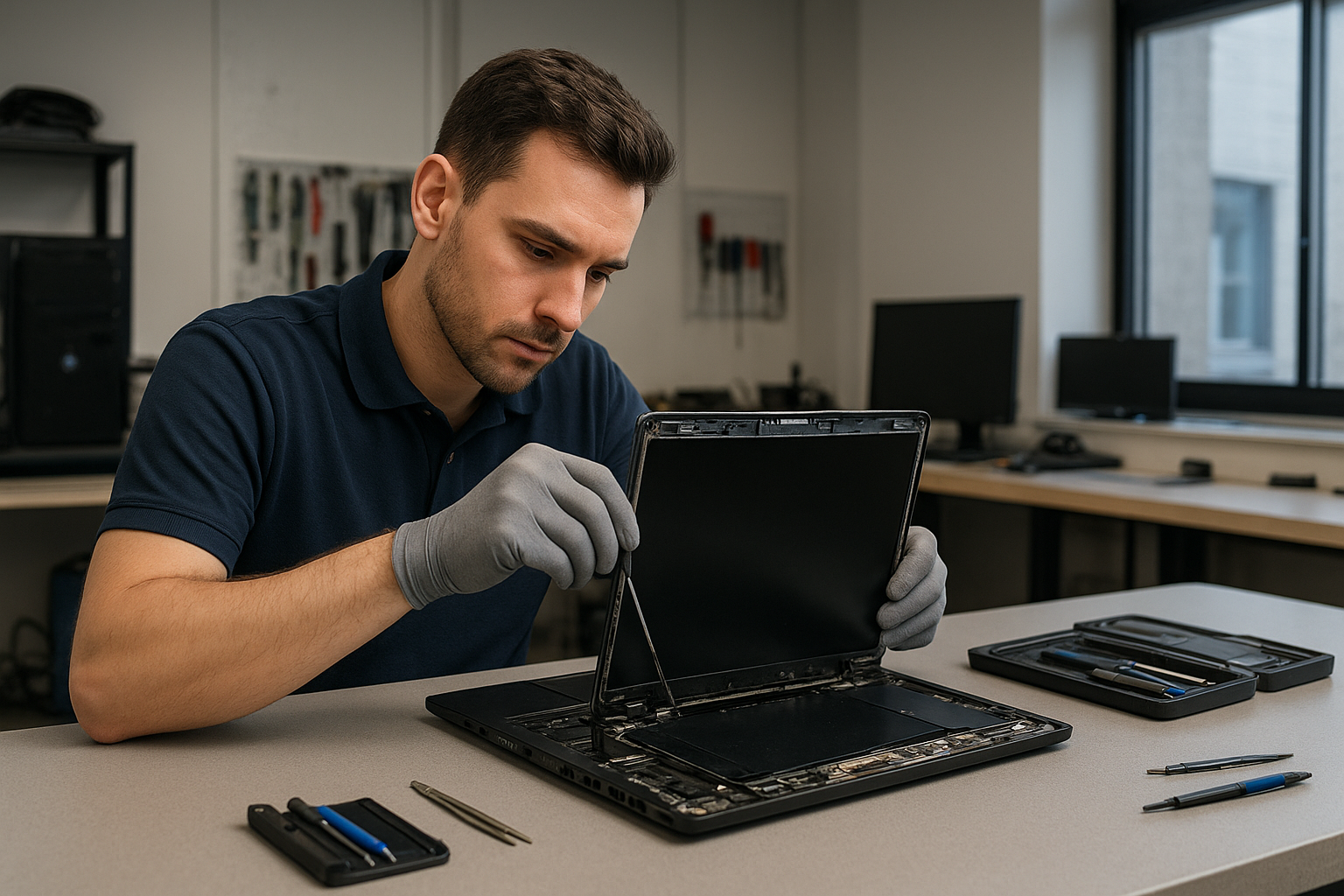
After diagnosis I explain options: replace the full screen assembly or repair a cable or inverter when possible. Typical steps include removing the plastic bezel, unscrewing the screen assembly, disconnecting the LVDS or eDP cable, installing the replacement panel, and testing before final assembly. For older laptops with CCFL tubes we may replace the inverter; for modern LED panels we replace the screen assembly. I always use ESD-safe procedures and bench testing to avoid motherboard damage.

Laptop screen replacement Coquitlam: parts and models we handle

We replace screens for many models: MacBook Air, MacBook Pro, Dell XPS and Inspiron, HP Pavilion and Envy, Lenovo ThinkPad and IdeaPad, ASUS ZenBook and ROG, Acer Aspire and Nitro. Where possible I source OEM panels; when OEM is unavailable I offer high-quality aftermarket panels and explain tradeoffs. Customers in Coquitlam and nearby cities often ask about Retina panels and touchscreen assemblies; those require careful handling and can affect cost and lead time.

Real repair example from a local customer

A recent customer from Port Moody brought a 2018 MacBook Pro with a cracked Retina display after a drop. I first connected an external monitor and confirmed the GPU and logic board were functional. Visual inspection showed glass fracture and LCD pressure damage. After explaining OEM versus aftermarket options, the customer approved an OEM display assembly. I removed the top case, disconnected the display cable, installed the new assembly, and tested the screen and camera. The laptop returned with full brightness and no color banding. I also performed a small trackpad recalibration and advised the customer about a screen protector to reduce future risk.

Pricing, turnaround, and warranty information

Costs vary by model and part source. Simple cable or inverter fixes are cheaper than full-panel replacements. Same-day repairs are often possible for common models like Dell XPS or popular HP and Lenovo lines if parts are in stock. We provide a limited warranty on parts and labor and clearly state whether the part is OEM or aftermarket. For laptop battery replacement, SSD upgrades, or motherboard repair I include separate estimates when needed. If data recovery or an OS reinstall is required, we can handle that too; see our data recovery in Coquitlam page for details.

Practical advice before you come in

Back up important files if possible. Bring your charger and any cases. If the screen is shattered, power down and avoid pressing glass fragments. Do not attempt to glue or tape a cracked display; that can complicate repair. For MacBooks, remove any case or keyboard cover before arrival. If you need broader service beyond the display, we also offer computer repair in Coquitlam, virus removal, SSD upgrades, and thermal paste replacement.

Why choose Moe Repair for laptop screens in Coquitlam

I combine technician-level diagnostics with honest recommendations. You get transparent pricing, careful part selection, and hands-on testing. Local customers from Port Coquitlam and Burnaby trust our turnaround and attention to detail. If you have a gaming laptop like an Alienware or ROG with display issues, we handle those as well and can coordinate GPU diagnostics or motherboard repair when necessary. For Mac users, check our MacBook repair in Coquitlam information which covers retina and touchbar models.

Common related services we perform

  • Battery replacement and charging diagnostics
  • Keyboard replacement and trackpad repair
  • SSD upgrades and data migration
  • Liquid damage cleanup and corrosion repair
  • Operating system repair and Windows installation

Contact Moe Repair Today

Moe Repair offers a free consultation and clear next steps for Laptop screen replacement Coquitlam and nearby areas. Call Moe Repair at 778-951-4872 or email service@moerepair.ca to describe the damage and schedule a diagnostic. We serve Coquitlam, Port Moody, Port Coquitlam, Burnaby, and New Westminster with fast local turnaround. Bring your laptop in for an inspection or contact us to discuss onsite options. We will outline part choices, estimated cost, and expected repair time before any work begins.

Frequently asked questions

Below are answers to common customer concerns about laptop screens and repairs. If you need more detail, please contact Moe Repair directly.
More ways we can help

If the display repair uncovers additional issues, we provide full-service options including motherboard repair, virus removal, Wi-Fi troubleshooting, printer setup, and email setup. For business users in Vancouver or Surrey needing multiple repairs, we offer volume diagnostics and prioritized service.

Local pickup and drop-off

We accept drop-offs at our Coquitlam location. For customers who cannot visit, ask about pickup/drop-off options when you call 778-951-4872. For laptop repair details and booking see our laptop repair in Coquitlam page.

Warranty and testing

Every repaired screen is tested for function and reliability before return. We document the serial and part numbers used and provide a limited parts and labor warranty. If your device also needs data recovery or an SSD upgrade we can quote that work and keep you informed throughout the repair.

FAQ

Please see the FAQ section below for specific questions and answers.

Moe Repair
Phone: 778-951-4872
Email: service@moerepair.ca