
Dell Latitude battery replacement Coquitlam: Fast, professional service
If your Dell Latitude is showing short runtimes, won’t charge, or reports battery health errors, Moe Repair offers reliable Dell Latitude battery replacement Coquitlam residents trust. I’m a senior technician with over 15 years repairing laptops, and I’ll explain symptoms, diagnostics, repair steps, and what to expect when you bring your Latitude to our Coquitlam shop.
Common battery symptoms we see in Coquitlam
Typical signs that a Dell battery needs replacing include rapid capacity loss, Windows or BIOS battery warnings, the battery not charging past a certain percent, and the laptop shutting down abruptly even when the battery indicator shows remaining charge. You may also notice the laptop running hot or battery cycling through charge levels quickly.
Dell Latitude battery replacement Coquitlam: Diagnostic steps
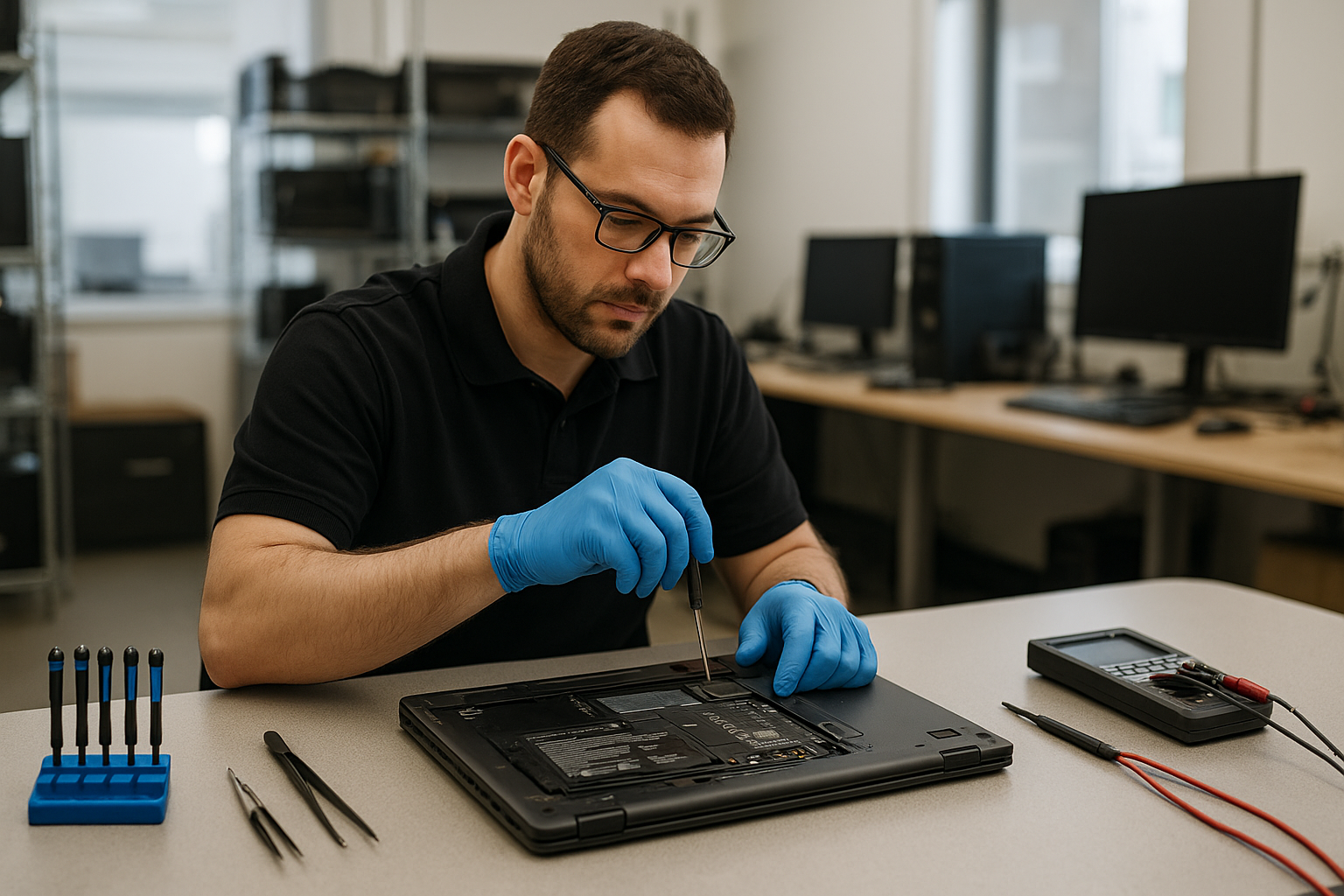
When a customer brings a Latitude to our bench, I follow a structured diagnostic routine. First I run Dell built-in diagnostics and Windows battery report. Then I test the AC adapter with a multimeter and try a known-good Dell charger. I remove the battery (on removable models) or inspect the charging circuitry for non-removable models. Next I load-test the system to confirm whether the battery, charger, or motherboard power rail is at fault.
These steps help separate battery failure from problems like a damaged DC jack, failed charging circuit, or a faulty BIOS setting. If the issue looks like a motherboard problem, I outline repair options before proceeding.
Why choose Moe Repair for battery replacement in Coquitlam
At Moe Repair we use genuine Dell-spec batteries and follow safe ESD procedures during disassembly. Our technicians document battery health before and after replacement. We also offer related services such as laptop repair in Coquitlam, SSD upgrades, and motherboard repair so you get a complete assessment if other components show wear.
We keep customers informed: diagnostic findings, estimated costs, and time to complete the job. If you have important files, we can also recommend data recovery in Coquitlam prior to any extensive repair.
Battery replacement procedure I use
For removable Dell Latitude batteries I start by powering down, removing the battery, and testing it with a battery analyzer. For internal batteries I remove the bottom cover, disconnect the battery cable, then check the battery pack voltage and charger input. If the battery is confirmed bad, I replace it with a compatible Dell battery, update BIOS if needed, and run calibration cycles.
After replacement I run a mix of idle and load tests, verify charging behavior, and confirm BIOS recognizes the new battery. I also perform a short thermal check and ensure no unusual power draw that could reduce battery life prematurely.
Real repair example from a nearby customer
A customer from Port Moody brought a Dell Latitude 5490 that would not charge past 2 percent. I tested the AC adapter and found correct voltage, but the built-in Dell diagnostics flagged battery degradation and the system intermittently lost power when unplugged. I removed the internal battery, measured a low resting voltage, and inspected the charging connector and power rail on the motherboard. The charger and port tested fine, so I replaced the battery with a Dell-authorized pack, reassembled the laptop, and calibrated the battery in BIOS. After replacement the Latitude held charge and passed a two-hour load test. The customer picked it up the same day and reported normal runtimes the following week.
Practical advice before you book a replacement
- Back up important files. If you have hesitation, ask about data recovery options before repair.
- Bring your original charger. It helps isolate charger vs battery issues.
- Know your model number. Dell Latitude models like 3000, 5000, and 7000 series use different battery part numbers.
- If your laptop has liquid damage or motherboard faults, battery replacement might not fix the problem. We can test and advise further, including computer repair in Coquitlam services.
Other services related to battery problems
Sometimes battery symptoms coexist with other issues. We provide:
- SSD upgrades and Windows installation to reduce disk activity and improve battery life.
- Laptop fan replacement and thermal paste replacement to control heat that shortens battery life.
- Motherboard repair when charging circuits fail.
- Virus removal and operating system repair if software is causing excessive power draw.
Typical repair timeline and costs in Coquitlam
Diagnostics usually take 30 to 60 minutes. For stock batteries we aim for same-day replacement; special-order parts may take 1 to 3 business days. I provide a transparent estimate before any work. We do not guarantee results for unrelated motherboard failures, but we will explain all findings and options clearly.
FAQ
Below are common customer questions about Dell Latitude battery replacement Coquitlam.
Contact Moe Repair Today
Moe Repair offers a free consultation and clear, honest advice for Dell Latitude battery replacement Coquitlam and nearby areas including Port Moody, Port Coquitlam, Burnaby, and Vancouver. Call us at 778-951-4872 or email service@moerepair.ca to describe the issue and get an estimated turnaround time. We welcome drop-offs and can often provide same-day service for in-stock batteries. If you need related work like SSD upgrades, motherboard repair, or virus removal we can include that in our assessment and quote.
Local reach and follow-up
We serve customers across Coquitlam and nearby communities. After any Dell Latitude battery replacement, we test and document results and provide follow-up guidance on maximizing battery life, including power settings and software checks. If you need ongoing support we offer computer tune-up and Wi-Fi troubleshooting as well.
More ways to contact us
Moe Repair
Phone: 778-951-4872
Email: service@moerepair.ca
To book or ask a question use our contact Moe Repair page. Our team can also advise if your Latitude model may use a user-replaceable battery or requires internal service.
Frequently Asked Questions
Q: How long will a new Dell Latitude battery last after replacement?
A: Battery life depends on model, workload, and health of the charging circuit. A new genuine battery should restore expected runtimes but exact life varies. We advise testing under normal use and can run calibration cycles to help set accurate capacity reporting.
Q: Can you replace a non-removable battery on my Latitude?
A: Yes. For internal batteries we remove the bottom cover, disconnect the battery, and replace it with a compatible pack following ESD-safe procedures. If the unit has liquid damage or motherboard issues we will explain additional repair needs.
Q: Do you use third-party batteries?
A: We prioritize genuine Dell or Dell-spec OEM batteries. If a third-party option is acceptable, we will disclose that and explain warranty and cost differences.
Q: What if my laptop still won’t charge after replacing the battery?
A: If symptoms persist we test the AC adapter, DC jack, charging circuit, and motherboard power rails. Sometimes a failed MOSFET or damaged trace requires motherboard repair. We provide diagnostics and repair options before proceeding.