Hi, How Can We Help You?
  • 203-504 Cottonwood Ave, Coquitlam
  • service@moerepair.ca
  • +1 (778) 951-4872

Author Archives: moe

Data recovery Richmond: Reliable Local Service from Moe Repair

As a senior technician with more than 15 years of hands-on experience, I know how stressful data loss feels. Data recovery Richmond cases come in every day, from accidental deletes to drives that click or do not spin up. In this article I will explain common failure symptoms, diagnostic steps, realistic repair procedures, and practical advice so you can act quickly and safely.

Data recovery Richmond: What we fix

We handle hard drive recovery, SSD recovery, RAID recovery, external drive recovery, USB recovery, and MacBook data recovery. We recover deleted files, corrupted drive partitions, and damaged file systems like NTFS, FAT32, HFS+, and APFS. Often we also support forensic recovery and emergency data recovery when time is critical.

Common failure symptoms

Listen for clicking or grinding sounds. The drive may not mount or show as RAW. You might see repeated boot loops, file system errors, or folders with zero byte files. SSDs can suddenly become read-only, or show slow access due to controller faults. Malware and virus removal issues can also mimic hardware faults.

Initial diagnostics steps

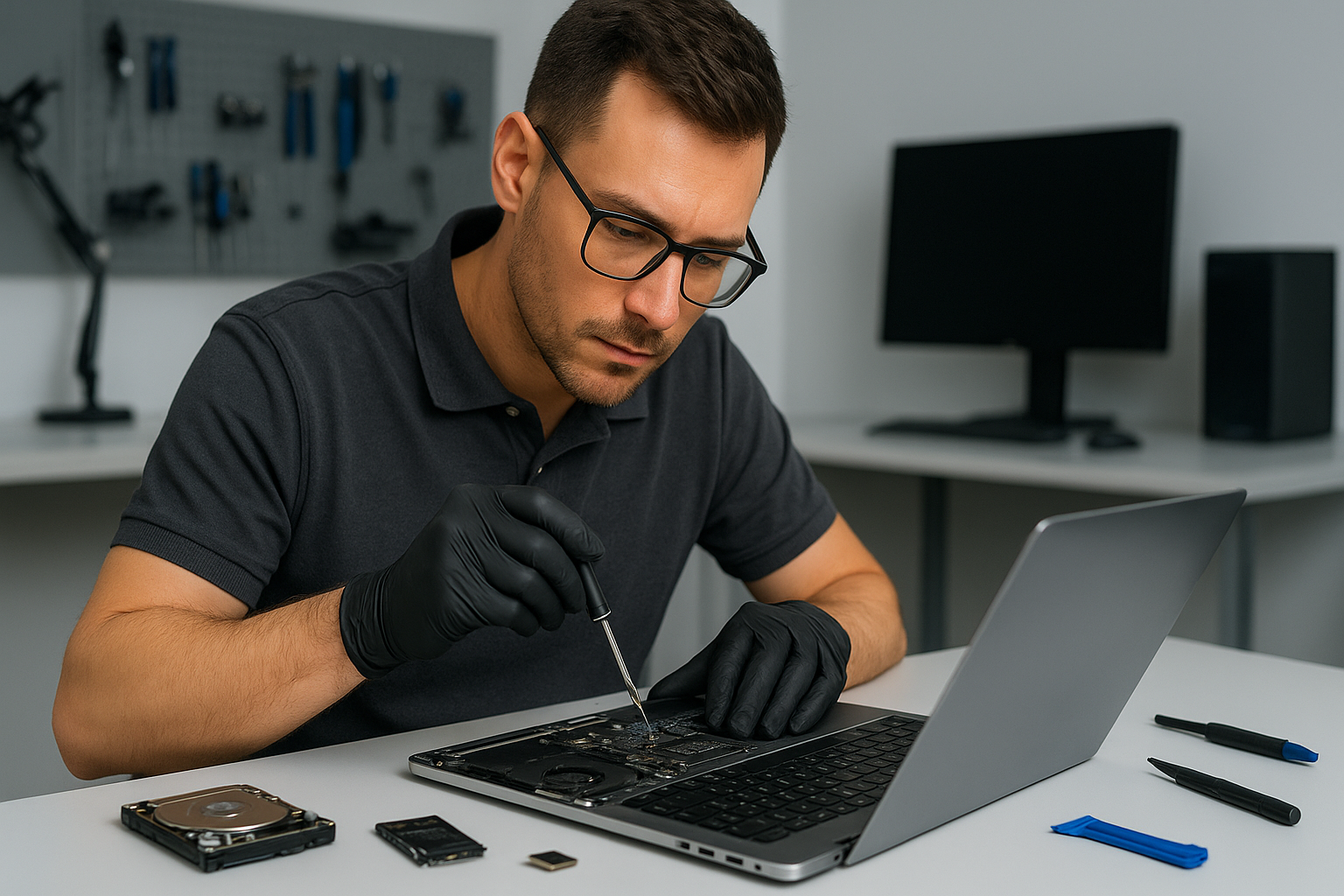
First, stop using the drive. Continuing to power a failing HDD risks further mechanical damage. Next, we run non-invasive tests, including SMART checks, power draw measurements, and controller diagnostics. For laptops and MacBooks we remove the drive and test it on a separate workstation. We always document the device state before any procedure.

Realistic repair procedures we use

For logical failures, we create a full disk image using industry tools like ddrescue. Then we work from the image to reconstruct partitions and recover files. This protects your original media, while allowing file recovery, partition recovery, and deleted files restoration.

For physical HDD failures that need mechanical repair, we evaluate whether a cleanroom procedure is required. If so, we partner with certified cleanroom services for platter swaps or head replacements. We only proceed after explaining risks and costs to the customer.

For SSDs, we explore firmware repair, controller diagnostics, and chip-off recovery when necessary. For RAID arrays, we analyze metadata, rebuild arrays in a controlled environment, and use specialized RAID recovery software to extract data.

Diagnostics we perform on-site

  • SMART status and vendor error logs review.
  • Non-destructive imaging with error handling.
  • File system repair tests on images, not originals.
  • Malware scans to rule out virus-related corruption.
  • Power cycle tests to identify intermittent failures.

How we prioritize your data

We triage each case based on symptoms. Emergency data recovery gets fast-tracked. For corporate or critical personal files, we start imaging immediately. For less urgent cases we still follow the same safe workflow. We keep you informed at every step, and we never attempt risky procedures without consent.

Practical advice for customers

If your laptop or desktop shows problems, disconnect the drive and avoid DIY fixes that can worsen damage. For liquid damage, power off and bring the device in. Don’t run disk repair utilities repeatedly on a failing drive. Instead, contact us for a professional assessment.

Also, maintain backups. We can help with backup services and system recovery, including cloud sync, external drive setup, and automated backups. For gamers, we offer SSD upgrades and gaming PC repair, which reduce the chance of future data loss.

Why choose Moe Repair for Data recovery Richmond

Moe Repair combines 15 plus years of experience with modern tools. We recover data from laptops, desktops, MacBooks, and servers. We also offer laptop repair, screen replacement, battery replacement, SSD upgrades, motherboard repair, liquid damage repair, keyboard replacement, trackpad repair, laptop fan replacement, thermal paste replacement, and computer tune-up services.

We serve Richmond and nearby communities, including Coquitlam, Burnaby, Vancouver, Surrey, New Westminster, Maple Ridge, Port Moody, Port Coquitlam, Pitt Meadows, Langley, Delta, North Vancouver, West Vancouver, White Rock, Abbotsford, Mission, and Chilliwack.

Transparent pricing and fast turnaround

We provide a clear evaluation and a no-surprise quote before starting work. For logical recovery we often retrieve files in days. For mechanical or chip-off cases we give realistic timelines and communicate progress. We also offer virus removal and Windows installation if your system needs repair after recovery.

Contact us

Bring your device to our shop, or call for an immediate assessment. We accept laptops, MacBooks, gaming PCs, RAID arrays, external drives, and USB media. Let us diagnose the problem, create a recovery plan, and get your files back.

Moe Repair
Phone: 778-951-4872
Email: service@moerepair.ca

Data recovery Richmond: Next steps

If you are experiencing data loss, act now. Turn off the device, avoid writes, and contact Moe Repair. We will prioritize your case, perform careful diagnostics, and give you a realistic recovery plan. With proper imaging, partition recovery, and professional tools, most cases result in successful file recovery.

Call 778-951-4872 or email service@moerepair.ca to start your recovery. We handle emergency data recovery and provide ongoing support including backup services to prevent future loss.
Data recovery Burnaby: Fast, secure file recovery near you

I am a senior technician with more than 15 years of hands-on experience. If you need Data recovery Burnaby, you came to the right place. I diagnose drives, recover deleted files, and protect your privacy during every step.

Why choose Moe Repair for Data recovery Burnaby

We perform professional hard drive recovery and SSD recovery for homes and businesses across Burnaby, Coquitlam, Vancouver, Surrey and nearby cities. We handle HDD repair, RAID recovery, external drive recovery, USB recovery and deleted files recovery with secure labs and verified procedures.

Common failure symptoms I see every week

Mechanical clicking or grinding sounds, slow file access, unrecognized disks, corrupted file systems, files that disappear after accidental deletion, and drives that overheat. Liquid-damaged laptops, virus-infected PCs, or systems with motherboard failure can also cause data loss.

Safe initial diagnostics

First, I stop using the affected drive. Continued use risks further damage or overwritten data. Then I run non-invasive diagnostics. I inspect SMART data, check for bad sectors, and connect drives to write-blockers to prevent accidental writes. I log error codes and run imaging tools to clone recoverable sectors to a secure workstation.

Realistic recovery procedures

For logical failures such as deleted files or corrupted partitions, I use specialized recovery software and manual filesystem repair. For physical failures, like motor or head damage, I follow clean-room procedures. If a head swap or platter repair is required, I move the drive to our certified partner lab. For SSDs I use firmware-level tools and vendor protocols when possible, and I carefully extract data from intact NAND when necessary.

Typical turnaround and pricing expectations

Small logical recoveries often finish in 24 to 72 hours. Complex RAID arrays, firmware issues, or physical repairs typically take longer, often 5 to 10 business days. I provide a clear estimate after diagnostics, and you keep full control. We offer secure transfer to new SSDs or external drives, and we perform optional SSD upgrades and computer tune-up services after recovery.

What I do during a recovery

I document the device state, create a forensic image where possible, attempt logical recovery on the image, and only perform physical procedures when imaging fails. I verify file integrity, recover photos, documents, databases and email, and return results on a new drive or via secure transfer. I also offer advice to prevent future data loss, including backup setup and cloud sync recommendations.

Steps you can take now

Power off the device, avoid DIY fixes that could overwrite data, and do not run chkdsk or repair utilities before consulting a pro. If your laptop has liquid damage, bring it in quickly for liquid damage repair and motherboard inspection. For virus-related data loss, I combine virus removal and safe recovery techniques to avoid reinfection.

Related services I provide

After recovery, many customers ask me to perform laptop repair, MacBook repair, screen replacement, battery replacement, keyboard replacement, trackpad repair, laptop fan replacement, thermal paste replacement, Windows installation, SSD upgrades, motherboard repair, gaming PC repair, and computer tune-up. I serve clients across Burnaby, Coquitlam, Vancouver, Richmond, Surrey and beyond.

Local coverage and secure handling

Moe Repair offers local data recovery and support in Burnaby, New Westminster, Port Moody, Port Coquitlam, Pitt Meadows, Maple Ridge, Langley, Delta, North Vancouver, West Vancouver, White Rock, Abbotsford, Mission and Chilliwack. I maintain chain of custody for business clients and follow strict privacy procedures for personal files.

How I diagnose a failed drive

1. Visual inspection for burns, corrosion or impact damage. 2. SMART analysis and sector scan. 3. Non-destructive imaging with error handling. 4. File system analysis and targeted recovery. 5. If needed, escalate to clean-room head or platter work through certified partners. I document every step so you know what happened and why.

Real examples

Recently a client brought a MacBook that would not boot after a spill. I performed trackpad repair and liquid damage repair, imaged the SSD, and recovered customer photos and accounting files. Another client suffered RAID controller failure, I rebuilt the array image and recovered critical company databases. Both clients also requested virus removal, Windows installation and SSD upgrades after recovery.

Preventive advice

Use 3-2-1 backup rules. Keep one local backup on an external drive and one offsite. Replace laptop batteries that bulge, and upgrade failing HDDs to SSDs for durability. Schedule a computer tune-up yearly, and update antivirus software regularly. If you suspect thermal issues, consider thermal paste replacement and fan replacement to protect drives and system stability.

Contact Moe Repair for Data recovery Burnaby

If you need experienced, transparent service, contact Moe Repair right away. Time matters with data loss. Call 778-951-4872 or email service@moerepair.ca to start diagnostics. We provide honest estimates, secure handling, and recovery options tailored to your budget and urgency.

Moe Repair, Phone: 778-951-4872, Email: [service@moerepair.ca](mailto:service@moerepair.ca)

We support laptop repair, MacBook repair, screen replacement, battery replacement, data recovery, virus removal, Windows installation, SSD upgrades, motherboard repair, liquid damage repair, gaming PC repair, keyboard replacement, trackpad repair, laptop fan replacement, thermal paste replacement, and computer tune-up across the Lower Mainland and Fraser Valley.

MacBook screen replacement Surrey: Certified Repairs by a Senior Tech

When you need MacBook screen replacement Surrey, you want a technician who understands Mac hardware, common failure modes, and reliable repair techniques. I am a senior computer repair technician with more than 15 years of hands-on experience replacing Retina and non-Retina displays, diagnosing backlight faults, and restoring broken screens to like-new condition.

MacBook screen replacement Surrey: symptoms, diagnosis, and what I do

Common symptoms that point to a damaged display include cracked glass, vertical lines, flicker, black screen with sound, dim backlight, or a working external monitor while the built-in screen stays blank. First, I run a quick diagnosis. I connect an external display to rule out GPU or logic board failure. Then, I reset SMC and PRAM, and check for software or firmware issues.

If the external monitor works and the internal display shows artifacts or no backlight, the fault usually lives in the display assembly, the display cable, or the backlight inverter. For liquid-damaged machines, I inspect the display cable and the hinge area for corrosion. For cracked or shattered glass, I check whether the LCD panel survived, because sometimes only the glass needs replacement, and sometimes the entire display assembly requires replacement.

Realistic repair procedure I use

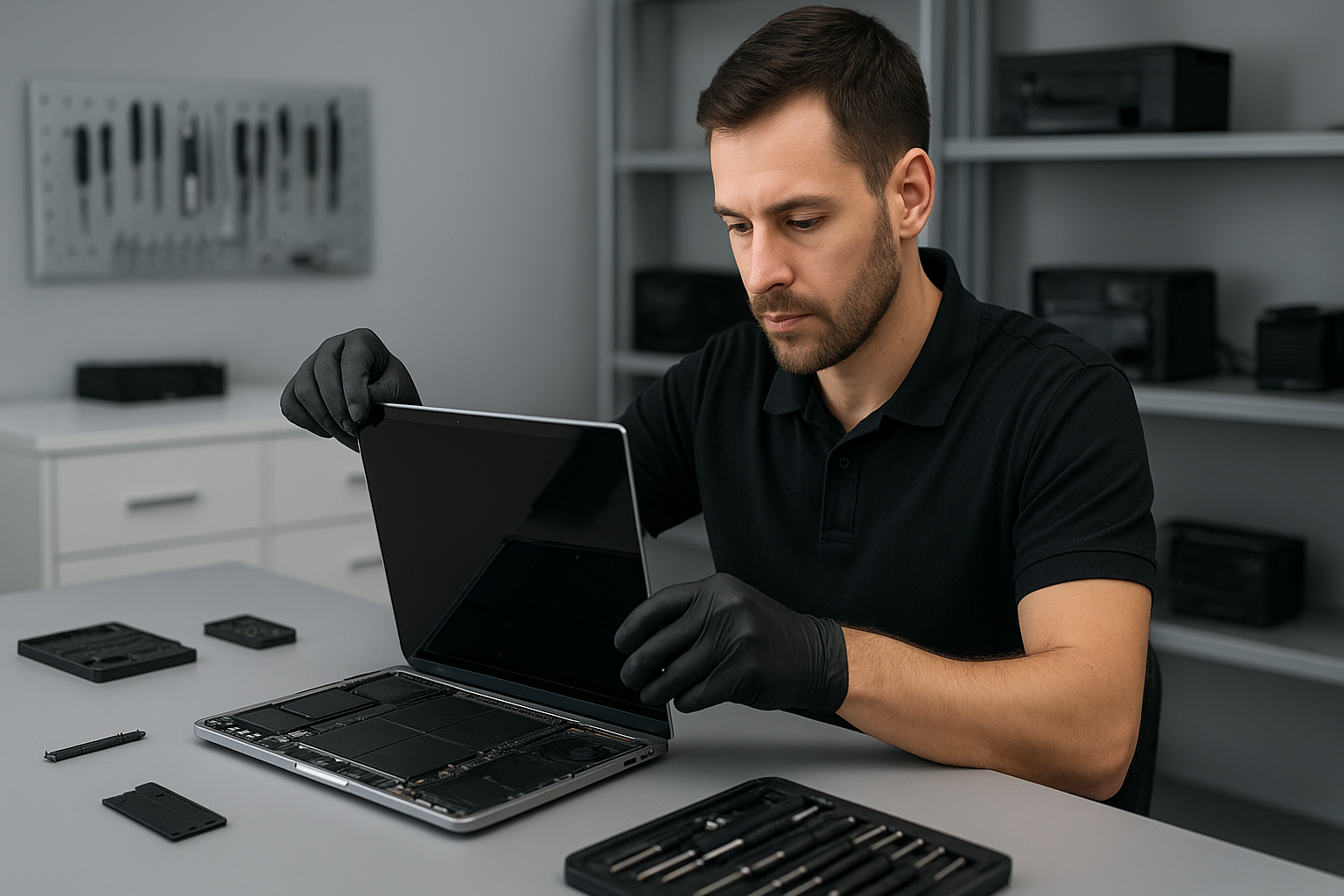
First, I advise every customer to back up data, because we sometimes disconnect the battery or perform power cycles. I use a grounded ESD mat, quality pentalobe, Torx, and tri-wing drivers, and a heat station for adhesive removal on Retina models. Then, I remove the bottom case, disconnect the battery, and detach the display connector at the logic board. For models with fused glass, I remove the entire display assembly and replace the whole unit.

During reassembly, I clean connectors, apply new adhesive strips if needed, and test the screen before sealing the chassis. I also run a calibration and brightness test, and I check the camera and microphone to ensure nothing got disturbed. For backlight or inverter issues, I verify cable continuity and replace the display cable when required. I always use genuine or high-quality OEM-equivalent panels depending on the customer’s preference, and I describe the warranty on parts and labour.

How long does a MacBook screen repair take

Turnaround depends on parts availability. For in-stock panels and common MacBook models, most screen replacements finish the same day. For newer Retina or rare models, parts may take 1 to 3 business days. I provide an honest ETA at drop-off, and I keep customers updated by phone or email.

Price factors and parts quality

Price varies with the model year, Retina versus non-Retina, and whether the glass alone or the entire display needs replacement. Newer MacBook Air and MacBook Pro Retina assemblies cost more because they include the LCD, glass, and sensor assembly. I explain options clearly, from budget aftermarket panels to OEM-grade assemblies, and I recommend the best value for long-term reliability.

Diagnostics I perform before replacing a screen

I follow a checklist. I test with an external monitor, run Apple Diagnostics, inspect cables and hinges, look for liquid damage or corrosion, and check for logic board faults like GPU failure. If the display cable is loose or damaged, reseating it often fixes flicker. If the logic board shows signs of damage, I explain motherboard repair options and data recovery services.

Practical customer advice

First, protect your MacBook with a sleeve or hard case to reduce impact damage. Second, avoid putting heavy objects on top of your laptop. Third, if you suspect liquid exposure, power off immediately, disconnect power, and bring it in right away. I can perform liquid damage repair, clean corrosion, and test the display and motherboard.

Also, consider a computer tune-up after a screen replacement, because dust, failing batteries, and thermal paste degradation can affect performance. I offer battery replacement, SSD upgrades, thermal paste replacement, and laptop fan replacement to restore speed and cooling, especially after years of use.

Why choose Moe Repair in Surrey and nearby cities

At Moe Repair I provide clear estimates, honest diagnostics, and quality workmanship. I serve Coquitlam, Burnaby, Vancouver, Surrey, Richmond, New Westminster, Maple Ridge, Port Moody, Port Coquitlam, Pitt Meadows, Langley, Delta, North Vancouver, West Vancouver, White Rock, Abbotsford, Mission, and Chilliwack. You get local service, a senior technician handling your MacBook repair, and contactable support.

I also handle laptop repair, data recovery, virus removal, Windows installation, motherboard repair, gaming PC repair, keyboard replacement, trackpad repair, and more. If you need an SSD upgrade or motherboard repair alongside a screen fix, I will bundle services to save you time and money.

Warranty, parts, and testing

I test every repair thoroughly before return. Repairs include a parts and labour warranty, so you have peace of mind. I document the repair, run extended stress tests on the display, and confirm color accuracy and brightness across multiple levels.

To book a MacBook screen replacement Surrey appointment, or to get a free diagnostic estimate, contact me. I keep communication simple and transparent, and I treat every MacBook with the same care I would give my own machines.

Moe Repair
Phone: 778-951-4872
Email: [service@moerepair.ca](mailto:service@moerepair.ca)

Data recovery Burnaby: Recover Lost Files from HDD, SSD, RAID

Data recovery Burnaby is our specialty. As a senior technician with more than 15 years of hands-on experience, I know how stressful lost files and failing drives can be. In this article I explain common failure symptoms, real diagnostic steps, practical recovery procedures, and clear next steps so you can get your data back fast and safely.

Why choose professional data recovery in Burnaby

Attempting DIY recovery can make a physical problem worse, and it often reduces the chance of full recovery. At Moe Repair we combine clean bench techniques, controlled imaging, and specialist software and hardware tools. We recover data from HDDs, SSDs, RAID arrays, and external drives for customers across Burnaby, Coquitlam, Vancouver, Surrey and the rest of the Lower Mainland.

Typical symptoms we troubleshoot

Common failure signs include clicking or grinding noises from a hard drive, intermittent drive recognition, blue screen or boot failure, corrupted files, slow performance after an OS update, or a drive that fully disappears from BIOS. SSD failure often shows as sudden write errors, slow response, or SMART warnings. RAID failures often show degraded arrays, rebuild errors, or multiple drive failures.

Data recovery Burnaby, diagnosis and safe handling

Step 1, visual and basic electronics check. I inspect the drive or laptop for liquid damage, burnt components, or swollen batteries. Step 2, connect to a forensic write-blocker and take a hardware-level image when possible. This preserves your original media. Step 3, analyze the image in a controlled environment to attempt file system repair or extract data using specialized tools.

If a drive makes unusual noises I avoid spinning it for long periods. Instead, I perform component-level diagnosis, checking PCB faults, head stack problems, and motor issues. For SSDs I examine firmware symptoms and controller behavior. For RAID arrays I verify controller logs, reassemble arrays in a lab, and rebuild images drive by drive.

Real recovery procedures we use

  • Clean bench inspection for liquid damage and mechanical faults.
  • Chip-off and board-level repair when controllers or NAND chips fail.
  • Head swap only in clean room conditions for mechanical drive failures.
  • Imaging the drive to a secure storage device to avoid risking the original media.
  • File carving and metadata reconstruction for fragmented or corrupted file systems.
  • RAID parameter reconstruction and virtual rebuild for complex arrays.

These procedures require specialist equipment and experience. They also require patience and careful decision making, since every recovery has trade offs between speed, cost, and success rate.

Practical steps you can take right now

First, stop using the failed device. Powering a failing drive repeatedly can cause additional damage. Second, note the symptoms, such as sounds, error messages, and what led up to the failure. Third, avoid DIY tools that write to the drive or perform superficial repairs like freezing the drive, which often makes things worse.

If the problem is a corrupted MacBook after an update, or a Windows boot failure, we can often recover files and reinstall the OS. For laptops we also offer related services including laptop repair, MacBook repair, screen replacement, battery replacement, keyboard replacement, trackpad repair, laptop fan replacement, and thermal paste replacement. For desktops we handle motherboard repair, SSD upgrades, gaming PC repair, and computer tune-up services.

What to expect on arrival

Bring the device into our shop or arrange a drop-off. We run a no-damage preliminary evaluation, then provide a transparent quote and estimated recovery time. Small logical recoveries often complete within 24 to 72 hours. Complex mechanical or RAID recoveries can take longer, depending on the extent of damage and parts needed.

Pricing, turnaround and success factors

Costs depend on the type of failure. Logical recoveries cost less, while mechanical repairs and clean room procedures cost more. Success depends on the degree of physical damage and whether the drive was repeatedly powered after failure. We prioritize non-destructive steps first, and escalate only when needed.

We serve customers throughout the area, including Coquitlam, Burnaby, Vancouver, Surrey, Richmond, New Westminster, Maple Ridge, Port Moody, Port Coquitlam, Pitt Meadows, Langley, Delta, North Vancouver, West Vancouver, White Rock, Abbotsford, Mission, and Chilliwack.

Preventive advice and backup solutions

After recovery we recommend a 3-2-1 backup plan, using local backups on external drives and cloud backups for critical files. We can help with SSD upgrades and Windows installation, and perform a full computer tune-up to reduce future risk. For businesses we provide RAID monitoring and scheduled maintenance to avoid downtime.

For damaged devices due to liquid, we provide liquid damage repair and immediate stabilization. For suspected malware causing file loss or corruption, our virus removal and forensic tools isolate and remove threats before performing recovery.

Moe Repair handles both single device recoveries and enterprise level jobs. We explain risks clearly, and we document every step so you know exactly what we did. Customers trust our transparent quotes and proven track record.

Moe Repair Phone: 778-951-4872 Email: [service@moerepair.ca](mailto:service@moerepair.ca)

If you are in Burnaby or nearby and need reliable help, contact us now. We provide honest advice, realistic timelines, and secure handling of your media. Call 778-951-4872 or email [service@moerepair.ca](mailto:service@moerepair.ca) to start your recovery.

Data recovery Surrey: Reliable file recovery from Moe Repair

I am a senior computer repair technician with more than 15 years of hands-on experience. If you need Data recovery Surrey, start by powering down the device and call Moe Repair. Using the right diagnostic steps early prevents further data loss, and we handle everything from simple file restoration to complex RAID or physical drive failures.

Data recovery Surrey, quick signs that you need help

Recognize the symptoms early. Common failure signs include clicking or grinding noises from a hard drive, slow access to files, frequent crashes, corrupted folders, missing partitions, or a laptop that will not boot. You may also see SMART warnings, blue screens on Windows, or a Mac that gets stuck on the loading circle. If you notice any of these issues, stop using the device to avoid overwriting recoverable data.

Typical causes we see

Logical failures. File system corruption, deleted files, accidental formatting, and virus removal issues often allow in-house recovery. We image the drive, then run file carving and software recovery tools to retrieve files.

Physical failures. Mechanical damage, head crashes, and PCB faults require specialist handling. We can perform controlled diagnostics and coordinate with partner cleanroom labs if a head swap or platter repair is necessary.

Liquid damage. Spills on laptops and MacBooks often cause short circuits and corrosion. We provide liquid damage repair and stabilize components first, then attempt data recovery from the drive or SSD.

How we diagnose data loss

First, we take a detailed history. When did the problem start, what noises did you hear, and what attempts were already made. Then, we run noninvasive checks. We inspect the drive PCB for burn marks, check SMART data, and attach the drive to a write-blocker. Next, we create a forensic disk image using industry tools to preserve the original media. Finally, we analyze the image in a secure environment and use recovery software, manual file carving, or RAID reconstruction if needed.

Our step-by-step recovery procedure

Step 1, triage. We test the drive and determine if the failure is logical or physical. Step 2, imaging. We clone the drive with a write-blocker to avoid further damage. Step 3, recovery. For logical failures, we use multiple software suites and manual techniques. For physical failures, we perform controlled repairs in partnership with certified cleanroom labs. Step 4, verification. We check recovered files for integrity. Step 5, delivery. We return files on an external drive or upload to secure cloud storage, and we explain what caused the failure.

Realistic timelines and costs

Logical recoveries usually complete within 24 to 72 hours, depending on data size. Physical recoveries take longer, typically three to ten business days, when lab work is required. We provide transparent pricing, and we never charge until you confirm successful recovery. For urgent needs, ask about expedited service.

Practical advice you can use now

Do not attempt freezer tricks. Do not run chkdsk or reformat the drive without a full image. Stop using the device immediately. If the drive makes noise, keep it powered off. Capture the device serial and model, then bring it to Moe Repair. For laptops and MacBooks, remove the battery if possible and store the unit in a static-free bag. Backups remain the best defense, so schedule a regular backup after recovery using an external drive or cloud service.

Why choose Moe Repair for Data recovery Surrey

We combine hands-on experience with modern tools. We handle laptop repair, MacBook repair, screen replacement, battery replacement, virus removal, Windows installation, SSD upgrades, motherboard repair, and more. Customers appreciate that we perform careful diagnostics, use write-blocking and disk imaging, and provide clear estimates. We also offer gaming PC repair, keyboard replacement, trackpad repair, laptop fan replacement, thermal paste replacement, and comprehensive computer tune-up services.

Service coverage

We serve Surrey and nearby communities including Coquitlam, Burnaby, Vancouver, Richmond, New Westminster, Maple Ridge, Port Moody, Port Coquitlam, Pitt Meadows, Langley, Delta, North Vancouver, West Vancouver, White Rock, Abbotsford, Mission, and Chilliwack.

What to bring when you visit

Bring the affected device, power adapter, and any relevant passwords. If the drive was removed, bring the enclosure or USB adapter. We will run a no-cost visual inspection and provide a quote for diagnostics and recovery.

Secure handling and privacy

We respect your privacy. All recovered files remain confidential. We can sign NDA documents on request. For extra security, we offer secure deletion of recovered data on request after delivery.

Moe Repair is local, experienced, and ready to help. Phone: 778-951-4872, Email: service@moerepair.ca. Visit us for fast, professional Data recovery Surrey and full-service computer repair.

MacBook repair Burnaby: Expert MacBook Repairs by Moe Repair

MacBook repair Burnaby customers trust our shop because I bring over 15 years of hands-on experience. I diagnose issues quickly, explain options clearly, and perform reliable repairs. Whether you need screen replacement, battery replacement, or motherboard repair, I treat each MacBook like my own.

MacBook repair Burnaby: Services and Diagnostics

First, I perform a step-by-step diagnostic. I check the power path, battery health, SMC and PRAM status, and run a hardware test. Next, I inspect the display cable, inverter, or backlight for screen issues. For liquid damage, I open the chassis immediately, clean corrosion with isopropyl alcohol, and isolate damaged components. In many cases, an SSD upgrade or thermal paste replacement will restore performance.

Common symptoms I repair

Slow performance, frequent kernel panics, or unexpected shutdowns often point to failing SSDs, corrupted macOS, or thermal issues. A dim or flickering screen usually means a display cable fault, screen replacement, or an LCD inverter problem. If your MacBook won’t charge, I test the charger, MagSafe or USB-C port, battery, and the charging circuit on the motherboard.

Real repair procedures I use

For logic board repair, I trace voltage rails under a microscope, replace blown MOSFETs, and reflow solder joints when appropriate. For screen replacement, I remove the top case carefully, disconnect the retina cable, replace the panel, and calibrate the display. For battery replacement, I use OEM-equivalent cells, secure adhesive with pre-cut strips, and verify battery cycle counts and SMC behavior after installation.

How I diagnose your MacBook

First, I reproduce the symptom. Then, I run Apple Diagnostics and targeted tests. Next, I check system logs for kernel errors, monitor temperatures, and run a filesystem check for data issues. For slow boot or corrupted macOS, I back up data, reinstall macOS or perform a Windows installation if requested, and offer data recovery when needed.

Liquid damage and data recovery

When liquid reaches a MacBook, quick action matters. I power down immediately, remove the battery when possible, and begin cleaning within hours. I document corrosion, replace damaged connectors, and test storage devices. If the drive still spins, I clone it to a secure SSD for data recovery. For coffee spills, I focus on keyboard replacement and trackpad repair after cleaning.

Virus removal, tune-ups, and upgrades

Although macOS has strong protections, malware can occur. I remove malware manually, reset accounts, and reinstall macOS if necessary. For older MacBooks, SSD upgrades combined with a clean install can add years of life. I also perform computer tune-up services, including thermal paste replacement, laptop fan replacement, and system optimization.

Why choose Moe Repair in Burnaby

I work with a full range of services, from laptop repair and gaming PC repair to motherboard repair and liquid damage repair. I offer screen replacement, keyboard replacement, trackpad repair, and battery replacement using quality parts. Moreover, I provide virus removal, data recovery, and SSD upgrades.

Because I operate locally, I serve customers across Metro Vancouver, including Coquitlam, Vancouver, Surrey, Richmond, New Westminster, Maple Ridge, Port Moody, Port Coquitlam, Pitt Meadows, Langley, Delta, North Vancouver, West Vancouver, White Rock, Abbotsford, Mission, and Chilliwack.

Transparent pricing and realistic timelines

I explain repairs before starting. For a typical screen replacement, I estimate parts and labour, then test the unit for 24 hours. For motherboard repairs, I provide upfront diagnostic fees and report repairable components. For data recovery, I give conservative success rates and possible costs. You decide, and I proceed only with your approval.

Practical advice to avoid future problems

First, always use genuine chargers to protect charging circuits. Second, avoid exposing laptops to liquids and clean vents regularly to prevent fan and thermal issues. Third, back up with Time Machine or a cloud service to minimize data recovery needs. Finally, schedule a computer tune-up annually to check battery health and perform SSD maintenance.

If you need urgent MacBook repair Burnaby service, contact Moe Repair. I offer same-day minor repairs when parts are available, and I keep you updated at every step. For complex motherboard work, I provide detailed reports and component-level fixes.

Moe Repair Phone: 778-951-4872 Email: service@moerepair.ca

We repair MacBook models across generations, including Retina and M1 series. We also handle Windows installation on compatible hardware, and gaming PC repair for high-performance systems. For any MacBook or laptop issue, I will diagnose, explain, and fix it reliably.

Call 778-951-4872 or email service@moerepair.ca to book a diagnostic. Visit our shop for professional MacBook repair Burnaby service, quality parts, and honest advice from a senior technician with more than 15 years of experience.

Data recovery Surrey: Expert hard drive and SSD recovery

As a senior technician with more than 15 years of hands-on experience, I understand how devastating data loss can be. Data recovery Surrey is what we do every day at Moe Repair. Whether a laptop will not boot, a MacBook shows a flashing folder, or an external drive is making clicking noises, we diagnose and recover data reliably.

Why choose Moe Repair for Data recovery Surrey

First, I work with careful diagnostic procedures. Next, our team follows strict read-only imaging methods to protect your original media. We have recovered family photos, business databases, school projects, and gaming libraries for customers across Coquitlam, Burnaby, Vancouver, Surrey, Richmond and beyond.

Common failure symptoms I see

Most customers describe symptoms like the following. The drive is not detected in BIOS. The laptop powers but the operating system fails to load. Strange clicking or grinding noises come from the hard drive. Files appear corrupted. The SSD disappears intermittently. Liquid damage caused the system to short. Virus or ransomware encrypted files. These are all recoverable in many cases, particularly if you act quickly.

Realistic diagnostic steps we perform

When you bring a device to Moe Repair, we follow a practical workflow. First, we preserve the device and stop all write activity. Then, we connect the drive to a dedicated recovery station and read SMART data. If the drive is readable, we create a sector-by-sector image using tools like ddrescue or commercial imaging suites. For SSDs, we check firmware and controller responses. For RAID arrays, we identify the RAID level and sequence, then reassemble the array in a controlled environment.

If the drive shows mechanical failure, we document the symptoms and escalate to our approved clean lab partners for head swaps or platter work. For logical corruption, we run file system repair and file carving to extract intact files. We always keep you informed of estimated success rates and costs before proceeding.

Repair procedures you can expect

Typical recovery procedures include the following. For failed HDDs, we image the drive in read-only mode, then repair file system metadata on a copy. For SSDs, we diagnose controller issues, attempt firmware fixes, and use NAND recovery techniques when needed. For RAID recovery, we reconstruct arrays and clone member disks. For water-damaged laptops, we clean the board, replace corroded components, and extract storage media for imaging.

We also perform related repairs when needed. For example, we handle laptop repair, MacBook repair, screen replacement, battery replacement, motherboard repair, and liquid damage repair. Often recovering the data requires a functioning host, so we provide Windows installation, SSD upgrades, and thermal paste replacement or laptop fan replacement as part of the overall service.

What you can do immediately

First, stop using the device. Continued use can overwrite recoverable data. Second, do not attempt aggressive DIY fixes like repeated power cycles or formatting. Instead, take clear notes on the symptoms and when the problem started. Finally, back up surviving files when possible. Even a partial backup helps.

If you are in Burnaby, Vancouver, Richmond, New Westminster, Maple Ridge, Port Moody, Port Coquitlam, Pitt Meadows, Langley, Delta, North Vancouver, West Vancouver, White Rock, Abbotsford, Mission, or Chilliwack, bring your device to Moe Repair or contact us for drop-off instructions. We serve all these areas with fast turnarounds.

Costs and timelines

Costs depend on the failure type. Logical recoveries like deleted file recovery typically take 24 to 72 hours. Mechanical recoveries that require lab intervention take longer and incur lab fees. We provide a free initial diagnosis, then a clear quote. We do not start work without your approval.

Data security and privacy

We handle client data with care. We use secure workstations and follow documented procedures. If you need forensic recovery, we offer chain of custody and detailed reporting. When possible, we deliver recovered files on a new SSD, external drive, or secure cloud transfer.

Examples of successful recoveries

Recently, we recovered a customer’s tax records from a failed external drive by imaging the platters and repairing the NTFS metadata. Another time, we extracted photos from a liquid damaged MacBook after replacing the logic board and imaging the internal SSD. We also restored a small business server by reconstructing a degraded RAID 5 array, then exporting the database files.

We combine the following skills and services in many recoveries. Virus removal, Windows installation, drive cloning, SSD upgrades, motherboard repair, and computer tune-up. If you own a gaming PC, we work with gaming PC repair and storage upgrades to prevent future loss.

Transparent communication

We explain technical issues in plain language. You will get a clear recovery plan, progress updates, and options for delivering recovered data. We also advise on backup strategies, such as regular cloud backups, local NAS, or external drive rotation.

For quick help in Surrey and surrounding cities, contact Moe Repair. We answer calls and emails promptly.

Moe Repair
Phone: 778-951-4872
Email: service@moerepair.ca

Data recovery Surrey: Expert hard drive and SSD recovery

As a senior technician with more than 15 years of hands-on experience, I know the panic that follows data loss. Data recovery Surrey is a core service at Moe Repair. We recover files from failed hard drives, SSDs, RAID arrays, USB sticks, and memory cards. We work quickly, and we explain the diagnostics and options in plain language.

Data recovery Surrey: common causes and symptoms

Customers usually call after they see error messages or strange sounds. Common symptoms include clicking or grinding noises from a hard drive, slow read times on an SSD, corrupted folders, inaccessible partitions, or a computer that fails to boot. Sometimes files disappear after accidental deletion, or ransomware encrypts documents. Likewise, liquid damage and motherboard faults often mimic storage failures. We routinely diagnose all these scenarios.

Initial diagnostic steps we perform

First, we isolate the device, and we avoid writing to it. Next, we perform noninvasive tests. For mechanical drives, we listen for head clicks and test power and spin. For SSDs, we check SMART metrics and controller responses. For RAID systems, we examine each member disk, note firmware versions, and check the array metadata. Then we clone the failing media to a stable image using controlled tools, preserving the source for further recovery. If a cleanroom procedure or PCB repair is needed, we explain costs and timelines before proceeding.

Real repair procedures you can expect

When mechanical failure occurs, we open drives in a certified clean environment, replace damaged heads if required, and rebuild damaged sectors. For SSDs, we perform NAND-level extraction and logical reconstruction. For RAID arrays we rebuild the array image, and handle parity and degraded member disks carefully. For firmware corruption, we use specialized tools to restore controller firmware. When possible, we recover entire partitions, then repair file systems and recover documents, photos, and videos.

How we diagnose your data loss

We start with a free phone consultation. Then we run a quick on-site or in-shop scan to identify whether the failure is logical, mechanical, or firmware related. Next, we provide a clear estimate for success rate and price. We use sector-by-sector cloning, disk imaging, and file carving as needed. For physical failures we recommend board-level repair, head replacement, or cleanroom recovery. For SSDs we may use NAND backup and mapping. Throughout, we document each step so you know what we did.

What increases recovery success

Stop using the device immediately, and avoid home remedies. Back up often to reduce risk. If a laptop or MacBook suffers liquid damage, bring it in right away for motherboard repair and possible battery replacement. For gaming PC repair or heavy use machines, thermal paste replacement and laptop fan replacement can prevent future drive stress. Regular computer tune-up and SSD upgrades reduce the chance of data emergencies.

Pricing, timing, and realistic expectations

Every case differs. Logical recoveries, like undeleted files or corrupted file tables, often finish within 24 to 72 hours. Mechanical and cleanroom recoveries can take several days, depending on parts. RAID and forensic work takes longer, due to complex reconstruction. We provide transparent pricing, and we never proceed without your approval. If recovery is impossible, we explain why and return your device.

Other services we provide

Beyond data recovery, Moe Repair handles laptop repair, MacBook repair, screen replacement, battery replacement, virus removal, Windows installation, SSD upgrades, motherboard repair, liquid damage repair, gaming PC repair, keyboard replacement, trackpad repair, laptop fan replacement, thermal paste replacement, and computer tune-up. We serve Coquitlam, Burnaby, Vancouver, Surrey, Richmond, New Westminster, Maple Ridge, Port Moody, Port Coquitlam, Pitt Meadows, Langley, Delta, North Vancouver, West Vancouver, White Rock, Abbotsford, Mission, and Chilliwack.

How to prepare your device for the shop

Bring the device and any relevant cables. Note symptoms and recent events, like drops or power loss. If possible, write down important filenames and folders to prioritize. For encrypted drives, provide credentials if you want us to attempt a recovery. Do not attempt firmware updates or power cycling repeatedly, since that can accelerate failure.

Why choose Moe Repair

I lead a team of technicians with deep experience in hard drive recovery, SSD recovery, RAID recovery, cleanroom procedures, and firmware repair. We keep recovery logs, use secure handling, and focus on customer communication. We also provide follow-up advice on data backup strategies, cloud sync, and local NAS setups to prevent future loss.

If you need immediate help with Data recovery Surrey, contact Moe Repair right now. Phone: 778-951-4872. Email: service@moerepair.ca. We accept walk-ins and booked appointments, and we service the entire Lower Mainland and Fraser Valley.

Moe Repair, Phone: 778-951-4872, Email: service@moerepair.ca

MacBook repair Langley: Trusted fixes from a senior technician

As a senior technician with more than 15 years of hands-on experience, I know how stressful a failing MacBook can be. MacBook repair Langley is what I do every day. I repair MacBook Pro, MacBook Air, and older Apple laptops, and I focus on fast diagnostics, honest pricing, and dependable repairs.

MacBook repair Langley, what to expect

When you bring a MacBook to Moe Repair, we start with a step-by-step diagnostic. First, we note failure symptoms, then run hardware and software tests. Common symptoms we see include slow performance, no boot, display flicker, swollen battery, keyboard or trackpad failure, unexpected shutdowns, and liquid damage.

Initial diagnostics and common failure signs

We perform a visual inspection, check for liquid residue, and test the power adapter. Then we run SMC and NVRAM checks, boot into safe mode, and use Apple Hardware Test or diagnostics tools. For power issues we confirm MagSafe or USB-C power delivery, and test the battery with a load test.

  • Display problems: flicker, no backlight, cracked glass, or dead pixels suggest a screen replacement or display cable issue.
  • Battery problems: rapid drain, swelling, or no charge points to battery replacement and a safety inspection.
  • No boot, kernel panic, or folder-with-question-mark require SSD or motherboard diagnostics.
  • Sticky keys, non-responsive keys or trackpad problems indicate keyboard replacement or trackpad repair.
  • Liquid damage: corrosion, intermittent faults, or complete power loss need immediate cleaning and corrosion mitigation.

Realistic repair procedures we use

For screen replacement, we remove the display assembly, inspect display connectors, and install an OEM or high-quality aftermarket panel. We calibrate the new display and test brightness, color, and camera functions.

For battery replacement, we use proper spudgers and adhesive removal tools. We disconnect power, remove the swollen cell carefully, and install a new battery, then run a charge cycle and battery calibration.

For SSD upgrades, we clone the original drive when possible, then swap in a higher capacity NVMe or SATA SSD. After installation, we verify TRIM support and run performance tests.

For liquid damage repair, we fully disassemble the board, clean corrosion with isopropyl alcohol and ultrasonic methods when needed, and replace damaged components such as connectors, FETs, and capacitors. We then perform power rail checks and a controlled boot sequence.

Motherboard repair, thermal service, and tune-ups

Motherboard repair often involves diagnosing shorted components with an oscilloscope and replacing BGA chips or burnt traces. For thermal issues we replace thermal paste, clean fans, and in some cases replace the laptop fan to restore cooling and performance.

We offer computer tune-up services, virus removal for macOS and cross-platform malware, and Windows installation for Boot Camp or external boot drives. We also handle data recovery when drives fail, using logical and physical recovery methods when necessary.

Diagnostic steps you can try first

Before you visit, try these safe steps. Reset the SMC, reset NVRAM, boot into safe mode, and run Disk Utility to repair permissions and file system errors. Always back up important data if the Mac still boots. If you smell burning, see corrosion, or the battery is swollen, power down and bring it in immediately.

Why choose Moe Repair

I perform transparent diagnostics, and I explain findings in plain language. I use quality parts for screen replacement, battery replacement, SSD upgrades, and keyboard replacement. I also warranty my repairs and test each MacBook thoroughly before returning it to you.

We serve Langley and neighboring communities like Coquitlam, Burnaby, Vancouver, Surrey, Richmond, New Westminster, Maple Ridge, Port Moody, Port Coquitlam, Pitt Meadows, Delta, North Vancouver, West Vancouver, White Rock, Abbotsford, Mission, and Chilliwack.

Turnaround times and pricing

Most screen or battery replacements complete within 24 to 48 hours. SSD upgrades and computer tune-ups often finish same day. Motherboard repairs and deep data recovery can take several days. We provide an upfront estimate and keep you informed through every step.

Practical customer advice

Always back up with Time Machine or a bootable clone before repair. Avoid spilling liquids near your laptop. Use a cooling pad for heavy workloads. If you must transport a swollen battery MacBook, power it down and place it in a hard case. For gaming PC or Windows needs, we also offer gaming PC repair and Windows installation services.

We repair MacBook Pro and MacBook Air models, and also handle laptop repair across platforms including virus removal, data recovery, trackpad repair, keyboard replacement, laptop fan replacement, thermal paste replacement, and motherboard repair.

Contact Moe Repair for expert MacBook repair Langley service. Moe Repair
Phone: 778-951-4872
Email: service@moerepair.ca

Call or email to book a diagnostic. We diagnose, repair, and return your MacBook in top working order.

Data recovery Abbotsford: Professional file recovery by Moe Repair

Data recovery Abbotsford is one of the most common emergency requests I handle. With more than 15 years as a senior computer repair technician, I have recovered files from failing hard drives, SSDs, RAID arrays, and water-damaged laptops. If you lost photos, business documents, or a client database, I can help.

How I diagnose and start recovery

First, I perform a controlled assessment. I check SMART data for hard drive errors. Then, I run a non-intrusive scan to distinguish logical failure from physical failure. For SSD failure, I look for firmware corruption or controller faults. For liquid damage, I inspect corrosion, connectors, and the motherboard.

Next, I image the failing device to a stable drive using read-only tools. I commonly use ddrescue for imaging unstable HDDs, then analyze the image with tools like R-Studio and TestDisk. This step preserves your original data and prevents further damage.

Common symptoms I see

Customers often describe clicking noises, slow file access, frequent crashes, or missing partitions. For SSDs, symptoms include devices not detected, repeated reboots, or sudden data loss. For liquid damage, devices may power on briefly, show visual artifacts, or not power up at all.

Realistic recovery procedures I use

If I detect logical failures like accidental deletion, corrupted files, or file system errors, I recover data from the drive image using file recovery tools and partition recovery methods. If the drive has bad sectors, I map them and extract readable data sector by sector.

When I find physical damage, I advise either a cleanroom repair or board-level intervention. For example, with a hard drive head crash I arrange professional head replacement and then perform a safe image. For some SSD controller failures, I use firmware tools or donor-board transfers when appropriate.

For RAID recovery, I document the array layout, take images of each member, and rebuild the array in a secure lab environment. I handle both hardware RAID and software RAID arrays, including NAS recovery scenarios.

Diagnostic steps I recommend to customers

  • Stop using the affected device immediately. Continued use can overwrite recoverable data.
  • Note symptoms, recent events, and any error messages. That history speeds diagnosis.
  • If liquid damage occurred, do not power the device on. Bring it in right away.
  • Back up remaining working systems. Use external drives or cloud backup where possible.

Why choose Moe Repair for Data recovery Abbotsford

At Moe Repair I combine hands-on diagnostics with careful imaging and proven recovery workflows. I serve homes and businesses across Coquitlam, Burnaby, Vancouver, Surrey, Richmond, New Westminster, Maple Ridge, Port Moody, Port Coquitlam, Pitt Meadows, Langley, Delta, North Vancouver, West Vancouver, White Rock, Abbotsford, Mission, and Chilliwack.

We handle laptop repair, MacBook repair, screen replacement, battery replacement, keyboard replacement, trackpad repair, laptop fan replacement, and thermal paste replacement. We also offer SSD upgrades, motherboard repair, liquid damage repair, gaming PC repair, virus removal, Windows installation, and computer tune-up services. These services often complement data recovery after hardware repairs or malware removal.

Turnaround, pricing, and confidentiality

I always start with a transparent diagnostic. After initial diagnostics, I provide a written quote and an estimated recovery success range. I keep your data private, and I use secure handling and encrypted storage for recovered files.

For emergency cases, I can prioritize imaging and recovery. For non-critical cases, I still follow the same careful procedures to maximize recovery while minimizing costs.

Practical tips to prevent future data loss

Always maintain regular backups. Use both an external drive and cloud backup when possible. Monitor SMART data and replace drives that show increasing bad sectors. For laptops, keep vents clean and replace aging batteries to avoid sudden shutdowns that can corrupt files.

Also, consider SSD upgrades for performance, but clone the old drive first. If you suspect malware or ransomware, shut down the device and contact us before attempting fixes. We provide virus removal and ransomware triage as part of our services.

What to bring when you visit

Bring the device, any original power adapters, and a note describing the problem and recent events. If the drive came from a RAID or NAS, include the chassis and label the drive order if possible. This information helps me complete a faster and more accurate recovery.

Moe Repair offers transparent, expert service. Call 778-951-4872 or email service@moerepair.ca to start a diagnostic. I will explain the likely causes, recovery options, and pricing before any work begins.

Moe Repair
Phone: 778-951-4872
Email: service@moerepair.ca