
MacBook screen replacement Burnaby: Fast, Expert Repairs at Moe Repair
If you need MacBook screen replacement Burnaby, you want a reliable technician who knows Apple hardware inside and out. I am a senior computer repair technician with more than 15 years of hands-on experience. I diagnose, repair, and restore MacBooks quickly, with clear communication and a practical warranty.
Why choose Moe Repair for MacBook screen replacement Burnaby
First, I perform a thorough inspection. Then, I explain the results and options. Many shops quote a price without diagnostic testing, however that risks missed damage, like LCD delamination or bent housings. At Moe Repair I include diagnostic testing that checks the display, graphics output, backlight, and hinge alignment.
Our workshop in Coquitlam handles repairs for customers across Burnaby, Vancouver, Surrey, Richmond, New Westminster, Maple Ridge, Port Moody, Port Coquitlam, Pitt Meadows, Langley, Delta, North Vancouver, West Vancouver, White Rock, Abbotsford, Mission, and Chilliwack. We offer screen replacement, battery replacement, SSD upgrades, motherboard repair, liquid damage repair, and data recovery.
Common symptoms that mean you need a screen replacement
- Cracked glass or visible spiderweb fractures.
- Black spots, colored blotches, or vertical and horizontal lines.
- Backlight flicker, dim screen, or no image despite a running system.
- Tactile issues where the glass no longer seats correctly near hinges.
- Retina display showing ghosting, dead pixels, or unexpected artifacts.
When customers call about a cracked MacBook screen they often mention lines or no image. In many cases the LCD still works while only the glass is damaged, but sometimes the entire display assembly needs replacement. I always confirm whether the problem is glass only, LCD, or the lid assembly.
Realistic repair procedure I use
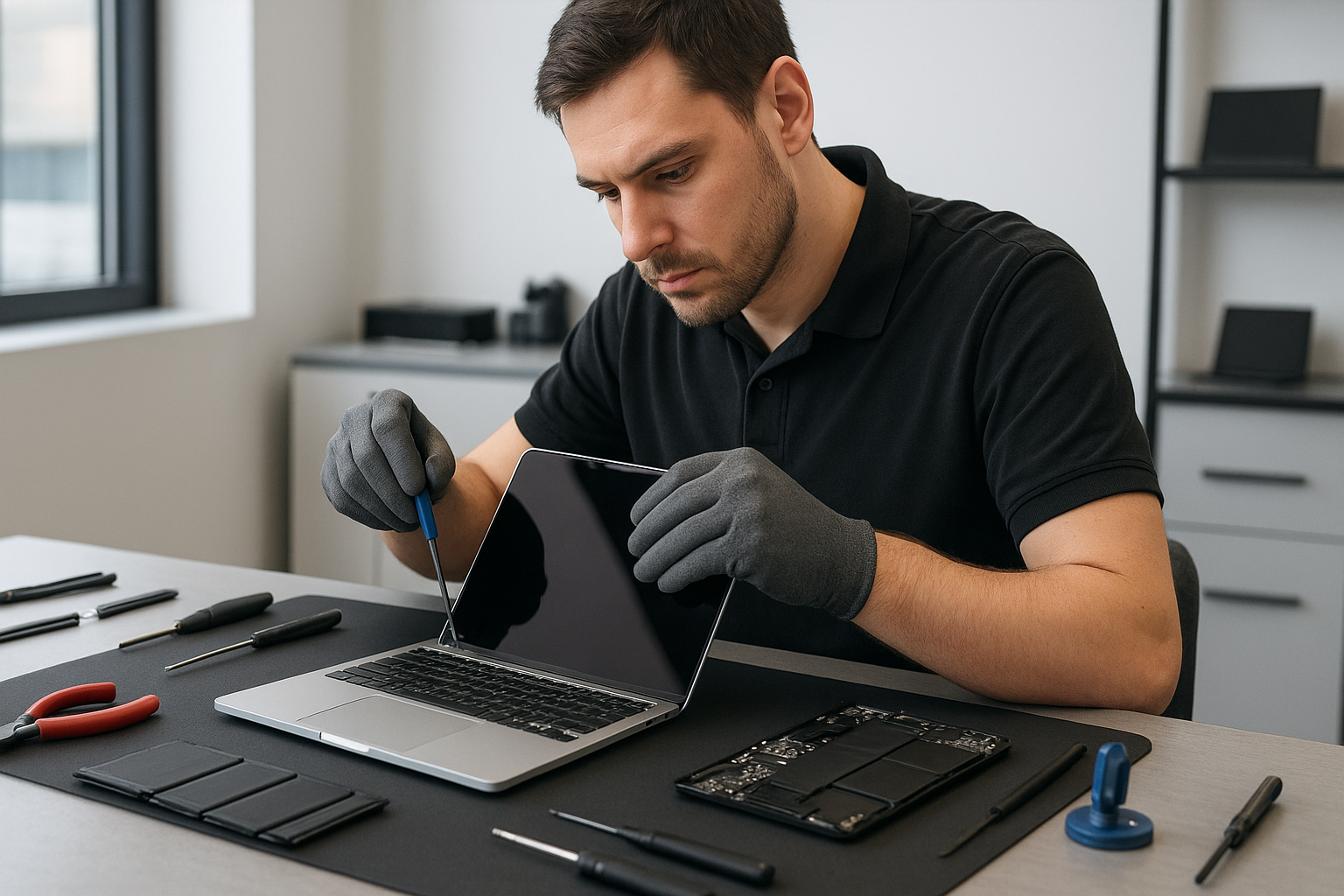
First, I power down the MacBook, disconnect the battery, and place the device on an ESD-safe mat. Next, I remove the lower case and disconnect the display data cable at the logic board. Then, I remove the hinge covers and the display bezel carefully to preserve clips. I separate the glass from the LCD using controlled heat and plastic tools, or I remove the complete display assembly for a faster, safer replacement. After installing the new LCD or glass, I reseat the display cable, reconnect the battery, and perform a full test for backlight uniformity, color accuracy, and hinge tension.
In complicated cases I check the GPU and logic board for damage. If there is liquid contamination or motherboard issues, I provide options for motherboard repair or data recovery. We also offer keyboard replacement, trackpad repair, laptop fan replacement, and thermal paste replacement when needed.
Diagnostic steps I perform for every MacBook
- Visual inspection for cracks, corrosion, and impact points.
- Boot to recovery or external display to determine whether the GPU is functional.
- Run Apple diagnostics or third-party stress tests for graphics artifacts.
- Test the backlight inverter circuitry and display brightness control.
- Confirm hinge and chassis alignment before reassembly.
These steps reduce surprises. For example, if a MacBook shows no image but an external monitor works, the problem is almost always the display assembly. Conversely, if both internal and external displays fail, the logic board may be at fault, and motherboard repair or Windows installation services are also available for other laptops.
Parts, warranties, and quality
I use high-quality LCD panels and OEM-equivalent glass. For older MacBooks I recommend SSD upgrades, battery replacement, and a full computer tune-up while the device is in the shop. Additionally, if you suspect malware or your Mac is slow, we provide data recovery, virus removal, and a performance tune-up to extend device life.
All screen replacements include functional testing and a short warranty. If the MacBook has liquid damage, I recommend liquid damage repair first as corrosion can spread and affect the motherboard. In such cases I offer motherboard repair and data recovery to protect your files.
Pricing and turnaround
Turnaround depends on parts availability. In many cases I complete screen replacement the same day, especially for common models. For Retina MacBooks I order factory-grade panels and keep you informed. I provide transparent quotes that cover labor, parts, and testing. For gaming laptops or custom machines we also perform thermal paste replacement and fan service to ensure cooling performance.
Practical advice for customers
If your MacBook screen is cracked, stop using the device in risky positions, and avoid pressing the glass. Back up your data before any repair. Meanwhile, photograph the damage and note any functional issues like chattering audio or unexpected shutdowns. This information helps my diagnostics. Also, consider pairing a screen replacement with an SSD upgrade or battery replacement to maximize value.
If you are outside Burnaby, we accept drop-offs from Coquitlam, Vancouver, Surrey, Richmond, New Westminster, and other nearby cities. We also repair gaming PCs, perform Windows installation, and handle keyboard replacement when keys stop responding.
Contact Moe Repair to schedule an appointment or to get a quote. Moe Repair
Phone: 778-951-4872
Email: [service@moerepair.ca](mailto:service@moerepair.ca)
Get started
Bring your MacBook to a certified technician with experience. I combine careful disassembly, tested parts, and diagnostic rigor to deliver reliable MacBook screen replacement Burnaby customers trust. Call 778-951-4872 or email service@moerepair.ca to book same-day diagnostics and repairs.