Hi, How Can We Help You?
  • 203-504 Cottonwood Ave, Coquitlam
  • service@moerepair.ca
  • +1 (778) 951-4872

Category Archives: Computer Repair Burnaby

PS5 cleaning service Coquitlam

Professional Console Repair and Maintenance

At Moe Repair in Coquitlam we specialize in PS5 cleaning service Coquitlam and comprehensive gaming console maintenance. With over 15 years of experience repairing consoles and computers, our technicians diagnose thermal issues, remove dust buildup, and restore performance for PS5, PS5 Slim, PS5 Pro and other systems like Xbox Series X and Xbox Series S. If your PS5 is showing loud fan noise, overheating, random shutdowns, or performance issues, our local team serves players across Coquitlam and nearby communities including Burnaby, Port Moody, Port Coquitlam, New Westminster, and Maple Ridge.

PS5 Liquid Metal Replacement

Liquid metal thermal compound can improve heat transfer between the PS5 SoC and its cooler compared to standard thermal paste. At Moe Repair we offer careful PS5 liquid metal replacement as part of advanced thermal management. Our process includes full disassembly, cleaning of old thermal interface material, controlled application of liquid metal, and reassembly with precise torque and pressure settings. This service is especially relevant for PS5 Pro or heavily used PS5 consoles experiencing thermal throttling, sustained high temperatures, or frequent loud fan activity.

Console Cleaning and Dust Removal

Dust buildup is one of the most common causes of PS5 overheating and loud fans. Our PS5 cleaning service Coquitlam focuses on deep dust removal from internal heatsinks, fan blades, vents, and air channels. We use ESD-safe tools, compressed air with moisture control, soft brushes, and vacuum systems designed for electronics. Cleaning extends beyond the fan: we clean intake filters, check airflow paths, and inspect the internal shroud for accumulated debris that can restrict cooling. Regular dust removal prevents performance issues and reduces the chance of random shutdowns.

Console Overheating Repair

Overheating can present as sudden shutdowns, graphical stuttering, or a fan that never seems to stop. Our overheating repair starts with thermal diagnostics: temperature logging, fan speed monitoring, and visual inspection. Common repairs include fan cleaning or replacement, reapplication of thermal compound, and full liquid metal service where appropriate. For consoles out of warranty like older PS5 or PS5 Slim units, these repairs can bring temperatures back to safe operating levels and restore stable performance.

Signs Your Console Needs Service

Watch for these warning signs that indicate your PS5 needs maintenance:

  • Loud fan noise even during light gameplay
  • High surface temperatures on the console housing
  • Sustained frame drops or sudden performance throttling
  • Random shutdowns or restarts when loading games
  • Visible dust accumulation in vents or under the console
  • Unusual burning or electronic smells

If you live in Coquitlam, Burnaby, Port Moody, Port Coquitlam, New Westminster, or Maple Ridge and notice any of these issues, bring your console to Moe Repair for a full evaluation.

Why Thermal Management Matters

Thermal management is critical to long-term console health. Excess heat accelerates wear on chips, solder joints, and other components. Proper thermal management includes effective cooling design, clean airflow, and quality thermal interfaces. At Moe Repair we balance conservative repair practices with performance improvements: choosing when to use high-conductivity liquid metal, when to replace fans, and how to optimize airflow without voiding warranties unnecessarily. The result is quieter fans, lower operating temperatures, and improved reliability for PS5, PS5 Slim, and PS5 Pro systems.

Gaming Consoles We Service

While our focus is PS5 cleaning service Coquitlam, we also service a wide range of consoles and devices for gamers in the Tri-Cities area:

  • PS5, PS5 Slim, PS5 Pro
  • Xbox Series X, Xbox Series S
  • Older PlayStation and Xbox models for cleaning and repairs
  • Console accessories and external storage troubleshooting

We also offer computer and laptop support — check our related services for overlapping needs: computer repair in Coquitlam, laptop repair in Coquitlam, and MacBook repair in Coquitlam.

Why Choose Moe Repair

Moe Repair combines technical expertise with local convenience. As a Coquitlam-based shop we understand the needs of our gaming community. Benefits of choosing us include:

  • 15+ years of repair experience and certified ESD-safe procedures
  • Specialized PS5 thermal services including liquid metal replacement
  • Fast turnaround, honest diagnostics, and transparent pricing
  • Service for neighbouring areas: Burnaby, Port Moody, Port Coquitlam, New Westminster, and Maple Ridge
  • Easy booking and drop-off — contact Moe Repair to start

Real Repair Example

Repair case: A PS5 from a Coquitlam customer arrived with complaints of loud fan noise, occasional random shutdowns, and poor performance in graphically demanding games. Our diagnostic process was:

  1. Initial intake and symptom verification: recorded fan noise levels and shutdown behavior while running a thermal stress test.
  2. Visual inspection: heavy dust buildup inside the intake vents and on the heatsink fins, and degraded thermal paste on the SoC noted on opening.
  3. Thermal logging: SoC temperatures peaked above safe thresholds during stress testing, confirming thermal throttling.

Repair performed:

  1. Complete disassembly using ESD-safe tools to access the cooling assembly and SoC area.
  2. Deep dust removal from fan hub, blades, heatsink, and internal shroud using controlled compressed air, vacuum collection, and soft brushes.
  3. Fan bearings inspected and cleaned; fan replaced due to imbalance and wear.
  4. Old thermal paste removed; liquid metal application considered and executed after verifying plastic and component safety. We applied liquid metal to the SoC and maintained insulation to prevent conductivity issues.
  5. Reassembly and retest: thermal logs showed a 10–15°C reduction under load, fan noise decreased, and no random shutdowns occurred in extended stress tests.

Outcome: The PS5 returned to normal operating temperatures, fans ran quieter, and the console sustained stable performance during long play sessions. The customer from Port Moody reported a major improvement in day-to-day gaming.

Frequently Asked Questions

How often should I have my PS5 cleaned?

For typical home environments, we recommend a deep cleaning every 12–18 months. If you have pets, a dusty home, or heavy daily usage, consider cleaning every 6–12 months to avoid dust buildup and overheating.

Is liquid metal replacement safe for my PS5?

When performed by experienced technicians using proper insulation and handling, liquid metal replacement is safe and provides superior thermal conductivity. At Moe Repair we follow careful procedures to prevent electrical shorts and ensure long-term reliability.

Can cleaning my PS5 void the warranty?

Opening a console can void manufacturer warranties if done by non-authorized parties. We provide transparent advice — if your PS5 is under warranty, we can discuss options such as authorized service or limited external cleaning to minimize risks.

Do you repair Xbox Series X and Series S consoles too?

Yes. While we focus on PS5 cleaning service Coquitlam, we also service Xbox Series X and Xbox Series S for dust removal, fan replacement, and overheating repairs.

How long does a typical cleaning or liquid metal service take?

Standard fan cleaning and dust removal typically take 1–2 business days depending on queue. Advanced services like liquid metal replacement and thorough diagnostics can take 2–4 business days. We strive for fast turnaround for customers in Coquitlam and neighboring cities.

Contact Moe Repair Today

Moe Repair

778-951-4872

service@moerepair.ca

Ready to restore your PS5’s performance? Drop by our shop in Coquitlam or contact Moe Repair to schedule your PS5 cleaning service Coquitlam. For related device issues, check our computer repair in Coquitlam, laptop repair in Coquitlam, and MacBook repair in Coquitlam pages.

Xbox Series X cleaning service Coquitlam

Professional Console Repair and Maintenance

At Moe Repair in Coquitlam we specialize in professional cleaning and thermal maintenance for modern gaming consoles. Our technicians bring more than 15 years of experience repairing Xbox and PlayStation platforms, including Xbox Series X and Xbox Series S, and the full PS5 family — PS5, PS5 Slim and PS5 Pro. Whether you live in Coquitlam, Burnaby, Port Moody, Port Coquitlam, New Westminster or Maple Ridge, our shop provides reliable diagnostics, deep cleaning, fan service and thermal tuning to stop overheating, loud fan noise, random shutdowns and performance issues.

PS5 Liquid Metal Replacement

Although this page focuses on Xbox Series X cleaning service Coquitlam, many of our customers own multiple consoles. For high-end PS5 models (including PS5 Pro and PS5 Slim conversions), we offer expert liquid metal replacement for the CPU/GPU contact points. Liquid metal significantly improves thermal conductivity compared to stock thermal paste when applied correctly, but it requires precise cleaning, insulation and experience to avoid short circuits or corrosion. If your PS5 is suffering from persistent thermal throttling or loud fans even after standard cleaning, upgrading to a liquid metal thermal interface is a viable option — and one we perform after a full diagnostic and cleaning.

Console Cleaning and Dust Removal

Dust buildup is the single most common cause of overheating and noisy fans in any console. We provide a complete Xbox Series X cleaning service in Coquitlam that includes external dust removal, internal vacuuming with ESD-safe tools, compressed air blowing of heatsinks and vents, and sticky residue removal from fan blades and heatpipes. For PS5 consoles we also perform a thorough deep clean and inspect the thermal paste and liquid metal where applicable. Cleaning reduces dust-induced hotspots and improves airflow, which extends the lifespan of your console and stabilizes performance.

Console Overheating Repair

Overheating presents as loud fan noise, unexpected shutdowns, poor frame rates, or thermal throttling during gameplay. Our overheating repair process begins with a complete inspection for dust buildup, degraded thermal paste, clogged vents, and failing fan bearings. For Xbox Series X and Xbox Series S we check the airflow channels, fan operation, and heatsink contact. For PS5 systems we include fan cleaning and liquid metal or thermal paste inspection if needed. After physical cleaning and component verification we run stress tests to confirm stable thermal performance.

Signs Your Console Needs Service

Watch for these warning signs that your Xbox Series X or PS5 needs a professional cleaning or repair:

  • Loud fan noise that doesn’t subside during idle
  • Overheating messages or thermal shutdowns
  • Random shutdowns or sudden restarts during gameplay
  • Visible dust at vents and on fan blades
  • Lower than expected performance, framedrops or stuttering
  • Games crashing or long load times related to thermal throttling

If you notice any of these in Coquitlam, Burnaby, Port Moody, Port Coquitlam, New Westminster or Maple Ridge, bring your console in for a full inspection. You can contact Moe Repair to book an appointment.

Why Thermal Management Matters

Modern consoles are densely packed with high-performance components. Effective thermal management preserves CPU/GPU longevity and enables sustained performance during long play sessions. Dust buildup isolates heat and blocks airflow, forcing fans to run louder and faster. Over time this accelerates wear on bearings and may cause fan failure. We prioritize correct thermal paste or liquid metal application, secure heatsink mounting, and optimized airflow to reduce temperatures and noise. Our work helps prevent random shutdowns and maintains consistent frame rates for multiplayer sessions and long single-player campaigns.

Gaming Consoles We Service

Moe Repair routinely services:

  • Xbox Series X — deep cleaning, fan replacement, thermal tuning
  • Xbox Series S — dust removal and cooling optimization
  • PS5, PS5 Slim, PS5 Pro — fan cleaning, overheating repair, liquid metal or thermal paste replacement

We also offer general gaming console maintenance and can advise on preventing dust buildup and optimizing placement in your living room or media center.

Why Choose Moe Repair

We’re a local Coquitlam repair shop that understands the diagnostic nuances of modern consoles. Our advantages:

  • 15+ years of hands-on experience repairing consoles, PCs and laptops
  • Accurate diagnostics and transparent quotes
  • ESD-safe environment and manufacturer-grade cleaning procedures
  • Comprehensive services including PS5 liquid metal replacement, fan cleaning, and heatsink reseating
  • Quick turnaround for local customers in Coquitlam, Burnaby, Port Moody, Port Coquitlam, New Westminster and Maple Ridge

We also repair computers and laptops — see our computer repair in Coquitlam, laptop repair in Coquitlam and MacBook repair in Coquitlam pages for more.

Frequently Asked Questions

How often should I have my Xbox Series X professionally cleaned?

For typical home environments we recommend a professional cleaning every 12-18 months. If your console is in a dusty room, near a pet, or on carpet, consider cleaning every 6-12 months. Regular maintenance prevents dust buildup that leads to loud fan noise, overheating and reduced performance.

Will cleaning void my warranty?

Opening your console may affect manufacturer warranties. We provide clear guidance and your options before we proceed. For out-of-warranty devices we perform professional, careful cleaning and repairs. If your console is still under warranty we can advise on authorized service paths or provide non-invasive cleaning tips.

Do you replace fans and thermal paste on Xbox and PS5?

Yes. We replace failing fans, apply high-quality thermal paste, and for select PS5 units we offer liquid metal replacement for better thermal conductivity. All replacements are installed with proper insulation and testing to ensure safe operation.

How long does a deep clean and diagnostic take?

Most consoles are completed within 1-3 business days depending on workload and parts availability. Liquid metal applications and advanced thermal work may take longer due to curing, testing and safety checks. We’ll provide an estimated turnaround when you contact Moe Repair.

Can you fix random shutdowns and performance issues?

Yes. Random shutdowns often stem from overheating or failing power delivery components. We diagnose thermal issues, clean and reseat heatsinks, replace fans, and test the power systems. If additional repairs are required we’ll explain options and costs before proceeding.

Real Repair Example

Case: A PS5 brought in from Port Moody was experiencing loud fan noise, crashes during long sessions, and occasional random shutdowns. Diagnostic process: we photographed the unit, ran thermal and stress tests, and opened the console in an ESD-safe environment. Findings: heavy dust buildup across the fan and intake vents, dried thermal paste on the primary heatsink, and uneven contact between the heatspreader and the SoC. Repair steps: full disassembly, ultrasonic cleaning of fan dust and grille, careful removal of old thermal paste, inspection of the thermal pads and screws for proper torque, and application of liquid metal to the SoC with proper insulating barriers applied to nearby components. We reassembled the PS5, performed extended stress testing and verified temperatures dropped by 10–15°C under load, fan speeds were significantly lower, and the console ran for hours without shutdowns. Final outcome: the customer in Port Moody reported quieter operation, no crashes, and improved sustained framerate during long gameplay sessions.

Contact Moe Repair Today

Moe Repair
778-951-4872
service@moerepair.ca

Serving Coquitlam and surrounding communities including Burnaby, Port Moody, Port Coquitlam, New Westminster and Maple Ridge. For an Xbox Series X cleaning service in Coquitlam or related PS5 cooling services, contact Moe Repair to schedule an inspection or to get a quote.

We take pride in extending the life of your console through proper maintenance: dust removal, fan cleaning, thermal paste or liquid metal application, and complete diagnostics. Bring your Xbox Series X, Xbox Series S, PS5, PS5 Slim or PS5 Pro to Moe Repair for trusted local service.

MacBook Pro screen replacement Coquitlam

If your MacBook Pro screen in Coquitlam is cracked, has black spots, flickers, or shows no image at all, you need a clear diagnostic and a careful screen replacement. At Moe Repair I diagnose and replace screens on Retina, Touch Bar, M1 and M2 MacBook Pro models every week. I use genuine or OEM-equivalent assemblies and follow careful testing workflows so you get a reliable result.

Common MacBook Pro screen symptoms

Typical issues I see include visible cracks in the glass, vertical or horizontal lines, backlight failure, dead pixels, intermittent flicker, and display artifacts. Some customers report a normal image that suddenly goes black when they open or close the lid. Others see a dim screen or distorted colors after a drop or liquid spill. These symptoms often point to either a damaged display assembly or a problem at the display connector on the logic board.

How I inspect and diagnose MacBook Pro screen problems

My diagnostic process begins with a visual inspection for glass damage, case distortion, and liquid residue. I check the display with an external monitor to tell if the GPU and GPU drivers are working. Next I open the machine and inspect the display cable, ground points, and the eDP/LVDS connector for bent pins or corrosion. I use a digital multimeter to confirm power rails to the backlight and verify signals on the display connector.

If the external monitor shows a clean image, the issue is usually the LCD or the display assembly. When the external monitor is blank as well, I focus on the logic board, GPU, and power circuits. I document each step and review repair options with the customer before starting any work.

Realistic repair procedures I perform

For a display assembly replacement I follow these steps: back up the customer data when possible, disconnect battery, remove lower case and display hinges, detach the camera/ambient light flex and display data cable, install the new screen assembly, reattach connectors with proper torque, calibrate color and brightness settings, and run a multi-hour stress test to confirm stability and absence of flicker. For Touch Bar models I also verify camera and microphone function post-repair.

When I suspect a logic board fault I inspect the display connector area for damaged capacitors or trace lifts. Sometimes a connector reflow or micro-soldering repair fixes an intermittent image, but replacement of the full assembly is often safer and faster for physical damage.

Repair example from Coquitlam

A recent customer from Port Moody brought in a 2019 MacBook Pro with a cracked Retina screen and intermittent blackouts. Symptom: visible crack plus sections of the display that went black when the lid was tilted. I tested an external display which showed a perfect image, confirming the GPU was fine. After opening the machine, I found a torn display flex cable near the hinge and a cracked LCD. I explained two options: cable repair plus LCD replacement or full screen assembly replacement. The customer chose full assembly replacement for longer-term reliability. I installed an OEM-equivalent screen, confirmed the hinge alignment, and ran a six-hour display test. The screen no longer blacked out and color calibration matched expected values. The customer left satisfied with restored display quality.

Parts, pricing, and turnaround time

Turnaround varies by model. Common Retina MacBook Pros (2015-2019) typically take 1-2 business days when parts are in stock. Newer M1 and M2 models may take longer for genuine Apple assemblies. I source high-quality replacement assemblies and discuss warranty terms before any repair. If data recovery is required, I can perform drive imaging and offer data recovery in Coquitlam services while the screen work proceeds.

Why choose Moe Repair in Coquitlam

I have 15+ years of hands-on experience repairing laptops and desktops. I treat MacBook repairs with the same careful procedures used for logic board and connector level work. Many customers in Coquitlam, Burnaby, and Port Coquitlam trust my transparent diagnostics and clear pricing. For broader needs I also handle computer repair in Coquitlam, battery replacement, keyboard replacement, and motherboard repair. If you need a quick laptop tune-up after a screen swap, ask about SSD upgrades and thermal paste replacement.

Practical advice before you bring your MacBook in

  • Power down and avoid using the machine if the glass is shattered to reduce the risk of cutting. Back up important files when possible.
  • Note when the problem happens: after a drop, after liquid exposure, or only on battery power. This helps prioritize diagnostics.
  • Bring charger and mention any previous repairs—this helps me match parts and check charging behavior.

Related services I provide

While replacing a screen I often recommend checking the battery health and running a quick laptop repair in Coquitlam tune-up to catch loose screws, worn thermal paste, or fan issues. I also offer MacBook repair in Coquitlam for logic board diagnostics, trackpad repair, and liquid damage repair. If the storage shows signs of failure I can perform SSD upgrades and cloning before beginning the physical repair.

Frequently asked questions

Below are common questions customers ask about MacBook displays and replacements. If you need more details, please contact Moe Repair.

Contact Moe Repair Today

Moe Repair offers a free consultation to evaluate your MacBook Pro screen issue and recommend an efficient repair plan. Call 778-951-4872 or email service@moerepair.ca to book a drop-off or same-day diagnostics. We serve customers across Coquitlam and nearby areas including Burnaby, Port Moody, Port Coquitlam, and New Westminster. I will explain part options, estimated time, and warranty coverage before starting any work.

Contact info: Moe Repair, Phone: 778-951-4872, Email: service@moerepair.ca.

FAQ Section

PS5 cleaning service Coquitlam

Professional Console Repair and Maintenance

At Moe Repair in Coquitlam we specialize in professional PS5 cleaning service Coquitlam gamers rely on. With more than 15 years of experience repairing consoles and computers across Coquitlam, Burnaby, Port Moody, Port Coquitlam, New Westminster and Maple Ridge, our shop handles PS5, PS5 Slim, PS5 Pro, Xbox Series X and Xbox Series S maintenance and repairs. Whether your console has loud fan noise, overheating, random shutdowns or performance issues caused by dust buildup, our certified technicians diagnose thermal management problems and provide long-lasting solutions.

PS5 Liquid Metal Replacement

One of the most advanced services we offer is PS5 liquid metal replacement. The thermal interface material (TIM) between the SoC and heatsink can degrade over time, especially in consoles exposed to heavy dust or high ambient temperatures. Replacing degraded thermal paste with high-quality liquid metal improves thermal conductivity and lowers operating temperatures. Liquid metal is not appropriate for all repairs — it requires careful application and safeguards against electrical conductivity. Our technicians at Moe Repair follow strict ESD precautions, reflow-safe compound application, and thorough testing to ensure stable performance on PS5, PS5 Slim and PS5 Pro systems.

Console Cleaning and Dust Removal

Dust buildup is the number one silent killer of console performance. We provide full PS5 cleaning service Coquitlam customers trust: complete disassembly, compressed-air-safe dust removal, ultrasonic cleaning for removable parts when necessary, and careful reassembly. Fan cleaning is part of this process — fans are cleaned, bearings inspected, and faulty fans are replaced with OEM-grade parts. Our shop removes dust from heat sinks, vents, and internal compartments to restore airflow and reduce fan speeds and noise levels.

Console Overheating Repair

Overheating can present as loud fan noise, thermal throttling, visual artifacts, or sudden shutdowns. Our overheating repair begins with a thermal diagnostic: we run stress tests and thermal monitoring to identify hotspots, degraded thermal pads, or clogged heat sinks. From targeted fan cleaning to full liquid metal replacement and heat sink reseating, we implement the repair path that restores proper thermal management. We also evaluate whether case modifications, blocked vents, or improper placement might cause recurrent issues and provide maintenance advice tailored to your setup in Coquitlam and surrounding cities.

Signs Your Console Needs Service

  • Loud fan noise even during light gameplay
  • Console feels unusually hot to the touch
  • Frequent or random shutdowns during play
  • Reduced performance, frame drops, or thermal throttling
  • Visible dust in vents and on exterior grills

If you notice any of the above with your PS5, PS5 Slim, PS5 Pro, Xbox Series X or Xbox Series S, bring it to Moe Repair in Coquitlam. Early intervention prevents permanent damage to the motherboard, SSD, and other components.

Why Thermal Management Matters

Thermal management directly affects longevity and performance. Excessive heat accelerates solder joint fatigue, degrades capacitors, and can damage the SoC. Proper cooling keeps the console within the designed thermal envelope, preserving performance during long sessions and competitive play. Our services focus on restoring airflow, replacing worn thermal pads or thermal paste, and when necessary, applying liquid metal for the best thermal transfer. We also provide guidance on in-home solutions such as proper placement, avoiding enclosed shelving without airflow, and periodic DIY cleaning tips for Coquitlam households.

Gaming Consoles We Service

We service a wide range of consoles with the same level of care and attention we apply to PS5 cleaning service Coquitlam requests. Our common repairs include:

  • PS5, PS5 Slim, PS5 Pro: fan cleaning, thermal paste and liquid metal replacement, SSD upgrades, power supply diagnostics
  • Xbox Series X and Xbox Series S: dust removal, overheating diagnostics, fan replacement
  • Older consoles and limited edition models: cleaning, controller repair, and cleanup of dusty or smoke-exposed units

We always document the condition of your console, provide a clear quote, and get authorization before performing any additional repairs.

Why Choose Moe Repair

Moe Repair is built on transparent pricing, fast turnaround, and proven technical skill. Located in Coquitlam, we serve Burnaby, Port Moody, Port Coquitlam, New Westminster and Maple Ridge with convenient drop-off and pickup options. Our technicians combine bench experience with up-to-date knowledge of thermal compounds, liquid metal handling, and manufacturer tolerances. We use OEM-equivalent parts and industry-standard cleaning procedures that protect your warranty where possible. For broader device needs we also offer computer repair in Coquitlam, laptop repair in Coquitlam, and MacBook repair in Coquitlam.

Real Repair Example

Case: A customer from Port Moody brought in a PS5 with repeated shutdowns after 30–45 minutes of play and very loud fan noise. Initial walk-through revealed excessive dust around the intake vents and a history of gaming sessions in a basement without ventilation.

Diagnostic process: We ran an internal stress test and monitored temperatures via built-in sensors and external IR readings. The SoC peaked above safe operating thresholds, triggering an automatic shutdown. Visual inspection after partial disassembly showed heavy dust layers on the fan, clogged heat sink fins, and dried thermal pads on the memory modules.

Cleaning and repair: The console underwent full disassembly. We removed dust with filtered compressed air and a low-speed brush to prevent static. The fan was cleaned and bearing lubrication checked; the heat sink was cleaned using an ESD-safe pick and air. We removed old degraded thermal pads and cleaned mating surfaces. Given the thermal readings and the age of the console, we recommended and performed a liquid metal replacement on the main SoC to restore optimal thermal conduction, and replaced thermal pads on other components with high-quality silicone pads.

Final outcome: Post-repair thermal tests showed a drop of 12–18°C under load, fan RPMs remained low and stable during heavy gameplay, and the random shutdowns stopped. The customer in Port Moody reported quieter operation and an immediate return to full performance. The unit was reassembled, tested for 48 hours, and returned with maintenance tips to avoid recurring dust buildup.

Frequently Asked Questions

How often should I get a PS5 cleaned?

For most households, a professional PS5 cleaning service Coquitlam every 12–18 months is sufficient. Households with pets, smoking, or heavy dust may need cleaning every 6–12 months.

What does liquid metal replacement involve, and is it safe?

Liquid metal replacement involves removing old thermal paste, preparing the surfaces, and applying a calibrated amount of liquid metal compound between the SoC and heat sink. It significantly improves heat transfer but must be applied carefully because it conducts electricity. Our technicians take ESD precautions and use non-conductive barriers where needed to ensure safety.

Will cleaning my PS5 void the warranty?

Opening a console typically affects manufacturer warranty terms. We document the condition, use OEM or OEM-equivalent parts, and can often perform non-invasive services like external cleaning without impacting warranty. If your console is under warranty, ask us about authorized service options or partial cleaning approaches.

How long does a full cleaning and liquid metal service take?

Turnaround depends on workload and parts availability. A standard fan cleaning and dust removal often completes within 1–3 business days. A full disassembly with liquid metal replacement and extended testing usually takes 3–5 business days.

Do you service consoles from nearby cities?

Yes. We serve customers from Burnaby, Port Moody, Port Coquitlam, New Westminster, Maple Ridge and throughout Metro Vancouver. Drop-ins and appointments are welcome.

Contact Moe Repair Today

Moe Repair

778-951-4872

service@moerepair.ca

For appointment requests or questions about PS5 cleaning service Coquitlam, warranty-safe procedures, or related repairs, please contact Moe Repair. We also handle computer repair in Coquitlam, laptop repair in Coquitlam, and MacBook repair in Coquitlam with the same commitment to quality.

Bring your PS5, PS5 Slim, PS5 Pro, Xbox Series X or Xbox Series S to Moe Repair for trusted diagnostics, thorough dust removal, expert fan cleaning, and advanced thermal solutions including liquid metal replacement. Keep your console cool, quiet and performing at its best across Coquitlam and beyond.

Laptop screen replacement Coquitlam: Fast OEM Parts & Same-Day Repair

If your laptop shows cracks, black spots, flicker, or a completely dark screen, a professional laptop screen replacement Coquitlam service can save the device and your data. At Moe Repair I diagnose the display, test the connectors and backlight, and recommend either an OEM or high-quality aftermarket replacement depending on budget and availability.

Why choose Moe Repair for Laptop screen replacement Coquitlam

I have over 15 years of hands-on repair experience in Coquitlam and the Tri-Cities area. I focus on accurate diagnostics so we only replace what needs replacing. You can also bring other issues to the same visit like battery replacement or a tune-up. Many customers combine a screen replacement with an SSD upgrade or computer repair in Coquitlam if we find underlying problems.

Common symptoms that point to a screen failure

Symptoms that usually require laptop screen replacement include visible cracks or shattered glass, vertical or horizontal lines, dead pixels, large dark areas, backlight failure (screen very dim), complete black screen with audio still working, and touch digitizer failure on touchscreen models. I also see intermittent flicker that points to a loose display cable or a failing inverter on older CCFL screens.

How we diagnose a screen problem

The diagnostic process starts with simple checks: external monitor test, reseating display cable, and testing with a spare screen if available. I use multimeters to test the backlight and 12V/5V rails on the display connector. If the external monitor is fine but the laptop panel is not, that isolates the screen. I document all findings and provide a repair estimate before starting work.

Screen replacement process and repair procedures

When we replace a screen we follow strict steps: power off and isolate the battery, remove bezel and hinges carefully, disconnect the display cable, swap the LCD or OLED panel and the inverter or driver board if needed, and then verify the new panel under load. For touchscreen or Retina MacBook panels I calibrate and test the digitizer and color profile. I always check hinges and the display cable for wear because repeated hinge stress often damages the cable.

Parts and quality

I source OEM parts for MacBook Air, MacBook Pro Retina, Dell XPS, HP Spectre and many other models when possible. For certain older or rare models I use high-quality aftermarket assemblies that meet manufacturer specs. You will get a clear parts warranty and I explain the differences between OEM and aftermarket options before you approve the job.

Real repair example from Port Moody

A recent local customer from Port Moody brought in a Lenovo ThinkPad with a shattered corner and vertical lines across the display after a drop. I performed an external monitor test which worked fine, ruled out GPU failure, and found the display cable had light abrasion. I replaced the cracked LCD panel with an OEM equivalent, replaced the worn display cable and tightened the hinge tension. After calibration the screen showed no lines and touch response was normal. The laptop left the shop working and the customer chose an optional protective case to reduce future risk.

What about MacBook and other brand models

I repair many model lines: MacBook Air and MacBook Pro Retina, Dell Inspiron and XPS, HP Pavilion and Envy, ASUS ZenBook, Lenovo ThinkPad and Legion, Acer Aspire and Predator, and Microsoft Surface devices. Surface repairs can involve the digitizer and glass bonded to the display which changes the procedure and cost. I will explain the steps and potential risks before we proceed.

Turnaround time, pricing, and when replacement might not be best

Typical turnaround for stock panels is same-day or next-day in Coquitlam. Rare parts may take longer. I provide a written estimate after diagnostics. Sometimes the cost of replacement approaches the value of an older laptop; in that case I discuss alternatives like data recovery, a clean OS installation, or an SSD upgrade to extend the machine life. You can also ask about combining services like laptop repair in Coquitlam for a full check-up.

Preventing future screen damage

Use a padded laptop bag, avoid placing heavy items on top of the laptop, and replace broken hinges early to prevent cable chafe. If you spill liquid, power off immediately and bring the laptop for liquid damage repair—delaying can make screen problems worse. For gamers, consider a laptop cooling service or thermal paste replacement to avoid heat-related display flicker.

Frequently Asked Questions

The FAQ below answers common questions about laptop screen replacement Coquitlam. For model-specific questions, call or book a diagnostic. You can also visit our MacBook repair page for Apple specific guidance and warranty considerations at MacBook repair in Coquitlam.

Contact Moe Repair Today

If you need a quick diagnostic or a quote for laptop screen replacement Coquitlam contact Moe Repair for a free consultation. Call 778-951-4872 or email service@moerepair.ca. We serve Coquitlam and nearby areas including Port Moody, Burnaby and New Westminster. I can advise on OEM versus aftermarket parts, turnaround time, and combine the repair with battery replacement or data recovery if needed. Walk-ins are welcome but booking ensures the fastest service.

How to get started

Call 778-951-4872 or use our online form to contact Moe Repair. Bring the laptop to the shop or ask about limited pickup for local business customers in Coquitlam. I will run a diagnostic, present clear options, and only proceed after you approve the estimate.

More repair services you might need

Along with screen replacement I offer motherboard repair, keyboard replacement, trackpad repair, fan replacement, virus removal, Windows installation, and data recovery in Coquitlam. Combining services often reduces total downtime and cost.

Moe Repair
Phone: 778-951-4872
service@moerepair.ca

Frequently Asked Questions

Below are common customer questions about laptop screen replacement in Coquitlam.

How long does a screen replacement take?

Most common models are replaced same-day or next-day. I confirm part availability during the diagnostic and give an accurate turnaround estimate.

Will replacing the screen fix flicker and vertical lines?

Often yes, but I always test the GPU and display cable. If the GPU or motherboard is failing I will explain that the screen replacement may not fix the issue.

Do you offer OEM parts for MacBook and Dell?

I source OEM parts for many models including MacBook Pro Retina and Dell XPS where available. I also provide quality aftermarket panels when OEMs are not available.

Can you recover data if the screen is damaged?

Yes. If the laptop powers on we can recover data or perform a drive clone. If the drive is damaged we offer data recovery in Coquitlam services.

How much does a screen replacement cost?

Costs vary by model and part choice. After diagnostics I provide a clear quote including parts, labor, and warranty details.

PS5 cleaning service Coquitlam

Professional Console Repair and Maintenance

At Moe Repair in Coquitlam we specialize in console maintenance and repairs focused on thermal management, noise reduction and performance stabilization. For more than 15 years our experienced technicians have been serving Coquitlam and neighbouring communities including Burnaby, Port Moody, Port Coquitlam, New Westminster and Maple Ridge. Whether you own a PS5, PS5 Slim, PS5 Pro, Xbox Series X or Xbox Series S, our PS5 cleaning service Coquitlam offers practical, long-lasting solutions for dust buildup, loud fan noise, overheating and random shutdowns.

PS5 Liquid Metal Replacement

One of the most effective upgrades we offer for persistent heat issues is professional PS5 liquid metal replacement. When applied correctly, liquid metal provides superior thermal conductivity between the SoC and the heat spreader, lowering junction temperatures and reducing fan duty cycles. Our technicians inspect the motherboard and surrounding components for exposed solder, protective barriers and any potential galvanic contact before applying a stable, high-quality liquid metal compound. We always use insulating adhesives where needed and test for conductivity and leakage risks. Liquid metal replacement is a performance-focused service often paired with thorough fan cleaning and dust removal to restore optimal thermal performance.

Console Cleaning and Dust Removal

Dust buildup inside a console is one of the most common causes of thermal and acoustic problems. Our PS5 cleaning service Coquitlam includes full disassembly, targeted dust removal from fans, heat sinks and air channels, and cleaning of intake/exhaust vents. We use anti-static brushes, compressed air and micro-vacuum extraction to remove particulate without pushing debris deeper into the system. We also clean fan blades and bearings, inspect fan motors for wear, and replace worn pads or lubricate moving parts when appropriate. Proper dust removal restores airflow and often reduces loud fan noise and overheating issues immediately.

Console Overheating Repair

Overheating can present as persistent high fan speeds, decreased performance, thermal throttling or random shutdowns. Our diagnostic process isolates the root cause: poor thermal interface, blocked airflow, failing fans, broken heat pipes, or firmware/board-level faults. For PS5 consoles we routinely check the cooling assembly, perform temperature benchmarking under load, inspect the vapor chamber or cooling block, and perform thermal imaging when necessary. Repairs range from fan cleaning and replacement to thermal paste or liquid metal rework and board-level repairs to address shorts or damaged sensor circuits.

Real Repair Example: A customer brought in a PS5 that had frequent shutdowns during long sessions and a fan that sounded like a jet. Our diagnostic steps were: visual inspection noted heavy dust between the intake shroud and fan; temperature logs showed rapid temperature rise under a 30-minute load; fan RPM sensors reported inconsistent values. We fully disassembled the unit, vacuumed and brushed out densely packed dust, removed the heat sink and inspected the thermal interface. The original thermal compound showed dry cracking; we cleaned the surfaces with isopropyl alcohol and replaced the interface with a premium liquid metal compound after applying a thin dielectric barrier at the screw points to prevent leakage. The fan bearings were cleaned and lubricated and the whole cooling assembly re-seated with correct torque values. After reassembly we performed a two-hour stress test. Peak temperatures dropped by 12°C, fan speeds stabilized and the console no longer experienced shutdowns. The customer picked up a quieter, cooler PS5 and reported improved frame-rate stability.

Signs Your Console Needs Service

  • Loud, high-pitched or grinding fan noise
  • Overheating during normal gameplay
  • Random shutdowns or reboots
  • Performance drops, frame rate stutter, or thermal throttling
  • Visible dust at vents or poor airflow

If you notice any of the above in your PS5, PS5 Slim, PS5 Pro, Xbox Series X or Xbox Series S, bring it to Moe Repair in Coquitlam for a professional inspection. Many times simple cleaning and a fresh thermal interface will restore stability and extend the lifespan of your console.

Why Thermal Management Matters

Thermal management directly impacts longevity and performance. Excessive heat accelerates solder fatigue, warps plastic components, and stresses electronic components which can lead to random shutdowns and irreversible damage. Effective cooling — including clean fans, unobstructed airflow, correct thermal interface material and in some cases liquid metal replacement — reduces operating temperatures, lowers fan noise and prevents heat-related performance issues. As part of our PS5 cleaning service Coquitlam we focus on precise reassembly and thermal validation testing so the console performs reliably under extended use.

Gaming Consoles We Service

We repair and maintain a wide range of modern consoles with thermal and mechanical service options:

  • PS5, PS5 Slim, PS5 Pro
  • Xbox Series X, Xbox Series S

Our experience with these platforms allows us to offer platform-specific cooling strategies, whether it’s adjusting shroud tolerances, replacing worn fans, or recommending performance-safe liquid metal upgrades for high-use systems.

Why Choose Moe Repair

Moe Repair has provided reliable, transparent console repairs in Coquitlam for over 15 years. Our technicians are certified, experienced with delicate operations like liquid metal application, and focused on delivering a measurable improvement rather than temporary fixes. We document diagnostics, provide cost estimates upfront and test every console under real-world load conditions before returning it. Local gamers from Burnaby, Port Moody, Port Coquitlam, New Westminster and Maple Ridge trust us for honest service and clear communication. For other device needs, we also provide computer repair in Coquitlam, laptop repair in Coquitlam and MacBook repair in Coquitlam.

Frequently Asked Questions

How often should I have my PS5 cleaned?

We recommend a professional cleaning every 12-18 months for average household use, or sooner if your home is dusty, you have pets, or you entertain heavy daily gaming sessions. Frequent maintenance can prevent overheating and prolong console life.

Is liquid metal replacement safe for my PS5?

When performed by experienced technicians and with proper preparation (insulating gaps, using non-corrosive formulations and correct application), liquid metal replacement is safe and effective. Moe Repair follows conservative practices to minimize risk and tests thoroughly after application.

My PS5 fan is loud even after cleaning. What next?

If loud noise persists after cleaning, we inspect for worn bearings, unbalanced blades, failing motors, and any obstruction in the airflow path. Fan replacement or additional balancing and lubrication are common next steps.

Can you service consoles that still have warranty?

Some manufacturers may void warranty for third-party repairs or modifications like liquid metal. We will advise you on warranty implications before performing any work and can provide diagnostic-only services if you prefer to contact the manufacturer first.

How long will repairs take?

Typical cleaning and basic repairs can be completed within 24-72 hours depending on parts availability and workload. More complex services like liquid metal replacement or board-level repairs may take longer; we provide realistic timelines when you contact Moe Repair.

Contact Moe Repair Today

Moe Repair

778-951-4872

service@moerepair.ca

If you’re in Coquitlam, Burnaby, Port Moody, Port Coquitlam, New Westminster or Maple Ridge and your PS5 is showing signs of dust buildup, overheating, loud fan noise or random shutdowns, call or email us to schedule an inspection. For quick questions or to book an appointment use our contact Moe Repair page and check our other services like computer repair in Coquitlam, laptop repair in Coquitlam and MacBook repair in Coquitlam. We’re here to keep your console cool, quiet and gaming-ready.

MacBook Pro screen replacement Coquitlam: Fast, Local Repair

If your MacBook Pro display is cracked, flickering, or has vertical lines, a MacBook Pro screen replacement Coquitlam specialist can help. At Moe Repair I diagnose the exact cause, explain options, and replace assemblies using tested parts. This article covers symptoms, diagnostics, repair steps, and a real customer example so you know what to expect.

MacBook Pro screen replacement Coquitlam: Symptoms and first checks

Common symptoms that bring customers in include a shattered glass panel, backlight failure, horizontal or vertical bands, black spots, and a blank display with the rest of the laptop powering on. Before any parts are ordered I ask owners to try simple checks: connect to an external monitor to verify the graphics output, perform an SMC and NVRAM reset, and look for liquid stains or dents. If the external monitor shows the desktop, the issue is usually the display assembly or display cable rather than the logic board.

Common causes of MacBook Pro screen damage in Coquitlam

Accidents, drops, pressure from backpacks, and localized liquid spills are frequent on the North Shore and Tri-Cities. Older models like the Retina 2013-2019 series can develop delamination or backlight failure. Thermal stress and board-level faults can also produce symptoms that mimic screen failures. I always inspect the hinge area and display cable route during diagnosis to rule out a failing LVDS/eDP cable or a loose connector.

How we diagnose broken MacBook Pro screens

Diagnosis starts with a physical inspection and functional tests. I boot the MacBook Pro into Apple Diagnostics and use an external display to separate GPU/logic issues from display assembly faults. Then I open the case, check the display cable, test the backlight with a LED probe, and measure voltage rails on the display connector. For models with Touch Bar or True Tone, I verify sensor connections. If the MacBook also shows power issues I may recommend a motherboard inspection. For other services I often link customers to our MacBook repair in Coquitlam page for full diagnostic options.

The replacement process we use in Coquitlam

Once we confirm the screen assembly is at fault, we provide three options: OEM equivalent replacement, higher-grade aftermarket, or original Apple parts when available. Repairs typically follow these steps:

  • Confirm model and part number, back up user data or recommend data recovery if the drive is failing.
  • Order and bench-test the replacement panel before installation.
  • Carefully remove the damaged assembly, inspect hinges and cables, and replace any damaged brackets or cable clips.
  • Install the new screen, calibrate, and run a full display and brightness test.
  • Confirm trackpad, keyboard, and camera function. Complete a final QA and document repair for warranty.

We also offer related services like battery replacement, SSD upgrades, and thermal paste replacement if a customer needs more than just a screen fix. For laptop-wide tune-ups see our laptop repair in Coquitlam options.

Parts, warranty, and realistic expectations

Genuine Apple panels are sometimes limited in supply. I explain tradeoffs: aftermarket panels can look identical and function well, but color calibration can differ slightly. I provide a parts warranty on installations and always recommend a backup before any repair. We never guarantee a motherboard-free outcome; if diagnostics suggest a logic board fault I will present options including motherboard repair or replacement.

A realistic repair example from Port Moody

A Port Moody customer brought a 2017 MacBook Pro with a cracked corner and intermittent vertical lines. I connected an external monitor; the external output was clean, which pointed to the display assembly. During teardown I found a torn display cable near the hinge in addition to the cracked glass. I quoted the customer two options: full display assembly replacement or cable repair plus glass (not recommended due to delamination). The customer chose a full assembly replacement. After fitting a tested replacement panel and reinstalling the calibrated display I verified True Tone and webcam function. The MacBook passed a 48-hour stress test. The customer was charged for the part and labor and left with a 90-day parts and labor warranty.

Tips to protect your MacBook display

  • Use a rigid case or sleeve and avoid stacking other items on the laptop.
  • Close the lid gently and avoid picking it up by the screen corner.
  • Keep liquids away and act quickly on any spill to limit corrosion.
  • Consider an SSD upgrade or battery replacement while the machine is in for service.

FAQs about MacBook Pro screen replacement Coquitlam

Below are common questions I get from local customers. If your question is not listed, please reach out.

Q: How long does a MacBook Pro screen replacement take?

A: Most replacements are same-day or next-day depending on part availability. I always confirm lead times during intake.

Q: Will replacing the screen affect True Tone or Touch Bar functions?

A: If we use the correct assembly and preserve the ambient light sensor connection, True Tone can be retained. I test Touch Bar and sensor functionality before releasing the machine.

Q: Can you repair a cracked glass without replacing the whole assembly?

A: In some older models a glass-only replacement is possible, but it is fragile and often not cost-effective compared with full assembly replacement.

Q: Do you offer a warranty on screen replacements?

A: Yes, we provide a parts and labor warranty for newly installed panels. Specific terms depend on the part source.

Contact Moe Repair Today

Moe Repair provides honest quotes and a free consultation for MacBook Pro screen replacement Coquitlam and nearby areas including Port Moody, Port Coquitlam, Burnaby, and New Westminster. Call 778-951-4872 or email service@moerepair.ca to schedule diagnostics. We offer local drop-off, mail-in service, and clear pricing before any work begins. Moe Repair is ready to assess your Mac, explain options like battery replacement or SSD upgrades while it is in for service, and get your display back to working order quickly.

Contact details: Moe Repair
Phone: 778-951-4872
Email: service@moerepair.ca
Xbox Series X thermal paste replacement Coquitlam

Professional Console Repair and Maintenance

At Moe Repair in Coquitlam, we specialize in comprehensive console maintenance and repair, including Xbox Series X thermal paste replacement Coquitlam owners rely on to restore cooling performance and eliminate overheating symptoms. With over 15 years of experience repairing gaming systems across Coquitlam and neighbouring cities like Burnaby, Port Moody, Port Coquitlam, New Westminster, and Maple Ridge, our technicians deliver reliable diagnostics, precision thermal work, and proven cooling solutions.

PS5 Liquid Metal Replacement

While this page highlights Xbox Series X thermal paste replacement Coquitlam services, our shop also provides high-end thermal services for Sony PlayStation consoles. For PS5 owners, including PS5 Slim and PS5 Pro models, we offer PS5 liquid metal replacement when thermal paste is no longer sufficient. Liquid metal delivers superior thermal conductivity for consoles that push higher clocks or suffer from persistent overheating. We handle application, reflow-safe procedures, and long-term thermal management to ensure safe performance.

Console Cleaning and Dust Removal

Dust buildup is one of the most common causes of overheating and loud fans. Our console cleaning and dust removal services are meticulous: we perform full disassembly where required, remove dust from heatsinks and fan blades, vacuum and use compressed air with ESD-safe techniques, and then reassemble with thermal interface checks. Whether you have an Xbox Series X or Series S, or a PS5, PS5 Slim, or PS5 Pro, cleaning restores airflow and reduces fan noise dramatically.

Console Overheating Repair

Overheating can cause random shutdowns, poor performance, and loud fan noise. Our overheating repair procedures start with a full diagnostic to identify the root cause — clogged vents, failed fan bearings, degraded thermal paste, or damaged heat pipes. For Xbox Series X thermal paste replacement Coquitlam customers, we replace old or dried thermal paste with high-quality compounds, re-seat cooling components, and verify thermal management under load. We also repair or replace failing fans and address power delivery faults that can mimic thermal issues.

Signs Your Console Needs Service

  • Loud fan noise under light load — often a sign of dust buildup or failing bearings.
  • Frequent overheating warnings or automatic shutdowns.
  • Degraded performance or sudden frame drops during gameplay.
  • Persistent high CPU/GPU temperatures reported by diagnostics.
  • Visible dust around vents or blown-out dust on your gaming desk.

If you notice any of these symptoms on an Xbox Series X, Series S, PS5, PS5 Slim, or PS5 Pro, bring it to Moe Repair for a professional evaluation.

Why Thermal Management Matters

Thermal management affects longevity, stability, and performance. Over time, thermal paste dries and loses conductivity, heat sinks accumulate dust, and fans wear out. Replacing thermal paste on an Xbox Series X is a vital maintenance step to restore the thermal transfer from the SoC to the cooler. When combined with proper dust removal and fan maintenance, thermal paste replacement reduces operating temperature, lowers fan RPMs, reduces noise, and prevents hardware from throttling or shutting down unexpectedly.

Gaming Consoles We Service

Our technicians are experienced with a wide range of consoles and models. Common services include thermal paste replacement, liquid metal application, fan replacement, and comprehensive cleaning:

  • Xbox Series X — thermal paste replacement, fan cleaning, dust removal, and cooling repairs.
  • Xbox Series S — compact cooling optimization and dust clearing.
  • PS5, PS5 Slim, PS5 Pro — liquid metal replacement, fan cleaning, and overheating repair.

We apply the same attention to detail whether it’s a simple fan cleaning or a full thermal overhaul.

Why Choose Moe Repair

Moe Repair is a local, trusted repair shop in Coquitlam with a track record of successful console repairs. We combine technical expertise with customer-focused service:

  • 15+ years of hands-on experience repairing gaming consoles and computers.
  • Clear diagnostics and pricing before any work begins.
  • Quality parts and thermal compounds—no shortcuts on materials or technique.
  • Fast turnaround for most thermal paste replacements and cleaning services.
  • Conveniently located for residents of Coquitlam, Burnaby, Port Moody, Port Coquitlam, New Westminster, and Maple Ridge.

Need related services? We also provide computer repair in Coquitlam, laptop repair in Coquitlam, and MacBook repair in Coquitlam. For questions or to arrange service, please contact Moe Repair.

Frequently Asked Questions

How do I know if my Xbox Series X needs thermal paste replacement?

Common indicators include sustained high temperatures, frequent automatic shutdowns, loud fan noise that doesn’t subside after cleaning, and performance throttling. Our diagnostic will confirm whether thermal paste is the cause or if other components are at fault.

Can dust removal alone fix overheating?

Dust removal often resolves many overheating problems because blocked airflow is a primary cause. However, if thermal paste has degraded or the heat sink contact is poor, cleaning alone might not be sufficient. We evaluate both and recommend thermal paste replacement or liquid metal where appropriate.

Is liquid metal safe for PS5/PS5 Pro/PS5 Slim?

Yes, when applied by a trained technician. Liquid metal offers superior thermal conductivity but requires careful application and electrical isolation to prevent shorts. We perform liquid metal replacement for PS5 models where the benefits outweigh the risks.

How long does an Xbox Series X thermal paste replacement take?

Typical turnaround is 1–3 business days depending on workload and whether additional repairs are needed (fan replacement, PCB cleaning). We provide time estimates during diagnostics.

Do you offer warranty on repairs?

Yes — we back our workmanship with a limited warranty on labor and replacement parts. Specific warranty details are provided at the time of service.

Real Repair Example

Case: PS5 overheating with random shutdowns.

Scenario: A client from Port Moody brought in a PS5 Pro experiencing intermittent shutdowns during extended play sessions and loud fan noise. Initial inspection revealed heavy dust buildup in the intake and exhaust paths, a partially seized fan bearing, and visible crusting on the thermal interface between the SoC and heat sink.

Diagnostic process: We ran a temperature log under controlled load and confirmed temperatures exceeding safe thresholds with spikes that coincided with shutdown events. The fan bearings showed increased vibration readings and inconsistent RPM under software monitoring.

Repair steps: The unit was fully disassembled. We performed thorough dust removal using ESD-safe brushes and a vacuum, cleaned the heatsink fins, and removed the old thermal interface material. We inspected the liquid metal layer applied previously and found uneven coverage and oxidation in one corner. We replaced the failing fan with a manufacturer-spec replacement, applied fresh liquid metal after proper surface prep and flux removal, and reassembled the console with new mounting torque settings for optimal pressure.

Final outcome: Post-repair testing under sustained load showed stable temperatures well within spec, reduced fan RPM and far quieter operation, and no further shutdowns. The client from Port Moody picked up the console satisfied with improved thermals and longer session reliability.

Contact Moe Repair Today

Moe Repair
778-951-4872
service@moerepair.ca

For Xbox Series X thermal paste replacement Coquitlam owners, and for PS5 liquid metal, fan cleaning, dust removal, or any gaming console maintenance, call or email us to schedule a diagnostic. We serve Coquitlam and surrounding communities including Burnaby, Port Moody, Port Coquitlam, New Westminster, and Maple Ridge. If you need other device services, check out our computer, laptop, and MacBook repair pages linked above or contact Moe Repair for assistance.

Laptop screen replacement Coquitlam: Fast, Reliable Service by Moe Repair

If you need Laptop screen replacement Coquitlam, you want an experienced technician who diagnoses quickly, uses quality parts, and explains repair options plainly. At Moe Repair I combine 15 years of hands-on repair experience with tested diagnostic procedures so you know what to expect. Call 778-951-4872 or email service@moerepair.ca to start.

Common causes of broken laptop screens

Broken screens show up after drops, lid impacts, pressure, or liquid spills. Other causes include manufacturing panel failures, connector damage at the hinge, and motherboard faults that present like screen problems. I also see backlight failures and inverter issues on older models like some HP Pavilion and older Dell Inspiron units.

Signs you need Laptop screen replacement Coquitlam

Look for visible cracks, vertical or horizontal lines, large areas of discolouration, complete blackouts with power on, intermittent flicker, and enlarged dead pixel clusters. If an external monitor shows the desktop while the laptop display remains blank, the issue is usually the panel or its cable. For MacBook Air and MacBook Pro users, uneven backlight or stage-lighting patterns often point to panel or cable faults rather than macOS problems.

How we diagnose screen problems

Diagnosis starts with simple checks: connect an external monitor to isolate GPU or motherboard faults, inspect the display cable and hinge area for damage, and power-cycle the machine while watching POST behavior. I open the bezel to check the LVDS/eDP cable, test voltages on backlight rails with a multimeter, and run a calibration and pixel test. When necessary I test with a known-good panel to confirm the failure.

Screen replacement procedure at Moe Repair

My replacement process follows safe, repeatable steps: power down and remove battery if possible, carefully remove bezel and hinges, document screw locations, disconnect and label the display cable, install the correct OEM or compatible replacement panel, reassemble, and run extensive tests including brightness, color uniformity, and pressure tests. For MacBook models I also verify Retina panel compatibility and reconnect the camera and Wi-Fi antenna if routed through the hinge.

Parts, soldering, and firmware

Where required I source original manufacturer panels for Apple, Dell XPS, Lenovo ThinkPad, ASUS ZenBook, HP Envy, and Acer Predator lines. If the connector or board needs repair, I perform micro-soldering and check the display firmware where applicable. If a motherboard issue appears during diagnosis I’ll explain repair options and estimate costs, and I can perform computer repair in Coquitlam including motherboard repair, SSD upgrades, or OS reinstall.

Pricing, turnaround, and replacement parts

Turnaround depends on parts availability. Common 13″ and 15″ panels are often in stock and can be replaced the same day. Specialty Retina or gaming laptop screens may require ordering. I provide a clear estimate before work and use quality parts to avoid premature failures. If you need faster storage or performance upgrades alongside the screen swap, I can handle SSD upgrades and thermal paste replacement during the same visit.

Common models we repair

We repair a wide range: MacBook Air, MacBook Pro, Dell XPS, Inspiron, Lenovo ThinkPad and Legion, HP Pavilion and Envy, ASUS ZenBook and ROG, Acer Aspire and Predator, and Microsoft Surface devices. For MacBook screen work I follow Apple-specific procedures and can also assist with MacBook repair in Coquitlam including trackpad and keyboard replacements.

Real repair example from Coquitlam

A recent customer from Coquitlam brought in a Lenovo IdeaPad with a shattered corner and vertical green lines across the display. I started by connecting an external monitor; the external image was perfect which narrowed the fault to the screen assembly or cable. After removing the bezel and inspecting the eDP cable I found the cable intact but the panel delaminated at the damaged corner. I sourced a compatible LCD, replaced the panel, reassembled the hinge with new screws, and tested display brightness, color accuracy, and hinge stability. The laptop left with a clear, bright screen and the customer returned a week later satisfied with the repair and a follow-up touch-up for hinge tension.

When replacement may not be the best option

Sometimes replacement is not recommended: if the motherboard has severe damage, repairs exceed the device value, or rare panels are unavailable. In those cases I explain alternatives like external monitor use, trade-in, or data backup and data recovery in Coquitlam if the drive needs extraction.

Frequently Asked Questions

The section below answers common customer concerns about Laptop screen replacement Coquitlam. If you have other questions you can also contact Moe Repair.

Q: How long does a typical screen replacement take?
A: Most standard replacements take 1 to 3 hours once parts are available. Retina or specialty panels may take longer due to procurement.

Q: Will replacing the screen affect my data or settings?
A: Screen replacement itself does not change data, but I always recommend a backup. If I encounter other issues I can perform a backup or offer data recovery if needed.

Q: Do you use original manufacturer parts?
A: I use OEM parts when available and high-quality equivalents when OEM is not practical. I discuss options and cost differences before proceeding.

Q: Can you fix a laptop that shows a black screen but powers on?
A: Yes. I test with an external monitor to decide if the problem is the panel, cable, or motherboard and provide an honest estimate for the correct repair.

Contact Moe Repair Today

Moe Repair offers a free consultation to evaluate your laptop and recommend the best path forward. Call 778-951-4872 or email service@moerepair.ca to arrange same-day or next-day service in Coquitlam and nearby areas including Burnaby, Port Moody and Port Coquitlam. We provide clear pricing, OEM and high-quality compatible parts, and the option for local pickup or on-site service when feasible. Mention if you also need battery replacement, SSD upgrades, or a computer tune-up during the same visit.

Moe Repair
Phone: 778-951-4872
Email: service@moerepair.ca
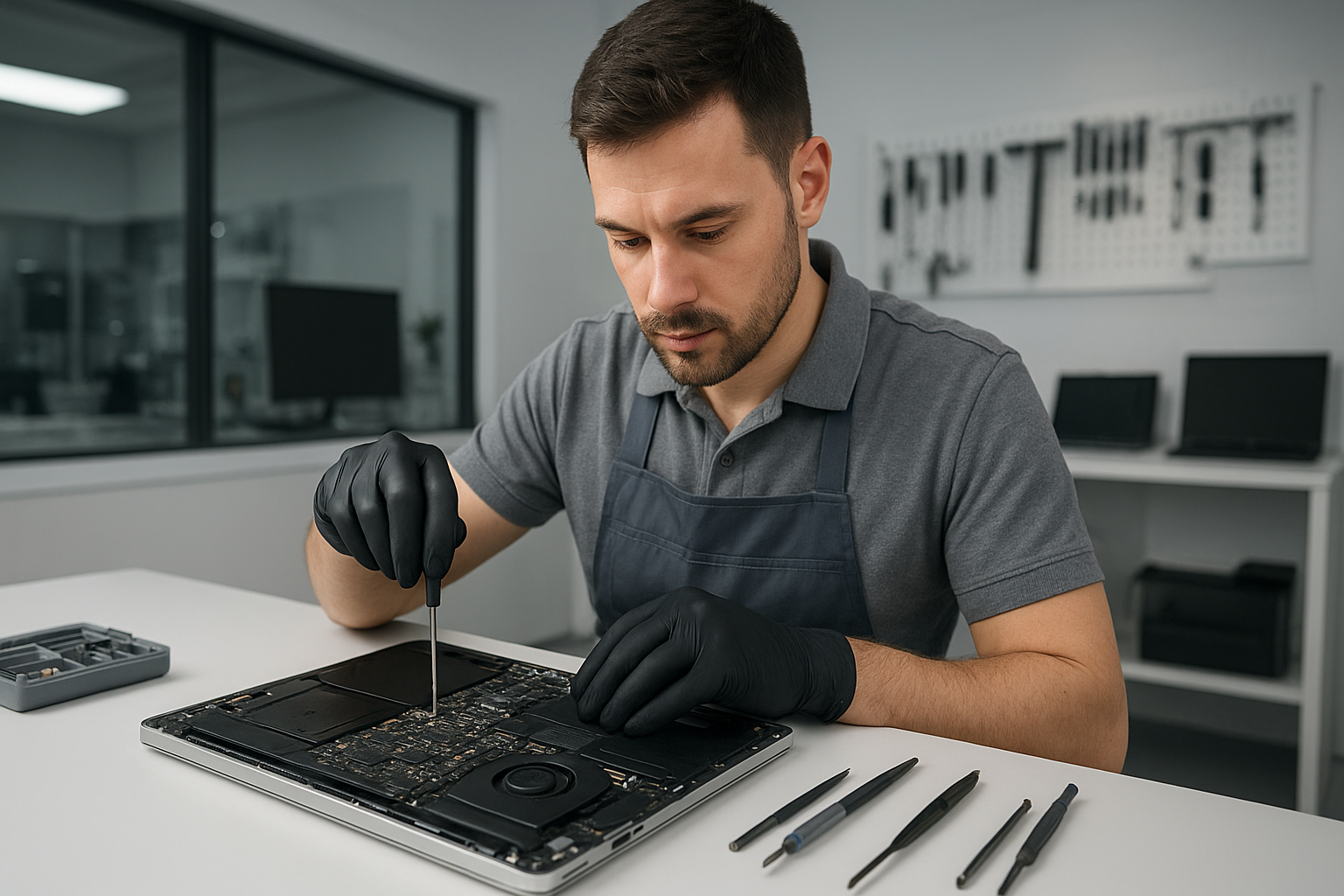
Laptop screen replacement Coquitlam

If your laptop displays cracks, vertical lines, flicker, or a black screen after a drop, Laptop screen replacement Coquitlam services at Moe Repair can help. I diagnose display problems daily and guide Coquitlam customers through realistic repair options. This article explains symptoms, tests I run, repair steps, costs, and an example repair from a nearby customer.

Common screen damage and symptoms

Customers bring laptops with a range of visible and functional symptoms: a cracked glass layer, vertical or horizontal lines, dim backlight, dead pixels, OLED burn, or a complete black display while the machine powers on. Some machines show the desktop on an external monitor but not the internal panel. Symptoms often point to one of three areas: the glass/digitizer, the LCD/LED panel, or the display cable and controller board.

Laptop screen replacement Coquitlam: What we fix

At Moe Repair we handle screen replacement across brands: MacBook Air and MacBook Pro displays, Dell XPS and Inspiron panels, HP Pavilion and Envy screens, Lenovo ThinkPad and Legion, ASUS ZenBook, ROG, Acer Aspire and Predator, and Microsoft Surface panels. We also repair touchscreen digitizers, backlight and inverter issues, and replace display cables. For Apple repairs see our MacBook repair in Coquitlam page for model-specific guidance.

How we diagnose a broken laptop screen

Diagnosis begins with a visual inspection for cracks and liquid residue. I power the laptop with an external monitor to separate GPU/system issues from panel faults. Next I test the backlight with a flashlight to spot a dim but functioning panel. I open the bezel to inspect the display cable and connectors for damage or looseness. I run a hardware test and check the system log for kernel or firmware errors. If the machine has liquid damage I recommend a motherboard inspection and possible data recovery in Coquitlam if the drive needs removal.

Repair process: from part sourcing to installation

Once we confirm the fault, I order a compatible replacement panel or digitizer. For many models I use OEM or high-quality OEM-equivalent parts. Repair steps include:

  • Backing up user data when possible and documenting system condition.
  • Removing the battery and disconnecting power to avoid shorts.
  • Carefully removing the bezel, hinge covers, and defective panel.
  • Testing the replacement panel before final assembly to confirm image and backlight.
  • Reassembling and performing a final functional test, including hinge stress tests and color calibration when needed.

We also offer related services like laptop repair in Coquitlam for keyboard replacement, trackpad repair, thermal paste replacement, battery replacement, SSD upgrades, and operating system repair if software issues appear during diagnostics.

Real repair example from Coquitlam

A recent customer from Port Moody brought a 15-inch Dell Inspiron with a spiderweb crack across the glass and intermittent vertical green lines. I started by connecting an external monitor to confirm the GPU and motherboard were working. The external output was clean, which isolated the fault to the panel or cable. After removing the bezel I found a cracked LED panel and a slightly frayed LVDS cable. I ordered a matching Dell 15.6 inch LED panel and replaced both the panel and cable. After installation I validated brightness, color consistency, and hinge alignment. The customer left with a clean display and a receipt documenting parts and warranty.

Costs, parts, and turnaround time

Cost depends on laptop model and part availability. Common consumer laptops often have lower-cost panels, while high-resolution or Retina displays cost more. Typical turnaround for in-stock parts is same-day to 48 hours. For specialist panels like some MacBook Pro Retina displays, sourcing may take longer. I always provide a written estimate and explain risks, for example if a laptop has prior liquid damage or hidden motherboard faults that could affect the repair outcome.

Preventing future screen damage

Simple habits reduce the risk of repeated damage: use a padded sleeve, avoid forcing the lid at odd angles, and keep liquids away from the keyboard. For laptop gaming rigs, consider a screen protector or a hard-shell case during transport. If you travel often between Burnaby, Vancouver, or New Westminster, check hinges regularly and close the lid gently to protect the display cable and connector.

Frequently Asked Questions

Below are common questions I get from Coquitlam customers.

Q: How long does a laptop screen replacement take?
A: Most standard replacements take 1 to 2 business days if the correct panel is in stock. If we need to order a specific part it can take longer. I provide an ETA when I confirm parts.

Q: Can a cracked glass be repaired without replacing the whole panel?
A: On some non-touchscreen models you can replace just the glass, but on many modern laptops the glass is fused to the LCD or OLED and requires full panel replacement. I will explain options after inspection.

Q: Will replacing the screen erase my data?
A: Screen replacement itself does not erase data. However, we recommend backing up important files before any repair. If the drive is at risk I can remove it for data recovery in Coquitlam or cloning.

Q: Do you offer warranty on the screen replacement?
A: Yes, we provide a parts and labour warranty on most screen replacements. Warranty terms vary by part type; I include details on your repair invoice.

Contact Moe Repair Today

If your laptop needs a screen replacement in Coquitlam or nearby, contact Moe Repair for a free consultation and realistic repair options. Moe Repair offers quick diagnostics, transparent pricing, and same-day fixes when possible. Call 778-951-4872 or email service@moerepair.ca to describe your issue and schedule drop-off or pickup. We serve Coquitlam as well as Port Moody, Port Coquitlam, Burnaby, and New Westminster. Bring your laptop to our shop or arrange a local pickup; we will inspect the unit, show you the faulty components, and review repair choices before starting.

Moe Repair
Phone: 778-951-4872
Email: service@moerepair.ca
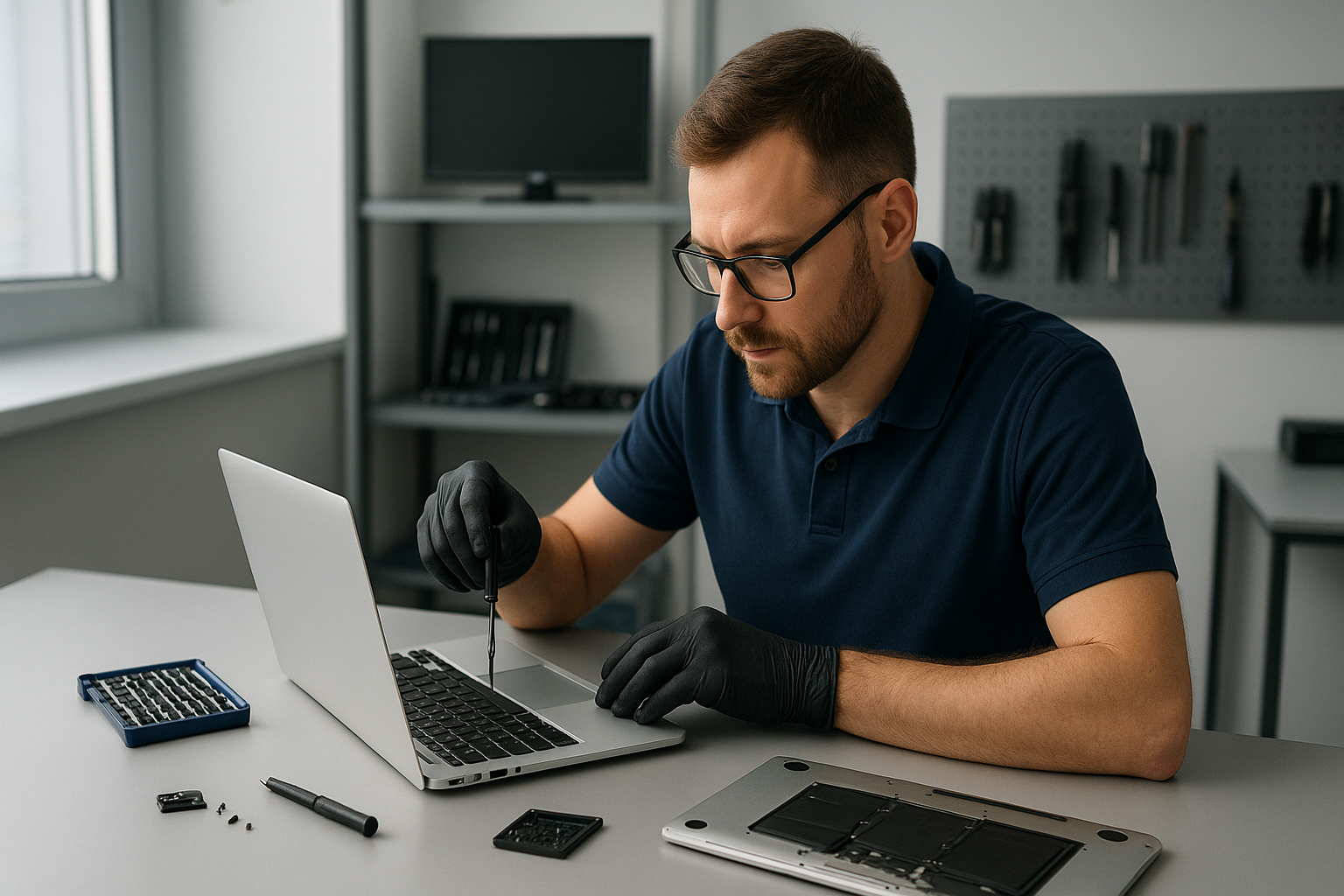
For other needs like motherboard repair, virus removal, SSD upgrades, or printer setup see our computer repair in Coquitlam page or contact us directly through our contact Moe Repair form.