Hi, How Can We Help You?
  • 203-504 Cottonwood Ave, Coquitlam
  • service@moerepair.ca
  • +1 (778) 951-4872

Category Archives: Computer Repair Burnaby

PS5 liquid metal replacement Coquitlam

Professional Console Repair and Maintenance

At Moe Repair in Coquitlam we specialize in full-service gaming console maintenance with a strong focus on thermal management. For over 15 years our certified technicians have diagnosed and repaired thermal-related failures on the PS5 platform—PS5, PS5 Slim and PS5 Pro—as well as Xbox Series X and Xbox Series S. If you’re in Coquitlam or nearby communities like Burnaby, Port Moody, Port Coquitlam, New Westminster or Maple Ridge, we provide fast, reliable work and clear communication.

PS5 Liquid Metal Replacement

Liquid metal replacement is a high-impact repair that directly improves heat transfer between the PS5 CPU/GPU package and the heatsink. Over time, factory thermal paste can dry out or fail, and some units shipped with suboptimal thermal material. Replacing degraded thermal interface material with high-quality liquid metal (applied and secured properly) reduces temperatures, limits thermal throttling, and prevents issues like loud fan noise, random shutdowns and sustained performance drops.

Our liquid metal replacement service includes:

  • Safe disassembly and board-level inspection
  • Complete removal of old thermal paste and residue
  • Non-conductive or properly encapsulated liquid metal selection depending on board layout
  • Reflow-safe application technique and protective coating where required
  • Thermal validation under load and long-duration stress testing

Console Cleaning and Dust Removal

Dust buildup is the primary cause of overheating in gaming consoles. Our PS5 cleaning service includes thorough internal dust removal, fan cleaning, heatsink clearing and vent cleaning to restore proper airflow. We use compressed air, soft brushes and ESD-safe vacuums, followed by visual inspection. Regular maintenance extends console life and keeps fans quieter during gameplay.

Console Overheating Repair

Overheating can manifest as loud fans, thermal throttling, graphical stutter, or sudden shutdowns. We diagnose overheating by:

  • Running thermal logs and stress tests
  • Inspecting airflow paths and cooling components
  • Testing fan bearings and motor currents
  • Checking for warped heatsinks or degraded TIM (thermal interface material)

If the problem is dust or a failing fan, our fan cleaning and replacement services will bring temps back to spec. If the TIM has failed, we recommend a PS5 liquid metal replacement or premium thermal paste depending on the model and board layout.

Signs Your Console Needs Service

Watch for these common signs that your PS5 or other console needs professional service:

  • Loud, persistent fan noise even at low loads
  • Overheating warnings, system slowdown or thermal throttling
  • Random shutdowns or reboots during gameplay
  • Visible dust buildup around vents or on the fan
  • Reduced frame rates and general performance issues

If you notice any of these symptoms in Coquitlam or surrounding areas like Burnaby, Port Moody, Port Coquitlam, New Westminster and Maple Ridge, bring your console in for a diagnostic. Local customers can contact Moe Repair to schedule an appointment.

Why Thermal Management Matters

Modern consoles run powerful CPUs and GPUs that produce significant heat. Proper thermal management keeps components within safe operating temperatures, preserves performance under load, and extends the lifespan of the system. A well-maintained cooling solution prevents fan wear, reduces noise, and mitigates the risk of hardware failure.

Liquid metal is more thermally conductive than standard pastes, but it requires experienced application because of conductivity and surface-wetting properties. At Moe Repair we balance performance gains with long-term reliability by using proven products and protective techniques that suit PS5 motherboard designs.

Gaming Consoles We Service

We routinely service a wide range of consoles with thermal and general repair needs, including:

  • Sony PlayStation 5 (PS5), PS5 Slim and PS5 Pro
  • Microsoft Xbox Series X and Xbox Series S

Whether it’s a disc drive issue, network-related problem, or thermal repair like liquid metal replacement, fan cleaning and dust removal, our technicians have the skills and parts to complete the work efficiently.

Why Choose Moe Repair

Moe Repair is a local, experienced repair shop in Coquitlam focused on transparent diagnostics, careful workmanship and effective thermal solutions. Our advantages:

  • 15+ years of gaming console and electronics repair experience
  • Specialized expertise in PS5 thermal management and liquid metal work
  • Thorough testing and conservative, documented procedures
  • Fast turnaround for customers in Coquitlam, Burnaby, Port Moody, Port Coquitlam, New Westminster and Maple Ridge
  • Clear pricing and repair history for warranty and resale purposes

We also offer related services like computer repair in Coquitlam, laptop repair in Coquitlam, and MacBook repair in Coquitlam—so you can consolidate multiple device needs under one trusted provider.

Real Repair Example

Customer report: A PS5 Slim from a home in Coquitlam arrived with loud fan noise, intermittent shutdowns during heavy games and visible dust around vents. The owner also noticed lower frame rates in demanding titles.

Diagnostic process:

  • Documented initial behavior and performed baseline temperature logging under idle and load.
  • Opened the unit in an ESD-safe environment and inspected the fan assembly, intake/exhaust vents and heatsink. Found substantial dust and dried thermal paste on the CPU/GPU contact area.
  • Tested the fan motor under bench power—bearing noise indicated imminent failure.

Repair steps:

  • Removed and replaced the failing fan with a matched OEM-quality replacement.
  • Thoroughly cleaned all air channels, the heat exchanger, and the internal chassis to remove dust buildup and particulate that restricted airflow.
  • Safely removed old TIM and inspected the die and cold plate. Applied a high-grade liquid metal compound using protective sealing on adjacent components to prevent conductivity concerns.
  • Reassembled the console, performed stress testing for extended runtime and measured thermal results.

Outcome: After service the PS5 Slim ran 8–12°C cooler under load, fan noise dropped to a mild audible level only under peak loads, and the random shutdowns were resolved. The customer returned to stable frame rates and reported improved performance in multiplayer sessions. We provided preventative recommendations for future maintenance to keep the console in top condition.

Frequently Asked Questions

Is liquid metal safe for my PS5?

When applied by a trained technician, liquid metal is safe and effective. Its higher thermal conductivity offers meaningful temperature reductions. At Moe Repair we take precautions—protecting nearby components and choosing appropriate sealing—to prevent any electrical risk.

How often should I have my PS5 cleaned?

For typical household use, we recommend a professional internal cleaning every 12–18 months. If your environment is dusty or you have pets, consider cleaning every 6–12 months.

Will liquid metal void my warranty?

Altering the thermal solution can affect manufacturer warranty terms. We advise customers about warranty implications before performing liquid metal replacement and provide detailed service documentation for warranty discussions.

Do you service consoles from outside Coquitlam?

Yes. While we focus on Coquitlam, we routinely help customers from Burnaby, Port Moody, Port Coquitlam, New Westminster and Maple Ridge. Local drop-off and mail-in options are available—please contact Moe Repair to arrange service.

How long does a liquid metal replacement take?

Typical turnaround is 1–3 business days depending on parts availability and diagnostic requirements. Complex cases requiring board-level repairs may take longer; we’ll provide an estimated timeline during intake.

Contact Moe Repair Today

Moe Repair
778-951-4872
service@moerepair.ca

If your PS5 is running hot, making loud fan noise, or shutting down unexpectedly in Coquitlam or nearby communities, call or email us to schedule a diagnostic. We also handle related repairs and maintenance including fan cleaning, dust removal, and broader thermal management solutions to keep your console running at peak performance.

contact Moe Repair

Laptop screen replacement Coquitlam: Fast, local screen repair

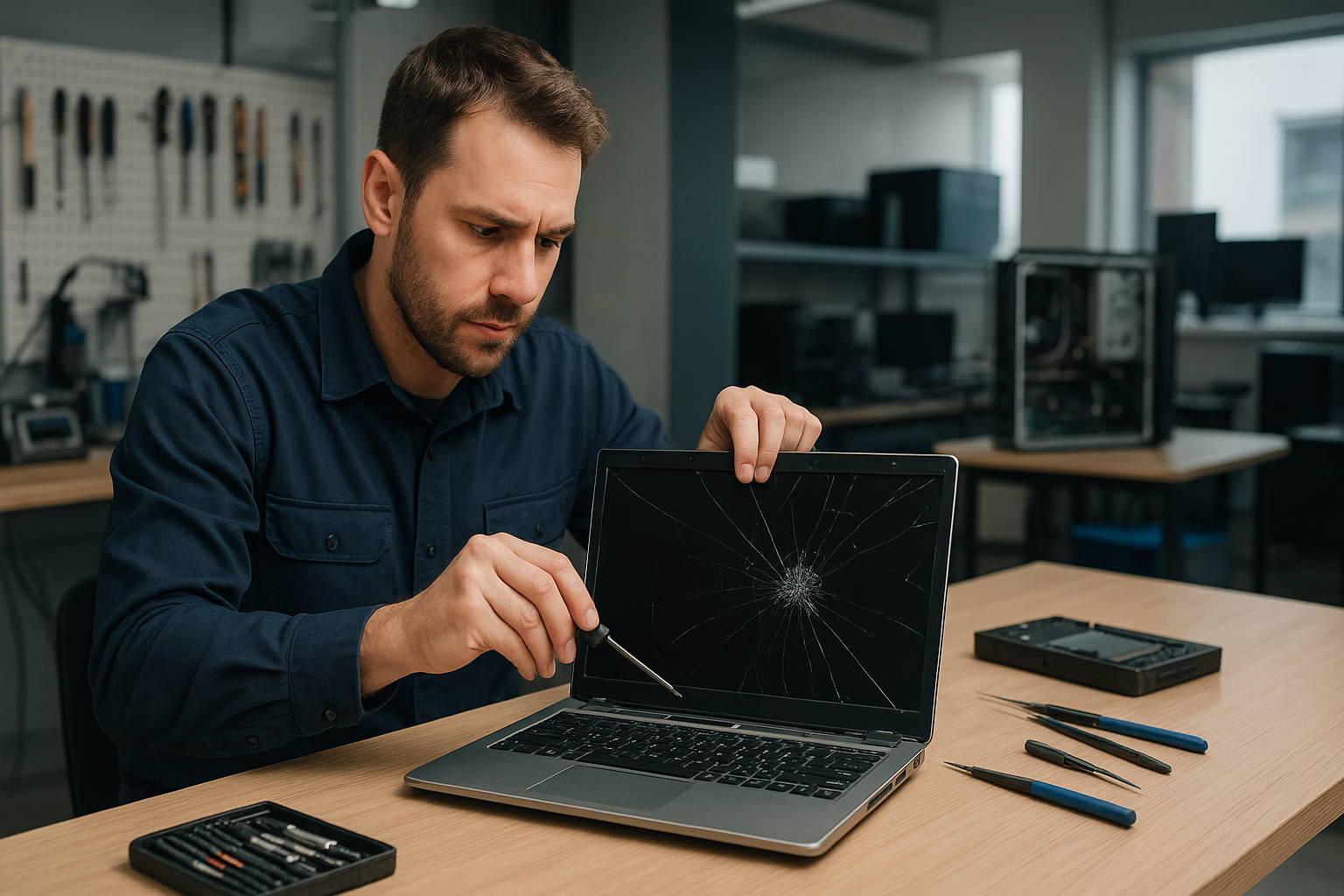
If you are searching for Laptop screen replacement Coquitlam, you want a technician who diagnoses accurately and uses quality parts. I have over 15 years repairing laptops across Coquitlam and nearby cities. I will explain common symptoms, how I diagnose problems, real repair steps, and what to expect from a repair at Moe Repair.

Common symptoms that mean you need a screen replacement

Most customers describe visible problems before they come into the shop. Typical symptoms include:

  • Cracks or spiderweb damage on the glass
  • Vertical or horizontal lines across the display
  • Black spots or sections of the screen that do not light up
  • Flickering, dimming, or backlight failure
  • Touchscreen unresponsive or erratic behaviour on Surface and touchscreen laptops

Some issues that look like screen problems are actually GPU or motherboard related. If you also see artifacts on an external monitor, the issue could be the graphics chip rather than the panel.

How we diagnose a laptop screen problem

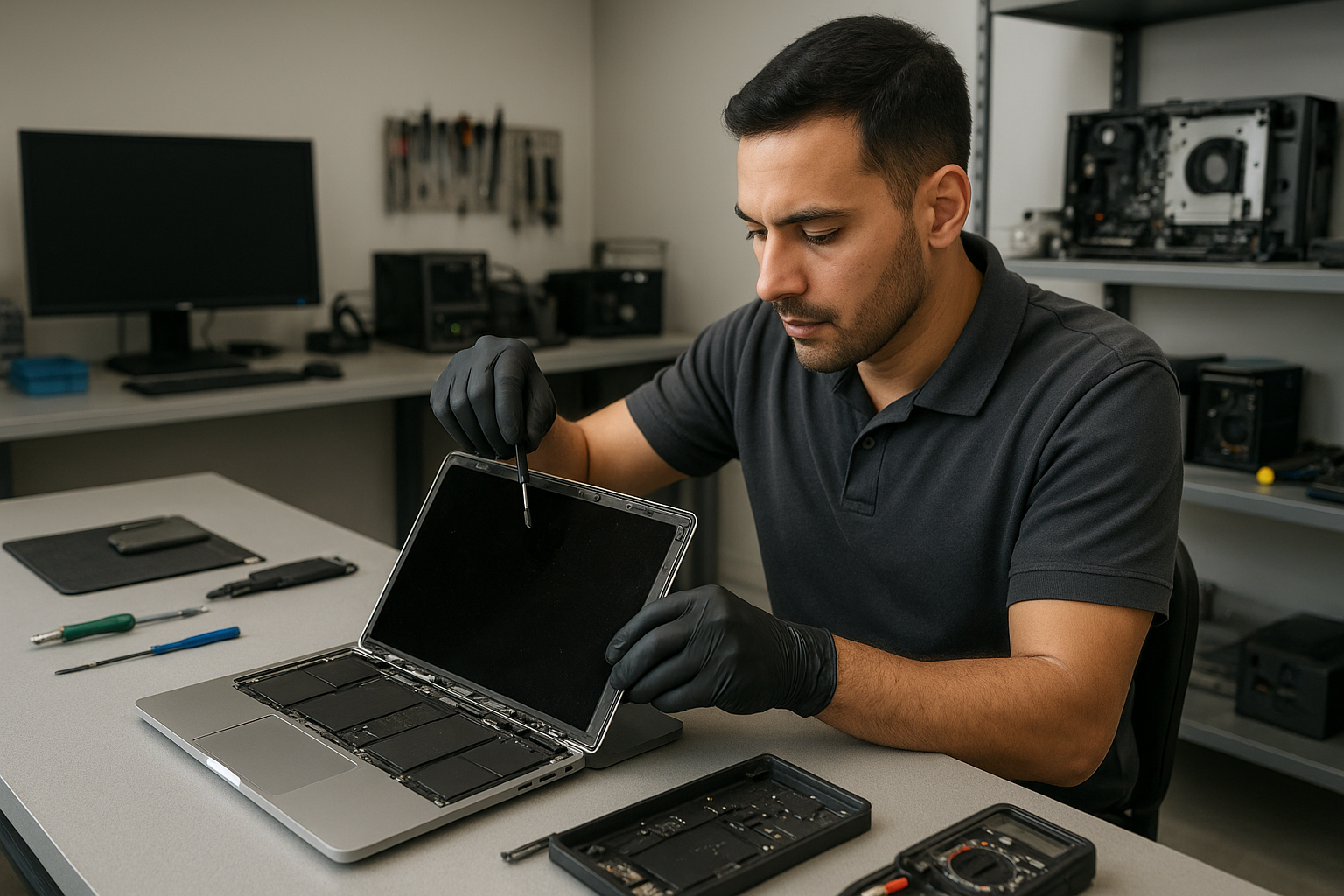
At Moe Repair I follow a clear diagnostic path. First I check the physical condition of the lid, hinges, and bezel. Then I connect the laptop to an external monitor to separate panel issues from GPU or cable faults. Next I open the laptop to inspect the LVDS/eDP cable and inverter (on older models), look for liquid residue, and test the backlight circuit under load.

Diagnostic tests typically include booting to BIOS, running stress on the display, and swapping in a known-good cable or panel when available. If the laptop shows the same issue on an external display, I investigate motherboard and GPU components. For Macs I check the display assembly connectors and SMC/PRAM settings where relevant. You can learn more about related services like laptop repair in Coquitlam and computer repair in Coquitlam on our service pages.

Common repair procedures and what I do

Repair steps depend on the diagnosis. Typical procedures include:

  • Replacing the LCD/LED panel and reassembling the bezel
  • Replacing the inverter or LED driver on older screens
  • Replacing or reseating the display cable and testing hinges for damage
  • Replacing the entire screen assembly on MacBook Air and MacBook Pro models
  • Repairing motherboard display circuits if the panel and cable test good

We stock common panels for Dell Inspiron, XPS, HP Pavilion and Envy, Lenovo ThinkPad and IdeaPad, ASUS ZenBook and ROG, Acer Aspire and Nitro, and Apple MacBook Air and MacBook Pro parts. For Surface devices we test digitizers and connectors before recommending a full assembly replacement.

Why choose Moe Repair for Laptop screen replacement Coquitlam

As a senior technician I do more than replace parts. I check for secondary damage like bent lids, damaged hinges, or liquid intrusion. I document the condition with photos and explain options before any work starts. We use tested replacement panels and offer honest timelines. For MacBook repairs you can also view our MacBook repair in Coquitlam details.

Real repair example from a local customer

A recent customer from Port Moody brought a 2017 Lenovo Yoga with a cracked corner and vertical green lines. I started by connecting an external monitor; the output was clean so the GPU was OK. Opening the laptop revealed a torn eDP cable and a cracked internal panel. I sourced a correct replacement panel and a reinforced cable, replaced the display assembly, tested the hinge alignment and backlight, and ran a 2-hour stress test. The screen returned to full brightness and touch response. The customer left satisfied and I recommended a protective sleeve to reduce future damage.

Pricing, parts source, and turnaround time

Costs vary by model and whether we replace just the LCD, the digitizer, or the entire assembly. Typical same-day repairs for common Windows laptops can be completed in 2-4 hours if the part is in stock. MacBook assemblies often take 1-2 business days. We use OEM or high-grade compatible panels and provide a parts warranty. If data is a concern, we also offer data recovery in Coquitlam and SSD upgrades while your laptop is in for repair.

How to protect your laptop screen after repair

Simple habits extend screen life: use a padded sleeve for transport, avoid dropping the lid against hard surfaces, clean with a microfiber cloth and isopropyl-based cleaner, and fix loose hinges promptly. If you experience battery swelling, stop using the laptop and bring it in; swelling can press on the screen and cause damage. We also provide battery replacement and thermal paste replacement when needed.

Frequently asked questions

Below are common questions I hear from Coquitlam customers. If your question is not listed, please contact Moe Repair.

How long does a typical screen replacement take?

Most standard laptop screen replacements at Moe Repair take 2 to 4 hours when the correct part is in stock. MacBook assemblies may take longer due to availability.

Can a cracked screen be repaired or does it always need full replacement?

Cracked glass usually requires a full panel or assembly replacement because many modern displays are fused. I inspect the digitizer and internal glass to recommend the right option.

Do you offer warranties on screen replacements?

Yes, we offer a parts and labour warranty on screen replacements. Warranty length depends on the part source. We provide details before starting any work.

Will replacing the screen fix touch issues?

If the touchscreen digitizer is damaged, replacing the panel or digitizer assembly typically restores touch. I test touch functionality before and after the repair.

What if the laptop has liquid damage and a broken screen?

Liquid damage complicates repairs. I clean corrosion, test connectors, and repair or replace damaged components. If data is critical, we can also perform data recovery in Coquitlam.

Contact Moe Repair Today

Moe Repair offers a free consultation for Laptop screen replacement Coquitlam and nearby areas like Burnaby, Port Moody, Port Coquitlam, and New Westminster. Call Moe Repair at 778-951-4872 or email service@moerepair.ca to describe the symptoms and get a time estimate. We provide honest diagnostics, cost estimates, and payment options. If you prefer, bring your laptop to our Coquitlam shop or request a drop-off appointment. Free consultation available and we can advise whether a screen replacement, cable repair, or motherboard service is the best next step.

Contact details: Moe Repair, Phone: 778-951-4872, Email: service@moerepair.ca.

PS5 cleaning service Coquitlam

Professional Console Repair and Maintenance

At Moe Repair in Coquitlam we specialise in comprehensive gaming console maintenance and repair. With over 15 years of hands-on experience servicing consoles, laptops, and desktops, our technicians diagnose and fix performance issues caused by dust buildup, failing fans, poor thermal management, and liquid metal degradation. We service PS5, PS5 Slim, PS5 Pro as well as Xbox Series X and Xbox Series S models for homes and gamers across Coquitlam, Burnaby, Port Moody, Port Coquitlam, New Westminster and Maple Ridge.

PS5 Liquid Metal Replacement

Many PS5 overheating problems trace back to the thermal interface material between the SoC and heatsink. Sony used high-performance thermal solutions, but over time and with heavy use, thermal paste or liquid metal can degrade, dry out, or migrate. We offer professional PS5 liquid metal replacement, where we carefully clean the old material, inspect the die and heatsink, and apply a high-quality liquid metal compound where appropriate. We only use products and application methods that ensure long-term thermal stability and avoid short circuits by protecting nearby components. Liquid metal replacement is commonly recommended for high-use units like PS5 Pro or heavily modded setups and can significantly reduce temperatures and fan noise when done correctly.

Console Cleaning and Dust Removal

Dust is the number-one enemy of consoles. Dust buildup inside the PS5 or PS5 Slim blocks airflow, insulates heat-generating components, and causes the fan to work harder. Our PS5 cleaning service in Coquitlam includes:

  • Safe disassembly of the console chassis and shields
  • Compressed air and vacuum-assisted dust removal from vents and internal fins
  • Deep cleaning of heat sinks and fan housings
  • Fan bearing inspection and lubrication or replacement if needed
  • Reassembly and testing for stability and noise

We also offer preventive maintenance packages for customers in nearby communities such as Burnaby, Port Moody, Port Coquitlam, New Westminster and Maple Ridge. Regular cleaning extends the life of your PS5, PS5 Slim, PS5 Pro and reduces the likelihood of random shutdowns and throttling.

Console Overheating Repair

Overheating manifests as loud fan noise, thermal throttling, poor performance in games, and sometimes unexpected shutdowns. Our overheating repair process begins with a detailed diagnostic to determine whether the issue stems from dust, a failing fan, degraded thermal paste/liquid metal, or hardware faults on the board.

Common steps in overheating repair:

  • Full diagnostic to capture temperature logs and fan RPMs
  • Internal cleaning and dust removal
  • Fan cleaning, testing, and replacement if necessary
  • Thermal interface inspection and liquid metal replacement when needed
  • Firmware checks and stress-testing post-repair

Real Repair Example

A customer in Coquitlam brought in a PS5 Pro exhibiting loud fan noise, frequent thermal throttling, and two random shutdowns during extended play sessions. We began with a diagnostic that confirmed sustained high CPU/GPU temperatures and erratic fan RPM behavior. Upon disassembly we found heavy dust accumulation on the heatsink fins and a partially dried thermal interface compound around the SoC. The fan bearings showed increased friction due to dust ingress.

Repair steps taken: we performed a complete dust removal using precision vacuums and brushes, replaced the fan (faulty bearings), cleaned the heatsink and surrounding components, and replaced the degraded thermal compound with a controlled liquid metal application after masking nearby SMD components. After reassembly we stress-tested the console for several hours; temperatures dropped by an average of 12–18°C under load, fan noise reduced substantially, and the random shutdowns were resolved. The client reported improved frame stability and quieter operation during extended sessions.

Signs Your Console Needs Service

Watch for these symptoms — they’re common indicators that your PS5 or other consoles need professional maintenance:

  • Loud, high-pitched fan noise or rapidly fluctuating fan speed
  • Overheating warnings, thermal throttling, or reduced performance
  • Random shutdowns, freezes, or unexpected reboots
  • Visible dust around vents or under the console casing
  • Persistent loud hums or grinding noises indicating fan wear

If you live in Coquitlam, Burnaby, Port Moody, Port Coquitlam, New Westminster or Maple Ridge and notice any of these issues, bring your console in for a full inspection before the damage becomes permanent.

Why Thermal Management Matters

Good thermal management directly impacts performance and longevity. Consoles like the PS5, PS5 Slim and PS5 Pro are compact and produce significant heat under load. If heat isn’t managed through clean airflow, functioning fans, and effective thermal interface materials, components will throttle to protect themselves — causing frame drops, stuttering, and shortened hardware lifespan. Properly applied liquid metal or high-grade thermal compounds reduce junction temperatures and stabilize clock speeds during gaming marathons.

Gaming Consoles We Service

We specialise in a wide range of consoles and models. Our common service list includes:

  • PS5, PS5 Slim, PS5 Pro — fan cleaning, dust removal, liquid metal replacement, overheating repair
  • Xbox Series X, Xbox Series S — internal cleaning, fan replacement, thermal inspections
  • Older consoles — targeted cleaning and component repairs

In addition to consoles, our shop in Coquitlam also provides electronics and computer services. For related issues check our pages for computer repair in Coquitlam, laptop repair in Coquitlam, and MacBook repair in Coquitlam.

Why Choose Moe Repair

Moe Repair brings experienced technicians, transparent diagnostics, and a customer-first approach. We use industry-standard tools and quality thermal materials. When you bring a PS5 to our Coquitlam shop you get:

  • Experienced technicians with more than 15 years in console and electronics repair
  • Detailed diagnostics and clear explanations before any work is performed
  • Fast turnaround on common services like fan cleaning and dust removal
  • Thorough testing after repairs to ensure sustained performance
  • Local convenience for Coquitlam and nearby municipalities: Burnaby, Port Moody, Port Coquitlam, New Westminster, and Maple Ridge

Frequently Asked Questions

How often should I have my PS5 cleaned?

For typical home use in average dust conditions, a professional internal cleaning every 12–18 months is a good rule of thumb. If you game in a dusty environment, have pets, or run long sessions regularly, consider cleaning every 6–12 months.

Is liquid metal replacement safe for my PS5?

When performed by a qualified technician, liquid metal replacement is safe and effective. It requires careful masking of nearby components, correct application, and experience. At Moe Repair we follow best practices to prevent migration and ensure electrical safety.

Will cleaning my PS5 void the warranty?

Opening your console may affect manufacturer warranty status. If your console is under warranty, check Sony’s terms first. We can provide non-invasive cleaning advice, and if you choose to proceed with internal service, we provide documentation of work done. Many customers with out-of-warranty units choose our professional service to restore thermal performance.

Can you fix random shutdowns and performance drops?

Yes. Random shutdowns and performance drops are often tied to overheating, dust buildup, or failing fans. Our diagnostic and repair process targets those root causes—cleaning, fan replacement, thermal reapplication, and stress-testing to confirm the fix.

Do you service Xbox Series X and Series S?

Yes. We service Xbox Series X and Xbox Series S for fan cleaning, dust removal, thermal issues, and other hardware repairs. Our processes are model-specific and aimed at restoring quiet, stable performance.

Contact Moe Repair Today

Moe Repair

778-951-4872

service@moerepair.ca

Need an appointment or have questions about PS5 cleaning service Coquitlam? Visit our contact Moe Repair page or call us to schedule a diagnostic. We serve Coquitlam and surrounding communities including Burnaby, Port Moody, Port Coquitlam, New Westminster and Maple Ridge.

Laptop screen replacement Coquitlam

Laptop screen replacement Coquitlam is a common request at Moe Repair. If your display has cracks, vertical lines, a black panel, or the touch layer has stopped responding, you should get a professional diagnostic before ordering parts. I’m a senior technician with over 15 years repairing screens on MacBook Air, MacBook Pro, Dell XPS, HP Envy, Lenovo ThinkPad, and Microsoft Surface models.

Signs you need Laptop screen replacement Coquitlam

Common symptoms include visible cracks, a backlight that flickers, dead pixels, color banding, vertical or horizontal lines, a completely black screen with audio still playing, and a touchscreen that no longer registers taps. Liquid residue under the glass or a lifting bezel are also red flags. If you see these, bring the laptop to Moe Repair for testing; many issues can look like screen faults but come from the cable or motherboard.

How we diagnose screen problems

Diagnosis starts with a visual inspection and repeatable symptom test. I test the unit with an external monitor to determine whether the GPU or the screen is at fault. Next steps include checking the display cable connection at the hinge, inspecting for corrosion from liquid damage, and running a backlight test. I use a multimeter to check power rails and, when necessary, a replacement flicker-free panel to confirm the fault before ordering parts.

Tools and quick tests

  • External monitor test to isolate GPU issues.
  • Reseat display connector to check for intermittent contact.
  • Backlight and inverter testing on older models.
  • Multimeter checks on LVDS/eDP power rails.

Common repair procedures and parts

Typical repairs include replacing the LCD/LED panel assembly, swapping the digitizer on touchscreen models, or replacing just the outer glass for some MacBook and Dell models. On older laptops with CCFL backlights we may need an inverter. For many repairs we offer OEM panels or high-quality aftermarket assemblies depending on budget. We also provide related services like laptop repair in Coquitlam, battery replacement, SSD upgrades, and motherboard repair if the problem extends beyond the screen.

Real repair example from a Coquitlam customer

A recent customer from Coquitlam brought in a 15-inch Dell Inspiron with a shattered glass and intermittent vertical green lines. I photographed the damage, powered on the laptop, and connected an external monitor. The external display was normal which indicated a panel or cable issue rather than the GPU. I removed the bezel, reseated the eDP cable, and tested again; the lines persisted. I ordered an OEM replacement panel, installed it, and tested brightness levels and color calibration. The repair restored full display function and the customer left satisfied. I documented the steps and provided care tips to avoid pressure on the lid.

What to expect during repair and pricing

When you bring a laptop to Moe Repair we provide a written estimate after diagnosis. Typical turnaround is same-day to two business days if the part is in stock. Repair times vary by model: many 13-inch and 15-inch laptops are quick, while MacBook Pro Retina and Surface assemblies take longer due to adhesive and calibration. We do not mark up OEM part model numbers and we explain aftermarket options. If additional services are needed, like data recovery or motherboard repair, we will discuss them with you before starting work. For general computer needs see our computer repair in Coquitlam page.

Preventing future screen damage

Practical advice: use a padded sleeve, avoid placing heavy objects on top of the laptop, close the lid gently, and keep liquids away from the keyboard. For touchscreen laptops, use a tempered glass protector. If you travel frequently, consider a hard-shell case. If you suspect liquid exposure, power off immediately and bring the laptop in for liquid damage repair and cleaning to prevent corrosion to the display connector or motherboard.

Frequently Asked Questions

How long does a laptop screen replacement take?

After diagnosis, most screen replacements at Moe Repair take from one to three business days depending on part availability and model complexity.

Can you replace a cracked MacBook screen?

Yes. We perform MacBook screen replacement and careful adhesive removal for Retina models. See our MacBook repair in Coquitlam information for specifics.

Will replacing the screen fix vertical lines?

Vertical lines are often caused by a damaged panel or a failing display cable. We always test with an external monitor first to confirm. If lines remain on the external monitor the issue may be the GPU or motherboard.

Do I need to backup data before repair?

You should. We recommend backing up important files. If you need help we provide data recovery in Coquitlam and backup services prior to major repairs.

Do you use OEM parts?

We offer OEM panels where available and high-quality aftermarket options. We explain the difference and warranty coverage during the estimate.

Contact Moe Repair Today

Moe Repair has been fixing laptop screens across Coquitlam, Port Moody, Port Coquitlam, and Burnaby for over 15 years. Call 778-951-4872 or email service@moerepair.ca for a free consultation to assess your broken screen and discuss OEM versus aftermarket options. Walk-ins are welcome and we can often combine screen replacement with a battery replacement, SSD upgrade, or motherboard inspection while you wait. For appointments use our contact Moe Repair page. We provide honest diagnostics and clear pricing for every repair.

We serve local customers throughout Coquitlam and nearby cities including Burnaby and New Westminster. For other laptop concerns such as Wi-Fi troubleshooting, blue screen repair, virus removal, or keyboard replacement, bring the device to our shop or ask about mobile pickup options.

Moe Repair
Phone: 778-951-4872
Email: service@moerepair.ca

Xbox Series X thermal paste replacement Coquitlam

Professional Console Repair and Maintenance

At Moe Repair in Coquitlam we specialize in precision thermal services for gaming consoles. If your Xbox Series X is showing signs of overheating, loud fan noise, random shutdowns, or performance issues, a professional thermal paste replacement can restore stability and extend its lifespan. With over 15 years of experience repairing consoles and computers, our technicians provide thorough diagnostics, careful disassembly, and tested thermal management solutions for Xbox Series X, Xbox Series S, PS5, PS5 Slim, and PS5 Pro systems.

PS5 Liquid Metal Replacement

While this page focuses on Xbox Series X thermal paste replacement Coquitlam, we also offer PS5 liquid metal replacement and inspection services. Many PS5 models benefit from a liquid metal reapplication to improve heat transfer between the SoC and heat spreader, especially on performance-orientated PS5 Pro or older units with degraded contact. Our process includes cleaning old thermal materials, inspecting for corrosion or residue, and applying industry-grade liquid metal where appropriate with secure, safe mounting to prevent any electrical contact.

Console Cleaning and Dust Removal

Dust buildup is one of the most common causes of loud fan noise and overheating in both Xbox Series X and PS5 consoles. At Moe Repair we provide comprehensive console cleaning and dust removal services for Coquitlam residents and gamers from Burnaby, Port Moody, Port Coquitlam, New Westminster, and Maple Ridge. Our cleaning service includes:

  • Safe disassembly and vacuuming of dust from fan blades, heatsinks, and ventilation channels
  • Compressed-air and brush cleaning of delicate components
  • Full chassis cleaning to prevent recurring dust accumulation
  • Fan cleaning and bearing inspection to address loud fan noise

Combining dust removal with thermal paste or liquid metal replacement improves thermal management and reduces the likelihood of random shutdowns and temperature-throttling performance issues.

Console Overheating Repair

Overheating can present as sudden shutdowns, graphical stuttering, frame drops, and system instability. Our overheating repair workflow starts with diagnostics to measure operating temperatures and fan behavior, followed by targeted repairs such as:

  • Thermal paste replacement on CPUs and GPUs (including Xbox Series X thermal paste replacement)
  • PS5 liquid metal assessment and replacement when appropriate
  • Fan cleaning, replacement, or bearing lubrication
  • Heatsink re-seating and thermal pad replacement

We document temperatures before and after service so you can see the measurable improvements in thermal management and performance.

Signs Your Console Needs Service

Watch for these common signs that your Xbox Series X or PS5 needs professional attention:

  • Persistent loud fan noise even in low-load situations
  • Overheating alerts or hot chassis temperatures during gameplay
  • Random shutdowns or reboots under load
  • Disc drive issues or reduced performance
  • Visible dust buildup in vents or on external surfaces

If you’re in Coquitlam, Burnaby, Port Moody, Port Coquitlam, New Westminster or Maple Ridge and notice any of the above, bring your console to Moe Repair for a fast diagnostic. We also support owners of Xbox Series S and the full PS5 family (PS5, PS5 Slim, PS5 Pro).

Why Thermal Management Matters

Thermal management is critical to both performance and longevity. Over time thermal paste dries out, and dust accumulates in heatsinks and fans, reducing heat transfer efficiency. Poor thermal contact leads to higher operating temperatures which cause throttling and potentially permanent component degradation. A proper Xbox Series X thermal paste replacement in Coquitlam improves:

  • Heat transfer between the SoC and heatsink
  • Stable clock speeds and consistent framerates in demanding games
  • Fan curve responsiveness and quieter operation
  • Overall component lifespan and reduced risk of random shutdowns

We use high-quality thermal compounds and approved liquid metal procedures for PS5 devices when recommended, applying thermal solutions with controlled pressure and curing checks to ensure reliable long-term performance.

Gaming Consoles We Service

Our shop provides repairs and maintenance for a broad range of gaming hardware including:

  • Xbox Series X — full thermal paste replacement, fan cleaning, and diagnostics
  • Xbox Series S — thermal and cleaning services for compact designs
  • PlayStation 5, PS5 Slim, PS5 Pro — including PS5 liquid metal replacement and advanced cleaning
  • Older Xbox One and PlayStation models — cleaning and thermal inspections

Whether it’s an Xbox Series X in need of a new thermal compound or a PS5 Pro that requires liquid metal service, our technicians have the tools and experience to complete the job quickly and safely.

Why Choose Moe Repair

Moe Repair has been serving Coquitlam gamers and surrounding communities for over 15 years. We combine technical expertise with practical local knowledge — understanding how dust from urban and suburban homes in Coquitlam, Burnaby, Port Moody, Port Coquitlam, New Westminster and Maple Ridge affects console cooling. Our benefits include:

Your console is an investment — proper maintenance prevents costly failures and preserves gaming performance. If you’d like to schedule a service or ask a question, please contact Moe Repair.

Frequently Asked Questions

How long does an Xbox Series X thermal paste replacement take?

Typical service time is 1-3 business days depending on queue and whether additional parts or fan replacements are needed. Diagnostics and temperature logging are included to confirm improvements.

Is liquid metal safe for PS5, and do you offer it?

Yes, we offer PS5 liquid metal replacement where appropriate. Our technicians take precautions to prevent electrical contact and use controlled application methods. We evaluate each console to decide if liquid metal is the best solution based on model and condition.

Will cleaning the fan fix loud fan noise?

Often yes. Dust removal and bearing inspection frequently resolve loud fan noise. If the fan is damaged or bearings are worn, we recommend replacing the fan to restore quiet operation.

Can thermal paste replacement prevent random shutdowns?

In many cases thermal paste replacement reduces overheating-related random shutdowns by improving heat transfer. If shutdowns are caused by other hardware issues, diagnostics will identify the root cause.

Do you service consoles from Burnaby and surrounding areas?

Absolutely. We serve Coquitlam and nearby communities including Burnaby, Port Moody, Port Coquitlam, New Westminster and Maple Ridge. Contact us to arrange drop-off or to discuss mail-in options.

Real Repair Example

Real case: A Coquitlam customer brought in a PS5 (standard model) experiencing frequent overheating during extended play sessions and sudden shutdowns after 45–60 minutes. Initial diagnostics showed high idle fan speeds and SoC temperatures exceeding safe thresholds under load. We performed the following steps:

  1. Detailed visual inspection revealed heavy dust buildup on the heatsink and a layer of compacted dust around the fan intake.
  2. Disassembly and safe cleaning: removed dust using a mix of low-pressure vacuuming and soft brush cleaning to clear heatsink fins and fan blades.
  3. Thermal materials: removed old thermal paste and inspected the contact surfaces for residue and oxidation. As temperatures were still elevated on test runs, we recommended a liquid metal reapplication due to the PS5’s thermal architecture.
  4. Liquid metal inspection and application: carefully prepared mating surfaces, applied a thin, controlled amount of liquid metal compound on the SoC, and reassembled with correct torque on mounting screws to ensure even pressure.
  5. Final testing: ran stress tests and thermal logging. Temperatures dropped by an average of 12–18°C under load, fan speeds lowered significantly, and the previous random shutdowns ceased. The system maintained stable performance during extended play, and the customer reported quieter operation and improved frame stability.

This example demonstrates how dust removal combined with proper thermal interface treatment can return a console to reliable gaming performance.

Contact Moe Repair Today

Moe Repair
778-951-4872
service@moerepair.ca

If you’re in Coquitlam or nearby (Burnaby, Port Moody, Port Coquitlam, New Westminster, Maple Ridge), call us to schedule an Xbox Series X thermal paste replacement or a full console cleaning and diagnostic. For broader device issues, we also provide computer repair in Coquitlam, laptop repair in Coquitlam, and MacBook repair in Coquitlam. Don’t wait until overheating causes permanent damage — contact Moe Repair today.

Laptop screen replacement Coquitlam — Fast, local screen repair

If your laptop shows a black bar, flicker, or a spiderweb crack, Laptop screen replacement Coquitlam is a common, cost-effective fix. I am a senior technician with 15+ years repairing displays across Coquitlam, Port Moody and Burnaby. I will explain symptoms, realistic diagnostics, and the repair steps so you can decide quickly and confidently.

Laptop screen replacement Coquitlam: common causes

Typical causes I see at Moe Repair include physical impact (cracked glass), pressure damage to the LCD, backlight failure, loose display cable, and water damage to the digitizer. Models range from Dell XPS and Inspiron to MacBook Air and MacBook Pro, HP Pavilion, Lenovo ThinkPad, and gaming lines like ASUS ROG and Acer Predator.

How we diagnose a damaged display

Diagnosis starts with a visual inspection of the bezel and hinges. I run these practical tests: connect an external monitor to isolate GPU or motherboard faults, boot to BIOS to check for flicker before drivers load, and gently flex the lid to reproduce intermittent lines. Then I check the eDP/LVDS cable continuity and pins at the hinge, and test the inverter on older CCFL panels. These steps separate computer repair in Coquitlam issues from a panel-only failure.

Real repair procedures I follow

Once I confirm the panel is at fault I identify the exact part by model number. I source OEM or high-quality aftermarket screens, verify backlight and digitizer compatibility, and test a replacement panel before final assembly. Typical repair steps include removing the bezel, disconnecting the panel, swapping the display, securing the connector, and reinstalling the bezel. For touchscreen laptops I also calibrate the digitizer and update display drivers. If hinges or the bezel are damaged, I replace those parts to prevent future stress.

Signs you need a screen replacement now

  • Visible crack or shattered glass across the display
  • Lines, flicker, or washed-out color that persist on an external monitor test
  • Large areas of black or white, or dead pixels forming blocks
  • Unresponsive touchscreen or intermittent display after opening/closing the lid

What to expect for cost and time

Costs vary by model. Replacing a MacBook Pro retina panel is typically higher than a mainstream Dell or HP model. I always quote parts and labor before starting. Most local replacements in Coquitlam take 2 to 3 business days depending on part availability. If you need faster service, ask about express sourcing and same-day options when parts are in stock. For related system issues, we can combine services like laptop repair in Coquitlam or SSD upgrades during the same visit.

Real-world repair example from Coquitlam

A recent customer from Burnaby brought in a Lenovo IdeaPad with a smashed top-right corner and vertical green lines across the screen. I first connected an external monitor — the output was clean, so the GPU and motherboard were OK. I opened the bezel, inspected the eDP cable and hinge for pin damage, and confirmed the LCD assembly had multiple cracks. I ordered a matching replacement panel, received it the next day, and performed the swap. After reassembly I calibrated the display and checked the hinge tension. The laptop returned to full function with normal colors and no flicker. I explained repair options, showed photos of the damaged parts, and provided a written invoice.

When a screen replacement is not the full solution

Sometimes visible damage accompanies other failures. Liquid-damaged laptops often need cleaning, keyboard replacement, or motherboard repair. We recommend backing up data first and can help with data recovery in Coquitlam or a fresh Windows installation if the drive shows issues. When a cracked screen is combined with battery swelling or fan noise, we discuss options like battery replacement or thermal paste replacement while we have the chassis open.

Quality parts and warranty

I use OEM or equivalent-grade panels and test each unit thoroughly before reassembly. Repairs include a limited warranty on parts and labor. For MacBook models, where glass and display are fused, I explain separate costs for the glass/digitizer and the underlying LCD so you can choose.

Preventing future screen damage

Use a padded sleeve, avoid setting heavy items on top of your laptop, and check hinge movement periodically. If you have children or pets, consider a protective keyboard cover to stop impact from below. For mobile workers in Coquitlam, Port Coquitlam, and New Westminster I recommend a hard-case bag when commuting on transit.

Contact Moe Repair Today

Moe Repair offers a free consultation and honest service estimates. Call 778-951-4872 or email service@moerepair.ca to describe symptoms and get a pickup or drop-off appointment. We serve Coquitlam and nearby areas including Port Moody, Port Coquitlam, Burnaby, and New Westminster. Ask about combining services like battery replacement, keyboard replacement, or a computer tune-up to save time and cost.

Why choose Moe Repair for Laptop screen replacement Coquitlam

We combine technician experience, clear diagnostics, and transparent pricing. I document failures with photos, explain repair choices, and only replace parts that are necessary. For complicated motherboard level issues or gaming laptop repairs we coordinate motherboard repair or GPU diagnostics as needed. If you prefer an in-person consultation, visit our shop or start with a phone assessment.

Moe Repair
Phone: 778-951-4872
Email: service@moerepair.ca

For any screen issue — cracked glass, dead pixels, backlight failure, or touchscreen problems — contact us. We also handle MacBook repair in Coquitlam and general computer repair in Coquitlam. If you want to schedule a repair or ask about parts, please contact Moe Repair today.

Frequently Asked Questions

The FAQ below answers common customer concerns about screen replacement, warranties, and timing.

Laptop screen replacement Coquitlam: fast, expert repairs by Moe Repair

Laptop screen replacement Coquitlam customers trust must be built on real diagnostics and skilled repair. If your display is cracked, has vertical lines, or shows no image at all, bring it to Moe Repair for a methodical inspection and honest advice. I will explain symptoms, test the hardware, and recommend the best repair or replacement option.

Why choose Moe Repair for Laptop screen replacement Coquitlam

With over 15 years repairing laptops across Coquitlam and nearby cities, I focus on accurate diagnostics rather than guesswork. We keep parts for popular models like Dell XPS, Inspiron, Lenovo ThinkPad, HP Pavilion, MacBook Air and Pro, and Microsoft Surface. Read more about our general services in computer repair in Coquitlam to see how screen work fits into broader system health.

Common screen symptoms we diagnose

Symptoms that indicate a screen issue include cracked glass, dead pixels, backlight failure (very dim screen), vertical or horizontal lines, flicker, and intermittent blackout under lid movement. Touchscreen issues show as ghost touches or dead zones. If you see black bars, color shifts, or the laptop boots but shows no image, these are key clues. We often pair screen complaints with battery replacement, SSD upgrades, or motherboard repair if the damage affected other components.

Our diagnostic process and realistic procedures

First I verify whether the problem is the panel, the cable, or the GPU. I test with an external monitor to rule out GPU failure. Then I open the bezel to inspect the LCD/eDP or LVDS cable for pin damage and check the connector seating. For older laptops with CCFL backlights I test the inverter; for modern LED panels I measure power rails and backlight supply. I also check for liquid damage or corrosion that could affect the display connector or the motherboard.

Typical repair steps: from parts to calibration

When the panel is at fault I source a compatible replacement panel or full display assembly. Steps include:

  • Documenting the device and part numbers.
  • Backing up important files or recommending data recovery in Coquitlam if storage looks damaged.
  • Removing bezel and disconnecting battery where applicable.
  • Replacing the LCD or display assembly, reseating the cable, and securing the hinge and frame.
  • Running burn-in tests, color calibration and brightness checks.

We also handle touchscreen replacement and glass-only replacement when possible. For Apple devices we follow Apple-compatible procedures and can help with MacBook repair in Coquitlam requests, using genuine or high-quality aftermarket options depending on cost and availability.

Real repair example from Port Moody

A recent customer from Port Moody brought in a Lenovo IdeaPad with a cracked screen and intermittent vertical lines after a drop. I first connected an external monitor and confirmed the GPU was fine. Opening the bezel revealed a torn eDP cable and a cracked IPS panel. I explained options: replace cable only and test, or replace the full assembly for long-term reliability. The customer chose a full display replacement. After installing the new panel and testing hinge tension, the screen showed correct colors and no lines under load. I also ran a quick system tune-up and advised on an SSD upgrade to speed boot times.

Parts, warranty, and compatibility with brands

We source panels for Dell Latitude and XPS, Alienware, HP Envy and Omen, Lenovo ThinkPad and Legion, ASUS ZenBook and ROG, Acer Nitro and Predator, and Apple MacBook Air and Pro models. Where possible we use OEM or high-grade replacements and provide a limited warranty on the part and labor. If a motherboard or GPU fault shows up during diagnostics, we will discuss options like motherboard repair or component-level rework instead of unnecessary panel replacement.

Other services that help after a screen repair

Screen damage sometimes accompanies keyboard replacement, trackpad repair, liquid damage repair, battery replacement, or thermal paste replacement to address heat-related issues. We can also perform a virus removal, Windows installation, or a full computer tune-up. If you need ongoing laptop performance improvements ask about SSD upgrades or gaming PC repair for high-refresh displays.

Frequently asked questions about Laptop screen replacement Coquitlam

Below are common customer questions. You can also book a laptop repair in Coquitlam or contact Moe Repair for specifics about your model.

Q: How long does a screen replacement take?
A: Most replacements take 1 to 3 hours for common models once parts are on hand. If we must order a special panel it can take additional days.

Q: Will replacing the screen delete my data?
A: No. Replacing the screen does not affect the hard drive. We still recommend backups and can help with data recovery if the drive shows issues.

Q: Can you fix a touchscreen without replacing the whole assembly?
A: Sometimes the glass digitizer can be replaced separately, but on many modern ultrabooks the assembly is fused and the entire display must be replaced.

Q: How do you diagnose whether the motherboard or screen is faulty?
A: I use an external monitor to test the GPU, inspect the video cable and connector, and measure power rails. If the external monitor works but the laptop screen does not, the panel or cable is usually the cause.

Contact Moe Repair Today

Moe Repair offers a free consultation to assess your display problem and explain repair options. Call 778-951-4872 or email service@moerepair.ca to describe the symptom and your laptop model. We serve Coquitlam and nearby areas including Port Moody and Burnaby. You can schedule an in-shop appointment or ask about same-day screen replacement for common models. We will give a transparent estimate and recommend repair or replacement based on diagnostics.

For quick help, call now at 778-951-4872, or visit our contact page. Moe Repair aims to return your laptop with a reliable screen and professional follow-up advice.

PS5 cleaning service Coquitlam

Professional Console Repair and Maintenance

At Moe Repair in Coquitlam we specialize in professional console repair and maintenance focused on stopping overheating, reducing loud fan noise, and preventing random shutdowns. With more than 15 years of hands-on experience servicing gaming systems, our certified technicians diagnose thermal management issues and perform careful PS5 fan cleaning, dust removal, and precision repairs. We service players across Coquitlam and surrounding communities including Burnaby, Port Moody, Port Coquitlam, New Westminster, and Maple Ridge.

Whether you own a standard PS5, PS5 Slim, PS5 Pro, or an Xbox Series X / Xbox Series S, our team follows manufacturer-safe procedures and uses high-quality materials. For local inquiries you can always contact Moe Repair or call us for a quick diagnostic.

PS5 Liquid Metal Replacement

Liquid metal replacement is a high-impact thermal upgrade that can dramatically improve heat transfer from the PS5 CPU and GPU to the cooling assembly. Unlike traditional thermal paste, liquid metal (a gallium-based alloy) offers superior thermal conductivity, which lowers operating temperatures and helps control fan speed and acoustic noise.

Important: liquid metal is conductive and must be applied by experienced technicians. At Moe Repair we evaluate each PS5 model—PS5, PS5 Slim, and PS5 Pro—before recommending liquid metal. Our process includes full disassembly, cleaning of the original thermal interface material, careful application of liquid metal with protective isolation of surrounding components, reassembly, and stress testing to ensure stability without shorts or corrosion.

We also inspect thermal pads and heat pipes and replace any damaged components. For consoles still under limited warranty, we discuss trade-offs with the owner before proceeding.

Console Cleaning and Dust Removal

Dust buildup is the most common cause of overheating and loud fan noise. Dust accumulates in vents, on fan blades, over heat sinks, and around airflow channels, restricting cooling and forcing fans to spin faster. Our PS5 cleaning service in Coquitlam includes:

  • Full exterior and interior cleaning using anti-static tools
  • Precision fan cleaning and bearing inspection
  • Compressed-air-safe dust removal of vents and heat sinks
  • Cleaning or replacement of clogged filters and vents
  • Thermal paste or liquid metal refresh if needed

We also offer preventative maintenance plans for gamers in Coquitlam who want to avoid recurring issues. Regular fan cleaning and dust removal can extend console lifespan and improve performance during long sessions.

Console Overheating Repair

When a PS5 shows overheating symptoms we perform a systematic diagnostic workflow: firmware and system checks, temperature logging, fan RPM analysis, and physical inspection for dust or damaged fans. Overheating repairs typically include fan cleaning, replacement of faulty fans, thermal compound replacement, and sometimes liquid metal replacement or thermal pad swaps.

Symptoms we commonly resolve include loud fan noise, thermal throttling (reduced frame rates), random shutdowns, system warnings about temperature, and visible performance issues. Our repair workflow minimizes risk to internal components and verifies thermal stability with prolonged stress tests before returning the console to you.

Signs Your Console Needs Service

  • Loud, high-pitched, or grinding fan noise during play
  • Frequent overheating warnings or automatic shutdowns
  • Reduced performance, stuttering, or frame drops during games
  • Visible dust at vents or unusual heat from the chassis
  • Longer than normal fan spin-up times or fans that don’t spin consistently

If you notice any of these signs in your PS5, PS5 Slim, PS5 Pro, Xbox Series X, or Xbox Series S, bring the unit to our shop in Coquitlam or contact Moe Repair for an assessment. Ignoring early signs of dust buildup and thermal stress can lead to permanent hardware damage.

Why Thermal Management Matters

Proper thermal management keeps your console performing as intended. Heat affects CPU and GPU clock speeds, memory stability, and long-term reliability. When thermal design is compromised (by dust, dried thermal paste, or degraded thermal pads), the system compensates by increasing fan speed and reducing performance to prevent damage. This results in louder operation and a poorer gaming experience.

We focus on restoring airflow, replacing degraded thermal interface material, and optimizing cooling to reduce fan RPM and noise. This includes inspecting fans for worn bearings, aligning heatsinks, and when appropriate, precise liquid metal application to maximize thermal conductivity for high-end units like the PS5 Pro.

Gaming Consoles We Service

Moe Repair provides cleaning and thermal repairs for a wide range of consoles:

  • PS5, PS5 Slim, PS5 Pro — full disassembly for fan service, dust removal, and liquid metal replacement
  • Xbox Series X and Xbox Series S — fan cleaning, thermal paste replacement, and overheating diagnostics
  • Legacy platforms — where parts and repairs are feasible, we provide cleaning and cooling upgrades

We also perform complimentary checks for adjacent devices and can recommend computer repair in Coquitlam, laptop repair in Coquitlam, or MacBook repair in Coquitlam services when systems are used in the same environment and share dust/thermal issues.

Why Choose Moe Repair

Moe Repair is a neighborhood repair shop in Coquitlam with over 15 years of console and electronics experience. We provide:

  • Local expertise for Coquitlam, Burnaby, Port Moody, Port Coquitlam, New Westminster, and Maple Ridge
  • Transparent diagnostics and upfront quotes
  • Safe, warranty-conscious liquid metal application and thermal upgrades
  • Fast turnaround and stress-testing to validate results
  • Friendly customer service and a commitment to preserving your console’s longevity

We understand the importance of your gaming setup—whether you’re competitive or playing casually—and tailor our services to balance performance, safety, and cost.

Real Repair Example

Case: A PS5 owner in Port Moody brought in a PS5 experiencing loud fan noise, frequent pop-up thermal warnings, and occasional random shutdowns after long play sessions. The symptoms suggested restricted airflow and high core temperatures.

Diagnosis: At Moe Repair we recorded temperature logs during a controlled stress test, observed fan RPM spikes, and inspected the internals. The chassis had significant dust buildup around the intake vents, the fan blades were dirty and slightly imbalanced, and the thermal paste had dried and pulled away from the CPU/GPU contact areas. The heat sink surface also had residue from previous inferior paste applications.

Repair: We performed a full disassembly and ultrasonic-safe cleaning of the fan assembly, removed dust from the heat sink fins, and cleaned the motherboard and power delivery areas. After cleaning, we applied a high-quality thermal paste to both chips and replaced worn thermal pads on memory modules. Because the owner requested maximum thermal performance and acceptable risk, we recommended a liquid metal replacement on the CPU/GPU contact area; after explaining the conductive risks and offering a limited service warranty, the owner consented. We isolated surrounding components with non-conductive barriers, applied liquid metal precisely, reassembled, and ran extended thermal and stability tests.

Outcome: Post-repair roofline temperatures dropped by an average of 8–12°C under load, fan RPMs stayed lower and more consistent, loud fan noise was eliminated, and the console no longer experienced random shutdowns. The owner reported noticeably improved frame-rate stability during long sessions and quieter operation overall.

Frequently Asked Questions

How often should I have my PS5 cleaned?

For most households, a professional cleaning every 12–18 months is adequate. Homes with pets or heavy dust may benefit from service every 6–9 months.

Is liquid metal safe for my PS5?

Liquid metal offers superior thermal performance but is conductive and requires an experienced technician to apply it safely. We recommend it on older or high-use consoles where thermal performance is a priority and after discussing warranty implications.

Will cleaning void my manufacturer’s warranty?

Opening a console typically impacts manufacturer warranty. We always inform customers of warranty considerations and provide options. For out-of-warranty units we perform full-service cleaning and upgrades. If your device is under warranty, contact us to discuss non-invasive options or authorized service paths.

How long does a typical cleaning and thermal repair take?

Standard cleaning and diagnostics usually take 1–2 business days. More involved jobs like liquid metal replacement and extended stress testing can take 2–4 business days depending on workload and parts availability.

Do you service other devices besides consoles?

Yes. We offer computer repair, laptop repair, and MacBook repair services in Coquitlam. Check our pages for computer repair in Coquitlam, laptop repair in Coquitlam, and MacBook repair in Coquitlam for details.

Contact Moe Repair Today

Moe Repair

778-951-4872

service@moerepair.ca

For fast service in Coquitlam and nearby areas like Burnaby, Port Moody, Port Coquitlam, New Westminster, and Maple Ridge, contact Moe Repair to schedule a diagnostic or drop off your console. We provide transparent estimates and care for each system as if it were our own.

Laptop screen replacement Coquitlam: Fast Local Repairs by Moe Repair

Laptop screen replacement Coquitlam is one of the most common repairs we perform at Moe Repair. A cracked panel, vertical lines, or a black screen can stop work and study. As a senior technician with over 15 years of hands-on experience, I will explain symptoms, the diagnostic steps we take, and realistic repair options so you can decide with confidence.

Why choose Laptop screen replacement Coquitlam at Moe Repair

We repair every major brand including Dell XPS and Inspiron, HP Pavilion and Envy, Lenovo ThinkPad and Legion, ASUS ZenBook and ROG, Acer Aspire, Microsoft Surface, and Apple MacBook Air and MacBook Pro. Our shop in Coquitlam stocks common OEM and compatible panels to shorten turnaround, and we test every unit after repair. If you need broader services like computer repair in Coquitlam or an SSD upgrade, we can bundle services to save you time.

Common symptoms of a failing laptop screen

  • Cracked glass with visible spiderweb fractures.
  • Vertical or horizontal colored lines across the display.
  • Black or blank screen while the laptop is powered on.
  • Flickering, dimming, or backlight issues.
  • Partial image, ghosting, or pressure-sensitive spots.
  • Touchscreen not responding or erratic touch input.

How we diagnose a broken laptop screen

Diagnosis starts with a visual inspection and functional test. We check external damage, hinge stress, and the bezel for impact signs. Next, we connect an external monitor to separate a GPU or motherboard issue from a panel failure. We inspect the LVDS or eDP cable and connector for bent pins or loose seating. We also test the inverter or backlight circuit on older CCFL panels. If the issue is intermittent, we run stress tests and check for driver conflicts and Windows updates. For MacBooks we perform SMC and PRAM resets as part of the diagnostic process.

Realistic repair procedures we follow

After diagnosing, we present repair choices: replace the front glass only, swap the LCD panel, or replace the full display assembly. Our steps typically include:

  • Backing up your data when the repair could risk components, and offering data recovery in Coquitlam if needed.
  • Ordering the exact replacement panel or OEM-equivalent for your model.
  • Disassembling the lid, testing the cable continuity, and replacing the panel and backlight as required.
  • Reassembling, calibrating the display, and running burn-in and color tests.

Repair example: Port Moody customer with a cracked HP Pavilion screen

A recent customer from Port Moody brought in an HP Pavilion with a cracked upper-right corner and vertical green lines across the display. I started by connecting an external monitor; the external image was clean which pointed to a panel or cable. I removed the bezel and inspected the eDP cable—no damage. I ordered a matching 15.6-inch IPS replacement panel. After installing the new panel and testing brightness and color, the vertical lines were gone and the hinge operated smoothly. The repair took three hours including calibration. I advised the customer about a protective sleeve and offered an SSD upgrade while the laptop was open.

Parts, turnaround, and cost considerations in Coquitlam

Turnaround depends on part availability. For common models like Dell XPS, MacBook Pro, or Lenovo IdeaPad, we often have parts in stock. For rare panels we provide ETA and keep you updated. We do not guarantee every repair but give honest assessments. If a motherboard or inverter is at fault, we explain options including motherboard repair or full display assembly replacement. We also offer extended repair like battery replacement or keyboard replacement when needed.

Preventive tips to protect your laptop screen

Use a padded sleeve, avoid stacking heavy items on top of the laptop, and close the lid gently. Keep liquids away to reduce liquid damage risk and consider a screen protector for touchscreens. Regularly running a laptop repair in Coquitlam tune-up can reveal hinge wear before it cracks the screen. If you spill liquid, power off immediately and bring the device in for inspection.

Warranty and parts selection

We offer warranty on parts and labor depending on the component vendor and repair performed. When available, we use OEM panels. For older or out-of-warranty machines we may use high-quality compatible panels to balance cost and performance. We explain the trade-offs and provide written estimates before any work begins.

Troubleshooting before you bring it in

If your screen is blank but you can hear the laptop running, try connecting an external monitor and reseating the RAM. Update display drivers and check the brightness keys. If the screen shows flicker only on battery power, test with the charger attached. These steps can narrow the issue, but they do not replace proper diagnostics performed by a technician.

Contact Moe Repair Today

Moe Repair offers a free consultation and quick estimates for Laptop screen replacement Coquitlam. Call us at 778-951-4872 or email service@moerepair.ca to describe your symptoms and schedule a drop-off. We serve Coquitlam and nearby areas including Burnaby, Port Moody, and Port Coquitlam, and we can often provide same-day repairs for in-stock panels. If you need other services like MacBook repair, motherboard repair, or virus removal, mention that when you contact us so we can prepare parts and diagnostics.

Other services we provide

While focused on screens, we also handle battery replacement, SSD upgrades, thermal paste replacement, laptop fan replacement, and operating system repair. If you suspect data issues we can assist with data recovery. For broader system work, ask about bundle pricing when combining a screen replacement with an SSD upgrade or Windows installation.

Moe Repair Phone: 778-951-4872 Email: service@moerepair.ca

What to bring and expectations

Bring your power adapter and any visible accessories. If your machine is encrypted, bring login credentials or be prepared to authorize the repair. We always attempt non-destructive repairs first and explain any potential data risk. If additional services are required we get your approval before proceeding.

Local experience and trust

We have repaired hundreds of laptops across Coquitlam, Burnaby, Vancouver, and surrounding cities. Local customers appreciate straightforward estimates and clear communication. If you want a physical estimate, stop by the shop for a quick inspection.

FAQ

Below are answers to common questions about Laptop screen replacement Coquitlam. You can also contact Moe Repair for a tailored quote.

Xbox Series X thermal paste replacement Coquitlam

Professional Console Repair and Maintenance

At Moe Repair in Coquitlam we specialize in professional console repair and maintenance focused on thermal management, cleaning and component-level service. Whether you own an Xbox Series X, Xbox Series S, PS5, PS5 Slim or PS5 Pro, our experienced technicians diagnose and fix overheating, loud fan noise, random shutdowns and performance issues quickly and affordably for gamers across Coquitlam, Burnaby, Port Moody, Port Coquitlam, New Westminster and Maple Ridge.

PS5 Liquid Metal Replacement

The PlayStation 5 platform originally shipped with liquid metal thermal interface material on some models. At Moe Repair we provide PS5 liquid metal replacement and inspection as part of our thermal services. If your PS5, PS5 Slim or PS5 Pro is showing signs of overheating, loud fans, erratic performance or thermal throttling we can inspect the liquid metal, reapply or replace it safely, and verify the heat transfer system is functioning optimally. We follow best-practice handling and reinstallation to avoid spills and ensure long-term reliability.

Console Cleaning and Dust Removal

Dust buildup is one of the most common causes of overheating and loud fans. Our cleaning service includes a full teardown, dust removal from heatsinks and vents, fan cleaning and lubrication if necessary, and reassembly with proper thermal interface material. Regular dust removal drastically reduces the risk of thermal throttling and random shutdowns. We service consoles from Coquitlam homes, student apartments and gaming setups from nearby Burnaby and Port Moody to neighboring Port Coquitlam and Maple Ridge.

Console Overheating Repair

Overheating repair often requires multiple steps: diagnostic thermal logging, visual inspection, dust removal, fan testing, and thermal paste or liquid metal replacement. For the Xbox Series X we perform controlled thermal paste replacement on the CPU/GPU block, reflow checks, and post-service stress testing to confirm stable temperatures under load. If a component such as a fan or heat pipe needs replacement, we recommend and install OEM-grade parts where available.

Signs Your Console Needs Service

  • Loud fan noise that gets worse during gameplay
  • Overheating warnings or thermal shutdowns
  • Random shutdowns or restarts under load
  • Lower framerates, stuttering or performance drops
  • Visible dust around vents and exhausts

If you see any of these symptoms on your Xbox Series X, Xbox Series S, PS5 or PS5 Pro, contact us for diagnostics. Early intervention often prevents permanent hardware damage.

Why Thermal Management Matters

Thermal management is critical for modern consoles. CPUs and GPUs in the Xbox Series X and PS5 family operate at high power densities; poor heat transfer causes components to run hotter, which increases fan speeds and noise, shortens component life, and triggers performance throttling to protect hardware. Replacing degraded thermal paste, reapplying liquid metal where required, and ensuring unobstructed airflow restores performance and extends the lifespan of your console.

Gaming Consoles We Service

Our shop regularly services:

  • Xbox Series X — full thermal paste replacement, fan replacement, diagnostics
  • Xbox Series S — cleaning, temperature tuning, fan cleaning
  • PS5, PS5 Slim, PS5 Pro — liquid metal inspection/replacement, fan cleaning
  • Older consoles — dust removal, PSU checks, basic repairs

We also offer complementary services for gamers such as storage upgrades, controller repairs and network troubleshooting to ensure the best possible experience.

Why Choose Moe Repair

With over 15 years of experience at Moe Repair in Coquitlam we combine technical expertise with a local focus. Our technicians have performed hundreds of thermal paste and liquid metal jobs with conservative, proven techniques. We provide transparent pricing, documented temperature logs, and a warranty on our workmanship. Many customers from Burnaby, Port Moody, Port Coquitlam, New Westminster and Maple Ridge choose Moe Repair because we deliver reliable results and clear communication.

Frequently Asked Questions

1. How do I know if my Xbox Series X needs thermal paste replacement?

Common signs include increasing fan noise, thermal shutdowns during gameplay, sudden performance drops and high idle temperatures. If dust cleaning and fan checks don’t resolve the issue, thermal paste deterioration or heat-sink seating problems can be the culprit. A diagnostic at our Coquitlam shop will confirm the cause.

2. Is thermal paste replacement safe for my Xbox Series X?

Yes, when performed by trained technicians. We use high-quality thermal paste and follow ESD-safe procedures. For the PS5 family, liquid metal handling requires special care; our techs are trained to replace or refresh liquid metal safely and reapply protective barriers to prevent shorts.

3. Do you service consoles from outside Coquitlam?

Absolutely. We regularly service consoles brought in from Burnaby, Port Moody, Port Coquitlam, New Westminster and Maple Ridge. If you live nearby and need pickup/drop-off options, call us to discuss logistics.

4. How long does a thermal paste replacement take?

A typical thermal paste replacement and cleaning takes 2–4 hours in-shop depending on the model and diagnostics required. PS5 liquid metal work can take longer due to cure/inspection steps. We provide an estimated completion time when you contact Moe Repair.

5. Do you offer other repair services?

Yes. We offer game console maintenance, fan replacement, storage upgrades, controller repairs and computer services like computer repair in Coquitlam, laptop repair in Coquitlam and MacBook repair in Coquitlam.

Real Repair Example

Case: A PS5 from a Coquitlam customer arrived with loud fan noise, frequent thermal warnings and occasional shutdowns during long sessions. Diagnostic process:

  1. Initial intake and symptoms logged, customer history collected.
  2. Temperature profiling under idle and synthetic load to reproduce the issue and capture baseline readings.
  3. Full teardown and visual inspection revealed heavy dust buildup in the vents and a partially degraded liquid metal interface between the SoC and cooling plate.
  4. Comprehensive cleaning: dust removal from shrouds, fans, heatsink fins and exhaust pathways; fan bearings cleaned and lubricated; airflow passages verified.
  5. Liquid metal inspection: residue and uneven spread found. We carefully removed old liquid metal, cleaned contact surfaces with isopropyl alcohol, applied a fresh, controlled amount of liquid metal and reinstalled protective barriers around the Die to prevent migration.
  6. Reassembly and controlled thermal testing under extended load verified improved temperature delta and reduced fan RPMs. The console no longer produced thermal warnings and ran significantly quieter.

Outcome: The PS5 returned to the customer with documented before-and-after temperature charts, audible noise reduction and stable performance during extended gameplay. This repair prevented further risk of automatic shutdowns and prolonged the console’s usable life.

Contact Moe Repair Today

Moe Repair

778-951-4872

service@moerepair.ca

For fast, local service in Coquitlam and surrounding communities like Burnaby, Port Moody, Port Coquitlam, New Westminster and Maple Ridge, schedule a diagnostic or drop by our shop. If you need immediate assistance or to book an appointment, please contact Moe Repair.

If you have a console experiencing overheating, loud fans or random shutdowns, don’t wait — thermal issues can worsen over time. Our team provides expert Xbox Series X thermal paste replacement Coquitlam gamers trust.