
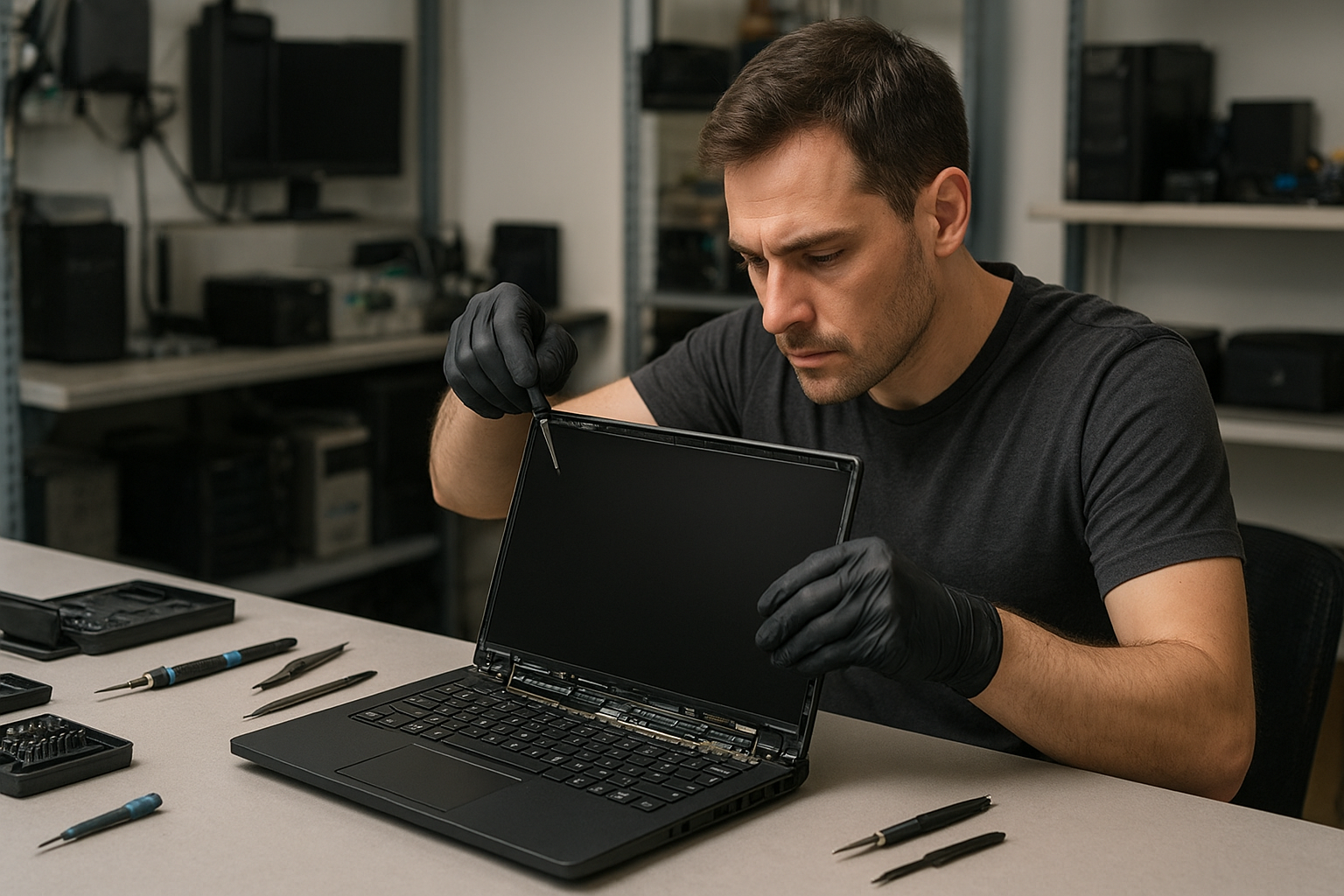
Laptop screen replacement Coquitlam – Fast, Reliable Repairs at Moe Repair
Laptop screen replacement Coquitlam is a common request we handle daily at Moe Repair. If your display is cracked, faded, flickering, or shows vertical lines, you need a technician who diagnoses precisely and replaces the right part. I have over 15 years of hands-on experience repairing laptops across Coquitlam, Port Moody and Burnaby, and I write this to help you understand symptoms, diagnostics, and what to expect from a repair.
Common symptoms that point to a screen issue
Look for these real symptoms before you book service: a visible crack in the panel, backlight that works but no image, random flicker, vertical or horizontal lines, partial image with black bars, or a detached digitizer on touch screens. Some laptops show a perfect image on an external monitor but a blank internal screen, which isolates the issue to the LCD, inverter, or video cable.
How we diagnose a laptop screen problem in Coquitlam
Diagnosis starts with simple, proven steps. We power on the machine, connect an external monitor, and note whether the image appears externally. That determines if the GPU and system are working. We inspect the bezel for physical damage, test the video cable for continuity with a multimeter, and check the inverter or backlight driver on older CCFL systems. We also boot to BIOS to rule out driver issues. If the external monitor shows the desktop but the internal panel is blank or distorted, we move to panel-level testing and look up the exact panel part number before ordering a replacement.
Reasons to choose Moe Repair for screen replacement
You get technician-level diagnostics, OEM or high-quality replacement panels, and a careful installation process. We repair MacBook Retina displays, Dell XPS and Inspiron, HP Pavilion and Envy, Lenovo ThinkPad and IdeaPad, ASUS ZenBook and ROG, Acer Aspire and Nitro, and Microsoft Surface devices when parts are available. We also perform related services like laptop repair in Coquitlam, battery replacement, SSD upgrades, and motherboard repair if diagnostics show additional faults.
Typical laptop screen replacement procedure
We follow a safe, repeatable procedure: disconnect power and battery, open the bezel, remove the display assembly screws, disconnect the eDP or LVDS cable, inspect the connector and cable for damage, and install the matched panel. Before final assembly we power the laptop to test the new screen for proper backlight, color, and touch function where applicable. We use ESD safe tools, torque correct screws, and clean adhesive residues. If a hinge or bezel is damaged, we address those to avoid recurring panel stress.
What parts and tools we use
- OEM or high-grade aftermarket LCD/LED panels and digitizers
- ESD safe screwdrivers, spudgers, and pry tools
- Multimeter for cable and inverter checks
- Adhesive strips for touchscreen digitizers
- Replacement hinges, inverter boards, or cables when required
Real repair example from the region
A recent customer from Port Moody brought a 2017 MacBook Pro with a cracked Retina display and flicker in the lower-right quadrant. I inspected the panel and confirmed the image on an external monitor was stable. I removed the top case, disconnected the battery, and tested the display connector. The connector and flex cable showed burn marks indicating intermittent shorts. I quoted two repair options: replace the entire display assembly or replace the cable and panel. The customer chose a full screen assembly replacement since it included the retina glass and digitizer. After installing the matched Retina assembly and testing touch and color calibration, the unit passed stress display tests. The MacBook returned to the customer with normal display behavior and improved hinge stability.
How long does a screen replacement take?
Turnaround depends on part availability. In-stock common panels are usually replaced same-day or next business day. Specialty panels like Retina displays or Surface assemblies may require 2-4 business days to source. We provide status updates and won’t proceed without your approval. For other needs, see our computer repair in Coquitlam and MacBook repair in Coquitlam pages for related services.
Cost factors and honest pricing
Price varies by model and panel type. Lower-cost consumer laptops commonly need a $70 to $200 panel plus labor. High-resolution or touch panels on MacBook Pro and Surface can be higher. We always give a clear estimate, list parts and labor, and get your approval before any work. If data risk exists due to physical damage, we offer data recovery in Coquitlam and will discuss options before opening the device.
Preventive tips to avoid repeat damage
Use a padded sleeve, avoid closing the laptop with objects on the keyboard, and inspect hinges for looseness. If you notice small cracks or unusual pressure points, bring the laptop in early. For touchscreen devices, avoid using excessive force and use a proper stylus when needed.
Common questions we answer during drop-off
Customers often ask whether their device can be repaired rather than replaced. We assess motherboard health, connector integrity, and the overall cost. We perform a quick system health check including battery condition, SSD health, and thermal performance so you can make an informed decision.
Contact Moe Repair Today
Need Laptop screen replacement Coquitlam now? Call Moe Repair at 778-951-4872 or email service@moerepair.ca for a free consultation. We serve Coquitlam and nearby areas including Port Moody and Burnaby. Walk-ins are welcome but appointments ensure faster service. We will diagnose your screen, provide a transparent estimate, and schedule a repair that works with your timeline.
Additional services you may need
During a screen replacement we sometimes recommend related services such as keyboard replacement, trackpad repair, fan replacement and thermal paste replacement, virus removal, operating system repair, or an SSD upgrade to speed up your machine. Ask about combo discounts when you book.
Frequently Asked Questions
How do I know if my laptop needs a full screen replacement or just a cable?
If the external monitor shows a good image while the internal screen is blank, the issue is likely the panel, cable, or inverter. We test the cable continuity and connector pins. Visible physical cracks always mean a panel replacement. We document findings before quoting a repair.
Do you use OEM parts for replacements?
We source OEM panels when available. For discontinued models we use high-grade compatible panels and explain the differences in warranty and color calibration up front.
Will replacing the screen affect my data?
Screen replacement itself does not erase data. However, if liquid damage or motherboard faults exist we recommend data recovery in Coquitlam before repairs. We take care to preserve data and can advise on backup options.
Can you repair touchscreens and Surface devices?
Yes. Touchscreens and Surface assemblies often need specific panels and adhesives. When parts are available we can replace digitizers and glass; sometimes full assemblies are required for reliable results.
How do I get an estimate?
Bring your laptop to our shop or contact us at 778-951-4872 or service@moerepair.ca. We will run a diagnostic and provide an estimate before any work begins.
Moe Repair
Phone: 778-951-4872
Email: service@moerepair.ca