Hi, How Can We Help You?
  • 203-504 Cottonwood Ave, Coquitlam
  • service@moerepair.ca
  • +1 (778) 951-4872

Author Archives: moe

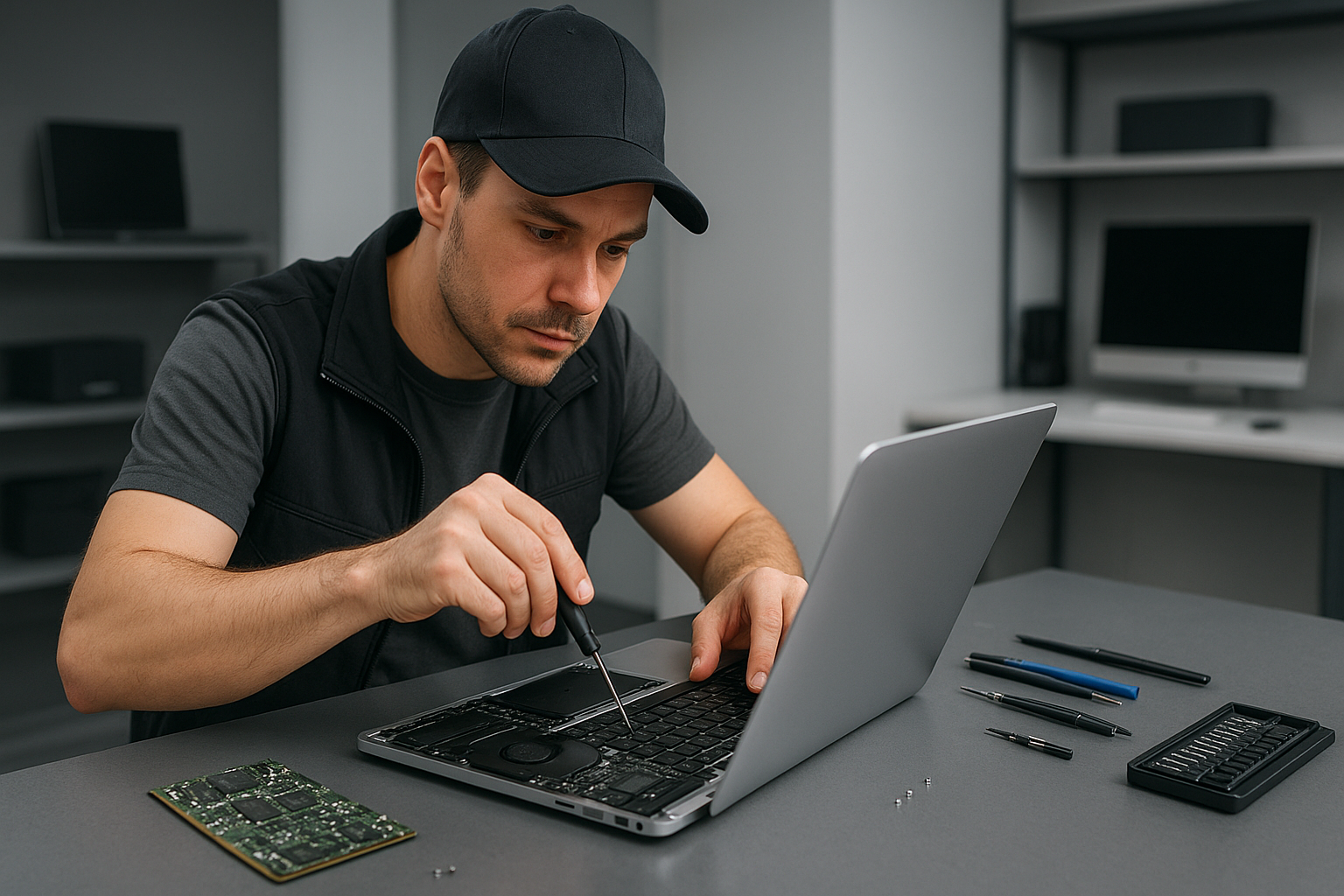
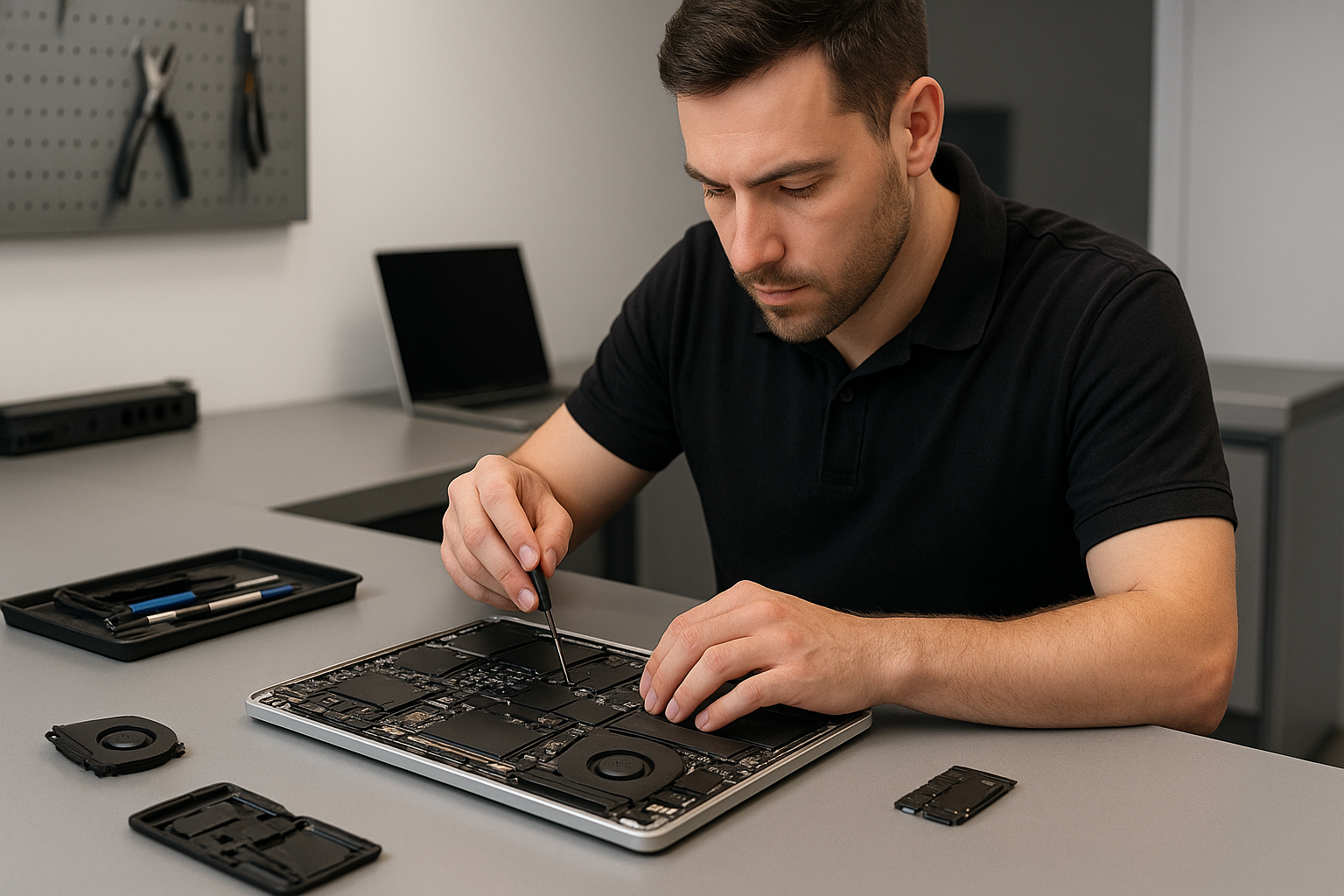
MacBook repair Burnaby: Expert MacBook Repairs Near You

As a senior technician with more than 15 years of hands-on experience, I provide straightforward MacBook repair Burnaby residents can trust. I work quickly, and I focus on accurate diagnostics first. Whether you need a screen replacement, battery replacement, or logic board repair, I will explain the issue and the repair path in plain language.

MacBook repair Burnaby, what I fix and why

I see the full range of problems, from cracked screens and failing batteries to liquid damage and motherboard repair. Common symptoms include a MacBook failing to boot, unexpected shutdowns, a swollen battery, or a trackpad that stops responding. I diagnose using step by step checks, then recommend the best option, such as SSD upgrades, thermal paste replacement, or a complete motherboard repair when needed.

Common failure symptoms and quick diagnostics

Here are typical issues I troubleshoot daily, and the diagnostic steps I take.

  • Won’t boot, black screen, or Apple logo loop. I run a power and SMC check, test RAM and SSD, then isolate whether the problem is macOS, SSD, or logic board.
  • Overheating and loud fan. I inspect vents, replace the laptop fan, clean dust, and apply thermal paste replacement on the CPU and GPU if temperatures are high.
  • Broken screen or flicker. I test the display cable, confirm whether the issue is LCD or backlight, then perform a screen replacement with OEM-grade parts when required.
  • Battery drains quickly. I run battery health diagnostics, calibrate, and provide battery replacement with genuine cells for safety.
  • Liquid damage. I power down immediately, disconnect battery if safe, and perform a controlled board cleaning and corrosion removal, then test each circuit for continuity.

Real repair procedures I use

For screen replacement, I first remove the bottom case, disconnect the battery, and remove the display assembly. I then transfer the original camera and sensors to a new panel when possible. For SSD upgrades, I clone the old drive, test the clone, and verify macOS boots cleanly before returning the laptop.

When I perform motherboard repair or logic board repair, I use microscope-level inspection to find cracked traces, blown capacitors, or bad solder joints. I reflow or replace components as required, then run extended stability tests. For liquid damage repair I soak PCBs in isopropyl alcohol, clean connectors, replace rusted components, and re-test power rails with a multimeter.

Why choose Moe Repair in Burnaby

Moe Repair combines experience, transparent pricing, and a warranty on parts and labour. I service MacBook Pro repair and MacBook Air repair models, and I provide laptop repair across the Lower Mainland. I keep repair logs, so you know exactly what was replaced, including OEM or high-quality aftermarket parts for screen replacement, keyboard replacement, trackpad repair, and battery replacement.

I also handle data recovery from failing drives, virus removal, Windows installation on Boot Camp or separate systems, and computer tune-up services. For gamers, I offer gaming PC repair and SSD upgrades to reduce load times and improve reliability.

Practical advice to protect your MacBook

First, back up with Time Machine or a cloned SSD. Second, do not use household cleaners on the screen, use a lint free microfiber cloth. Third, avoid leaving your MacBook in a hot car, and keep liquids away. If your MacBook experiences liquid exposure, power off immediately, and contact us for liquid damage repair to prevent corrosion.

Service process, turnaround and diagnostic fees

When you bring your MacBook to Moe Repair, I perform a free visual inspection and a low cost diagnostic. Diagnostics include system diagnostics, battery health check, and a full boot and sensor log. Many repairs, such as screen replacement or battery replacement, complete the same day. More complex logic board repair or data recovery may take several days.

I provide clear estimates before I begin, and I explain trade offs like SSD upgrades for improved responsiveness versus a fresh OS reinstall. For on-site repair, check availability first, but most repairs happen in our workshop for better control and better tools.

Realistic expectations for data recovery and motherboard repair

Data recovery from failing drives depends on the damage. If the drive is mechanically failing, I recommend powering down to prevent further harm, and I will attempt logical recovery in-house first. For severe mechanical failure I can advise specialized recovery labs. For motherboard repair, I aim to fix the board when repair costs are less than a replacement. If replacement is necessary, I source logic board replacements when available, and reinstall macOS with your data restored when possible.

Areas I serve

Moe Repair serves Coquitlam and Burnaby, also Vancouver, Surrey, Richmond, New Westminster, Maple Ridge, Port Moody, Port Coquitlam, Pitt Meadows, Langley, Delta, North Vancouver, West Vancouver, White Rock, Abbotsford, Mission, and Chilliwack.

Get fast, reliable MacBook repair in Burnaby

If your MacBook shows any of the symptoms above, contact Moe Repair. I provide honest assessments, skilled motherboard repair, trackpad repair, keyboard replacement, laptop fan replacement, and full computer tune-up services. I work with both MacBook Pro and MacBook Air models.

Call me today at 778-951-4872 or email service@moerepair.ca to book a diagnostic. I will walk you through the steps, timeframe, and costs. Repairs come with a clear warranty, and I focus on long term reliability.

Moe Repair, Phone: 778-951-4872, Email: service@moerepair.ca
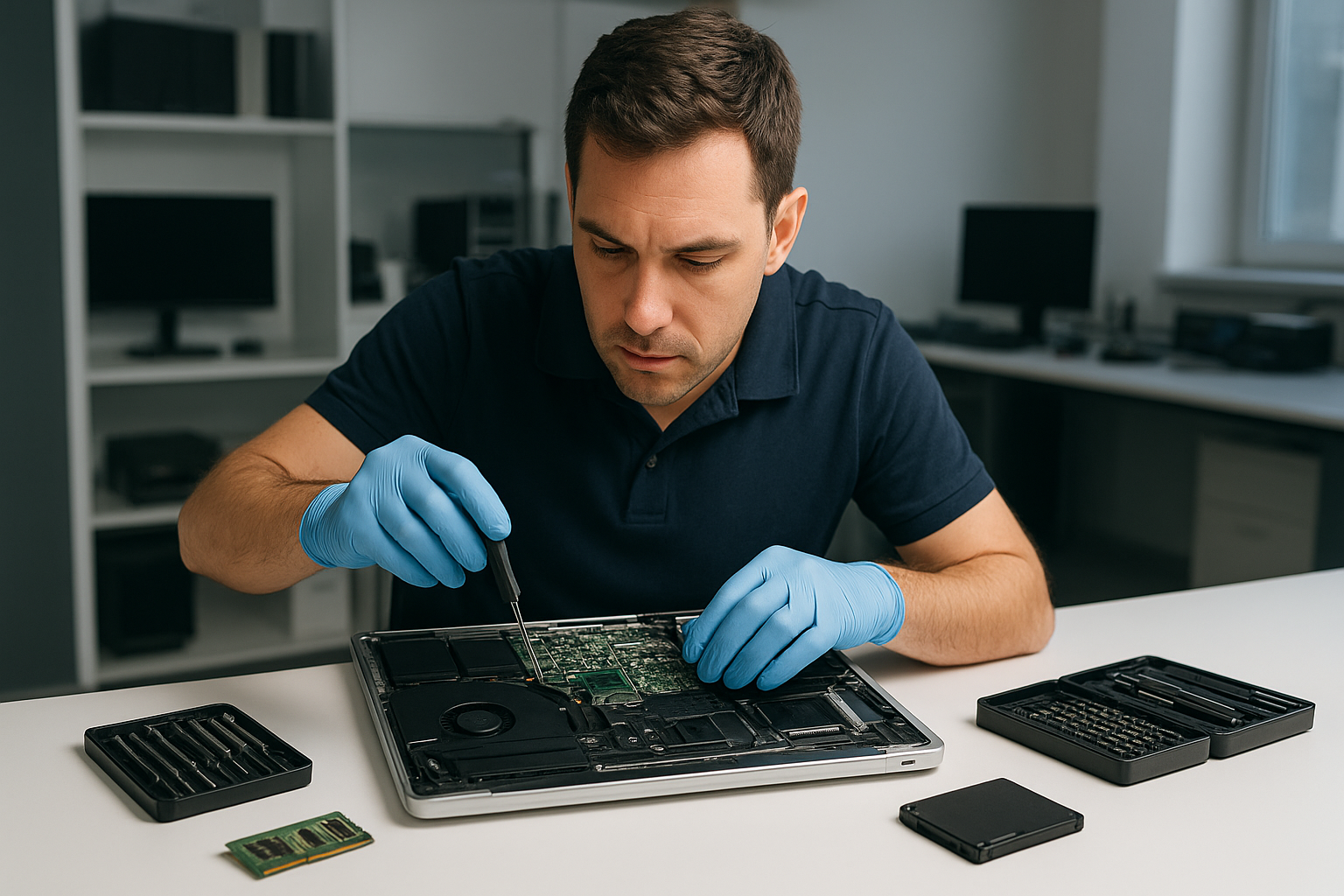
Data recovery Burnaby: Fast, Secure Recovery by Moe Repair

As a senior technician with more than 15 years of hands-on experience, I understand how devastating data loss feels. If you need Data recovery Burnaby, you want clear answers, fast diagnostics, and secure recovery methods. At Moe Repair we handle hard drives, SSDs, RAID arrays, and laptops from Burnaby to Coquitlam and across the Lower Mainland.

Data recovery Burnaby services and when to call

Common symptoms that mean you should call us right away include clicking or grinding noises from a drive, recurring SMART errors, inaccessible partitions, deleted files, suddenly corrupted photos, and systems that fail to boot. We also see liquid damage, power surges, and accidental formatting.

Do not keep powering a failing drive. Instead, shut the system down and contact Moe Repair, Phone: 778-951-4872, Email: service@moerepair.ca. Continued use can lead to further mechanical damage and lower recovery success rates.

What we recover

We recover documents, photos, videos, emails, databases, virtual machine files, and business data. We work on laptop drives, MacBook storage, desktop HDDs, SSDs, external drives, NAS and RAID systems.

Locations we serve

We help customers in Burnaby, Coquitlam, Vancouver, Surrey, Richmond, New Westminster, Maple Ridge, Port Moody, Port Coquitlam, Pitt Meadows, Langley, Delta, North Vancouver, West Vancouver, White Rock, Abbotsford, Mission, and Chilliwack.

How we diagnose data loss

First, we perform a non-invasive assessment. We check SMART status, listen for mechanical noises, review boot logs, and connect the drive to a write-blocker. Next, we image the drive sector-by-sector when possible, using tools like ddrescue and dedicated hardware. Imaging preserves the original media and increases recovery success.

If the drive shows mechanical failure, we advise an immediate transfer to our cleanroom partner for platter-level repair. For logical failures, partition table reconstruction, file signature carving, and filesystem repair often restore files without physical intervention.

Typical diagnostic steps

  • Visual inspection for burn marks, corrosion, or liquid damage
  • SMART check and firmware analysis
  • Attach to a dedicated recovery station with a write-blocker
  • Attempt secure, low-level imaging of the drive
  • Analyze image for file systems, partitions, and recoverable data

Realistic repair procedures we use

For mechanical faults, our lab coordinates head swaps and motor repairs in a certified cleanroom. For SSDs, we handle NAND recovery and controller failures when possible. In RAID cases, we perform component analysis, map stripe geometry, and reconstruct missing arrays before imaging.

We avoid running chkdsk or repair utilities on a failing drive, because those tools can overwrite metadata. Instead, we create a forensic image, then run recovery on the image. We use professional tools such as PC-3000 and Hex editors when needed, and industry standard recovery software for signature carving and filesystem repair.

What you can do immediately

First, stop using the device. Do not attempt to open the drive. Do not run disk utilities that write to the disk. If the problem is a laptop with liquid damage, remove the battery if possible, disconnect power, and bring the unit in for motherboard repair. We provide laptop repair, MacBook repair, screen replacement, battery replacement, and motherboard repair as part of our services.

For business customers, maintain a chain of custody. For home users, make a note of recent changes and the exact error messages. That information helps us prioritize recovery steps.

Practical timelines and pricing expectations

Turnaround depends on failure type. Logical recoveries often finish within 24 to 72 hours. Mechanical failures that need cleanroom work can take several days to a week. RAID reconstructions vary by complexity. We provide clear estimates after the initial diagnosis.

Moe Repair offers SSD upgrades, drive cloning, thermal paste replacement, laptop fan replacement, keyboard replacement, trackpad repair, screen replacement, virus removal, Windows installation, motherboard repair, liquid damage repair, gaming PC repair, and computer tune-up services. We tailor each recovery plan to your needs and budget.

Security and privacy

We treat your data with strict confidentiality. We use secure transport and encrypted storage for recovered files. If you prefer, we deliver recovered data on an external drive you provide, or we can supply one for an additional fee.

Why choose Moe Repair for Data recovery Burnaby

With 15 plus years of hands-on experience, I lead a team that uses industry standard tools and proven procedures. We combine local, fast service across Burnaby, Coquitlam, and Vancouver, with the technical depth needed for complex recoveries. We also handle laptop repair, MacBook repair, battery replacement, SSD upgrades, and more for a complete solution.

Call Moe Repair at 778-951-4872 or email service@moerepair.ca to start diagnostics. We provide a clear quote, no-obligation assessment, and secure recovery options.

Act quickly if you have a failing drive. Quick response improves success rates, and we will walk you through every step with honesty and transparency.

Contact us

Moe Repair, Phone: 778-951-4872, Email: service@moerepair.ca. Walk-ins accepted at our Coquitlam location, with service across the Lower Mainland including Burnaby and Vancouver.

Liquid damage repair North Vancouver: Expert laptop and MacBook service

As a senior technician with over 15 years of hands-on experience, I know how urgent spills feel. If you need Liquid damage repair North Vancouver, call Moe Repair right away. I will explain realistic diagnostics, tell you what to expect, and provide practical steps you can take before you arrive.

Liquid damage repair North Vancouver – common symptoms and first steps

After a spill, symptoms vary. You may see liquid under the screen, sticky or unresponsive keys, flickering display, sudden shutdowns, battery not charging, or the device will not power on. Sometimes the laptop boots but ports die, Wi-Fi stops working, or the trackpad misbehaves. In other cases you smell corrosion or burnt components.

First, power off the device immediately. Next, disconnect chargers, external drives, and remove the battery if you can. Do not try to power it back on repeatedly. Instead, bring the device to Moe Repair for controlled drying, diagnostics, and safe data recovery. These initial steps limit short circuits and reduce corrosion.

What we do on arrival

At Moe Repair we follow a step-by-step workflow. First, we photograph the device for records. Then we open the chassis and inspect for corrosion, residue, and liquid pathways. We remove the battery, SSD or HDD, and any easily removable modules. We test power rails with a multimeter, and then we perform component-level checks on the logic board.

We often use isopropyl alcohol cleaning and specialized brushes. For severe corrosion we recommend ultrasonic board cleaning followed by controlled drying. If the motherboard shows shorts, we perform targeted repairs, trace lift testing, and micro-soldering when possible. When the logic board is beyond economical repair, we offer motherboard repair or replacement options, and help with data recovery from your storage drive.

Realistic repair procedures

Liquid damage repair can include:

  • Full teardown and corrosion cleaning.
  • Ultrasonic cleaning for saltwater or sweet liquid exposure.
  • Component-level diagnostics and replacement, including power ICs, charging circuits, and connectors.
  • Keyboard replacement or trackpad repair when input components are damaged.
  • Screen replacement if the LCD or backlight was affected.
  • Battery replacement, SSD upgrades, or Windows installation and virus removal if software issues arise.

We also offer laptop fan replacement and thermal paste replacement if the device overheats after repair. For gaming PC repair or desktop systems we test power supplies and PCIe devices for moisture damage.

Diagnostics and data recovery

We perform non-destructive diagnostics first. If the storage drive still spins or the SSD responds, we prioritize data backup and recovery. For drives with water exposure we use write-blockers and forensic-level imaging to protect your data. If required, our data recovery services include logical and physical recovery procedures.

For MacBook repair, we check for board-level issues unique to Apple hardware, and for Windows laptops we test BIOS, power rails, and SSD health. We will recommend SSD upgrades during the repair if that improves performance and stability.

How long does repair take, and what does it cost?

Minor spills with no corrosion can sometimes be fixed in 24 to 48 hours. Severe liquid ingress with corrosion and component damage may take several days to a week for ultrasonic cleaning, parts ordering, and micro-soldering. We provide a clear estimate after inspection. We always explain repair vs data recovery vs replacement options so you can choose what works for your budget.

Preventive advice from a senior tech

To reduce future risk, avoid liquids near open ports, use a keyboard cover, and consider a laptop sleeve. Backup important files often. If your device suffered a spill, stop using it and bring it in for professional cleaning. Trying to power it on and drying with heat can cause irreparable damage.

Related services we provide

At Moe Repair we handle a wide range of repairs: laptop repair, MacBook repair, screen replacement, battery replacement, keyboard replacement, trackpad repair, motherboard repair, SSD upgrades, data recovery, virus removal, Windows installation, computer tune-up, thermal paste replacement, laptop fan replacement, and gaming PC repair.

We serve Coquitlam, Burnaby, Vancouver, Surrey, Richmond, New Westminster, Maple Ridge, Port Moody, Port Coquitlam, Pitt Meadows, Langley, Delta, North Vancouver, West Vancouver, White Rock, Abbotsford, Mission, and Chilliwack.

Why choose Moe Repair

With more than 15 years of hands-on repair experience, I deliver honest diagnostics and precise repairs. I explain component-level fixes, offer OEM and aftermarket parts, and train you on prevention. We use clean modern workshop procedures and offer competitive pricing for laptop and desktop repairs.

If you notice any of these symptoms after a spill, act fast. For immediate help call Moe Repair at 778-951-4872 or email service@moerepair.ca. We prioritize liquid-damaged devices and can usually schedule same-day drop-off in the North Vancouver area.

Moe Repair, Phone: 778-951-4872, Email: service@moerepair.ca
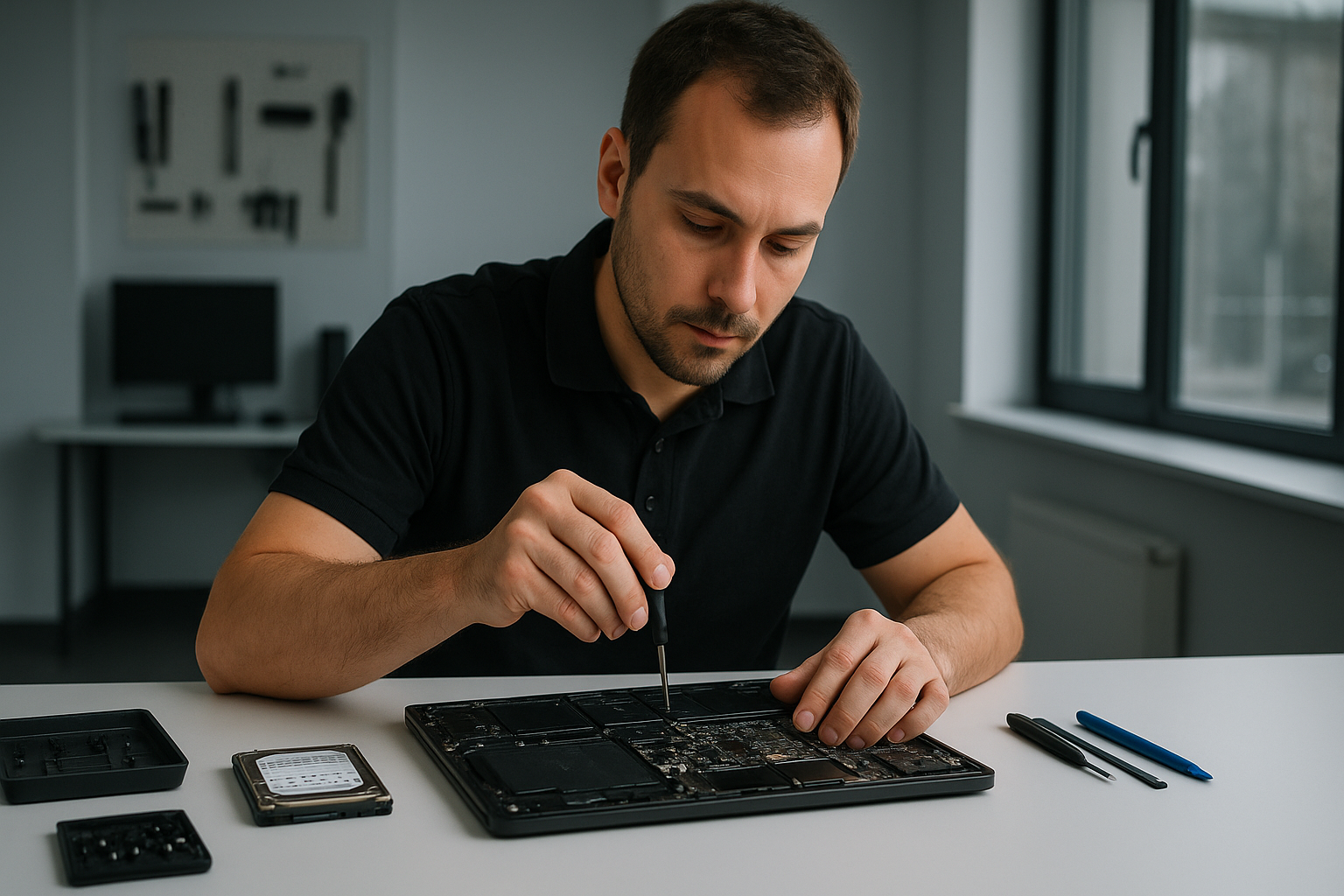
Laptop data recovery Coquitlam: Fast, Professional Recovery from a Senior Tech

When your files disappear, Laptop data recovery Coquitlam is a time-sensitive service. I am a senior computer repair technician with more than 15 years of hands-on experience. I work on laptops, MacBooks, desktops and gaming PCs. I know the signs of hard drive failure, SSD corruption, and liquid damage, and I focus on fast, safe recovery.

Laptop data recovery Coquitlam, common symptoms I see

In my shop I diagnose symptoms every day. Typical signs you need professional data recovery include clicking or grinding noises, frequent crashes, blue screens, slow file access, corrupted folders, missing user profiles, and drives that do not mount. After liquid spills, keyboards stop working and the drive often shows intermittent read errors. If you see SMART warnings, suddenly deleted files, or a laptop that will not boot, stop using the device immediately. Continued use makes logical failures worse, and can turn recoverable data into a permanent loss.

First steps you should take

First, power down the laptop. Do not try to boot repeatedly, do not run disk utilities that write to the drive, and do not open the case unless you are comfortable and grounded. If the issue follows a drop or a spill, disconnect power and remove the battery if possible. Backups help, so if you have cloud sync or external backups, check those first. Otherwise, bring the laptop to Moe Repair for a professional assessment.

Our diagnostic workflow at Moe Repair

At Moe Repair I follow a clear process. First, I collect symptoms and history. Next, I perform non-invasive tests including SMART checks, power draw analysis, and motherboard inspection for liquid damage or blown components. For storage drives I attach a write-blocker and create a sector-by-sector image using ddrescue or a hardware imager. Imaging preserves the original during recovery attempts, especially for failing HDDs and SSDs.

Realistic recovery procedures I use

After imaging I run logical recovery tools on the clone. For Windows systems I use R-Studio, ReclaiMe, and TestDisk to recover partitions and deleted files. For photos and documents I also run PhotoRec. For encrypted volumes I verify credentials and work carefully to avoid altering headers. If I detect mechanical failure, such as head crash or spindle issues, I recommend a cleanroom partner lab that can open the drive and transplant platters or heads. For RAID or NAS systems I perform array reconstruction based on metadata, then clone the logical volumes for recovery.

Why choose Moe Repair for Laptop data recovery Coquitlam

I combine hands-on repair skills with a recovery-first mindset. I perform SSD upgrades, hard drive recovery, motherboard repair, and thermal paste replacement when overheating caused corruption. I also do MacBook repair, screen replacement, battery replacement, keyboard replacement, trackpad repair, and laptop fan replacement. That way I can fix the root hardware issue and return a healthy system with recovered data.

We serve Coquitlam and the surrounding communities, including Burnaby, Vancouver, Surrey, Richmond, New Westminster, Maple Ridge, Port Moody, Port Coquitlam, Pitt Meadows, Langley, Delta, North Vancouver, West Vancouver, White Rock, Abbotsford, Mission, and Chilliwack. Many customers arrive after a virus removal or failed Windows installation turns into a data emergency. We handle those cases with care and speed.

Common failure causes and what they look like

Mechanical failure: clicking, grinding, or total non-detection. This often follows drops or age.

Logical failure: accidental deletion, partition table corruption, or malware. Symptoms include missing folders or files, or folders that show zero bytes.

SSD failure: sudden read/write errors, slow performance, or firmware glitches. SSDs can fail without noise, so SMART and controller checks matter.

Liquid damage: corrosion on the motherboard, intermittent power, or burned traces. I inspect under magnification and clean circuits before trying recovery.

What to expect during service

Initial diagnostics usually take one business day. Imaging can take several hours to a day depending on drive health and capacity. Logical recovery varies by complexity, but I provide an estimate after the initial diagnostic. If a cleanroom transfer is necessary, I coordinate with certified labs, and I explain costs and timelines before proceeding.

Practical customer advice

Immediately stop using the device when you suspect data loss. Avoid installing recovery apps on the affected drive. If the laptop was dropped or spilled on, do not power it on. If your system still boots, copy high-value files to an external drive right away. Finally, plan for regular backups after recovery, either to external drives, cloud services, or network attached storage.

We also offer SSD upgrades and computer tune-up services to improve performance after recovery. For gaming PC repair or more complex motherboard repair, I provide full system restoration. For virus removal, Windows installation, and thermal paste replacement, I prioritize data safety first.

Moe Repair handles emergency data recovery, forensic recovery, and routine hardware fixes. I document every step, and I deliver recovered files on external drives or secure download links. You can trust that I use safe cloning, encrypted transfer, and secure disposal for failed media.

Contact Moe Repair for a fast assessment. Phone: 778-951-4872. Email: service@moerepair.ca. I diagnose and recover files across the lower mainland, including Coquitlam and surrounding cities.

Upgrade Your Sony VAIO Computer to Windows 11 with Moe Repair

Microsoft will officially end support for Windows 10 in October 2025. That means Sony VAIO users with older laptops and desktops will stop receiving critical security updates. Running an unsupported system leaves your data and privacy at risk. Instead of replacing your device, Moe Repair can upgrade your Sony VAIO to Windows 11.

Why Windows 11 Matters

  • Security first: ongoing updates and stronger protections.
  • Faster performance: snappier boots, better memory handling.
  • Modern experience: Snap Layouts, Widgets, improved multitasking.
  • Gaming & graphics: DirectStorage and Auto HDR (where supported).
  • Future‑proof: new apps and drivers are built for Windows 11.

Common Sony VAIO Models We Upgrade

VAIO Fit, VAIO Pro, VAIO Duo

The Problem with Microsoft’s Requirements

Many Sony VAIO systems don’t meet Microsoft’s strict rules (TPM 2.0, Secure Boot, supported CPU list). That pushes people to buy new computers — but you don’t need a new Sony VAIO.

How Moe Repair Upgrades Any Sony VAIO

  • Install Windows 11 on any Sony VAIO — even if Microsoft says it’s unsupported.
  • Keep your current hardware and save money.
  • Full data backup and safe migration.
  • BIOS, firmware, and driver optimization for smooth compatibility.

Our Step‑by‑Step Upgrade Service

  1. Compatibility Check – verify health and readiness.
  2. Complete Backup – protect files, apps, and settings.
  3. Windows 11 Install – clean or in‑place, bypassing limits if needed.
  4. Driver & Firmware Update – tune for Sony VAIO hardware.
  5. Restore & Personalize – bring back your data and preferences.

Why Choose Moe Repair

  • Experts in Sony VAIO laptops and desktops.
  • We can upgrade any brand, any model, anywhere in the world.
  • Fast turnaround, meticulous backups, friendly support.

Ready to Upgrade?

Don’t wait until Windows 10 is unsupported. Enjoy the speed, security, and features of Windows 11 now — even on Sony VAIO models Microsoft lists as unsupported.

Book Your Windows 11 Upgrade with Moe Repair

Upgrade Your Toshiba Computer to Windows 11 with Moe Repair

Microsoft will officially end support for Windows 10 in October 2025. That means Toshiba users with older laptops and desktops will stop receiving critical security updates. Running an unsupported system leaves your data and privacy at risk. Instead of replacing your device, Moe Repair can upgrade your Toshiba to Windows 11.

Why Windows 11 Matters

  • Security first: ongoing updates and stronger protections.
  • Faster performance: snappier boots, better memory handling.
  • Modern experience: Snap Layouts, Widgets, improved multitasking.
  • Gaming & graphics: DirectStorage and Auto HDR (where supported).
  • Future‑proof: new apps and drivers are built for Windows 11.

Common Toshiba Models We Upgrade

Satellite, Tecra, Portege

The Problem with Microsoft’s Requirements

Many Toshiba systems don’t meet Microsoft’s strict rules (TPM 2.0, Secure Boot, supported CPU list). That pushes people to buy new computers — but you don’t need a new Toshiba.

How Moe Repair Upgrades Any Toshiba

  • Install Windows 11 on any Toshiba — even if Microsoft says it’s unsupported.
  • Keep your current hardware and save money.
  • Full data backup and safe migration.
  • BIOS, firmware, and driver optimization for smooth compatibility.

Our Step‑by‑Step Upgrade Service

  1. Compatibility Check – verify health and readiness.
  2. Complete Backup – protect files, apps, and settings.
  3. Windows 11 Install – clean or in‑place, bypassing limits if needed.
  4. Driver & Firmware Update – tune for Toshiba hardware.
  5. Restore & Personalize – bring back your data and preferences.

Why Choose Moe Repair

  • Experts in Toshiba laptops and desktops.
  • We can upgrade any brand, any model, anywhere in the world.
  • Fast turnaround, meticulous backups, friendly support.

Ready to Upgrade?

Don’t wait until Windows 10 is unsupported. Enjoy the speed, security, and features of Windows 11 now — even on Toshiba models Microsoft lists as unsupported.

Book Your Windows 11 Upgrade with Moe Repair

Upgrade Your LG Computer to Windows 11 with Moe Repair

Microsoft will officially end support for Windows 10 in October 2025. That means LG users with older laptops and desktops will stop receiving critical security updates. Running an unsupported system leaves your data and privacy at risk. Instead of replacing your device, Moe Repair can upgrade your LG to Windows 11.

Why Windows 11 Matters

  • Security first: ongoing updates and stronger protections.
  • Faster performance: snappier boots, better memory handling.
  • Modern experience: Snap Layouts, Widgets, improved multitasking.
  • Gaming & graphics: DirectStorage and Auto HDR (where supported).
  • Future‑proof: new apps and drivers are built for Windows 11.

Common LG Models We Upgrade

Gram, UltraPC, All-in-One

The Problem with Microsoft’s Requirements

Many LG systems don’t meet Microsoft’s strict rules (TPM 2.0, Secure Boot, supported CPU list). That pushes people to buy new computers — but you don’t need a new LG.

How Moe Repair Upgrades Any LG

  • Install Windows 11 on any LG — even if Microsoft says it’s unsupported.
  • Keep your current hardware and save money.
  • Full data backup and safe migration.
  • BIOS, firmware, and driver optimization for smooth compatibility.

Our Step‑by‑Step Upgrade Service

  1. Compatibility Check – verify health and readiness.
  2. Complete Backup – protect files, apps, and settings.
  3. Windows 11 Install – clean or in‑place, bypassing limits if needed.
  4. Driver & Firmware Update – tune for LG hardware.
  5. Restore & Personalize – bring back your data and preferences.

Why Choose Moe Repair

  • Experts in LG laptops and desktops.
  • We can upgrade any brand, any model, anywhere in the world.
  • Fast turnaround, meticulous backups, friendly support.

Ready to Upgrade?

Don’t wait until Windows 10 is unsupported. Enjoy the speed, security, and features of Windows 11 now — even on LG models Microsoft lists as unsupported.

Book Your Windows 11 Upgrade with Moe Repair

Upgrade Your Samsung Computer to Windows 11 with Moe Repair

Microsoft will officially end support for Windows 10 in October 2025. That means Samsung users with older laptops and desktops will stop receiving critical security updates. Running an unsupported system leaves your data and privacy at risk. Instead of replacing your device, Moe Repair can upgrade your Samsung to Windows 11.

Why Windows 11 Matters

  • Security first: ongoing updates and stronger protections.
  • Faster performance: snappier boots, better memory handling.
  • Modern experience: Snap Layouts, Widgets, improved multitasking.
  • Gaming & graphics: DirectStorage and Auto HDR (where supported).
  • Future‑proof: new apps and drivers are built for Windows 11.

Common Samsung Models We Upgrade

Galaxy Book, Notebook 9, Odyssey

The Problem with Microsoft’s Requirements

Many Samsung systems don’t meet Microsoft’s strict rules (TPM 2.0, Secure Boot, supported CPU list). That pushes people to buy new computers — but you don’t need a new Samsung.

How Moe Repair Upgrades Any Samsung

  • Install Windows 11 on any Samsung — even if Microsoft says it’s unsupported.
  • Keep your current hardware and save money.
  • Full data backup and safe migration.
  • BIOS, firmware, and driver optimization for smooth compatibility.

Our Step‑by‑Step Upgrade Service

  1. Compatibility Check – verify health and readiness.
  2. Complete Backup – protect files, apps, and settings.
  3. Windows 11 Install – clean or in‑place, bypassing limits if needed.
  4. Driver & Firmware Update – tune for Samsung hardware.
  5. Restore & Personalize – bring back your data and preferences.

Why Choose Moe Repair

  • Experts in Samsung laptops and desktops.
  • We can upgrade any brand, any model, anywhere in the world.
  • Fast turnaround, meticulous backups, friendly support.

Ready to Upgrade?

Don’t wait until Windows 10 is unsupported. Enjoy the speed, security, and features of Windows 11 now — even on Samsung models Microsoft lists as unsupported.

Book Your Windows 11 Upgrade with Moe Repair

Upgrade Your Razer Computer to Windows 11 with Moe Repair

Microsoft will officially end support for Windows 10 in October 2025. That means Razer users with older laptops and desktops will stop receiving critical security updates. Running an unsupported system leaves your data and privacy at risk. Instead of replacing your device, Moe Repair can upgrade your Razer to Windows 11.

Why Windows 11 Matters

  • Security first: ongoing updates and stronger protections.
  • Faster performance: snappier boots, better memory handling.
  • Modern experience: Snap Layouts, Widgets, improved multitasking.
  • Gaming & graphics: DirectStorage and Auto HDR (where supported).
  • Future‑proof: new apps and drivers are built for Windows 11.

Common Razer Models We Upgrade

Blade, Blade Stealth, Blade Pro

The Problem with Microsoft’s Requirements

Many Razer systems don’t meet Microsoft’s strict rules (TPM 2.0, Secure Boot, supported CPU list). That pushes people to buy new computers — but you don’t need a new Razer.

How Moe Repair Upgrades Any Razer

  • Install Windows 11 on any Razer — even if Microsoft says it’s unsupported.
  • Keep your current hardware and save money.
  • Full data backup and safe migration.
  • BIOS, firmware, and driver optimization for smooth compatibility.

Our Step‑by‑Step Upgrade Service

  1. Compatibility Check – verify health and readiness.
  2. Complete Backup – protect files, apps, and settings.
  3. Windows 11 Install – clean or in‑place, bypassing limits if needed.
  4. Driver & Firmware Update – tune for Razer hardware.
  5. Restore & Personalize – bring back your data and preferences.

Why Choose Moe Repair

  • Experts in Razer laptops and desktops.
  • We can upgrade any brand, any model, anywhere in the world.
  • Fast turnaround, meticulous backups, friendly support.

Ready to Upgrade?

Don’t wait until Windows 10 is unsupported. Enjoy the speed, security, and features of Windows 11 now — even on Razer models Microsoft lists as unsupported.

Book Your Windows 11 Upgrade with Moe Repair

Upgrade Your Microsoft Surface Computer to Windows 11 with Moe Repair

Microsoft will officially end support for Windows 10 in October 2025. That means Microsoft Surface users with older laptops and desktops will stop receiving critical security updates. Running an unsupported system leaves your data and privacy at risk. Instead of replacing your device, Moe Repair can upgrade your Microsoft Surface to Windows 11.

Why Windows 11 Matters

  • Security first: ongoing updates and stronger protections.
  • Faster performance: snappier boots, better memory handling.
  • Modern experience: Snap Layouts, Widgets, improved multitasking.
  • Gaming & graphics: DirectStorage and Auto HDR (where supported).
  • Future‑proof: new apps and drivers are built for Windows 11.

Common Microsoft Surface Models We Upgrade

Surface Laptop, Surface Pro, Surface Book, Surface Studio

The Problem with Microsoft’s Requirements

Many Microsoft Surface systems don’t meet Microsoft’s strict rules (TPM 2.0, Secure Boot, supported CPU list). That pushes people to buy new computers — but you don’t need a new Microsoft Surface.

How Moe Repair Upgrades Any Microsoft Surface

  • Install Windows 11 on any Microsoft Surface — even if Microsoft says it’s unsupported.
  • Keep your current hardware and save money.
  • Full data backup and safe migration.
  • BIOS, firmware, and driver optimization for smooth compatibility.

Our Step‑by‑Step Upgrade Service

  1. Compatibility Check – verify health and readiness.
  2. Complete Backup – protect files, apps, and settings.
  3. Windows 11 Install – clean or in‑place, bypassing limits if needed.
  4. Driver & Firmware Update – tune for Microsoft Surface hardware.
  5. Restore & Personalize – bring back your data and preferences.

Why Choose Moe Repair

  • Experts in Microsoft Surface laptops and desktops.
  • We can upgrade any brand, any model, anywhere in the world.
  • Fast turnaround, meticulous backups, friendly support.

Ready to Upgrade?

Don’t wait until Windows 10 is unsupported. Enjoy the speed, security, and features of Windows 11 now — even on Microsoft Surface models Microsoft lists as unsupported.

Book Your Windows 11 Upgrade with Moe Repair