Hi, How Can We Help You?
  • 203-504 Cottonwood Ave, Coquitlam
  • service@moerepair.ca
  • +1 (778) 951-4872

Author Archives: moe

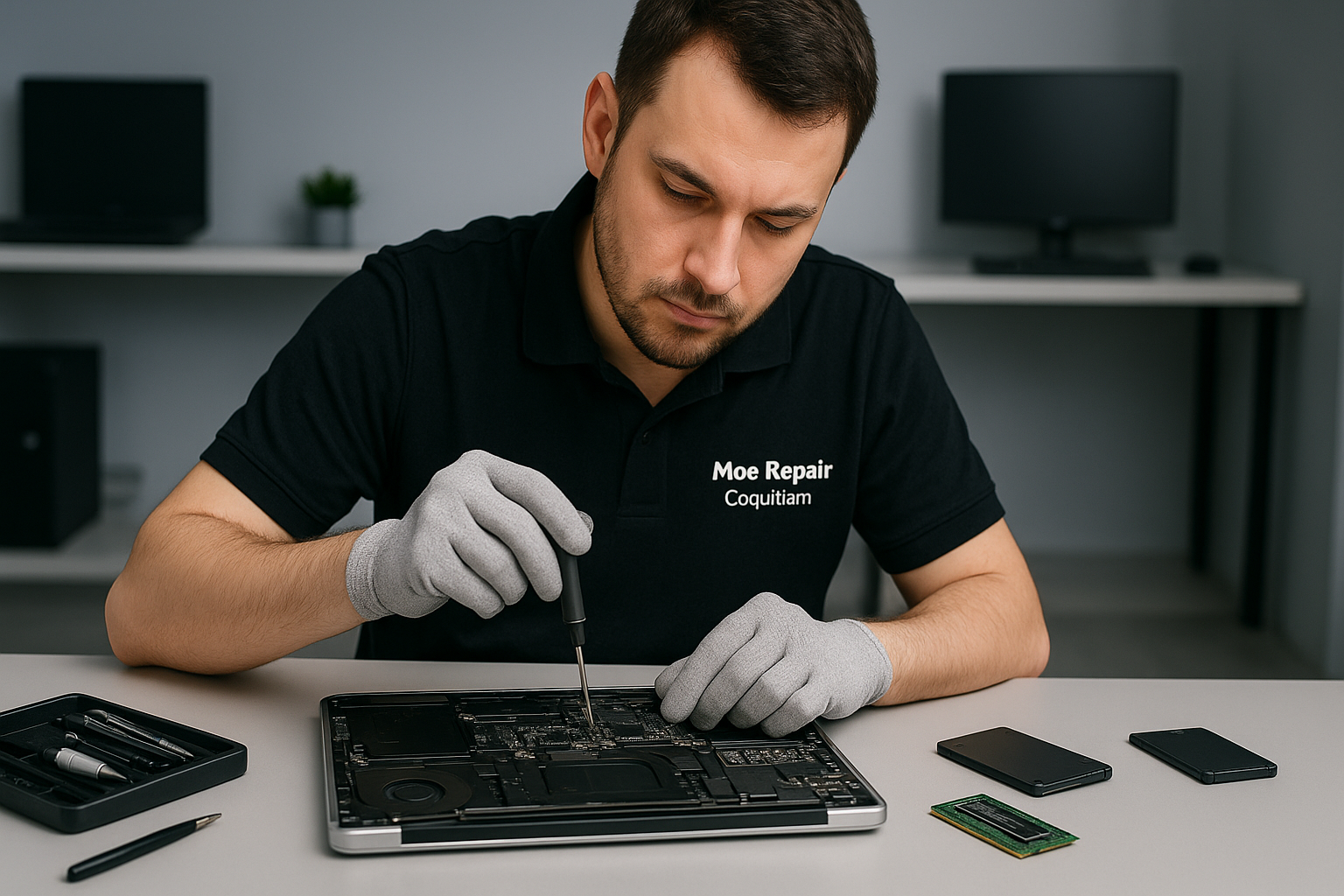
Data recovery Burnaby: fast, secure hard drive and SSD recovery

I am a senior computer repair technician with more than 15 years of hands-on experience. When customers call about data loss, they usually say, “My files vanished,” or “My laptop won’t boot.” In Burnaby and nearby communities I handle everything from hard drive recovery and SSD recovery, to RAID reconstruction and forensic recovery.

Data recovery Burnaby services and symptoms I see every week

Common failure symptoms include clicking or grinding noises from a hard drive, intermittent recognition of external drives, blue screens, slow performance after a failed update, or Macs that show a flashing folder with question mark. Other signs include a laptop that suffered liquid damage, a corrupted drive after a failed Windows installation, or a RAID array that dropped a disk.

We provide comprehensive data retrieval and file recovery services, including recover deleted files, recover photos, recover documents, and external drive recovery. Many clients also combine services like laptop repair, MacBook repair, screen replacement, battery replacement, or virus removal when we return their machine to service.

How I diagnose data loss

First, I isolate the device, then I perform a non-invasive inspection. I check SMART reports for hard drives, run secure power measurements, and inspect for physical damage like burnt components or liquid corrosion on the motherboard. Next, I clone the failing drive using a hardware write-blocker and a sector-by-sector imaging tool. This step protects your original media and gives me a working image to work on.

For SSD recovery I verify firmware health, check TRIM effects, and use specialized tools to extract data from the controller if needed. For RAID recovery I document the array configuration, copy member disks, and reconstruct the logical volume offline. Throughout, I log every action for chain-of-custody and transparency.

Real repair procedures I use

  • Physical inspection, cleaning, and thermal imaging to detect burnt circuits.
  • SMART analysis and firmware checks for HDD and SSD.
  • Sector-by-sector cloning with a write-blocker to prevent further degradation.
  • Software-level reconstruction to recover partitions, file tables, and metadata.
  • RAID member imaging and offline rebuild using documented stripe size and parity.
  • Controlled lab-level platter work only when absolutely necessary, using clean-room protocols.

What you can do immediately

If you encounter data loss, power off the device and avoid repeated power cycles. This stops additional heat and head crashes on failing hard drives. For liquid-damaged laptops, remove power and the battery if possible, dry externally, and bring the device in quickly. Do not attempt to run DIY recovery software on a physically noisy drive. Instead, call for an assessment.

Also, if the drive appears in BIOS but Windows or macOS cannot read files, disconnect the drive and bring it in. Sometimes we perform SSD upgrades or replace the motherboard to restore access, but we always start with a safe imaging step to protect your data.

Why choose Moe Repair for Data recovery Burnaby

At Moe Repair I combine practical diagnostics with careful procedure. You get transparent pricing, in-shop and remote diagnostics, and a clear recovery plan. I work with home users, small businesses, and gamers who need gaming PC repair, SSD upgrades, or motherboard repair. Many customers from Coquitlam, Vancouver, Surrey, Richmond, New Westminster, Maple Ridge, Port Moody, Port Coquitlam, Pitt Meadows, Langley, Delta, North Vancouver, West Vancouver, White Rock, Abbotsford, Mission, and Chilliwack already trust our work.

We recover data from laptops, MacBooks, desktops, external USB drives, NAS and RAID arrays. We also provide virus removal, Windows installation, keyboard replacement, trackpad repair, laptop fan replacement, thermal paste replacement, and computer tune-up services when needed.

Estimated timelines and success factors

Non-physical failures often resolve within 24 to 72 hours. Drives with mechanical failure or extensive corruption may require several days to image and reconstruct. Success depends on the extent of physical damage, prior attempts to repair, and whether the drive suffered power surges or liquid exposure. We always explain realistic probabilities and offer the next steps.

Pricing and transparency

We provide an upfront diagnostic, where I inspect the media and attempt a safe image. Diagnostic fees apply, and you will receive a full report before recovery begins. We never charge for unsuccessful attempts if physical damage prevents recovery, unless advanced lab work is authorized.

Secure handling and privacy

I follow strict privacy practices. Your recovered files remain confidential. We can deliver recovered data on a new SSD, external drive, or via secure transfer. We also advise backup solutions so you avoid future loss, such as routine data backup, cloud sync, and local RAID protection.

Contact Moe Repair for Data recovery Burnaby

If you need professional help, contact Moe Repair for an immediate consultation. Call 778-951-4872 or email service@moerepair.ca. We serve Burnaby and the surrounding Lower Mainland with fast, honest service. Don’t wait, because early action improves recovery results.

Moe Repair
Phone: 778-951-4872
Email: service@moerepair.ca
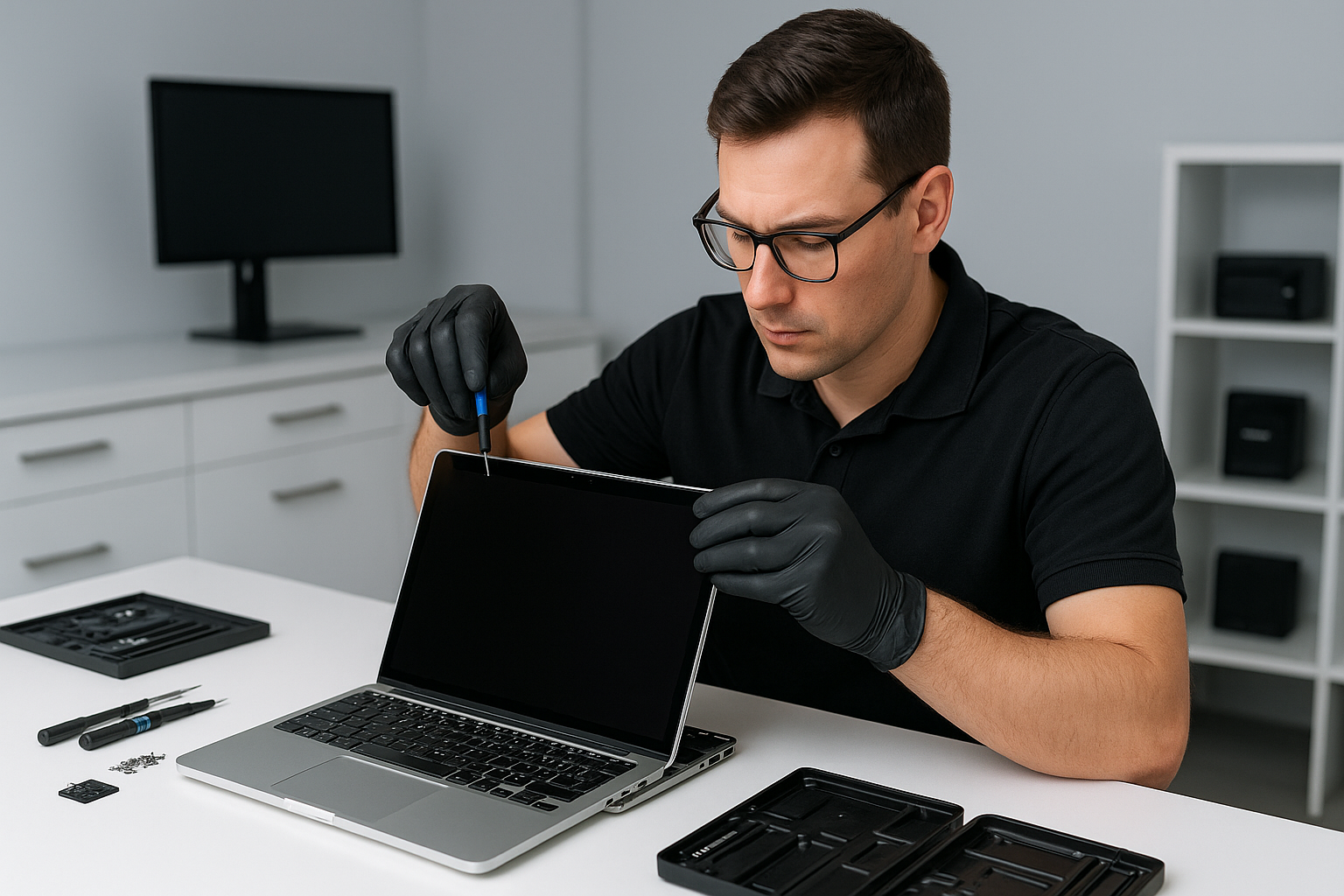
MacBook screen replacement Surrey: Why Moe Repair is the smart choice

If you need MacBook screen replacement Surrey, you want a technician who knows Apple displays inside out. I am a senior computer repair technician with more than 15 years of hands-on experience repairing MacBook Pro and MacBook Air displays. I will explain common symptoms, the diagnostic steps I use, realistic repair procedures, and how Moe Repair gets your laptop back in working order quickly.

Common symptoms that mean you need a screen replacement

Customers bring in laptops with cracked glass, vertical lines, flickering, black spots, or a completely black display. Often the MacBook still powers on, but the display stays dark. Other common signs include dead pixels, backlight failure, distorted colors, or a loose display cable that causes intermittent image loss.

Sometimes the glass breaks while the Retina display underneath remains intact. Other times the entire LCD assembly is damaged. In cases of liquid damage, the display can show corrosion, mottled backlight, or total failure, and the logic board may also be affected.

MacBook screen replacement Surrey: diagnostic approach

First, I secure the customer data and power down the MacBook. Then I perform a visual inspection under clean lighting, looking for cracked glass, chips, and liquid residue. Next, I connect an external monitor to check whether the GPU and motherboard output video. If the external display works, the issue is isolated to the display assembly, display cable, or backlight.

Then I reseat the display cable and test again. If reseating fixes flicker or intermittent lines, I recommend replacing the cable or hinge assembly. If the problem persists, I run a backlight and inverter check, and evaluate the display assembly for cracks, delamination, or burned pixels.

Realistic repair procedures I follow

For glass-only repairs, I remove the display bezel, safely separate the glass from the LCD using heat and suction, and replace the front glass. For full LCD replacement, I disconnect the battery, remove the display assembly screws, detach the display cable from the logic board, and install a new OEM or high-quality replacement screen assembly.

I always use ESD precautions, new adhesive where required, and test the panel at multiple angles. After assembly, I run a calibration and color profile, check for dead pixels, and test WiFi and camera to ensure no damage occurred during repair.

Parts, warranty, and quality

Moe Repair uses high-quality parts, and when available, genuine OEM screens. I explain the difference between glass-only, LCD, and full display assembly replacements. Whenever possible I recommend OEM assemblies for MacBook Pro Retina displays, for better color accuracy and longevity.

We back repairs with a parts and labor warranty. If you need battery replacement, SSD upgrades, motherboard repair, or trackpad repair at the same time, I provide a bundled quote to save you time and money.

Turnaround, same-day options, and costs

Many MacBook screen replacements take a few hours to one business day, depending on parts availability. I stock common MacBook Pro and Air panels, so we often offer same-day repair or quick turnaround. Walk-in service can be available, however I recommend calling ahead to confirm parts and avoid waiting.

Practical advice to protect your MacBook

First, always turn off the MacBook and unplug accessories before inspecting a cracked screen. If the glass is shattered, place the laptop in a protective sleeve to prevent loose shards from damaging the keyboard or internals. For liquid spills, power off immediately, do not plug in, and bring the MacBook in right away for liquid damage repair and data recovery if needed.

Additionally, use a protective sleeve, avoid stacking heavy items on your laptop, and consider a screen protector for added scratch resistance. Regular computer tune-up and thermal paste replacement can extend the life of your MacBook and prevent heat related display issues.

Why choose Moe Repair in Surrey and Metro Vancouver

I have repaired thousands of laptops, from MacBook screen repair to motherboard repair and gaming PC repair. Moe Repair handles keyboard replacement, trackpad repair, laptop fan replacement, virus removal, Windows installation, and SSD upgrades. We serve Surrey, Coquitlam, Burnaby, Vancouver, Richmond, New Westminster, Maple Ridge, Port Moody, Port Coquitlam, Pitt Meadows, Langley, Delta, North Vancouver, West Vancouver, White Rock, Abbotsford, Mission, and Chilliwack.

We communicate clearly about repairs, provide transparent pricing, and back our work. Customers appreciate fast diagnostics, reliable parts, and honest advice. I will tell you if a repair is not cost effective, and offer alternatives such as data recovery or selling refurbished units.

How to contact us

For a fast estimate or to book MacBook screen replacement Surrey, contact Moe Repair by phone at 778-951-4872, or email service@moerepair.ca. Bring your laptop in, or ask about our pickup options in the Metro Vancouver area.

We handle everything from simple glass replacement to complex liquid damage repair and motherboard repair. Whether you need a battery replacement, SSD upgrades, computer tune-up, or data recovery, Moe Repair has the experience and tools to get you back to work.

Moe Repair
Phone: 778-951-4872
Email: service@moerepair.ca
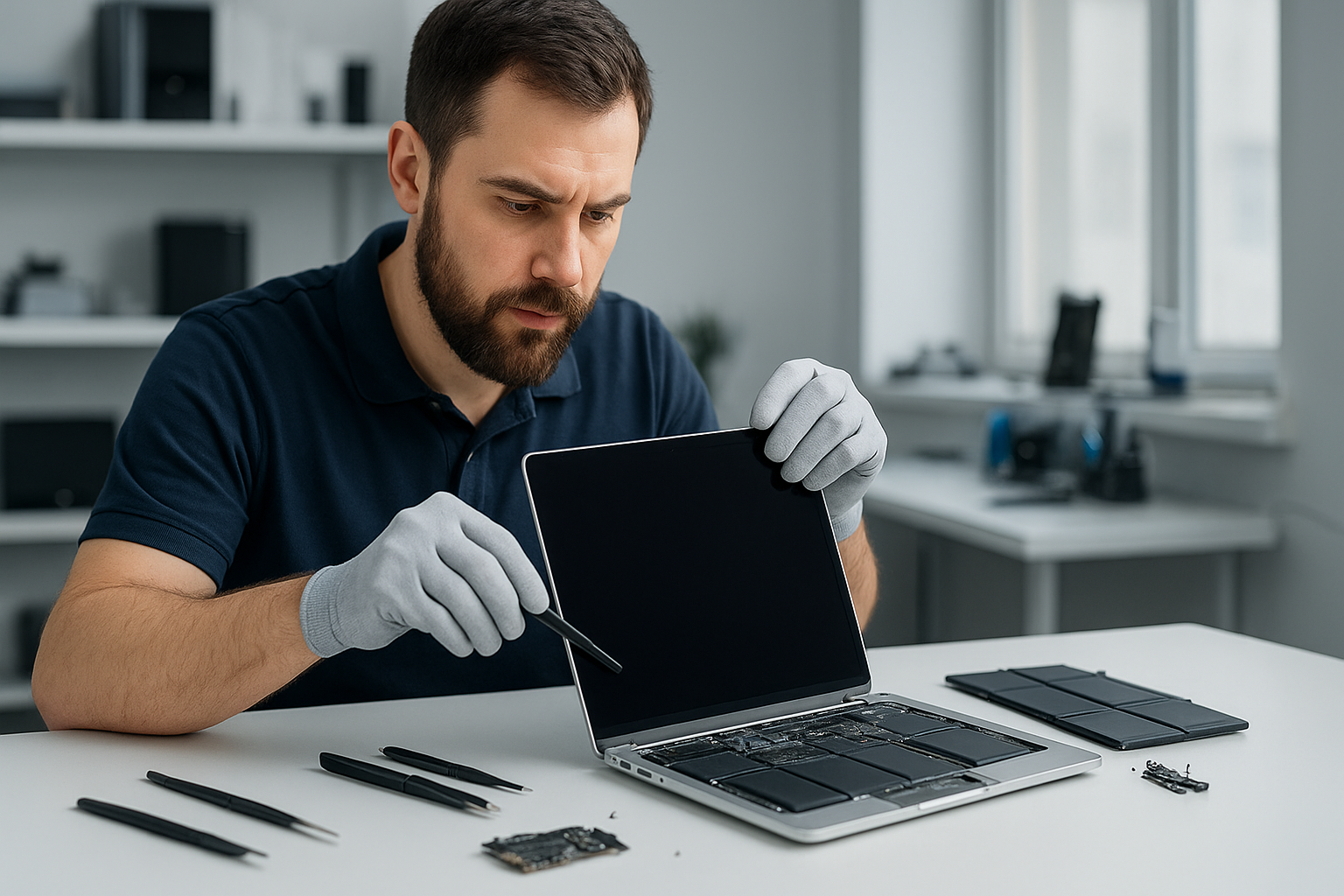
MacBook screen replacement Surrey: Expert Apple screen repair near you

As a senior technician with more than 15 years of hands-on experience, I understand how disruptive a cracked display can be. If you need a MacBook screen replacement Surrey, we diagnose and repair the issue quickly, and get you back to work or study the same day when possible.

Why choose Moe Repair for MacBook screen replacement Surrey

We repair MacBooks and other laptops across Coquitlam, Burnaby, Vancouver and Surrey. Our shop uses OEM-quality panels or high-grade aftermarket Retina-compatible displays depending on your device, budget, and availability. Furthermore, we solder, replace flex cables, and test backlight circuits, so you get a complete solution, not a quick patch.

Many customers arrive after a drop, hinge failure, or accidental impact. Common symptoms include a cracked glass, vertical or horizontal lines, dim backlight, flickering, or no image while the MacBook powers on. Sometimes the logic board shows damage, and in those cases motherboard repair or data recovery may be required.

Common symptoms and quick diagnostics

First, we perform a clear diagnostic. We check for external display output to determine if the issue is the display assembly or the GPU. Then we inspect the screen for glass fracture, LCD panel damage, and backlight failure. We also examine the display cable, hinge area, and connector for liquid damage or loose pins.

If your MacBook shows vertical lines or partial image, we look at the LVDS/eDP cable and the display connector on the logic board. If the screen stays black but you hear startup chimes, we test brightness controls, reset NVRAM, and reset the SMC. For flicker we check inverter lines on older models, and backlight circuits on Retina models. These steps help avoid unnecessary screen replacement when a cable or firmware reset will fix it.

Real repair procedure we follow

When you authorize work, we follow a thorough procedure. First, we power down the MacBook, disconnect the battery, and ground ourselves to prevent static damage. Next, we remove the lower case and disconnect the battery connector. We then remove the display assembly screws and gently separate the display, taking care with the camera and microphone ribbon cables.

After that, we replace the damaged glass or full display assembly, depending on the model. We use precision Torx and Pentalobe drivers, and if necessary, heat is applied to soften adhesives on models with fused glass. Then, we reconnect the display data cable, test the panel for image quality and backlight, and cycle the MacBook through multiple boot tests to confirm stability.

Finally, we reseat screws, apply fresh thermal paste if we accessed the CPU, and run a computer tune-up. We offer SSD upgrades, battery replacement, keyboard replacement, trackpad repair, and laptop fan replacement during the same visit if you need further service.

What to expect: turnaround time, cost, and warranty

Turnaround depends on parts. For common models we stock parts and can often complete a MacBook screen replacement Surrey the same day. For newer Retina models or rare panels we source parts quickly from trusted suppliers. We provide transparent estimates before we start, and we test the machine thoroughly before return. Our repairs include a limited warranty on parts and labor, and we document serial numbers and part sources.

When you might not need a full screen replacement

Sometimes you only need a glass replacement or cable repair. For instance, when the image remains intact but the glass is cracked, we can replace the glass on many models. Conversely, if the screen shows no image but works with an external monitor, the repair might be cheaper and limited to the display assembly or connector. We also handle liquid damage repair, which can affect the display or the logic board, and we offer motherboard repair if corrosion or shorts exist.

Data safety and recovery

We always advise you to back up your data. If your MacBook will not boot, our technicians perform careful diagnostics and, when necessary, use secure data recovery techniques on the SSD or internal storage. We also perform virus removal and Windows installation for Boot Camp setups, and we can migrate data after SSD upgrades or logic board repairs.

Practical advice for owners

First, avoid using superglue or DIY kits that can void warranty and damage sensors. Second, power off the MacBook if you notice odd flicker or burning smell, and bring it in for inspection. Third, use a magnetic screw tray and appropriate tools if you open a laptop yourself. However, for Retina displays and fused-glass models, professional repair reduces the risk of permanent damage.

We also recommend considering an SSD upgrade or battery replacement while the machine is open. These complementary services save you time and improve performance. Additionally, a computer tune-up, thermal paste replacement, or laptop fan replacement can prevent throttling and extend your MacBook’s life.

Service locations and reach

Moe Repair serves Surrey, Coquitlam, Burnaby, Vancouver, Richmond, New Westminster, Maple Ridge, Port Moody, Port Coquitlam, Pitt Meadows, Langley, Delta, North Vancouver, West Vancouver, White Rock, Abbotsford, Mission, and Chilliwack. We also handle gaming PC repair and desktops when required.

If you need MacBook screen replacement Surrey, contact us for a free estimate. We provide clear pricing, fast diagnostics, and professional service.

Moe Repair
Phone: 778-951-4872
Email: service@moerepair.ca
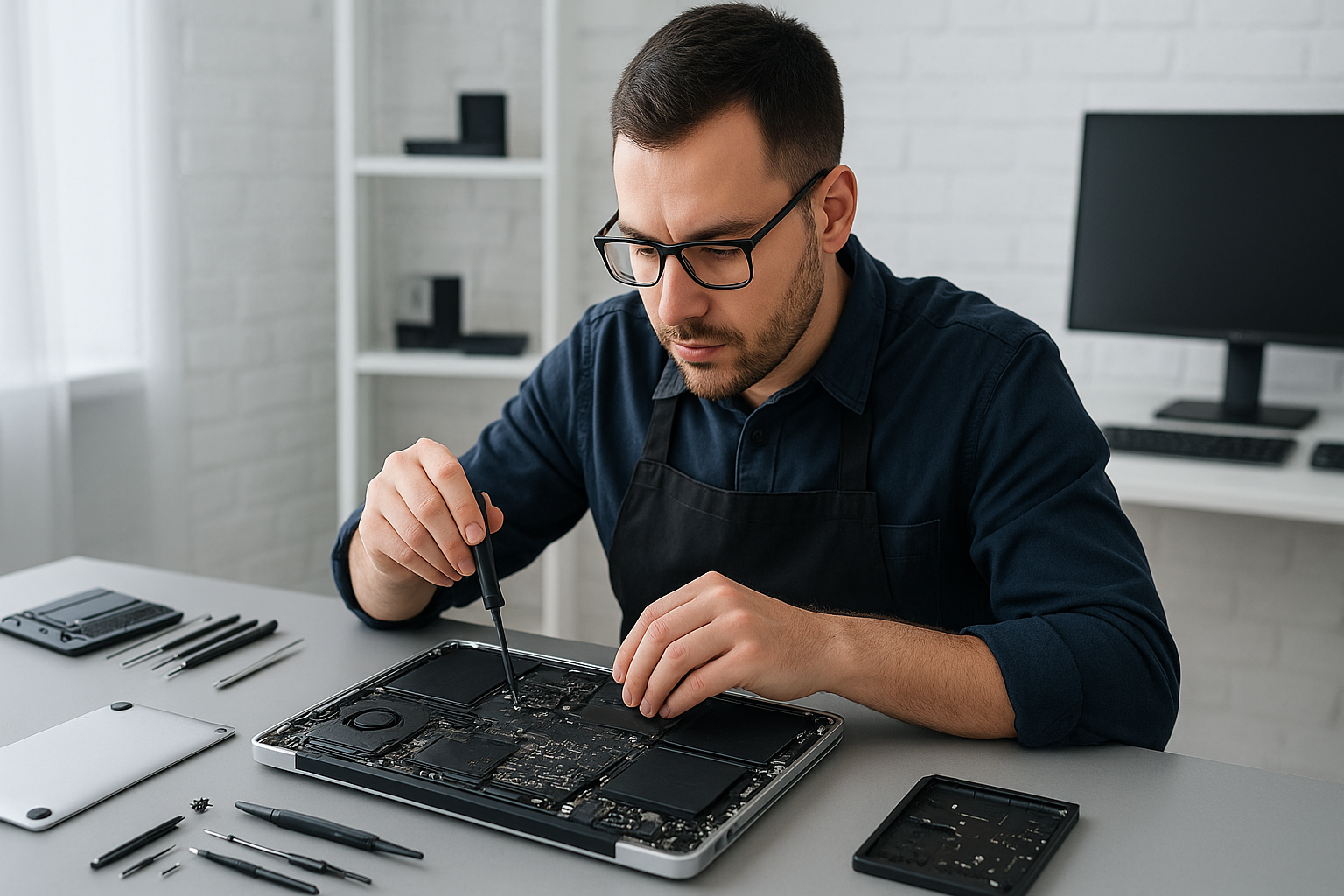
MacBook repair Burnaby: Expert MacBook Repair Near You

I am a senior technician with more than 15 years of hands-on experience repairing Macs. If you need MacBook repair Burnaby, you have a local specialist who can diagnose problems fast, offer practical advice, and perform repairs correctly the first time.

MacBook repair Burnaby: Common problems I see

Customers bring in MacBooks with a range of issues. Common failure symptoms include a Mac that will not boot, a black screen, frequent kernel panics, swollen battery, random shutdowns, cracked or flickering screen, sticky keyboard, and unresponsive trackpad. I also see slow performance from full hard drives, failing SSDs, noisy laptop fan, and liquid damage after spills.

Typical diagnostic steps

First, I start with quick checks. I test the charger and MagSafe or USB-C power delivery. Next, I run SMC and NVRAM resets on applicable models. Then I boot into recovery and run Apple Diagnostics or a Linux live image to isolate hardware from software. I test RAM, inspect the internal connectors, and run a SMART report on SSDs. For liquid damage, I open the laptop, inspect for corrosion, and clean with isopropyl alcohol while checking for shorted components.

Realistic repair procedures

If the screen is cracked, I perform a screen replacement. I carefully remove the display assembly, replace the LCD or retina panel, and re-calibrate the display. For battery replacement, I remove the bottom case, disconnect the battery, replace adhesive strips, and install a genuine or high-quality compatible cell, then run a full charge cycle and battery health test.

When SSDs fail or customers want faster performance, I perform SSD upgrades. I clone data where possible, install the new drive, and confirm TRIM support. For motherboard repair, I perform board-level diagnostics, reflow solder joints when necessary, and replace failed power ICs. For trackpad repair and keyboard replacement, I replace the affected assemblies and test all functions, including backlight and function keys.

How I handle data recovery and virus concerns

For data recovery, I secure the device immediately, image failing drives, and attempt logical recovery before destructive methods. If needed, I recommend clean room partners. For virus removal or malware cleanup, I back up essential files, perform a full system scan, remove malicious items, and reinstall macOS or Windows as requested, while preserving user data when possible.

Liquid damage repair and thermal care

Liquid damage repair starts with power removal and a detailed inspection. I remove corrosion, dry the logic board, and replace damaged connectors. In many cases I also perform laptop fan replacement and thermal paste replacement to prevent thermal cycles that exacerbate damage. After repair, I run extended stress tests to ensure stability.

Why choose Moe Repair in Burnaby and the Lower Mainland

At Moe Repair, we provide transparent diagnostics, honest pricing, and clear explanations. We cover MacBook repair, laptop repair, screen replacement, battery replacement, data recovery, SSD upgrades, motherboard repair, and computer tune-up services. We also support Windows installation and virus removal for cross-platform households.

We serve Burnaby, Coquitlam, Vancouver, Surrey, Richmond, New Westminster, Maple Ridge, Port Moody, Port Coquitlam, Pitt Meadows, Langley, Delta, North Vancouver, West Vancouver, White Rock, Abbotsford, Mission, and Chilliwack. Therefore, whether you live nearby or commute into Burnaby, you get local, reliable service.

Turnaround times and warranty

Most screen replacements and battery replacements complete within one business day. SSD upgrades and data recovery vary depending on data condition, but we give upfront estimates. We provide short-term warranties on parts and labor, and post-repair testing. If a problem persists, we re-evaluate and fix it at no extra charge within the warranty window.

What to expect during a typical repair visit

Bring your MacBook to our bench or contact us to arrange drop-off. I begin with a detailed intake, note symptoms, and run diagnostics. I explain required repairs and present options, for example a genuine part versus an alternative. After you approve, I perform the repair, run validation tests, and demonstrate performance before you leave.

We log serial numbers and back up customer files when possible. For complex motherboard repair or liquid damage repair, I advise leave-in time for thorough testing. For gaming PC repair or Windows installation requests, we handle system builds and performance tuning as well.

Practical advice to avoid future problems

  • Keep your system updated, yet back up before major updates.
  • Use a surge protector when charging to reduce power spikes.
  • Replace a swelling battery promptly to avoid case damage.
  • Clean vents and replace thermal paste annually for heavy use, especially for gaming laptops.
  • For spills, power off immediately and bring your device in for liquid damage repair.

If you need MacBook repair Burnaby, call Moe Repair. We will guide you through realistic options and complete repairs correctly. Moe Repair Phone: 778-951-4872 Email: service@moerepair.ca
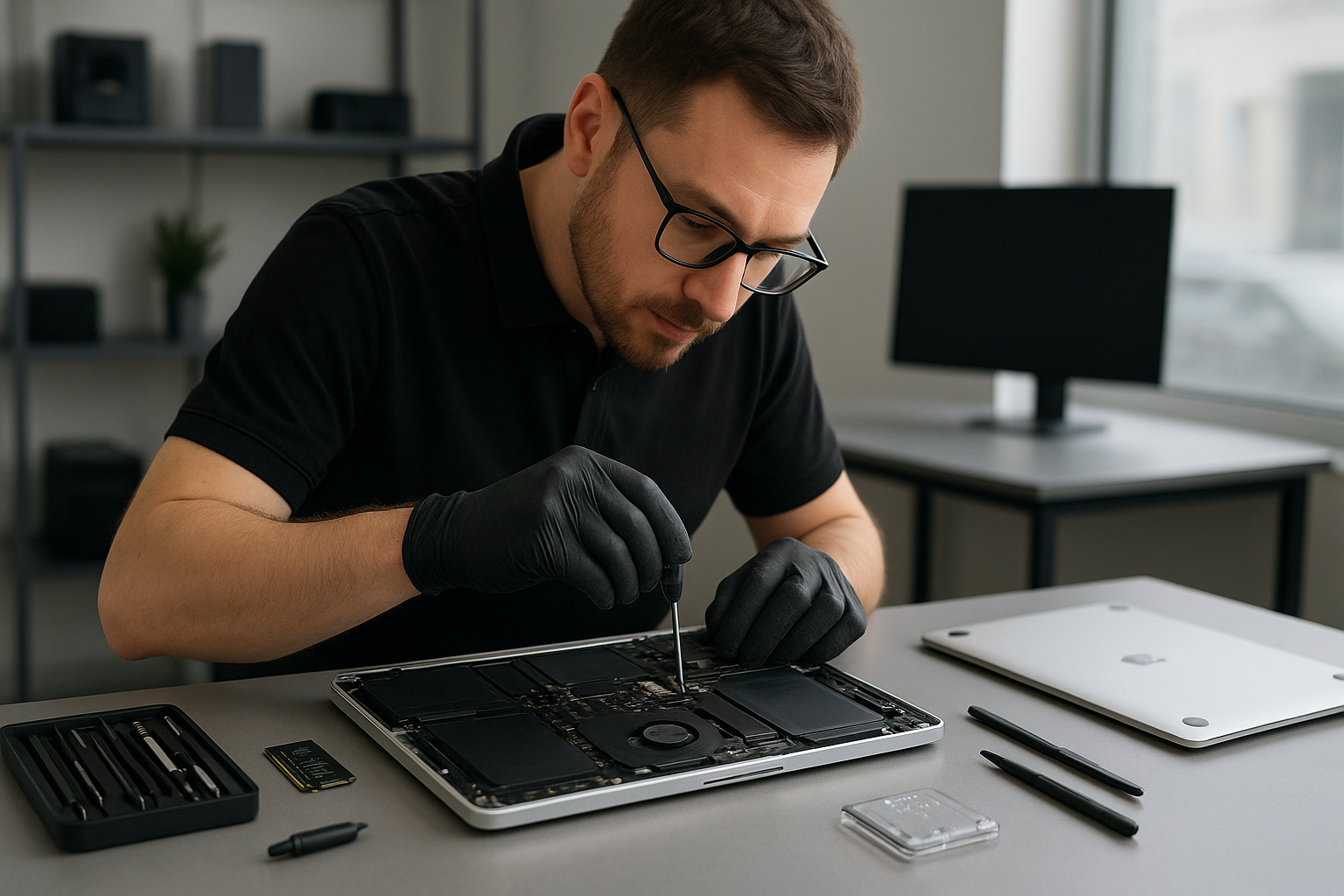
We specialize in keyboard replacement, trackpad repair, laptop fan replacement, motherboard repair, and thermal paste replacement. Additionally, we perform computer tune-up, virus removal, and SSD upgrades to keep your MacBook running like new.

Contact Moe Repair

For dependable MacBook service near Burnaby, contact Moe Repair today. Phone 778-951-4872, email service@moerepair.ca. We inspect, diagnose, and repair with care, and we stand behind our work.

MacBook repair Richmond: Expert MacBook Service Near You

MacBook repair Richmond is our specialty. With more than 15 years of hands-on experience, I diagnose and repair MacBook Pro and MacBook Air problems precisely, and I explain practical fixes to customers in plain language.

MacBook repair Richmond, quick diagnostics and common symptoms

When a MacBook will not boot, shows a gray or black screen, or repeatedly restarts, those are common failure symptoms of logic board issues, corrupted macOS, or failing SSDs. Other typical signs include swelling batteries, flickering displays, unresponsive keyboards, or trackpads. If you see liquid residue, or the device smells burned, stop using it, and bring it in for immediate assessment.

Initial diagnostic steps I perform

  • Visual inspection for corrosion, physical damage, or swollen battery.
  • SMC and NVRAM resets, to rule out firmware and power management faults.
  • Boot into macOS Recovery, then run Disk Utility and Apple Diagnostics.
  • Test power rails on the logic board with a multimeter when required.
  • Attempt safe boot and create a verbose boot log for recurring kernel panics.
  • Clone internal drives for data safety before invasive repairs.

These steps let me narrow down whether the problem is software, a failing SSD, a damaged logic board, or liquid damage. I always explain findings and options before any repair.

Practical repair procedures and realistic timelines

For a screen replacement, I remove the case, disconnect the display cables, replace the panel with a calibrated unit, and test color, touch response, and hinge tension. Typically, a screen swap takes a few hours.

For battery replacement, I power off the machine, disconnect the battery, remove adhesives safely, install the calibrated cell, and verify charging cycles with system diagnostics. For swelling batteries I advise immediate replacement.

For SSD upgrades and data recovery, I clone the old drive to a secure image, then install the new SSD and restore macOS. If the drive is mechanically damaged, we use specialized recovery tools, and when necessary I escalate to a certified data recovery lab. This preserves your files and reduces downtime.

When a MacBook shows liquid damage, I open the chassis, clean corrosion with isopropyl alcohol, inspect the logic board, and test individual components. If the motherboard needs repair I replace burned parts or reflow components only when safe. For severe damage, I will provide honest advice on repair versus replacement.

Thermal and performance services

I offer thermal paste replacement, laptop fan replacement, and a full computer tune-up. For older Macs I recommend SSD upgrades and fresh installs of macOS to restore speed. For customers who need Windows installation on Mac hardware, I handle Boot Camp setups and hybrid drive configurations.

Why choose Moe Repair for MacBook repair Richmond

I have repaired hundreds of MacBooks across Coquitlam, Burnaby, Vancouver, Surrey, Richmond, New Westminster, and surrounding cities. I use quality parts, follow strict ESD procedures, and document each repair step. Moreover, I provide clear estimates, so you know cost and timeline up front.

We also handle related services like laptop repair, virus removal, motherboard repair, keyboard replacement, trackpad repair, and gaming PC repair. For customers with data loss concerns, we prioritize secure data recovery workflows.

Transparent pricing and warranty

After diagnosis I supply a written quote. Most screen, battery, and SSD upgrades are completed within one business day. Motherboard repair or liquid damage work may take longer. All repairs include a parts and labour warranty, and I explain coverage clearly.

Customer advice and prevention tips

Back up regularly with Time Machine, or use cloud sync, and avoid exposing your MacBook to liquids and extreme heat. Use surge protectors during storms. If you notice early signs like slow startup, unusual fan noise, or reduced battery life, bring the MacBook in. Early intervention often saves time and money.

Also, when buying replacement parts, avoid cheap generic components that may cause further damage. I recommend OEM or high-quality aftermarket screens and batteries, and I test everything after installation.

Service areas and onsite options

We serve Coquitlam, Burnaby, Vancouver, Surrey, Richmond, New Westminster, Maple Ridge, Port Moody, Port Coquitlam, Pitt Meadows, Langley, Delta, North Vancouver, West Vancouver, White Rock, Abbotsford, Mission, and Chilliwack. If you cannot visit our workshop, ask about pickup and delivery in selected areas.

Moe Repair
Phone: 778-951-4872
Email: [service@moerepair.ca](mailto:service@moerepair.ca)

Common repairs we complete

  • Screen replacement for cracked or non-responsive displays.
  • Battery replacement and calibration.
  • SSD upgrades and fresh macOS installation.
  • Motherboard repair and component-level troubleshooting.
  • Liquid damage repair and corrosion cleaning.
  • Data recovery and secure file restoration.
  • Keyboard replacement and trackpad repair.
  • Virus removal, Windows installation, and computer tune-up.

How to start a repair

Call 778-951-4872 or email [service@moerepair.ca](mailto:service@moerepair.ca) to book an appointment. Bring your MacBook to our Richmond-friendly workshop, or ask about drop off and pickup. We will perform a thorough diagnostic, and then proceed only after you approve the quote.

For reliable MacBook repair Richmond, contact Moe Repair today. We fix problems correctly, and we stand behind our work.

MacBook repair Surrey: Expert MacBook & Laptop Repair Near You

As a senior computer technician with more than 15 years of hands-on experience, I understand how disruptive a failing MacBook can be. If you need fast, reliable MacBook repair Surrey, Moe Repair offers professional diagnostics and repairs for MacBook Air, MacBook Pro, and older Apple laptops.

MacBook repair Surrey – accurate diagnostics and proven fixes

We start every job with a controlled diagnostic. I inspect boot logs, run Apple Hardware Test or Apple Diagnostics, and check SMC and NVRAM. For non-booting machines I connect a known-good SSD to test the logic board and isolate whether the issue is software, storage, or motherboard related.

Common symptoms we see include slow performance, unexpected shutdowns, battery swelling, cracked screens, sticky keys, and water exposure. For performance complaints we test the SSD, run a clean installation of macOS or Windows installation when requested, and recommend SSD upgrades or RAM checks.

Real repair procedures I use

Screen replacement, for instance, begins with a full data backup. I document serial numbers, remove the display assembly carefully, replace the bezel and panel, then calibrate the display and test the camera and Wi-Fi. For battery replacement I perform a capacity test, power cycle checks, and validate SMC behavior after installing a new battery.

On liquid damage cases, I power down the machine, remove power sources, disassemble to the logic board, clean with isopropyl alcohol, and inspect connectors under a microscope. If corrosion has damaged the motherboard I perform targeted motherboard repair or component-level replacement when feasible.

For overheating or noise I check vents and fans, perform laptop fan replacement when necessary, and redo thermal paste using high-quality compound. Thermal paste replacement often reduces temperatures 10 to 20 degrees on older MacBooks, restoring performance and preventing thermal throttling.

Data recovery and virus removal

If the drive fails, I image the SSD or hard drive in a cleanroom-aware workflow, attempt file system repairs, and use forensic tools for lost data. For virus removal or malware cleanup I isolate the unit, update protection tools, and perform a secure reinstall if required, then restore user data from verified backups.

Why choose Moe Repair for MacBook repair Surrey

I work with Apple-level parts specialists and use genuine or high-quality replacement screens, batteries, trackpads, and keyboards. I handle keyboard replacement, trackpad repair, and logic board servicing, as well as Windows installation on Macs for users who need Boot Camp or virtualization support.

Customers in Coquitlam, Burnaby, Vancouver, Richmond, New Westminster and Surrey trust Moe Repair for transparent pricing, clear timelines, and hands-on testing before return. We also support Maple Ridge, Port Moody, Port Coquitlam, Pitt Meadows, Langley, Delta, North Vancouver, West Vancouver, White Rock, Abbotsford, Mission and Chilliwack.

Typical diagnostic steps I perform

  • Visual inspection for damage, corrosion or swelling.
  • Power and boot tests, SMC and NVRAM resets.
  • Disk health checks and SSD upgrades when beneficial.
  • Component-level testing of RAM, Wi-Fi, and sensors.
  • Thermal and fan assessments and thermal paste replacement.

These steps let me narrow faults quickly. For example, a Mac that won’t charge sometimes has a faulty charging port, swollen battery, or SMC firmware issue. I test each element in sequence, which saves customers time and money.

Transparent repair examples

Screen replacement. I remove the broken display, transfer components to the new panel, and confirm brightness, True Tone, and camera operation. Battery replacement. I test cycle count, remove the old battery, install the new one, then verify charge behavior over multiple cycles.

SSD upgrades. I clone the original drive using block-level imaging, install a higher capacity NVMe SSD, and run macOS migration. Data recovery. I image failing drives and recover files before attempting repairs that could risk data loss.

Pricing, turnaround and warranty

I provide a clear estimate after diagnosis. Most routine repairs, such as battery replacement, screen replacement or SSD upgrades, complete within 24 to 48 hours when parts are in stock. Motherboard repair and liquid damage fixes may take longer depending on parts and cleaning time. All repairs include testing and a limited warranty on parts and labor.

Moe Repair handles laptop repair and gaming PC repair, plus computer tune-up services for customers who want improved speed or stability. I also do virus removal and Windows installation for mixed environment users.

What you can do before bringing your Mac in

First, back up your data if possible. Use Time Machine or clone to an external drive. Note any recent strange behavior, error messages, or events such as a spill. Power down if you suspect liquid damage, and avoid charging the device.

Remove any case or screen protector and pack the Mac with charger and original accessories if available. Clear a short list of apps that reproduce the problem if the issue is software related, so I can replicate and diagnose faster.

Moe Repair
Phone: 778-951-4872
Email: [service@moerepair.ca](mailto:service@moerepair.ca)

If you are in Surrey or nearby, bring your MacBook to Moe Repair for hands-on service. I stand behind my work and communicate clearly at every step. Contact me today to schedule a diagnostic or urgent MacBook repair Surrey appointment.

MacBook repair Coquitlam: Trusted Apple Technician Near You

As a senior technician with more than 15 years of hands-on experience I perform precise MacBook repairs every day. If you need MacBook repair Coquitlam customers trust Moe Repair for accurate diagnostics, data recovery, screen replacement and long lasting fixes.

Why choose Moe Repair for MacBook repair Coquitlam

I focus on clear diagnostics and transparent pricing. First, I triage your machine to identify symptoms. Next, I back up data when possible, then I run hardware and software tests. Finally, I repair the underlying fault and retest. You get honest service from a certified technician who uses quality parts.

Common symptoms and what they mean

If your MacBook shows a black screen, repeated kernel panics, or will not boot, that indicates power, SSD, or logic board issues. Swollen batteries, rapid battery drain, and sudden shutdowns point to battery health problems. Unresponsive keys, sticky keys, or missing characters suggest keyboard replacement. A jittery or dead cursor often needs trackpad repair. Fans spinning loudly, overheating, or thermal throttling mean I will examine the fan, vents, and perform thermal paste replacement.

Liquid spills produce corrosion, stuck keys, and boot failures. I treat liquid damage with immediate board isolation, component-level cleaning, and targeted repairs. For virus removal and slow performance I run malware scans, remove unwanted software, and perform a computer tune-up.

Realistic repair procedures I use

My repair workflow follows proven steps. I start with visual inspection, then run Apple Diagnostics. I check SMC and NVRAM resets. For power issues I measure voltage rails with a multimeter, inspect the DC jack, and test the battery. For display problems I swap in a known-good display cable or screen before ordering parts.

For a screen replacement I open the case, disconnect the battery, remove the display assembly, replace the panel and reassemble. For battery replacement I calibrate the new battery and verify charging performance. For SSD upgrades I image the old drive, install a higher capacity SSD, clone the operating system, then verify file integrity. These steps reduce risk and maintain your data.

When I find motherboard faults I inspect under a microscope, test power rails, and replace damaged components. I perform micro-soldering and logic board repair when required. For liquid damage I clean contact points with high purity isopropyl alcohol, replace corroded connectors, and dry the chassis to prevent future shorts.

Diagnostic steps you can expect

I will document the problem, run system reports, and check logs. I use hardware tests and software utilities to isolate the fault. Usually I can identify whether the issue is storage, battery, display, keyboard, trackpad, fan, or logic board. At Moe Repair our MacBook repair Coquitlam service includes step-by-step diagnostics and a written quote before any work begins.

  • Step 1, visual inspection and customer interview
  • Step 2, backup and basic software checks such as Safe Mode and malware scan
  • Step 3, hardware diagnostics, voltage tests, and component-level checks
  • Step 4, parts replacement or board-level repair with quality components
  • Step 5, final testing, thermal checks, and customer walkthrough

Typical repairs and services

Our MacBook repair Coquitlam services cover screen replacement, battery replacement, keyboard replacement, trackpad repair, laptop fan replacement, thermal paste replacement and SSD upgrades. We also handle data recovery, virus removal, Windows installation on Boot Camp machines, motherboard repair, liquid damage repair, and gaming PC repair. I perform full computer tune-up services to restore speed and reliability.

I carry quality parts for MacBook Pro repair and MacBook Air repair. If a repair like a screen replacement or battery replacement will restore service quickly I recommend it. For more complex faults I explain motherboard repair or logic board repair options with expected costs.

Practical advice from an experienced technician

Back up your files regularly, ideally to both cloud and a local drive. Keep macOS updated and avoid running unknown installers. Use a good case, keep liquids away, and avoid placing heavy objects on the lid. For older models consider SSD upgrades and fresh thermal paste to extend usable life.

If your MacBook receives liquid damage unplug it, do not power it on, and bring it in immediately. For a swollen battery stop using the device and bring it to our shop for safe battery replacement. For persistent performance issues start with a diagnostic so we can pinpoint whether the cause is software, drive failure, or thermal stress.

Service areas and how to reach us

Moe Repair serves Coquitlam, Burnaby, Vancouver, Surrey, Richmond, New Westminster, Maple Ridge, Port Moody, Port Coquitlam, Pitt Meadows, Langley, Delta, North Vancouver, West Vancouver, White Rock, Abbotsford, Mission and Chilliwack. We handle laptop repair and desktop repair across the Lower Mainland and Fraser Valley.

Call Moe Repair at 778-951-4872 or email service@moerepair.ca to book an appointment or request a free diagnostic. We accept drop offs, mail-in repairs, and offer clear estimates before work begins.

Moe Repair, Phone: 778-951-4872, Email: service@moerepair.ca

Quick answers

Can you recover data from a failed SSD? Yes, we perform data recovery and cloning when the drive condition allows. How long is a warranty? Parts and labour warranty varies by service, we explain details on the estimate. Do you repair older MacBooks? Yes, I repair many legacy models and recommend upgrades when feasible.

For reliable MacBook repair Coquitlam residents call Moe Repair today and get expert help that restores your machine, protects your data, and provides clear choices for repair or upgrade.

MacBook repair Surrey: Expert MacBook Service Near You

As a senior technician with more than 15 years of hands-on experience, I handle MacBook repair Surrey with a practical, proven approach. I diagnose faults quickly, explain options clearly, and perform repairs that last. Whether you need screen replacement, battery replacement, SSD upgrades, or motherboard repair, I work efficiently and transparently.

Why choose MacBook repair Surrey at Moe Repair

Moe Repair in Coquitlam serves customers across Surrey, Burnaby, Vancouver, Richmond and beyond. We offer same-day diagnostics, honest pricing, and a full parts warranty. Moreover, we specialize in MacBook Pro repair and MacBook Air repair, while also offering laptop repair and gaming PC repair for clients in Port Moody, New Westminster, and Langley.

Common symptoms and what they mean

If your MacBook will not boot, shows a gray screen, or repeatedly restarts, those are common signs of a failing SSD or corrupted macOS. A swollen battery, bulging case, or rapid battery drain indicate battery health issues. Cracked screens, dead pixels, or flicker point to the need for screen replacement. Sticky or unresponsive keys require keyboard replacement, while an unresponsive trackpad calls for trackpad repair.

Fans that run at full speed or a hot palm rest usually signal poor cooling. In that case, I perform laptop fan replacement and thermal paste replacement, then test temperatures under load. Liquid spills can cause odd behavior, corrosion, or complete failure. For liquid damage repair, immediate shutdown and professional assessment improve the chances of recovery.

How I diagnose your MacBook

First, I document the symptoms and recent events. Then, I back up the drive if possible. Next, I perform non-invasive checks such as PRAM or NVRAM reset and SMC reset, followed by a visual inspection for corrosion, swollen battery, or loose connectors. I run Apple Diagnostics and bootable external tools to isolate hardware from software problems.

If hardware is suspected, I open the unit using ESD-safe tools and a proper driver set. I test the battery with a multimeter, verify SSD health, and inspect the motherboard under magnification for blown components. For screen issues I test the display cable and connector before ordering a replacement panel. For liquid damage, I clean the logic board with isopropyl and inspect for shorted circuits, then discuss repair versus data recovery options with the customer.

Real repair procedures I perform

For an SSD upgrade, I clone the original drive to the new SSD with block-level cloning software, then validate file integrity and firmware. For screen replacement I disassemble the upper case, disconnect the display assembly, replace the panel, and calibrate colors. Battery replacement includes verifying charging circuit functionality and calibrating battery reporting. For motherboard repair, I replace blown capacitors, reflow surface mount chips when appropriate, and replace damaged USB or power ICs when necessary.

When dealing with thermal issues, I remove the heatsink, clean old thermal paste, apply a high-quality thermal compound, and retest under benchmark loads. For keyboard replacement, I carefully separate the top case and swap the keyboard membrane or scissor assembly, then test every key. For data recovery, I use hardware adapters and read-only techniques to image failing drives, then run recovery software in a controlled environment to retrieve lost files.

Virus removal, Windows installation and tune-ups

Although Macs are less prone to malware, I still perform virus removal and security hardening when needed. Additionally, I provide Windows installation on Boot Camp or separate machines for users who need both platforms. Regular computer tune-up services include macOS updates, disk cleanup, and performance optimization to keep your MacBook running smoothly.

Typical turnaround and warranty

Screens and batteries often repair the same day. More complex motherboard work or data recovery may take several days. I document the job, get approval for parts, and keep you updated. All repairs include a warranty on parts and labor, so you get peace of mind.

Service areas and pickup options

Moe Repair serves Surrey, Coquitlam, Burnaby, Vancouver, Richmond, New Westminster, Maple Ridge, Port Moody, Port Coquitlam, Pitt Meadows, Langley, Delta, North Vancouver, West Vancouver, White Rock, Abbotsford, Mission, and Chilliwack. For convenience, we offer drop-off, in-shop repairs, and local pickup for qualifying jobs.

MacBook repair Surrey: Pricing and what to expect

Pricing depends on parts and labor. Screen replacement, battery replacement, and SSD upgrades are typically quoted up front. For motherboard repair or liquid damage repair I provide a diagnostic report and an honest recommendation. If data recovery is required, I give a separate estimate. I accept payment after you approve the work, and we test the MacBook together before handoff.

Contact Moe Repair for a quick quote. We prioritize transparent communication, and we will not perform extra work without your approval.

Moe Repair
Phone: 778-951-4872
Email: [service@moerepair.ca](mailto:service@moerepair.ca)

MacBook screen replacement Vancouver: Fast, expert repairs from a senior technician

As a senior technician with more than 15 years of hands-on experience, I fix MacBook screens every week. If you need MacBook screen replacement Vancouver, you want a safe, reliable repair, completed quickly, with your data protected. This guide explains symptoms, diagnostics, repair procedures, and smart advice so you can make the right decision.

Common symptoms that mean you need MacBook screen replacement Vancouver

A damaged screen rarely looks the same from one machine to another. Common failure symptoms I see include cracked glass, lines across the display, a black screen with backlight on, backlight failure, dead pixels, and severe flicker. Sometimes the touchscreen or glass is intact, but the display shows vertical or horizontal lines, which signals an LCD or flex cable issue.

Other signs include touchpad or keyboard problems after a drop, which suggests internal frame damage. If your MacBook has liquid damage, the screen can fail later, even if it behaved normally at first. In those cases, bring the laptop in quickly for diagnosis.

Quick diagnostic steps we use at Moe Repair

First, I ask about recent drops, spills, or symptoms. Then I run a simple checklist. We connect the MacBook to an external monitor to determine if the GPU and logic board output video. If the external monitor works, the issue is almost always the display assembly, not the motherboard.

Next, we test the backlight by shining a flashlight at an angled screen in a dark room. If faint images are visible, the backlight or inverter is likely faulty. We also inspect the display cable and connector for corrosion or bent pins. Finally, we check for firmware issues and run hardware diagnostics.

What to expect during a professional screen replacement

At Moe Repair, we follow a safe, consistent procedure. First, we power down and disconnect the battery to avoid short circuits. Then we remove the bottom case and shield to access display connectors. We carefully remove the display assembly screws and peel back any adhesive sealing the glass or bezel.

If only the glass is cracked, and the LCD and backlight work, we may perform a glass-only repair when feasible. However, on Retina models, glass and display are often fused, so full display replacement gives the best results. We use OEM-quality or high-grade compatible panels, and then reassemble the unit, reconnect the battery, and run a full test, including brightness control, color calibration, and hinge operation.

We also inspect for related issues, such as hinge strain, liquid residue, or logic board damage. If we find additional problems, we explain them and provide a clear estimate before proceeding.

Realistic turnaround times and parts

Most MacBook screen replacement Vancouver jobs take one to three business days, depending on the model and parts availability. For common MacBook Air and MacBook Pro models, we often finish the same day when parts are in stock. We source quality panels to ensure proper color, brightness, and longevity.

Why choose Moe Repair for your MacBook screen replacement

I have repaired thousands of laptops, including MacBook repair, motherboard repair, SSD upgrades, and liquid damage repair. I use precise tools, ESD-safe procedures, and proven techniques like disconnecting the battery, pre-testing components, and post-repair calibration. Consequently, you get a reliable repair and better long-term performance.

Moreover, we offer complementary checks such as battery replacement assessment, trackpad repair, keyboard replacement, thermal paste replacement, and a computer tune-up. If your MacBook shows other symptoms, such as slow performance or unexpected shutdowns, we address those too.

Practical customer advice before you bring your MacBook in

  • Back up your data if possible. Use Time Machine or clone your drive, or ask us about data recovery if you cannot boot the Mac.
  • Bring your charger. We test charging behavior during diagnostics.
  • Remove any cases or screen protectors.
  • Note recent incidents like spills, drops, or strange noises.

If you cannot back up, do not worry. We perform data recovery services and handle drives carefully during repairs.

Related services we provide

We do more than screen replacement. For customers across Coquitlam, Burnaby, Vancouver, Surrey, Richmond, New Westminster, Maple Ridge, Port Moody, Port Coquitlam, Pitt Meadows, Langley, Delta, North Vancouver, West Vancouver, White Rock, Abbotsford, Mission, and Chilliwack, we offer battery replacement, virus removal, Windows installation, SSD upgrades, gaming PC repair, motherboard repair, keyboard replacement, trackpad repair, laptop fan replacement, thermal paste replacement, data recovery, and computer tune-up.

Often a screen failure accompanies other issues. We provide honest advice and combine services when efficient. For example, if you need an SSD upgrade and a screen replacement, we can do both in a single visit to reduce downtime.

Pricing, warranty, and parts transparency

We provide transparent quotes after diagnosis. Prices vary by MacBook model and whether we replace glass only or the entire display assembly. We warranty our work on parts and labor, and we document serial numbers and part sources. You get a clear invoice and post-repair testing results.

How to get started with Moe Repair in Vancouver

Contact us to describe the symptoms. We will schedule a convenient drop-off or walk-in appointment in Coquitlam. Bring your MacBook and charger. We will run diagnostics, explain the issue, and recommend the best solution. In many cases, we can begin the repair the same day.

Moe Repair handles everything carefully. We test for liquid damage, check the motherboard, and perform post-repair calibration to ensure the display meets Apple specifications where possible. We also handle warranty claims if applicable.

If you need help right now, call us at 778-951-4872, or email service@moerepair.ca. We serve Vancouver and the Lower Mainland with fast, dependable MacBook screen replacement Vancouver services.

Final notes from a senior technician

Do not trust a cracked or flickering screen to guesswork. Proper diagnostics avoid unnecessary motherboard replacements. Trust a technician who has performed thousands of repairs. We use safe disassembly procedures, high-quality parts, and rigorous testing. Consequently, you save time and money, and your MacBook returns to reliable service.

Moe Repair values clear communication. Call 778-951-4872 or email service@moerepair.ca to arrange a MacBook screen replacement Vancouver appointment today.

Moe Repair, Phone: 778-951-4872, Email: service@moerepair.ca

MacBook screen replacement Vancouver

I have repaired MacBooks for more than 15 years, and I know how disruptive a cracked or flickering display can be. If you need MacBook screen replacement Vancouver, you want fast fault diagnosis, qualified technicians, and reliable parts. At Moe Repair we provide that, and we back every job with clear communication and tested repairs.

Common symptoms and what they mean

If your MacBook shows any of the following, a screen replacement or related repair is likely required.

  • Cracked glass or spiderweb fractures, which typically need glass replacement or full display assembly replacement.
  • Black screen with power sounds, often caused by a detached display cable or backlight failure.
  • Flickering or intermittent image, usually a failing display cable or loose connector, sometimes a GPU or motherboard issue.
  • Vertical or horizontal lines, indicating LCD damage or connector problems.
  • Backlight dimming, which can be a backlight inverter or LED issue on older models.
  • Touch or trackpad response problems after a drop, possibly from frame distortion affecting the display assembly.

Initial diagnostics we perform

First, we document the failure and power cycle the MacBook. Next, we connect an external monitor to check if the GPU is driving an image. If the external display works, the problem is the MacBook display or cable, not the logic board.

Then we run hardware tests and inspect the display cable and hinge area for corrosion or damage. We check the inverter and backlight circuitry on older unibody models. For liquid damaged units, we open the laptop, clean corrosion, and test components before recommending parts replacement.

Realistic repair procedure for a cracked Retina display

For Retina and newer MacBook displays we follow three main steps.

  1. Remove the bottom case, battery connector, and display cable. We always disconnect power and use ESD precautions.
  2. Separate the display assembly carefully, remove the glass and LCD as one unit if required. For Retina models we replace the full display assembly to maintain screen quality and True Tone functionality when possible.
  3. Install the replacement assembly, reconnect cables, and calibrate the display. We test for dead pixels, backlight uniformity, and hinge alignment, then run a stress test for 24 hours when requested.

We use OEM or high-quality equivalent panels. If you prefer OEM parts, we can source them when available. However, for many models our tested aftermarket panels provide excellent color accuracy and a lower price.

Battery and related services while you wait

Often customers come in for screen replacement and ask about battery replacement or SSD upgrades. We can perform multiple services in one visit, for example screen replacement plus battery replacement, SSD upgrade, or thermal paste replacement. That saves you time and reduces risk from repeated disassembly.

Why choose Moe Repair for MacBook screen replacement Vancouver

I lead a team of certified technicians with deep experience in MacBook repair, motherboard repair, and liquid damage repair. We diagnose properly before replacing parts. Therefore you only pay for what is necessary. We also offer data recovery and virus removal when needed, and we handle keyboard replacement, trackpad repair, and laptop fan replacement.

We serve customers across the Lower Mainland including Coquitlam, Burnaby, Vancouver, Surrey, Richmond, and surrounding cities. Whether you need express repair, a scheduled appointment, or a full computer tune-up, we can help.

Pricing and turnaround

Turnaround depends on model and parts availability. Many screen replacements complete same day when parts are in stock. For older models or special OEM displays, we give an ETA when you drop off the machine. We provide a firm quote after diagnostics, and we explain warranty coverage.

Practical advice to protect your MacBook screen

Use a padded sleeve or rigid case when you commute. Avoid placing heavy objects on top of your laptop and be careful around liquids. If you spill, power down immediately and bring the unit in for liquid damage repair. Acting quickly increases the chance of saving the motherboard and data.

If your MacBook shows intermittent artifacts, back up your data before bringing it in. We offer data recovery and SSD upgrades if your drive shows signs of failure.

What to expect when you bring your MacBook to Moe Repair

  • Friendly intake with full documentation of symptoms.
  • Diagnostic testing and clear estimate before any work begins.
  • Skilled technicians performing screen replacement, trackpad repair, keyboard replacement, and more.
  • Final QA including display calibration and stress testing.

We also handle Windows installation on Boot Camp machines, virus removal, motherboard repair, and gaming PC repair. For business clients, we provide computer tune-up services and component upgrades.

Contact Moe Repair

Bring your MacBook to our Coquitlam shop or arrange a drop-off from nearby communities. We work with customers from New Westminster, Port Moody, Port Coquitlam, Pitt Meadows, Maple Ridge, Langley, Delta, North Vancouver, West Vancouver, White Rock, Abbotsford, Mission, Chilliwack, Richmond, Burnaby, Surrey, and Vancouver.

Moe Repair
Phone: 778-951-4872
Email: [service@moerepair.ca](mailto:service@moerepair.ca)

Call or email now for an estimate and appointment. We will explain diagnostic findings and recommended repairs in plain terms. For urgent screen replacements we offer express options when parts are available.

Remember, if your MacBook shows a black screen, flicker, or cracked glass, prompt diagnosis improves the repair outcome and reduces the risk of collateral damage. Contact Moe Repair today for reliable MacBook screen replacement Vancouver and comprehensive laptop repair services.