
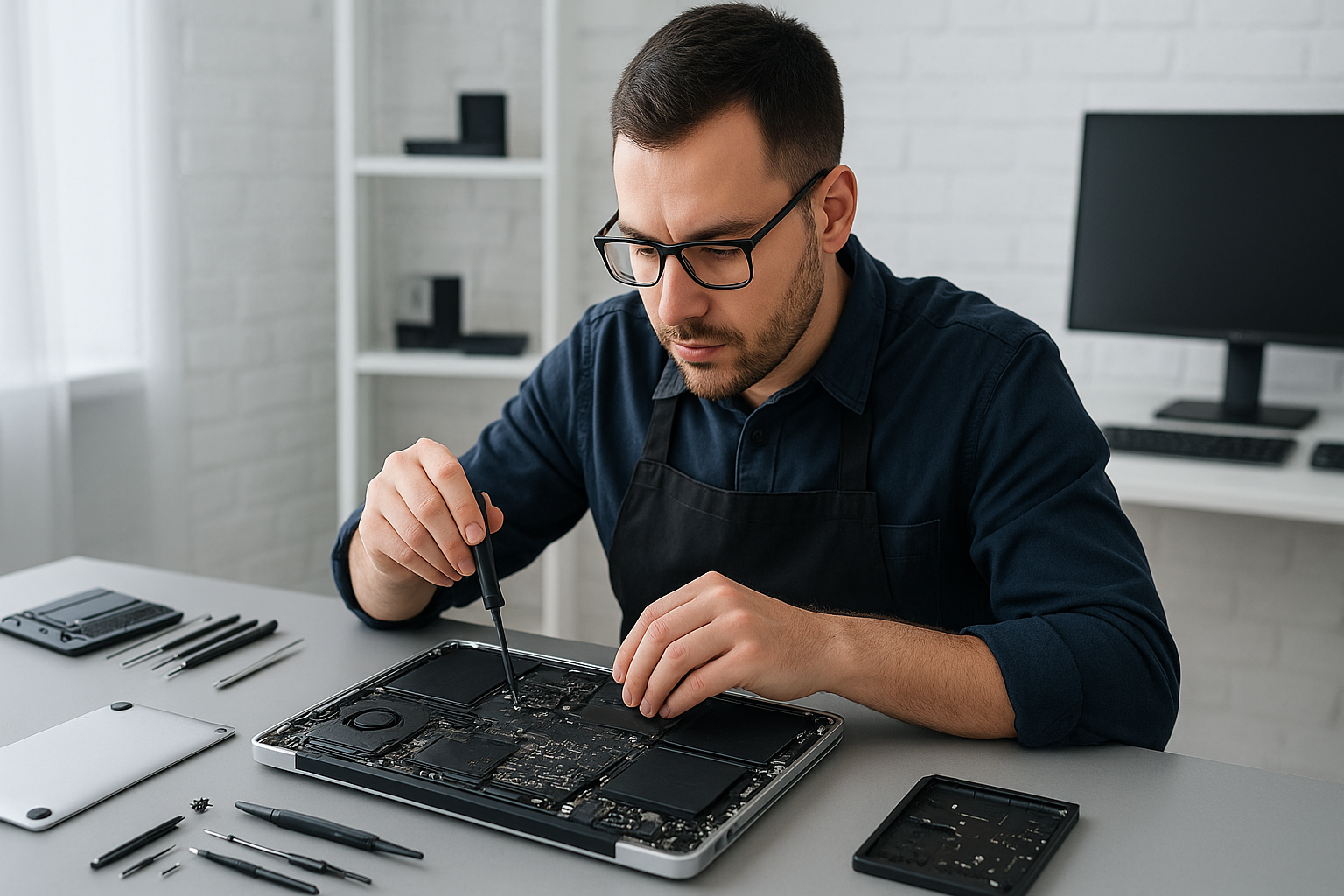
MacBook repair Burnaby: Expert MacBook Repair Near You
I am a senior technician with more than 15 years of hands-on experience repairing Macs. If you need MacBook repair Burnaby, you have a local specialist who can diagnose problems fast, offer practical advice, and perform repairs correctly the first time.
MacBook repair Burnaby: Common problems I see
Customers bring in MacBooks with a range of issues. Common failure symptoms include a Mac that will not boot, a black screen, frequent kernel panics, swollen battery, random shutdowns, cracked or flickering screen, sticky keyboard, and unresponsive trackpad. I also see slow performance from full hard drives, failing SSDs, noisy laptop fan, and liquid damage after spills.
Typical diagnostic steps
First, I start with quick checks. I test the charger and MagSafe or USB-C power delivery. Next, I run SMC and NVRAM resets on applicable models. Then I boot into recovery and run Apple Diagnostics or a Linux live image to isolate hardware from software. I test RAM, inspect the internal connectors, and run a SMART report on SSDs. For liquid damage, I open the laptop, inspect for corrosion, and clean with isopropyl alcohol while checking for shorted components.
Realistic repair procedures
If the screen is cracked, I perform a screen replacement. I carefully remove the display assembly, replace the LCD or retina panel, and re-calibrate the display. For battery replacement, I remove the bottom case, disconnect the battery, replace adhesive strips, and install a genuine or high-quality compatible cell, then run a full charge cycle and battery health test.
When SSDs fail or customers want faster performance, I perform SSD upgrades. I clone data where possible, install the new drive, and confirm TRIM support. For motherboard repair, I perform board-level diagnostics, reflow solder joints when necessary, and replace failed power ICs. For trackpad repair and keyboard replacement, I replace the affected assemblies and test all functions, including backlight and function keys.
How I handle data recovery and virus concerns
For data recovery, I secure the device immediately, image failing drives, and attempt logical recovery before destructive methods. If needed, I recommend clean room partners. For virus removal or malware cleanup, I back up essential files, perform a full system scan, remove malicious items, and reinstall macOS or Windows as requested, while preserving user data when possible.
Liquid damage repair and thermal care
Liquid damage repair starts with power removal and a detailed inspection. I remove corrosion, dry the logic board, and replace damaged connectors. In many cases I also perform laptop fan replacement and thermal paste replacement to prevent thermal cycles that exacerbate damage. After repair, I run extended stress tests to ensure stability.
Why choose Moe Repair in Burnaby and the Lower Mainland
At Moe Repair, we provide transparent diagnostics, honest pricing, and clear explanations. We cover MacBook repair, laptop repair, screen replacement, battery replacement, data recovery, SSD upgrades, motherboard repair, and computer tune-up services. We also support Windows installation and virus removal for cross-platform households.
We serve Burnaby, Coquitlam, Vancouver, Surrey, Richmond, New Westminster, Maple Ridge, Port Moody, Port Coquitlam, Pitt Meadows, Langley, Delta, North Vancouver, West Vancouver, White Rock, Abbotsford, Mission, and Chilliwack. Therefore, whether you live nearby or commute into Burnaby, you get local, reliable service.
Turnaround times and warranty
Most screen replacements and battery replacements complete within one business day. SSD upgrades and data recovery vary depending on data condition, but we give upfront estimates. We provide short-term warranties on parts and labor, and post-repair testing. If a problem persists, we re-evaluate and fix it at no extra charge within the warranty window.
What to expect during a typical repair visit
Bring your MacBook to our bench or contact us to arrange drop-off. I begin with a detailed intake, note symptoms, and run diagnostics. I explain required repairs and present options, for example a genuine part versus an alternative. After you approve, I perform the repair, run validation tests, and demonstrate performance before you leave.
We log serial numbers and back up customer files when possible. For complex motherboard repair or liquid damage repair, I advise leave-in time for thorough testing. For gaming PC repair or Windows installation requests, we handle system builds and performance tuning as well.
Practical advice to avoid future problems
- Keep your system updated, yet back up before major updates.
- Use a surge protector when charging to reduce power spikes.
- Replace a swelling battery promptly to avoid case damage.
- Clean vents and replace thermal paste annually for heavy use, especially for gaming laptops.
- For spills, power off immediately and bring your device in for liquid damage repair.
If you need MacBook repair Burnaby, call Moe Repair. We will guide you through realistic options and complete repairs correctly. Moe Repair Phone: 778-951-4872 Email: service@moerepair.ca
We specialize in keyboard replacement, trackpad repair, laptop fan replacement, motherboard repair, and thermal paste replacement. Additionally, we perform computer tune-up, virus removal, and SSD upgrades to keep your MacBook running like new.
Contact Moe Repair
For dependable MacBook service near Burnaby, contact Moe Repair today. Phone 778-951-4872, email service@moerepair.ca. We inspect, diagnose, and repair with care, and we stand behind our work.