Description
Windows Remote Desktop Access Without a Subscription
Your computers. Your files. Your workspace. Accessible remotely.
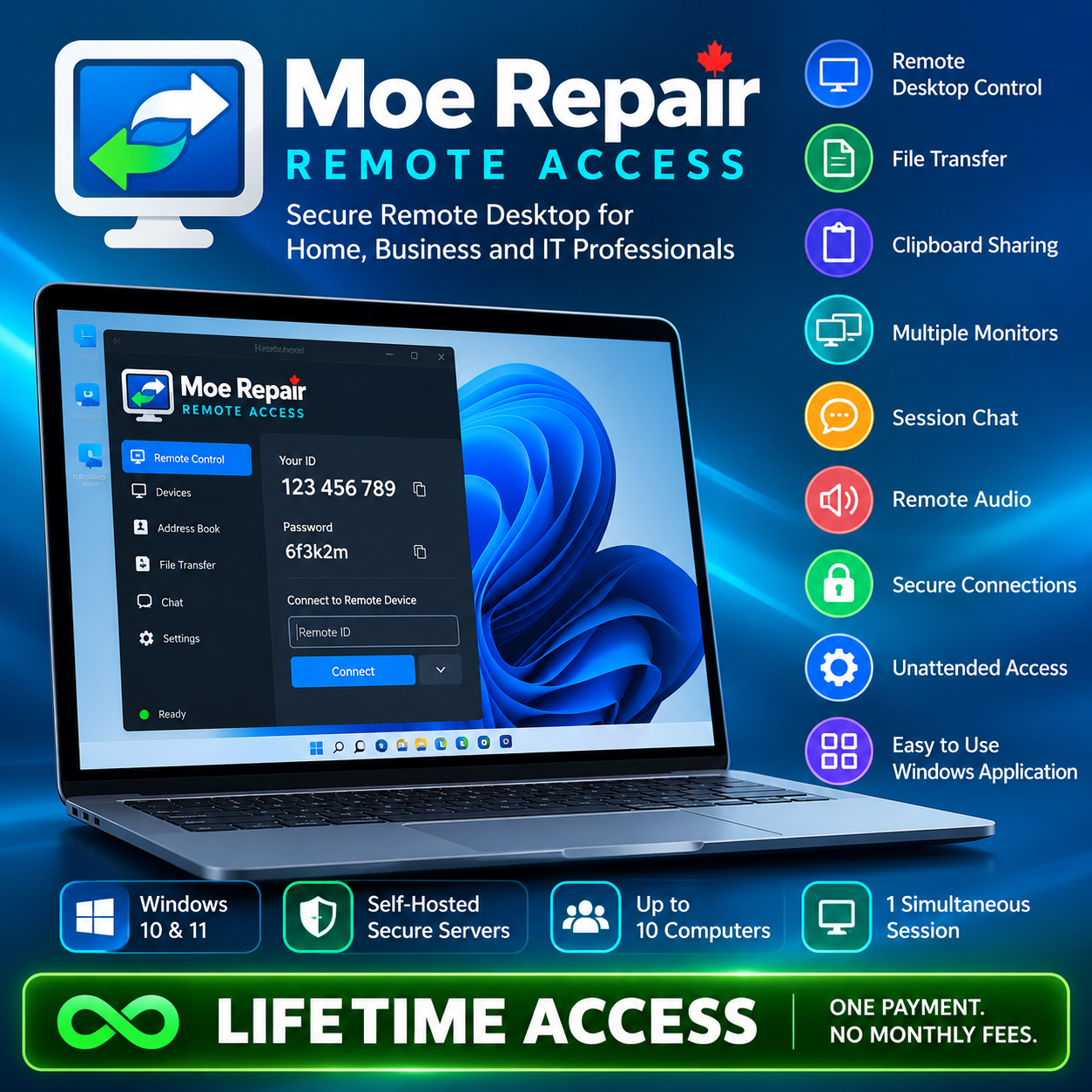
Moe Repair Remote Access is a Windows remote desktop application designed for individuals, professionals, IT technicians, and small businesses who need to connect to computers from other locations.
Powered by open-source remote desktop technology and Moe Repair’s self-hosted connection infrastructure, it offers a convenient alternative to recurring remote-access subscriptions.
Lifetime Access — $149.99 CAD
Pay once for access to the Moe Repair hosted remote-access service, for as long as the service continues operating.
Your lifetime package includes:
- Up to 10 registered computers
- 1 simultaneous remote-control session
- Secure remote desktop connections
- Connection through Moe Repair’s hosted remote-access infrastructure
- No recurring subscription charges
Remote Access Features
Remote Desktop Control
See and control another computer from a different location. Use its mouse, keyboard and desktop as though you were sitting in front of it.
Secure Connections
RustDesk-based encryption and server authentication help protect remote sessions. Connection passwords and device permissions help control who can access a computer.
File Transfer
Transfer documents, images and other files between connected computers using the application’s file-transfer capabilities.
Clipboard Synchronization
Copy and paste supported text between computers, making everyday remote work easier.
Multiple Monitor Support
View and switch between supported displays when connecting to a computer with more than one monitor.
Adjustable Display Quality
Adjust resolution scaling, viewing modes and display quality based on your internet connection and remote computer.
Remote Audio
Listen to supported audio from a remotely connected computer when enabled and permitted.
Session Chat
Communicate through the remote-session chat features available in the desktop client.
Password-Protected Connections
Connect using remote IDs and passwords. Depending on how the remote computer is configured, access can require approval or use an unattended-access password.
Unattended Access
Configure supported Windows computers for password-protected remote access without someone manually accepting each connection. This requires appropriate installation and security settings on the remote device.
Portable and Installed Use
Use the Windows application in its supported portable configuration or install it for convenient desktop and Start menu access.
Self-Hosted Connection Infrastructure
Moe Repair uses its own configured connection server rather than relying exclusively on RustDesk’s public connection servers.
Who Is It For?
Home users: Access your home computer while travelling or working elsewhere.
Small businesses: Connect to authorized workplace computers remotely.
IT professionals: Remotely access computers for maintenance, administration and troubleshooting.
Freelancers: Work with files and software stored on another computer.
System Requirements
- Windows 11, 64-bit recommended
- Windows 10, 64-bit compatibility may vary; Windows 10 is no longer generally supported by Microsoft
- Internet connection on both computers
- Sufficient access permissions on the remote device
Frequently Asked Questions
Is this a subscription?
No. The Lifetime Access package requires one payment rather than monthly or annual subscription payments.
What does lifetime mean?
Lifetime refers to the operating lifetime of the Moe Repair Remote Access hosted service, not the lifetime of the purchaser. The service may be changed or discontinued in accordance with the applicable purchase terms.
How many computers can I use?
The Lifetime package covers up to 10 registered computers, with one remote-control session active at a time.
Does it include technical support?
No. The purchase is for remote-access service. It does not include computer repairs, troubleshooting by a Moe Repair technician, or guaranteed personal technical assistance.
Can I access computers without someone being there?
Supported unattended-access functionality is available when the remote computer has been correctly configured, with the necessary permissions and security settings.
Are future upgrades included?
Security and compatibility updates may be provided, but no specific update schedule, feature additions or new major versions are guaranteed.
Is Moe Repair based on open-source software?
Yes. Moe Repair Remote Access is based on modified RustDesk open-source software. Applicable open-source license rights remain in effect. The purchase concerns access to the Moe Repair hosted service and associated package benefits, not exclusive ownership of the underlying open-source software.
Moe Repair Remote Access
Introductory Price: $149.99 CAD
Regular Price: $200 CAD
One-time payment. No recurring subscription.
Explore Remote Access for Your Workday
Learn what to consider when choosing remote desktop software without a subscription, or follow our guide to accessing an office computer from home. Need a technician to troubleshoot instead? See remote PC and laptop support; technician services are separate from this package.
Reviews
There are no reviews yet.