
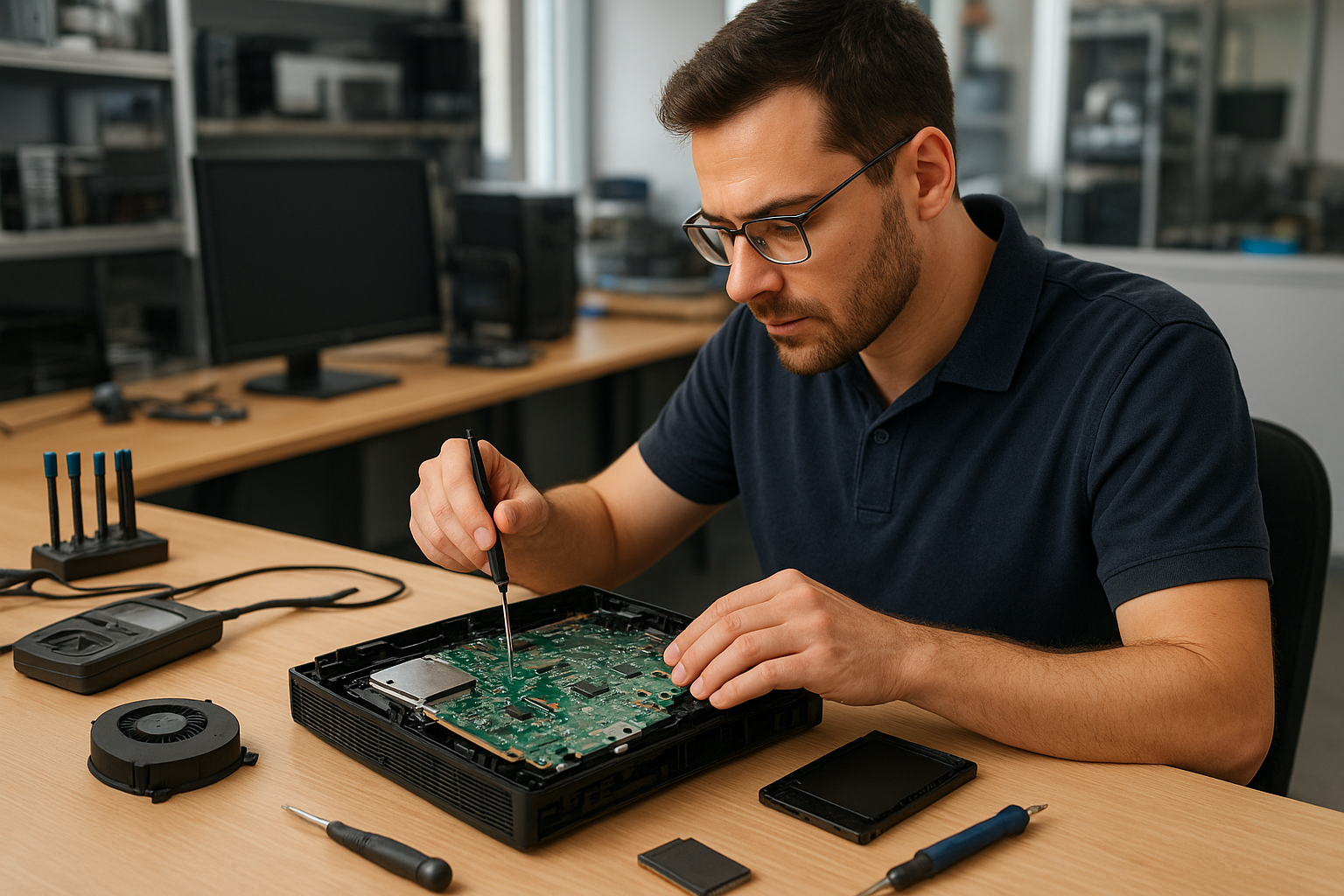
Console Repair Service Calgary
If you typed Console Repair Service Calgary into search, this article helps you decide what to do next. I am a senior technician at Moe Repair in Coquitlam and I explain how professionals diagnose consoles, common failure causes, safe troubleshooting steps, repair options and when replacement makes more sense.
Why this guide matters
Gaming consoles like PlayStation, Xbox and Nintendo Switch are sealed, complex devices. Owners in Calgary and across Canada often face confusing symptoms: blinking lights, no display, disk errors, or sudden shutdowns. Knowing the real causes helps you avoid common mistakes and saves time and money when you contact a repair shop.
Problem overview: What we see most often
At Moe Repair in Coquitlam we frequently diagnose consoles with overheating, HDMI failures, disc drive errors and firmware issues. Many of these root causes are the same whether the unit is in Coquitlam or Calgary. Understanding the symptoms helps you decide between DIY steps and professional repair.
Common symptoms
- Console will not power on or shows a blinking power light.
- No video or intermittent display on TV or monitor.
- Video artifacts, stuttering or sudden shut downs during gameplay.
- Disc drive fails to read or makes grinding noises.
- Controllers disconnect, buttons stick or joystick drift occurs.
- Console overheats, fans loud or system throttles performance.
- Software errors, failed updates or corrupted save data.
- Liquid exposure or visible corrosion on ports.
Common causes
A few underlying issues account for most console problems. Here’s what technicians check first:
- Power supply failure: Internal or external power bricks fail and prevent startup.
- Overheating and clogged cooling: Dust, dried thermal paste or failed fans lead to thermal shutdowns.
- HDMI or display port damage: Bent pins or cold solder joints cause no video or artifacts.
- Motherboard faults: Capacitor failures, surface-mount component damage or trace cracks from heat cycles.
- Mechanical wear: Disk drives and optical lenses wear out, producing read errors.
- Firmware and software corruption: Failed updates or corrupted system files can brick a console.
- Liquid damage: Spills cause corrosion and intermittent faults at ports and connectors.
- Controller issues: Joystick drift, worn contacts or Bluetooth pairing problems.
Professional diagnostic process
Here is how a repair shop like ours approaches a console diagnosis. A proper sequence prevents unnecessary parts replacement and preserves your data.
- Intake questions: We ask about symptoms, recent incidents (drops, spills, failed updates) and any troubleshooting you already tried.
- Visual inspection: Check for obvious damage, scorch marks, liquid residue, broken ports or swollen capacitors.
- Power and connectivity checks: Verify voltage at the power input and test with a known-good cable or power brick if possible.
- Boot log and error codes: Capture LED blink patterns, on-screen errors or audible codes—these narrow down faults quickly.
- Thermal and mechanical tests: Run the console to observe fan behavior, heat rise and disk drive operation.
- Component-level checks: If required, technicians probe solder joints, check capacitors and inspect BGA areas under magnification.
- Soft recovery attempts: Attempt safe-mode restores, firmware re-flash and file system repairs before any invasive work.
- Data safety assessment: For consoles with internal storage or external drives, we evaluate the risk to saved games and provide data recovery options.
Repair options
Repairs fall into a few categories depending on the root cause and the owner’s priorities.
- Simple fixes: HDMI cable replacement, controller repair, fan cleaning and thermal paste refresh are common non-invasive fixes.
- Mechanical repairs: Disc drive service, lens replacement or tray motor repair are precise but routine for skilled technicians.
- Component-level repair: Reflowing or replacing soldered chips, replacing capacitors or fixing power supply sections require bench-level skills and tools.
- Firmware and software repair: Restoring system images, recovering from failed updates and reinstalling firmware can bring bricked consoles back to life.
- Data recovery: For consoles with damaged internal storage, technicians can sometimes extract saved data using specialized tools and imaging techniques.
Advantages of repairing versus replacing
Repair can save money, preserve saved games and reduce electronic waste. For moderately priced repairs, you keep your existing games, subscriptions and personalized settings. Repairs also avoid the hassle of migrating accounts and storage when successful.
When replacement makes more sense
There are times when a new console is the better choice. Consider replacement if:
- Multiple major components fail at once, indicating broad motherboard damage.
- Repair cost approaches the price of a current-generation replacement.
- Your console is several generations old and lacks features you need.
- Manufacturer repair is required for warranty and you have valid coverage.
Estimated repair process
Every repair is different. After diagnostics, a reliable repair shop provides a clear plan: the parts required, potential risks and options for data recovery. Expect technicians to seek your approval before doing component-level work. The process typically flows: intake, diagnostic report, approval, repair work, testing and handoff.
Preventative maintenance
- Keep consoles on a hard, flat surface with adequate ventilation.
- Clean dust from vents and fans regularly with low-pressure air or a soft brush.
- Avoid placing consoles near heat sources or in enclosed cabinets during long sessions.
- Use surge protection to shield against power spikes.
- Back up saved data to cloud services or external storage where possible.
Real technician advice
One issue we regularly see at Moe Repair in Coquitlam is consoles that suffered preventable damage from blocked airflow. Users stack devices or place consoles on carpets. The first step is always to restore airflow and check for dust buildup before assuming a major failure.
A second common mistake is attempting aggressive DIY repairs. Removing shields and reflowing chips without the right tools can make a repair impossible. If your console has sentimental save data or expensive accessories, consult a pro first.
If a console shows firmware errors after an interrupted update, avoid repeated forced restarts. That can worsen corruption. Document the error codes or LED patterns and share them with a technician for targeted recovery steps.
Services we commonly recommend
When customers contact Moe Repair from the Tri-Cities area about gaming devices, we often suggest these services where appropriate: data recovery from internal storage, motherboard repair, thermal paste replacement, disk drive repair and controller servicing. These services are closely related to our core computer repair, laptop repair and MacBook repair work.
Frequently Asked Questions
- Q: Can I fix a blinking power light myself?
A: Start with basic checks: verify the power cable and outlet, try a known-good cable and inspect for obvious damage. If the light pattern persists, bring error details to a technician—LED patterns often indicate specific faults.
- Q: Will cleaning the fan void warranty?
A: Opening the console can void manufacturer warranty. If your unit is under warranty, contact the manufacturer first. For out-of-warranty units, professional cleaning is safe and recommended.
- Q: Can saved games be recovered after motherboard damage?
A: Sometimes. Recovery depends on whether the storage media survived. Technicians can image the storage and attempt recovery, but success is not guaranteed.
- Q: Is thermal paste replacement useful for consoles?
A: Yes. Dried thermal paste reduces heat transfer and can lead to overheating. Replacing thermal compound is a common, effective repair when thermal-related shutdowns occur.
- Q: How do I know if my HDMI port is damaged?
A: Symptoms include no video, intermittent loss of signal or physical looseness. A known-good cable and TV test can isolate the port. Technicians inspect ports and, if needed, repair or re-solder connections.
- Q: Are controller issues covered when I send a console for repair?
A: Controller issues are often handled separately. If controllers are included with the console, mention that during intake so technicians can test them and quote any repairs.
- Q: Can software updates brick a console?
A: Failed updates can corrupt firmware and make a console unbootable. Professional shops can sometimes re-flash firmware or use recovery modes to restore functionality.
- Q: Do you recommend replacing an old console or repairing it?
A: If the issue is a single, repairable component (drive, port or fan), repair is usually worthwhile. If the motherboard is extensively damaged or repair costs near replacement value, replacement may be better.
Conclusion
Console Repair Service Calgary searches often reflect urgent problems. Whether you are in Calgary or here in Coquitlam, understanding symptoms, causes and the professional diagnostic process helps you make the right choice. Moe Repair’s technicians handle motherboard repair, thermal paste replacement, disc drive service, firmware recovery and data recovery for gaming systems and related devices. If you need advice or an experienced opinion, contact us before attempting risky DIY repairs.
Contact Moe Repair
Business: Moe Repair | Website: https://moerepair.net | Phone: 778-951-4872 | Email: service@morepair.ca
We serve customers in Coquitlam and the Tri-Cities and offer technician guidance for owners elsewhere. If you want a professional diagnostic or help assessing repair versus replacement, call or email with your console model, symptoms and any error codes.