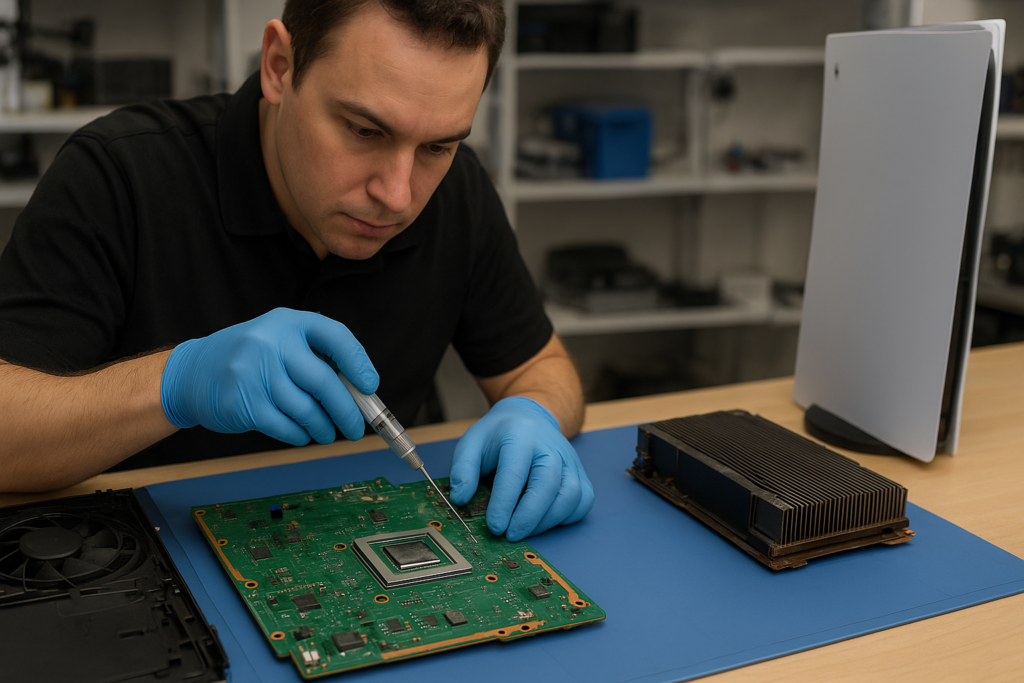
PS5 consoles already use liquid metal at the processor’s thermal interface. Servicing it is maintenance of that interface when a fault is identified, rather than a routine upgrade from factory thermal paste.
Start by diagnosing the symptoms
Overheating warnings, shutdowns and unusual fan noise can come from restricted airflow, a fan fault, power problems or other hardware issues. A frame-rate drop alone does not establish a cooling fault. Tell us when the problem occurs, whether a warning appears and whether the console has been opened before.
What liquid metal inspection involves
If the thermal interface needs attention, the technician checks contact, material distribution and the surrounding containment system. Liquid metal conducts electricity, so leakage or incorrect handling can damage the board. It should not be applied as a general replacement for paste in other consoles.
Model-specific work
Cooling layouts differ across PS5 revisions. Sony’s PS5 Pro teardown describes its liquid-metal interface and changes to its contact design. Service must match the exact model and existing hardware.
What to expect from service
We assess the fault, explain the proposed work and quote before proceeding. Cleaning, fan replacement or thermal-interface service may be appropriate depending on inspection. We check operation after the agreed work; there is no fixed temperature reduction or performance gain that applies to every console.
Before bringing your PS5
Switch it off for repeated overheating or shutdowns. Keep external ventilation clear and avoid continued stress testing. Check manufacturer warranty options before arranging third-party internal service. If the system is working safely, back up supported saves before repair.
For dust and fan concerns, see PS5 cleaning service.
Contact Moe Repair in Coquitlam at 778-951-4872 or send a service enquiry. Include the exact console model, symptoms and any previous repair. We serve Metro Vancouver and can discuss eligible mail-in arrangements before you ship.