
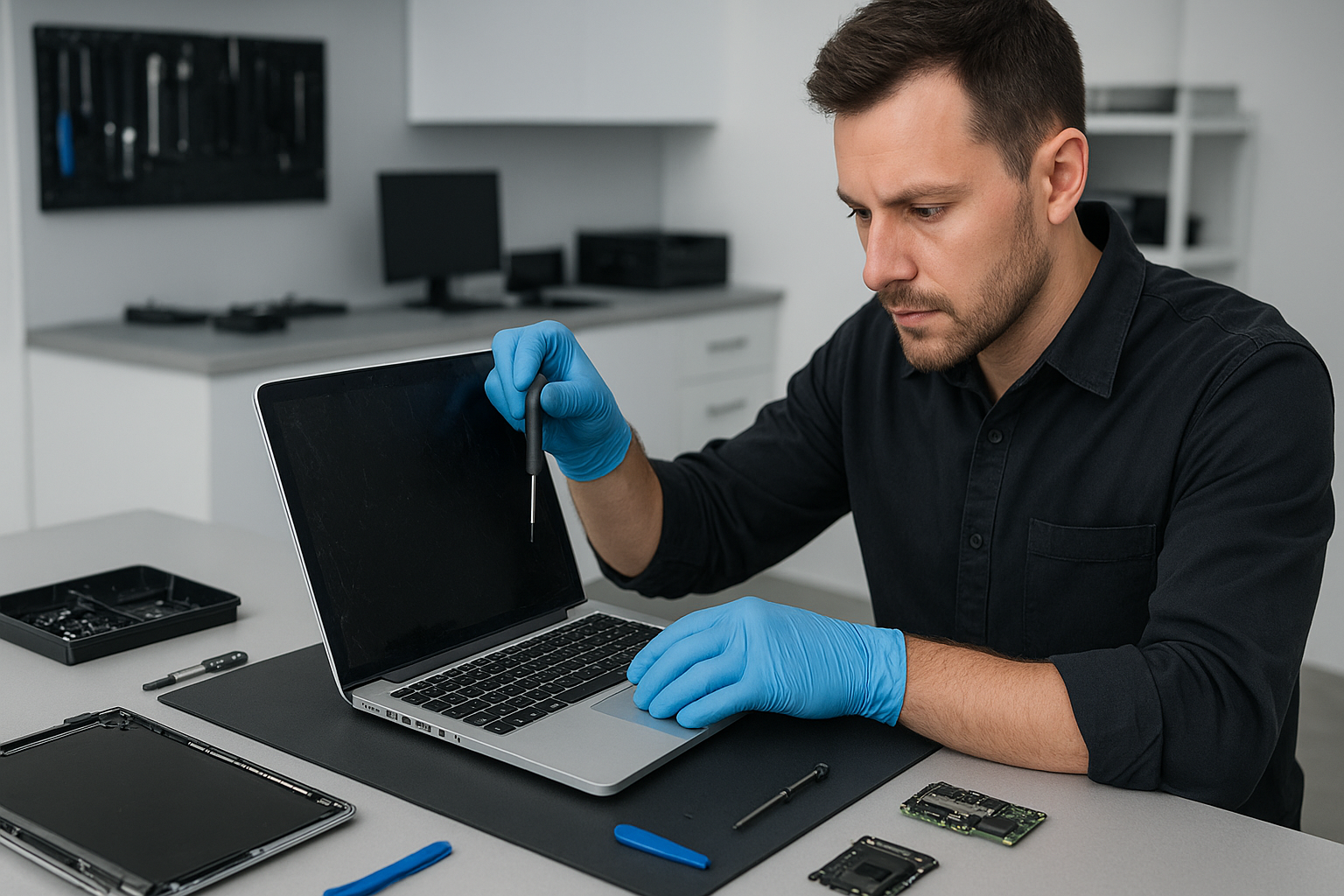
MacBook screen replacement Richmond: Expert, Same-Day Service
As a senior technician with more than 15 years of hands-on experience, I see one common problem in the shop, cracked or flickering displays. If you need MacBook screen replacement Richmond I can help. I diagnose the issue quickly, recommend the right parts, and perform repairs that last.
MacBook screen replacement Richmond: Signs, Diagnosis, and Options
Common symptoms that bring customers in include cracked glass, dead pixels, screen flicker, vertical or horizontal lines, and a dim backlight. Sometimes the MacBook shows a black screen yet powers on. Others report ghosting or discoloration after liquid spills. Each symptom points to a different cause, such as front glass damage, LCD panel failure, backlight inverter problems, or a loose display cable.
First, I perform a visual inspection. Then, I connect an external monitor. If the external display works, the GPU and motherboard likely function, and the issue sits with the display assembly, display cable, or hinge connector. If the external display also fails, deeper motherboard repair or GPU diagnostics may be necessary.
Realistic Repair Procedure I Use
I follow step-by-step procedures that protect your data and the logic board. First, I power down the MacBook and remove the battery where possible. Next, I separate the display assembly, then inspect the display connector and camera cable for corrosion or damage. I test with a known-good LCD panel or display cable to isolate the faulty component.
For a cracked front glass, I replace the glass and the adhesive assembly. For a full LCD failure, I replace the entire screen assembly. On Retina models, I use proper heat tools to soften adhesive and avoid pressure that can crack the new panel. Finally, I calibrate color and test backlight uniformity, pixel health, and hinge stability.
Parts and Warranty
I offer OEM-grade parts and high-quality third-party alternatives. Whenever possible, I recommend genuine Apple or OEM display assemblies for the best color accuracy and durability. Each repair includes a post-service test and a warranty on parts and labour. That reduces the risk of pixel damage or premature failure.
Why Choose Moe Repair for Your MacBook screen replacement Richmond
Moe Repair combines real experience with fast turnaround. I perform MacBook repair, laptop repair, and screen replacement with clean-room care and professional tools. You get:
- Fast diagnostics and same-day repair on many models
- Data-safe procedures, so you do not lose files
- Clear pricing and transparent parts choices
- Service across the Lower Mainland including Coquitlam, Burnaby, Vancouver, Surrey, and Richmond
Additionally, I handle battery replacement, data recovery, SSD upgrades, motherboard repair, liquid damage repair, keyboard replacement, trackpad repair, laptop fan replacement, and thermal paste replacement. If your MacBook suffers from virus or malware on a Boot Camp partition, I also provide virus removal and Windows installation services.
Diagnostic Steps I Run
During diagnostics I run a systematic checklist. I start with software checks, safe mode boot, and PRAM reset. Then I inspect connectors and test voltages on the display cable. I look for corrosion after liquid exposure and test with external monitors to localize the fault. My goal is an accurate repair that avoids unnecessary part swaps.
Typical Repair Times and Costs
Turnaround depends on model and part availability. For common MacBook Air and MacBook Pro models I often offer same-day or next-day service. Retina and older models sometimes require ordering specific screen assemblies. I price repairs competitively and explain OEM versus aftermarket choices, so you can choose the right balance of cost and longevity.
What To Expect During a Screen Replacement
Expect careful disassembly, use of ESD-safe tools, and a final calibration. I inspect and replace the display cable if needed to prevent future flicker. I also check the camera and microphone connectors, and test the hinge to prevent stress on the new screen. If liquid damage exists, I prioritize drying, corrosion removal, and motherboard repair if required.
Customer Advice and Preventative Tips
Protect your investment. Use a protective sleeve, avoid stacking heavy items on your laptop, and do not force the lid beyond its normal range. If you spill liquid, power off immediately and bring the MacBook in for liquid damage repair. For performance maintenance, consider SSD upgrades and computer tune-up services every 12 to 24 months.
If your MacBook develops display issues, act quickly. Small cracks can let in dust and moisture, causing bigger problems. A prompt screen replacement can save the logic board from corrosion or further damage.
Related Services I Provide
Besides screen repair, I also do battery replacement, data recovery, motherboard repair, gaming PC repair, keyboard replacement, trackpad repair, and full computer tune-up. If your device needs thermal paste replacement or a laptop fan replacement, I handle that too to keep your system cool and stable.
Moe Repair serves Richmond, Coquitlam, Burnaby, Vancouver, Surrey, New Westminster, Maple Ridge, Port Moody, Port Coquitlam, Pitt Meadows, Langley, Delta, North Vancouver, West Vancouver, White Rock, Abbotsford, Mission, and Chilliwack.
Contact Moe Repair for a clear quote and a reliable repair plan. Phone: 778-951-4872, Email: service@moerepair.ca.
Ready to schedule your MacBook screen replacement Richmond?
Bring your MacBook to our workshop, or arrange courier pickup. We provide honest advice, expert screen assembly replacement, and follow-up support. Call Moe Repair at 778-951-4872 to book an appointment, or email service@moerepair.ca. I look forward to restoring your display and getting you back to work quickly.