
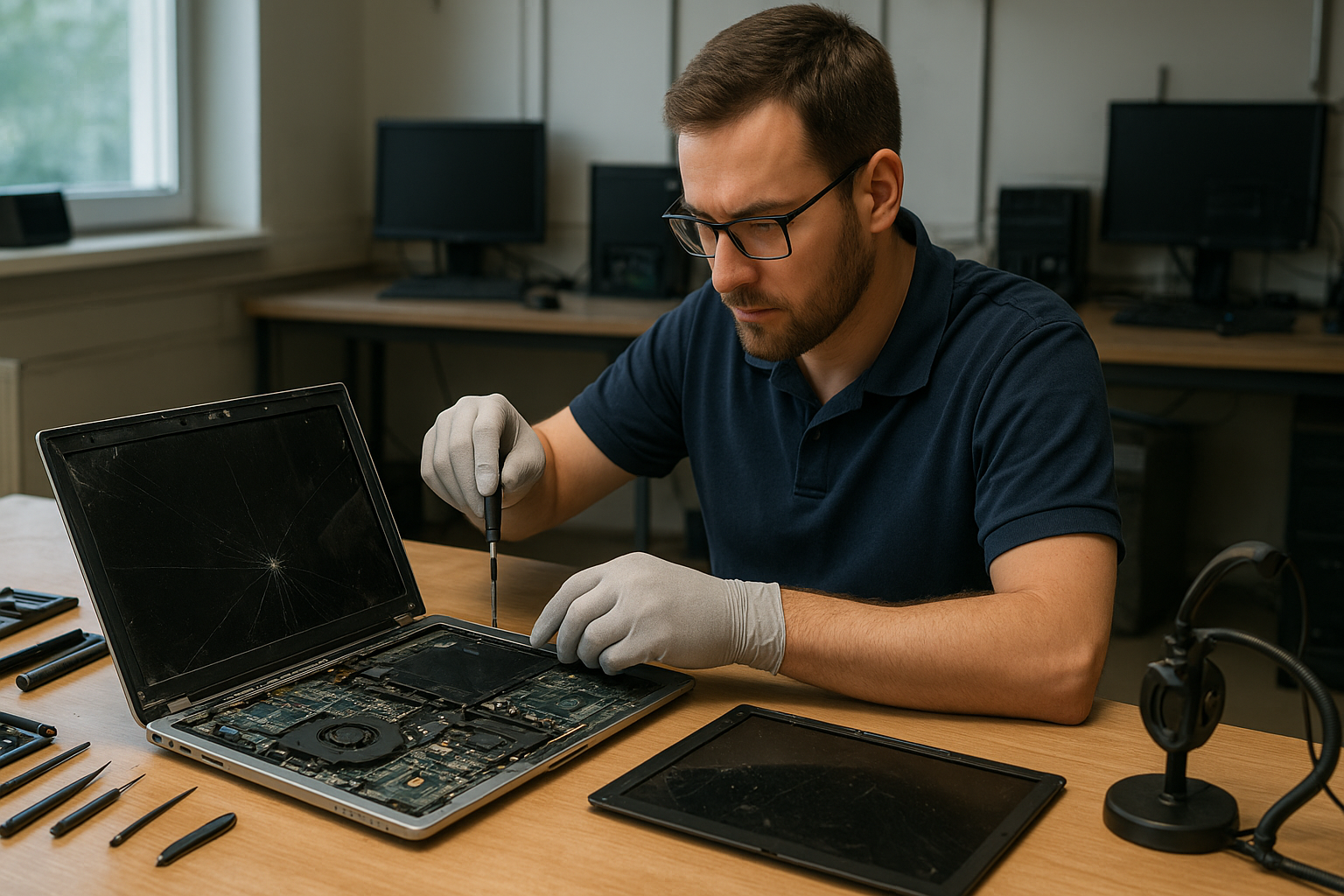
Laptop screen replacement Coquitlam: Fast, Expert Service
If you saw this page because you need Laptop screen replacement Coquitlam, you are in the right place. I’m a senior technician at Moe Repair with over 15 years repairing laptops from Coquitlam, Port Moody and Burnaby. This guide explains symptoms, diagnostics, repair steps, and realistic expectations so you can decide the best option for your device.
Why screens fail and common symptoms
Screens give up for many reasons: physical cracks, pressure damage, liquid exposure, or component failure. Typical symptoms include:
- Cracked glass or unresponsive touch on a Surface or touchscreen
- Vertical or horizontal lines across the display
- Backlight failure or dim display
- Flickering, ghosting, or colour distortion on Retina and non-Retina panels
- Dead pixels or partial image loss
These signs often point to either the LCD/OLED panel, the display cable, the inverter on older models, or the graphics circuitry on the motherboard.
How we diagnose a laptop screen issue
At Moe Repair we follow a step-by-step diagnostic workflow. First we document the symptom and model details, including brand and series (for example Dell XPS, HP Pavilion, Lenovo ThinkPad, MacBook Air or Surface Pro). Then we perform these checks:
- Connect an external monitor to rule out GPU or motherboard failure.
- Inspect the bezel and hinge area for signs of physical or liquid damage.
- Run backlight and panel tests, including a bright flashlight test to detect image under a dead backlight.
- Swap display cable temporarily when possible to isolate cable faults.
- Test power and voltage rails on the display connector when the problem suggests motherboard involvement.
If the external display works fine but the internal panel does not, the issue is usually the screen or cable. If nothing displays externally, we investigate the motherboard, GPU, or operating system issues and offer options such as data recovery in Coquitlam if data integrity is a concern.
Typical laptop screen replacement Coquitlam procedures
When replacing a screen, I follow these practical steps:
- Order a compatible panel: match model number, connector type, and resolution. For MacBook Retina panels we source OEM or high-quality equivalents; for gaming laptops we match refresh rate.
- Power down and remove the battery when serviceable. For sealed units, use ESD-safe isolation and motherboard power disconnects.
- Remove bezel and hinges carefully, document screws and cable routing, and detach camera or Wi-Fi antenna cables if needed.
- Install the new panel and test before reassembly to verify display, backlight, and webcam function.
- Reassemble with new adhesive or foam strips if required and perform final QA including angle tests on hinges.
We also offer related services like laptop repair in Coquitlam, battery replacement, SSD upgrades, and MacBook repair when multiple issues appear during diagnostics.
Real-world repair example
A customer from Port Moody brought a 15” Dell Inspiron with a shattered corner and vertical green lines after a drop. I inspected the hinge for metal shards and connected an external monitor. The external image was clean, so I opened the display assembly, checked the LVDS/eDP cable and found the cable frayed at the hinge. Replacing the cable alone fixed the lines, but the glass was cracked so I recommended a full panel replacement. After ordering a matching IPS panel we completed the replacement, confirmed the backlight and webcam worked, and reassembled the unit. The laptop returned with normal color and no lines; the customer approved the repair and kept their original data intact.
Cost, parts, and warranty expectations
Prices vary by model. A basic 14” LCD replacement is less than a high-resolution MacBook Pro Retina or Surface display. We quote after inspection and only proceed with your approval. Most parts come with a 90-day parts-and-labor warranty; OEM panels or Apple parts may carry manufacturer warranties. If we find motherboard damage or liquid corrosion, we provide options: panel-only, panel plus cable, or motherboard repair. We never recommend unnecessary services and will link the repair to related needs such as computer repair in Coquitlam or SSD upgrades when they improve performance.
Practical tips to protect your new screen
After a replacement, follow these steps to reduce future risk: use a hard shell or padded sleeve, avoid carrying heavy items on top of the laptop, keep liquids away from the work area, and check hinge health periodically. If your laptop has a touchscreen, apply a tempered-glass protector. For gamers, avoid extreme lid flexing, and for commuters in Vancouver or Burnaby, store the laptop in a separate compartment to prevent pressure damage.
Contact Moe Repair Today
If you need Laptop screen replacement Coquitlam, contact Moe Repair for a free consultation. Call us at 778-951-4872 or email service@moerepair.ca to describe your symptom and model. We will schedule a quick diagnostics appointment, recommend parts, and provide transparent pricing before any work starts. We serve Coquitlam and nearby areas including Port Moody, Port Coquitlam, and Burnaby. Walk-ins are welcome, but booking ensures faster service.
FAQs
Below are answers to common customer questions about laptop screen replacement in Coquitlam.
How long does a screen replacement take?
Most common laptop screen replacements take 1 to 3 business days depending on parts availability. If we have the panel in stock, we can often complete same-day repairs. For devices requiring ordered parts, timelines extend to the supplier lead time.
Will my data be safe during the repair?
Yes. Replacing a screen does not affect your data. If we must touch the motherboard or storage, we recommend a backup. If backup is needed we can help with data recovery in Coquitlam or cloning services before repairs.
Do you use OEM parts for MacBook or Surface?
We use OEM panels when available and high-quality replacements otherwise. For MacBook and Surface models we explain the trade-offs and warranty differences before you decide.
Can a cracked screen cause other issues?
Yes. Shards can damage the cable or camera, and pressure can transfer to the motherboard, causing display or power issues. We inspect surrounding components and recommend any additional repairs like hinge or motherboard work if needed.
What if my laptop also has battery or fan issues?
We can diagnose and combine services such as battery replacement, laptop fan replacement, thermal paste replacement, or SSD upgrades in one visit to save time. Ask about bundled pricing when you contact Moe Repair.
Moe Repair
Phone: 778-951-4872
Email: service@moerepair.ca