
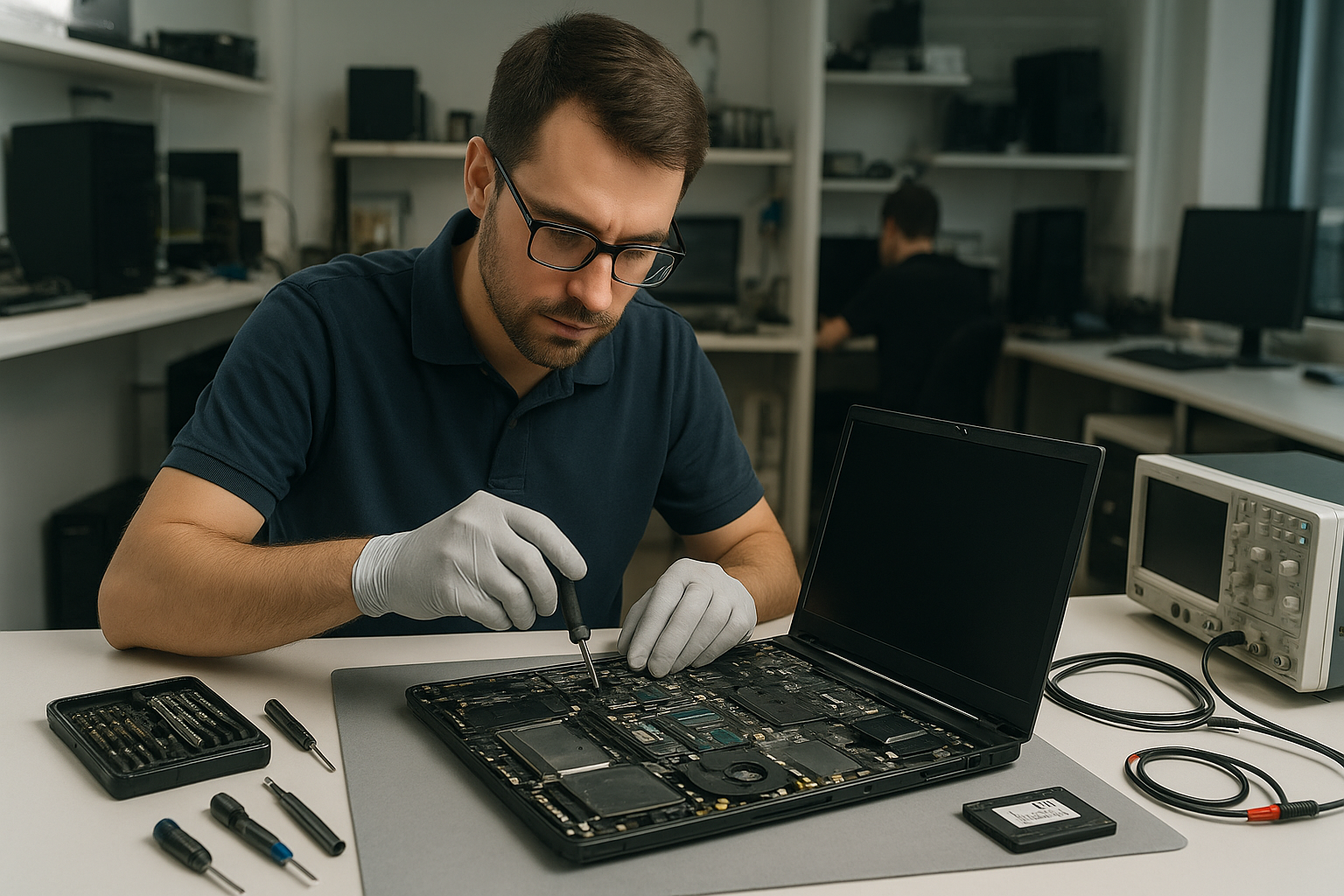
Laptop repair Vancouver: Fast, Local Laptop Service
If your device is slow, won’t boot, or shows a black screen, our team at Moe Repair handles those issues and more. Laptop repair Vancouver customers get hands-on diagnostics, transparent pricing, and repairs completed with genuine parts. Call Moe Repair at 778-951-4872 or email service@moerepair.ca to start a diagnosis.
Common laptop problems we fix in Vancouver
Typical symptoms we see daily include no power, erratic charging, flickering or cracked displays, overheating and thermal shutdowns, noisy fans, sticky or dead keys, and frequent blue screen errors. We also handle virus infections, slow Windows performance, and failed SSDs. For Mac-specific issues, see our MacBook repair in Coquitlam page for model-level guidance.
Laptop repair Vancouver: How we diagnose laptop issues
Diagnosis starts with a physical inspection and history. We ask when the problem started and what changed recently. Then we run a structured workflow: test the charger and battery, check DC jack integrity, boot into BIOS or recovery, and run hardware tests on RAM and storage. If the laptop boots inconsistently we run power-rail checks and thermal monitoring.
Diagnostic tools and steps
- Multimeter to test power adapters and DC jack continuity.
- Bootable USB with Windows or Linux to isolate OS vs hardware faults.
- Storage health checks using SMART and manufacturer utilities for SSDs.
- Thermal imaging or IR sensors to identify hotspots and failing fans.
- Motherboard-level inspection using magnification to spot corrosion or cracked solder joints.
We document findings and present repair options before any work starts. If you need broader services, we also provide computer repair in Coquitlam for desktop PCs and networking issues.
Typical laptop repairs and procedures
Common repairs include screen replacement, battery replacement, keyboard replacement, trackpad repair, laptop fan replacement, thermal paste replacement, SSD upgrades, operating system repair, virus removal, and motherboard repair when necessary. For liquid damage we perform ultrasonic cleaning, component-level drying, and board-level repairs if corrosion is present.
When replacing parts we use OEM or high-quality third-party components and perform burn-in tests. For Windows issues we perform a clean Windows installation only after backing up user data or after confirmed consent. We also handle email setup and printer setup for home and office users.
Real repair example from a Vancouver customer
A recent customer in Vancouver brought a Lenovo ThinkPad that would not charge and shut down immediately after unplugging the adapter. I tested the charger with a multimeter and confirmed proper voltage. Next, I inspected the DC jack and found a cracked solder pad. After removing the bottom cover and isolating the power rail, I re-soldered the jack and reinforced the pad, then tested the motherboard under load. The laptop charged normally and remained stable during a two-hour stress test. The customer chose this repair over a full board replacement and saved significant cost.
Parts replacement, data safety, and data recovery options
When a drive shows imminent failure we prioritize data recovery before performing repairs. We perform safe cloning and can refer to our data recovery in Coquitlam process when necessary. For MacBooks and other models with proprietary storage, we explain upgrade and recovery options including SSD upgrades and migration services.
How long do repairs take and what should customers bring
Most repairs (screen, battery, keyboard) complete in one to three business days depending on parts availability. Motherboard repairs or complex liquid damage work can take longer. Bring any original chargers, and if possible back up personal files. If you cannot, we will attempt recovery and present options. For Mac users, enable FileVault knowledge or provide password details to allow diagnostics. For more local options, see our laptop repair in Coquitlam service page.
Preventive care and tips for local users
To reduce failures, keep vents clear, avoid using laptops on soft surfaces, and schedule thermal paste replacement every 3-5 years for heavy users. Regularly update your operating system and drivers and run a malware scan if you notice suspicious performance issues. If you commute between Vancouver and nearby cities like Coquitlam or Burnaby, bring the laptop in at the first sign of trouble to avoid larger failures.
Contact Moe Repair Today
Moe Repair provides a free consultation and local pickup options for nearby areas including Coquitlam, Burnaby, Richmond, and New Westminster. Call 778-951-4872 or email service@moerepair.ca to describe your laptop symptoms and schedule a diagnosis. We explain repair options, costs, and estimated timelines before any work begins, and we can advise whether a screen replacement, battery swap, SSD upgrade, or motherboard repair is the most cost-effective solution.
Frequently asked questions
Below are answers to common concerns. You can always contact Moe Repair for a direct consultation.
Local service, warranty, and next steps
We offer limited labour warranties on parts and repairs. Warranty terms vary by repair type and part. If you are in Vancouver and need gaming PC repair, blue screen repair, or Wi-Fi troubleshooting, contact us for an estimate. For MacBook models we advise model-specific parts — for example MacBook Air and MacBook Pro SSD upgrades require specific adapters and procedures.
More help
If you are unsure whether to repair or replace, bring the laptop in and we will give an honest assessment. For corporate or bulk repair inquiries we provide site visits across Metro Vancouver. Moe Repair: trustworthy local technicians, clear quotes, and hands-on experience. Phone 778-951-4872, email service@moerepair.ca.