
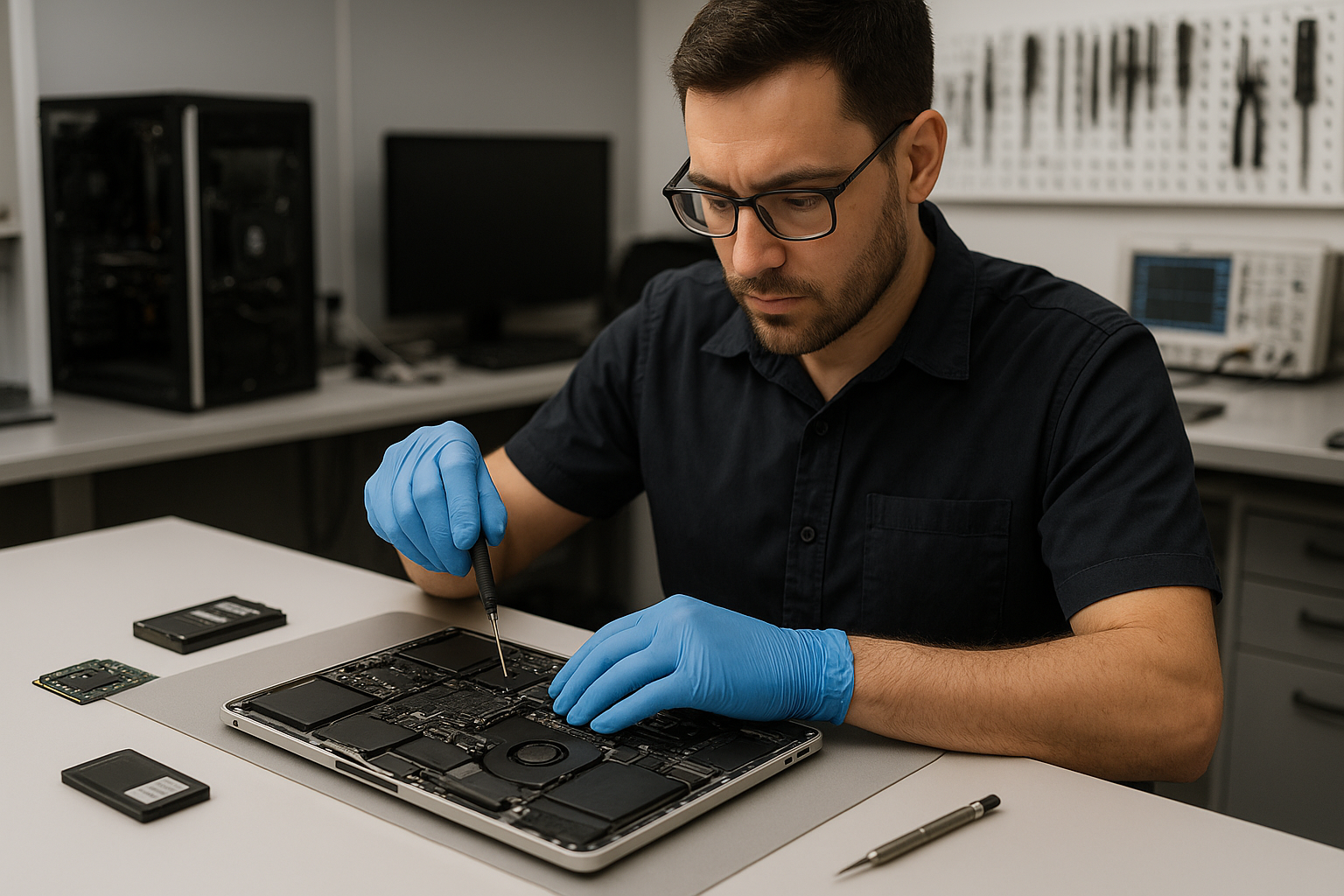
Vancouver MacBook Repair and Data Recovery Moe Repair
Vancouver MacBook Repair and Data Recovery Moe Repair operates out of Coquitlam and serves customers throughout the Tri-Cities and Vancouver area. If your MacBook shows signs of failure, won’t boot, has a damaged screen, or needs data recovered from a failing drive, our technicians explain the problem clearly and outline honest repair options.
Why this matters: the problem overview
MacBooks are reliable, but they still fail. Physical damage, liquid spills, degraded storage, firmware corruption, and logic board faults are common. Many customers in Coquitlam and nearby communities bring devices after hours of frustrating troubleshooting. At Moe Repair we prioritize preserving your data, diagnosing the root cause and recommending the safest fix.
Common symptoms customers bring to Moe Repair
- MacBook does not power on or shows a blank screen
- Slow performance after macOS updates or with full storage
- Strange noises from the drive or repeated kernel panics
- Cracked or flickering display after a drop
- Battery not charging or swelling battery cases
- Liquid-damaged keyboards or trackpads
- Files missing, corrupted, or inaccessible after a crash
Common causes we see in Coquitlam
- Logic board faults from thermal stress or component failure
- SSD or HFS/APFS corruption from sudden power loss or failed updates
- Physical impact causing screen, hinge, or casing damage
- Liquid ingress shorting connectors or corroding contacts
- Battery wear from age or incorrect charging cycles
- Malware, rogue kernel extensions, or incompatible third-party drivers
How our professional diagnostic process works
At Moe Repair we follow a step-by-step diagnostic routine used by experienced technicians. This keeps diagnostics transparent and avoids unnecessary replacement parts.
- Initial intake and symptom verification. We document what you experienced and backup what we can immediately.
- Non-invasive checks: power delivery, charger validation, and SMC/PRAM resets when appropriate.
- Targeted hardware tests: external display check, RAM and SSD health scans, battery cycle status and thermal readings.
- Software analysis: boot logs, macOS Recovery checks, and file system verification for APFS or HFS volumes.
- Board-level inspection: microscope inspection for corrosion, blown components, or connector damage when symptoms indicate logic board issues.
- Data preservation plan: if data is at risk, we halt destructive steps and prioritize cloning the drive for recovery work.
Repair options we recommend
After diagnosis we present clear options so customers can decide. We explain benefits, risks, and expected outcomes.
- Simple software repair: macOS repair, file recovery, malware removal, or SMC/PRAM updates.
- Component replacement: battery replacement, display replacement, trackpad or keyboard repairs, and charging port repair.
- SSD upgrade or clone: move to a larger, faster SSD and migrate data safely.
- Thermal services: thermal paste replacement and fan cleaning to restore cooling performance.
- Board-level repair: component-level fixes on the logic board for power, GPU, or storage controller faults.
- Data recovery: logical and physical recovery from failing SSDs, encrypted volumes, or damaged file systems.
Advantages of repair vs replacement
Repair can save money and preserve data. Replacing only the failed component keeps your original configuration intact and is often greener than a full replacement. For many Coquitlam customers, upgrading an old hard drive to an SSD revives a MacBook and extends its usable life.
When replacement makes more sense
There are situations where replacement is the wiser choice:
- Irreparable logic board damage or multiple failed subsystems where repair cost approaches the value of the device.
- Severe chassis deformation after a major impact that compromises internal alignment and long-term reliability.
- End-of-life hardware where no compatible parts exist for modern security updates.
When we recommend replacement, we explain the reasons and help customers choose a suitable replacement or trade-in path.
Estimated repair process (what to expect)
We do not promise exact turnaround times before diagnosis. Typical workflow includes intake, diagnostics, customer approval, parts procurement if needed, repair, and verification. For data recovery we prioritize cloning and safe extraction before performing any repairs that might risk data integrity.
One common case we see at Moe Repair in Coquitlam: a customer arrives with a MacBook that boots inconsistently. Our diagnostics found a failing SSD and degraded battery. We cloned the SSD to secure the data, replaced the SSD with an upgraded drive and installed a new battery. The customer left with their data intact and noticeably faster performance.
Preventative maintenance to avoid future failures
Small habits prevent many repairs:
- Keep backups: use Time Machine or cloud backup. Backups are your best insurance against data loss.
- Avoid eating and drinking near your laptop to reduce liquid damage risk.
- Regularly clean vents and fans to avoid overheating; thermal paste replacement restores cooling on older MacBooks.
- Update macOS and apps from official sources and avoid unknown kernel extensions.
- Replace batteries when capacity drops significantly; swollen batteries can damage enclosures and components.
Real technician advice from Moe Repair
As technicians who repair a wide range of MacBook models, we emphasize clarity and safety. Do not attempt board-level repairs unless you have ESD protection and proper tools. Swapping parts without diagnostics can make problems harder to fix and increase data risk.
Common customer mistakes we see include trying cheap third-party adapters, which can damage charging circuitry, or using abrasive cleaners on screens, which removes coatings. When facing data loss, avoid running drive repair utilities that write to the drive until a proper image is made.
Related services at Moe Repair
If your MacBook needs more than a quick fix, we offer related services that often solve the root cause: MacBook Repair, Laptop Screen Repair, Battery Replacement, SSD Upgrade, Thermal Paste Replacement, Motherboard Repair, Charging Port Repair and Data Recovery. For business customers in Coquitlam we provide Business Computer Repair and preventive maintenance plans for small offices.
Frequently Asked Questions
- Q: My MacBook won’t turn on. Can you recover my files?
A: Yes. We first attempt a safe power diagnosis and, if storage access is possible, clone the drive to preserve data before continuing repairs.
- Q: Is data recovery possible from a damaged SSD?
A: Often yes, but SSD recovery depends on the type of failure. We analyze the controller and NAND health; some logical issues are recoverable while some physical NAND failures are more complex.
- Q: Do you perform thermal paste replacement on MacBooks?
A: Yes. Thermal paste replacement and fan servicing can significantly reduce temperatures and extend component life, especially on older models we see in Coquitlam.
- Q: Will replacing my SSD void Apple warranty?
A: Replacing non-Apple parts can affect warranty. We advise customers about warranty implications and provide professional installation and documentation.
- Q: Can you fix a MacBook with liquid damage?
A: Many liquid-damaged MacBooks are repairable if addressed quickly. We inspect for corrosion and shorted components and prioritize data extraction when necessary.
- Q: How do you decide between repair and replacement?
A: We weigh repair cost, part availability, machine age and data importance. We present options and let you decide with clear pros and cons.
- Q: Do you offer business support for multiple devices?
A: Yes. Moe Repair provides Business Computer Repair services for small offices across the Tri-Cities, including Coquitlam and Burnaby.
- Q: Can you upgrade my older MacBook to run modern apps?
A: Often an SSD upgrade and a clean macOS install improve responsiveness. We recommend solutions compatible with your model and workflow.
Conclusion
Vancouver MacBook Repair and Data Recovery Moe Repair in Coquitlam combines hands-on technician expertise with transparent diagnostics to restore performance and recover data. Whether you need board-level repair, an SSD upgrade, screen replacement, or secure data recovery, we provide straightforward options so you can make an informed decision.
For reliable MacBook repair and data recovery across the Tri-Cities and Vancouver, contact Moe Repair to book a diagnostic. We explain the issue, prioritize your data and recommend the repair path that makes the most sense for your device.
Contact Moe Repair: Website: https://moerepair.net | Phone: 778-951-4872 | Email: service@moerepair.ca