
Laptop Repair Coquitlam: Trusted Local Technician Advice from Moe Repair
At Moe Repair we specialize in Laptop Repair Coquitlam customers rely on. If your notebook is slow, has a cracked laptop screen, will not charge, or suffered liquid damage, we diagnose the root cause and explain repair options in plain language.
Problem Overview: Why your laptop acts up
Laptops fail for a few predictable reasons. Wear and tear, physical impact, spilled liquids, and software corruption top the list. One common issue we regularly see at Moe Repair is a device that boots but freezes under load. That can point to failing storage, insufficient RAM, or heat-related throttling.
Understanding the symptom helps direct a faster, less costly repair. We troubleshoot both hardware and software so you avoid repeated visits.
Common Symptoms that bring customers to Moe Repair
- Black or flickering screen after power-on (display repair or cable failure)
- Cracked laptop screen or physical damage to the lid
- Laptop does not power on or random shutdowns (battery, charging port, motherboard)
- Slow performance or frequent freezing (SSD or RAM upgrade, virus removal)
- Keyboard or trackpad stops responding (keyboard replacement or connector issues)
- Liquid spills causing corrosion or sticky keys (liquid damage repair)
- Overheating and loud fan noise (cleaning, thermal paste, fan replacement)
- Missing files or inaccessible drive (data recovery)
Common Causes
Symptoms come from predictable root causes. A cracked screen typically follows a drop or pressure; a battery that will not hold charge is usually age or deep discharge; a non-booting unit can be a failed SSD, corrupted Windows installation, or a motherboard fault. Rarely, multiple issues coexist—such as a spilled liquid that damages the keyboard and a nearby charging port.
How professionals diagnose laptop problems
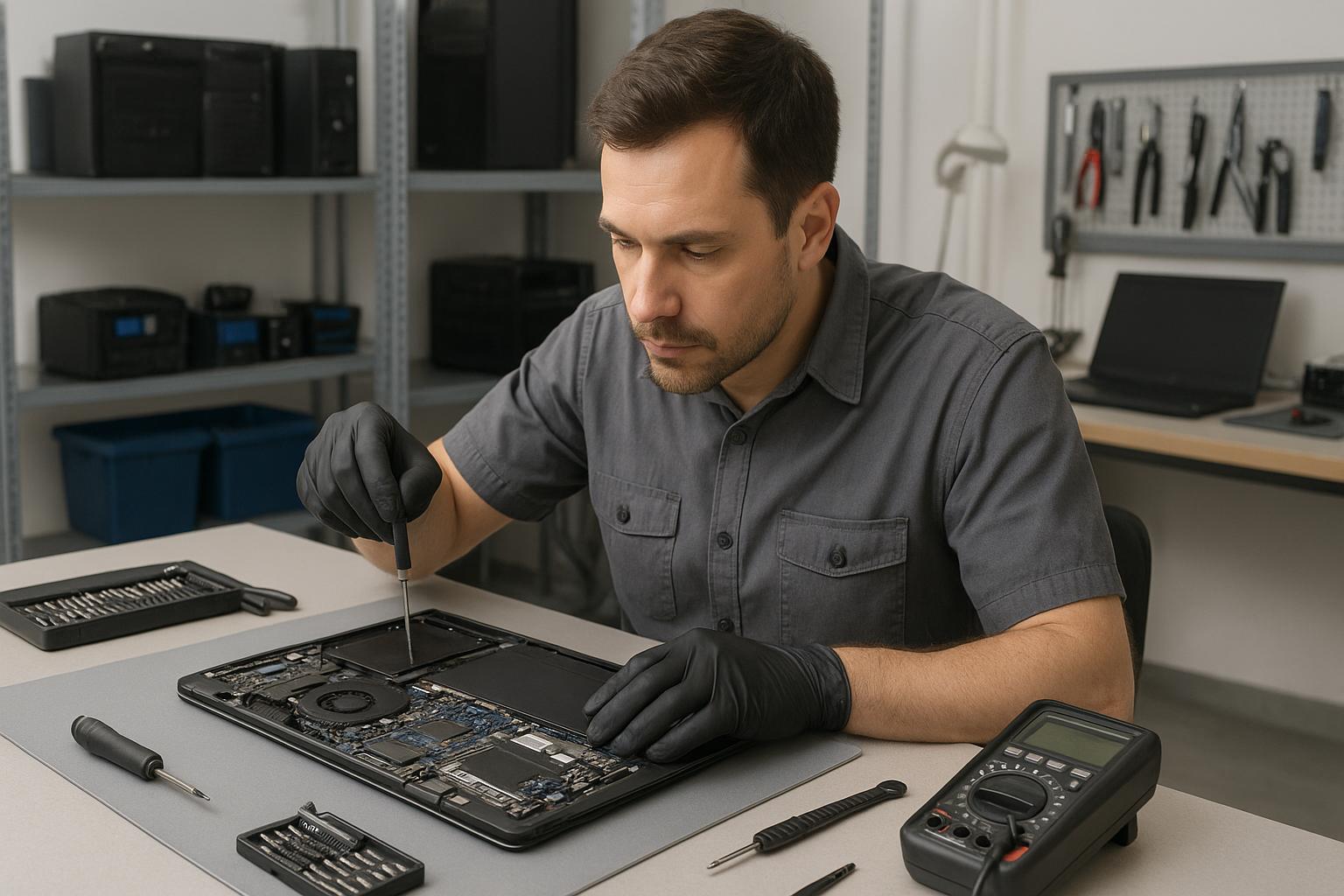
When you bring a device to Moe Repair we follow a step-by-step diagnostic routine. First we take a visual inspection to spot obvious damage: cracked screens, bent chassis, or liquid residue. Next we confirm power behavior: does the charger LED respond, does the battery report charge, and does the laptop show POST activity.
We test components individually when possible. That may include booting from an external SSD to rule out internal drive failure, swapping RAM to test modules, and connecting to an external monitor to isolate display issues. For suspected motherboard or charging faults we use specialized tools and run controlled tests to avoid further damage.
Repair Options explained
After diagnostics we present clear options. For screen problems we recommend laptop display replacement when the panel or inverter fails. For slow systems we explain whether an SSD upgrade or RAM upgrade delivers the best value. For water-damaged units we outline the likelihood of successful recovery and next steps for data recovery if needed.
We always explain what parts we will use, whether we recommend OEM-grade or high-quality aftermarket parts, and how the repair affects your data and installed software.
Advantages of repair over replacement
- Cost efficiency: repairs often extend usable life for a fraction of replacement cost.
- Data preservation: repairs can protect installed software and personal files.
- Environmental impact: repairing reduces electronic waste compared to outright replacement.
- Performance boosts: SSD upgrades and RAM upgrades can make an older laptop feel new.
When replacement makes more sense
Replacement can be the better choice for very old laptops with failing motherboards, unavailable parts, or when repair costs approach the value of a new machine. We evaluate age, performance needs, and repairability. For business computer repair customers replacing outdated machines often offers long-term savings and stronger warranties.
Estimated repair process (what to expect)
We keep the process transparent. First we run diagnostics and share findings. Next we get your approval for repairs and any parts required. We perform repairs using ESD-safe procedures and quality parts. After repair we test thoroughly: stress checks, display calibration, battery charge cycles, and software verification.
We do not guess; we document what we test and what we replace. You receive a clear summary and recommendations for future care.
Preventative maintenance to avoid repairs
- Keep vents clear and clean internal fans periodically to prevent overheating.
- Use good quality chargers to protect charging circuits and avoid cheap third-party adapters.
- Back up data regularly so you can recover quickly after a hardware failure.
- Avoid eating or drinking near your laptop to reduce liquid damage risk.
- Consider an SSD upgrade for older spinning drives to reduce mechanical failures.
Real technician advice from Moe Repair
One common issue we regularly see at Moe Repair: customers ignore small display cracks until the screen flickers. Early replacement of a cracked laptop screen prevents pressure on the bezel and reduces the chance of further panel failure. If your laptop shows any sign of a crack, back up important files immediately and bring it in for inspection.
Also, do not attempt to force open a stuck chassis. Many modern laptops use hidden screws and fragile ribbon cables. A wrong move can damage the display cable or connector, turning a simple screen replacement into a motherboard-level repair.
Brands we service
We repair Dell, HP, Lenovo, ASUS, Acer, MSI, Microsoft Surface, Samsung, LG and Apple MacBook devices. Whether it is MacBook screen repair or Windows installation on a gaming laptop, our team has experience across brands and models.
Local coverage and why choose Moe Repair
Moe Repair serves customers throughout Metro Vancouver, including Coquitlam, Burnaby, Vancouver, Surrey, Richmond, New Westminster, Maple Ridge, Port Moody, Port Coquitlam and Pitt Meadows. We are a neighborhood shop that combines years of hands-on experience with straightforward recommendations.
Contact details: Phone: 778-951-4872, Email: service@moerepair.ca, Website: https://moerepair.net.
Frequently asked questions
See the FAQ section below for quick answers. If your question is urgent, call 778-951-4872 or email service@moerepair.ca.
Conclusion
If you need reliable Laptop Repair Coquitlam services, bring your laptop to Moe Repair. We diagnose clearly, explain options honestly, and perform repairs using proven practices. Whether you need laptop screen repair, battery replacement, motherboard repair, or data recovery, we help you decide the best path forward.
Call to action: Contact Moe Repair at 778-951-4872 or service@moerepair.ca to schedule diagnostics and get a clear plan for repairing your laptop.