
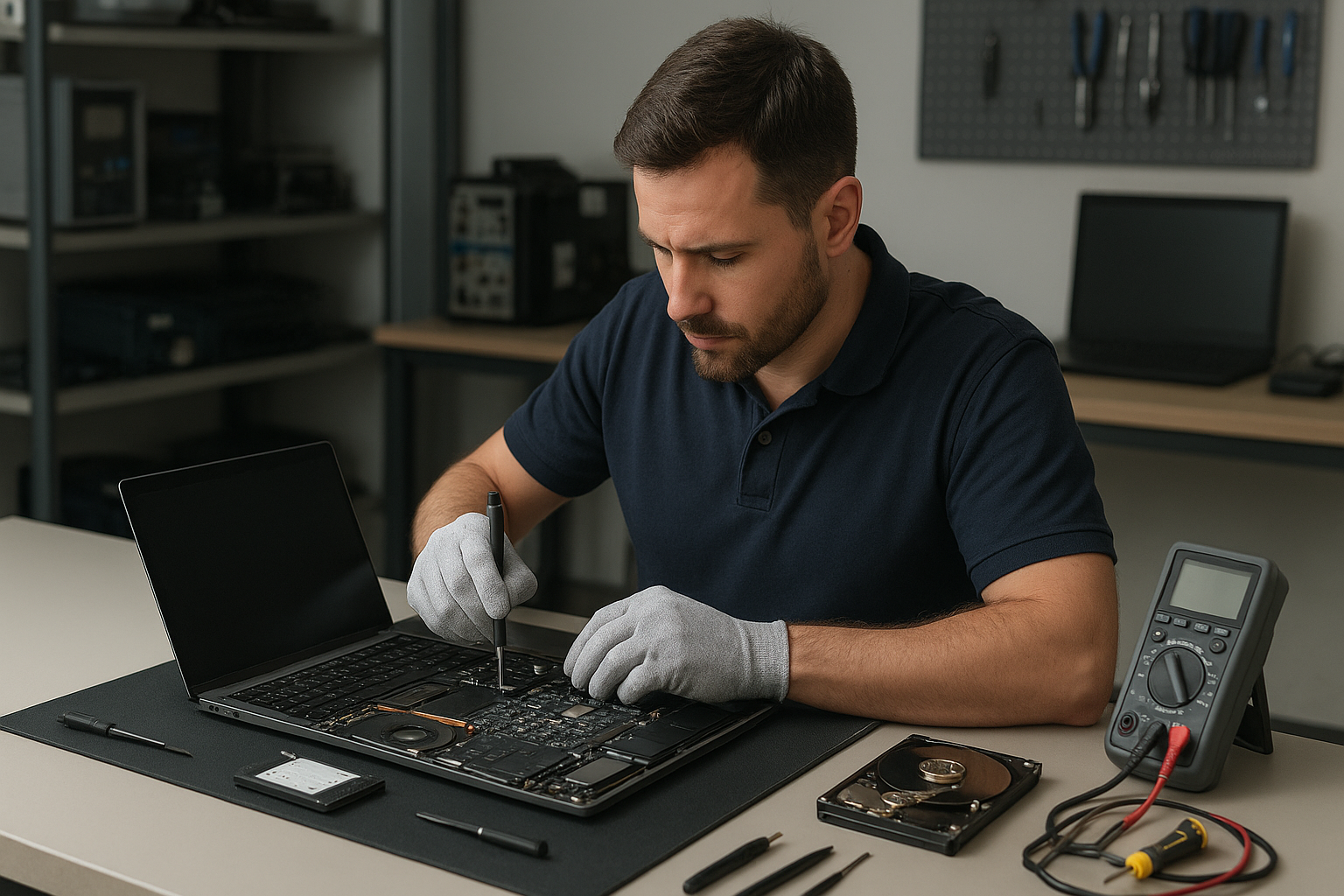
Laptop Repair Coquitlam: Real Technician Guidance from Moe Repair
When your laptop acts up in Coquitlam, you need clear answers and dependable service. At Moe Repair we offer Laptop Repair Coquitlam customers professional diagnostics and honest recommendations for screens, batteries, motherboards and software issues. This guide explains common symptoms, causes, repair options and what to expect when you bring your device in.
Problem Overview: Why laptops fail
Laptops fail for many reasons: physical damage, wear and tear, liquid spills, software corruption and component age. Often a visible symptom—like a cracked screen—masks underlying problems such as motherboard damage or a failing battery. Our job is to separate the symptom from the root cause so you only pay for what needs fixing.
Common Symptoms We See
We regularly diagnose laptops with these common symptoms at Moe Repair:
- Blank or flickering display even though the machine powers on
- Slow performance, frequent crashes or blue screens
- Battery drains quickly or won’t charge
- Keyboard or trackpad unresponsive
- Laptop won’t power on at all
- Strange noises from the fan or hard drive
- Liquid spilled on keyboard or ports
- Charging port loose or intermittent
Common Causes Behind Those Symptoms
Pinpointing the cause prevents wasted repairs. Typical causes include:
- Physical damage to the LCD or hinges from drops
- Failed batteries after many charge cycles
- SSD or hard drive degradation causing slowdowns or failure
- Corrosion or short circuits after liquid exposure
- Faulty power jack or charging circuitry on the motherboard
- Software issues: corrupt OS, drivers, or malware
- Overheating due to clogged fans or dried thermal paste
Professional Diagnostic Process
At Moe Repair we follow a structured diagnostic process to find the real problem. First, we ask about recent events: any drops, spills or Windows/macOS updates. Then we perform a hardware and software check using service tools and manufacturer diagnostics.
We inspect the screen, connectors, battery health, storage health (S.M.A.R.T.), RAM, and power delivery. If liquid damage is suspected, we open the chassis carefully to check for corrosion. For intermittent issues we replicate the fault under load to catch temperature-related failures.
After diagnostics we’ll explain the findings, list repair options and recommend the most cost-effective route. We document what we tested so you can trust our recommendation.
Repair Options Explained
Repairs vary by symptom and device condition. Common services we provide include:
- Screen replacement for cracked or dim displays. We match the panel type to preserve resolution and touch function when possible.
- Battery replacement for poor charge retention or sudden shutdowns.
- Keyboard and hinge repair after wear or impact.
- Charging port and power jack repair when the laptop charges intermittently.
- Motherboard repair for component-level faults, short circuits, or BIOS issues.
- Liquid damage repair including corrosion cleaning and selective replacement of damaged components.
- SSD upgrade and RAM upgrade to boost speed and extend useful life.
- Data recovery and virus removal when files are at risk or the OS is compromised.
- Windows installation and macOS repair to restore system stability and security.
Advantages of Repair vs Replacement
Repair often preserves data, costs less than replacing a whole laptop and reduces e-waste. A screen, battery or SSD upgrade can extend a laptop’s life by years. For business or gaming laptops, targeted repairs and upgrades typically offer the best value.
We consider repair when the device has serviceable parts, the chassis is in good condition, and the expected lifespan after repair justifies the cost. We discuss expected performance and future-proofing options like SSDs and RAM upgrades.
When Replacement Makes More Sense
Sometimes replacement is the wiser choice. Examples include:
- Severe motherboard damage with multiple failed subsystems
- Extremely outdated hardware where parts are rare or costly
- Devices with cracked or missing chassis that compromises structural safety
- Repeated failures on the same component where long-term reliability is unlikely
We’ll always tell you honestly if repair isn’t the best investment and explain alternatives, including trade-in and data migration options.
Estimated Repair Process (What to Expect)
After you bring your laptop in, we confirm the issue and provide a clear repair estimate and recommended parts. We require your approval before proceeding. Repairs can involve ordering parts for specific models like Dell, HP, Lenovo, ASUS, Acer, MSI, Microsoft Surface or Apple MacBook. We never proceed without consent.
We test thoroughly after repairs to ensure reliability. For data-sensitive jobs we follow strict handling to protect your files. If data recovery is needed we explain the risks and next steps upfront.
Preventative Maintenance to Avoid Future Repairs
Small routines extend laptop life. Our technician recommendations include:
- Keep vents clear and clean fans annually to avoid overheating.
- Use a surge protector and avoid improvised chargers to protect power circuits.
- Back up important files regularly to external drives or cloud services.
- Replace batteries that show significant wear before they fail completely.
- Apply a simple protective case or sleeve and avoid placing heavy items on the laptop.
- Install OS updates and reputable antivirus software to reduce software failures.
Real Technician Advice from Moe Repair
One common issue we regularly see at Moe Repair is customers replacing a screen when the real problem is a damaged display cable or bent hinge that stresses the connector. In those cases, replacing the cable and fixing the hinge avoids an expensive panel replacement.
Another example: slow laptops often benefit more from an SSD upgrade and cleaning the OS than from a full replacement. We diagnose storage health and recommend SSD upgrades when appropriate to return a machine to like-new responsiveness.
Avoid quick fixes like using tape on hinges, sanding connectors, or using unknown replacement batteries. These can cause further damage or safety hazards. When in doubt, bring the laptop in for a professional look.
Laptop Repair Services We Provide
Moe Repair offers the following relevant services for customers across Metro Vancouver: Laptop Repair, Laptop Screen Repair, Battery Replacement, Keyboard Replacement, Hinge Repair, Motherboard Repair, Charging Port Repair, Liquid Damage Repair, SSD Upgrade, RAM Upgrade, Data Recovery, Virus Removal, Windows Installation and MacBook Repair. We serve Coquitlam, Burnaby, Vancouver, Surrey, Richmond, New Westminster, Maple Ridge, Port Moody, Port Coquitlam and Pitt Meadows.
Frequently Asked Questions
Below are common customer questions with concise answers based on technician experience.
Q: How do you determine if my laptop’s problem is hardware or software?
A: We run hardware diagnostics (battery health, RAM, storage S.M.A.R.T., power rails) and boot from clean media to isolate software faults. If the issue replicates on a clean OS or with alternate components, it’s usually hardware.
Q: Can you recover data from a dead laptop?
A: Often yes. If the storage device is intact we can image it and recover files. If the drive has physical damage we evaluate the risk and recommend professional data recovery steps.
Q: Is it worth upgrading RAM or SSD on an older laptop?
A: Upgrades are often the most cost-effective way to extend life. An SSD upgrade and more RAM provide noticeable speed gains. We assess compatibility and performance uplift before recommending upgrades.
Q: My laptop won’t charge. Is it the battery or the charger?
A: We test the charger, port, battery and charging circuitry. Sometimes the charger fails; other times the port is loose or the battery has failed. A proper assessment identifies the faulty part.
Q: What should I do after spilling liquid on my laptop?
A: Power it off, unplug, and bring it in quickly. Do not turn it on or use heat sources like hair dryers. Quick professional cleaning reduces corrosion and increases the chance of recovery.
Q: Do you repair MacBooks and Windows laptops?
A: Yes. We repair Apple MacBook models and a wide range of Windows laptops from Dell, HP, Lenovo, ASUS, Acer, MSI and Microsoft Surface devices.
Q: Will you replace a screen with an aftermarket part?
A: We match parts to maintain functionality such as touch support and resolution. We explain part origin and compatibility and document what we use so you can decide.
Q: How do I prepare my laptop for repair?
A: Back up important data if possible, remove external storage and accessories, and provide your account password if you want us to test post-repair. If you cannot back up, tell us so we can prioritize data protection.
Conclusion
When you search for Laptop Repair Coquitlam you want fast, accurate diagnostics and repairs handled by experienced technicians. At Moe Repair we combine transparent diagnostics, practical recommendations and skilled repairs to get you back to work or play. We serve customers across Metro Vancouver and stand behind our technical work.
Call To Action
Book your diagnostic with Moe Repair today: Phone 778-951-4872 | Email service@moerepair.ca | Visit https://moerepair.net. Bring your laptop to our Coquitlam location or contact us to arrange service. We’ll diagnose the issue, explain options and recommend the repair that makes sense for you.
Moe Repair serves Coquitlam, Burnaby, Vancouver, Surrey, Richmond, New Westminster, Maple Ridge, Port Moody, Port Coquitlam and Pitt Meadows. We provide Laptop Repair, Screen Replacement, Battery Replacement, Motherboard Repair, SSD Upgrades, Data Recovery and more.