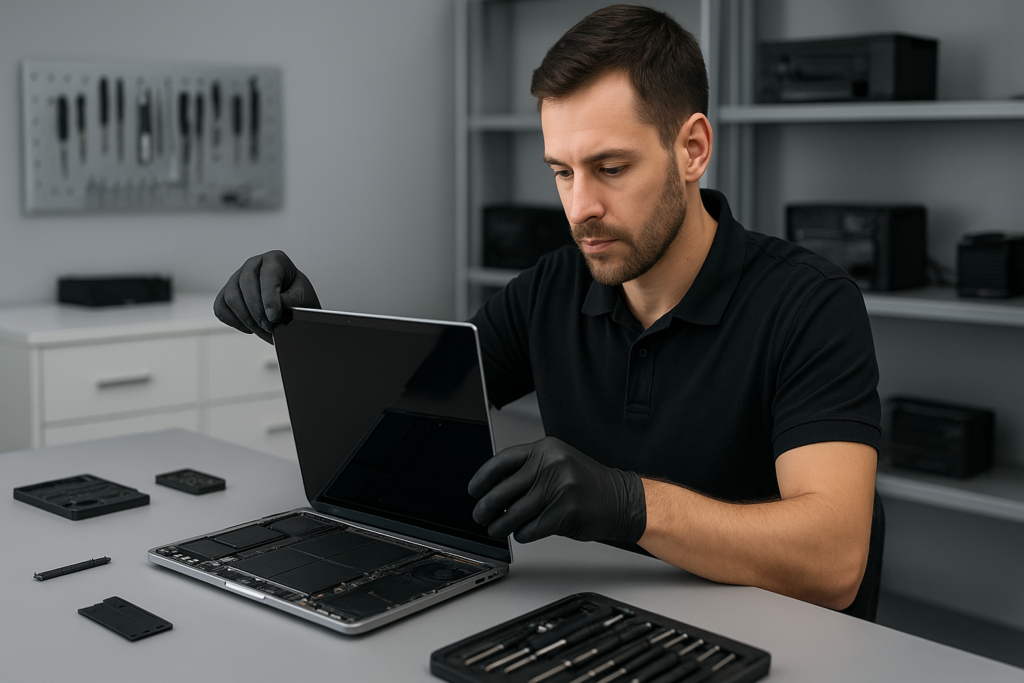
When you need MacBook screen replacement Surrey, you want a technician who understands Mac hardware, common failure modes, and reliable repair techniques. I am a senior computer repair technician with more than 15 years of hands-on experience replacing Retina and non-Retina displays, diagnosing backlight faults, and restoring broken screens to like-new condition.
MacBook screen replacement Surrey: symptoms, diagnosis, and what I do
A compatible external display can help narrow down a display fault, but normal external video does not rule out every graphics or motherboard problem. A technician may need to test the internal panel, display cable, connectors and backlight circuitry before recommending parts. Internal inspection should follow the exact model’s safety procedure with power and the battery disconnected.
If the external monitor works and the internal display shows artifacts or no backlight, the fault usually lives in the display assembly, the display cable, or the backlight inverter. For liquid-damaged machines, I inspect the display cable and the hinge area for corrosion. For cracked or shattered glass, I check whether the LCD panel survived, because sometimes only the glass needs replacement, and sometimes the entire display assembly requires replacement.
Realistic repair procedure I use
First, I advise every customer to back up data, because we sometimes disconnect the battery or perform power cycles. I use a grounded ESD mat, quality pentalobe, Torx, and tri-wing drivers, and a heat station for adhesive removal on Retina models. Then, I remove the bottom case, disconnect the battery, and detach the display connector at the logic board. For models with fused glass, I remove the entire display assembly and replace the whole unit.
During reassembly, I clean connectors, apply new adhesive strips if needed, and test the screen before sealing the chassis. I also run a calibration and brightness test, and I check the camera and microphone to ensure nothing got disturbed. For backlight or inverter issues, I verify cable continuity and replace the display cable when required. I always use genuine or high-quality OEM-equivalent panels depending on the customer’s preference, and I describe the warranty on parts and labour.
How long does a MacBook screen repair take
Turnaround depends on parts availability. For in-stock panels and common MacBook models, most screen replacements finish the same day. For newer Retina or rare models, parts may take 1 to 3 business days. I provide an honest ETA at drop-off, and I keep customers updated by phone or email.
Price factors and parts quality
Price varies with the model year, Retina versus non-Retina, and whether the glass alone or the entire display needs replacement. Newer MacBook Air and MacBook Pro Retina assemblies cost more because they include the LCD, glass, and sensor assembly. I explain options clearly, from budget aftermarket panels to OEM-grade assemblies, and I recommend the best value for long-term reliability.
Diagnostics I perform before replacing a screen
I follow a checklist. I test with an external monitor, run Apple Diagnostics, inspect cables and hinges, look for liquid damage or corrosion, and check for logic board faults like GPU failure. If the display cable is loose or damaged, reseating it often fixes flicker. If the logic board shows signs of damage, I explain motherboard repair options and data recovery services.
Practical customer advice
First, protect your MacBook with a sleeve or hard case to reduce impact damage. Second, avoid putting heavy objects on top of your laptop. Third, if you suspect liquid exposure, power off immediately, disconnect power, and bring it in right away. I can perform liquid damage repair, clean corrosion, and test the display and motherboard.
Also, consider a computer tune-up after a screen replacement, because dust, failing batteries, and thermal paste degradation can affect performance. I offer battery replacement, SSD upgrades, thermal paste replacement, and laptop fan replacement to restore speed and cooling, especially after years of use.
Why choose Moe Repair in Surrey and nearby cities
At Moe Repair I provide clear estimates, honest diagnostics, and quality workmanship. I serve Coquitlam, Burnaby, Vancouver, Surrey, Richmond, New Westminster, Maple Ridge, Port Moody, Port Coquitlam, Pitt Meadows, Langley, Delta, North Vancouver, West Vancouver, White Rock, Abbotsford, Mission, and Chilliwack. You get local service, a senior technician handling your MacBook repair, and contactable support.
I also handle laptop repair, data recovery, virus removal, Windows installation, motherboard repair, gaming PC repair, keyboard replacement, trackpad repair, and more. If you need an SSD upgrade or motherboard repair alongside a screen fix, I will bundle services to save you time and money.
Warranty, parts, and testing
I test every repair thoroughly before return. Repairs include a parts and labour warranty, so you have peace of mind. I document the repair, run extended stress tests on the display, and confirm color accuracy and brightness across multiple levels.
To book a MacBook screen replacement Surrey appointment, or to get a diagnostic assessment (confirm the fee before booking) estimate, contact me. I keep communication simple and transparent, and I treat every MacBook with the same care I would give my own machines.
Moe Repair
Phone: 778-951-4872
Email: [service@moerepair.ca](mailto:service@moerepair.ca)