
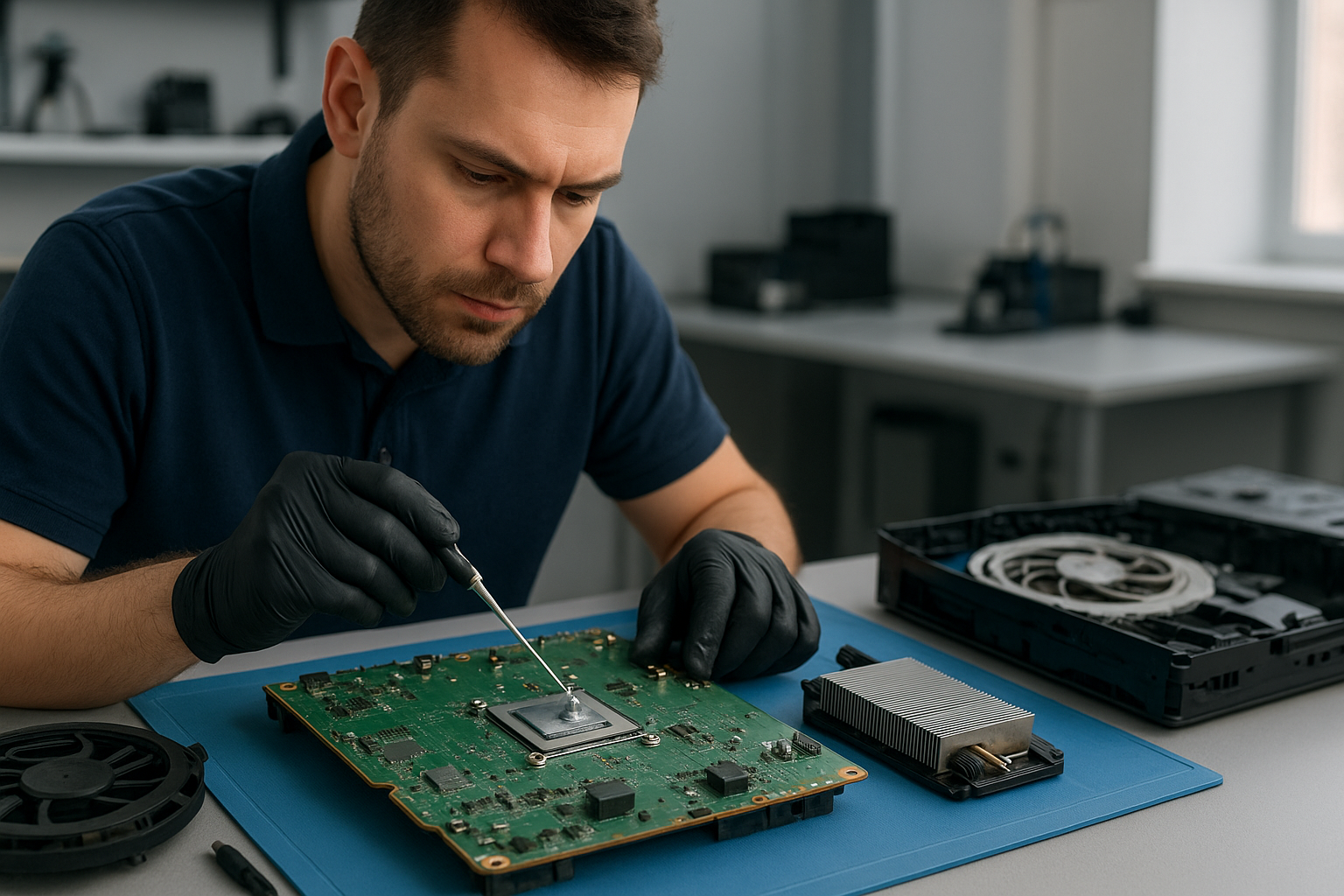
Xbox Series X thermal paste replacement Coquitlam
Professional Console Repair and Maintenance
At Moe Repair in Coquitlam we specialize in Xbox Series X thermal paste replacement Coquitlam and comprehensive gaming console maintenance. With more than 15 years of hands-on experience repairing consoles and computers, our technicians understand thermal management, fan systems, and the small details that keep your console running cool and fast. We serve gamers throughout Coquitlam and nearby communities including Burnaby, Port Moody, Port Coquitlam, New Westminster and Maple Ridge.
PS5 Liquid Metal Replacement
While our focus on this page is Xbox Series X thermal paste replacement Coquitlam, we also provide expert PS5 liquid metal replacement for PS5, PS5 Slim and PS5 Pro models. Liquid metal can significantly improve heat transfer when applied correctly, but it requires experienced technicians and careful handling to avoid short circuits. Whether you own a PS5 or an Xbox Series S/X, our shop in Coquitlam evaluates the best thermal compound or liquid metal solution tailored to your console’s age, usage and current thermal interface condition.
Console Cleaning and Dust Removal
Dust buildup is a leading cause of loud fan noise, overheating and random shutdowns. Our console cleaning service includes complete disassembly, thorough dust removal from heatsinks, vents and fans, and careful reassembly. For Xbox Series X thermal paste replacement Coquitlam jobs we always inspect the internal airflow channels and remove particulate that impairs cooling performance. Regular PS5 cleaning service and dust removal for PS5 Slim or PS5 Pro models can prevent costly repairs down the line.
Console Overheating Repair
Overheating symptoms—loud fans, thermal throttling, sudden shutdowns and degraded performance—are often caused by compromised thermal paste, packed dust, or failing fans. Our overheating repair process begins with diagnostics: temperature logging, fan speed monitoring and internal inspection. For Xbox Series X thermal paste replacement Coquitlam we replace the old thermal compound with high-quality, console-grade paste and verify temperatures under load. We also offer PS5 overheating repair and solutions for the Xbox Series S lineup.
Signs Your Console Needs Service
- Loud, high-pitched fan noise that persists even when idle
- System running hotter than usual or fans spinning at full speed frequently
- Random shutdowns or restarts during gameplay
- Frame drops, stuttering or other performance issues
- Visible dust buildup in vents or exhaust
If you notice any of these signs in Coquitlam, Burnaby, Port Moody or nearby areas, call Moe Repair — delayed service can lead to permanent damage to the APU/GPU or other components.
Why Thermal Management Matters
Thermal management is critical for modern consoles. The Xbox Series X and Xbox Series S rely on efficient heat transfer between the APU and heatsink to sustain peak performance. Over time, thermal paste dries out, losing conductivity and causing higher junction temperatures. Replacing degraded paste restores proper thermal transfer, stabilizes clock rates and reduces fan RPMs, which lowers noise and extends component life. This is equally true for PS5, PS5 Slim and PS5 Pro units where liquid metal or high-performance paste can be used when appropriate.
Gaming Consoles We Service
We work on a wide range of models and issues, including:
- Xbox Series X — thermal paste replacement, fan repair, cleaning
- Xbox Series S — dust removal and overheating fixes
- PS5, PS5 Slim, PS5 Pro — liquid metal replacement, fan cleaning, full diagnostics
- Older Xbox and PlayStation models — maintenance and repairs
Beyond consoles, we offer broader computer and device services — see our links to computer repair in Coquitlam, laptop repair in Coquitlam, and MacBook repair in Coquitlam for issues that may affect your gaming PC or streaming setup.
Why Choose Moe Repair
We combine technical skill with local, customer-focused service. Our technicians have repaired hundreds of consoles with meticulous soldering, cleaning and thermal application techniques. When you choose Moe Repair in Coquitlam for Xbox Series X thermal paste replacement Coquitlam you get:
- Experienced technicians with 15+ years at Moe Repair
- Careful diagnostics and transparent quotes
- High-quality thermal paste and safe liquid metal application methods
- Fast turnaround for urgent gaming needs across Coquitlam, Burnaby, Port Moody, Port Coquitlam, New Westminster and Maple Ridge
- Warranty on workmanship where applicable
Real Repair Example
Case: A PS5 arrived at our Coquitlam shop with severe overheating and random shutdowns after 1.5 years of heavy use. The owner reported loud fan noise and frequent crashes during 4K gaming sessions. Our diagnostic process included thermal logging with a stress utility and visual inspection. We found heavy dust accumulation in the intake and exhaust channels, a partially detached thermal pad covering the VRM area, and dried thermal interface material on the APU.
Repair steps taken:
- Documented symptoms and took photos before disassembly to preserve warranty evidence.
- Fully disassembled the PS5 in a static-safe area and vacuumed the chassis with ESD-safe tools.
- Removed old thermal compound, cleaned surfaces with isopropyl alcohol, and inspected the vapor chamber and liquid metal area for corrosion or residue.
- Replaced dried thermal paste with manufacturer-specified compound on the CPU/SoC. For the PS5 model we inspected the liquid metal application points and ensured no migration; the unit had factory-applied liquid metal which we carefully reseated and reapplied where necessary.
- Replaced compromised thermal pads on VRMs, reassembled the cooling assembly, and performed a balancing test to ensure the heatsink was seated correctly.
- Stress-tested the console for several hours, monitoring temperatures, fan RPM and stability under load.
Outcome: The PS5’s average junction temperature dropped by 12–18°C under load, fan noise decreased notably, and the random shutdowns stopped. The customer reported stable 4K gameplay for extended sessions after pickup. This example demonstrates the combination of cleaning, pad replacement and liquid metal inspection we bring to every console repair.
Frequently Asked Questions
How long does an Xbox Series X thermal paste replacement take?
Most thermal paste replacements at our Coquitlam shop take 1–3 business days depending on workload and whether additional repairs (fan replacement, pad replacement, or diagnostics) are needed. Rush options may be available — call us to confirm.
Can you replace thermal paste on a PS5 liquid metal unit?
Yes. PS5 units with factory liquid metal need careful handling. We inspect the liquid metal application and, if reseating is required, ensure it’s done safely to prevent shorts and to maintain thermal performance.
Will replacing thermal paste fix loud fan noise?
Often it will reduce fan noise by lowering operating temperatures, but if a fan is physically worn or bearings are failing, a fan replacement may also be necessary. We diagnose and recommend the best course of action.
Do you offer service for customers in Burnaby and Port Moody?
Yes. While our shop is based in Coquitlam, we serve Burnaby, Port Moody, Port Coquitlam, New Westminster, Maple Ridge and surrounding areas. We can advise on drop-off, mail-in or pickup options depending on your location.
How do you price Xbox Series X thermal paste replacement?
Pricing depends on inspection and any additional services (dust removal, fan replacement, thermal pad replacement). We provide transparent quotes after diagnosis. Call 778-951-4872 or stop by for an initial assessment.
Contact Moe Repair Today
Moe Repair
778-951-4872
service@moerepair.ca
For scheduling and quotes, contact Moe Repair or call our Coquitlam location. If you have a gaming console acting up—whether Xbox Series X, Xbox Series S, PS5, PS5 Slim or PS5 Pro—we can help with thermal paste replacement, liquid metal inspection, fan cleaning, dust removal and full overheating repair. We also handle related computer, laptop and MacBook repairs to keep your entire gaming setup running smoothly.