
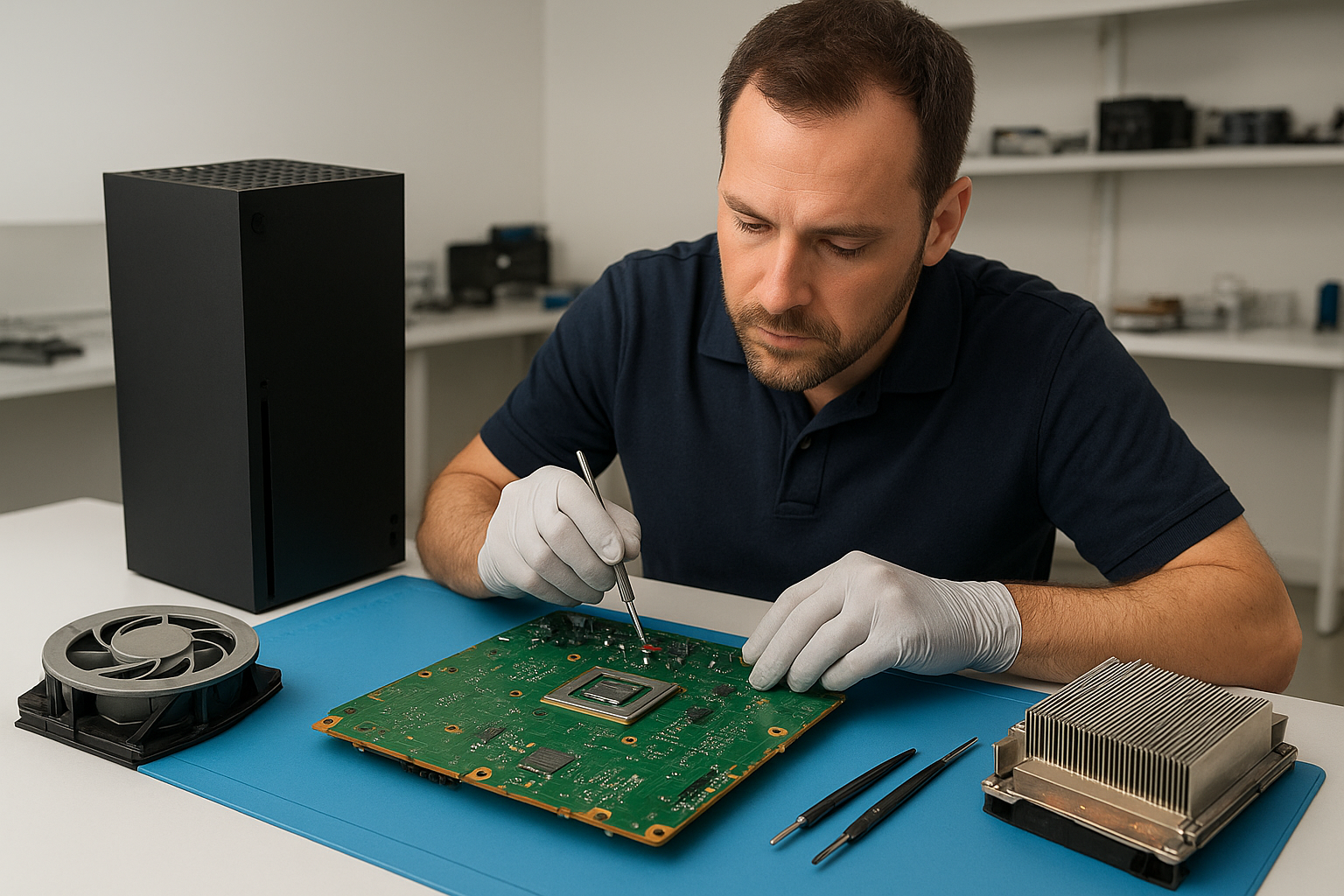
Xbox Series X cleaning service Coquitlam
Professional Console Repair and Maintenance
At Moe Repair in Coquitlam we specialize in professional console maintenance and cleaning for Xbox Series X owners across Coquitlam and neighbouring communities like Burnaby, Port Moody, Port Coquitlam, New Westminster and Maple Ridge. With more than 15 years of hands-on experience repairing consoles, gaming PCs and laptops, our technicians focus on thermal management, dust removal and performance restoration for consoles including Xbox Series X, Xbox Series S, PS5, PS5 Slim and PS5 Pro.
Common issues we fix during a cleaning service include loud fan noise, overheating, random shutdowns and general performance issues caused by dust buildup or failed thermal interfaces. Our full-service clean includes careful disassembly, dust extraction, inspection of thermal interfaces, fan cleaning and targeted repairs where needed.
PS5 Liquid Metal Replacement
Although this page focuses on Xbox Series X cleaning service Coquitlam, many clients also bring PS5 models for advanced thermal work. PS5 consoles use specialized thermal compounds and, for some PS5 and PS5 Pro units experiencing persistent overheating, we offer liquid metal replacement and inspection services. Liquid metal can significantly improve heat transfer from the SoC to the heatsink, but it must be applied by an experienced technician to avoid shorts and long-term reliability issues.
Our liquid metal service includes full removal of the stock thermal paste, careful cleaning of CPU and heatsink surfaces, professional application of liquid metal and securing the thermal assembly to OEM tolerances. We also provide fallback options to high-quality thermal paste for clients who prefer a less invasive choice, such as owners of PS5 Slim or older PS5 revisions.
Console Cleaning and Dust Removal
Dust is the primary enemy of any console. Over time dust accumulates in intake vents, around fan blades and in the heatsink fins, restricting airflow and reducing cooling efficiency. Our Xbox Series X cleaning service in Coquitlam uses a multi-step approach:
- External inspection and photographed condition report before service
- Careful, static-safe disassembly to access fans and heatsink
- Compressed air dust extraction, soft brushes and vacuum capture to remove debris
- Deep cleaning of fan blades, bearings and ducting to reduce vibration and noise
- Inspection and replacement of worn fan bearings or damaged parts when necessary
- Re-assembly with thermal performance testing and burn-in to confirm stability
This thorough process restores airflow and reduces the chance of overheating and random shutdowns. We document the condition and share before/after photos for transparency.
Console Overheating Repair
Overheating can present as frequent fan ramping, loud fan noise, graphical stuttering, system lag or abrupt shutdowns. Our diagnostic workflow for overheating includes:
- Thermal profiling under load to identify hot spots
- Visual inspection for dust buildup, clogged vents and damaged cooling parts
- Fan function tests to detect failing or noisy bearings
- Thermal interface inspection — paste degradation, dried compounds or compromised liquid metal
- Repair options ranging from fan cleaning and replacement, thermal paste re-application, to liquid metal replacement on PS5 where appropriate
For Xbox Series X consoles, we typically find that dust removal and fan cleaning restore normal temperatures in the majority of cases. When a deeper repair is required, such as replacing a failing fan or addressing an improperly seated heatsink, we provide a clear estimate before proceeding.
Signs Your Console Needs Service
Watch for these signs that your Xbox Series X or other console needs professional cleaning or repair:
- Loud or inconsistent fan noise
- Console feels very hot to the touch during play
- Performance drops, stuttering, frame-rate issues
- Random shutdowns or error messages related to temperature
- Unusual smells (burning or hot electronics) or visible dust coming from vents
If you live in Coquitlam, Burnaby, Port Moody, Port Coquitlam, New Westminster or Maple Ridge and notice any of these symptoms, bring your console to Moe Repair for a diagnostic and cleaning service before permanent damage happens.
Why Thermal Management Matters
Good thermal management keeps your console running reliably and quietly. Proper airflow and a well-maintained thermal interface extend component life, prevent throttling and maintain performance during long sessions. Modern consoles like the Xbox Series X and PS5 include aggressive cooling designs; however, they still depend on unobstructed airflow and fresh thermal compound. Neglect leads to reduced performance, loud fans and risk of component failure.
Moe Repair focuses on both passive and active cooling checks. We ensure heatsinks are seated correctly, cooling fins are clean and fans operate smoothly, and we confirm thermal paste or liquid metal is performing as expected for PS5 and other high-heat consoles.
Gaming Consoles We Service
We service a wide range of consoles and models, including but not limited to:
- Xbox Series X and Xbox Series S
- PS5, PS5 Slim and PS5 Pro
- Older consoles brought in for cleaning and legacy repairs
We also provide related services for gamers who use the same space for PC gaming: computer repair in Coquitlam, and for mobile devices and laptops we offer laptop repair in Coquitlam and MacBook repair in Coquitlam.
Why Choose Moe Repair
With 15+ years of electronics repair experience, Moe Repair provides transparent diagnostics, documented workmanship and local support throughout Coquitlam and nearby cities. Our technicians are trained in console-specific service, safe liquid metal application on PS5 units, and proven cleaning protocols for Xbox Series X and Series S cooling systems. We prioritize quick turnarounds, clear pricing and honest recommendations — whether you need a simple fan clean or an advanced thermal rework.
Customer convenience matters: we accept drop-offs at our Coquitlam shop, and we offer clear communication during the repair process. For simple inquiries or to start a diagnostic, please contact Moe Repair.
Frequently Asked Questions
How long does an Xbox Series X cleaning service take?
Typical cleaning and diagnostic work is completed within 1-3 business days depending on queue and whether parts are required. Simple dust removal and fan cleaning can often be same-day if scheduled early.
Do you replace liquid metal on PS5 consoles?
Yes, we offer professional PS5 liquid metal replacement when appropriate. We evaluate each PS5 to determine if liquid metal is the best solution or if high-performance thermal paste is preferable for long-term reliability.
Will cleaning void my warranty?
If your console is still under manufacturer warranty, opening it may void coverage. We will advise you of warranty risks during booking. For out-of-warranty units or older consoles, our cleaning services are safe and performed with industry-standard care.
Can dust removal fix random shutdowns?
Often yes. Random shutdowns are frequently caused by overheating from dust-obstructed airflow. After cleaning and thermal checks, many units stabilize. If the issue persists, we perform further diagnostics to identify failing components.
Do you service consoles from Burnaby and Maple Ridge?
Yes. We serve gamers across Coquitlam as well as Burnaby, Port Moody, Port Coquitlam, New Westminster and Maple Ridge. Drop off your console or reach out to schedule a visit.
Real Repair Example
Case: PS5 with overheating, loud fan noise and random shutdowns. The owner from Port Moody brought the unit to Moe Repair after several sudden restarts during gameplay.
Diagnostic process: We began with a visual inspection and noted heavy dust accumulation around the intake vents and fan shroud. Thermal profiling under a controlled load showed the SoC reaching cutoff temperatures within 8 minutes of gameplay. Fan RPMs were rising aggressively but noise and airflow indicated the fan bearings were struggling.
Service: The PS5 was carefully disassembled in a static-safe area. We removed and cleaned the fan assembly with ultrasonic-safe brushes and solvent where needed, removed all dust from heatsink fins and intake ducts using captured vacuum and micro-tools, and inspected the thermal interface. The original thermal paste showed signs of drying and uneven contact. Given the client reported heavy gaming workloads and a desire for improved long-term cooling, we discussed options and the client opted for liquid metal replacement.
We performed a full clean of the CPU and heatsink surfaces, applied liquid metal precisely using a controlled method and reassembled the unit with proper torque on fasteners to ensure even pressure. After reassembly we performed a burn-in test, monitoring temperatures and fan behavior. The console now maintained stable operating temperatures, fan noise was reduced and no further shutdowns occurred during an extended stress test.
Outcome: The PS5 returned to the owner from Port Moody running quieter, cooler and reliably during long sessions. We provided maintenance tips and a 30-day service warranty on the work performed.
Contact Moe Repair Today
Moe Repair
778-951-4872
For service inquiries or to arrange an Xbox Series X cleaning service in Coquitlam, please contact Moe Repair or call 778-951-4872. We also provide related computer and laptop services—visit our pages for computer repair in Coquitlam, laptop repair in Coquitlam and MacBook repair in Coquitlam for more information.
We look forward to keeping your Xbox Series X or PS5 gaming-ready and running cool across Coquitlam, Burnaby, Port Moody, Port Coquitlam, New Westminster and Maple Ridge.