
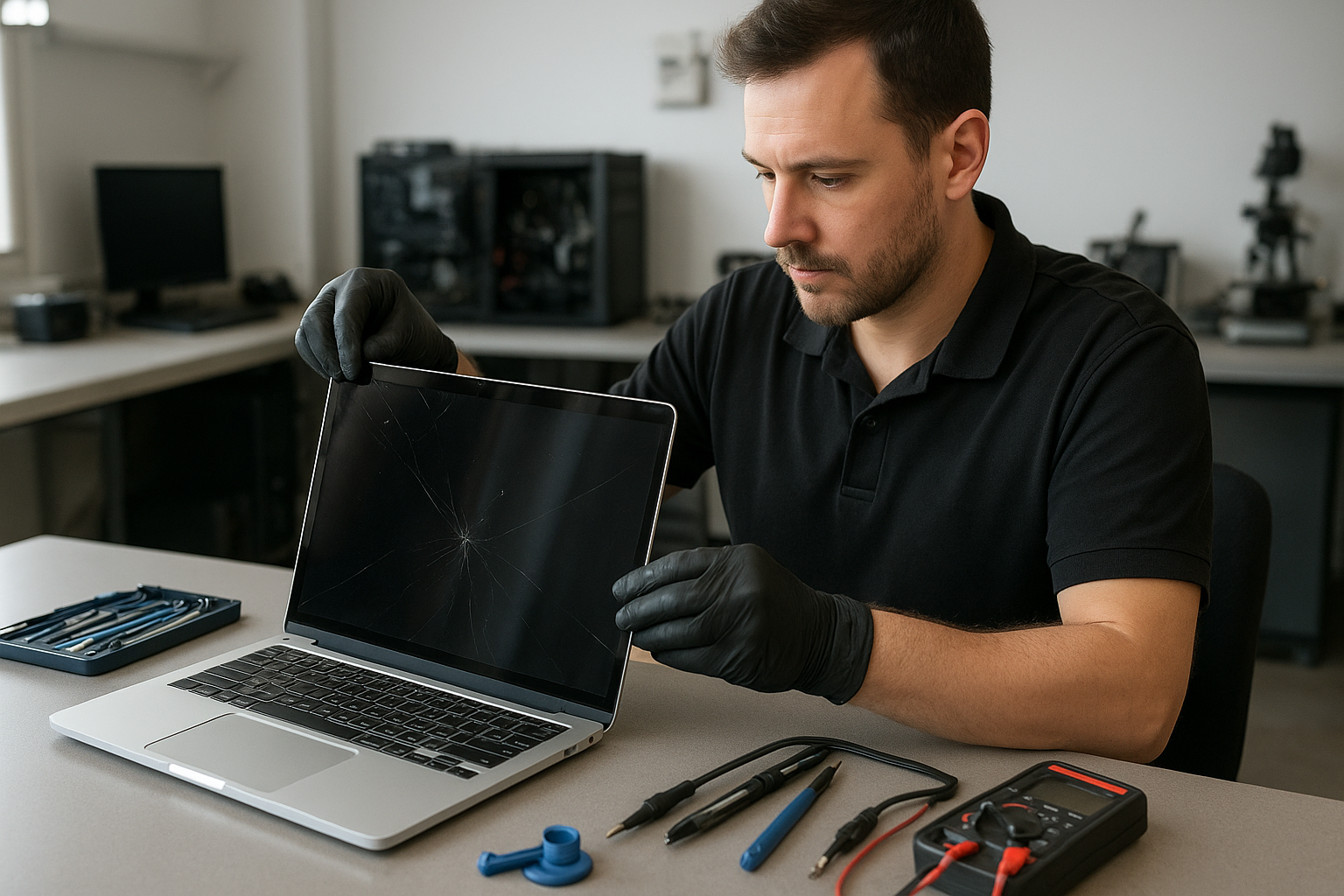
MacBook Pro Screen Replacement Vancouver Moe Repair
At Moe Repair in Coquitlam we perform MacBook Pro screen replacement and display repair for customers across Vancouver and the Tri-Cities. If your Retina display is cracked, flickering, showing lines, or black, this guide explains how we diagnose problems, the repair options we recommend, and how to protect your MacBook afterward.
Why a clear diagnosis matters for MacBook screen repair
One issue we regularly see at Moe Repair is customers assuming the screen is the only problem. A cracked display can accompany logic board damage, backlight failure, or cable issues. Proper diagnosis separates display damage from faults like GPU issues or liquid corrosion so we only replace what’s necessary.
Common symptoms of a failing MacBook Pro display
- Visible crack or shattered glass after a drop
- Black screen with power visible (sound or keyboard backlight works)
- Vertical or horizontal lines across the display
- Flickering, dimming, or uneven brightness
- Touch or trackpad issues following impact
- Image ghosting, color shift, or pixelation
Common causes we see in Coquitlam and Vancouver
Damage sources are predictable: drops, pressure, hinge stress, or liquid spills. Repeated hinge strain can delaminate the display assembly. We also diagnose battery swelling, which pushes on the screen from inside the case. Many residents of the Tri-Cities bring MacBooks that have had gradual damage from daily use rather than a single traumatic event.
How professional diagnostics work at Moe Repair
Our technicians follow a step-by-step diagnostic routine to isolate the problem. That routine includes a visual inspection, boot tests with external displays, and targeted component checks. We check the display cable and connector, inspect for liquid residue on the logic board, and run hardware tests in macOS or recovery mode. When appropriate we attach an external monitor to determine if the GPU or display panel is at fault.
Diagnostics also include photographing damage, documenting serial numbers, and advising customers about data recovery if liquid or impact affected storage. We explain findings in plain language and outline repair options before any work begins.
Repair options for MacBook Pro screen problems
Repair choice depends on the failure mode. Options we typically offer:
- Screen assembly replacement: For cracked glass, delaminated Retina panels, or shattered displays we replace the entire display assembly.
- LCD or backlight repair: When the glass is intact but the image is corrupted, we replace internal display components where feasible.
- Cable and connector repair: Loose or damaged LVDS/eDP cables often cause lines or flicker; reseating or replacing the cable can fix this.
- Hinge repair in conjunction with display replacement when hinge wear has damaged the display or cables.
- Logic board inspection and repair when external testing shows the GPU or board is failing.
Advantages of repairing your MacBook Pro display
Repairing the display preserves your existing system configuration and avoids migrating data. A correct screen replacement restores visual accuracy, which is important for photo, video, and design work. Repair also tends to be more cost-effective than replacing the entire laptop when the rest of the hardware is healthy.
When replacement makes more sense than repair
Replacement of the display assembly is often the most reliable option when the glass is shattered or the panel is irreparably damaged. We recommend replacing the entire display assembly when internal components are delaminated, water-damaged, or the repair would be nearly as costly as a full assembly swap. We’ll explain the pros and cons so you can make an informed choice.
What to expect during the MacBook Pro screen replacement process
Our technicians begin by backing up data if the customer requests assistance. We then power down the MacBook, discharge capacitors where necessary, and remove the display assembly. Inside, we inspect cables, hinges, and the upper case for hidden damage. After installing the new display assembly we run calibration, brightness, and color tests to ensure the Retina screen meets Apple specifications. You will receive a clear report of the work performed and recommendations for future care.
Real-world repair scenarios from Moe Repair in Coquitlam
Example: A client from Port Coquitlam brought a 2016 MacBook Pro with flickering and lines after a fall. External display output was clean, which pointed to the internal display cable. We replaced the cable and reattached the display assembly; the image returned to normal and the customer avoided a full replacement.
Another example involved a swollen battery pushing on the screen in a Burnaby customer’s MacBook. Replacing the battery and the display assembly corrected pressure damage and prevented further case deformation.
Preventative maintenance and best practices
- Use a padded sleeve or hard case, especially if you commute in Vancouver or travel across the Tri-Cities.
- Avoid placing heavy objects on top of the laptop when it is closed.
- Address hinge stiffness early; lubrication or hinge repair can stop cable wear.
- Keep liquids away from your MacBook and power down immediately if a spill occurs.
- Schedule battery health checks—swelling batteries are a hidden risk for screen damage.
Common customer mistakes and what to avoid
Customers sometimes attempt DIY glass-only fixes or use off-brand parts that don’t match MacBook tolerances. In many MacBook Pro models the glass and the LCD are fused; attempting only a glass swap often leaves uneven touch, poor color, or worse. We also see customers delay repairs, which can allow liquid damage to spread from the display to the logic board.
How we decide if a repair is worthwhile
We evaluate the MacBook’s overall condition, age, and the severity of damage. If the cost of parts and labor for a reliable repair is reasonable compared to the device’s remaining usable life, we recommend repair. If logic board failure or severe corrosion is present across multiple components, we explain alternatives like data recovery and system replacement so customers can choose the best path.
Local service and support across the Tri-Cities and Vancouver
Moe Repair is based in Coquitlam and regularly serves customers from Burnaby, Port Coquitlam, Port Moody, New Westminster, and Vancouver. Many customers prefer bringing in devices for a hands-on diagnostic; we also offer phone consultations to help triage problems before you visit. Our goal is to give clear, honest advice so you can protect your investment.
Technician tips: Quick checks before you bring your MacBook in
- Try an external monitor to see if the laptop’s GPU is outputting correctly.
- Note when the damage started and any recent impacts or spills.
- Make a quick backup if the device is still accessible; backups save time if a logic board repair is needed.
- Avoid pressing on cracked glass; shards can cause injury and further damage.
Frequently Asked Questions
Scroll to the FAQ section below for common questions customers ask at Moe Repair.
Conclusion
MacBook Pro screen replacement Vancouver Moe Repair means experienced technicians, careful diagnostics, and service rooted in Coquitlam. Whether you have a cracked screen, flicker, or strange lines, we will identify the root cause and recommend the most reliable fix. Protect your data, avoid DIY risks, and let a certified technician restore your display.
Call to action: For fast, professional MacBook screen repair in Coquitlam and Vancouver contact Moe Repair at 778-951-4872 or email service@moerepair.ca. Visit https://moerepair.net to book diagnostics or learn about related services like battery replacement, motherboard repair, SSD upgrades, and data recovery.