
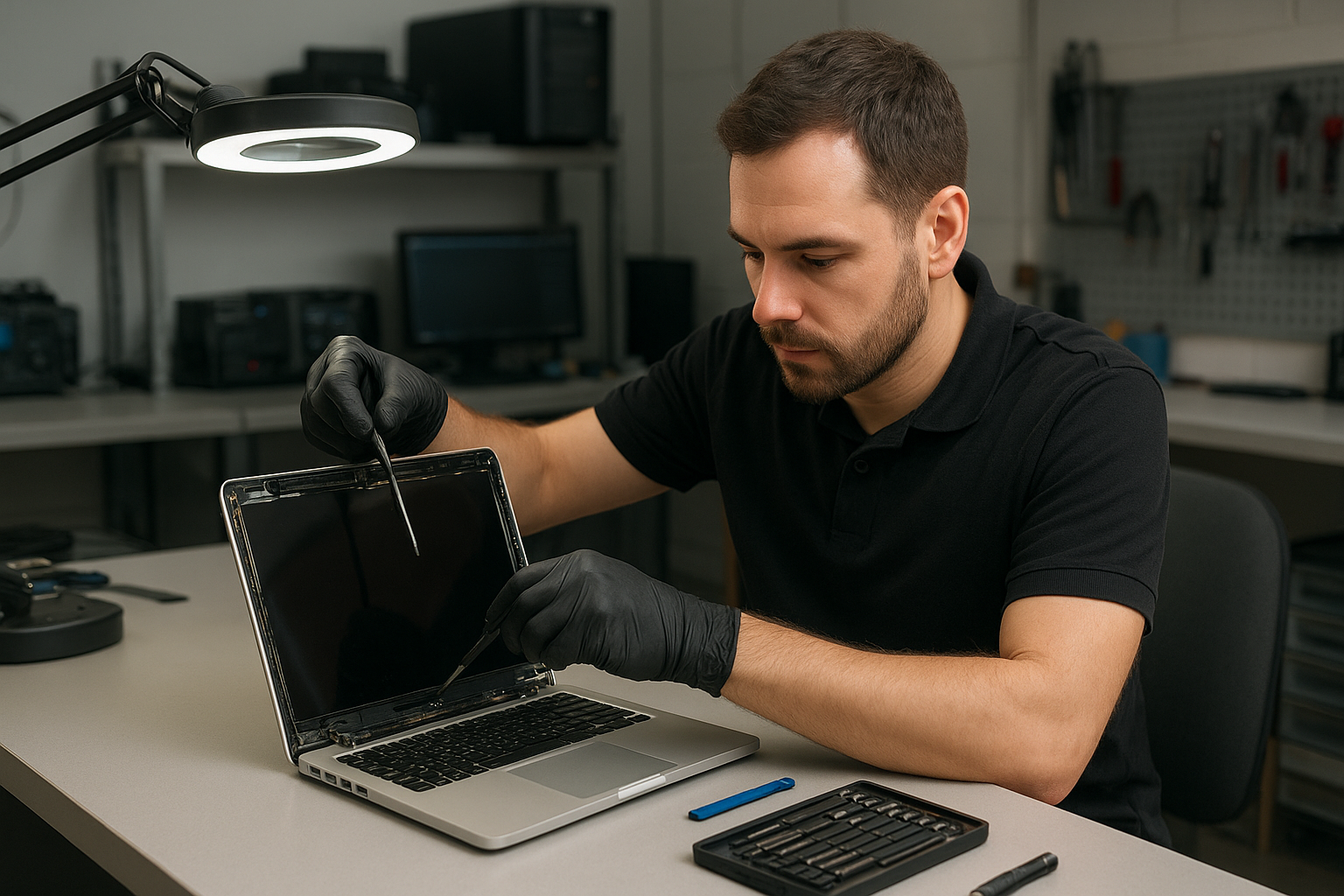
MacBook Pro display replacement Coquitlam
MacBook Pro display replacement Coquitlam is a common request at our shop when screens crack, flicker, or show vertical lines. At Moe Repair I diagnose the entire system, not just the glass, so you get an accurate estimate and the best course of action. For hardware and software concerns see our MacBook repair in Coquitlam page for services and model compatibility.
Signs you need a MacBook Pro display replacement Coquitlam
Typical symptoms that point to a display replacement include visible cracks, glass detachment, black spots, vertical or horizontal lines, backlight failure, intermittent flicker, and an unresponsive digitizer on Retina models. Battery swelling that pushes the screen up and liquid under the glass are urgent signs. If the lid won’t close properly or the webcam area looks misaligned, bring it in for inspection.
How we diagnose display issues
Diagnosis starts with a visual inspection of the chassis and hinges. I connect the MacBook to an external monitor to determine if the GPU is functioning. If the external monitor is clean while the internal screen fails, the problem is most often the display assembly or cable. I reset SMC and NVRAM, inspect the display flex and hinge area for pinched cables, and run Apple/third-party diagnostics. We also check for motherboard faults, which sometimes mimic screen failures. For broader issues we handle computer repair in Coquitlam and related services.
If you suspect you need MacBook Pro display replacement Coquitlam, schedule a diagnostic and we will document findings before any repair.
Common repair procedures for MacBook displays
Repair steps depend on the model. For Retina and Touch Bar MacBook Pros I usually replace the entire display assembly because glass, LCD, and digitizer are bonded. For some older non-Retina models an LCD-only swap may be possible. Standard procedure I follow:
- Confirm a current backup and fully power down the device.
- Remove the bottom case and disconnect the battery to avoid shorts.
- Remove display trim and carefully disconnect the display cable and camera assembly when required.
- Replace the assembly or LCD, reassemble with correct torque on hinges, and reconnect all peripherals.
- Run brightness, color, and webcam tests and stress the machine under load.
Parts, warranty, and additional services
We use high-quality OEM-equivalent assemblies and where available OEM parts for the best fit and color accuracy. Each display replacement includes function testing and a limited parts warranty. Many customers ask to combine screen repairs with other services like laptop repair in Coquitlam, SSD upgrades, or battery replacement to save time. If your drive shows errors we can coordinate data recovery in Coquitlam before disassembly.
Realistic repair example
A customer from Port Moody dropped a 2017 MacBook Pro and returned with a spiderweb crack across the glass and screen flicker. I inspected the hinge and tested an external monitor. The external output was stable, which pointed to the display assembly and not the GPU. Inside I found a fractured glass and a partially torn display flex cable. I ordered a compatible Retina display assembly, disconnected the battery, and replaced the assembly. After reassembly I calibrated color, verified camera and microphone operation, and stress-tested for several hours. The screen stopped flickering and the customer’s data remained intact. Repair time was two business days and I recommended a protective sleeve to reduce recurrence.
What to expect: timeline and pricing
Turnaround varies by part availability. In-stock parts can allow same-day or next-day service. Special-order Retina displays may take 2-4 business days. Prices differ by model and year; we provide a written estimate and do not begin work without your approval. For MacBook Pro display replacement Coquitlam we explain risks like underlying motherboard damage or liquid contamination that can affect success and cost.
Preventive tips to protect your MacBook screen
Use a padded sleeve when transporting your MacBook and avoid pressure on the lid. Check for early signs of battery swelling and consider professional battery replacement if you notice bulging. Small repairs such as keyboard replacement or thermal paste replacement can prevent heat-related display problems. If you spill liquid, power off and bring the device in quickly for liquid damage repair — delays reduce the chance of recovery.
Frequently asked questions
Below are common questions customers ask before booking a screen replacement.
How long will my MacBook be in for a display replacement?
Typical repairs take 1-3 business days depending on part availability. Some stock parts allow same-day service.
Will my data be safe during the repair?
We do not need to wipe your drive for a display swap. Still, we recommend a current backup. If the drive shows problems we offer diagnostics and data recovery options.
Do you use OEM parts?
We use OEM or high-quality OEM-equivalent assemblies depending on model availability. We provide warranty details with the estimate.
Can a cracked glass be repaired without replacing the whole assembly?
On some older models only the glass or LCD can be swapped. For Retina and Touch Bar units we commonly replace the whole assembly due to bonded layers.
Do you offer a warranty?
Yes. Each repair includes a limited parts and labor warranty. Warranty details vary by the part and service.
Contact Moe Repair Today
Moe Repair is ready to handle MacBook Pro display replacement Coquitlam and nearby communities including Port Moody, Port Coquitlam, and Burnaby. Call 778-951-4872 or email service@moerepair.ca to arrange a free consultation and a no-obligation estimate. We will confirm model details, possible parts lead time, and recommended diagnostics before any work begins. Drop-offs are welcome, and we can often offer same-day estimates for in-stock parts. If you need help with data backup, SSD upgrades, or battery replacement while the machine is in for service, mention it when you contact Moe Repair. We serve Coquitlam residents and nearby areas and can advise on shipping if you are outside the region.
Moe Repair
Phone: 778-951-4872
Email: service@moerepair.ca