
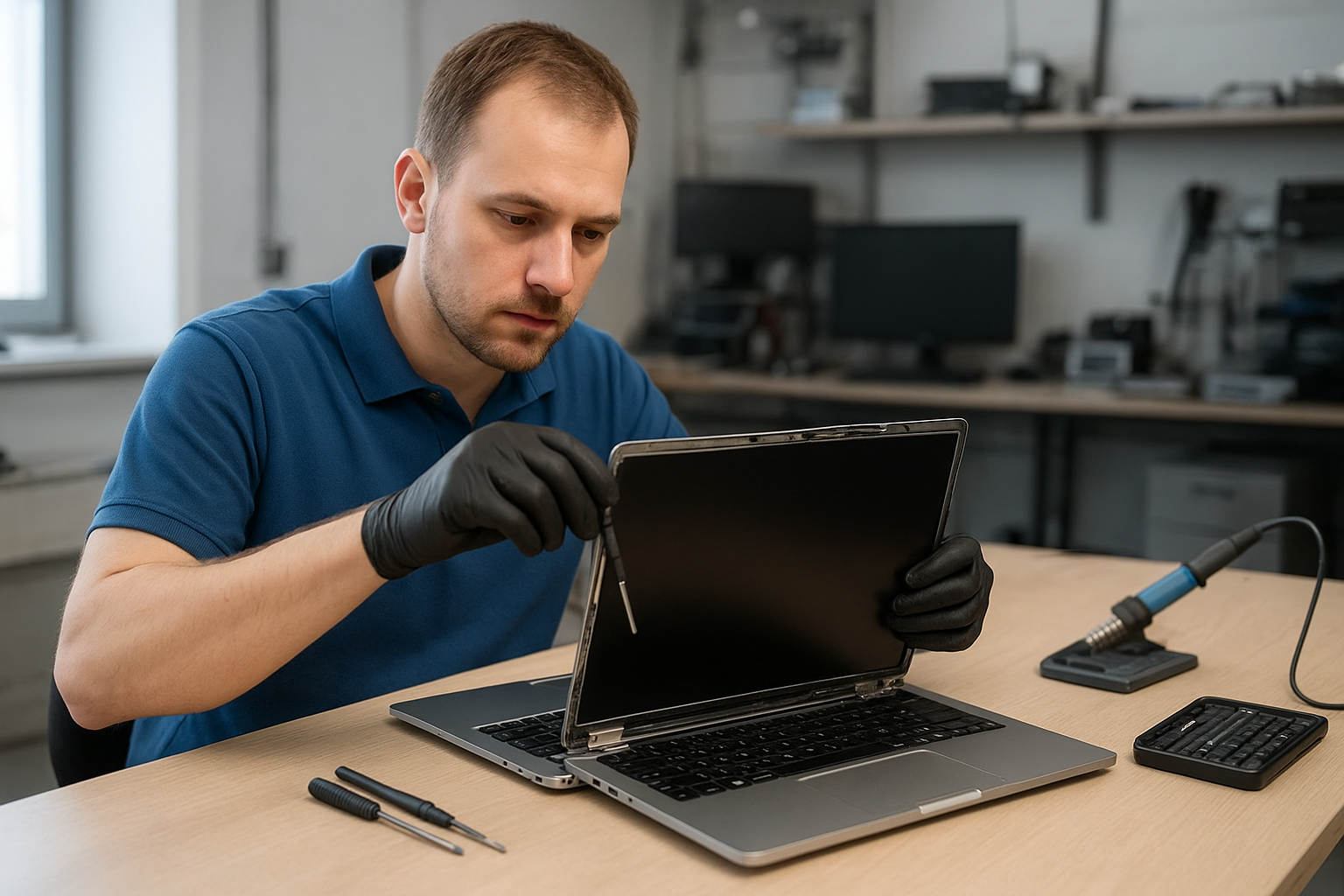
Laptop screen replacement Coquitlam
If your laptop shows cracks, black spots, or a backlight that flickers, you need clear advice and a reliable repair. At Moe Repair in Coquitlam we handle Laptop screen replacement Coquitlam with calibrated testing, OEM or high-quality aftermarket panels, and careful reassembly to protect other components.
Laptop screen replacement Coquitlam: what to expect
When you bring a machine to our shop we first confirm symptoms. Common issues include visible glass cracks, color distortion, vertical or horizontal lines, dim backlight, and an entirely black display while the machine powers on. We diagnose issues that mimic screen failure so you don’t pay for an unnecessary panel swap.
Common symptoms that indicate a screen fault
- Cracked glass or spiderweb fractures.
- Vertical or horizontal lines across the display.
- Partial image with dark bands or dead pixels.
- Backlight problems: very dim screen or flickering.
- No image but power indicator and external monitor work.
How we diagnose laptop displays
Diagnosis starts with a visual inspection and simple tests. We connect an external monitor to check if the GPU and motherboard video output are working. If the external screen displays normally, the fault is usually the panel, inverter, TCON, or LVDS/eDP cable. We check the display cable and connectors for wear or corrosion and use a multimeter to verify the panel power rails.
For MacBook and Surface models we also test the display in clamshell mode and verify brightness control and ambient light sensor behaviour. If data risk exists, we recommend a quick backup or link you to our data recovery in Coquitlam page before proceeding.
Real repair procedures we use
After diagnosis we outline options: replace the panel, replace the cable, or repair the hinge and bezel. Typical steps for a panel swap include:
- Power down and remove battery where possible to avoid shorts.
- Remove bezel screws, detach bezel, and free the LCD from the lid.
- Disconnect LVDS/eDP and backlight power, inspect cables and connector pins with a magnifier.
- Solder or replace the cable if connector damage is found; otherwise replace the panel with an OEM or equivalent unit.
- Reassemble, calibrate backlight and color, and run tests for dead pixels and uniformity.
We use ESD-safe tools and test each repaired laptop under normal load, at varying brightness, and after a thermal cycle. We document results so you know what was fixed.
Brands and models we commonly service
We work on most makes: Dell (XPS, Inspiron, Latitude), HP (Pavilion, Envy, EliteBook), Lenovo (ThinkPad, IdeaPad, Legion), ASUS (ZenBook, ROG), Acer (Aspire, Nitro), and Apple MacBook Air and MacBook Pro. Surface Pro and Surface Laptop repairs follow specific disassembly procedures to protect the digitizer and touch components.
Real repair example from Coquitlam
A recent customer from Port Coquitlam brought a Lenovo ThinkPad with a cracked display and intermittent vertical lines. I inspected the hinge and cable first, then connected an external monitor. The external output was clean, so I removed the bezel, tested the LVDS cable, and found corrosion on the connector. After replacing the cable and fitting a new 14.0-inch IPS panel, I calibrated the screen and tested for three hours under load. The final check included brightness range, color gamut spot checks, and hinge torque. The laptop left the shop with a stable image and aligned bezel.
Pricing, parts, and turnaround time
Parts cost varies by size and resolution. 13-inch consumer panels cost less than high-resolution 4K or Retina replacements. We quote parts and labor after diagnosis and don’t start until you approve. Typical turnaround is same-day to 48 hours for common models. For MacBook retina repairs or rare OEM panels expect slightly longer sourcing time.
Warranty and testing procedures
All screen replacements include a parts and labor warranty. We run dead pixel checks, color uniformity tests, and backlight stability tests before release. If you need additional services like battery replacement, SSD upgrades, or motherboard repair we can bundle them to save time — many local customers combine a screen swap with laptop repair in Coquitlam or a full computer repair in Coquitlam.
Preventing future screen damage
Use a padded sleeve, avoid dropping, and tighten loose hinges early. If liquid contact occurred, bring the laptop in immediately — we offer liquid damage triage and can check the display connector and nearby circuits to reduce future failures.
Contact Moe Repair Today
If you need a quote or diagnostic, Moe Repair offers a free consultation and local service across Coquitlam and nearby cities. Call 778-951-4872 or email service@moerepair.ca. We can arrange same-day drop-off, test your display, and provide transparent pricing. Our technicians have over 15 years of hands-on experience with screen replacement, motherboard repair, and data protection. If you prefer, start with an online request through our contact Moe Repair page and we will call you back.
We serve Coquitlam, Port Moody, Port Coquitlam, Burnaby, and New Westminster. For questions about MacBook screen replacement or specific models like MacBook Pro retina, check our MacBook repair in Coquitlam page for details.
Additional services we provide
Apart from screen replacement we offer battery replacement, SSD upgrades, virus removal, Windows installation, keyboard replacement, trackpad repair, laptop fan replacement, thermal paste replacement, motherboard repair, and data recovery. If your laptop has multiple issues we can perform a comprehensive repair plan to restore full performance.
How to get started
Call Moe Repair at 778-951-4872 or email service@moerepair.ca to book your free consultation. Bring your laptop to our Coquitlam shop for a physical diagnosis, or request a pickup if mobility is limited. We’ll document the fault, show you the failing components, and explain repair options before any work begins.