
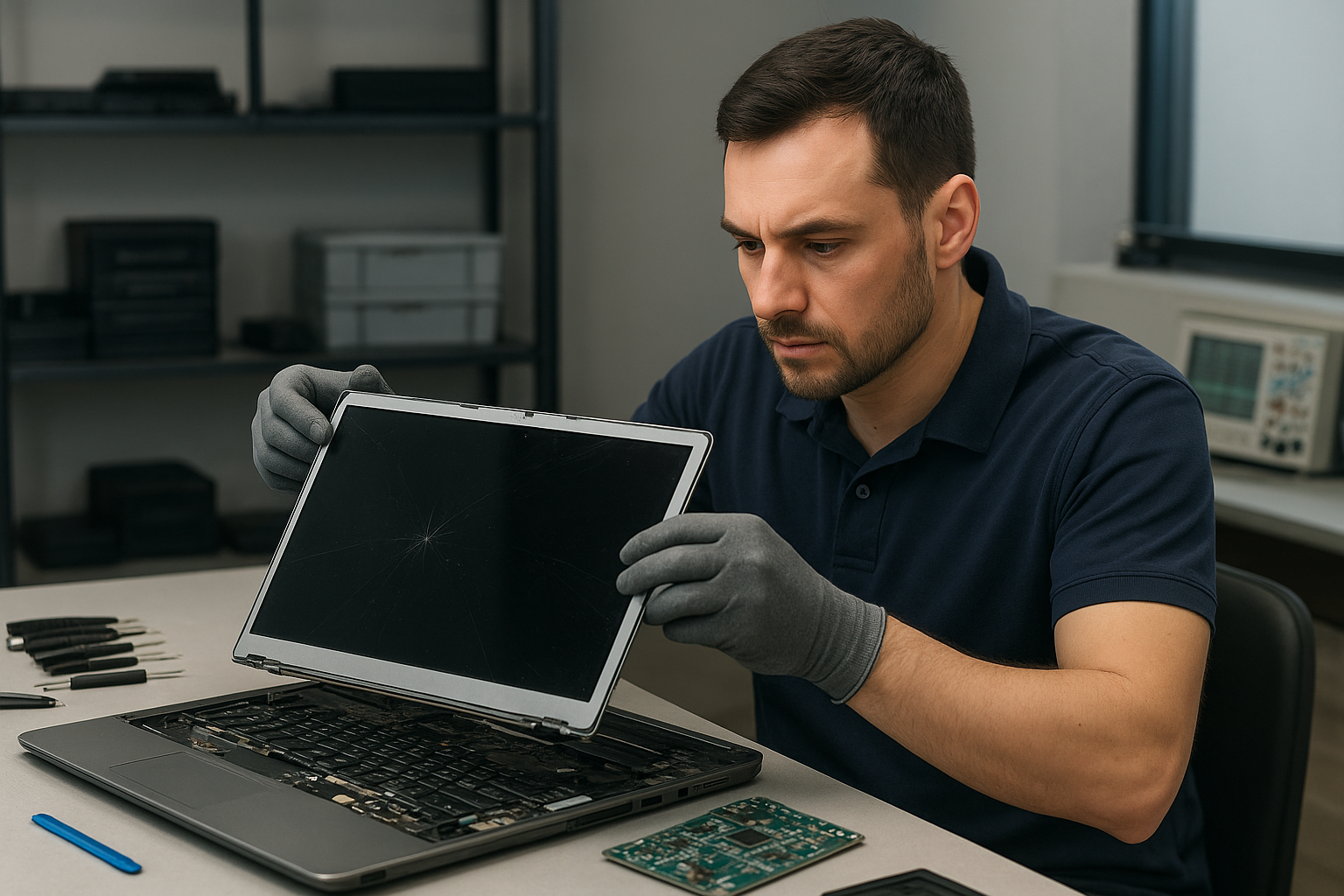
Laptop screen replacement Coquitlam: fast, expert repairs by Moe Repair
Laptop screen replacement Coquitlam customers trust must be built on real diagnostics and skilled repair. If your display is cracked, has vertical lines, or shows no image at all, bring it to Moe Repair for a methodical inspection and honest advice. I will explain symptoms, test the hardware, and recommend the best repair or replacement option.
Why choose Moe Repair for Laptop screen replacement Coquitlam
With over 15 years repairing laptops across Coquitlam and nearby cities, I focus on accurate diagnostics rather than guesswork. We keep parts for popular models like Dell XPS, Inspiron, Lenovo ThinkPad, HP Pavilion, MacBook Air and Pro, and Microsoft Surface. Read more about our general services in computer repair in Coquitlam to see how screen work fits into broader system health.
Common screen symptoms we diagnose
Symptoms that indicate a screen issue include cracked glass, dead pixels, backlight failure (very dim screen), vertical or horizontal lines, flicker, and intermittent blackout under lid movement. Touchscreen issues show as ghost touches or dead zones. If you see black bars, color shifts, or the laptop boots but shows no image, these are key clues. We often pair screen complaints with battery replacement, SSD upgrades, or motherboard repair if the damage affected other components.
Our diagnostic process and realistic procedures
First I verify whether the problem is the panel, the cable, or the GPU. I test with an external monitor to rule out GPU failure. Then I open the bezel to inspect the LCD/eDP or LVDS cable for pin damage and check the connector seating. For older laptops with CCFL backlights I test the inverter; for modern LED panels I measure power rails and backlight supply. I also check for liquid damage or corrosion that could affect the display connector or the motherboard.
Typical repair steps: from parts to calibration
When the panel is at fault I source a compatible replacement panel or full display assembly. Steps include:
- Documenting the device and part numbers.
- Backing up important files or recommending data recovery in Coquitlam if storage looks damaged.
- Removing bezel and disconnecting battery where applicable.
- Replacing the LCD or display assembly, reseating the cable, and securing the hinge and frame.
- Running burn-in tests, color calibration and brightness checks.
We also handle touchscreen replacement and glass-only replacement when possible. For Apple devices we follow Apple-compatible procedures and can help with MacBook repair in Coquitlam requests, using genuine or high-quality aftermarket options depending on cost and availability.
Real repair example from Port Moody
A recent customer from Port Moody brought in a Lenovo IdeaPad with a cracked screen and intermittent vertical lines after a drop. I first connected an external monitor and confirmed the GPU was fine. Opening the bezel revealed a torn eDP cable and a cracked IPS panel. I explained options: replace cable only and test, or replace the full assembly for long-term reliability. The customer chose a full display replacement. After installing the new panel and testing hinge tension, the screen showed correct colors and no lines under load. I also ran a quick system tune-up and advised on an SSD upgrade to speed boot times.
Parts, warranty, and compatibility with brands
We source panels for Dell Latitude and XPS, Alienware, HP Envy and Omen, Lenovo ThinkPad and Legion, ASUS ZenBook and ROG, Acer Nitro and Predator, and Apple MacBook Air and Pro models. Where possible we use OEM or high-grade replacements and provide a limited warranty on the part and labor. If a motherboard or GPU fault shows up during diagnostics, we will discuss options like motherboard repair or component-level rework instead of unnecessary panel replacement.
Other services that help after a screen repair
Screen damage sometimes accompanies keyboard replacement, trackpad repair, liquid damage repair, battery replacement, or thermal paste replacement to address heat-related issues. We can also perform a virus removal, Windows installation, or a full computer tune-up. If you need ongoing laptop performance improvements ask about SSD upgrades or gaming PC repair for high-refresh displays.
Frequently asked questions about Laptop screen replacement Coquitlam
Below are common customer questions. You can also book a laptop repair in Coquitlam or contact Moe Repair for specifics about your model.
Q: How long does a screen replacement take?
A: Most replacements take 1 to 3 hours for common models once parts are on hand. If we must order a special panel it can take additional days.
Q: Will replacing the screen delete my data?
A: No. Replacing the screen does not affect the hard drive. We still recommend backups and can help with data recovery if the drive shows issues.
Q: Can you fix a touchscreen without replacing the whole assembly?
A: Sometimes the glass digitizer can be replaced separately, but on many modern ultrabooks the assembly is fused and the entire display must be replaced.
Q: How do you diagnose whether the motherboard or screen is faulty?
A: I use an external monitor to test the GPU, inspect the video cable and connector, and measure power rails. If the external monitor works but the laptop screen does not, the panel or cable is usually the cause.
Contact Moe Repair Today
Moe Repair offers a free consultation to assess your display problem and explain repair options. Call 778-951-4872 or email service@moerepair.ca to describe the symptom and your laptop model. We serve Coquitlam and nearby areas including Port Moody and Burnaby. You can schedule an in-shop appointment or ask about same-day screen replacement for common models. We will give a transparent estimate and recommend repair or replacement based on diagnostics.
For quick help, call now at 778-951-4872, or visit our contact page. Moe Repair aims to return your laptop with a reliable screen and professional follow-up advice.