
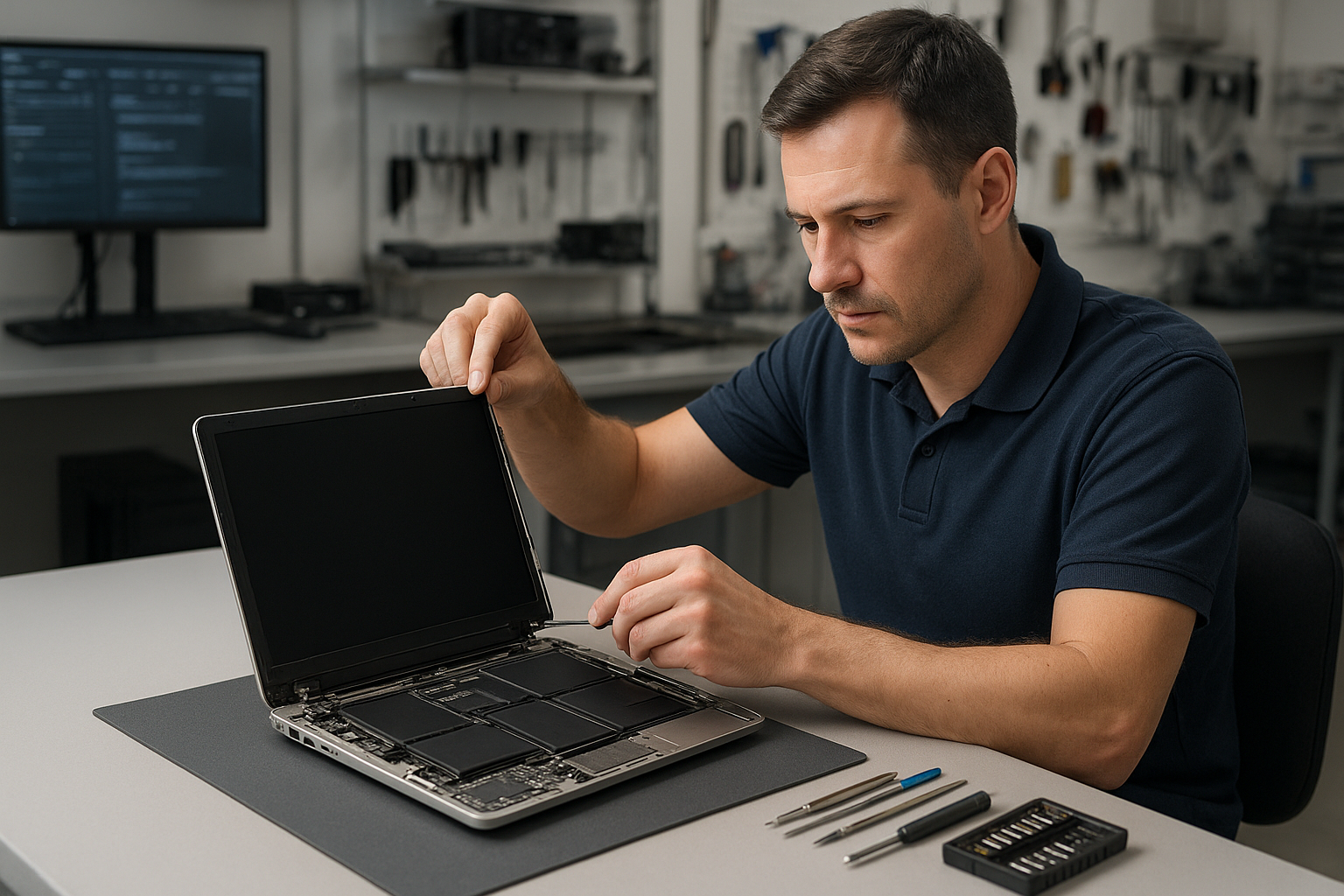
Laptop screen replacement Coquitlam
If your laptop shows cracks, vertical lines, flicker, or a black display, a Laptop screen replacement Coquitlam specialist can often restore visibility without replacing the whole machine. I have more than 15 years of hands-on experience repairing laptops in Coquitlam and nearby cities. This article explains typical symptoms, diagnostic steps, repair procedures, and what to expect from a professional repair at Moe Repair.
Common screen symptoms customers bring in
Clients report many symptoms before they visit our shop. Common ones include a cracked glass panel, colored vertical or horizontal lines, backlight failure, dim display, image retention, and dead pixels. You might also see a distorted image after a drop, or an intermittent screen that works only when the lid is at certain angles.
These signs can point to a damaged LCD or LED panel, a failed display cable, inverter issues on older models, or even motherboard display circuitry problems. We also see spill damage where the glass looks fine but the LCD shows blotches or white patches.
How we diagnose damaged laptop screens
Our diagnostic process is methodical. First, we connect the laptop to an external monitor. If the external display shows a normal image, the GPU and most motherboard circuits are usually fine. Next, we test the display cable and connector by opening the chassis and inspecting the ribbon and connectors for torn conductors, corrosion, or loose seating.
Step-by-step checks
- Test with external monitor to isolate the panel from GPU issues.
- Inspect display cable and hinge stress points for wear or pinching.
- Check backlight inverter on older CCFL panels; check LED drivers on modern screens.
- Run firmware and graphics driver tests; isolate OS or driver errors with a clean Windows installation when needed.
- For liquid damage, inspect for corrosion and test power rails on the board.
During diagnostics we also look for related issues such as battery swelling pushing on the display, or problems that require a motherboard repair assessment. When the panel itself is the fault, we can usually confirm that within 30 to 60 minutes.
Laptop screen replacement Coquitlam: parts and options
When a replacement is required, I explain options: original equipment manufacturer panels, high-quality compatibles, or refurbished units. For MacBook models we offer factory-grade Retina panels; for Dell XPS, HP Spectre, Lenovo ThinkPad, and ASUS ROG machines we source matching specifications including resolution and touchscreen capability.
We use OEM or equivalent parts and test color accuracy, brightness, and touch function before reassembly. If your laptop needs an SSD upgrade or a battery replacement at the same time, we can bundle those services at a lower labor cost. We also offer a warranty on parts and labor for peace of mind.
Replacement process and practical repair procedures
Typical replacement steps include removing the bezel, disconnecting the panel from the hinge assembly, testing the new panel on the bench, and then reassembling with new adhesive or bezel clips as needed. For touchscreen models, I perform a calibration and a multi-point touch test. For laptops with glued-in displays we use heat and proper tools to avoid cracking the frame.
We also address related maintenance: cleaning fan vents, reapplying thermal paste, running a computer tune-up, and verifying the operating system boots correctly. If driver issues appear after replacement we run a clean graphics driver install or a Windows installation if needed.
Repair example from a local customer
A recent customer from Port Coquitlam brought a Lenovo ThinkPad with a spiderweb crack on the left side and vertical green lines. I first connected an external monitor; the image was clean so the GPU passed. Opening the lid revealed a torn LVDS cable where the hinge had chewed through the insulation. I replaced the cable and the cracked LCD panel with matching parts, then tested the hinge movement to prevent future wear. The laptop returned with a stable, bright display and full touch response where applicable. The customer also opted for an SSD upgrade and battery replacement during the visit.
Other related services we handle
While replacing your screen we can inspect and service other components. We provide laptop repair in Coquitlam for liquid damage, keyboard replacement, trackpad repair, laptop fan replacement, and thermal paste replacement. If data is at risk we offer data recovery in Coquitlam. We also handle virus removal, Wi-Fi troubleshooting, and printer setup so you leave with a fully functioning system.
Pricing, turnaround, and parts availability
Turnaround depends on part availability. Many common panels are in stock and we can complete same-day or next-day repairs. For rare or high-resolution panels ordering may take a few days. I provide a clear estimate before starting any work and list part options so you can choose OEM or value alternatives.
Contact Moe Repair Today
Moe Repair offers free consultation and local drop-off in Coquitlam and surrounding cities. Call or email to describe your screen issue, and we will outline likely causes, parts options, and estimated costs. We accept MacBook repair jobs and Windows laptops, and we can schedule a quick diagnostic to confirm the problem. Moe Repair
Phone: 778-951-4872
Email: service@moerepair.ca
We serve Coquitlam, Burnaby, Port Moody, Port Coquitlam and Vancouver. If you need a professional screen check after a drop, spill, or failed update, contact Moe Repair for an honest assessment and reliable work.
Frequently asked questions
The FAQ below covers common concerns about laptop screens and repairs. If your question is not listed please contact Moe Repair and we will respond promptly.
Warranty and follow-up care
All screen replacements include a parts and labor warranty. We advise avoiding heavy hinge pressure, using a padded sleeve for transport, and backing up important files. If the laptop suffered liquid damage we recommend a full inspection since corrosion can cause delayed failures.