
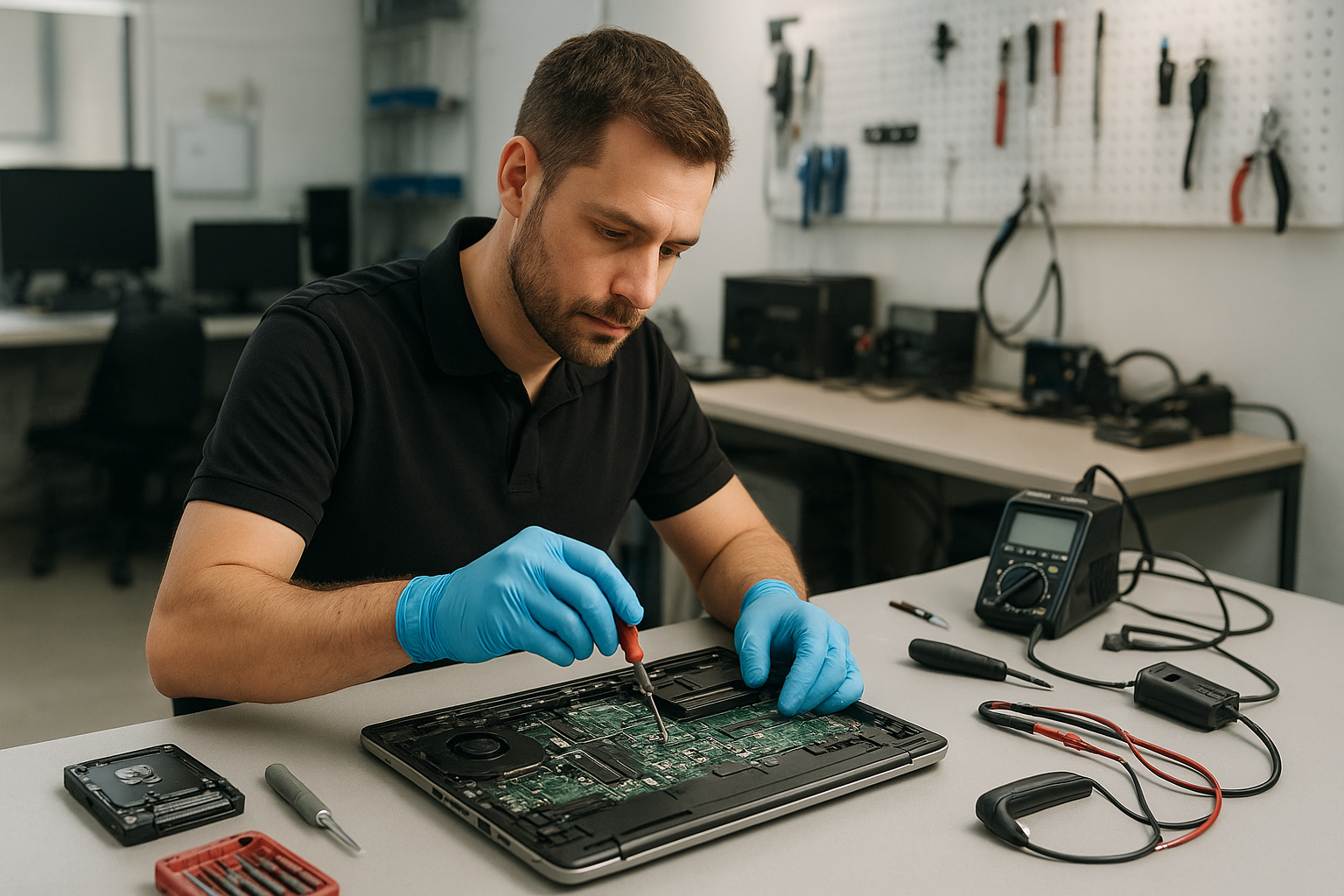
Laptop Repair Coquitlam | Trusted Laptop & MacBook Service by Moe Repair
If you typed “Laptop Repair Coquitlam” because your notebook has a cracked screen, won’t charge, or is running slowly, you’ve found a local repair shop with experienced technicians. At Moe Repair we diagnose and repair laptops and MacBooks for customers across Coquitlam and Metro Vancouver. Call 778-951-4872 or email service@moerepair.ca to discuss your device.
Why a clear diagnosis matters
One common issue we regularly see at Moe Repair is customers replacing parts without a proper diagnosis. That often wastes money and time. A correct diagnosis separates a simple screen replacement from deeper motherboard faults or loose display cables.
We start every job with a structured inspection. That saves you money and increases repair success rates. Our goal is to restore your laptop so it is safe, reliable, and performs like you expect.
Problem overview: What we fix
We repair a wide range of laptop faults for brands such as Dell, HP, Lenovo, ASUS, Acer, MSI, Microsoft Surface and Apple MacBook. Common services include laptop screen repair, battery replacement, keyboard and hinge repair, charging port repair, liquid damage repair, motherboard repair, SSD and RAM upgrades, virus removal, data recovery and operating system installations.
Common symptoms we see
- Screen is cracked, flickering, has lines or a black area.
- Battery won’t hold a charge or the laptop shuts down suddenly.
- Device won’t power on or shows no LED activity.
- Slow performance, frequent freezes or blue screens.
- Keyboard keys not responding or trackpad malfunctioning.
- Charging port is loose or requires adjustment.
- Liquid spill or corrosion inside the case.
- Data appears missing or the hard drive makes noise.
- Virus or malware causing pop-ups, redirects or performance issues.
Typical causes of laptop problems
Symptoms can come from hardware, software, or both. Hardware failures are often due to wear, accidental drops, liquid exposure, or thermal stress. Software issues usually follow a corrupt operating system, malware infection, or failing storage.
For example, a flickering display might be a loose display cable, a failing LCD panel, or a graphics chipset problem. A laptop that dies when unplugged could be a faulty battery, power circuitry on the motherboard, or just a calibration issue.
How professionals diagnose laptop faults
As technicians, we follow a consistent diagnostic process:
- Intake and history: Ask how the problem started, any recent drops, spills or updates, and whether backups exist.
- Visual inspection: Check for damage, swelling batteries, corrosion, and loose connectors.
- Power and POST tests: Verify power rails, fans, and boot behaviour to isolate power vs. logic board faults.
- Component isolation: Test RAM, SSD/HDD, charger, and external devices to rule out simple causes.
- Software checks: Run safe-mode boots, antivirus scans, drive health checks and system file checks for Windows or macOS.
- Logical testing: Use diagnostic tools to read SMART data, run memory tests and stress GPU/CPU if needed.
- Customer approval: Provide a clear recommendation and receive go-ahead before parts are replaced.
Repair options and what to expect
After diagnosis we explain your options and the likely outcomes. Common repairs include:
- Screen replacement for cracked or non-responsive displays.
- Battery replacement when capacity is degraded or the cell is swollen.
- Keyboard and hinge repair for broken keys or loose hinges.
- Charging port repair when the jack is loose or damaged.
- Motherboard repair for power circuitry and component-level faults.
- Liquid damage repair focusing on cleaning corrosion and replacing affected parts.
- SSD and RAM upgrades to boost speed and multitasking performance.
- Data recovery and virus removal to restore files and clean systems.
- Windows or macOS installation and repair for software corruption or OS issues.
Advantages of repairing your laptop
Repairing often keeps more of your original hardware and data intact while costing less than buying a new device. Upgrades like SSDs and RAM can give older machines noticeably better performance. Repairing is also more sustainable than replacement and often the fastest way to get you back to work.
When replacement makes more sense
We advise replacement when a laptop has multiple failing systems, severe motherboard damage, or when repair costs approach the value of a new machine. Age, lack of driver support and inability to upgrade key components can also sway the recommendation toward replacement. We explain this honestly during the estimate so you can make an informed decision.
Estimated repair process (what actually happens)
While exact turnaround times vary by part availability and the job queue, most repairs follow the same stages:
- Drop-off and intake: We record device details and backup requests.
- Diagnosis: Comprehensive testing to identify root cause and write a clear estimate.
- Approval: You approve the recommended repair path and any parts required.
- Repair: Technicians perform the work, replace parts, and reassemble the laptop.
- Testing and quality check: We test for stability, run benchmarks and ensure all ports and features work.
- Pickup and advice: We walk you through the repair, provide maintenance tips and recovery recommendations.
Preventative maintenance you can do today
Preventative steps reduce the chance of breakdowns. Back up your data regularly to an external drive or cloud service. Keep vents clear and use a cooling pad for intense tasks like gaming or video editing.
Install updates and run occasional antivirus scans. Avoid eating or drinking near your laptop. If you travel with your device, always use a padded bag and avoid sharp impacts.
Real technician advice from Moe Repair
Don’t try multiple home fixes in a row after a liquid spill. Powering a wet laptop repeatedly can spread corrosion. Instead, power down, remove the battery if possible, and bring it in quickly for cleaning.
If your laptop shows errors during boot, write down exact messages and the sequence of LEDs or beeps. That information often points straight to the faulty component. Bring your original charger with the device when you visit — many power and charging problems are charger-related.
Laptop Repair Coquitlam: Our local service areas
Moe Repair serves customers throughout Metro Vancouver, including Coquitlam, Port Moody, Port Coquitlam, Burnaby, New Westminster, Vancouver, Surrey, Richmond, Maple Ridge and Pitt Meadows. We handle both consumer and business computer repair, gaming PC repair and MacBook repair.
Why customers trust Moe Repair
We combine transparent diagnostics with clear explanations in plain language. Our technicians have years of experience on brands such as Dell, HP, Lenovo, ASUS, Acer, MSI, Microsoft Surface and Apple MacBook. You get straightforward advice about repair vs replacement, and we keep your data safety front of mind.
Frequently asked questions
Below are common customer questions that often come up during a repair consultation.
1. How do you protect my data during repair?
We avoid unnecessary data access and always ask if you want us to create a backup first. If a drive is failing, we prioritize data recovery before any repair that could risk data loss.
2. Do you repair MacBooks and Windows laptops?
Yes. We repair both macOS and Windows laptops, including MacBook screen replacement, battery and keyboard repairs, plus software and OS troubleshooting.
3. Can liquid-damaged laptops be fixed?
Many can, especially if treated quickly. Success depends on how long the liquid sat and which parts were affected. Early cleaning and drying improve outcomes significantly.
4. Is it worth upgrading to an SSD?
In most cases, yes. An SSD upgrade is one of the most cost-effective ways to revive older laptops, improving boot and application load times dramatically.
5. Will you use OEM parts?
We discuss available parts options during the estimate. We recommend parts that balance reliability and value, and we explain trade-offs clearly so you can choose.
6. Do I need an appointment?
Walk-ins are welcome, but appointments help us prioritize diagnostics and reduce your wait time. Call 778-951-4872 to schedule.
7. Can you recover files from a dead laptop?
Often we can. Recovery success depends on the condition of the storage device. We perform an initial assessment and explain the realistic chances before proceeding.
8. What should I bring when I drop off my laptop?
Bring the laptop, the charger, and any notes about recent problems. If you have a backup, mention it. If not, tell us whether you want us to attempt a backup or recovery.
9. Why is my laptop overheating?
Overheating is usually caused by dust-clogged vents, old thermal paste, or heavy workloads like gaming. Cleaning vents and applying fresh thermal paste can restore normal temperatures in many cases.
10. Do you service business and gaming laptops?
Yes. We support business computer repair and gaming PC or laptop repair, including component upgrades, thermal fixes and system optimisation.
Conclusion
Laptop Repair Coquitlam at Moe Repair means honest diagnostics, clear options and practical technician advice. Whether you need a screen replacement, battery replacement, liquid damage repair, SSD upgrade or data recovery, we explain the problem and the best path forward.
For a professional assessment and reliable repair, contact Moe Repair. Phone: 778-951-4872 | Email: service@moerepair.ca | Website: https://moerepair.net. We serve Coquitlam and Metro Vancouver with trusted laptop and MacBook repair services.
Call to action
Ready to fix your laptop? Book a diagnostic with Moe Repair today by calling 778-951-4872 or emailing service@moerepair.ca. Bring your laptop to our Coquitlam location or contact us to discuss pick-up options. Let us diagnose it correctly the first time.