
Laptop Repair Coquitlam
If your laptop is acting up in Coquitlam, Moe Repair offers expert laptop repair Coquitlam residents trust. We diagnose problems clearly, explain repair options, and fix everything from cracked laptop screens to motherboard faults. Read on to learn how we approach repairs, what failures mean, and how we help customers get reliable laptops again.
Why your laptop failed: a practical overview
Laptops fail for many reasons. Some issues start slowly, like a battery that no longer holds charge. Others are sudden, like liquid damage or a cracked laptop screen after a drop. At Moe Repair we separate symptoms from causes, because treating the symptom alone rarely fixes the root problem.
Common failures fall into these groups: hardware wear, accidental damage, software corruption, and environmental stress. Understanding which group your problem fits helps us recommend repair, upgrade, or replacement.
Common symptoms we see
- Blank or flickering display and cracked laptop screen
- Slow performance, frequent freezes or blue screens
- Battery drains quickly or won’t charge
- Overheating or noisy fans
- Keyboard or trackpad not responding
- Laptop won’t power on or boots intermittently
- USB or charging port issues
- Water spills and liquid damage
- Data loss or corrupted files
- Unexpected popups, redirects, or slow web browsing from viruses
Common causes behind the symptoms
Often a simple component fails, like a worn-out battery or damaged screen. Other times the issue involves multiple parts: a liquid spill can corrode the keyboard, damage the charging port, and cause motherboard faults. Software problems can mimic hardware failures, so we always run a full diagnostic before opening the case.
Heat and dust are frequent culprits. Blocked airflow leads to overheating, which shortens fan life, weakens solder joints on the motherboard, and accelerates CPU or GPU degradation. Mechanical stress from repeated opening and closing causes hinge failure and screen cable issues.
How professionals diagnose laptop problems
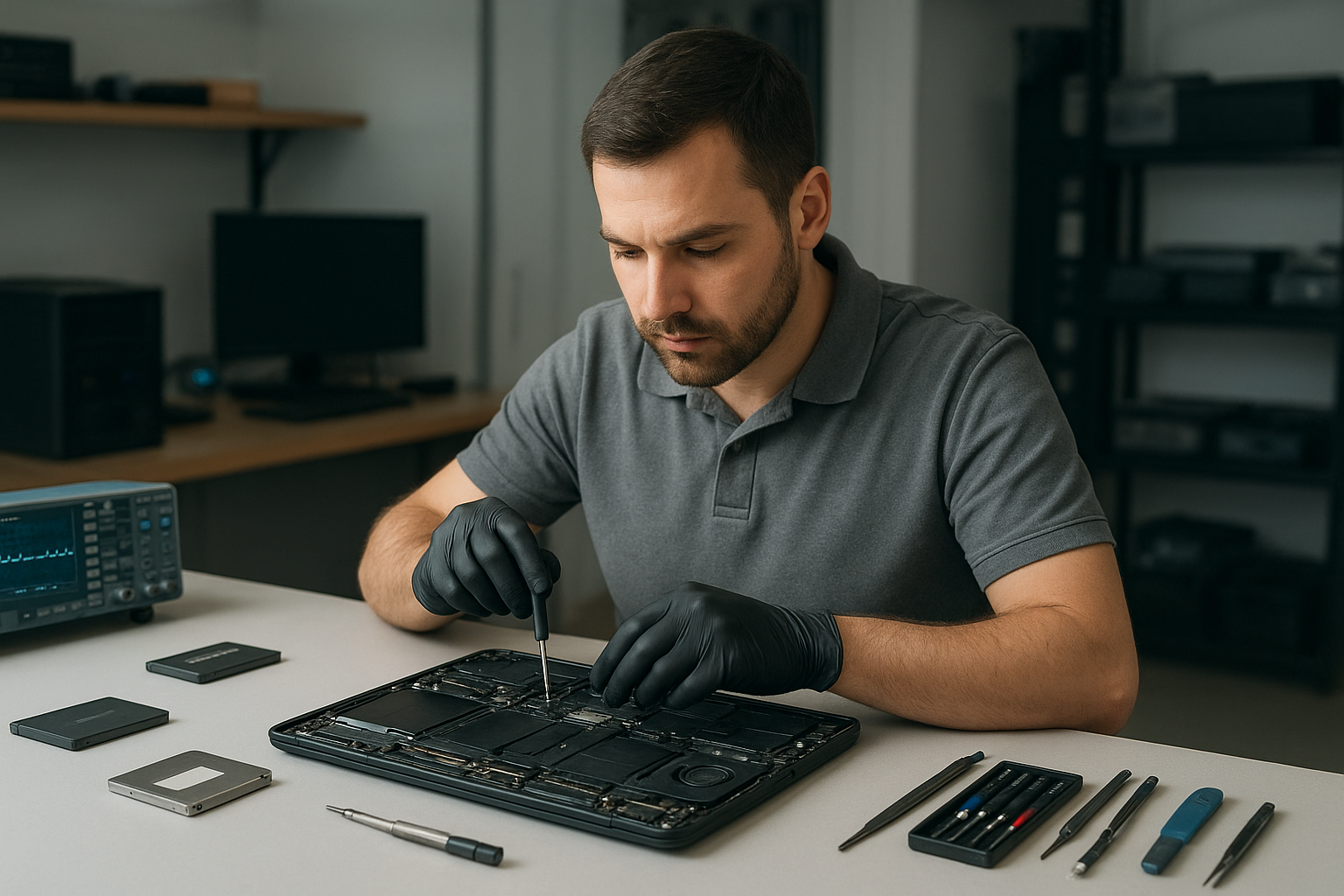
At Moe Repair we follow a step-by-step diagnostic process. First, we document the customer’s report and recreate the issue. Then we run non-invasive tests: power checks, display tests, POST diagnostics, and software scans. If needed we open the laptop and inspect components under magnification for corrosion, cracked solder, or physical damage.
We test with known-good parts when possible: a known battery, charger, or display cable. This helps separate faulty parts from ambiguous symptoms. For software issues, we boot into safe mode or use a clean external drive for a controlled test. For data concerns, we image drives before any write operations to preserve evidence.
Repair options and what they mean
After diagnosis we offer clear options: repair a specific component, upgrade parts like SSD or RAM, or recommend replacement when repair won’t be cost-effective. Typical repairs include:
- Screen replacement for cracked laptop screens or backlight failures
- Battery replacement when capacity drops or battery won’t charge
- Keyboard replacement for non-responsive keys or liquid damage
- Hinge repair and display cable replacement for wobbling or intermittent screens
- Charging port repair for loose or damaged power jacks
- Motherboard repair for short circuits, blown power ICs, or failed components
- SSD upgrades and RAM upgrades for faster performance
- Virus removal, Windows installation, and macOS repair for software issues
- Data recovery from failing drives and corrupted partitions
Advantages of repairing your laptop
Repairing saves money compared to buying new, keeps your data intact, and extends the life of a device you already rely on. Upgrades like SSD or RAM produce noticeable speed improvements and often deliver more value than a new mid-range laptop.
Repair also keeps your specific configuration and accessories working. For businesses, same-configuration repairs reduce compatibility headaches and downtime. At Moe Repair we aim for repairs that restore reliability, not just bandaids.
When replacement makes more sense
Sometimes replacement is the right choice. Typical reasons include: the motherboard is irreparably damaged, repair costs approach the price of a replacement, or the device lacks support for modern upgrades. Also consider replacement for very old systems that cannot run current software securely.
We never push sales. Instead we explain the cost-benefit and help customers compare repair against buying new. For critical business machines we prioritize fast, reliable options that minimize disruption.
What the repair process looks like
We follow a consistent workflow. First, we confirm symptoms and perform diagnostics. Next, we present repair options with clear explanations of parts, risks, and any data handling steps. With customer approval we perform the repair and test thoroughly before returning the laptop.
We document the work and advise on post-repair care. For data recovery or major motherboard work we keep customers informed at each stage. Moe Repair always seeks to minimize surprises and keep communication clear.
Preventative maintenance to avoid repairs
Small habits prevent many common failures. Clean vents and fans regularly to prevent overheating. Use a surge protector to protect against power spikes. Avoid leaving laptops on soft surfaces that block airflow. Back up data to an external drive or cloud so a single failure does not become a disaster.
When traveling, use a protective sleeve and never place heavy items on top of a laptop. For spills, power down immediately and bring the device in for inspection. Quick action often saves a logic board from irreversible corrosion.
Real technician advice from Moe Repair
One common issue we regularly see is a laptop that boots erratically after a spill because the customer continued to power it on. Powering a wet device risks shorting components and spreads corrosion. If a spill happens, shut the laptop down, unplug it, remove any external media, and bring it to a repair shop.
Another frequent mistake is ignoring slow performance. Customers assume a slow laptop means they need a new machine. Often a simple SSD upgrade and a fresh Windows installation will restore speed and extend usable life with a smaller investment.
Brands and models we service
We repair common brands including Dell, HP, Lenovo, ASUS, Acer, MSI, Microsoft Surface, Samsung, LG and Apple MacBook models. Whether it is a business ThinkPad, a gaming MSI, or a MacBook, we tailor repairs to each platform and respect manufacturer-specific service procedures.
Serving Metro Vancouver and surrounding areas
Moe Repair serves customers throughout Metro Vancouver. We help residents in Coquitlam, Port Coquitlam, Port Moody, Burnaby, Vancouver, New Westminster, Surrey, Richmond, Maple Ridge and Pitt Meadows. Local service means faster diagnostics and easier drop-off for urgent repairs.
Frequently asked questions
- How do you protect my data during repair? We image drives before any invasive work when data is at risk. We never overwrite or delete user data without consent.
- Can you fix a water-damaged laptop? Often yes, depending on how long it sat powered on and the extent of corrosion. Early inspection improves the chance of recovery.
- Do you offer upgrades instead of repairs? Yes. SSD and RAM upgrades are common options to improve speed without full replacement.
- Will a screen replacement affect my laptop’s webcam or mic? We test all integrated components after screen replacement and recalibrate display settings as needed.
- Can you recover files if the laptop won’t boot? In many cases we can image the drive and recover files, even from failed Windows or macOS systems.
- What should I do if my laptop overheats? Stop using it on soft surfaces, clean vents, and bring it in for diagnostic service. Overheating can damage internal components over time.
- Can you fix charging port problems? Yes. We inspect for bent pins, replace ports, and check the power delivery circuit on the motherboard.
- Do upgrades void my warranty? We explain warranty considerations for each model. Many owner-installable upgrades do not void existing warranties, but manufacturer policies vary.
Conclusion
Moe Repair provides honest, expert laptop repair Coquitlam customers depend on. We diagnose thoroughly, recommend the right option, and perform repairs with care. Whether you need screen replacement, battery replacement, motherboard repair, SSD upgrade, or virus removal, we focus on restoring reliability and protecting your data.
Contact Moe Repair: For trusted service in Coquitlam and Metro Vancouver call 778-951-4872, email service@moerepair.ca, or visit https://moerepair.net for more information. Bring your laptop in and we will assess it with clear, professional advice.