
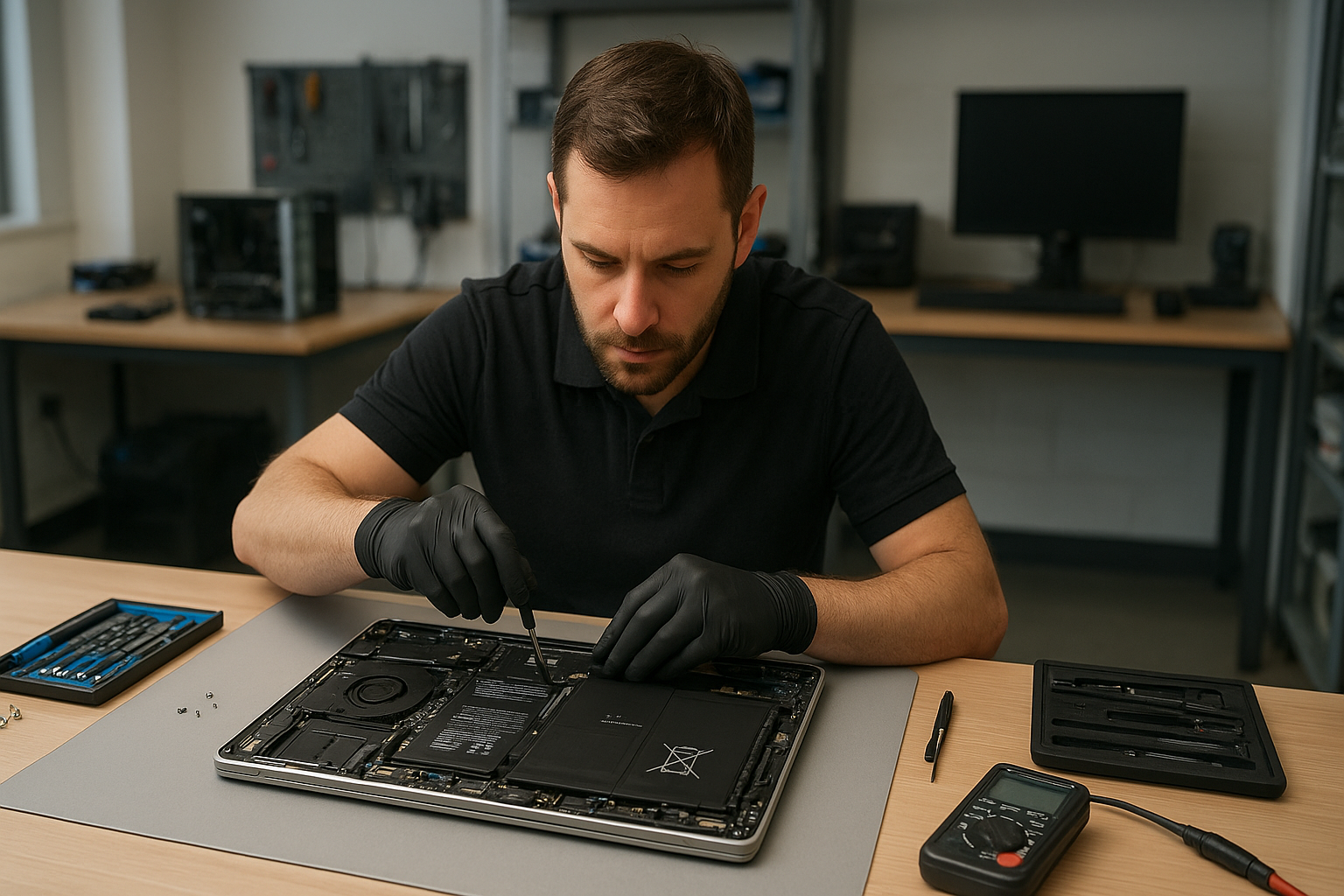
Dell XPS battery replacement Coquitlam – Fast local swaps and diagnostics
If your Dell XPS is losing charge quickly, not powering on without the adapter, or showing a swollen battery, you need reliable Dell XPS battery replacement Coquitlam technicians who understand the XPS lineup. At Moe Repair I combine 15 years of hands-on laptop repair experience with careful diagnostics to recommend the right repair path for your XPS, whether it is an XPS 13, XPS 15, or a Precision model.
Common Dell XPS battery symptoms
Symptoms I see in the shop include rapid battery drain, sudden shutdowns at random battery levels, a battery that never charges past a low percentage, fan running loud when unplugged, and visible swelling lifting the trackpad or chassis. You might also see the battery icon displaying “plugged in, not charging”. These signs often point to battery health failure, a charging circuit issue, or a bad adapter.
How we diagnose Dell XPS battery issues in Coquitlam
Diagnostics start with a controlled power test. I test the adapter with a multimeter, check the charging port for loose pins, and run Dell diagnostics in BIOS and under Windows to read SMART and battery health data. If necessary, I open the case to inspect the battery connector, battery pack for swelling, and motherboard power rail voltages. This process helps distinguish between a bad battery, a failing DC jack, or motherboard damage.
Dell XPS battery replacement Coquitlam: what to expect
When you bring your Dell to Moe Repair I first run a free quick check. After confirming the fault, I present options: genuine OEM battery replacement, high-quality OEM-equivalent battery, or further motherboard repair if the power circuit is damaged. I document battery health and post-repair test results. I also offer laptop repair in Coquitlam for screen or trackpad issues discovered during service.
Replacement procedure and safety
Replacing an XPS battery requires careful ESD precautions and correct torque on case screws. I discharge residual power, disconnect the battery before touching the board, and inspect for corrosion or liquid damage. For models with glued-in batteries I heat the adhesive evenly to avoid puncturing the pack. After installing the replacement, I calibrate the battery, run a burn-in test, and verify charge acceptance and capacity. The service often pairs well with an SSD upgrade or thermal paste replacement for older units.
Parts and warranty
I use OEM or high-quality OEM-equivalent batteries with warranty options. If the battery shows swelling I advise not to transport it in a closed bag and bring it to the shop promptly for safe disposal and replacement. For related issues we also offer computer repair in Coquitlam and motherboard repair if diagnostics show power rail faults.
Real repair example from a local customer
A recent customer from Port Moody brought an XPS 13 that would not charge past 10 percent and shut down after 5 minutes on battery. I tested the charger and measured stable voltage, ran Dell diagnostics and found battery capacity at 12 percent with high internal resistance. After opening the case I confirmed the battery pack was swollen. I explained the options and replaced the battery with a genuine pack. Post-repair the laptop reached full charge and passed a two-hour battery discharge test. The customer returned to thank us and asked about an SSD upgrade to improve battery life further.
How long does a battery replacement take?
Most Dell XPS battery replacement Coquitlam services complete same-day or next business day depending on parts availability. Simple swaps take one to two hours. If the motherboard requires repair or we need an OEM part shipped, I will give an honest estimate and detailed timeline. You can also drop off your device for a scheduled repair and pick up when ready. For more services like data recovery in Coquitlam or Windows installation, I coordinate timing to minimize downtime.
Cost factors and honest pricing
Price depends on XPS model, battery type, and whether additional repairs are needed. I provide an itemized estimate before any work. If motherboard power rails are damaged, costs rise because board-level diagnostics and soldering are required. I don’t recommend unnecessary repairs and will show you diagnostic logs and test results so you understand the issue.
Tips to extend Dell XPS battery life
- Avoid deep discharges regularly. Keep battery between 20 and 80 percent when possible.
- Use original or certified chargers to prevent overvoltage stress.
- Keep vents clean and replace thermal paste if the laptop runs hot; heat reduces battery lifespan.
- Calibrate occasionally by charging to 100 percent and then fully discharging once in a while.
Contact Moe Repair Today
If you suspect a failing battery or need Dell XPS battery replacement Coquitlam, call Moe Repair at 778-951-4872 or email service@moerepair.ca for a free consultation. We serve Coquitlam and nearby Port Moody, Port Coquitlam, Burnaby, and Vancouver. We will run a clear diagnostic, explain options, and provide an estimate before any work. Book an appointment or stop by the shop; we can often complete simple battery swaps the same day and recommend additional services like screen replacement, thermal paste replacement, or SSD upgrades if they improve performance and battery life.
Moe Repair
Phone: 778-951-4872
Email: service@moerepair.ca
Frequently asked questions
Below are common questions I answer for XPS owners in Coquitlam. If you need help, please contact Moe Repair.