
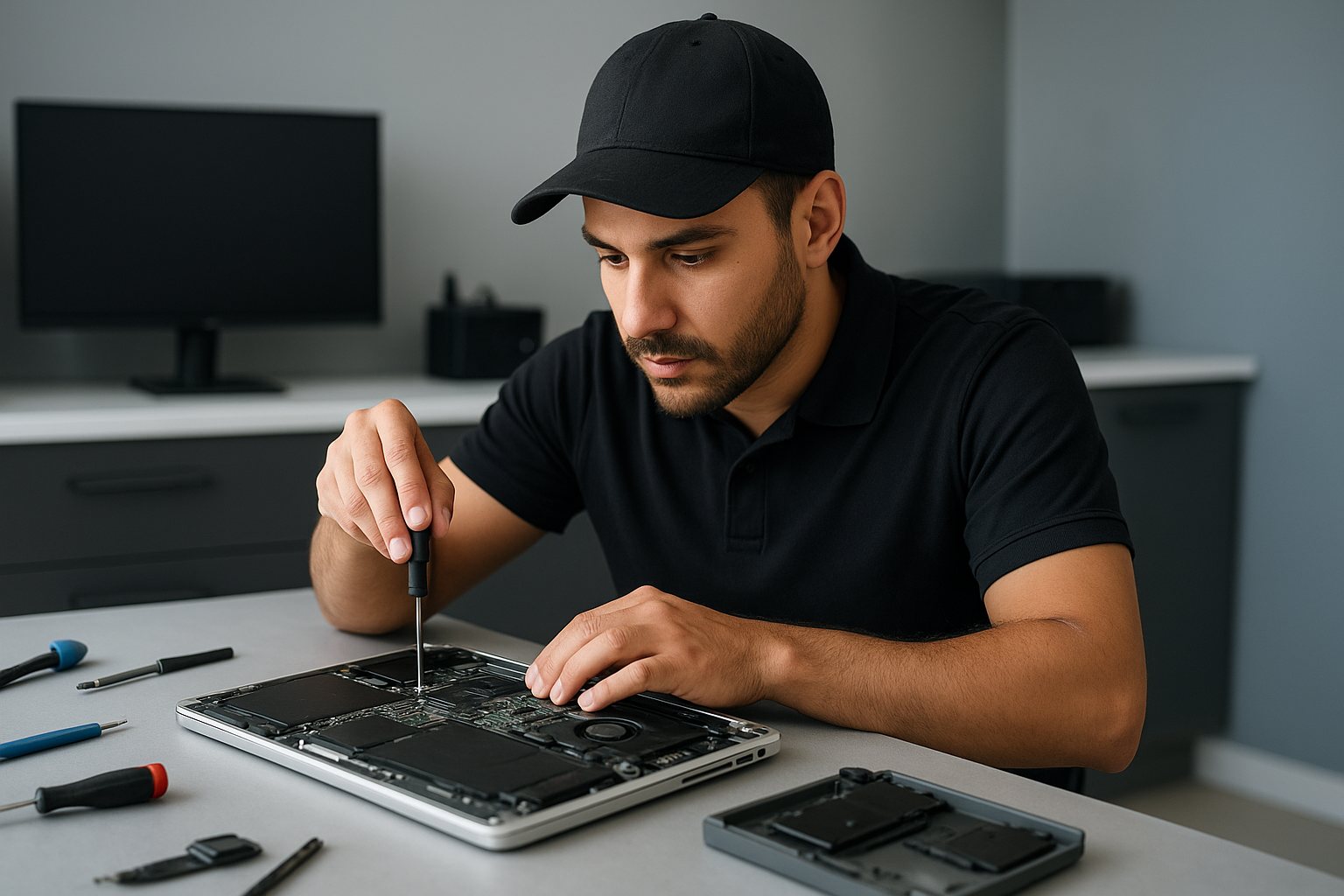
Data recovery Burnaby: Fast local file recovery by Moe Repair
As a senior technician with more than 15 years of hands on experience, I know how devastating data loss feels. Data recovery Burnaby is a service we provide every week. Whether a laptop suffered liquid damage, a MacBook SSD failed, or a desktop RAID array shows corruption, we recover files with care and proven procedures.
Data recovery Burnaby Services
At Moe Repair we handle hard drive recovery, SSD recovery, external drive and NAS recovery. We also perform RAID recovery, forensic recovery and file system repair. We combine hardware diagnostics, logical recovery and secure imaging to maximize the chance of retrieving your photos, documents and business data.
Common failure symptoms we see
Most customers bring devices with clear signs. Symptoms include clicking or grinding from a hard drive, drives that do not spin up, degraded RAID arrays, frequent file system errors, slow performance after an SSD failure, and devices damaged by liquid.
Other clues are SMART errors reported in BIOS, frequent blue screens after Windows installation attempts, corrupted files, disappearing partitions, or strange noises from the laptop fan area. We document these symptoms on intake, because they guide the next steps.
How we diagnose your device
First, we photograph and log the device for chain of custody. Then we run a non intrusive inspection. We check power and connectors, listen for mechanical noise, and read SMART data. For SSDs we check firmware status and controller responses. For RAID or NAS units we inspect the controller and attempt controlled array import.
Next, we create a forensic quality byte level image of the drive. We use sector cloning tools such as ddrescue and dedicated hardware imagers. That protects the original media, and allows multiple recovery techniques on the image without further risk to your data.
Realistic recovery procedures
For mechanical hard drives, if the drive exhibits clicking or a stuck spindle, we first try power cycling and controlled spin attempts. If that fails, we recommend clean room work for head replacement, and we partner with certified labs when needed. For logical failure, we attempt partition reconstruction, file signature recovery, and metadata rebuilding on the cloned image.
For SSD recovery, we address NAND level issues, controller failures and firmware corruption. We examine the device for physical damage, then use secure firmware tools to extract data from healthy blocks. For encrypted MacBook drives, we verify encryption credentials before attempting recovery to respect customer privacy.
For RAID and NAS systems, we carefully map the array, determine stripe size and order, and rebuild the array on isolated hardware. We avoid writing to original disks. Then we extract files from the rebuilt array image. This approach increases success rates while preserving original media.
Liquid damage and motherboard repair
Liquid damage often causes a mix of electrical and logical issues. We power down affected devices immediately, then disassemble, clean corrosion with isopropyl alcohol, and test the power rail components. Sometimes a board repair, connector replacement, or trackpad repair resolves power issues so that a clean image can be taken.
If the motherboard shows damage beyond repair, we may recommend component level repair or a donor board swap to access storage. We also handle related services, such as laptop fan replacement, thermal paste replacement and keyboard replacement, to ensure stability during recovery.
Practical advice to customers
If you suspect failure, stop using the device. Do not run chkdsk or repair utilities repeatedly. Repeated writes reduce recovery chance. Remove external drives and label them. If you hear a click, do not open the drive yourself. In cases of liquid damage, power off and bring the device in for immediate assessment.
Also, maintain regular data backup and consider SSD upgrades or cloud backups after recovery. We provide computer tune up services, Windows installation, virus removal and preventive advice to reduce future data loss.
Why choose Moe Repair in Burnaby and the Lower Mainland
We serve Burnaby, Coquitlam, Vancouver, Surrey, Richmond, New Westminster, Maple Ridge, Port Moody, Port Coquitlam, Pitt Meadows, Langley, Delta, North Vancouver, West Vancouver, White Rock, Abbotsford, Mission and Chilliwack. Our workshop features professional tools, clean room procedures, and industry standard recovery software. We communicate every diagnostic step, and we provide honest recovery estimates.
Customers choose us for laptop repair and MacBook repair needs that overlap with data recovery. We also perform screen replacement, battery replacement, SSD upgrades and motherboard repair. For gamers, we support gaming PC repair and performance SSD upgrades. For businesses, we handle RAID recovery and NAS troubleshooting.
Turnaround and pricing
Turnaround depends on complexity. Simple logical recoveries often finish within 24 to 72 hours. Mechanical and RAID cases can take longer, especially if partner lab clean room work is required. We provide a clear quote after diagnosis, and we try to preserve as much data as possible while minimizing cost.
When you contact us, we will explain the likely outcome based on symptoms, SMART data and initial imaging attempts. We aim for transparent pricing and no surprises.
Contact Moe Repair
If you need Data recovery Burnaby services, call us right away. Early action makes the difference.
Moe Repair
Phone: 778-951-4872
Email: service@moerepair.ca
We accept drop offs at our Coquitlam workshop and we provide mail in options for clients across the Lower Mainland. Contact us for laptop repair, virus removal, Windows installation, or a full diagnostic for your failed drive.