
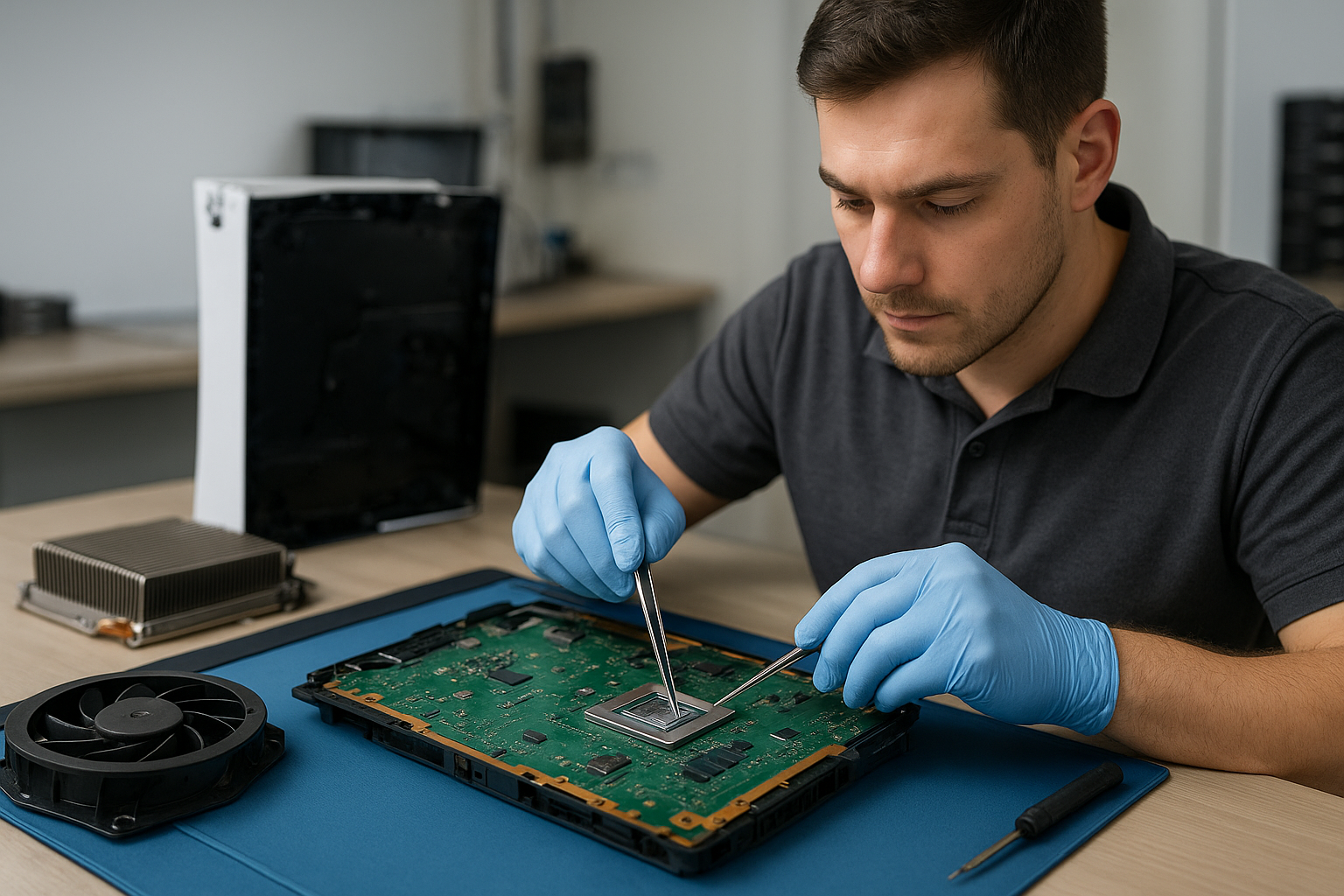
Console dust removal Coquitlam
Professional Console Repair and Maintenance
At Moe Repair in Coquitlam we specialize in professional console dust removal and comprehensive PS5 cleaning service for local gamers. With over 15 years of hands-on experience repairing gaming systems, our team handles PS5, PS5 Slim, PS5 Pro, Xbox Series X, and Xbox Series S maintenance and thermal management. Whether your system is showing loud fan noise, random shutdowns, overheating, or degraded performance, our diagnostics and cleaning processes restore reliability and prolong the life of your console.
PS5 Liquid Metal Replacement
One of the advanced services we offer in Coquitlam is PS5 liquid metal replacement. As PS5 models age or undergo heavy use, the thermal paste or factory thermal interface materials can degrade. Liquid metal offers superior thermal conductivity compared to standard paste, but it requires exacting skill to apply safely. At Moe Repair, our technicians perform controlled disassembly, clean the heat spreader and die with appropriate solvents, and apply a thin, professional layer of liquid metal where appropriate. We only recommend liquid metal when it aligns with the model (PS5/PS5 Pro/PS5 Slim) and the owner’s usage profile, and we always test for electrical safety and long-term stability after service.
Console Cleaning and Dust Removal
Dust buildup is the most common source of overheating and noisy fans in gaming consoles. Our console cleaning and dust removal service in Coquitlam includes thorough internal cleaning: removing dust from intake and exhaust vents, extracting dust from heatsinks and fan blades, and cleaning air channels to restore optimal airflow. We use anti-static vacuums, precision brushes, and compressed air in a controlled environment to avoid pushing contaminants deeper into sensitive components.
For PS5 units and variants like the PS5 Slim and PS5 Pro, fan cleaning and dust removal often reduce RPMs and noise dramatically. Xbox Series X and Series S consoles benefit equally — even small accumulations of dust on the Series X shroud or the Series S intake can lead to elevated temperatures and throttled performance.
Console Overheating Repair
Overheating can present as thermal throttling, forced fan ramp-up, system instability, or outright random shutdowns. Our console overheating repair process starts with a comprehensive diagnostic in Coquitlam: we monitor thermal sensors, run stress tests, and visually inspect the cooling assembly. Repairs may include fan cleaning or replacement, reflowing or replacing thermal interface material, and addressing airflow obstructions. For PS5 units we also inspect the liquid metal (if previously applied) and the vapor chamber assembly to ensure proper contact and heat transfer. After repair we validate temperatures under load and confirm that loud fan noise and shutdowns are resolved.
Signs Your Console Needs Service
Look for these common signs that your console requires professional cleaning or repair:
- Loud fan noise that gets worse over time
- Overheating messages, game crashes, or thermal throttling
- Random shutdowns during gameplay
- Reduced framerates or performance issues that aren’t software-related
- Visible dust around vents and intake ports
If you live in Coquitlam, Burnaby, Port Moody, Port Coquitlam, New Westminster, or Maple Ridge, bring your console to Moe Repair for a free initial consultation. Early dust removal and maintenance prevent component stress and costly future repairs.
Why Thermal Management Matters
Effective thermal management keeps CPU and GPU die temperatures within safe operating ranges, prolongs component life, and preserves performance. For modern consoles like the PS5 Pro or Xbox Series X, thermal design is tight: even small obstructions or degraded thermal interfaces can lead to significant performance loss. We focus on restoring airflow paths, correctly seating heat sinks, and applying appropriate thermal materials — including high-quality pastes or liquid metal where suitable — to maximize heat transfer. Proper thermal management also reduces fan duty cycles, making consoles quieter and more enjoyable to use.
Gaming Consoles We Service
We service the full range of modern gaming consoles, including but not limited to:
- PS5, PS5 Slim, PS5 Pro
- Xbox Series X, Xbox Series S
- Older generation consoles where dust removal and fan cleaning remain effective
Each model has unique cooling characteristics. For example, PS5 variants may have different fan assemblies or radiator contact points that change how we approach liquid metal replacement or thermal pad rework. Xbox Series X’s vertical cooling tower design requires targeted cleaning of internal shrouds, while Series S builds prioritize compact airflow management.
Why Choose Moe Repair
Moe Repair is a Coquitlam-based repair shop with more than 15 years of experience in console and computer maintenance. We pride ourselves on transparent diagnostics, fixed-price quotes, and careful workmanship. Key reasons local gamers trust us:
- Experienced technicians trained on PS5 liquid metal procedures and advanced thermal work
- Clean, documented cleaning processes for dust removal and fan cleaning
- Comprehensive testing after repair to ensure overheating and random shutdowns are resolved
- Fast turnaround for most cleaning jobs — many local customers from Burnaby and Port Moody return to gaming same week
- Cross-service expertise: we also offer computer repair in Coquitlam, laptop repair in Coquitlam, and MacBook repair in Coquitlam for mixed-device households
Frequently Asked Questions
How often should I have my console cleaned?
For typical home use, an internal dust cleaning every 12–18 months is a good baseline. If your console is in a dusty environment, near pets, or exhibits loud fan noise, consider cleaning every 6–12 months.
Is liquid metal safe for my PS5?
When applied correctly by an experienced technician, liquid metal can significantly improve thermal performance. However, it is electrically conductive and must be applied with care. We evaluate your PS5 model and usage history before recommending liquid metal replacement.
Can I clean my console myself?
You can perform basic external dusting and keep vents clear, but internal cleaning, fan removal, and liquid metal work require tools and static-safe procedures. DIY attempts risk pushing dust into components or damaging sensors. We recommend professional service for internal cleaning.
How long does a typical cleaning take?
Standard fan cleaning and dust removal usually take 1–2 business days depending on workload. Advanced services like liquid metal replacement or fan replacement may take longer due to testing requirements.
Do you offer warranty on console repairs?
Yes. We provide limited warranties on our repair work and parts. Specific coverage depends on the service — ask for details when you contact Moe Repair.
Real Repair Example
Case: A PS5 from a Coquitlam customer arrived with loud fan noise, frequent thermal warnings, and random shutdowns during extended play sessions. Diagnostic steps included an initial visual inspection, logging thermal sensor data under load, and disassembling the unit for internal inspection.
Findings: The intake and heatsink fins were caked with dust; the fan blades had heavy particulate buildup causing imbalance and vibration. The factory thermal paste showed signs of drying; the heat spreader had residue inconsistent with optimal heat transfer. No catastrophic component damage was present.
Repair process: We carefully removed the fan assembly and cleaned the blades, bearings, and shroud with an anti-static brush and solvent. The heatsink was cleaned using compressed air in short bursts and a vacuum to remove loose dust. After cleaning, we assessed the thermal interface and recommended a controlled liquid metal replacement because the client prioritized quieter operation and long gaming sessions. Following safety protocols, we cleaned the die and surrounding area, applied a micro-thin layer of liquid metal, and reassembled the vapor chamber with proper torque on retention screws. The fan was balanced and reinstalled with new thermal pads where needed.
Outcome: Post-repair thermal logging showed a 10–15°C reduction in peak die temperatures under the same load, fan RPMs stabilized at lower speeds, and the customer reported no further shutdowns or abnormal noise in subsequent weeks. The PS5 was returned to the customer in Coquitlam with a service report and recommended maintenance schedule.
Contact Moe Repair Today
Moe Repair
778-951-4872
If you’re experiencing loud fan noise, overheating, or random shutdowns in Coquitlam, Burnaby, Port Moody, Port Coquitlam, New Westminster, or Maple Ridge, book a diagnostic with us. For service appointments and questions, contact Moe Repair or call 778-951-4872. We also support related device repairs — see computer repair in Coquitlam, laptop repair in Coquitlam, and MacBook repair in Coquitlam for complete household coverage.
Protect your investment: regular console dust removal and professional thermal management keep your PS5, PS5 Slim, PS5 Pro, Xbox Series X, or Xbox Series S running cooler, quieter, and longer.