
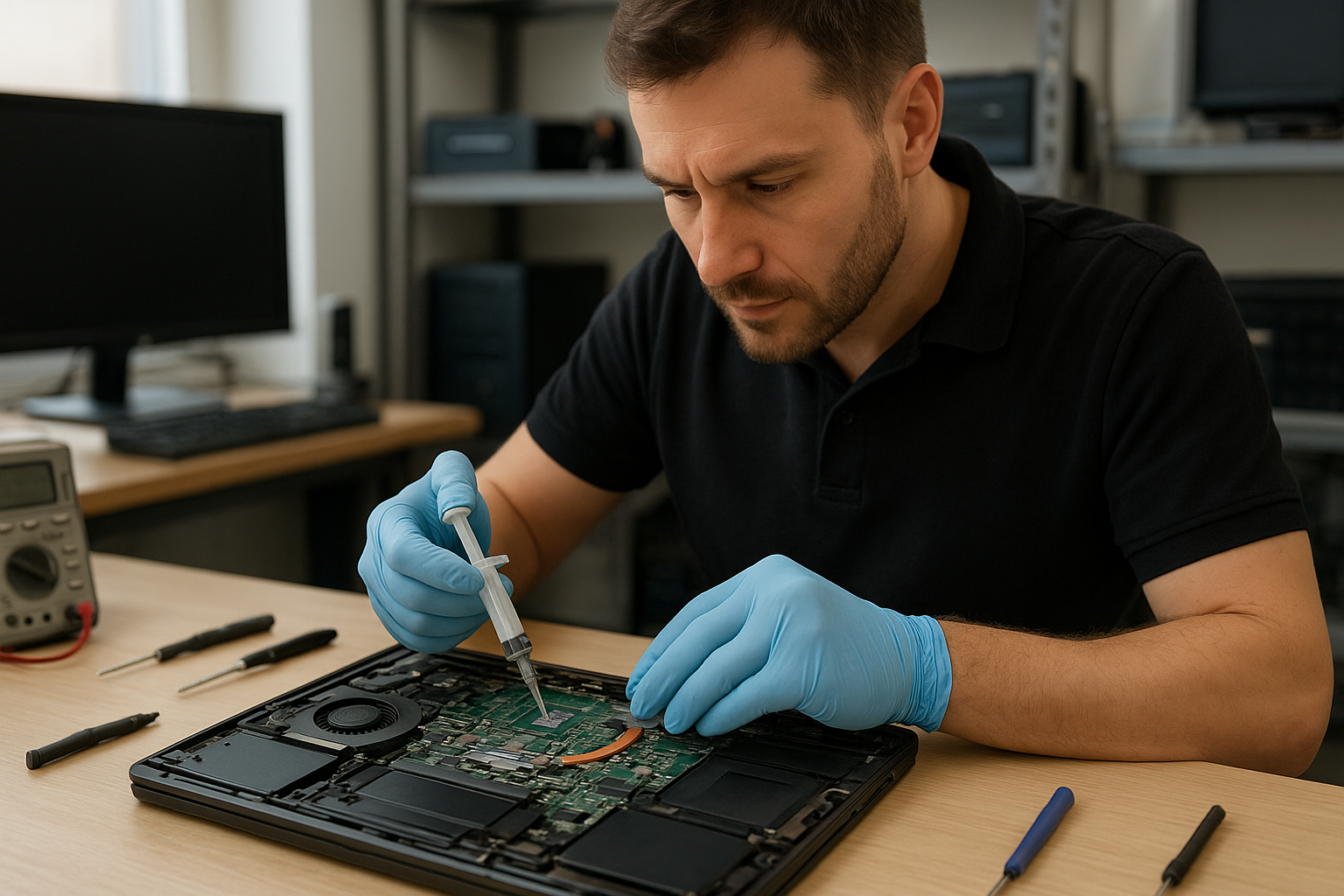
Thermal Paste Replacement Coquitlam
If your laptop or desktop in Coquitlam is running hot, throttling under load, or the fans are louder than usual, degraded thermal paste may be the culprit. At Moe Repair we diagnose cooling issues and perform professional thermal paste replacement on CPUs and GPUs for laptops, desktops and MacBook systems across the Tri-Cities.
Why thermal paste matters
Thermal paste, also called thermal compound or thermal interface material, fills microscopic gaps between the CPU or GPU and the heatsink. Proper contact allows heat to transfer into the heatsink and then away via the fan. Over time thermal compound dries, pumps out, or becomes contaminated, and the cooling efficiency drops.
Problem overview
Cooling problems show up differently depending on device type. A gaming laptop may throttle FPS under load. A business notebook might reboot during video calls. A desktop can experience unstable performance when the CPU temperature climbs. In many of these cases, replacing the thermal paste restores normal thermal transfer and performance.
Common symptoms
- Sudden or gradual overheating during normal tasks
- Performance throttling under load (CPU or GPU slows down)
- Loud, constantly running fans even when idle
- Random shutdowns or reboots under stress
- Hot palm rests or very warm chassis on laptops
Common causes
We see several root causes at Moe Repair in Coquitlam:
- Age-related drying of thermal compound on CPU or GPU
- Improper previous application or low-quality thermal paste
- Damaged or warped heatsink or bent mounting hardware
- Clogged fan or dust-packed cooling channels that accelerate paste breakdown
- Loose heatsink mounting screws or broken brackets after drops or repairs
How professionals diagnose thermal issues
As experienced technicians we follow a clear diagnostic path:
- Verify symptoms and reproduce overheating with controlled tests.
- Use temperature monitoring tools to record CPU and GPU temps at idle and under load.
- Inspect vents, fans and cooling channels for dust and debris.
- Open the chassis where applicable and inspect the existing thermal paste and heatsink seating.
- Check fan operation and bearings, and test the cooling assembly for mechanical issues.
- Decide if thermal paste replacement alone is sufficient or if additional repairs (fan replacement, heatsink repair, motherboard work) are required.
Repair options we offer
At Moe Repair in Coquitlam we provide tiered options depending on the device and diagnosis:
- Cleaning and reapplication of high-quality thermal paste on CPU and GPU for laptops and desktops.
- Replacement of thermal pads where VRMs or memory modules require padding instead of paste.
- Fan cleaning or fan replacement when bearings or RPM issues affect cooling.
- Heatsink reseating and hardware inspection to ensure correct torque patterns and flat contact.
- Full teardown for MacBook models and ultraportables where access is more delicate.
Advantages of professional thermal paste replacement
DIY paste application often causes more harm than good. Professional service ensures:
- Correct choice of thermal compound matched to the device and workload.
- Proper cleaning using appropriate solvents that do not damage components.
- Safe disassembly and reassembly that protects connectors, ribbon cables, and fragile parts.
- Verification testing after repair to confirm temperatures and performance returned to normal.
When replacement makes more sense
Sometimes thermal paste is not the only problem. We recommend replacement or additional repairs when:
- The heatsink is warped or mounting points are damaged.
- Fan(s) are failing and require replacement to restore airflow.
- Motherboard components that manage power or thermals are damaged and causing overheating.
In those cases we explain options and costs clearly so customers across Coquitlam and the Tri-Cities can choose the most cost-effective path.
Estimated repair process
While each device varies, our general process includes:
- Initial diagnostic and temperature logging.
- Safe teardown and disassembly to access the CPU/GPU area.
- Careful cleaning with isopropyl alcohol and lint-free swabs.
- Application of suitable thermal compound and reseating of the heatsink with correct pressure and pattern.
- Reassembly, stress testing and final verification of temperatures and fan behavior.
We never rush a reseat or use inadequate materials. Our goal is a reliable repair, not a quick fix.
Preventative maintenance to extend cooling life
To keep thermal paste and cooling systems healthy we recommend:
- Regular dust cleaning of vents and fans—every 6 to 12 months for laptops in dusty environments.
- Avoid placing laptops on soft surfaces that block airflow.
- Use a laptop cooling pad for sustained gaming or heavy workloads.
- Monitor temperatures with software and schedule a checkup if idle or load temps climb unexpectedly.
Real technician advice from Moe Repair
One issue we regularly see at Moe Repair in Coquitlam is customers using generic, low-cost pastes or pastes applied unevenly. That leads to hot spots and inconsistent performance. We use well-tested thermal compounds and follow best practices for application depending on the chip size and heatsink design.
Another frequent mistake: replacing paste without checking the fan bearings or heatsink flatness. If the heatsink is slightly warped, new paste will not solve the problem. We inspect and report clearly so you know what repairs are necessary.
For MacBook and ultraportable repairs, proper screw torque and ribbon cable handling is critical. Our technicians are experienced with Apple models and other thin notebooks.
Related services
While addressing thermal issues we often perform complementary services that restore overall performance:
- Fan replacement and bearing lubrication where possible
- SSD upgrades and RAM upgrades to reduce CPU load for better thermal headroom
- Windows installation and malware removal when software causes excess CPU usage
- Motherboard repair when power delivery causes overheating
- Data recovery if a drive shows signs of heat-related failure
Frequently Asked Questions
1. How do I know if my laptop needs thermal paste replacement?
Check temperatures with monitoring tools and note symptoms like persistent high fan speeds, throttling in games or heavy apps, and heat on the chassis. If cleaning vents does not help, thermal paste is a likely cause.
2. Can I apply thermal paste myself?
Yes, but proceed cautiously. Incorrect cleaning, wrong paste type, or improper application can make things worse. For MacBooks and modern thin laptops we recommend professional service because access is delicate.
3. Does replacing thermal paste improve performance?
It can restore lost performance by reducing temperatures and preventing thermal throttling. You should expect better sustained performance under load, not a higher maximum clock speed beyond original specs.
4. How often should thermal paste be replaced?
It depends on usage and environment. Typical intervals are several years, but heavy gaming, dusty conditions, or previous poor applications may require earlier attention.
5. Will replacing thermal paste fix random shutdowns?
If shutdowns are caused by overheating, yes. However, random reboots can also stem from failing power components or memory issues, so we perform a full diagnostic to confirm.
6. Do you work on MacBook and gaming laptops?
Yes. We handle Apple MacBook models as well as gaming laptops from Dell, ASUS, MSI, HP and others. Each device has specific disassembly and thermal considerations.
7. What if my fan is noisy after paste replacement?
A noisy fan usually indicates bearing wear or imbalance. If the fan continues to be loud after paste replacement, we recommend inspecting or replacing the fan rather than just reapplying paste.
8. Will thermal paste void my warranty?
Opening devices may affect manufacturer warranty. We inform customers and can perform repairs alongside authorized service notes when warranty remains a concern.
9. Do you provide service across the Tri-Cities?
Yes. Our shop in Coquitlam serves customers throughout Coquitlam, Burnaby, Port Coquitlam, Port Moody, New Westminster and nearby Vancouver neighborhoods.
10. Can thermal paste cause data loss?
Indirectly. Excessive heat can damage storage devices over time. If you suspect heat-related drive issues, we can perform data recovery and advise on preventive steps.
Conclusion
Thermal Paste Replacement Coquitlam is a reliable, effective repair for many overheating and throttling problems in laptops and desktops. At Moe Repair we combine careful diagnostics, quality thermal compounds, and proven techniques to restore cooling and performance for customers across the Tri-Cities. If your laptop or MacBook is running hot, we can help.
Contact Moe Repair to book a diagnostic or thermal service. We service laptops, desktops and MacBooks throughout Coquitlam and the surrounding communities, and we explain options clearly so you can choose the best repair for your device.