
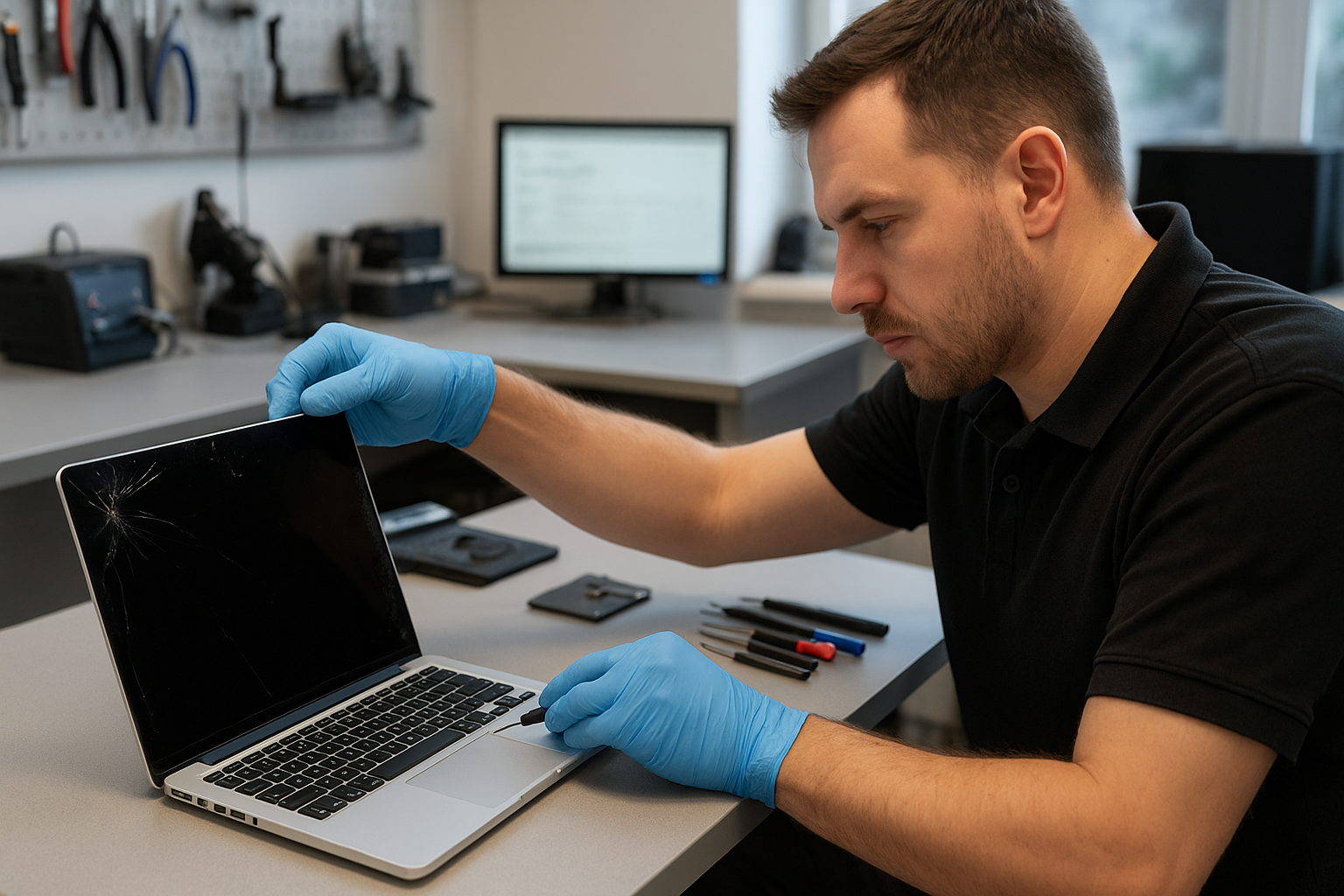
MacBook Screen Repair Coquitlam
If your MacBook screen is cracked, flickering, or showing lines, you need experienced help. At Moe Repair we perform MacBook Screen Repair Coquitlam customers trust. We explain the problem, diagnose it properly, and offer repair or replacement options you can understand.
Why screens fail: a short problem overview
MacBook displays are delicate assemblies: glass, digitizer, LCD or OLED panel, backlight and cables. Failures can come from a single impact, accumulated stress at the hinge, liquid exposure, or internal component failure after a drop.
Because Apple changes components across models, the repair approach for a 2012 MacBook Pro can be different from a 2020 MacBook Air. We assess the whole assembly, not just the cracked glass.
Common symptoms of display problems
- Visible cracks or glass shattering
- Vertical or horizontal lines on the screen
- Black spots, blotches, or dead pixels
- Flickering, dim, or uneven backlight
- No image while the MacBook powers on (audio may play)
- Touch issues on models with Touch Bar or touch-sensitive elements
- Intermittent image loss when opening or closing the lid
Common causes we see at Moe Repair
One common issue we regularly see at Moe Repair is hinge wear causing pressure on the display cable. Customers often treat it as a screen problem, but the cable connection or hinge can be the real culprit.
Other causes include direct impact, pressure on the lid (for example in backpacks), liquid spills, manufacturing defects, or a failing display controller on the logic board. Identifying the root cause prevents repeated failures after a repair.
How we professionally diagnose MacBook screen issues
As experienced technicians we follow a step-by-step diagnostic process to avoid unnecessary part swaps:
- Visual inspection for cracks, corrosion, or loose hinges.
- External tests: power cycle, safe boot, and connecting to an external monitor to separate screen vs graphics/logic board issues.
- Check internal connections: display cable, LVDS/eDP connector and board seating.
- Functional testing: backlight levels, color reproduction, and detecting dead pixels.
- Liquid damage check: looking for corrosion or residue that could affect both display and logic board.
We document findings and explain the diagnosis before any repair work starts.
Repair options we provide
Depending on the diagnosis, we offer tailored options:
- Glass-only replacement when applicable; this keeps the original panel but requires careful separation and precision.
- Full display assembly replacement for models where the glass and panel are fused or if the panel is damaged.
- Connector and cable repair when the issue is a loose or damaged cable at the hinge.
- Logic board repair referral when the display controller fails and repair is more cost-effective than replacement.
- Data recovery services when the MacBook powers but the screen prevents access to files.
Advantages of professional repair
Professional technicians can save time and money by diagnosing correctly and using proper tools. We use anti-static precautions, correct adhesives and calibration after panel replacement to maintain color and brightness accuracy.
Repairing a screen instead of replacing the machine preserves your data, reduces environmental waste, and can be the most cost-effective choice for many customers in Coquitlam and Metro Vancouver.
When replacement makes more sense
There are times where a full screen assembly replacement or even a logic board repair is the right call. We recommend replacement when the panel is physically damaged beyond repair, when the digitizer is non-functional, or when multiple components have failed after significant liquid damage.
If the MacBook has additional problems like severe motherboard damage or failed SSD, we explain the pros and cons of repair versus replacement so you can make an informed decision.
What to expect during the repair process
We will explain the steps we take without promising specific turnaround times. Typical workflow includes acceptance and intake, diagnostic testing, customer approval for agreed repairs, parts ordering when required, repair and post-repair testing, and final quality checks.
We keep you informed at each stage and test the unit with real-world apps to ensure the display behaves reliably before returning it to you.
Preventative maintenance and best practices
To avoid screen damage, use a protective sleeve or hard-case when traveling, avoid placing heavy items on top of your laptop, and keep liquids away from the keyboard and hinge area. Regularly check hinge tightness and address any looseness early—this prevents stress on the display cable.
For MacBook users in Coquitlam, we recommend a periodic check if you carry your laptop daily. Small issues like a loose screw or stretched hinge can become a cracked screen if ignored.
Real technician advice from Moe Repair
When customers bring us a cracked MacBook screen, the single worst thing they sometimes do is try to peel or pry the broken glass themselves. This risks cutting the panel, damaging the digitizer, and creates small shards that complicate repair.
Another mistake is attempting cheap third-party components without verification. Low-quality panels can have poor color, lower brightness, or fail earlier. We source reliable parts, and when OEM-equivalent options are unavailable we explain the trade-offs clearly.
If your MacBook was exposed to liquid, power it off immediately and bring it in for assessment. Continued use can spread corrosion from the keyboard to the display connectors and logic board.
How we decide if repair is worthwhile
We weigh several factors: the cost of parts and labor, the MacBook model and its remaining useful life, overall condition, and your needs for performance or data. If you plan to upgrade soon, a targeted repair (like a cable repair) might be better than a full assembly replacement.
We always present transparent options and never push unnecessary services. Our goal is a reliable outcome tailored to your budget and device condition.
Frequently Asked Questions
Q: Can a cracked MacBook screen be repaired or must it be replaced?
A: It depends on the model. Some older MacBooks allow glass-only repairs while many modern MacBooks require a full assembly replacement because the glass and panel are fused. We diagnose and advise the most appropriate option.
Q: Will replacing the screen affect my data?
A: Screen repair does not normally impact data on the SSD. However, we always recommend a backup before any repair when possible, and we offer data recovery and SSD upgrade services if you need them.
Q: Do you repair Retina displays and newer MacBook models?
A: Yes. We work on MacBook Air, MacBook Pro, and Retina models. Each model requires the right parts and calibration, and we handle those specifics at Moe Repair.
Q: What if my screen problem is actually the logic board?
A: We check this during diagnosis by connecting to an external monitor and inspecting internal connectors. If the logic board is the issue, we provide options including motherboard repair and referral for advanced board-level service.
Q: Can liquid damage cause screen issues?
A: Yes. Corrosion or shorted components from liquid can affect the display cable, connectors and display controller. Prompt inspection reduces the chance of cascading failures.
Q: Do you service customers outside Coquitlam?
A: We serve customers throughout Metro Vancouver including Burnaby, Vancouver, Surrey, Port Moody and New Westminster. Moe Repair welcomes walk-ins and booked drop-offs from the surrounding communities.
Q: How do I prepare my MacBook before bringing it in?
A: Power off the MacBook if it’s safe to do so, remove any external accessories, and bring your charger. If you have a firmware password or FileVault enabled, let us know so we can discuss access options.
Q: Do you offer other services related to screen repair?
A: Yes. We provide battery replacement, hinge repair, keyboard replacement, liquid damage repair, SSD upgrades and data recovery. These often come up alongside screen problems and we can handle multiple tasks in one visit.
Conclusion
For dependable MacBook Screen Repair Coquitlam customers, Moe Repair offers experienced diagnostics, honest advice, and professional repairs. We focus on a correct diagnosis, quality parts, and real-world testing so your MacBook returns to reliable use.
Call to action
If your MacBook display needs attention, contact Moe Repair today for a clear diagnosis and straightforward options. Phone: 778-951-4872 | Email: service@moerepair.ca | Website: https://moerepair.net. We serve Coquitlam and Metro Vancouver with trusted MacBook repair services.