
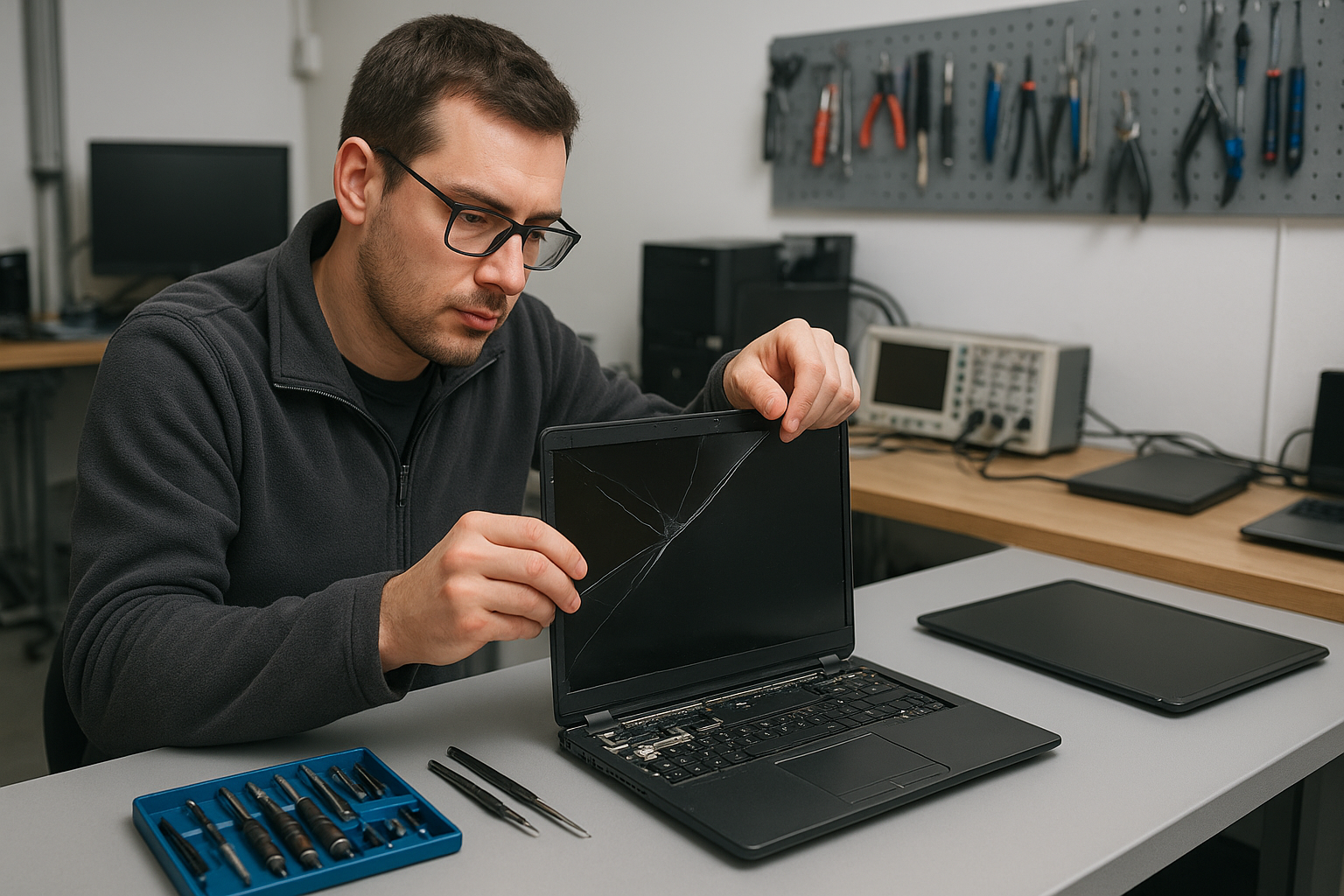
Laptop screen replacement Coquitlam — Fast, local repairs by Moe Repair
If your laptop shows cracks, black spots, flicker, or vertical lines, Moe Repair offers professional Laptop screen replacement Coquitlam services. I inspect the damage, test the display hardware, and explain repair options in plain language. We aim to get you back to work quickly with clear pricing and genuine parts when possible.
Common screen damage and symptoms in Coquitlam
Customers bring in laptops with a range of visible and hidden screen issues. Typical symptoms include:
- Cracked glass or spiderweb fractures
- Vertical or horizontal lines across the panel
- Backlight failure or dim display
- Flickering, color distortion, or black bars
- Touchscreen no longer responding
These problems can affect Dell XPS, Inspiron, Lenovo ThinkPad, HP Pavilion, MacBook Air, MacBook Pro, and Microsoft Surface models. If you also have battery issues or want an SSD upgrade at the same visit, we provide those services too; see our laptop repair in Coquitlam page for more.
How we diagnose a broken laptop screen
Diagnosis starts with a visual inspection and simple tests. I check the bezel for impact points, then attach the laptop to an external monitor to separate GPU problems from panel issues. Common diagnostic steps:
- Connect to an external display to verify signal output.
- Reseat display cable (LVDS or eDP) and check for bent pins.
- Measure backlight inverter or LED driver voltages when safe.
- Run software tests and safe-mode boot to rule out driver problems.
- Inspect hinge and chassis for stress that may have damaged the screen assembly.
If the external monitor shows a perfect image, the fault is almost always the panel or digitizer. For MacBook models I follow Mac-specific diagnostics and refer to our MacBook repair in Coquitlam procedures when required.
Laptop screen replacement Coquitlam: Replacement process and repair procedures
Once we confirm the panel failure, I explain your options: replace the entire screen assembly, replace only the glass/digitizer, or fit an aftermarket part when OEM is unavailable. Typical repair steps I follow:
- Backup data if the customer requests or if the laptop shows storage faults.
- Power down, remove battery if possible, and discharge residual power.
- Remove bezel and unscrew the display assembly carefully.
- Disconnect cable connectors and replace the panel or digitizer assembly.
- Reassemble, reinstall battery, and run a burn-in test for at least 30 minutes.
- Calibrate the display and test touch input where relevant.
We document voltages, part numbers, and test results so you see exactly what was done. If your repair turns into a motherboard or data recovery issue we can handle that too; check our computer repair in Coquitlam and data recovery in Coquitlam pages for details.
Real repair example from Port Moody
A recent customer from Port Moody brought a Lenovo ThinkPad with a smashed display after a commuter fall. Symptoms were vertical green lines and a black area on the left half of the screen. I connected an external monitor which showed a normal image, confirming the GPU and motherboard were fine. I removed the bezel, confirmed a fractured LCD, and sourced an IPS replacement panel that matched the resolution and connector type.
After replacing the screen assembly and testing the LVDS cable, I ran a full display calibration and a 48-hour stress run. The laptop returned with a clean image and responsive trackpad. I documented costs and offered an optional hinge reinforcement to prevent recurrence. The customer accepted the repair and left satisfied with the estimate and service timeline.
How to choose parts: OEM vs aftermarket
Choosing the right part affects color accuracy, viewing angles, and longevity. OEM panels often match factory color and touch behavior. Quality aftermarket panels can be a cost-effective option for older models. I always recommend parts based on the device age, usage pattern, and budget. For gaming laptops we can fit higher-refresh panels or IPS upgrades for better color and performance.
Preventive tips and upgrade options
Simple habits extend screen life: use a padded laptop sleeve, avoid stacking heavy items on top of your laptop, and close lids gently. If your laptop shows slow performance alongside screen problems, consider an SSD upgrade or a thermal paste service at the same appointment. We also do keyboard replacement, trackpad repair, and laptop fan replacement when needed.
Warranty, turnaround time, and pricing
Turnaround depends on part availability. For common models we offer same-day or next-day service. Repairs include a parts and labor warranty; I’ll explain warranty terms before starting. If the motherboard or connectors are damaged we provide an itemized quote and alternative repair options including motherboard repair and operating system repair when necessary.
Contact Moe Repair Today
Moe Repair provides focused, honest Laptop screen replacement Coquitlam work and serves nearby cities including Burnaby and New Westminster. Call us at 778-951-4872 or email service@moerepair.ca for a free consultation. We will discuss symptoms, likely costs, and timing. If you prefer, drop by our shop or use the contact Moe Repair page to book an appointment. We also handle SSD upgrades, battery replacement, liquid damage repair, and virus removal so you can leave with a fully functional machine.
Other services and local support
Beyond screen replacement we offer full laptop repair services like motherboard repair, keyboard replacement, Blue screen repair, Wi-Fi troubleshooting, printer setup, and email setup. Local customers in Port Coquitlam and Burnaby rely on us for quick diagnostics and transparent pricing. For MacBook owners see our MacBook repair in Coquitlam page for Apple-specific guidance.
Follow-up and testing
After any screen replacement we run a 30- to 48-hour validation including color checks, brightness consistency, and touch calibration. If you experience anything odd after the repair, bring the laptop back and we’ll re-test at no additional labor cost within the warranty period.
Common questions answered
Many customers ask about data safety and whether a cracked screen means the laptop is dead. Often the data and motherboard are intact. If there is liquid or impact damage we test storage immediately and offer professional data recovery when required.
Moe Repair
Phone: 778-951-4872
Email: service@moerepair.ca
Frequently asked questions
Find more answers below or contact Moe Repair to discuss your specific laptop.