
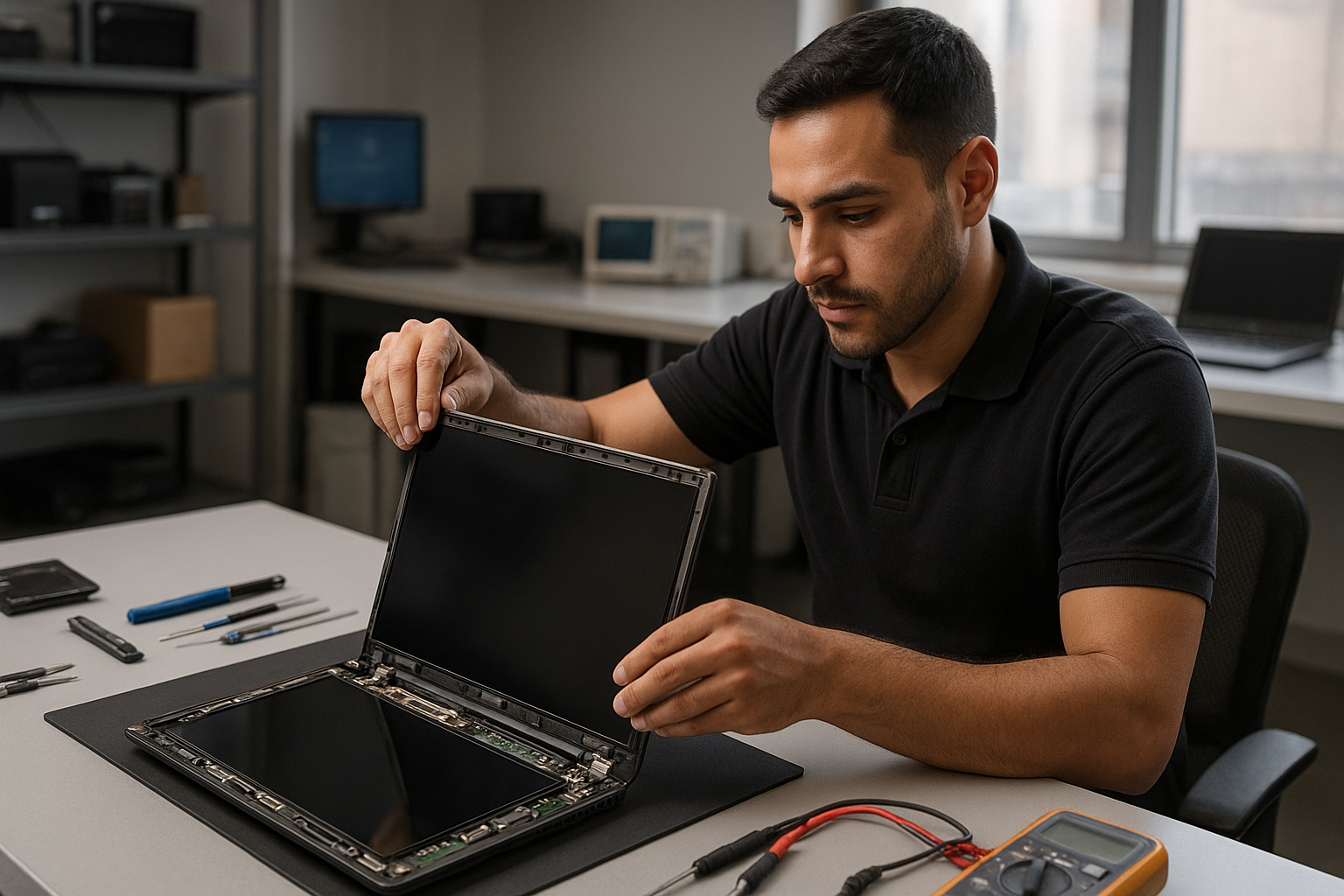
Laptop screen replacement Coquitlam: fast, local LCD and glass repair
If you have a cracked panel or a flickering display, Laptop screen replacement Coquitlam is a common service we perform every week at Moe Repair. I’m a senior technician with more than 15 years of hands-on experience, and I’ll walk you through symptoms, diagnosis, and what to expect from a screen swap in Coquitlam.
Why choose Moe Repair for Laptop screen replacement Coquitlam
We combine fast turnaround with careful diagnostics. I test the display, inverter or backlight, cable, and GPU outputs before ordering parts. If you need laptop repair in Coquitlam beyond the screen we’ll identify it up front. We keep OEM and high-quality aftermarket panels for brands like Dell, HP, Lenovo, ASUS, Acer, Microsoft Surface, and Apple MacBook models.
Common laptop screen problems we see in Coquitlam
Typical symptoms include cracking, vertical or horizontal lines, black screens with power on, dead pixels, dim or flickering backlight, and touch digitizer failure on 2-in-1s. Liquid damage often causes staining or ghosting on the panel and sometimes shorting the display connector. Local students, small businesses, and home users from Port Moody and Port Coquitlam bring machines with these exact issues.
How we diagnose a broken screen
Diagnosis starts with three quick checks: external monitor test, brightness/backlight test, and ribbon cable inspection. I connect the laptop to an external display to determine if the GPU and motherboard are outputting a signal. If the external image is fine, the problem is isolated to the panel, cable, or inverter. I then open the bezel, inspect the display cable and connector for corrosion or damage, and test the panel with a known-good connector when available.
Tools and tests used
- External HDMI/DisplayPort test
- Multimeter for power rails and backlight inverter
- Visual inspection for cracked glass and bezel damage
- Temporary panel swap when compatible parts are on hand
Laptop screen replacement process
Once diagnosis confirms the panel is at fault, I recommend a replacement plan. Steps include ordering the correct part, removing the battery, disassembling the bezel and hinges, disconnecting the ribbon, installing the new panel, and testing under load. I follow anti-static procedures and torque specs for hinge screws. For MacBook models I use factory-compatible retina or non-retina assemblies depending on model year.
Parts and quality
We stock OEM and premium-grade replacement panels. Where possible I match resolution, refresh rate, and touch capability. For gaming laptops (Alienware, ROG, Predator) I check refresh rate compatibility. If a hinge or cable is damaged, we replace those too to avoid repeating work.
Real repair example from Coquitlam
A recent customer from Coquitlam brought an ASUS VivoBook with a shattered screen from a bag drop. The laptop powered on and produced image on an external monitor, so I focused on the panel and its connector. After removing the bezel I found the display cable pin bent. I ordered an OEM panel and a replacement cable, replaced both, and tested for 48 hours under load to confirm stability. The display returned to full brightness and we calibrated colors before handing it back. I documented the process and gave the customer tips to protect the screen and check hinge tension.
Common follow-up repairs and services
During a screen replacement I often encounter additional needs: computer repair in Coquitlam such as thermal paste replacement, fan cleaning, SSD upgrades, or battery replacement. If data is at risk from impact or liquid, I recommend prompt data recovery in Coquitlam before proceeding with invasive repairs.
How long a replacement takes and what it costs
Turnaround varies by model and parts availability. For common Windows laptops we often complete the job the same day if the part is in stock. MacBook assemblies and rare panels can take 1-3 business days. Costs depend on panel type; matte vs glossy, touch vs non-touch, and OEM grade. I provide an itemized quote and explain options before any work begins. We never begin without your approval.
What you can do before you arrive
Back up your data if possible, bring the original charger, and note any recent drops or liquid exposure. Turn the laptop on briefly to confirm symptoms. If the screen is shattered, avoid pressing the glass and carry the laptop in a protective bag. For customers worried about warranty, check with the manufacturer first; we can often work alongside warranty service if you prefer.
Contact Moe Repair Today
Moe Repair offers a free consultation to evaluate your laptop and recommend the correct screen replacement. Call Moe Repair at 778-951-4872 or email service@moerepair.ca to describe the symptom, your laptop model, and where you are in Coquitlam, Port Moody, or Port Coquitlam. We can arrange drop-off, mail-in service, or on-site pickup for businesses in Burnaby and New Westminster. Expect clear pricing, honest diagnostics, and a technician who communicates every step.
Frequently asked questions
Below are common questions about Laptop screen replacement Coquitlam. If your question is not listed, please contact Moe Repair.
Contact information: Moe Repair — Phone: 778-951-4872 — Email: service@moerepair.ca
More repairs we perform
While replacing a screen I regularly handle keyboard replacement, trackpad repair, motherboard repair, liquid damage repair, virus removal, Windows installation, and blue screen repair. If you need a full tune-up or SSD upgrade we can bundle services to save time and cost.