Hi, How Can We Help You?
  • 203-504 Cottonwood Ave, Coquitlam
  • service@moerepair.ca
  • +1 (778) 951-4872

Author Archives: moe

Data loss is one of the biggest threats to computer users, whether due to hardware failure, accidental deletion, or malware. At Moe Repair, we understand the importance of data security and offer expert advice on how to back up your computer effectively. Here are five ways to ensure your important files are always protected:

  1. Use Cloud Storage
    Services like Google Drive, Dropbox, and OneDrive provide automatic backups, making it easy to store and retrieve files from any device.
  2. External Hard Drive Backup
    Invest in a reliable external hard drive to store backups of large files. This method is fast and provides easy access to your data without the need for an internet connection.
  3. Automated Backup Software
    Programs like Acronis True Image or Macrium Reflect offer automated backup solutions, ensuring your data is regularly backed up without you having to lift a finger.
  4. USB Flash Drives for Smaller Files
    For quick backups of documents and essential files, USB flash drives are portable and perfect for those on the go.
  5. Create a System Restore Point
    In case of software errors, creating a system restore point can help roll back your computer to a previous working state, saving you time and effort.

At Moe Repair, we also offer data recovery services for those who haven’t backed up their data yet. Don’t wait for disaster to strike — let us help you create a robust backup plan today!

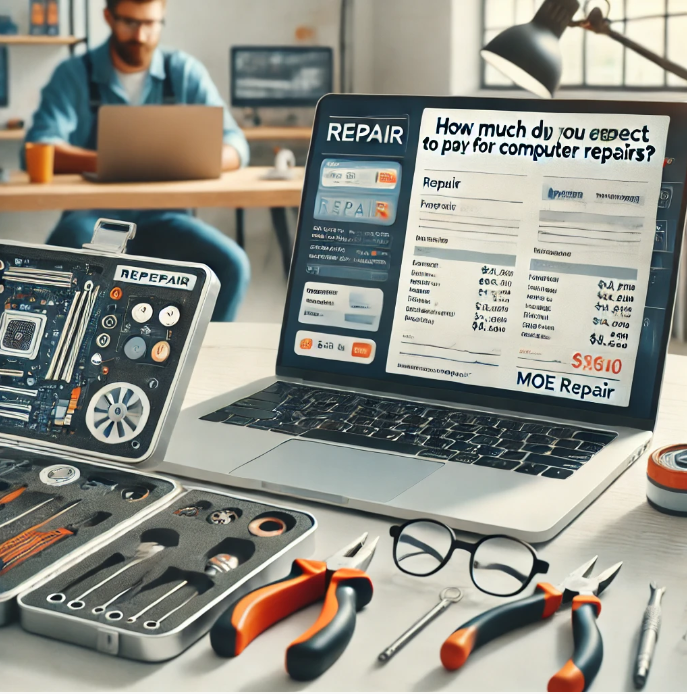
Understanding the Costs of Computer Repair Services

When your computer stops working, your first question might be, “How much will this cost to fix?” Nobody wants to be surprised with unexpected expenses, so it is a valid concern. If you’re searching for “computer repair near me,” it’s essential to understand what affects repair costs and why choosing a trusted provider like Moe Repair can save you money in the long run.

Here’s a breakdown of what you can expect to pay for various computer repairs, along with some tips to ensure you’re getting the best value.


Factors That Affect Computer Repair Costs

The cost of computer repair depends on several key factors:

  1. Type of Problem
    • Software Issues: Problems like virus removal or operating system errors typically cost less to fix than hardware issues.
    • Hardware Issues: Replacing parts like hard drives, screens, or motherboards can be more expensive due to the cost of parts and labor.
  2. Device Type
    Laptops, desktops, and custom-built PCs can vary in repair costs. For example, laptop repairs are often pricier due to their compact and intricate design.
  3. Urgency
    Need your computer fixed quickly? Emergency or same-day services may come with an additional fee.
  4. Service Provider
    Local repair shops like Moe Repair often offer more affordable rates than big-box stores or manufacturers.

Common Repair Costs

Here’s an estimate of what you might expect to pay for some of the most common computer repairs:

Repair Type Estimated Cost
Virus and Malware Removal $50 – $150
Operating System Reinstall $75 – $150
Hard Drive Replacement $100 – $250 (including part)
Screen Repair (Laptop) $100 – $300
RAM Upgrade $50 – $200 (including part)
Motherboard Repair/Replacement $150 – $500

At Moe Repair, we pride ourselves on offering competitive pricing and transparent estimates, so you’ll know exactly what to expect.


Why Choose Moe Repair for Affordable Repairs?

When searching for “affordable computer repair near me,” it’s easy to get overwhelmed by options. Here’s why Moe Repair stands out:

  • No Hidden Fees: We provide upfront pricing with no surprises.
  • Free Diagnostics: Not sure what’s wrong? We’ll diagnose the issue at no cost.
  • High-Quality Repairs: We use reliable parts and guarantee our work.
  • Flexible Payment Options: We offer budget-friendly solutions for repairs big and small.

How to Save Money on Repairs

  1. Act Quickly: Ignoring small issues can lead to more costly repairs later.
  2. Choose Preventative Maintenance: Regular check-ups at Moe Repair can help you avoid major breakdowns.
  3. Avoid DIY Fixes: Attempting repairs without proper tools or expertise can make the problem worse—and more expensive to fix.

Your Trusted Local Repair Partner

At Moe Repair, we understand that cost matters. That’s why we’re committed to providing affordable, high-quality computer repair solutions for every budget. Whether you need a quick tune-up, part replacement, or comprehensive repair, our team is here to help.

Contact Moe Repair at 778-951-4872 today for a free quote and discover why we’re the top choice for computer repair near you!

Is Your Computer in Trouble? Here’s When to Call the Experts

Computers are essential to our daily lives, but they’re not immune to problems. While some minor glitches can be fixed at home, other issues signal that your computer needs professional attention. If you’re noticing performance issues and searching for “computer repair near me,” it’s time to turn to Moe Repair, your trusted local expert.

Here are five signs that it’s time to stop troubleshooting on your own and call in the pros.


1. Your Computer Is Running Unusually Slow

Although temporary software problems may be the cause of a slow computer, if you’ve already tried simple fixes like restarting your system or uninstalling unnecessary programs and it’s still crawling, there might be a deeper issue.

At Moe Repair, we specialize in diagnosing and resolving performance issues, from failing hard drives to insufficient RAM. Don’t waste time guessing when experts can restore your computer’s speed quickly and affordably.


2. Frequent Crashes and Blue Screens

Does your computer crash unexpectedly or show the dreaded Blue Screen of Death (BSOD)? These errors often indicate serious hardware or software issues, such as failing memory, corrupted drivers, or overheating.

Instead of risking data loss, trust the professionals at Moe Repair. Our experienced technicians can identify and fix the root cause, ensuring your computer operates smoothly again.


3. Strange Noises or Overheating

Hearing grinding, clicking, or buzzing sounds from your computer? These noises usually point to mechanical problems, such as a failing hard drive or cooling fan. Overheating is another red flag that should not be ignored, as it can cause irreversible damage to internal components.

When you notice these symptoms, don’t delay—contact Moe Repair for expert hardware diagnostics and repairs.


4. Persistent Pop-Ups or Security Warnings

Your computer might have malware or adware on it if you receive a lot of pop-ups or strange security warnings. Ignoring these signs can compromise your personal information and slow down your system.

At Moe Repair, we offer comprehensive virus and malware removal to protect your data and ensure your system’s security. We also recommend effective antivirus solutions to prevent future infections.


5. Your Computer Won’t Start

Nothing is more frustrating than pressing the power button only to have nothing happen. If your computer refuses to start, the problem could range from a dead power supply to a damaged motherboard.

Instead of trying to fix it yourself, rely on Moe Repair for professional diagnostics and repair. We’ll get your system back up and running in no time.


Why Choose Moe Repair Services?

When your computer shows any of these warning signs, it’s essential to choose a repair service you can trust. Here’s why Moe Repair is the best choice for “computer repair near me”:

  • Experienced Technicians: We have the skills and tools to handle even the most complex repairs.
  • Affordable Pricing: We provide transparent, competitive rates with no hidden fees.
  • Fast Turnaround: We understand how important your computer is and prioritize quick service.
  • Customer-Centric Approach: Our team is friendly, knowledgeable, and committed to ensuring your satisfaction.

Don’t Wait Until It’s Too Late

Ignoring these signs can lead to more significant problems—and higher repair costs. If your computer isn’t performing as it should, contact Moe Repair today. Whether it’s a minor issue or a major repair, we’re here to help.

Call or visit Moe Repair at 778-951-4872 to schedule your repair and get your computer back in perfect working condition!


Is Your Computer Slowing You Down? Here’s How to Fix It

There’s nothing more frustrating than dealing with a sluggish computer, especially when you’re on a deadline or in the middle of something important. If you’ve been searching for “how to fix a slow computer” or “computer repair near me,” you’re not alone. At Moe Repair, we’ve helped countless customers speed up their systems and regain productivity. Here’s how you can tackle the issue or know when it’s time to call in the pros.


Why is My Computer Slow?

Slow performance can stem from several issues, including:

  1. Too Many Programs Running
    Running multiple applications simultaneously can bog down your system.
  2. Low Storage Space
    Hard drives nearing capacity can drastically impact performance.
  3. Malware or Viruses
    Hidden threats often consume resources and slow your system.
  4. Outdated Hardware or Software
    An aging system may struggle to keep up with modern applications.
  5. Lack of Maintenance
    Dust buildup, fragmented files, or outdated drivers can all contribute.

Quick Fixes You Can Try

If your computer is slow, try these tips before calling a professional:

  1. Close Unnecessary Programs
    Use Task Manager (Windows) or Activity Monitor (Mac) to identify and close resource-heavy apps.
  2. Delete Temporary Files
    On Windows, use Disk Cleanup. For Mac, clear your cache and browser history.
  3. Uninstall Unused Software
    Free up space by removing programs you no longer need.
  4. Run a Malware Scan
    Use trusted antivirus software to detect and remove any threats.
  5. Restart Your System
    Sometimes, a simple reboot can clear temporary issues.

When to Call Moe Repair 

While some issues can be resolved at home, others require professional expertise. If these fixes don’t work, it’s time to search for “computer repair near me” and contact Moe Repair. Here’s why:

  • Expert Diagnostics: Our technicians can pinpoint and resolve underlying issues you might overlook.
  • Hardware Upgrades: Whether you need more RAM or an SSD upgrade, we’ve got you covered.
  • Virus Removal: We’ll eliminate malware and ensure your system is secure.
  • Comprehensive Maintenance: Regular servicing can prevent future slowdowns.

Why Choose Moe Repair?

At Moe Repair, we’re committed to getting your computer back to peak performance. With years of experience, affordable pricing, and a reputation for excellence, we’re the top choice for anyone searching for “computer repair near me.” Plus, we offer:

  • Fast Turnaround Times
  • Transparent Pricing
  • Friendly Customer Support

Contact Us Today

Don’t let a slow computer slow you down! Visit Moe Repair for reliable and affordable computer repair solutions. Whether you need a quick tune-up or advanced troubleshooting, we’re here to help.

Schedule your repair with Moe Repair Services today and experience the difference! Call us today at 778-951-4872

The Ultimate Guide to Finding the Best “Computer Repair Near Me”

Computers have become an indispensable part of our lives, whether for work, education, entertainment, or staying connected with loved ones. However, even the best machines sometimes encounter technical issues, leaving you searching for a reliable “computer repair near me.” If you’re in such a situation, look no further than Moe Repair —your one-stop solution for all computer repair needs. Here’s why Moe Repair should be your go-to choice and what you should know when looking for local computer repair services.


Common Computer Problems You Might Encounter

Before we dive into why Moe Repair is the best choice, let’s explore some common computer issues that may require professional attention:

  1. Slow Performance
    Over time, your computer may slow down due to software clutter, malware, or hardware limitations.
    Solution: Moe Repair specializes in optimizing system performance and upgrading hardware to give your computer a new lease on life.
  2. Viruses and Malware
    Even with the best antivirus software, your system can become infected with malicious programs.
    Solution: Moe Repair’s experts can efficiently remove threats and recommend robust protection measures.
  3. Broken Hardware
    Cracked screens, faulty keyboards, and malfunctioning hard drives are common physical issues.
    Solution: Moe Repair offers comprehensive hardware repairs with genuine parts and guarantees.
  4. Data Loss
    No matter the cause—accidental deletion or system failures—losing important files can be devastating.
    Solution: Moe Repair has advanced data recovery solutions to help retrieve your critical files.
  5. Networking Issues
    Slow or disconnected internet can hinder productivity and entertainment.
    Solution: Moe Repair’s technicians can troubleshoot and resolve all network-related problems.

Why Choose Local Repair Services Over Big-Box Stores?

When searching for “computer repair near me,” you’ll likely come across a mix of local businesses and large retail chains. While the latter might seem convenient, local services like Moe Repair offer several unique advantages:

  • Personalized Attention: Moe Repair focuses on building relationships with customers, providing tailored solutions rather than generic fixes.
  • Faster Turnaround Times: Local services often complete repairs more quickly, understanding the urgency of getting your computer back up and running.
  • Cost-Effective Solutions: Moe Repair offers transparent pricing without unnecessary upsells that you might encounter at larger chains.
  • Supporting the Community: By choosing Moe Repair, you’re supporting a local business that’s invested in your community.

What Sets Moe Repair Apart?

If you’re still on the fence about choosing Moe Repair for your “computer repair near me” search, here are the top reasons to give them a try:

  1. Experienced Technicians
    Moe Repair employs certified and highly skilled professionals who can handle everything from minor glitches to complex repairs.
  2. Wide Range of Services
    Whether you need virus removal, hardware upgrades, or custom-built systems, Moe Repair offers a comprehensive array of services.
  3. Affordable Pricing
    Quality doesn’t have to break the bank. Moe Repair provides competitive rates with no hidden fees.
  4. Convenience
    Located in a prime area, Moe Repair is easy to find. They also offer on-site repair services for added convenience.
  5. Excellent Customer Support
    Moe Repair prioritizes customer satisfaction, ensuring that your concerns are addressed promptly and effectively.

What to Expect When You Visit Moe Repair

When you walk into Moe Repair, you can expect:

  1. A Friendly Welcome: The team at Moe Repair is known for their approachable and helpful demeanor.
  2. Thorough Diagnostics: Before starting any repair, their technicians perform detailed diagnostics to pinpoint the problem.
  3. Clear Communication: Moe Repair ensures you’re informed every step of the way, from diagnostics to repair timelines.
  4. Post-Repair Support: Their commitment doesn’t end when your computer is fixed. They offer tips and maintenance advice to prevent future issues.

How to Choose the Right Computer Repair Service Near You

While Moe Repair stands out as the best option, here are some general tips for selecting a reliable “computer repair near me”:

  1. Read Reviews: Check online reviews and testimonials to gauge the quality of the service.
  2. Ask About Experience: Ensure the repair shop has experience handling your type of computer or issue.
  3. Inquire About Warranties: Reliable services like Moe Repair offer warranties on repairs to ensure peace of mind.
  4. Compare Pricing: Get a quote before committing to ensure fair and transparent pricing.

DIY Fixes vs. Professional Repair

While some minor issues can be resolved with a quick online tutorial, attempting complex repairs without expertise can worsen the problem. It’s always a good idea to leave critical repairs to professionals like Moe Repair , who have the tools, skills, and experience to handle them effectively.


Final Thoughts: Why “Moe Repair” Should Be Your First Choice

When searching for “computer repair near me,” it’s essential to choose a service you can trust. Moe Repair combines expertise, affordability, and exceptional customer care to provide the best computer repair experience in the area. Whether you’re dealing with a sluggish laptop, a virus-riddled desktop, or a hardware failure, Moe Repair has you covered.

Don’t waste time and money experimenting with unreliable options—visit Moe Repair today and let their skilled technicians bring your computer back to life!

Contact Moe Repair today for all your computer repair needs.

Let Moe Repair be your trusted partner in keeping your computer running smoothly and efficiently.

November 16, 2024

The Best Computer Repair in Port Moody: Why Moe Repair Stands Out

When your computer runs into trouble, finding a trusted and reliable repair service is essential. In Port Moody, Moe Repair has established itself as the go-to solution for all types of computer issues. From simple troubleshooting to advanced repairs, Moe Repair consistently delivers top-tier service, making it the best choice for locals.

Whether you’re dealing with a sluggish laptop, a desktop that won’t power on, or an urgent data recovery need, Moe Repair has the tools, expertise, and customer focus to get you back up and running quickly.


Why Choose Computer Repair Services in Port Moody?

Port Moody is a vibrant and fast-paced city, home to a mix of businesses, students, and families who all rely heavily on their computers. Here’s why you should seek out professional repair services right here in Port Moody:

  • Local Expertise: Port Moody-based technicians, especially at Moe Repair, understand the specific needs of the community, providing tailored solutions that go beyond standard fixes.
  • Convenience: With a central location and accessible services, Moe Repair ensures that getting your device repaired is quick and hassle-free.
  • Affordable Solutions: Moe Repair offers competitive rates without cutting corners, giving you high-quality service at a fair price.

Why Moe Repair is the Best Choice for Computer Repair in Port Moody

Among the many repair shops in Port Moody, Moe Repair stands out for its commitment to excellence. Here’s what sets them apart:

  1. Skilled and Certified Technicians
    Moe Repair employs a team of highly trained and certified professionals with credentials such as CompTIA A+, Microsoft, and Apple certifications. Their expertise spans a wide range of devices and issues, ensuring accurate diagnoses and effective repairs.
  2. Comprehensive Services
    Moe Repair handles all kinds of computer problems, including:

    • Hardware Issues: From cracked screens to failing motherboards, Moe Repair can fix or replace virtually any component.
    • Software Troubleshooting: Facing operating system errors or software crashes? Moe Repair provides solutions to restore your system’s functionality.
    • Data Recovery: If you’ve lost critical files due to a crash or accidental deletion, Moe Repair’s advanced data recovery services can help retrieve your valuable data.
  3. Transparent Pricing and Honest Advice
    At Moe Repair, you’ll never encounter hidden fees or surprise costs. They provide upfront pricing and clear explanations of the repair process. If your device isn’t worth repairing, they’ll tell you honestly and recommend the best alternatives.
  4. Eco-Friendly Practices
    Moe Repair is committed to sustainability. They responsibly recycle old components and use eco-friendly methods to reduce electronic waste.
  5. Customer-Focused Approach
    Customer satisfaction is at the core of Moe Repair’s philosophy. From offering free diagnostics to providing personalized recommendations, their team goes above and beyond to ensure a positive experience.

Common Computer Issues Solved by Moe Repair

Moe Repair specializes in addressing a wide range of computer problems, including:

  • Slow Performance: If your computer is running slowly, Moe Repair can optimize your system, upgrade hardware, and eliminate unnecessary clutter.
  • Virus and Malware Removal: Moe Repair’s experts can clean up your system and install robust antivirus software to protect your data.
  • Networking Issues: Struggling with Wi-Fi connectivity or network problems? Moe Repair can troubleshoot and resolve these issues efficiently.
  • Hardware Malfunctions: Cracked screens, damaged keyboards, and faulty hard drives are no match for Moe Repair’s skilled team.

Proactive Tips to Keep Your Computer Running Smoothly

While Moe Repair is always ready to assist with any computer issues, a little proactive care can help you maintain your device’s performance and avoid common problems. Here are some expert-recommended tips:

  1. Keep Your Software Updated
    Regularly update your operating system and applications to ensure they have the latest security patches and performance enhancements.
  2. Invest in Reliable Antivirus Protection
    Install and maintain a reputable antivirus program to safeguard your computer from malware, viruses, and other threats.
  3. Clean Your Computer’s Interior and Exterior
    Dust buildup can cause overheating and performance issues. Use compressed air to clean vents, fans, and components carefully.
  4. Organize Your Files
    Regularly back up important files and organize your data to make your system run more efficiently. Cloud storage options like Google Drive or Dropbox can be a great addition.
  5. Uninstall Unused Programs
    Periodically remove software and applications you no longer use to free up system resources.
  6. Monitor Your Computer’s Health
    Use built-in tools like Task Manager or third-party monitoring software to keep an eye on your CPU, memory, and disk usage. If something seems off, Moe Repair can perform a deeper diagnostic.

By following these tips, you can extend your computer’s lifespan and reduce the chances of major breakdowns. Of course, when issues arise, Moe Repair is just a call or visit away to provide expert support.

Why Locals Trust Moe Repair

Moe Repair isn’t just another repair shop—it’s a trusted part of the Port Moody community. Here’s what customers have to say:

  • “Moe Repair fixed my laptop in just a day! The team was friendly, professional, and transparent about pricing.”
  • “I thought I’d lost years of photos, but Moe Repair recovered everything. I can’t thank them enough!”
  • “Their services are affordable, and they never try to upsell unnecessary repairs. Highly recommend Moe Repair!”

How to Reach Moe Repair

Conveniently located near Port Moody, Moe Repair offers both in-store and on-site services. Whether you need a quick diagnostic or a comprehensive repair, their team is ready to help. Give them a call today at 778-951-4872. They are also on WhatsApp and other social media platforms.


Final Thoughts

Don’t let computer problems disrupt your life. Moe Repair’s expert technicians, transparent pricing, and exceptional service make them the top choice for computer repair in Port Moody. From virus removal to hardware repairs, Moe Repair has everything you need to get your device back in working order.

Visit Moe Repair today and experience the best computer repair service in Port Moody!

Tags: computer repair Port Moody, Moe Repair, laptop repair, virus removal, Port Moody tech support

November 16, 2024

The Best Computer Repair in Coquitlam: Why Moe Repair Stands Out

When your computer runs into trouble, finding a trusted and reliable repair service is essential. In Coquitlam, Moe Repair has established itself as the go-to solution for all types of computer issues. From simple troubleshooting to advanced repairs, Moe Repair consistently delivers top-tier service, making it the best choice for locals.

Whether you’re dealing with a sluggish laptop, a desktop that won’t power on, or an urgent data recovery need, Moe Repair has the tools, expertise, and customer focus to get you back up and running quickly.


Why Choose Computer Repair Services in Coquitlam?

Coquitlam is a vibrant and fast-paced city, home to a mix of businesses, students, and families who all rely heavily on their computers. Here’s why you should seek out professional repair services right here in Coquitlam:

  • Local Expertise: Coquitlam-based technicians, especially at Moe Repair, understand the specific needs of the community, providing tailored solutions that go beyond standard fixes.
  • Convenience: With a central location and accessible services, Moe Repair ensures that getting your device repaired is quick and hassle-free.
  • Affordable Solutions: Moe Repair offers competitive rates without cutting corners, giving you high-quality service at a fair price.

Why Moe Repair is the Best Choice for Computer Repair in Coquitlam

Among the many repair shops in Coquitlam, Moe Repair stands out for its commitment to excellence. Here’s what sets them apart:

  1. Skilled and Certified Technicians
    Moe Repair employs a team of highly trained and certified professionals with credentials such as CompTIA A+, Microsoft, and Apple certifications. Their expertise spans a wide range of devices and issues, ensuring accurate diagnoses and effective repairs.
  2. Comprehensive Services
    Moe Repair handles all kinds of computer problems, including:

    • Hardware Issues: From cracked screens to failing motherboards, Moe Repair can fix or replace virtually any component.
    • Software Troubleshooting: Facing operating system errors or software crashes? Moe Repair provides solutions to restore your system’s functionality.
    • Data Recovery: If you’ve lost critical files due to a crash or accidental deletion, Moe Repair’s advanced data recovery services can help retrieve your valuable data.
  3. Transparent Pricing and Honest Advice
    At Moe Repair, you’ll never encounter hidden fees or surprise costs. They provide upfront pricing and clear explanations of the repair process. If your device isn’t worth repairing, they’ll tell you honestly and recommend the best alternatives.
  4. Eco-Friendly Practices
    Moe Repair is committed to sustainability. They responsibly recycle old components and use eco-friendly methods to reduce electronic waste.
  5. Customer-Focused Approach
    Customer satisfaction is at the core of Moe Repair’s philosophy. From offering free diagnostics to providing personalized recommendations, their team goes above and beyond to ensure a positive experience.

Common Computer Issues Solved by Moe Repair

Moe Repair specializes in addressing a wide range of computer problems, including:

  • Slow Performance: If your computer is running slowly, Moe Repair can optimize your system, upgrade hardware, and eliminate unnecessary clutter.
  • Virus and Malware Removal: Moe Repair’s experts can clean up your system and install robust antivirus software to protect your data.
  • Networking Issues: Struggling with Wi-Fi connectivity or network problems? Moe Repair can troubleshoot and resolve these issues efficiently.
  • Hardware Malfunctions: Cracked screens, damaged keyboards, and faulty hard drives are no match for Moe Repair’s skilled team.

Proactive Tips to Keep Your Computer Running Smoothly

While Moe Repair is always ready to assist with any computer issues, a little proactive care can help you maintain your device’s performance and avoid common problems. Here are some expert-recommended tips:

  1. Keep Your Software Updated
    Regularly update your operating system and applications to ensure they have the latest security patches and performance enhancements.
  2. Invest in Reliable Antivirus Protection
    Install and maintain a reputable antivirus program to safeguard your computer from malware, viruses, and other threats.
  3. Clean Your Computer’s Interior and Exterior
    Dust buildup can cause overheating and performance issues. Use compressed air to clean vents, fans, and components carefully.
  4. Organize Your Files
    Regularly back up important files and organize your data to make your system run more efficiently. Cloud storage options like Google Drive or Dropbox can be a great addition.
  5. Uninstall Unused Programs
    Periodically remove software and applications you no longer use to free up system resources.
  6. Monitor Your Computer’s Health
    Use built-in tools like Task Manager or third-party monitoring software to keep an eye on your CPU, memory, and disk usage. If something seems off, Moe Repair can perform a deeper diagnostic.

By following these tips, you can extend your computer’s lifespan and reduce the chances of major breakdowns. Of course, when issues arise, Moe Repair is just a call or visit away to provide expert support.

Why Locals Trust Moe Repair

Moe Repair isn’t just another repair shop—it’s a trusted part of the Coquitlam community. Here’s what customers have to say:

  • “Moe Repair fixed my laptop in just a day! The team was friendly, professional, and transparent about pricing.”
  • “I thought I’d lost years of photos, but Moe Repair recovered everything. I can’t thank them enough!”
  • “Their services are affordable, and they never try to upsell unnecessary repairs. Highly recommend Moe Repair!”

How to Reach Moe Repair

Conveniently located near Coquitlam, Moe Repair offers both in-store and on-site services. Whether you need a quick diagnostic or a comprehensive repair, their team is ready to help. Give them a call today at 778-951-4872. They are also on WhatsApp and other social media platforms.


Final Thoughts

Don’t let computer problems disrupt your life. Moe Repair’s expert technicians, transparent pricing, and exceptional service make them the top choice for computer repair in Coquitlam. From virus removal to hardware repairs, Moe Repair has everything you need to get your device back in working order.

Visit Moe Repair today and experience the best computer repair service in Coquitlam!

Tags: computer repair Coquitlam, Moe Repair, laptop repair, virus removal, Coquitlam tech support

The Best Computer Repair in New Westminster: Why Moe Repair Stands Out

When your computer runs into trouble, finding a trusted and reliable repair service is essential. In New Westminster, Moe Repair has established itself as the go-to solution for all types of computer issues. From simple troubleshooting to advanced repairs, Moe Repair consistently delivers top-tier service, making it the best choice for locals.

Whether you’re dealing with a sluggish laptop, a desktop that won’t power on, or an urgent data recovery need, Moe Repair has the tools, expertise, and customer focus to get you back up and running quickly.


Why Choose Computer Repair Services in New Westminster?

New Westminster is a vibrant and fast-paced city, home to a mix of businesses, students, and families who all rely heavily on their computers. Here’s why you should seek out professional repair services right here in New Westminster:

  • Local Expertise: New Westminster-based technicians, especially at Moe Repair, understand the specific needs of the community, providing tailored solutions that go beyond standard fixes.
  • Convenience: With a central location and accessible services, Moe Repair ensures that getting your device repaired is quick and hassle-free.
  • Affordable Solutions: Moe Repair offers competitive rates without cutting corners, giving you high-quality service at a fair price.

Why Moe Repair is the Best Choice for Computer Repair in New Westminster

Among the many repair shops in New Westminster, Moe Repair stands out for its commitment to excellence. Here’s what sets them apart:

  1. Skilled and Certified Technicians
    Moe Repair employs a team of highly trained and certified professionals with credentials such as CompTIA A+, Microsoft, and Apple certifications. Their expertise spans a wide range of devices and issues, ensuring accurate diagnoses and effective repairs.
  2. Comprehensive Services
    Moe Repair handles all kinds of computer problems, including:

    • Hardware Issues: From cracked screens to failing motherboards, Moe Repair can fix or replace virtually any component.
    • Software Troubleshooting: Facing operating system errors or software crashes? Moe Repair provides solutions to restore your system’s functionality.
    • Data Recovery: If you’ve lost critical files due to a crash or accidental deletion, Moe Repair’s advanced data recovery services can help retrieve your valuable data.
  3. Transparent Pricing and Honest Advice
    At Moe Repair, you’ll never encounter hidden fees or surprise costs. They provide upfront pricing and clear explanations of the repair process. If your device isn’t worth repairing, they’ll tell you honestly and recommend the best alternatives.
  4. Eco-Friendly Practices
    Moe Repair is committed to sustainability. They responsibly recycle old components and use eco-friendly methods to reduce electronic waste.
  5. Customer-Focused Approach
    Customer satisfaction is at the core of Moe Repair’s philosophy. From offering free diagnostics to providing personalized recommendations, their team goes above and beyond to ensure a positive experience.

Common Computer Issues Solved by Moe Repair

Moe Repair specializes in addressing a wide range of computer problems, including:

  • Slow Performance: If your computer is running slowly, Moe Repair can optimize your system, upgrade hardware, and eliminate unnecessary clutter.
  • Virus and Malware Removal: Moe Repair’s experts can clean up your system and install robust antivirus software to protect your data.
  • Networking Issues: Struggling with Wi-Fi connectivity or network problems? Moe Repair can troubleshoot and resolve these issues efficiently.
  • Hardware Malfunctions: Cracked screens, damaged keyboards, and faulty hard drives are no match for Moe Repair’s skilled team.

Proactive Tips to Keep Your Computer Running Smoothly

While Moe Repair is always ready to assist with any computer issues, a little proactive care can help you maintain your device’s performance and avoid common problems. Here are some expert-recommended tips:

  1. Keep Your Software Updated
    Regularly update your operating system and applications to ensure they have the latest security patches and performance enhancements.
  2. Invest in Reliable Antivirus Protection
    Install and maintain a reputable antivirus program to safeguard your computer from malware, viruses, and other threats.
  3. Clean Your Computer’s Interior and Exterior
    Dust buildup can cause overheating and performance issues. Use compressed air to clean vents, fans, and components carefully.
  4. Organize Your Files
    Regularly back up important files and organize your data to make your system run more efficiently. Cloud storage options like Google Drive or Dropbox can be a great addition.
  5. Uninstall Unused Programs
    Periodically remove software and applications you no longer use to free up system resources.
  6. Monitor Your Computer’s Health
    Use built-in tools like Task Manager or third-party monitoring software to keep an eye on your CPU, memory, and disk usage. If something seems off, Moe Repair can perform a deeper diagnostic.

By following these tips, you can extend your computer’s lifespan and reduce the chances of major breakdowns. Of course, when issues arise, Moe Repair is just a call or visit away to provide expert support.

Why Locals Trust Moe Repair

Moe Repair isn’t just another repair shop—it’s a trusted part of the New Westminster community. Here’s what customers have to say:

  • “Moe Repair fixed my laptop in just a day! The team was friendly, professional, and transparent about pricing.”
  • “I thought I’d lost years of photos, but Moe Repair recovered everything. I can’t thank them enough!”
  • “Their services are affordable, and they never try to upsell unnecessary repairs. Highly recommend Moe Repair!”

How to Reach Moe Repair

Conveniently located near New Westminster, Moe Repair offers both in-store and on-site services. Whether you need a quick diagnostic or a comprehensive repair, their team is ready to help. Give them a call today at 778-951-4872. They are also on WhatsApp and other social media platforms.


Final Thoughts

Don’t let computer problems disrupt your life. Moe Repair’s expert technicians, transparent pricing, and exceptional service make them the top choice for computer repair in New Westminster. From virus removal to hardware repairs, Moe Repair has everything you need to get your device back in working order.

Visit Moe Repair today and experience the best computer repair service in New Westminster!

Tags: computer repair New Westminster, Moe Repair, laptop repair, virus removal, New Westminster tech support

Canada Post plays a critical role in ensuring the smooth flow of goods and communication across the country. However, ongoing strikes and disruptions to postal services have caused a ripple effect on businesses, including Moe Repair, Burnaby’s trusted computer repair service provider. The impact is being felt in various ways, from delayed shipments to interruptions in customer communication. Here’s a closer look at how the strike is affecting the computer repair industry and what Moe Repair is doing to address these challenges.


1. Delays in Receiving Replacement Parts

Computer repairs often require specialized components that aren’t always readily available locally. Moe Repair sources high-quality parts from reputable suppliers across Canada and abroad. With Canada Post services disrupted, shipping times have become unpredictable, leading to delays in receiving critical components like hard drives, motherboards, or screen replacements. This directly impacts the turnaround time for our customers.


2. Challenges in Returning Repaired Devices

For customers who rely on Canada Post to receive their repaired devices, the strike has introduced significant hurdles. Promptly shipped items now face delays or necessitate alternative shipping solutions, potentially incurring additional costs. This is particularly inconvenient for businesses or individuals who depend on their computers for daily operations.


3. Increased Costs for Alternative Shipping Methods

With Canada Post facing disruptions, Moe Repair has had to turn to private courier services such as FedEx, UPS, or Purolator to maintain timely deliveries. While these options are reliable, they come with higher shipping costs, which can affect overall expenses. For customers, this may mean adjusted rates for specific services that involve shipping.


4. Communication Challenges

Many businesses, including Moe Repair, rely on Canada Post for sending invoices, warranties, and promotional materials. The strike has necessitated a shift towards digital alternatives, which, while efficient, may not reach all customers, especially those less comfortable with digital communication methods.


How Moe Repair is Adapting

Despite these challenges, Moe Repair remains committed to providing exceptional service. Here’s what we’re doing to minimize the impact of the Canada Post strike:

  • Prioritizing Local Suppliers: Whenever possible, we’re sourcing repair parts from local vendors to reduce reliance on shipping services.
  • We offer In-Store Pickups and Drop-Offs, allowing customers to visit our Burnaby location to pick up their repaired devices or drop off items that need repairs, thereby eliminating the need for postal services.
  • Exploring affordable courier partnerships: To keep costs manageable, we’re negotiating competitive rates with alternative shipping providers to ensure timely deliveries without passing high costs to our customers.
  • Improved Digital Communication: We’re enhancing our use of email and online platforms to send invoices, updates, and service notifications efficiently.

Support Local Businesses During the Strike

Strikes and disruptions can be challenging for small businesses like Moe Repair. By choosing local repair services, customers not only receive personalized attention but also contribute to the resilience of their community’s economy. Whether you need a quick trackpad replacement, a custom-built gaming PC, or reliable advice on upgrading your system, Moe Repair is here to help.


Final Thoughts

While the Canada Post strike poses logistical challenges, it has also inspired us to innovate and adapt. Moe Repair remains committed to delivering quality service and ensuring your computer repair needs are met promptly and efficiently.

If you’re experiencing delays or have concerns about your repair process, feel free to reach out to us directly. Together, we can navigate these challenges and continue to provide the reliable service you deserve.

Contact Moe Repair today and let us help you stay connected.

To create a report that details the condition and consumption of your battery, type the command “powercfg /batteryreport” into the Command Prompt.

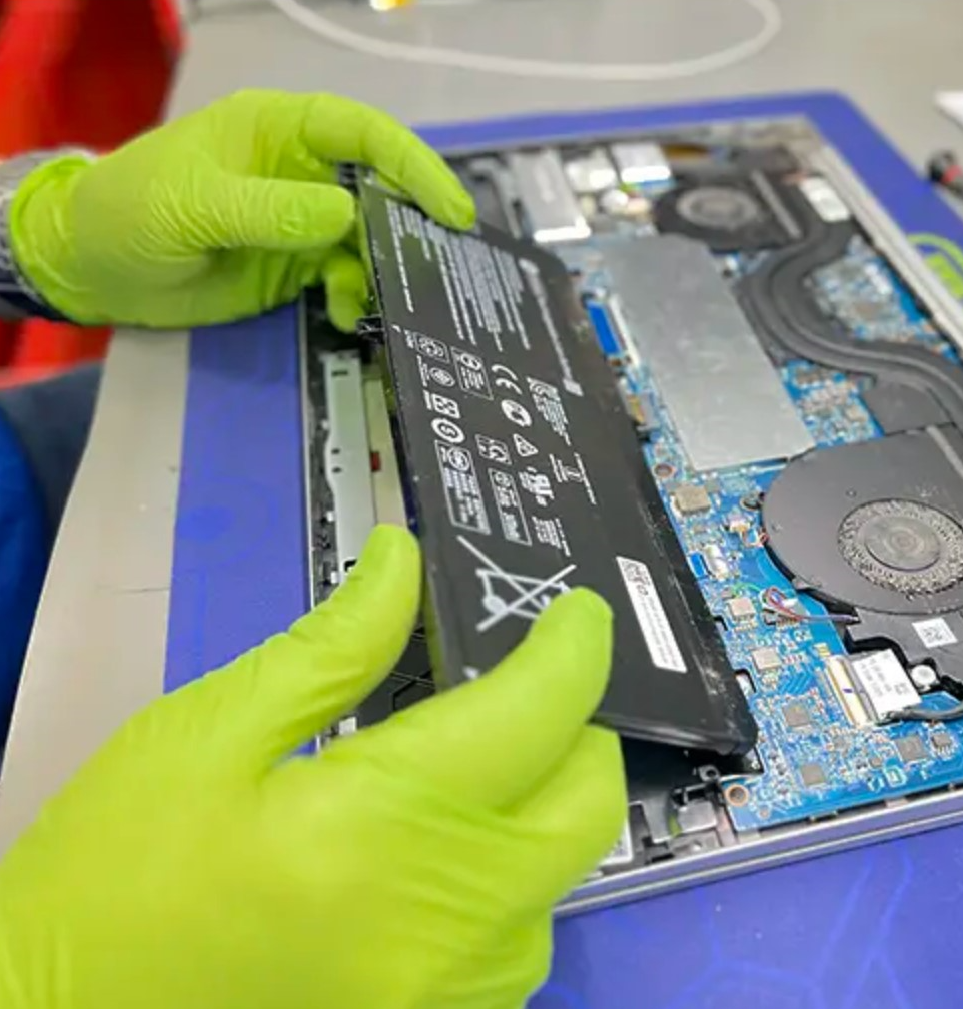
The make and type of your laptop will determine what percentage is deemed healthy for the battery. Generally speaking, you want a battery health of 80% or more, but if it’s less than 60%, it’s time to replace it unless you’re happy with the way it’s functioning. What you need from your laptop and how you use it are ultimately what matters.

To request a battery replacement for your laptop, Contact Moe Repair today @ 778-951-4872