
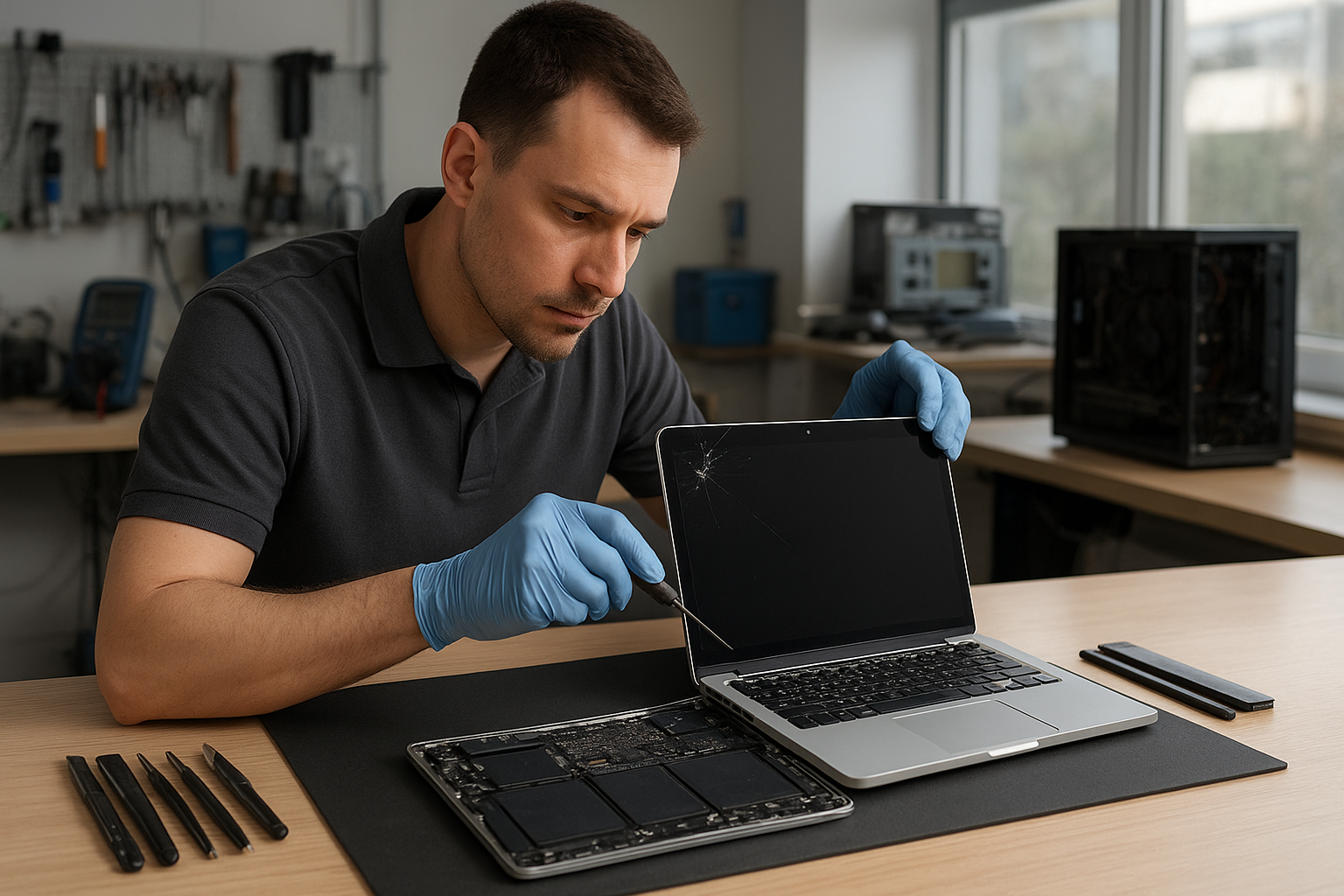
MacBook Screen Repair Coquitlam
If your MacBook screen is cracked, showing lines, or has no image at all, Moe Repair in Coquitlam can help. MacBook Screen Repair Coquitlam is what we do every week: precise diagnostics, clear repair options, and straightforward communication. We serve customers throughout Metro Vancouver, including Burnaby, Port Moody, Port Coquitlam and Vancouver.
Why a professional diagnosis matters
A broken display can be obvious, but underlying damage often hides beneath the glass. As certified technicians, we start by verifying whether the problem is the LCD, the glass, the backlight, the inverter (in older models), or a motherboard issue. Accurate diagnosis prevents wasted parts and unnecessary costs.
Common symptoms of MacBook display problems
- Visible cracks or shattered glass after an impact
- Vertical or horizontal lines across the screen
- Black or blank screen despite power on
- Flickering, dimming or uneven brightness
- Touch issues on MacBook models with Touch Bar or touchscreen problems on third-party conversions
- Discoloration, dead pixels or pressure spots
- Backlight that fails but image is faintly visible under bright light
Common causes we see in Coquitlam
One common issue we regularly see at Moe Repair is accidental drops. Cracked laptop screens are usually the result of impact. However, we also see failures from liquid spills, hinge stress, manufacturing defects, or a failing display cable. Sometimes a system update or a failing graphics chip on the logic board produces artifacts that look like a screen problem but are actually motherboard-related.
Professional diagnostic process
At Moe Repair we follow a step-by-step diagnostic process so customers understand the issue and options. First, we inspect the physical condition and ask about how the damage occurred. Then we power on the machine and test with an external monitor to determine whether video output reaches another display. Next, we open the case to check connectors, display cable condition, and signs of liquid damage or corrosion. Finally, we test components with diagnostic tools and provide a transparent recommendation.
Repair options for your MacBook screen
Depending on the diagnosis, we typically recommend one of these paths:
- Glass replacement only — For models where the glass can be separated from the display assembly, this saved component-level repair can be an option.
- Display assembly replacement — For many MacBook models the glass and LCD are fused; replacing the full assembly is common and reliable.
- Backlight or inverter repair — For older models with backlight issues, replacing the backlight or inverter may fix dim or flickering displays.
- Logic board repair — If the GPU or display circuitry on the motherboard is at fault, board-level repair or replacement may be necessary.
- Data-first approach — If the screen damage coexists with other faults, we prioritize data integrity and offer data recovery before repairs.
Advantages of repairing rather than replacing
Repairing a MacBook screen often costs less than replacing the entire laptop. It keeps your current configuration, installed software and data intact. Repairs also reduce electronic waste. Our technicians recommend repair when the rest of the machine is healthy and the expected lifespan justifies the investment.
When replacement makes more sense
Replacement becomes a better option when the MacBook has multiple critical failures: severe motherboard damage, repeated component failures, or when repair costs approach the price of a newer machine. We explain the trade-offs transparently and help customers compare repair versus replacement paths.
What to expect during a professional repair
When you bring a MacBook to Moe Repair, we first document the issue and back up important data where possible. We then provide a written estimate and explain risks — for example, older MacBooks may have fragile connectors. We only proceed after you approve the plan. After the repair, we test the display, run stress checks, and walk you through the result before handing the machine back.
Preventative maintenance to protect your MacBook display
Prevention is straightforward and effective. Use a hard shell case or sleeve when carrying your MacBook. Avoid placing heavy objects on top of the laptop. Keep liquids far away from open laptops and clean the screen gently with approved cleaners and a microfiber cloth. If hinges feel tight or loose, have them inspected before they strain the display or cables.
Real technician advice from Moe Repair
Don’t try aggressive home repairs such as prying at the display with household tools or heating the screen to separate glued layers. These moves often cause more damage. Instead, bring the machine to a professional who uses the right tools and components. If your MacBook shows lines or flickering but works with an external monitor, bring both the laptop and a description of when the issue started — that helps isolate the problem faster.
How we decide if repair is worthwhile
We balance three factors: the cost of repair, the expected remaining life of the MacBook, and your needs. For a relatively new MacBook with a healthy battery and solid performance, screen repair is usually worth it. For older machines with failing storage or a swollen battery, we may recommend a combination of services like SSD upgrade or battery replacement, or discuss replacement options.
Related services at Moe Repair
We offer services that many customers combine with screen repair: battery replacement, keyboard replacement, hinge repair, charging port repair, motherboard repair, liquid damage repair, SSD and RAM upgrades, data recovery, and macOS repair. Repairing multiple issues at once can be more efficient than repeated visits.
Estimated repair process
Every MacBook model is different. After diagnosis we give a clear estimate and explain which parts we will use. We cannot guarantee exact repair durations because parts availability and additional discoveries during repair can change the scope. However, we keep customers informed from start to finish.
Common customer mistakes and what to avoid
- Trying to use household adhesives or tapes on broken glass.
- Applying heat or attempting to separate fused glass/LCD without tools.
- Continuing to power on a machine with liquid damage — it can worsen corrosion.
- Not backing up important data before repair.
Why choose Moe Repair in Coquitlam
We combine more than 20 years of hands-on experience with clear communication. We repair Apple MacBook devices and service customers all over Metro Vancouver, including Coquitlam, Burnaby, Surrey and Vancouver. Our technicians explain findings, recommend practical options, and prioritize data safety. For appointments, contact us at 778-951-4872 or service@moerepair.ca, or visit https://moerepair.net.
Frequently Asked Questions
See below for common customer questions and concise answers from our technicians.
Conclusion
MacBook Screen Repair Coquitlam is a specialist service at Moe Repair. We focus on accurate diagnosis, practical recommendations and careful repairs so your MacBook serves you reliably. Whether you need a simple glass swap, a full display assembly replacement, or further motherboard diagnostics, we give honest advice and protect your data. Contact Moe Repair to schedule an inspection and get clear next steps.