
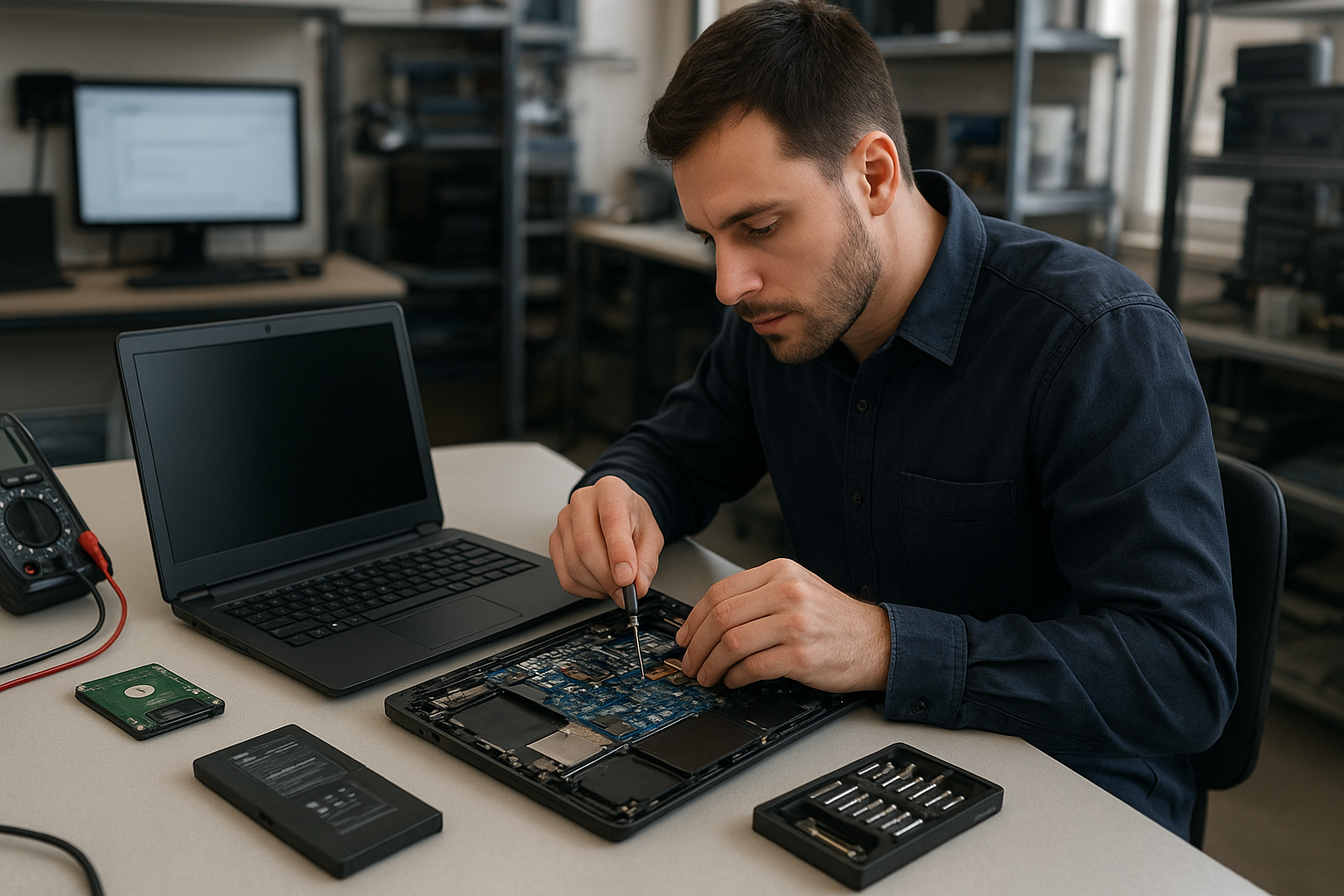
Laptop Repair Coquitlam
At Moe Repair we fix laptops in Coquitlam every day. If your laptop won’t boot, the screen is cracked, the battery dies quickly, or it runs slowly, bring it to a certified technician who will diagnose the problem and explain repair options in plain language. We serve Metro Vancouver and customers from Burnaby to Maple Ridge.
Why laptops fail: problem overview
Laptops are compact systems where heat, movement and everyday use create wear. Failures fall into predictable categories: power and charging issues, display and hinge damage, storage or memory faults, liquid spills, and software corruption. Understanding the likely cause helps you pick the right repair and avoid unnecessary cost.
Common symptoms we see at Moe Repair
- Won’t turn on or shows no power
- Shows a logo but won’t boot into the operating system
- Cracked or flickering display
- Keyboard or trackpad not working
- Battery drains quickly or won’t charge
- Strange noises from the fan or hard drive
- Overheating or sudden shutdowns
- Liquid spilled on the keyboard or ports
- Slow performance after years of use
- Unexpected blue screen or kernel panics
Common causes
Symptoms point to underlying faults. A laptop that fails to power on can have a faulty charger, damaged DC jack, or a failed motherboard. Flickering or black screens are often caused by broken display panels, loose display cables, or GPU issues. Slow performance usually comes from a failing hard drive, insufficient RAM, or malware.
How professionals diagnose problems
At Moe Repair our diagnosis starts with questions and a quick visual inspection. We check power and charging, run hardware self-tests, and inspect connectors for corrosion or physical damage. For software issues we use a controlled boot environment to isolate driver and OS problems. When necessary we remove the drive to image data before testing components.
We document findings and explain whether the issue is mechanical, electrical, or software-based. You get clear options before we start any work.
Typical repair options
- Battery replacement when capacity drops or cells fail.
- Screen replacement for cracked, flickering, or dead displays.
- Keyboard and hinge repair for broken keys or damaged hinges.
- Charging port repair when the DC jack is loose or corroded.
- Motherboard repair for power delivery and component failures.
- SSD and RAM upgrades to improve speed and responsiveness.
- Data recovery from failed drives before replacement or upgrade.
- Virus removal and Windows or macOS repair for software corruption.
- Liquid damage repair including cleaning, corrosion removal, and parts replacement.
Advantages of repairing your laptop
Repairing often costs less than buying new. You keep your files, software, and settings. Replacing a screen, battery, or storage drive can extend the usable life of your laptop for years. Responsible repairs also reduce e-waste and protect any custom configurations you rely on for work or school.
When replacement makes more sense
Sometimes a full replacement is the better choice. We recommend replacement when the motherboard is severely damaged, multiple major components are failing, or the cost of parts and labor approaches the value of a newer machine. Older models with obsolete parts or limited upgrade options are also candidates for replacement.
How Moe Repair decides whether to repair
We weigh the age of the laptop, the cost and availability of parts, and your usage needs. For business laptops or machines with important data we lean toward repair and data recovery. For older consumer laptops where an SSD upgrade and battery replacement won’t bring the performance you need, we may recommend replacement. You always get a clear estimate and the choice.
What to expect during the repair process
After you drop off or book your laptop, we perform a free intake check and provide an estimate. Our technicians then perform a detailed diagnostic and share findings. With your approval we order parts if needed and proceed with repair. We test functionality and run stress checks before returning the machine.
We never start major work without your consent. If data recovery is required we image the drive in a secure environment before repairs.
Preventative maintenance
Prevent problems by keeping vents clear, using cooling pads for heavy use, and avoiding eating or drinking over your laptop. Regularly back up important files and update your operating system and antivirus. For older laptops, a preventive SSD upgrade, a RAM increase, and internal cleaning can avoid many issues.
Real technician advice from Moe Repair
One common issue we regularly see is customers continuing to use laptops with a swollen battery. That is a safety risk. Stop using the device and bring it to a technician for a safe battery replacement. Another frequent mistake is using generic chargers that damage the charging port. Use quality chargers and avoid forcing connectors into ports.
If liquid spills occur, power down immediately, disconnect power, and bring the laptop in. Do not try to dry a laptop with heat—this can spread corrosion. We have recovered many devices after quick action, but delayed cleaning reduces the chance of full recovery.
Brands we service
We work on Dell, HP, Lenovo, ASUS, Acer, MSI, Microsoft Surface, Samsung, LG, and Apple MacBook models. Each brand has quirks; for example, some gaming laptops have soldered components that limit upgrades, while many business-class laptops have modular parts that are easier and more cost-effective to replace.
Repair scenarios from the shop
Scenario 1: A client brought a Lenovo with intermittent shutdowns. Diagnostics showed a failing SSD and thermal paste that needed replacement. After an SSD upgrade and thermal service the system was stable and noticeably faster.
Scenario 2: A MacBook Pro with a cracked screen and water exposure arrived. We secured the data first, replaced the display, and cleaned the logic board. The owner kept their files and avoided costly data loss.
What customers should avoid
- Ignore strange noises or system warnings
- Use cheap, unbranded chargers
- Delay backing up important files
- Attempt complex repairs at home without proper tools
- Use compressed air to blow liquid deeper into the laptop
Frequently recommended services
We frequently recommend SSD upgrades, RAM upgrades, battery replacement, screen replacement, and data recovery. For malware or slow systems we offer virus removal and Windows installation services. Businesses benefit from proactive maintenance plans to reduce downtime.
Service area and local support
Moe Repair serves customers throughout Metro Vancouver, including Coquitlam, Port Moody, Port Coquitlam, Burnaby, Vancouver, New Westminster, Surrey, Richmond, Maple Ridge, and Pitt Meadows. We understand local needs and provide recommendations tailored to daily commuters, students, and businesses.
Conclusion
If you need Laptop Repair Coquitlam, bring your device to Moe Repair for honest diagnostics and professional service. We diagnose problems clearly, explain repair options, and protect your data. Call or email us to book an evaluation and get practical advice from a certified technician.
Contact Moe Repair
Phone: 778-951-4872 | Email: service@moerepair.ca | Website: https://moerepair.net