
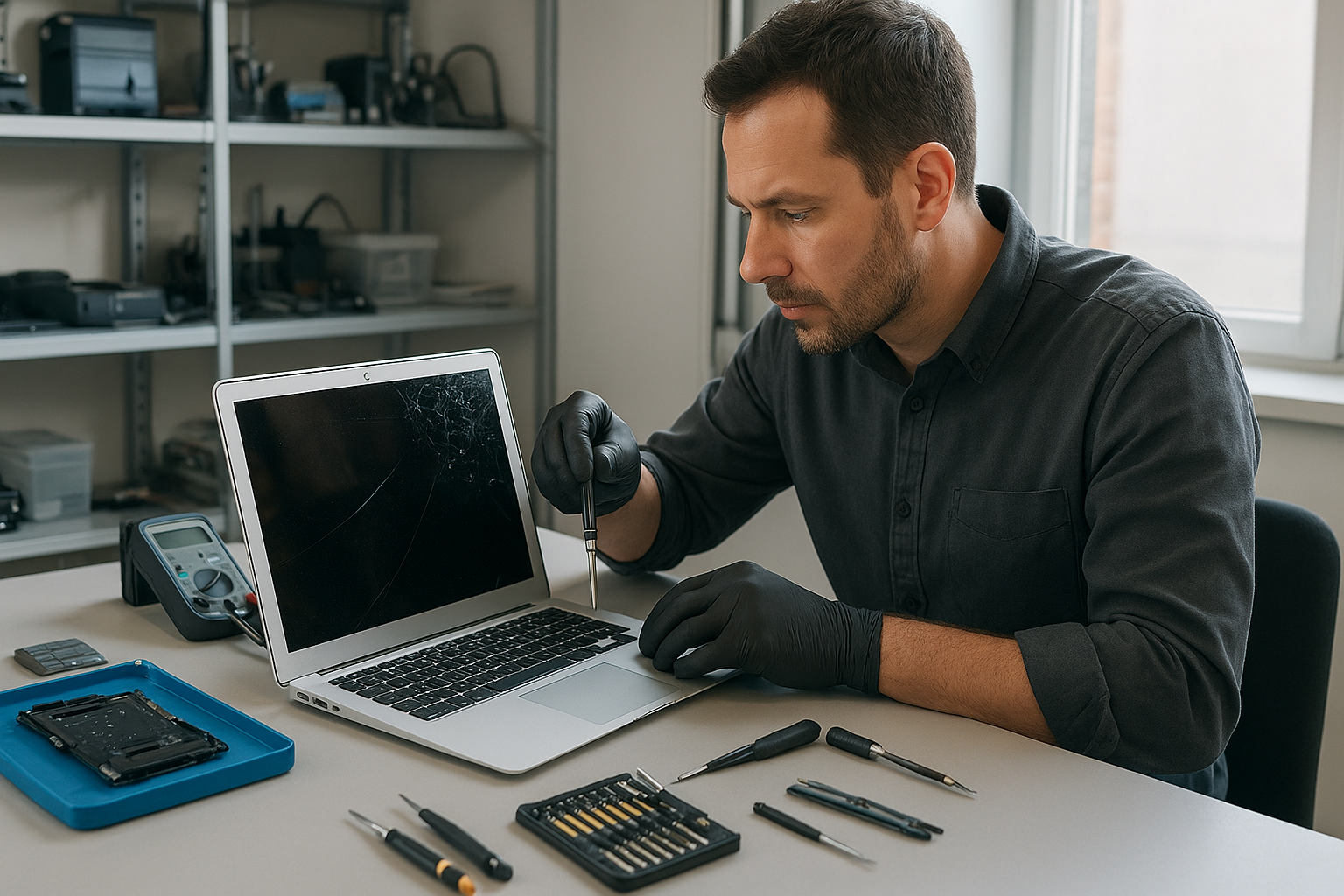
MacBook Screen Repair Coquitlam
If your MacBook screen is cracked, flickering, or showing lines, you need reliable MacBook Screen Repair Coquitlam residents trust. I’m a senior technician at Moe Repair with over 20 years fixing laptop displays, and this guide explains what we check, how we fix it, and what to expect when you bring your MacBook in.
Why screens fail: problem overview
MacBook displays fail for a few predictable reasons. Some are mechanical, like drops or hinge damage. Others are electrical, such as backlight or cable faults. Liquid exposure and manufacturing wear are also common. Understanding the cause makes the repair faster and more reliable.
Common symptoms of a failing MacBook display
- Visible cracks or spiderweb damage to the glass
- Black spots, lines, or coloured artifacts across the screen
- Backlight that glows unevenly or is completely dark while the machine boots
- Flickering, intermittent image loss, or vertical/horizontal bands
- Touch or image distortion on Retina and glass-front models
- Image displays on an external monitor but not the internal screen
Common causes we see at Moe Repair
One common issue we regularly see at Moe Repair is hinge wear that stretches the display cable over time. Another frequent cause is impact damage: a sharp drop concentrates force into the glass and cracks the LCD beneath. Liquid spills lead to corrosion on the display connector or the logic board. Occasionally, a software or GPU issue mimics a display fault, so a careful diagnostic is essential.
How a professional diagnostic works
We begin with a visual inspection and ask about recent incidents. Then we run these checks:
- Connect to an external monitor to separate display panel faults from GPU or logic board problems.
- Inspect the hinge, display cable and connectors for damage or corrosion.
- Perform SMC and NVRAM checks to rule out firmware-related video issues.
- Open the display assembly when needed to test the LCD, backlight, and camera board components.
- Document findings and explain repair options before any work begins.
We record diagnostic notes and photos so you can see the problem and our proposed steps. Transparency is part of building trust.
Repair options: what we can fix
Repair choices depend on the model and the failure mode. Common options include:
- Glass-only replacement for models where the glass separates from the LCD. This is model-dependent and not available for all MacBook generations.
- Full display assembly replacement when the LCD or backlight is damaged, or hinge mounts are broken.
- Display cable or connector repair if the image issue is intermittent or caused by a loose or damaged cable.
- Logic board repair when video traces or GPU components have failed; this is more complex and evaluated case-by-case.
- Liquid damage treatment combined with display repair when corrosion affects connectors.
Advantages of professional repair
Choosing a trained technician reduces risk. We use proper tools, ESD-safe procedures, and tested parts. A professional repair preserves other components and lowers the chance of recurring faults. We also test the full system after repair, including camera, ambient light sensor, and Wi-Fi antenna routing that often runs through the display assembly.
When replacement makes more sense
Sometimes a full display replacement or a logic board repair is the practical choice. If multiple components fail, if corrosion is extensive, or if the required parts are unavailable for a specific vintage MacBook, replacement is considered. We always explain the trade-offs so you can decide based on value and long-term reliability.
Estimated repair process
Every MacBook model is different, so we first perform a diagnostic to identify the exact fault. After that, we provide written options that detail the parts needed and any known risks. We do not start work without your approval. If a part is needed from a supplier, we will confirm availability and keep you updated. Our goal is to complete the repair efficiently while preserving your data and system settings.
Parts and compatibility
Apple uses several display types across MacBook, MacBook Air and MacBook Pro lines. Some older Retina panels share parts between years, while newer models often require model-specific assemblies. We verify part compatibility before ordering and will never install a part that will degrade functionality. When third-party parts are used, we explain the differences and expected outcomes.
Data safety and what to do before repair
Back up your data before bringing your MacBook in. Even though screen repairs rarely affect storage, a backup removes risk. If your MacBook cannot boot reliably, we offer data recovery and SSD upgrade services as part of our broader computer repair solutions. Power down the machine if it shows signs of electrical damage or burning smells and bring it in as soon as possible.
Preventative maintenance to protect your screen
- Use a padded sleeve or hard case for transport to protect from drops.
- Keep food and liquids away from the keyboard and use a keyboard cover if you work around drinks.
- Avoid closing the lid with objects on the keyboard like earphones or pens.
- Inspect and tighten hinges early if you notice looseness; small hinge play can lead to cable strain over time.
- Clean the screen with a soft microfiber cloth and manufacturer-approved cleaner to avoid abrasion.
Real technician advice from Moe Repair
When customers come in with a cracked screen, I always check the rest of the chassis for hidden damage. Often a drop that cracks the glass also misaligns hinge mounts. If you ignore a small crack you risk dust and moisture getting inside the display assembly, which complicates later repair. Another common mistake is attempting DIY repairs without the right tools; adhesive removal and fragile ribbon cables can cause more damage if handled incorrectly.
How we decide if repair is worthwhile
We weigh several factors: the extent of visible damage, internal component condition, availability of compatible parts, and your plans for the machine. For older MacBooks, the cost and parts scarcity might push the decision toward replacement. For newer models, a display assembly swap often restores full functionality. We explain these choices clearly so you can decide with confidence.
Local service and coverage
Moe Repair serves customers throughout Metro Vancouver, including Coquitlam, Port Coquitlam, Port Moody, Burnaby, New Westminster, Vancouver, Surrey, Richmond, Maple Ridge and Pitt Meadows. If you are local, we can often troubleshoot over the phone and recommend the best next steps before you visit.
Frequently asked questions
Please see the FAQ section below for quick answers to common questions. If your question is specific to your model or damage, call us at 778-951-4872 or email service@moerepair.ca for tailored advice.
Conclusion
If you need reliable MacBook Screen Repair Coquitlam can trust, bring your device to Moe Repair. We provide honest diagnostics, explain your options, and perform repairs with care. Contact us and we will walk you through the process so you can make an informed decision.
Business: Moe Repair | Website: https://moerepair.net | Phone: 778-951-4872 | Email: service@moerepair.ca