
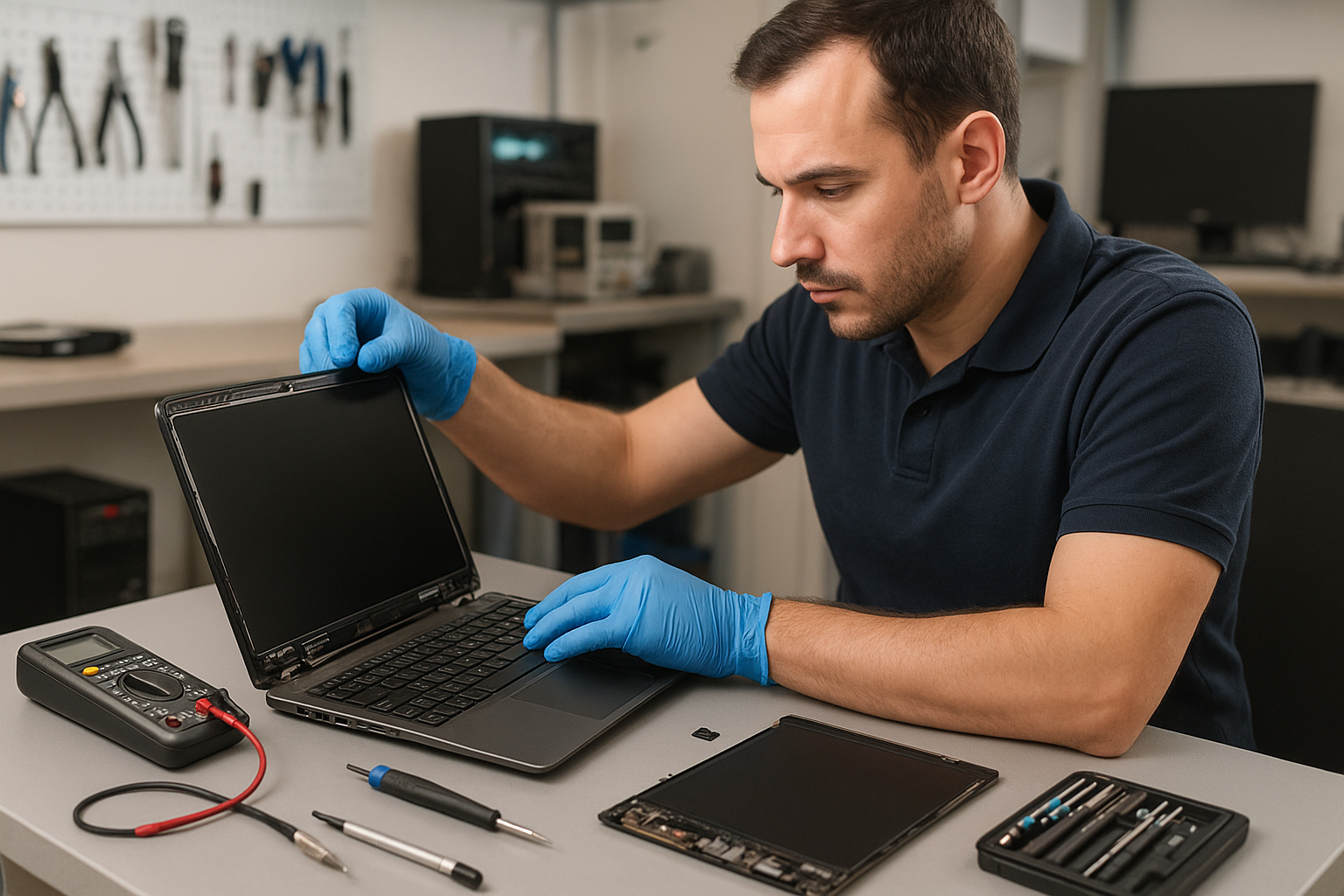
Laptop screen replacement Coquitlam: trusted repairs by an experienced technician
If your display is cracked, flickering, or stays black, a timely Laptop screen replacement Coquitlam service can save your laptop and data. I’m a senior repair technician at Moe Repair with over 15 years fixing screens on Dell XPS, HP Envy, Lenovo ThinkPad, ASUS ROG, Acer Swift, Microsoft Surface, and MacBook Pro and Air models. I explain realistic symptoms, diagnostics, and repair options so you know what to expect.
Laptop screen replacement Coquitlam: common symptoms
Typical signs that you need a screen replacement include visible cracks, vertical or horizontal lines, black spots, backlight failure, and touch response problems on touchscreen models. You may also see a blank screen while the laptop powers on or BIOS/UEFI messages appear but there is no image. These symptoms often point to either a damaged LCD/LED panel, a broken display cable, or a failed inverter/backlight circuit.
How we diagnose screen problems
At Moe Repair we follow a stepwise diagnostic process. First, we connect the laptop to an external monitor to determine if the GPU and motherboard are working. Next, we inspect the hinge and display cable for physical damage and test the panel with a known-good connector. We use multimeters, replacement cables, and donor panels to isolate whether the fault is the screen, the connector, or the board. This approach reduces unnecessary part replacements.
Real repair procedures we use
A proper screen replacement includes careful disassembly, ESD-safe handling, replacement of the panel or digitizer, and verification of the inverter, backlight, and display cable routing through the hinge. For touchscreen models we calibrate the new digitizer. For MacBook Air and Pro devices we source OEM-grade panels when available and perform post-repair testing for color accuracy and viewing angles.
Real-world repair example from Coquitlam
A customer in Port Moody brought a 2018 Dell Inspiron with a cracked corner and intermittent vertical lines. I performed the external monitor test which showed the motherboard was fine. On teardown I found a torn LVDS cable and a fractured corner of the LCD. I sourced an exact-match LCD, replaced the cable, reassembled the bezel, and tested under load. The display returned to full function with no lines and the hinge alignment checked out. The repair restored usability but I explained to the customer that heavy corner impacts can stress the new panel over time.
Parts, brands, and realistic timelines
We keep common panels for MacBook, Dell, HP, Lenovo, ASUS, and Acer in stock and can order specialty parts quickly. Typical turnaround for in-stock panels is same-day to 48 hours. If we must source a harder-to-find OEM panel for MacBook Pro Retina or a Surface screen, it can take up to 3-5 business days. We never rush diagnostics; instead we provide clear options: OEM-grade part, high-quality aftermarket part, or temporary display cable repair where appropriate.
Pricing and what to expect
Costs vary by model and whether touchscreen/digitizer replacement is required. Our price quote always includes labor, quality parts, and testing. We also offer related services such as battery replacement, SSD upgrades, and operating system repair if you need faster performance after the screen repair. For MacBook repairs see our MacBook repair in Coquitlam page and for broader laptop issues visit our laptop repair in Coquitlam service page.
Preventing future screen damage
Simple steps reduce risk: use a padded sleeve, avoid placing heavy items on the laptop, and close the lid gently. If your laptop had liquid exposure we recommend a full inspection, as corrosion can cause intermittent display faults. For liquid-damaged units we often combine screen work with data recovery in Coquitlam when customers worry about lost files.
Why choose Moe Repair in Coquitlam
We are local, experienced, and transparent. I perform thorough diagnostics and explain repair choices before starting. We also service desktops and gaming rigs and offer motherboard repair, virus removal, and thermal paste replacement where relevant. Read about our general computer repair in Coquitlam services to see how a screen replacement can fit into a larger repair plan.
Warranty, testing, and quality assurance
All screen replacements include a functional test and a limited parts and labor warranty. We test color, brightness, and touch response and run burn-in where applicable. If you have sensitive data, ask about our secure handling and optional data recovery in Coquitlam services before any major repair.
Contact Moe Repair Today
If you need Laptop screen replacement Coquitlam service, call or email Moe Repair for a free consultation. We offer local pickup and drop-off in Coquitlam and nearby areas including Port Moody, Burnaby, Port Coquitlam, and New Westminster. Call 778-951-4872 or email service@moerepair.ca to schedule diagnostics. We will explain the issue, outline repair options and timelines, and provide a clear cost estimate before any work begins. Free consultation and honest advice every time.
Additional services and follow-up
After a screen replacement many customers ask about system tune-ups, SSD upgrades, or battery replacement to extend laptop life. We can combine these services with your screen repair to minimize downtime. For complex cases like motherboard repairs or blue screen errors we provide a step-by-step plan and keep you informed throughout the repair process.
Frequently asked questions
See the FAQ below for specific questions about screen parts, warranties, and timelines. If you need immediate help, contact Moe Repair at 778-951-4872 or service@moerepair.ca.