
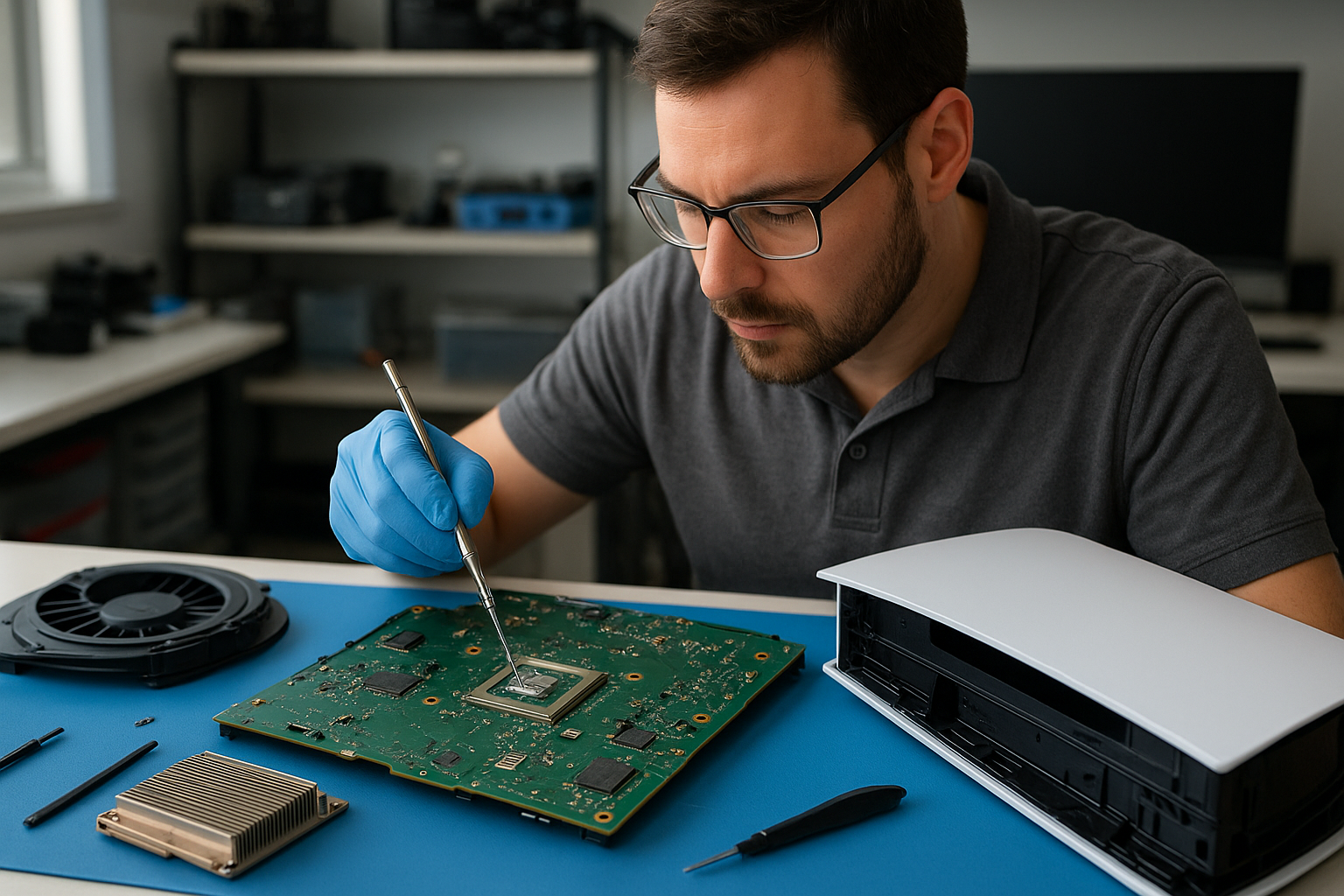
PS5 cleaning service Coquitlam
Professional Console Repair and Maintenance
At Moe Repair in Coquitlam, we specialize in professional PS5 cleaning service Coquitlam residents trust for reliable thermal maintenance, fan cleaning, and liquid metal work. With more than 15 years of experience repairing gaming consoles and computers, our certified technicians understand the unique thermal layout of the PS5, PS5 Slim and PS5 Pro, and we also service other systems like the Xbox Series X and Xbox Series S. If your console is showing loud fan noise, overheating, random shutdowns or performance issues, our shop in Coquitlam is an easy local solution for Burnaby, Port Moody, Port Coquitlam, New Westminster and Maple Ridge gamers.
PS5 Liquid Metal Replacement
Liquid metal replacement is one of the highest-impact thermal upgrades and repairs we perform. Over time, factory thermal paste can dry out and, in some rare PS5 units, poor contact between the die and heatsink can accelerate thermal throttling. Our technicians perform a full disassembly to inspect the cooling assembly, remove old TIM (thermal interface material), and replace it with high-quality, application-appropriate liquid metal where recommended.
This procedure requires careful handling, precise application, and electrical isolation because liquid metal conducts electricity. At Moe Repair we follow industry best practices: we test for compatibility with the PS5 model on hand (PS5, PS5 Slim, PS5 Pro), pre-clean contact surfaces, apply protective isolation where needed, and reassemble with pressure and alignment checks. The result is improved heat transfer, reduced peak temperatures, quieter fan behavior and more stable performance during long gaming sessions.
Console Cleaning and Dust Removal
Dust buildup is the most common cause of overheating and loud fan noise in consoles. Our PS5 cleaning service Coquitlam includes a deep-clean process: external dust removal, controlled opening of the case, compressed air blowouts, brush-assisted dust extraction from fan blades and heatsinks, and detailed cleaning of air intake and exhaust channels. We carefully clean the optical drive area and network vents as well.
For consoles with heavy dust accumulation we perform targeted dust removal from the main heatsink fins and the fan module, and we remove debris trapped behind the intake filters. This service dramatically reduces fan speed requirements and reduces acoustic noise during gameplay. We also offer preventative cleaning packages for consoles brought in from Burnaby, Port Moody, Port Coquitlam, New Westminster and Maple Ridge to keep systems running smoothly.
Console Overheating Repair
Overheating and random shutdowns are symptoms of poor thermal management. Our diagnostics start with thermal profiling during idle and load conditions using infrared and software-based monitoring tools. We inspect the fan for bearing wear, check the heatsink and thermal pads, and verify airflow pathways. If the fan motor or bearings are failing, we offer fan replacement and balanced fan reinstallation. If thermal paste is compromised, we recommend a paste refresh or liquid metal replacement.
Many overheating repairs are resolved with cleaning and proper thermal re-application, but when there are underlying hardware faults—such as a loose heatsink, damaged copper heatpipe, or a failing fan assembly—we provide honest repair options and transparent pricing. Our goal is to restore safe thermal management so your PS5 or PS5 Pro will run reliably during marathon sessions.
Signs Your Console Needs Service
- Loud or fluctuating fan noise that doesn’t settle during gameplay.
- Frequent overheating warnings, elevated internal temperatures, or hot chassis surfaces.
- Random shutdowns or crashes under load.
- Persistent performance issues or frame drops even when system firmware is up to date.
- Long power-up times or the system failing to stay on for extended play.
If you notice any of these signs on your PS5, PS5 Slim, PS5 Pro, or even an Xbox Series X/S, bring your console in for a full diagnostic. Many issues are caused by simple dust buildup and a worn thermal interface, which our PS5 cleaning service Coquitlam addresses efficiently.
Why Thermal Management Matters
Gaming consoles are compact, high-performance systems that generate a lot of heat in a small volume. Proper thermal management ensures consistent GPU/CPU clocks, stable frame rates, and longer component life. Poor cooling leads to thermal throttling, loud fans, and in worst-case scenarios, hardware failure. Our approach focuses on:
- Accurate diagnosis using thermal sensors and visual inspection.
- Targeted cleaning to remove dust and obstructions to airflow.
- High-quality thermal interface replacement, including liquid metal where appropriate.
- Hardware repairs such as fan replacements and heatsink re-seating.
- Post-repair thermal validation and stress testing to ensure issues are resolved.
This strategy benefits PS5 owners throughout Coquitlam and neighbouring cities like Burnaby, Port Moody, Port Coquitlam, New Westminster and Maple Ridge, where dust and household pet hair can accelerate accumulation inside vents.
Gaming Consoles We Service
While our specialty is PlayStation, we regularly service a wide range of consoles. Common models we work on include:
- PS5, PS5 Slim, PS5 Pro — cleaning, liquid metal replacement, fan repair, and overheating diagnostics.
- Xbox Series X, Xbox Series S — cleaning, fan swaps, and thermal checks.
- Older consoles on a case-by-case basis — ask about compatibility and parts availability.
We also offer related services like firmware checks, storage expansion guidance, and general maintenance that improve long-term performance and reduce the frequency of overheating events.
Why Choose Moe Repair
Moe Repair is locally owned and operated in Coquitlam. Our technicians have more than 15 years of hands-on repair experience across consoles and computers, and we pride ourselves on transparent diagnostics, fair pricing, and efficient turnaround. Customers from Burnaby, Port Moody, Port Coquitlam, New Westminster and Maple Ridge choose us because we:
- Use OEM-equivalent parts and high-quality thermal materials.
- Perform careful, methodical liquid metal applications when appropriate.
- Provide detailed diagnostics and post-repair reporting.
- Offer related services like computer repair in Coquitlam, laptop repair in Coquitlam, and MacBook repair in Coquitlam to keep your entire setup running smoothly.
- Are conveniently located for local drop-off and fast service.
Frequently Asked Questions
How often should I get my PS5 cleaned?
We recommend a deep clean and inspection every 12–18 months for typical home use. Homes with pets, heavy smoke exposure, or lots of dust may benefit from cleaning every 6–12 months.
Is liquid metal replacement safe for my PS5?
Yes, when applied by a trained technician. Liquid metal improves thermal transfer but must be isolated from electrical contacts. We only use liquid metal on consoles where the benefits outweigh the risks and always test post-installation.
Will cleaning my PS5 void the warranty?
Opening a console yourself can affect manufacturer warranties. We perform cleaning and repairs with clear consent, and we document all work. If your device is under warranty, we can advise whether to pursue manufacturer support first.
How long does a PS5 cleaning and liquid metal service take?
Simple cleaning can be same-day in many cases. Full liquid metal replacement and thermal validation typically take 1–3 business days, depending on parts and workload.
Do you offer fan replacements for loud fans?
Yes. If the fan bearings are worn or the motor is failing, we replace the fan with a quality OEM-equivalent part and balance the assembly to reduce noise and vibration.
Real Repair Example
Case: A Coquitlam customer brought a PS5 that had begun shutting down after 15–20 minutes of play and producing a loud, high-pitched fan noise. Diagnostics: We ran a thermal scan and discovered GPU temperatures climbing above safe thresholds while fan RPM spiked erratically. Visual inspection revealed heavy dust accumulation in the intake vents and a caked layer of debris on the heatsink fins. The factory thermal paste was dry and uneven.
Repair process: We performed a controlled disassembly, removed the dust with micro brushes and a filtered vacuum, and cleaned the fan blades and motor housing. After removing the heatsink, we inspected the die and applied a high-quality liquid metal replacement to the GPU contact surface, taking precautions to mask surrounding circuitry. We reassembled the unit, replaced a slightly worn fan bearing, and ran a stress test while monitoring temperatures and fan curves.
Outcome: Post-repair temperatures dropped by an average of 12–18°C under load, fan noise was reduced to a smooth, low acoustic profile, and the random shutdowns stopped. The console maintained steady performance through extended gaming sessions. The customer reported a significant improvement in both noise and stability, and we recommended a six-month check-up plan given the household’s pet presence.
Contact Moe Repair Today
Moe Repair
778-951-4872
service@moerepair.ca
If your PS5 needs cleaning, thermal rework or liquid metal replacement, contact Moe Repair to schedule a diagnostic or drop-off. We’re proud to serve Coquitlam and the surrounding communities of Burnaby, Port Moody, Port Coquitlam, New Westminster and Maple Ridge.
For related needs, see our other services: computer repair in Coquitlam, laptop repair in Coquitlam, and MacBook repair in Coquitlam. Fast, local, and professional — Moe Repair is here to keep your console cool and reliable.