
Laptop screen replacement Coquitlam — Fast, local screen repair
If your laptop shows a black bar, flicker, or a spiderweb crack, Laptop screen replacement Coquitlam is a common, cost-effective fix. I am a senior technician with 15+ years repairing displays across Coquitlam, Port Moody and Burnaby. I will explain symptoms, realistic diagnostics, and the repair steps so you can decide quickly and confidently.
Laptop screen replacement Coquitlam: common causes
Typical causes I see at Moe Repair include physical impact (cracked glass), pressure damage to the LCD, backlight failure, loose display cable, and water damage to the digitizer. Models range from Dell XPS and Inspiron to MacBook Air and MacBook Pro, HP Pavilion, Lenovo ThinkPad, and gaming lines like ASUS ROG and Acer Predator.
How we diagnose a damaged display
Diagnosis starts with a visual inspection of the bezel and hinges. I run these practical tests: connect an external monitor to isolate GPU or motherboard faults, boot to BIOS to check for flicker before drivers load, and gently flex the lid to reproduce intermittent lines. Then I check the eDP/LVDS cable continuity and pins at the hinge, and test the inverter on older CCFL panels. These steps separate computer repair in Coquitlam issues from a panel-only failure.
Real repair procedures I follow
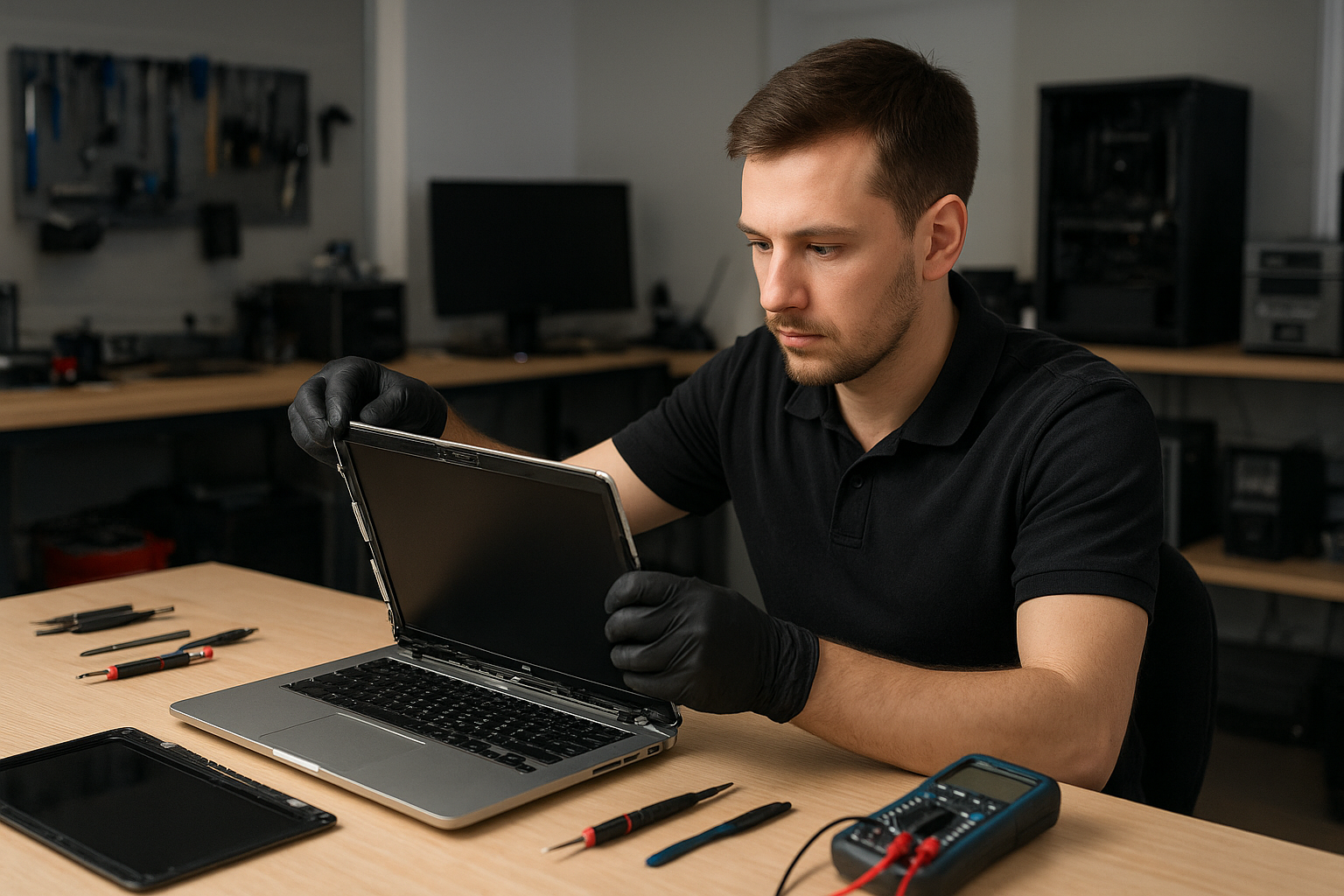
Once I confirm the panel is at fault I identify the exact part by model number. I source OEM or high-quality aftermarket screens, verify backlight and digitizer compatibility, and test a replacement panel before final assembly. Typical repair steps include removing the bezel, disconnecting the panel, swapping the display, securing the connector, and reinstalling the bezel. For touchscreen laptops I also calibrate the digitizer and update display drivers. If hinges or the bezel are damaged, I replace those parts to prevent future stress.
Signs you need a screen replacement now
- Visible crack or shattered glass across the display
- Lines, flicker, or washed-out color that persist on an external monitor test
- Large areas of black or white, or dead pixels forming blocks
- Unresponsive touchscreen or intermittent display after opening/closing the lid
What to expect for cost and time
Costs vary by model. Replacing a MacBook Pro retina panel is typically higher than a mainstream Dell or HP model. I always quote parts and labor before starting. Most local replacements in Coquitlam take 2 to 3 business days depending on part availability. If you need faster service, ask about express sourcing and same-day options when parts are in stock. For related system issues, we can combine services like laptop repair in Coquitlam or SSD upgrades during the same visit.
Real-world repair example from Coquitlam
A recent customer from Burnaby brought in a Lenovo IdeaPad with a smashed top-right corner and vertical green lines across the screen. I first connected an external monitor — the output was clean, so the GPU and motherboard were OK. I opened the bezel, inspected the eDP cable and hinge for pin damage, and confirmed the LCD assembly had multiple cracks. I ordered a matching replacement panel, received it the next day, and performed the swap. After reassembly I calibrated the display and checked the hinge tension. The laptop returned to full function with normal colors and no flicker. I explained repair options, showed photos of the damaged parts, and provided a written invoice.
When a screen replacement is not the full solution
Sometimes visible damage accompanies other failures. Liquid-damaged laptops often need cleaning, keyboard replacement, or motherboard repair. We recommend backing up data first and can help with data recovery in Coquitlam or a fresh Windows installation if the drive shows issues. When a cracked screen is combined with battery swelling or fan noise, we discuss options like battery replacement or thermal paste replacement while we have the chassis open.
Quality parts and warranty
I use OEM or equivalent-grade panels and test each unit thoroughly before reassembly. Repairs include a limited warranty on parts and labor. For MacBook models, where glass and display are fused, I explain separate costs for the glass/digitizer and the underlying LCD so you can choose.
Preventing future screen damage
Use a padded sleeve, avoid setting heavy items on top of your laptop, and check hinge movement periodically. If you have children or pets, consider a protective keyboard cover to stop impact from below. For mobile workers in Coquitlam, Port Coquitlam, and New Westminster I recommend a hard-case bag when commuting on transit.
Contact Moe Repair Today
Moe Repair offers a free consultation and honest service estimates. Call 778-951-4872 or email service@moerepair.ca to describe symptoms and get a pickup or drop-off appointment. We serve Coquitlam and nearby areas including Port Moody, Port Coquitlam, Burnaby, and New Westminster. Ask about combining services like battery replacement, keyboard replacement, or a computer tune-up to save time and cost.
Why choose Moe Repair for Laptop screen replacement Coquitlam
We combine technician experience, clear diagnostics, and transparent pricing. I document failures with photos, explain repair choices, and only replace parts that are necessary. For complicated motherboard level issues or gaming laptop repairs we coordinate motherboard repair or GPU diagnostics as needed. If you prefer an in-person consultation, visit our shop or start with a phone assessment.
Moe Repair
Phone: 778-951-4872
Email: service@moerepair.ca
For any screen issue — cracked glass, dead pixels, backlight failure, or touchscreen problems — contact us. We also handle MacBook repair in Coquitlam and general computer repair in Coquitlam. If you want to schedule a repair or ask about parts, please contact Moe Repair today.
Frequently Asked Questions
The FAQ below answers common customer concerns about screen replacement, warranties, and timing.