
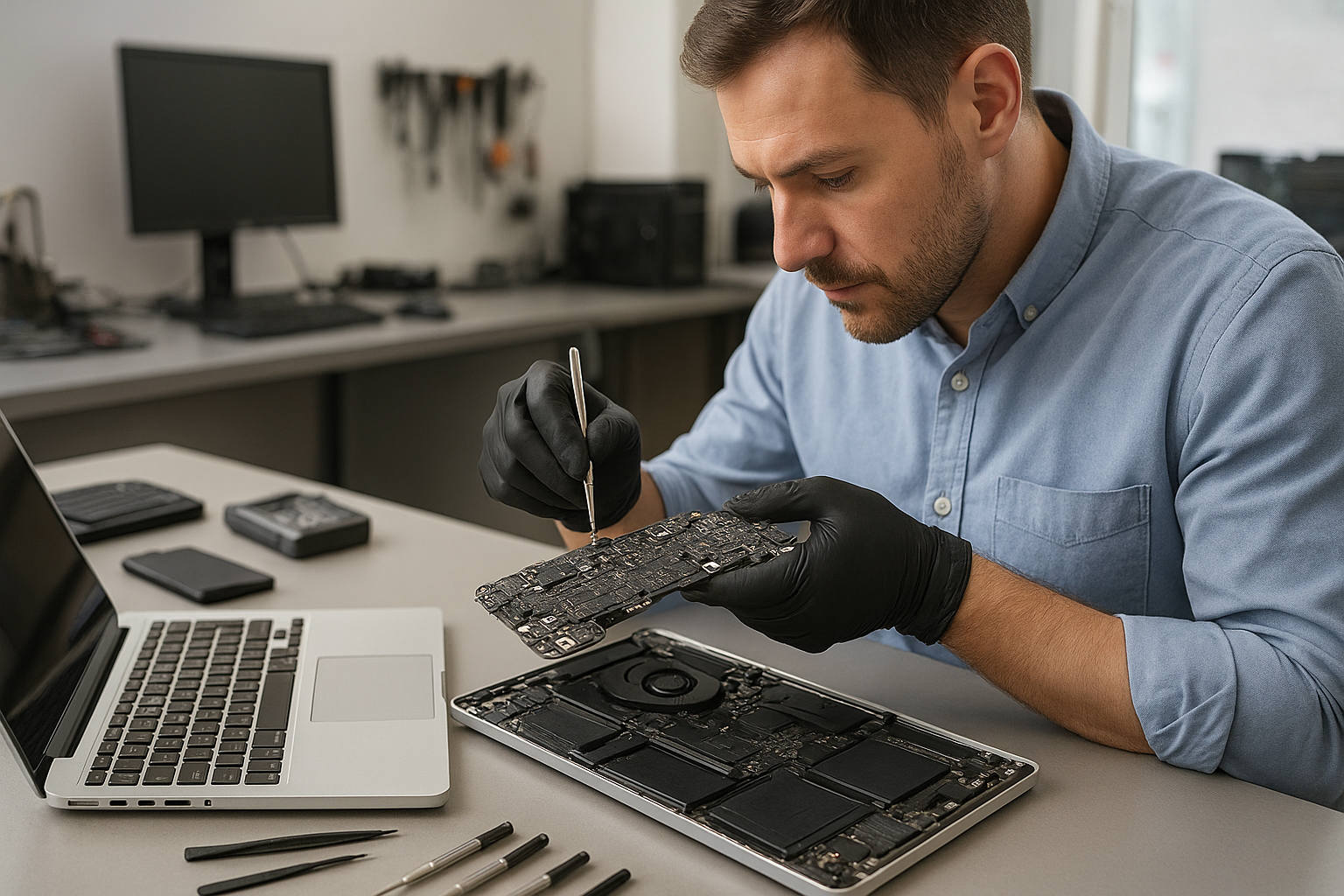
MacBook Pro logic board repair Coquitlam: what to expect
If your MacBook Pro is failing to power on, showing vertical lines, or refusing to charge, MacBook Pro logic board repair Coquitlam at Moe Repair focuses on component-level fixes. I have 15 years of hands-on experience repairing MacBook Pro models and other laptops. We perform careful diagnostics, discuss repair options, and complete board-level work when appropriate. We also offer related services such as MacBook repair in Coquitlam, laptop repair in Coquitlam, and data recovery in Coquitlam.
MacBook Pro logic board repair Coquitlam: common symptoms
Common symptoms that indicate logic board problems include no power, intermittent shutdowns, blown backlight, distorted video, trackpad failure, and no charging. You might see a blank screen with fans running, or the MacBook may boot to a folder with a question mark. Battery replacement, screen replacement, and SSD upgrades sometimes mask a deeper motherboard repair need. If you experience these signs, bring the machine in for a full bench test rather than attempting repeated power cycles.
Initial diagnostic checklist
Our diagnostics start with basic checks: verify power adapter and cable, test the battery, and perform an SMC and NVRAM reset when appropriate. We inspect for liquid damage and corrosion, test charging circuits, and check power rails with a multimeter. If the Mac has video artifacts we probe GPU rails and related capacitors. Diagnostics include:
- Testing USB-C or MagSafe power delivery and DC-in board
- Measuring 3.3V, 5V, 12V and other logic rails
- Visual inspection of capacitors, coils, and connectors
- Thermal and load testing with known-good parts
- Checking SSD and performing data integrity assessment
Board-level repair procedures we use
When diagnostics point to board-level faults we follow a clear repair plan. Typical procedures include micro-soldering, replacing blown MOSFETs, swapping power regulation ICs, and repairing corroded traces after liquid damage. We replace damaged connectors and, when necessary, perform controlled BGA rework for GPU or CPU-level faults. We do not replace logic boards as the first option: motherboard repair often resolves charging and power rail issues more affordably.
Realistic repair example from our shop
A recent customer from Burnaby brought a 2017 MacBook Pro that would not charge and had an amber LED on the charger. After testing the charger and USB-C cable, I opened the MacBook and found corrosion around the USB-C power section and a short on the VBUS rail. I cleaned the board, removed a failed MOSFET, replaced two capacitors, and reflowed a damaged USB-C controller. After bench testing the power rails and running a stress test, the MacBook began charging normally and maintained stable voltage under load. I advised the customer about battery replacement and a thermal paste replacement to extend component life.
How long repairs take and typical costs
Turnaround depends on parts availability and complexity. Simple board repairs can take 1 to 3 business days. More complex BGA rework or sourcing a rare IC can extend repairs to a week. We provide an upfront estimate after diagnostics. We also offer related services such as computer repair in Coquitlam, screen replacement, battery replacement, and SSD upgrades if you want performance improvements while the Mac is in for service.
Preventive advice and what customers can do
To reduce logic board risk, keep liquids away from your MacBook, avoid harsh impacts, and ensure vents are clear to prevent overheating. Regular computer tune-up and thermal paste replacement can help prevent thermal stress. If your MacBook suffers a spill, turn it off immediately, disconnect power, and bring it in for liquid damage repair—do not attempt to dry it with heat. We also handle data recovery when SSDs show errors and can advise on Windows installation or virus removal if you’re using Boot Camp.
Why choose Moe Repair for logic board work
At Moe Repair we combine diagnostic rigor with board-level skills. We document the fault, provide options, and never replace a board without explaining alternatives. Our technicians are experienced with MacBook Pro models and related components like the T2 chip, SSD modules, and thermal systems. We also offer keyboard replacement, trackpad repair, laptop fan replacement, and Wi-Fi troubleshooting. Learn more about our broader services on our MacBook repair page or contact Moe Repair for details.
Contact Moe Repair Today
Moe Repair offers a free consultation and clear pricing for MacBook Pro logic board repair Coquitlam. Call 778-951-4872 or email service@moerepair.ca to book diagnostics. We service Coquitlam and nearby areas including Burnaby, Port Moody, Port Coquitlam and Vancouver. If you need data recovery, motherboard repair, or help with a battery replacement, we will outline repair steps and expected timelines before we start work.
FAQ
Below are common questions from customers about logic board issues and repairs. If your question is not listed, please contact Moe Repair.
Q: How do you test if the logic board is bad?
A: We perform power-rail measurements, inspect for visible damage or corrosion, test charging circuits and try known-good power adapters. If needed, we isolate subsystems and bench-test components to narrow the fault.
Q: Can a logic board that got wet be fixed?
A: Many liquid damage cases are repairable if addressed quickly. We clean corrosion, replace damaged components, and test all power rails. Some severe corrosion or multiple fried chips might require more extensive work.
Q: Will I lose my data during logic board repair?
A: Data on the internal SSD can usually be preserved. We prioritize data health during repairs and can provide data recovery options if the drive shows errors.
Q: Do you replace the entire logic board or repair components?
A: We prefer component-level repair when feasible. Replacing the entire logic board is considered when parts are beyond economical repair or parts are unavailable.
For prompt diagnostic service, call Moe Repair at 778-951-4872 or email service@moerepair.ca. We handle motherboard repair, liquid damage repair, keyboard replacement, and other services to get your MacBook Pro working reliably again.