
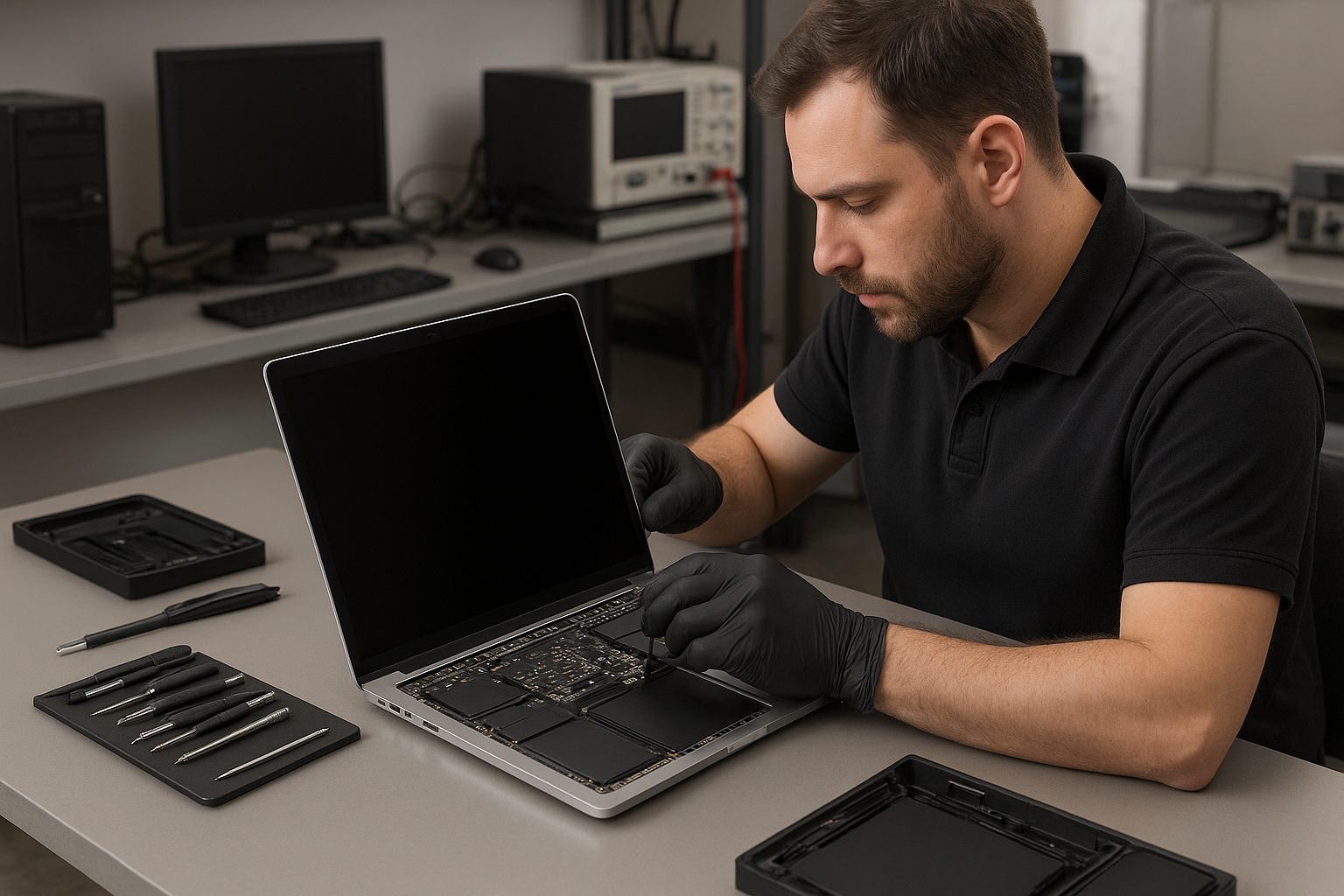
MacBook Pro display replacement Coquitlam
If your MacBook Pro has a cracked glass, flickering panel, or no backlight, a MacBook Pro display replacement Coquitlam specialist can diagnose and repair the issue quickly. At Moe Repair I combine 15 years of hands-on repair experience with parts testing and careful reassembly to get your laptop back to useful condition.
Why choose a local Coquitlam display specialist?
Working with a technician in Coquitlam means faster drop-off times and local warranty support. We see the same failures repeatedly: cracked glass from drops, hinge-damaged LVDS or eDP cables, and liquid-corroded connectors. If you need broader help we also provide computer repair in Coquitlam including logic board work and data recovery services when a screen issue is accompanied by other failures.
Common symptoms that point to display replacement
Symptoms that usually require a MacBook Pro display replacement Coquitlam include visible cracks, vertical or horizontal lines, persistent flicker, no image while the laptop powers on, or uneven backlight. Other signs include a loose hinge, distorted colors, or the camera/ambient light sensor failing after a drop.
How we diagnose MacBook Pro screen problems
Diagnosis starts with a visual inspection for glass damage and liquid residue. Next I run these checks:
- Connect to an external monitor to determine if the GPU/logic board is working.
- Reset SMC and PRAM to exclude firmware brightness issues.
- Inspect the display cable and hinge for pinching or corrosion.
- Check for signs of liquid under the bezel and test backlight with a torch for faint image.
- Run Apple Diagnostics or use my bench PSU to stress the logic board if needed.
These steps help separate display assembly failures from motherboard or GPU issues so you only pay for necessary repairs. For other laptop problems visit our laptop repair in Coquitlam page for full service options.
Typical repair procedure
When a replacement is required I follow a documented process:
- Back up user data or recommend data recovery in Coquitlam if storage shows errors.
- Power down and remove the bottom case, battery connector, and bracketry to avoid shorts.
- Detach the display connectors at the hinge and remove the display assembly using proper Torx and Pentalobe tools.
- Install a tested replacement display assembly, seat the cable cleanly, and torque hinge hardware to spec.
- Reassemble, calibrate the display, test camera, microphone, Wi-Fi, and run a burn-in for 30 minutes.
We stock compatible display assemblies for many MacBook Pro models, and we can also perform related services such as keyboard replacement, trackpad repair, battery replacement, or SSD upgrades during the same visit when practical.
Parts, pricing, and timing
Cost depends on model year and whether the repair requires a full display assembly or just an LCD panel. Retina and newer MacBook Pro models usually need the entire display assembly replaced. Typical turnaround is 1 to 3 business days depending on parts. If logic board work, data recovery, or liquid damage repair is required, I will explain options and costs before proceeding. For other notebook needs see our MacBook repair in Coquitlam page.
Real repair example from Port Moody
A customer from Port Moody brought a 2018 MacBook Pro 13″ with a cracked corner and intermittent black bands across the screen after a drop. I first connected an external monitor; the external output was fine so the GPU and OS were working. I inspected the hinge and found the eDP cable was pinched where the hinge housing was bent. After sourcing a replacement display assembly I removed the damaged assembly, replaced it, and re-bent the hinge bracket to factory alignment. After reassembly I ran a brightness and color calibration and left the machine under load for 45 minutes. The black bands did not return. The customer picked it up the next day and reported no further issues. This case required display replacement and minor hinge repair, but did not need motherboard work or data recovery.
Preventive advice to avoid future display damage
To limit future damage keep the MacBook in a padded sleeve during transport, avoid placing heavy items on top, and clean hinges gently. If you spill liquid, power off immediately, disconnect power, and bring the machine in for assessment to reduce the chance of corrosion that can affect both the display and the logic board.
Frequently Asked Questions
How long does a MacBook Pro display replacement take?
Most replacements take 1 to 3 business days depending on parts availability and whether additional repairs are required. I will provide an estimated timeline when you drop off the machine.
Can you replace the glass only or must you replace the whole assembly?
On most Retina and newer models the glass is laminated to the LCD and backlight, so we replace the whole display assembly. Older models sometimes allow separate glass replacement. I will advise the most reliable option after inspection.
Will my data be safe during a screen repair?
Yes, a display replacement does not affect the SSD, but I always recommend a backup before any repair. If the drive shows problems we can discuss data recovery in Coquitlam.
Do you repair liquid-damaged screens?
We evaluate liquid damage case-by-case. Sometimes the screen itself needs replacement; other times corrosion on the logic board requires more extensive work. I will diagnose and explain repair options.
Contact Moe Repair Today
If your MacBook Pro needs a display replacement in Coquitlam, call Moe Repair for a free consultation and estimate. We offer fast local service, clear diagnostics, and practical advice about repair versus replacement. Call 778-951-4872 or email service@moerepair.ca to arrange drop-off or on-site pickup in Coquitlam, Burnaby, Port Moody, Port Coquitlam, or New Westminster. I will outline parts, approximate cost, and expected turnaround before any work begins. Free consultation and honest recommendations are standard.
Moe Repair
Phone: 778-951-4872
Email: service@moerepair.ca
If you prefer, use our online form to contact Moe Repair or to book a time. For other Mac or laptop issues we also handle battery replacement, keyboard replacement, trackpad repair, SSD upgrades, thermal paste replacement, and motherboard repair.