
Laptop screen replacement Coquitlam: Expert same-day service at Moe Repair
If your laptop shows cracks, vertical lines, or a black display, Moe Repair can help. Laptop screen replacement Coquitlam is our daily work. I’ll walk you through common symptoms, realistic diagnostics, repair steps, and what to expect when you bring your laptop to our Coquitlam shop.
Common symptoms that need Laptop screen replacement Coquitlam
Typical signs you need a screen replacement include a visible crack in the glass, persistent flicker, color banding, black areas on the display, or dead pixels. You may also see a dim image that brightens with a flashlight, which often points to a backlight or inverter problem rather than the panel. Customers across Coquitlam and nearby Port Moody or Port Coquitlam bring in laptops with these exact issues.
How we diagnose a broken screen
Diagnosis starts with two quick checks. First, connect the laptop to an external monitor to determine if the GPU and motherboard are functional. Second, perform a visual and connectivity check: remove the bezel, inspect the LVDS or eDP cable, and reseat the connector. We use a multimeter to verify the panel power rails and an external power test to confirm backlight voltage.
Diagnostic steps I perform
- Power-on test with external display to isolate GPU issues.
- Backlight flashlight test to spot a dark but working display.
- Reseat display cable and check inverter/backlight components.
- Inspect for liquid damage or impact that can complicate replacement.
- Identify panel part number to source an OEM or compatible replacement.
Replacement process and realistic repair procedures
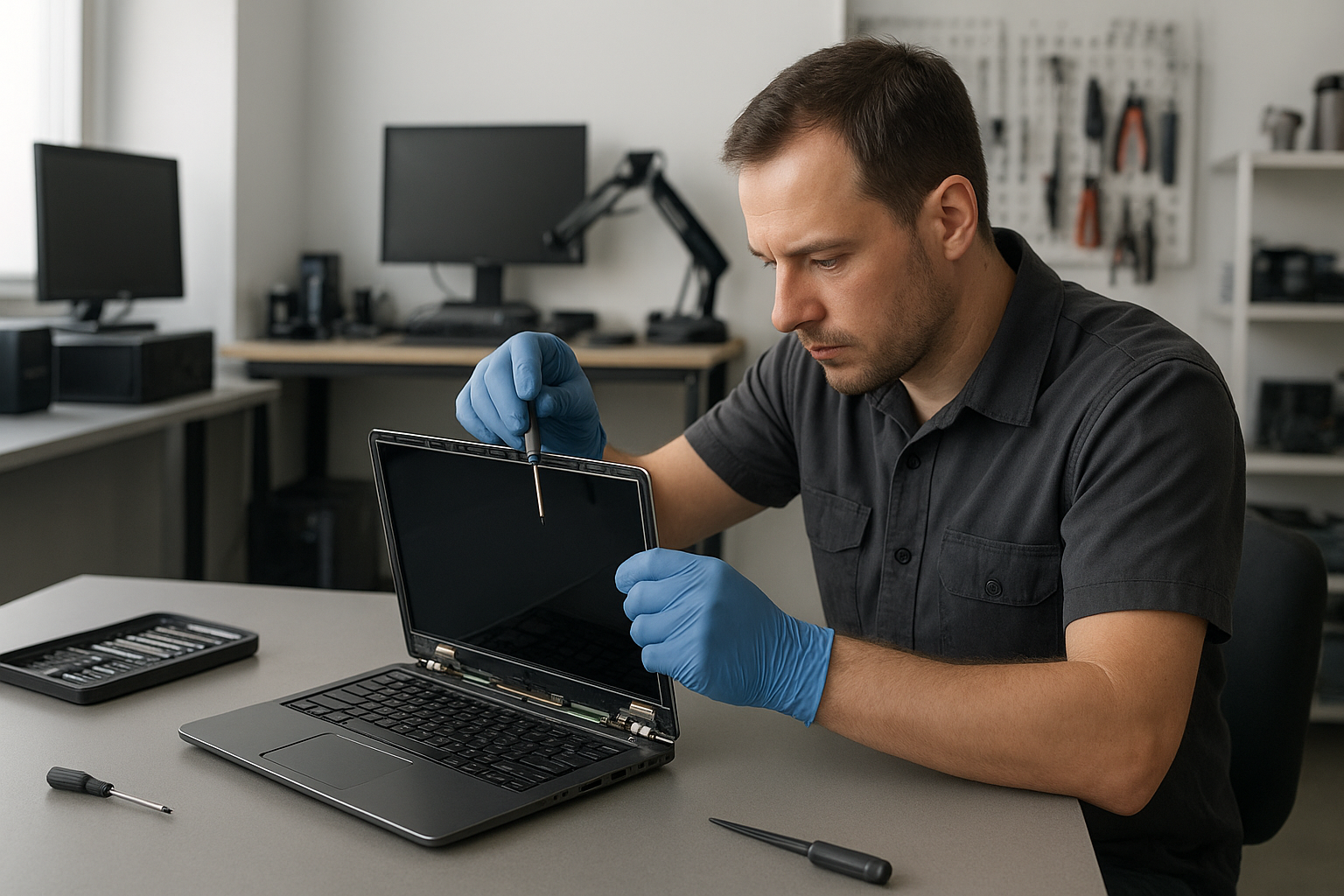
Once I confirm the panel is at fault, I order the correct display assembly or LCD panel. Repair steps include ESD precautions, removing the bezel and hinges, disconnecting the camera and cable, and replacing the panel or digitizer. For touchscreen models we test the digitizer and recalibrate touch input after installation. After reassembly we run stress tests and color calibration, and update display drivers if necessary.
Parts, warranty and model considerations
We use OEM-grade panels for Apple models like MacBook Air and MacBook Pro, and high-quality compatible panels for Dell XPS, HP Pavilion, Lenovo ThinkPad, ASUS ZenBook and Microsoft Surface where OEM parts are not available. We provide a parts and labor warranty and explain tradeoffs so you can choose the best option for budget and longevity.
Real repair example from our Coquitlam shop
A recent Coquitlam customer brought in a 15-inch HP Pavilion with a spiderweb crack and intermittent color banding. I first connected an external monitor and confirmed the GPU and motherboard were fine. Then I removed the bezel and found the display cable intact but the panel had impact damage. After sourcing a matching HD panel, I replaced the display assembly, reconnected the camera and Wi-Fi antenna leads, and reinstalled the hinge screws with proper torque. Post-repair I ran a 24-hour burn-in with color calibration and checked Wi-Fi and camera functions. The customer left satisfied with a clear display and normal performance.
Cost expectations and turnaround time
Costs depend on the laptop model and whether you need an OEM panel or a compatible replacement. Typical turnaround for in-stock panels is same-day to two business days. If we need to order a rare panel for a MacBook Pro Retina or a Surface model the lead time can be longer. We provide a clear estimate before any work and offer options like SSD upgrades or battery replacement while the unit is in for screen service.
Practical advice to protect your laptop screen
Use a padded sleeve, avoid putting heavy objects on the laptop lid, and keep liquids away from the keyboard to prevent liquid damage that can spread to the display assembly. If you suspect internal moisture contact, shut down the laptop and bring it in for liquid damage repair promptly. For local questions about general tune-ups or virus removal while your machine is in, see our computer repair in Coquitlam page.
Additional services we often combine with screen replacement
We frequently perform trackpad repair, keyboard replacement, thermal paste replacement, motherboard repair, SSD upgrades, and data recovery alongside screen work. If you need Apple-specific help, check our MacBook repair page. For general laptop hardware issues, our laptop repair in Coquitlam information explains common fixes.
How to prepare before you bring your laptop in
Back up important data or ask about our data recovery in Coquitlam options if the drive is failing. Remove passwords if possible to speed diagnosis. If you need directions or want to book an appointment, contact Moe Repair and we will guide you through drop-off or same-day service availability.
Contact Moe Repair Today
Moe Repair is open for drop-off and diagnostics in Coquitlam. We offer a free consultation to review options, parts, and pricing. Call Moe Repair at 778-951-4872 or email service@moerepair.ca to arrange a time. We serve customers in Coquitlam and nearby cities including Port Moody and Port Coquitlam, and we can often complete simple screen swaps same day. Bring your laptop to our shop for a clear estimate before any work begins.
Moe Repair
Phone: 778-951-4872
Email: service@moerepair.ca
Frequently asked troubleshooting tips
If the screen shows vertical lines after a drop, avoid powering repeatedly and bring it in for inspection — repeated attempts can cause more damage. If the screen is black but the laptop boots, an external display test can reveal whether only the panel needs replacement. For liquid spills, bring the device in even if the screen appears fine, because corrosion can show up later and affect the display connector or motherboard.
We aim to be transparent about repair risks. Some rare cases require motherboard work or full-display assembly replacement. We will diagnose and explain options before starting work.
Local experience and why Coquitlam customers trust us
With over 15 years of hands-on experience I have repaired everything from broken glass on a MacBook Air to motherboard-level display power faults on gaming laptops. Our shop in Coquitlam handles repairs for Burnaby and New Westminster residents as well. We test thoroughly, offer clear quotes, and keep you updated during the repair process.
Contact Moe Repair Today
Moe Repair offers a free consultation and clear estimates. Call 778-951-4872 or email service@moerepair.ca to schedule a drop-off. We serve Coquitlam, Port Moody, Port Coquitlam, Burnaby, and New Westminster and often provide same-day screen swaps for common models.
For ongoing laptop issues like blue screen repair, virus removal, or operating system repair during a screen replacement, ask our technician to combine services to save time and cost.
Contact Moe Repair Today
Moe Repair
Phone: 778-951-4872
Email: service@moerepair.ca
Free consultation available. We proudly serve Coquitlam and nearby Port Moody, Port Coquitlam, Burnaby, and New Westminster.
Contact Moe Repair Today
Call now for an estimate and to check same-day availability: 778-951-4872. We inspect your machine, confirm part options, and proceed only with your approval.