
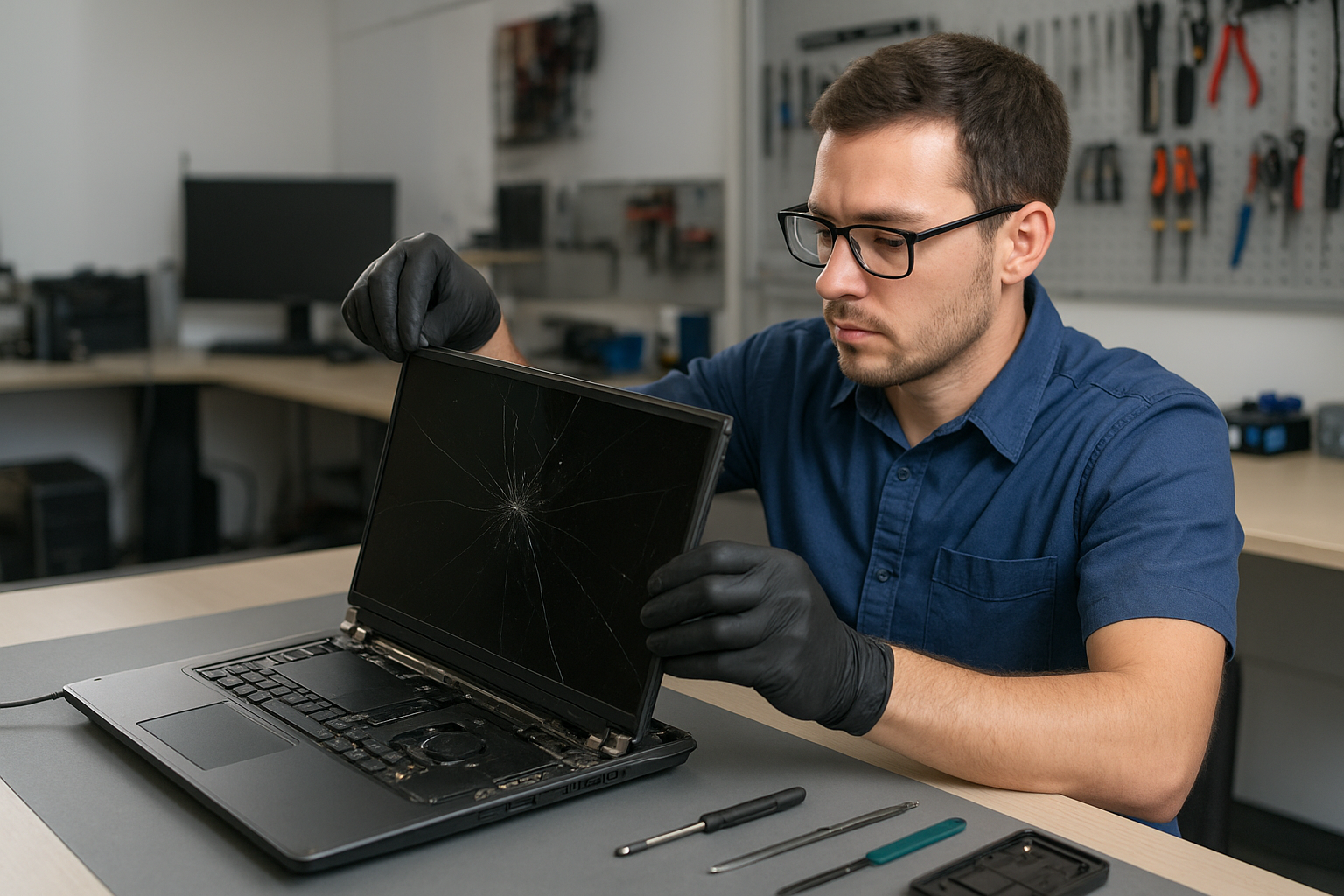
Laptop screen replacement Coquitlam: Fast, Local Repair by Experts
If your display is cracked, flickering, or black but the laptop powers on, a professional Laptop screen replacement Coquitlam service can save time and money. I am a senior technician with 15 years fixing screens, hinges, and display cables in Coquitlam and nearby cities. I explain symptoms, walk you through diagnostics, and complete careful repairs using tested parts.
Common laptop screen problems in Coquitlam
Typical symptoms customers bring in include visible cracks, vertical or horizontal lines, backlight failure, dim or flickering image, and touch layer failures on touchscreens. You might also see a working external monitor while the built-in panel stays dark. Those differences tell us whether the panel, cable, inverter, or GPU is at fault.
How we diagnose broken and flickering screens
Diagnosis starts with a phone intake and a quick visual inspection. At the bench I test the laptop with an external monitor to separate GPU or motherboard issues from a display panel failure. Next I remove the bezel and check the LVDS/eDP cable, hinge strain points, and connector pins. I use a multimeter to verify backlight voltage and continuity. If the backlight circuit reads correctly but the image is corrupted, the panel itself is usually bad.
Tools and realistic diagnostic steps
Common diagnostic tools I use are a multimeter, DC power jig, spare display cables, and donor panels for swap testing. For MacBook Air and Pro models I also check the display cable routing under the hinge where wear often shows. If needed, I run a short burn-in with a brightness and color test to confirm the repair under load.
Laptop screen replacement Coquitlam: parts, brands, and fit
We source OEM and high-quality aftermarket panels for brands like Dell (XPS, Inspiron), HP (Pavilion, Envy, Omen), Lenovo (ThinkPad, Legion), Acer, ASUS, and Apple MacBook Pro and Air. For MacBook repairs we also inspect the Retina connector and the T-con board when applicable. I explain the difference in parts quality and warranty before you authorize any work.
Repair procedures: from disassembly to testing
Repair steps include secure data backup when customers request it, careful bezel removal, hinge and cable inspection, panel replacement, and a full functional test. We clean connector contacts, replace broken brackets, and apply protective adhesive where required. After reassembly we test Wi-Fi, webcam, and sleep/wake behavior to ensure no secondary damage occurred. If you need additional services like a battery replacement, SSD upgrade, or operating system repair, we can handle that during the same visit.
Safety and data handling
Before opening any laptop we disconnect the battery when possible and document serials and configuration. If a customer is worried about files, we offer data recovery in Coquitlam and can clone drives prior to repairs.
Real repair example from Coquitlam
A local student from Port Coquitlam brought in a Lenovo IdeaPad with a shattered screen after a drop. Initial inspection showed the display glass broken, but the laptop booted to BIOS and an external HDMI monitor worked. I removed the bezel, tested the eDP cable with a donor panel, and confirmed the connector read normal voltages. I ordered a compatible 15.6″ IPS replacement, swapped the panel, replaced two damaged hinge screws, and ran a two-hour burn-in. The screen returned to full brightness and the display colors matched the external monitor. I explained the options and costs before starting; work completed in one business day. The customer left satisfied and asked about an SSD upgrade the same visit.
When to replace the panel, cable, or motherboard
Replace the panel when cracks, dead pixels, or glass damage appear. Replace the cable if there are intermittent flicker issues that move with lid position. If both external tests and cable swaps fail, motherboard-level faults like a damaged GPU or power rail may be the cause. We perform these tests and provide transparent quotes, and we can combine services like laptop repair in Coquitlam or computer repair in Coquitlam if other components need work.
Pricing, parts warranty, and turnaround time
Turnaround depends on part availability. We keep common panels in stock for many Dell, HP, Lenovo, and MacBook models. When parts are special order we give an ETA. All parts come with a limited warranty, and we test devices before customer pickup. We discuss data backup, and if you need MacBook repair in Coquitlam we cover specific Apple part options.
Practical advice to prevent future screen damage
- Use a padded sleeve during transport.
- Avoid putting heavy objects on the laptop lid.
- Keep liquids away to reduce risk of liquid damage that can spread to the display circuitry.
- Close the lid gently and avoid picking up a laptop by the screen.
Contact Moe Repair Today
If you need a free consultation for Laptop screen replacement Coquitlam, call Moe Repair at 778-951-4872 or email service@moerepair.ca. We offer a free initial diagnostic estimate and serve Coquitlam, Burnaby, Port Moody and Port Coquitlam. Walk-ins are welcome but appointments help us reserve parts and speed your repair. Tell us your model, symptoms, and whether you need services like battery replacement, SSD upgrades, or data recovery. We will provide clear options before any work begins.
FAQ
How long does a typical screen replacement take?
Most common laptop screen replacements take between 2 and 48 hours depending on part availability. If we have your panel in stock we often finish the same day. For special-order or hard-to-find panels it can take longer and we will give an ETA.
Will replacing the screen affect my data?
Screen replacement itself does not erase your data. However, if you request a backup or if we see signs of drive issues we recommend cloning your drive or using our data recovery in Coquitlam services before proceeding.
Do you use OEM parts for MacBook and Windows laptops?
We source OEM where possible and high-quality equivalent panels when OEM is not available. For MacBook repairs we discuss Apple-specific part options during the estimate. We also handle related repairs like MacBook repair in Coquitlam.
Can a flickering screen be repaired without replacing the panel?
Sometimes yes. Flicker that changes with lid position often points to a damaged cable or loose connector. We test by reseating cables and performing cable swaps. If the panel itself is failing we will recommend replacement.
Moe Repair
Phone: 778-951-4872
Email: service@moerepair.ca