
Gaming PC repair Port Coquitlam: Expert fixes for lag, crashes & heat
At Moe Repair in Port Coquitlam I handle Gaming PC repair Port Coquitlam every week. I see rigs with overheating GPUs, intermittent crashes, and sudden frame drops. As a senior technician with 15 years of hands-on experience, I diagnose components, provide realistic repair options, and explain the risks before any work starts. If your desktop makes unusual noises, fails to POST, or shows artifacting, you should act now.
Gaming PC repair Port Coquitlam: Signs and Solutions
Common symptoms that bring gamers to my bench include repeated blue screens, thermal throttling, random reboots during gaming sessions, coil whine, and slow load times. You might notice higher fan RPM, screen tearing, or driver crashes in titles like Warzone or Cyberpunk. I log these symptoms, reproduce the issue where possible, and run targeted tests.
How we diagnose gaming PC problems
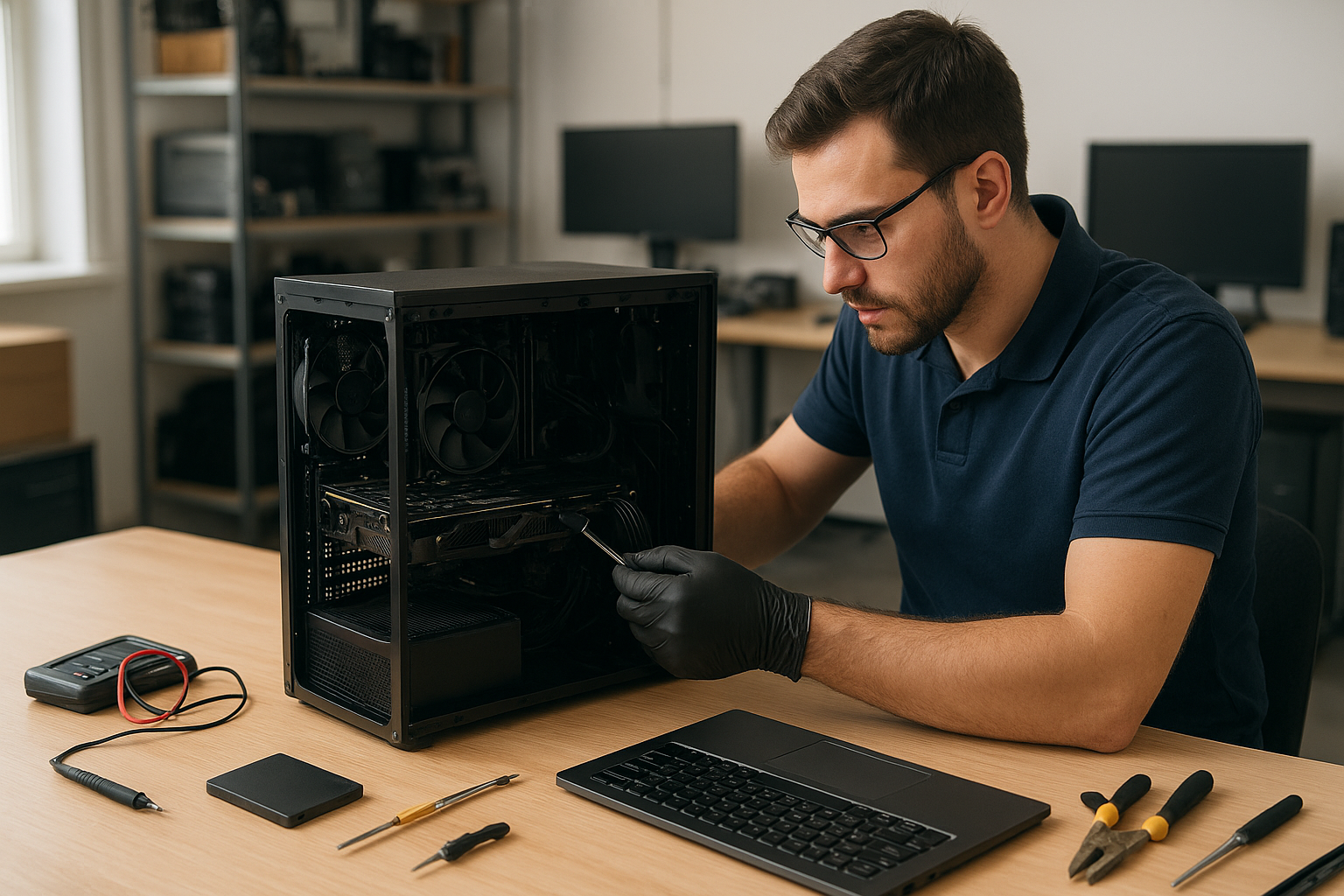
Diagnosis starts with a visual inspection. I check for dust buildup, loose power connectors, bulging capacitors, and bent GPU pins. Next I run component-level tests: memtest86 for RAM, FurMark or 3DMark for GPU stress, Prime95 for CPU stability, and a PSU load test. I also use Event Viewer and dump analysis for blue screens and check device manager for driver errors.
Stress testing and thermal checks
Thermal imaging and HCIs measure hotspots. If the GPU or CPU exceeds safe thresholds, I record idle and load temps, inspect heatsinks, and check thermal paste condition. For software issues, I perform clean driver installs, rollback when needed, and verify BIOS settings. For Windows problems I offer Windows installation and system file checks.
Common repairs we perform for gamers
Typical repairs include thermal paste replacement, fan replacement, cleaning and dust removal, SSD upgrades, motherboard repair, PSU replacement, and GPU troubleshooting. We also recover corrupted save files, run virus removal, and complete data recovery when drives fail. If a laptop gamer needs help, we handle laptop repair in Coquitlam too.
Parts and component-level work
I replace failing caps on motherboards, re-solder loose connectors when appropriate, and test replacement parts on a known-good bench system. For many gamers, an SSD upgrade or fresh Windows installation noticeably improves load times and responsiveness. For data emergencies, we offer data recovery in Coquitlam services.
Real repair example from Port Coquitlam
A recent customer from Port Coquitlam brought in an ASUS ROG desktop that froze after 20 minutes of play and showed artifacting. I reproduced the problem and recorded GPU temps above 95C under load. I tested the PSU rails and found stable voltages. Next I removed the GPU, cleaned old thermal paste, replaced the thermal pads, reseated the card, and updated the GPU BIOS and drivers. After reassembly and a 2-hour stress test the system ran stable with peak GPU temps near 75C and no artifacting. I explained the repair steps and recommended an aftermarket cooler for quieter performance.
How to prepare your gaming PC for service
Before you bring a rig in, back up important files and disable full-disk encryption if possible. If you cannot access the system, we can collect the drive for imaging. Label cables and peripherals to speed up diagnostics. If the system is under warranty, check terms—opening sealed systems can void coverage. For general maintenance or a tune-up, see our computer repair in Coquitlam page for service options.
Why choose Moe Repair in Port Coquitlam
I work on a wide range of brand lines including Alienware, ASUS ROG, MSI, Gigabyte, NVIDIA RTX and AMD Radeon systems. My approach is evidence-based: log the error, reproduce the fault, test components, and only then recommend repairs. I provide clear estimates, parts sourcing, and post-repair stress testing. Customers from Coquitlam, Port Moody, and Burnaby trust us for thorough diagnostics and honest pricing.
Contact Moe Repair Today
Moe Repair offers a free consultation to assess your gaming PC and explain repair choices. Call 778-951-4872 or email service@moerepair.ca to schedule a drop-off or arrange local pickup. We service Port Coquitlam and nearby areas including Coquitlam, Port Moody, Pitt Meadows and Maple Ridge. Our process includes a detailed diagnostics report, parts options, and estimated completion time before we begin any repairs. If you prefer, start with an online inquiry via contact Moe Repair.
Practical tips and what to expect after repair
After a repair, I recommend running games for 30 to 60 minutes while monitoring temps and frame rates. Keep drivers current but avoid beta drivers for stability-critical systems. For long-term reliability, schedule periodic cleaning and check thermal paste every 2 to 3 years depending on usage. If a problem returns, bring the system back; we keep repair logs and often identify follow-up fixes quickly.
Other services that help gamers
We also offer SSD upgrades to reduce load times, operating system repair, Wi-Fi troubleshooting for multiplayer sessions, and printer setup for streaming overlays. If you game on a MacBook or need screen replacement, we perform MacBook repair in Coquitlam as well. For file loss or corrupted game saves, consult our data recovery services.
FAQ
Below are answers to common questions; if your issue is urgent, call 778-951-4872.
What is the typical turnaround for a gaming PC repair?
Turnaround depends on parts availability and diagnostic time. Simple fixes like fan replacement or thermal paste take 1 to 2 business days. Component-level motherboard or GPU repairs may take longer if parts need ordering.
Do you provide estimates before starting repairs?
Yes. I provide a written estimate after diagnostics and before any work begins. You approve the cost and parts, and I keep you informed during the repair.
Can you recover lost game saves or files?
Often yes. We image drives and use sector-level recovery tools. For best results, stop using the drive and bring it in quickly. See our data recovery in Coquitlam page for details.
Will upgrading my SSD or RAM improve FPS?
Upgrades can reduce load times and improve minimum frame rates in CPU or memory-limited scenarios. An SSD speeds level loading, while more RAM helps when you multitask or use mods that consume memory.
Moe Repair
Phone: 778-951-4872
Email: service@moerepair.ca